
Rapsodo Golf Launch Monitor – Swing Analyzer, Spin Rate, Indoor/Outdoor
3.8Editor score
Dual camera setup
30k simulator courses
Premium trial included
Choosing the right Golf Launch Monitor and Swing Analyzer can transform your practice sessions into measurable progress. These devices provide critical data on your swing mechanics and ball flight, allowing you to identify weaknesses and build consistency. Whether you play indoors or outdoors, having accurate feedback is essential for improving your game effectively.
We evaluated ten leading products based on accuracy, features, ease of use, and value. Our analysis considers Doppler radar technology, camera systems, and software integration to ensure each pick delivers reliable insights. This list covers a range of budgets and skill levels, helping you find the perfect tool for your specific training needs and goals.
Each pick highlights key specifications, pros, and cons to guide your decision-making process. Note that availability and pricing may change over time, so always verify current details before purchasing. Use this guide to understand what matters most when investing in technology designed to enhance your golf performance and swing analysis.
3.8Editor score

5.0Editor score

4.3Editor score
As an Amazon Associate we earn from qualifying purchases.
This comparison table summarizes key features across all ten products to help you evaluate options quickly. Each entry highlights core specifications like accuracy, display type, and unique capabilities to show how they differ in real-world use.


The Voice Caddie SC4 PRO stands out as the top choice for golfers seeking professional-grade accuracy. It delivers precise ball and club head data with real-time performance and exceptional clarity for both indoor and outdoor practice sessions.
We may earn a commission when you buy through this link, at no additional cost to you.
Its Prometric engine tracks every shot from swing to impact, offering unmatched insight into your mechanics. The inclusion of E6 Connect simulation courses enhances training by providing immersive virtual environments to challenge your game effectively.
While the price is higher than entry-level options, the accuracy and features justify the investment. Some users may find the reliance on an app slightly limiting without connectivity, but the offline capabilities remain robust for core metrics.
This model is ideal for serious players aiming to refine their swing with reliable feedback. If you prioritize data integrity and simulation quality, the SC4 PRO offers a comprehensive solution for improving your golf performance consistently.
The Prometric engine ensures accurate measurements by tracking ball flight from impact, giving you trustable data for every swing.
Access five E6 courses to practice in realistic virtual settings, helping you transfer range improvements to actual course play.
We may earn a commission when you buy through this link, at no additional cost to you.
The Rapsodo Golf Launch Monitor offers a premium experience with its dual camera and Doppler radar setup. It captures fifteen key metrics to help you refine your swing and understand ball flight dynamics with high precision.
We may earn a commission when you buy through this link, at no additional cost to you.
One of its strongest features is the inclusion of over thirty thousand simulator courses during the trial period. This allows you to enjoy virtual play alongside technical analysis, making practice more engaging and varied for all skill levels.
However, full access to simulator courses requires a subscription, which may deter some users. Additionally, indoor setup demands careful calibration to ensure accurate data capture across different swing types and conditions.
Choose this if you want extensive data and virtual play options. It suits golfers who value detailed metrics and are willing to invest in a comprehensive system for long-term improvement and simulation fun.
Two cameras work with radar to track shot trajectory precisely, ensuring reliable data even in varied indoor or outdoor conditions.
Play iconic courses via the app to simulate real-game scenarios, enhancing practice with competitive and immersive virtual experiences.
We may earn a commission when you buy through this link, at no additional cost to you.
The GOLFBUDDY Shot Mate Launch Monitor provides excellent value for beginners looking for reliable data without high costs. It uses Doppler radar to deliver accurate metrics on speed and carry distance for consistent performance feedback.
We may earn a commission when you buy through this link, at no additional cost to you.
Its TFT LCD display ensures clear visibility in bright light, while the 1000-shot storage allows extensive tracking of practice sessions. This memory feature helps you analyze trends over time without needing constant external device connectivity.
Connectivity remains minimal compared to premium models, which may limit advanced simulation features. The basic app support focuses on core stats, making it straightforward but less versatile for gamers seeking immersive experiences.
This is a solid pick for focused practice on driving distance and swing speed. If you prioritize essential metrics and portability over complex simulations, the Shot Mate offers a trustworthy foundation for improving your game.
The auto-adjusting screen provides clear readability in all lighting conditions, ensuring you see metrics instantly after every shot.
Store up to 1000 swings to review past performance trends and identify patterns in your training progress over time.
We may earn a commission when you buy through this link, at no additional cost to you.
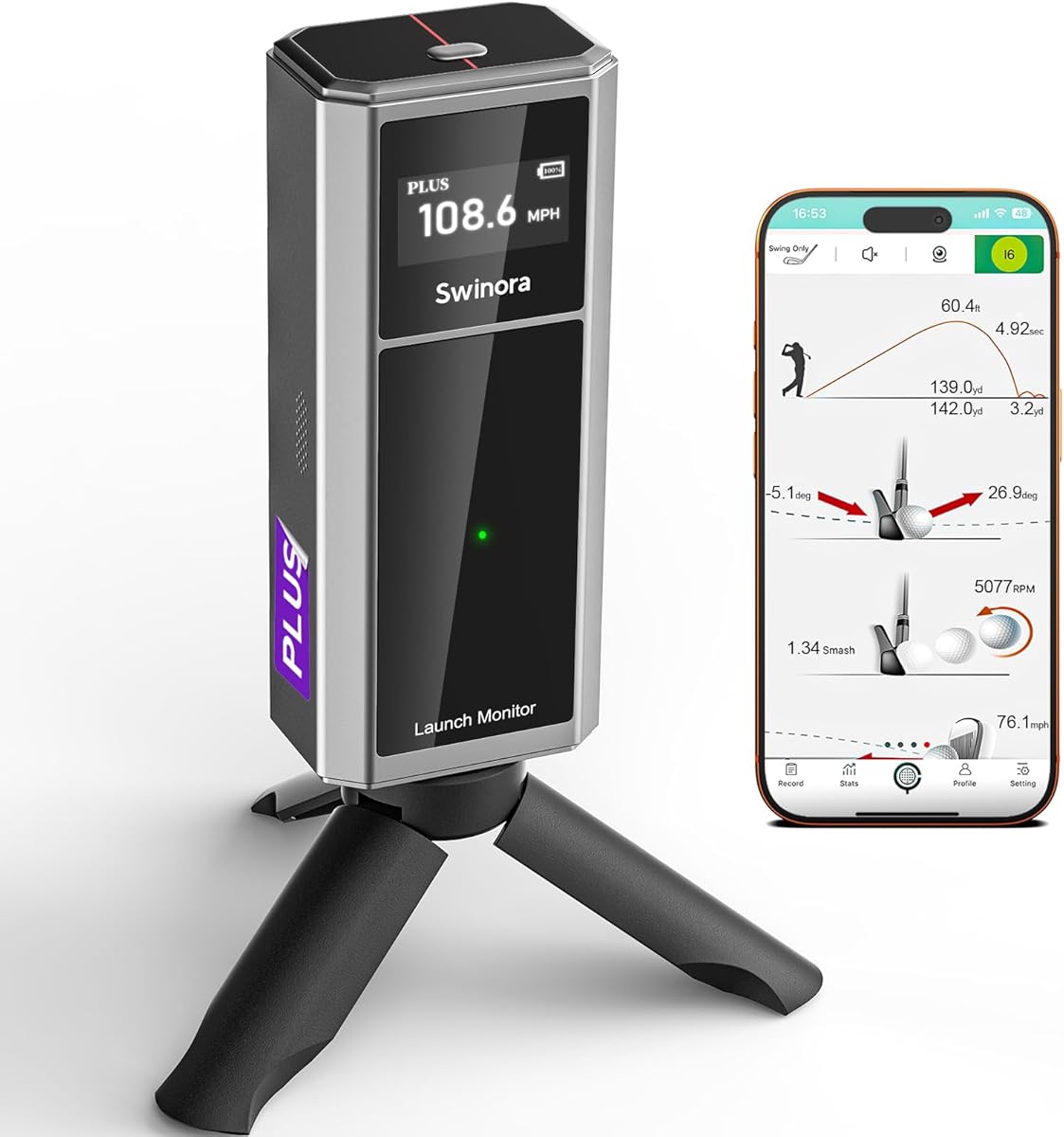
This Portable Swing Analyzer distinguishes itself by offering zero annual fees alongside detailed 13-metric tracking. Environmental sensors adjust data based on real-time conditions, ensuring your training results reflect actual course performance accurately.
We may earn a commission when you buy through this link, at no additional cost to you.
Its durable metal body and OLED display suggest longevity and usability in various settings. Features like distance calibration allow you to fine-tune yardages, making practice more aligned with your on-course capabilities without hidden costs.
Indoor use requires a specific minimum space of fifteen feet, which may limit flexibility for smaller areas. Additionally, it does not measure horizontal club face angle or swing path, narrowing the data scope for complex swing analysis.
Ideal for budget-conscious golfers seeking reliable feedback without subscription hassles. This device suits those who want consistent data for carry distance and speed while maintaining a low-cost approach to ongoing training.
Built-in sensors adjust data for temperature and pressure, ensuring your metrics stay accurate across different weather conditions.
Enjoy full feature access with a one-time download, avoiding recurring fees and keeping your training expenses predictable and low.
We may earn a commission when you buy through this link, at no additional cost to you.
The Voice Caddie SC300i combines GPS capabilities with launch monitoring to offer a versatile tool for home and outdoor use. It measures crucial parameters like distance and smash factor to help you understand shot performance instantly.
We may earn a commission when you buy through this link, at no additional cost to you.
Its voice output feature allows hands-free access to data, which is convenient during active practice sessions. The bright 5.3-inch LCD ensures clear visibility, and adjustable loft angles enable varied training scenarios for comprehensive skill development.
Accuracy is slightly lower compared to higher-end Doppler models, which might affect precision at extreme distances. App connectivity provides basic stats but lacks the advanced features found in premium alternatives for detailed analysis.
This model works well for casual golfers needing both course info and swing feedback. If GPS integration is important and you prefer voice feedback over complex apps, the SC300i offers a balanced functional solution.
Voice output lets you hear shot data instantly without looking at the screen, keeping your focus on form and swing consistency.
The bundle includes GPS overview data, helping you understand course distances while practicing your shot mechanics simultaneously.
We may earn a commission when you buy through this link, at no additional cost to you.
The Rapsodo Mobile Launch Monitor is designed for portability, fitting easily into any golf bag for practice anywhere. It pairs exclusively with iPhone and iPad devices to deliver shot-by-shot feedback on carry distance and ball speed.
We may earn a commission when you buy through this link, at no additional cost to you.
Video replay with a shot tracer helps you visualize ball flight immediately after each swing. This feature simplifies identifying faults by showing your true trajectory alongside data numbers for targeted improvement sessions.
iOS exclusivity restricts use for Android users, which limits its appeal across different device ecosystems. Premium features like simulator courses require extra payment, keeping basic feedback accessible but advanced tools restricted.
Ideal for iPhone owners who need a travel-friendly training aid. If you value visual feedback and simplicity without needing full simulation capabilities, this device delivers efficient and convenient practice results.
Video replay overlays a tracer on your swing to visualize ball flight, helping you spot and correct errors instantly.
Lightweight and easy to pack, this monitor travels with you to any range or backyard net for consistent practice.
We may earn a commission when you buy through this link, at no additional cost to you.
PRGR HS 130-A offers simplicity with no Wi-Fi or app requirements, making it an accessible choice for many golfers. It tracks club and ball speed using advanced Doppler radar technology to provide reliable swing speed data.
We may earn a commission when you buy through this link, at no additional cost to you.
Measuring club speed without a ball allows for speed training even in tight spaces. This feature makes it versatile for gym or garage sessions where hitting a ball is not feasible during every practice attempt.
The absence of wireless connectivity means data viewing is limited to the device display, which may frustrate tech-savvy users. The basic design lacks app integration but ensures long-term reliability without software dependency or subscription updates.
Choose this if you want a no-fuss tool focused purely on speed and basic metrics. It is an excellent budget option for tracking progress over time without the complexity of modern connectivity features.
Measure club head speed without a ball, enabling speed training anywhere without needing to hit shots.
Operate without apps or Wi-Fi for a straightforward experience that focuses entirely on performance data and swing speed.
We may earn a commission when you buy through this link, at no additional cost to you.
The Garmin Approach R10 provides a comprehensive package for home and range play with access to over 42,000 courses worldwide. It tracks key metrics like ball spin and launch angle to enhance shot consistency through detailed analysis.
We may earn a commission when you buy through this link, at no additional cost to you.
Automatic video recording captures your swing alongside data metrics, allowing you to review form and results together. This dual feedback mechanism helps you connect technical data with visual swing mechanics effectively.
Subscription requirements for virtual rounds may add to the long-term cost of ownership. The battery life is rated at ten hours, which could limit extended indoor simulation sessions without recharging or external power.
Ideal for golfers seeking global simulation and reliable data insights. If you want to play virtual courses and analyze dispersion alongside swing metrics, the R10 delivers a strong all-around package.
Access over 42,000 virtual courses globally, allowing you to simulate rounds on famous tracks from home or indoor setups.
View shot dispersion charts to understand accuracy trends and identify areas needing focused practice and improvement.
We may earn a commission when you buy through this link, at no additional cost to you.
TheStack Radar focuses on speed training and ball tracking for golfers seeking to improve distance and consistency. It measures swing and ball speed to calculate estimated carry, offering targeted insights for speed development.
We may earn a commission when you buy through this link, at no additional cost to you.
Exclusive wedge training sessions gamify practice, helping you dial in distances with fun, specific skill drills. This specialized focus makes it a unique tool for short-game improvement alongside speed metrics.
Wedge training is limited to iOS devices, which restricts Android users from accessing full features. While it offers basic ball tracking, it lacks broader metrics like spin axis compared to more comprehensive radar models.
Choose this if speed and wedge precision are your primary goals. It suits players who want a focused tool for distance development and short-game accuracy without unnecessary complex metrics.
Gamified wedge practice sessions help you master specific distances and improve short-game accuracy through engaging, structured drills.
Track swing speed to measure progress directly, helping you build distance and control through targeted speed training.
We may earn a commission when you buy through this link, at no additional cost to you.
FlightScope Mevo provides reliable 3D Doppler radar data to help golfers understand distance and spin accurately. It includes an FS Golf app with skills challenges to turn practice into competitive and engaging sessions.
We may earn a commission when you buy through this link, at no additional cost to you.
Automatic video clipping and storage capture your swing with corresponding data, making review easy. The app offers direct spin measurements and text-to-speech for convenient viewing while you work on your game effectively.
Outdoor accuracy can be inconsistent under certain conditions like low ceilings or limited space. The case helps protection but may reduce portability compared to slimmer models without extra accessories or packaging.
This model suits golfers wanting to track data and improve through structured challenges. If you enjoy gamified practice and video review features, the Mevo offers a versatile tool for consistent improvement.
Compete in FS Golf skills challenges to compare stats against tour averages, adding purpose to your daily practice sessions.
Automatically clip and store swing videos with data, letting you review performance instantly without manual recording.
We may earn a commission when you buy through this link, at no additional cost to you.
Selecting the right Golf Launch Monitor and Swing Analyzer depends on your specific training needs and budget. This guide outlines key factors to consider for an informed purchase.
Accurate data is the core purpose of any launch monitor. Look for devices using Doppler radar or dual camera systems that track essential metrics like carry distance, club speed, and spin rate. Higher-end models provide detailed stats like launch angle and smash factor, while budget options focus on basic distance and speed.
Prioritize accuracy ratings mentioned in product specs to ensure reliable performance indoors and outdoors.
Some monitors require significant space for accurate ball flight tracking. If you practice indoors, ensure the model supports short-range calibration or indoor nets. Outdoor use generally offers better accuracy due to natural light and unrestricted flight paths.
Check space requirements like minimum room length to confirm the device fits your practice area.
Most modern launch monitors rely on smartphone apps for data visualization and simulation. Ensure the device is compatible with your OS (iOS or Android) before purchasing. Some apps include subscription costs for virtual courses or advanced features, so check the terms.
Choose a model that aligns with your preferred mobile device and app requirements.
If you plan to carry your monitor to the range or travel, weight and size matter. Pocket-sized radars are ideal for quick sessions, while bulkier units may suit stationary home setups. Battery life also influences portability, so consider models with long runtimes.
Evaluate physical design and battery specs to match your mobility needs.
Virtual golf courses enhance practice by simulating real-world scenarios. Premium models offer access to thousands of courses, while others may not include this feature. Simulation often requires subscriptions, so weigh the value of virtual play against your budget.
Select a device with simulation if you enjoy virtual rounds alongside technical feedback.
Wireless Bluetooth connectivity enables real-time data transfer to your phone. Wired models may have limited flexibility but avoid connection drops. Some units operate standalone without apps, which reduces dependency but limits data depth.
Choose connectivity based on how deeply you want to integrate data into your mobile practice.
Outdoor use exposes devices to weather elements like rain or dust. Look for waterproof ratings such as IPX7 to ensure reliability. Durable materials like metal bodies also extend lifespan, making the investment worthwhile over years.
Check weather resistance and build materials to protect your device from wear.
Prices vary widely from budget models to premium systems. Consider long-term costs like app subscriptions for full features. Some devices offer lifetime access to core functions, which reduces ongoing expenses significantly.
Balance upfront costs against subscription fees to manage your total spending.
Position the device according to manufacturer guidelines for accurate tracking. Most require specific distances behind the ball to capture full flight data effectively.
Keep sensors and cameras clean from dust or debris. Use a soft cloth to wipe lenses and surfaces, ensuring clear readings during practice.
Store the unit in a protective case when not in use. Avoid leaving it in direct sunlight or extreme temperatures to preserve battery life and internal components.
Most units need at least 15 feet of space for indoor use to track ball flight accurately. Outdoor use typically allows more flexibility with less space since natural conditions support longer data capture.
Some models like PRGR HS 130-A operate standalone without apps, but most rely on apps for detailed data and visualization. Check if a standalone display meets your needs before purchasing.
Yes, many launch monitors support indoor nets. However, ensure the device is calibrated for short-range capture and has features that compensate for limited ball flight.
Some premium features like simulator courses often require subscriptions. Basic metrics usually work without extra fees, so review the included trial terms carefully.
Doppler radar models typically offer accuracy within ±3% for club speed and ±3 yards for carry distance. This rivals professional devices when used correctly under optimal conditions.
Battery life varies from 5 to 10 hours depending on usage. Most devices are rechargeable, and some allow AAA batteries for extended or uninterrupted use.
Advanced models like Rapsodo or SC4 PRO track club path and face angle. Budget units often focus on speed and carry without these specific swing metrics.
Store your device in a dry, protective case. Look for waterproof ratings like IPX7 if you plan to use it outdoors in variable weather conditions regularly.
The top picks include the Voice Caddie SC4 PRO for overall excellence, Rapsodo for premium simulation, and GOLFBUDDY Shot Mate for budget-friendly accuracy.
Prioritize accuracy, app compatibility, and space requirements when selecting. Consider whether you need virtual courses or just raw swing data for your training.
Prices and availability change frequently, so verify current details on the manufacturer or retailer sites before buying to ensure you get the best deal.