
ARCTIC P9 PWM PST
4.5Editor score
Wide RPM range
High static pressure
0dB mode support
This guide compares the top 92mm case fans for quiet cooling and high performance, helping you choose the best option for your build needs.
Finding the right 92mm case fan is crucial for maintaining optimal temperatures in compact builds. These small fans deliver significant airflow while fitting into tight spaces on coolers and radiators.
We evaluated ten leading models based on airflow, noise levels, bearing technology, and build quality. Each fan was compared against standard requirements for small form factor and high-density cooling applications.
Our selections highlight top performers for budget, premium, and silent operations. Note that product availability and pricing may fluctuate based on market conditions and retailer stock levels.
4.5Editor score

4.8Editor score

4.8Editor score
This comparison table outlines the key specifications of each model to help you evaluate performance, noise, and suitability for your specific cooling requirements quickly.


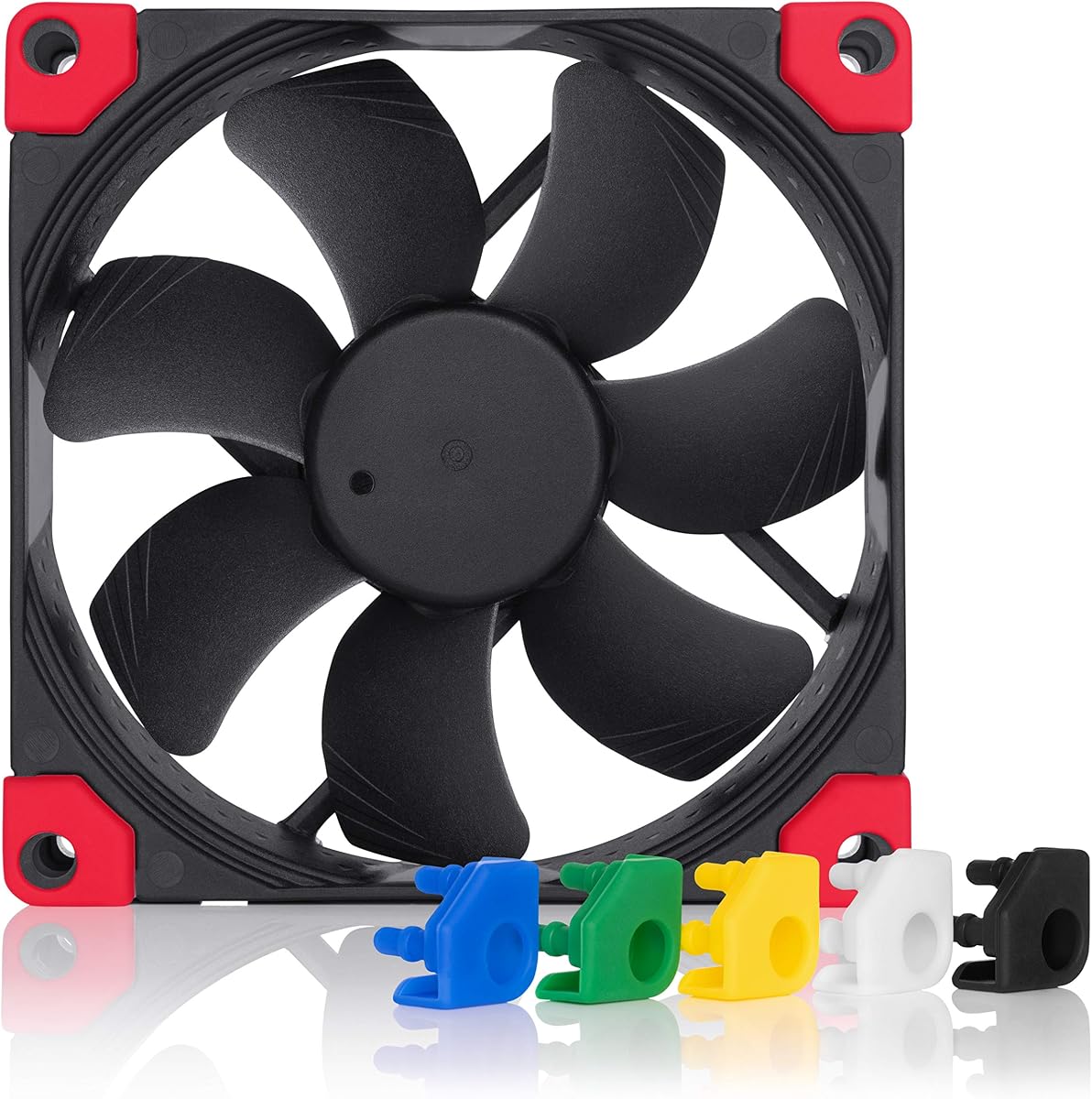


The Noctua NF-A9 PWM stands out as a top performer in the 92mm category with its exceptional balance of noise and cooling. It holds a strong 4.8 rating due to consistent quality and advanced acoustic optimization.
We may earn a commission when you buy through this link, at no additional cost to you.
Its Flow Acceleration Channels and AAO frame significantly improve static pressure and airflow efficiency. The 4-pin PWM interface allows precise motherboard control for automatic speed adjustments.
While it costs more than budget options, the reliability and included accessories justify the investment. Users appreciate the anti-vibration mounts and extension cables included in the box.
This fan is ideal for anyone prioritizing silent operation in compact PC cases or CPU coolers. It remains a benchmark for quality in small form factor cooling solutions.
The Advanced Acoustic Optimisation frame minimizes turbulence to reduce noise without sacrificing performance.
Automatic speed control ensures the fan runs quietly during low loads and ramps up when cooling is needed.
We may earn a commission when you buy through this link, at no additional cost to you.
The ARCTIC P9 PWM PST offers compelling performance at an affordable price point. It delivers robust airflow and static pressure suitable for radiators and heat sinks.
We may earn a commission when you buy through this link, at no additional cost to you.
Its 0dB mode allows the fan to stop completely at low loads, ensuring silent idle. The wide RPM range provides flexibility for different cooling scenarios.
While not as silent as premium models, it performs well under load without excessive noise. The included splitter makes daisy-chaining fans easier in tight setups.
Budget builders will find this fan a solid choice for cooling without breaking the bank. It balances cost and functionality effectively for entry-level builds.
Designed to push air through restricted spaces, making it effective on radiators and dense heatsinks.
Enables silent operation by stopping the fan when cooling demand is minimal during idle states.
We may earn a commission when you buy through this link, at no additional cost to you.
This fan is designed specifically for low-profile CPU coolers where space is extremely limited. Despite its thin design, it maintains high cooling performance with premium noise control.
We may earn a commission when you buy through this link, at no additional cost to you.
The HS-PWM version allows the fan to stand still at zero percent PWM for truly silent idle. This feature supports semi-passive cooling modes effectively.
Users appreciate the chromax.black.swap design for customization options with included color vibration pads. It is a top choice for custom small form factor builds.
For builders requiring a slim profile without sacrificing quality, this fan is unmatched. It ensures your compact system remains quiet and cool under load.
The 14mm thickness allows fitment on coolers where standard 25mm fans would not clear memory or cases.
The black swap edition includes multi-color vibration pads to match your specific PC build aesthetic.
We may earn a commission when you buy through this link, at no additional cost to you.
The standard version of the 14mm fan offers the same reliability as the chromax editions. It is a straightforward choice for those who do not need extra customization options.
We may earn a commission when you buy through this link, at no additional cost to you.
Its SSO2 bearing ensures long-term stability and smooth operation over years. The 4-pin PWM interface supports modern motherboards perfectly.
Users trust Noctua for consistent quality and noise reduction across all fan models. This fan fits well into most compact cases.
Choose this if you want a proven quiet fan without extra styling. It provides efficient cooling for low-profile setups effectively.
SSO2 bearing technology reduces noise and ensures high longevity compared to standard sleeve bearings.
Optimized blade shapes increase airflow efficiency while minimizing turbulence and noise levels.
We may earn a commission when you buy through this link, at no additional cost to you.
The Thermalright TL-P9 brings a great balance of performance and cost. It uses S-FDB bearings to ensure smooth running and minimal noise during operation.
We may earn a commission when you buy through this link, at no additional cost to you.
Its 7-blade design pushes significant air with low turbulence. The silicone feet help reduce vibration transmitted to the case panels.
Users appreciate the straightforward installation and reliable speed control via PWM. It works well in cases where noise is a concern.
This is a practical choice for budget builders who need reliable cooling. It offers excellent value for daily use in standard cases.
S-FDB bearings provide a quiet and durable solution compared to traditional ball bearings found in cheaper fans.
The unique blade layout improves air movement while keeping noise levels low under load.
We may earn a commission when you buy through this link, at no additional cost to you.
This model is optimized for consistent quiet operation at a fixed speed. It delivers stable performance without the complexity of PWM control headers.
We may earn a commission when you buy through this link, at no additional cost to you.
The high static pressure ensures it performs well even on restricted radiators. Users can control speed using voltage settings if needed.
It is a reliable choice for simple setups where automatic speed control is not required. The bearing technology ensures longevity and low friction.
Ideal for cases where simplicity is preferred. It delivers silent cooling without requiring complex motherboard configurations.
Running at a constant 1900 RPM ensures predictable performance without needing complex configuration.
The blades are optimized to push air through tight gaps on radiators and heatsinks efficiently.
We may earn a commission when you buy through this link, at no additional cost to you.
The chromax.black.swap version offers the same high performance as the standard NF-A9 but with a distinct aesthetic. It fits perfectly into modern black-themed PC builds.
We may earn a commission when you buy through this link, at no additional cost to you.
The swappable vibration pads allow for subtle color customization without using stickers. This adds personality while maintaining clean visual lines.
Users value the premium noise reduction and PWM control available in this model. It remains a top pick for quality enthusiasts.
Choose this if you want style along with silence. It brings Noctua reliability to modern dark aesthetics.
Multiple pad colors allow you to subtly match the fan to your motherboard or case theme.
Despite its looks, it maintains the same airflow and pressure standards as the brown model.
We may earn a commission when you buy through this link, at no additional cost to you.
This ultra-slim fan is perfect for tight spaces where 25mm or 14mm fans might be too thick. It offers impressive airflow for its small size.
We may earn a commission when you buy through this link, at no additional cost to you.
The high RPM capability ensures adequate cooling even in restricted environments. Users find it effective for compact desktop cases.
While the construction is simple, the performance meets expectations for the price. It is a strong contender for custom low-profile systems.
Use this if you need extra clearance for memory or cables. It delivers solid cooling in a very narrow form factor.
At 15mm thick, it clears components that standard 25mm fans cannot accommodate in tight cases.
Up to 2700 RPM ensures enough air movement even when the fan area is restricted.
We may earn a commission when you buy through this link, at no additional cost to you.
The FLX version simplifies cooling by using a standard 3-pin connector. It is excellent for cases with older motherboards that lack PWM headers.
We may earn a commission when you buy through this link, at no additional cost to you.
Speed is managed via included Low-Noise Adaptors, allowing fixed reductions to 1250 or 1050 RPM. This ensures ultra-quiet performance easily.
Users trust this model for consistent operation and low noise. It is a durable choice for silent PCs.
This is the best option if you prefer fixed speeds. It keeps noise low without software controls.
The traditional 3-pin connector ensures compatibility with virtually any motherboard fan header available.
Physical adapters allow you to physically restrict voltage for permanently quieter fan operation.
We may earn a commission when you buy through this link, at no additional cost to you.
The P9 Max is built for maximum cooling power. It offers the highest RPM and static pressure in the comparison, ideal for high-density radiators.
We may earn a commission when you buy through this link, at no additional cost to you.
Its fluid dynamic bearing ensures long life and smooth operation even at high speeds. The 0dB mode keeps it silent when the system is idle.
Users note that while effective, the high speed can generate noise. However, it provides unmatched cooling for its price.
Choose this for extreme cooling needs where noise is secondary. It delivers brute force air movement efficiently.
Up to 4300 RPM allows for aggressive cooling in setups with tight thermal margins.
High static pressure ensures airflow reaches the center of radiators even with dense fins.
We may earn a commission when you buy through this link, at no additional cost to you.
Selecting the right 92mm fan involves balancing noise, airflow, and physical dimensions. This guide breaks down the key factors to help you choose.
92mm fans come in 14mm, 15mm, and 25mm thicknesses. Measure your cooler or case clearance before buying. The 25mm models usually offer better airflow but require more space.
Choose 14mm or 15mm for compact builds and standard 25mm for cases with ample room.
PWM fans use 4-pin headers for automatic speed control. FLX fans use 3-pin connectors and rely on physical adapters for speed reduction. Check your motherboard headers before purchasing.
Use PWM for smart thermal control and FLX for older systems or simple setups.
Static pressure is critical for pushing air through radiators or heatsinks. Airflow is better for open case ventilation. Look for high mmH2O values if mounting on radiators.
Select high static pressure for radiator mounts and high airflow for general intake or exhaust.
Noise is measured in decibels (dB). Premium fans like Noctua often stay below 23 dB. Budget fans may exceed this at full speed. Look for low-dB models for quiet environments.
Prioritize low dB ratings if you work in quiet rooms or require silent operation.
Bearing types affect lifespan and noise. Fluid Dynamic Bearings (FDB) and SSO2 bearings are superior to sleeve bearings. They last longer and produce less friction noise.
Select models with FDB or SSO2 bearings for long-term reliability and smooth operation.
Fans with wide speed ranges offer flexibility. Some stop completely at low load for silence. A higher max RPM provides better cooling when needed. Check the minimum and maximum speeds.
Choose fans with wide speed ranges for versatile performance across different usage scenarios.
The color of the frame matters for visual builds. Black fans like the chromax editions match modern systems better than brown ones. Ensure the frame color matches your case theme.
Pick black or white models to maintain a clean and consistent visual look inside your PC.
Premium fans often include extension cables, adapters, and vibration mounts. These help installation and reduce noise. Check what is included in the box before you buy.
Look for kits that include vibration mounts and cables to avoid buying extra parts later.
Install the fan with the airflow arrow pointing correctly. This ensures air moves through the heatsink or case vents properly. Secure screws firmly but do not overtighten the frame.
Connect the fan to the correct motherboard header. PWM fans need a 4-pin header for best results. FLX fans work on any standard 3-pin header.
Clean dust regularly with compressed air to maintain performance. Dust buildup can increase noise and reduce airflow. Ensure the blades are free of debris.
Yes, 92mm fans generally run faster to move the same air. This can lead to more noise. However, premium models optimize design to stay very quiet even at high speeds.
No, you cannot directly attach a 92mm fan to a 120mm mounting pattern. They are different sizes. You must use the correct mounting screws and fan size for your hardware.
Yes, many compact cases use 92mm fans for front or rear exhaust. Measure the case cutout to ensure fit. Most standard cases include mounting points for 92mm.
PWM uses 4 pins for automatic speed control. FLX uses 3 pins and relies on physical adapters for manual speed reduction. Choose based on your motherboard support and needs.
High-quality fans last over 150,000 hours. This equals years of continuous use. Bearings are the main component that wears out. Premium models offer better longevity.
Noctua and ARCTIC are top brands. Noctua offers premium quality. ARCTIC provides excellent value. Both produce reliable 92mm models that users trust.
Yes, mounts reduce frame vibration and noise. They allow the fan to float slightly. This prevents noise transmission to the case chassis and improves acoustic quality.
Set PWM to 0 percent in BIOS or software. The fan will stop at 0 percent. This enables silent idle operation effectively.
We have reviewed ten top models that offer distinct features for different needs. Whether you need extreme performance or silent operation, there is a suitable choice for you.
Prioritize noise and bearing quality for long-term satisfaction. Consider physical dimensions and connectors before purchasing to ensure compatibility with your system.
Check current prices and availability before finalizing your purchase. Prices may change due to retailer policies and stock levels.