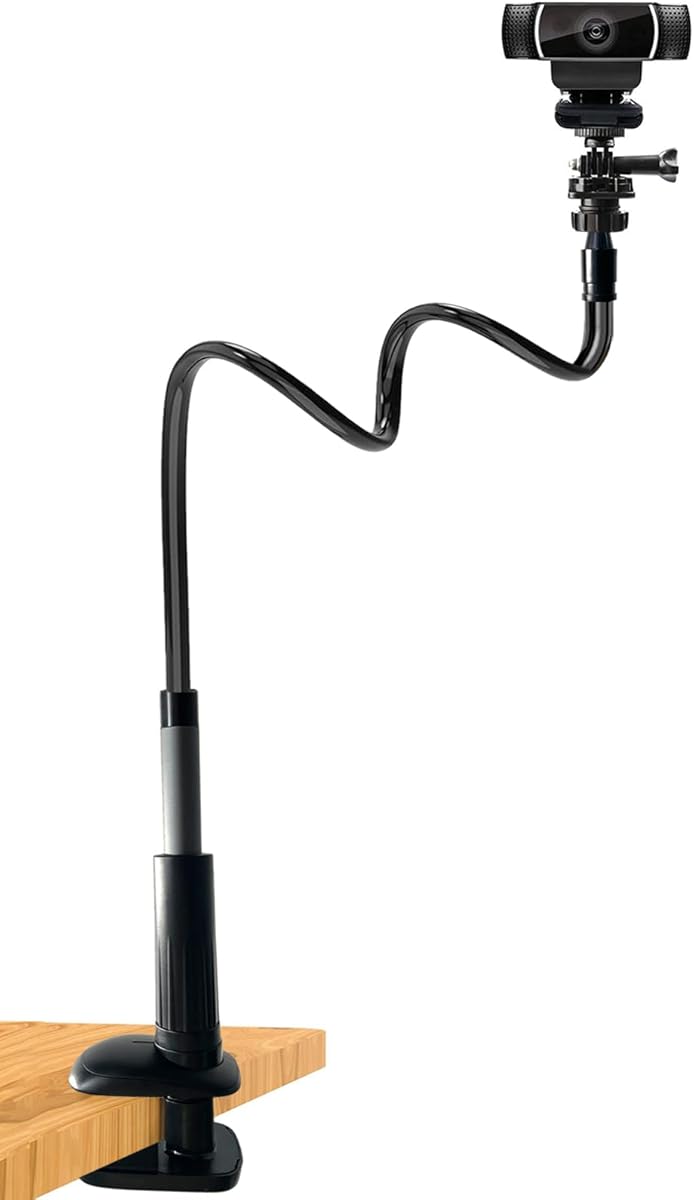
30 Inch Webcam Stand Camera Mount
4.1Editor score
Up to 30 inches height
Thick upgraded clamp base
Fits standard 1/4 inch screws
Finding the right clamp on webcam arm can transform your workspace into a professional studio. These versatile mounts allow you to position your camera at the perfect height and angle for any situation.
We compared ten top-rated models based on build quality, flexibility, and compatibility with popular devices. Our selection includes gooseneck styles and magic arms to suit different mounting preferences and budgets.
Each pick highlights specific strengths like load capacity or clamp width. Please note that prices and availability can change quickly, so verify details on the product pages before purchasing.
4.1Editor score

4.5Editor score

4.3Editor score
As an Amazon Associate we earn from qualifying purchases.
The following table provides a side by side overview of key specifications for each selected product. Use this to quickly compare features like arm length and load capacity before making your final decision.




This 30 inch webcam stand offers excellent height and flexibility for most users. It holds a solid rating for stability and fits popular webcams like the Logitech C920 or C930 series perfectly.
We may earn a commission when you buy through this link, at no additional cost to you.
The upgraded thick base provides a secure grip on desks up to 2.7 inches wide. You can shape the gooseneck into an S or Z curve to minimize bouncing during recording or video calls.
While it supports light devices well, heavy DSLRs might exceed the 1.5 pound limit. Users should ensure the desk is sturdy to prevent any wobbling during active use.
It is an ideal choice for streamers or remote workers needing a quick setup. The wide compatibility and adjustable angles make it a strong contender for general use.
The thick base and non slip cushions help keep your device steady during movement or active sessions.
Fits most standard webcams and action cameras using a 1/4 inch screw thread for easy attachment.
We may earn a commission when you buy through this link, at no additional cost to you.
The SMALLRIG 22 inch magic arm is perfect for overhead views and live streaming. It features double ball clamps for independent angle control which adds versatility for content creators.
We may earn a commission when you buy through this link, at no additional cost to you.
Its anti deflection design ensures the arm stays secure even if bumped. The inclusion of a phone clamp and adapter screws makes it ready for various devices out of the box.
The load capacity of 600 grams means it is best for phones or small webcams. Heavy setups might risk slippage so adjust the arm length accordingly to reduce force.
Streamers needing a stable overhead view will appreciate the extra length and secure joints. It is a reliable choice for professional setups requiring precise positioning.
Double ball clamps allow you to adjust each joint separately for precise positioning.
The interface prevents bending under load to keep your device safe during use.
We may earn a commission when you buy through this link, at no additional cost to you.
This flexible mount is great for tight spaces where a full arm is too large. It extends to 11.6 inches and works well with action cameras and small webcams like the C920.
We may earn a commission when you buy through this link, at no additional cost to you.
The mini tripod head allows for smooth 360 degree adjustments. It attaches easily to light stands or pipes making it versatile for different environments.
Note that it cannot clamp directly on screens and has a lower weight limit. Avoid using it on vibrating surfaces to maintain high quality picture effects during recording.
Ideal for users with limited desk space or specific small device needs. Its compact nature makes it a handy addition to a travel or mobile setup.
Shorter length makes it perfect for small desks or tight corners.
Mini head allows for independent rotation to find the perfect angle.
We may earn a commission when you buy through this link, at no additional cost to you.
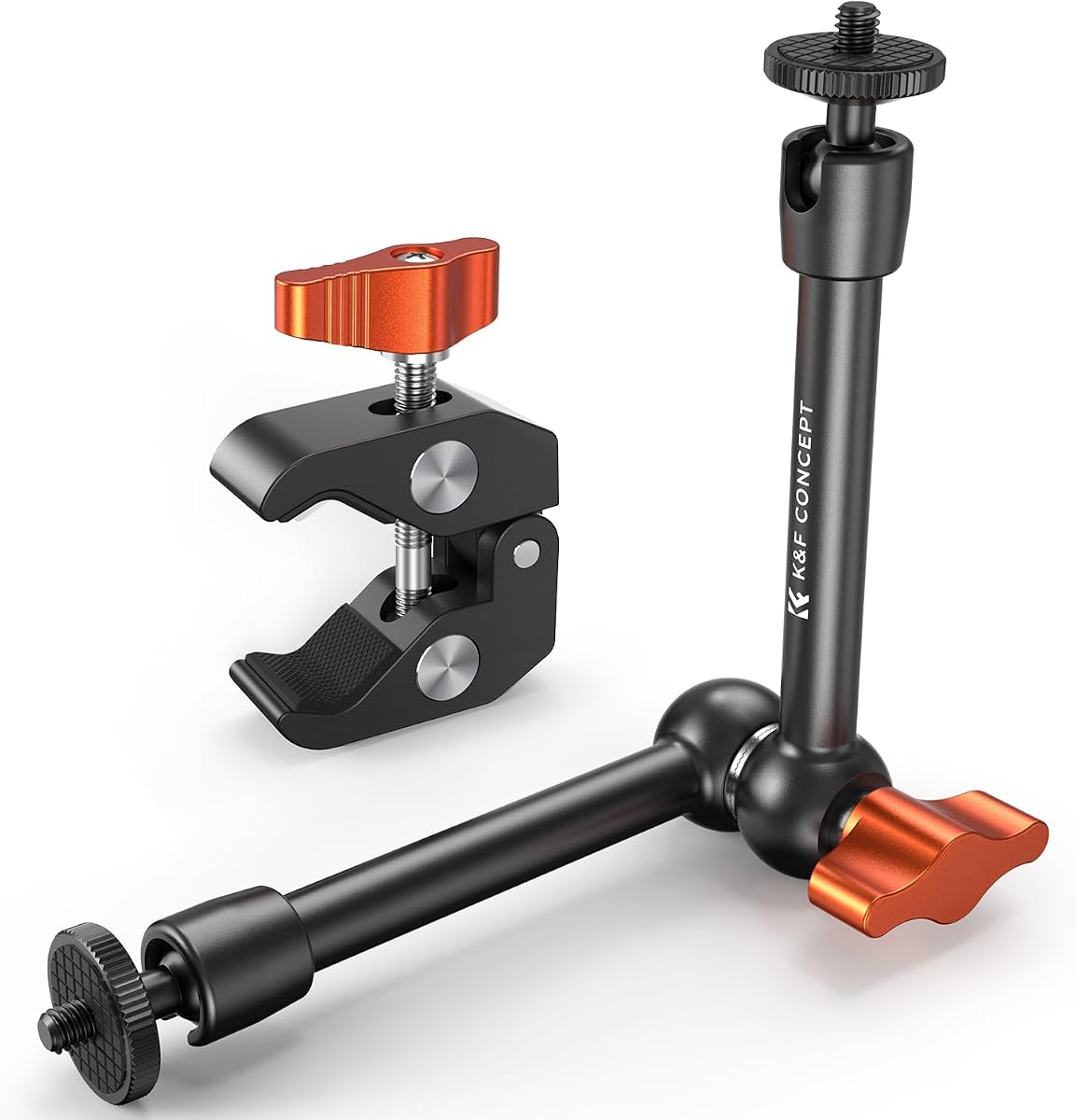
This K&F mount focuses on stability with a sturdy clamp and durable build. It is designed for flat surfaces up to 45 millimeters thick and provides a strong grip.
We may earn a commission when you buy through this link, at no additional cost to you.
The arm is wrapped in silicone for a smooth feel and to prevent debris. It holds devices securely without sagging which is crucial for long video sessions.
While it requires flat surfaces, the grip strength is superior to many plastic options. Ensure your desk meets the thickness requirements for a secure attachment.
It is a great choice for professional environments where durability matters. The high quality materials justify the cost for users who need a reliable mount daily.
Upgraded clamp offers strong hold on flat desks without slipping.
Silicone wrapping and aluminum alloy ensure long term use.
We may earn a commission when you buy through this link, at no additional cost to you.
This 9.8 inch kit offers a compact solution with a high 2 kilogram load capacity. The dual ball head design provides excellent flexibility for small setups like desk lights or monitors.
We may earn a commission when you buy through this link, at no additional cost to you.
It includes both 1/4 and 3/8 inch threads for wide compatibility. The metal build ensures durability though it is meant for static scenes not dynamic movement.
The anti slip pads help protect your equipment from scratches during adjustment. Users should avoid vigorous movement to prevent loosening of the joints over time.
Perfect for desktop users needing extra mounting points without taking up much space. The high weight limit allows for heavier accessories that other clamps might drop.
Handles up to 2 kilograms for heavier accessories like light panels.
Both screw sizes included ensure it fits most standard camera gear.
We may earn a commission when you buy through this link, at no additional cost to you.
The NEEWER magic arm features three 360 degree ball heads for exceptional flexibility. It fits flat and round objects making it great for attaching to poles or tripods easily.
We may earn a commission when you buy through this link, at no additional cost to you.
Anti twist pins at interfaces keep your device secure during use. The aluminum build feels sturdy though the 500 gram limit is standard for this arm type.
You can use it for DSLRs and webcams provided the weight is under the limit. It is a robust choice for photographers needing a reliable mounting solution.
Content creators will appreciate the multiple adjustment points and solid grip. It balances price and performance well for users needing a dedicated overhead arm.
Three independent heads allow for complex angles and multi device setups.
Pins ensure joints stay locked during active shooting sessions.
We may earn a commission when you buy through this link, at no additional cost to you.
This premium kit supports up to 2.2 pounds which is higher than many competitors. It includes a phone holder and blocks blocks making it ready for mixed device setups.
We may earn a commission when you buy through this link, at no additional cost to you.
The foam padding protects equipment from scratches during positioning. It offers robust threads for accessories and allows for secure clamping on varied surfaces.
Note that it is designed for static scenes and not outdoor movement. The higher cost reflects the improved build quality and increased weight capacity for heavier gear.
Streamers needing to mount a camera and light simultaneously will benefit from the strength. It is a top pick for those prioritizing durability and accessory flexibility.
Supports heavier devices like DSLRs without risking structural failure.
Includes phone holder and multiple threads for versatile setup options.
We may earn a commission when you buy through this link, at no additional cost to you.
This stand offers an impressive 36.6 inch reach which helps achieve perfect eye level angles. The solid alloy core holds the gooseneck shape effectively for stable recording.
We may earn a commission when you buy through this link, at no additional cost to you.
It includes a dedicated phone holder making it a true all-in-one solution for hybrid workers. The foldable design ensures it does not clutter your desk when not in use.
The clamp supports surfaces up to 2.56 inches with silicone padding to protect furniture. While the arm is very flexible, ensure it is bent correctly to avoid sagging.
Users needing a long reach and phone integration will find this ideal. It is a perfect upgrade for home offices or streaming setups requiring more height.
Over 36 inches of length helps position cameras far from the desk.
Built in holder allows for dual device recording or streaming.
We may earn a commission when you buy through this link, at no additional cost to you.
This overhead stand offers a low cost way to get a better view. The base height adjusts from 12 to 21 inches while the arm extends 13 inches for decent reach.
We may earn a commission when you buy through this link, at no additional cost to you.
It includes a ball head to help with precise angle adjustments. The steel and ABS construction feels solid for its price point and supports light webcams well.
The load capacity is limited to 500 grams so heavy gear might tip it. Ensure the desk clamp is tight to avoid wobbling during use.
It is a great entry level option for online classes or basic streaming. The included ball head and adjustable base make it versatile for its size.
Base height can be tuned to suit different desk configurations.
Ball head helps align the camera without needing extra adapters.
We may earn a commission when you buy through this link, at no additional cost to you.
This 11 inch arm provides a sturdy mounting point for light setups. It boasts a high 2 kg load capacity which is rare for such a short arm length.
We may earn a commission when you buy through this link, at no additional cost to you.
Anti scratch cushions on the clamp protect your desk and gear effectively. It is ideal for mounting accessories close to the desk or on a stand pole.
The dual ball head design allows for flexible positioning within a small space. Ensure the surface is flat and sturdy since the arm does not offer much reach.
Photographers needing a close in clamp will appreciate the strength and build. It is a compact solution for adding mounting points without extending too far.
High load capacity ensures stability for accessories near the base.
Cushions prevent wear on both your furniture and the mount itself.
We may earn a commission when you buy through this link, at no additional cost to you.
Selecting the right clamp arm depends on your specific needs and setup. Consider the following factors to find a model that matches your requirements and budget.
Arm length determines how far you can position your camera from the desk. Longer arms like 30 inches offer more flexibility but might wobble if too thin. Shorter arms provide more stability but less reach.
Choose a length that allows you to reach your desired height without overextending the joints.
Load capacity is the maximum weight the arm can hold safely. Most budget arms hold around 500 grams while some premium kits support up to 2 kg. Check your device weight before buying.
Always choose a mount with a higher capacity than your device to ensure stability and prevent tipping.
The clamp must fit the thickness of your desk or surface. Models typically support thicknesses between 1 to 2.5 inches. Also check the width the clamp can open to ensure it fits your desk edge.
Verify your desk thickness matches the clamp range to avoid a loose or insecure mount.
Build materials range from plastic to aluminum or steel. Metal arms are generally more durable and hold position better than plastic ones. Look for rubber or silicone padding to protect your furniture.
Opt for metal or alloy builds if you need long term durability and better stiffness.
Some arms use a gooseneck that bends while others use ball heads for precise rotation. Magic arms with multiple ball heads offer more angles but are heavier. Gooseneck arms are simpler but might sag under weight.
Select a joint type that gives you the flexibility you need for your shooting style.
Most webcams use a standard 1/4 inch screw. Ensure the mount supports this thread or includes an adapter. Some kits also support 3/8 inch threads for heavier camera gear.
Check that the mount matches your device thread to avoid needing extra adapters.
Many arms are designed for static scenes like video calls or desk work. Dynamic use like attaching to a bike or tripod in motion might risk loosening. Check the product notes for motion warnings.
Reserve your arm for stationary setups to maintain safety and structural integrity.
Prices vary based on materials and included accessories. Budget options work for light cameras while premium kits offer better stability and extras. Consider if you need phone holders or multiple thread adapters included.
Balance your budget against the durability and features needed for your specific use case.
Start by tightening the clamp securely on your desk. Ensure the rubber pads are touching the surface to prevent scratching and wobbling. Use one hand to support the arm while you adjust the other end.
For gooseneck arms, shape the tube into an S or Z curve for better stability. Avoid sharp bends that might weaken the internal structure over time. For ball arms, loosen joints to adjust and tighten them to lock.
Clean the rubber pads periodically to remove dust and oil that reduce grip. Store the arm folded if possible to save space. Avoid exposing the mount to extreme temperatures which could affect the metal stiffness.
Most arms are designed for webcams up to 500 grams. Check the load capacity carefully as DSLRs often exceed this limit. Some premium kits support heavier weights so choose one rated for your camera weight.
A gooseneck bends into any shape while a magic arm uses ball joints for discrete angles. Goosenecks are simpler and lighter while magic arms offer more precise adjustments. The choice depends on how much flexibility you need.
Most quality arms include rubber or silicone pads to protect furniture. Always check that the pads are in place before tightening. Avoid overtightening which can still cause cracks or scratches even with pads.
Wobbling often comes from a loose clamp or heavy device. Tighten the base and ensure your desk is sturdy. Shaping the arm into an S curve can help reduce sway. Use a mount with a higher load capacity.
Many kits include a phone holder or allow you to attach one. Check the product details to see if accessories are included. If not, most use standard 1/4 inch threads for easy attachment of third party holders.
Some arms work on vertical surfaces if the clamp supports round objects like pipes. However most are designed for horizontal desk edges. Check the clamp specifications to see if it fits round poles or wall studs.
We reviewed ten distinct options ranging from simple goosenecks to robust magic arm kits. Each model offers unique strengths suited for different heights and device weights.
Prioritize load capacity and clamp fit over length to ensure a stable setup. A shorter sturdy mount is better than a long one that sags under your camera.
Prices and availability change frequently so verify the details before buying. The right arm can make a big difference in your video quality and desk organization.