
ASUS Vivobook Go 15.6 Slim Laptop
3.9Editor score
Affordable entry-level performance
Lightweight portable design
Fast charging capability
Finding a lightweight ASUS laptop is essential for students and professionals who need mobility without sacrificing performance. These devices offer strong processing power in sleek, portable designs.
We compared ten top models based on processor speed, display quality, battery life, and build durability. Our analysis highlights the best options for various budgets and use cases.
Each pick showcases key strengths and ideal user scenarios to simplify your decision. Note that prices and availability change frequently, so check current listings before purchasing.
3.9Editor score
3.7Editor score

4.4Editor score
As an Amazon Associate we earn from qualifying purchases.
This side-by-side comparison helps you evaluate each model's key specifications and strengths to find the perfect lightweight ASUS laptop for your needs.






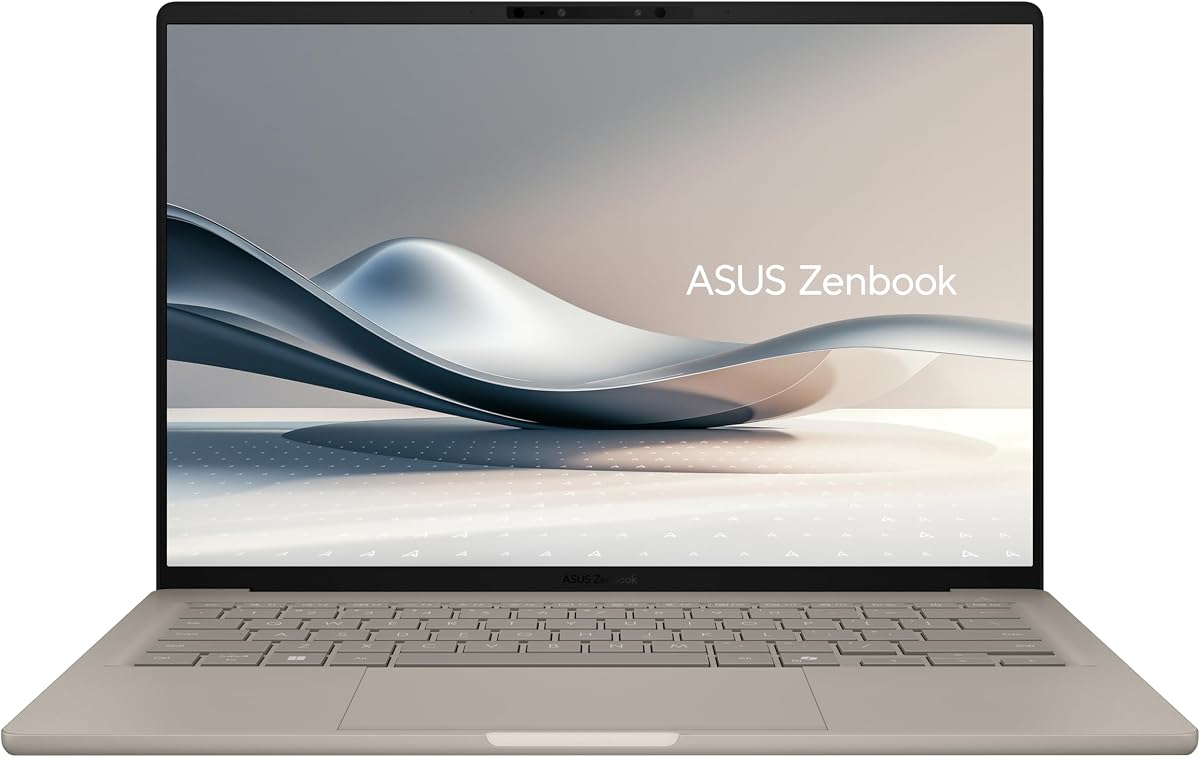
The ASUS Zenbook A14 stands out as the lightest 14-inch Copilot+ PC available. With a weight of just 980g, it offers unmatched portability for travelers and professionals on the go.
We may earn a commission when you buy through this link, at no additional cost to you.
Its Ceraluminum construction combines ceramic and aluminum for superior strength and scratch resistance while remaining lightweight. The Snapdragon X processor delivers powerful AI capabilities for productivity and creative tasks.
While the OLED display provides vivid colors and deep blacks, it may contribute to the higher price. Battery life claims of 32 hours are impressive but depend heavily on usage patterns.
This laptop is ideal for users who prioritize portability and build quality above all else. It delivers premium performance without compromise for those seeking the best ultrathin experience.
Weighing only 980g, this model is the lightest in its class, making it perfect for daily commuting and frequent travel.
The Ceraluminum material is 30% lighter and three times stronger than standard aluminum, ensuring durability without added weight.
We may earn a commission when you buy through this link, at no additional cost to you.
The ASUS Vivobook 16 Laptop features a stunning 16-inch WUXGA display with 1920 x 1200 resolution. This makes it ideal for multitasking and content creation on the go.
We may earn a commission when you buy through this link, at no additional cost to you.
Powered by the Snapdragon X processor with Qualcomm Adreno GPU, it delivers exceptional performance for daily tasks and light creative work. The Hexagon NPU enhances AI efficiency significantly.
While larger than typical ultraportables, the screen real estate justifies the size for productivity. It balances portability with a bigger display for those who need more workspace.
Choose this model if you want a lightweight laptop with a larger screen. It offers premium performance and storage capacity in a design that is still mobile.
The 16-inch WUXGA display offers brilliant life-like colors with 300-nit brightness and a smooth 60Hz refresh rate for an immersive experience.
Snapdragon X 8 Core processor with NPU up to 45 TOPS provides unparalleled power efficiency and multi-day battery life for heavy workloads.
We may earn a commission when you buy through this link, at no additional cost to you.
The ASUS Vivobook Go 15.6 Slim offers an entry-level solution for students needing a portable device. It features an Intel Celeron processor suitable for basic tasks like browsing and word processing.
We may earn a commission when you buy through this link, at no additional cost to you.
Fast-charging technology allows you to reach 60% battery in just 49 minutes. This is perfect for students who need quick top-ups between classes or meetings.
The 4GB RAM and 128GB storage are limited but sufficient for essential computing tasks. For users on a tight budget, this model provides the best value in the lineup.
Select this laptop if you need a reliable, lightweight device for study or casual use. It balances performance and cost effectively for entry-level computing needs.
With a 42WH battery and Fast-Charge support, you can quickly get back to productivity with 60% charge in under an hour.
The ErgoSense backlit keyboard and privacy shutter make this device practical for studying in various environments and ensuring online privacy.
We may earn a commission when you buy through this link, at no additional cost to you.
This model combines the AMD Ryzen 3 7320U processor with 8GB DDR5 RAM for efficient everyday performance. It is designed for thin laptops without compromising basic productivity tasks.
We may earn a commission when you buy through this link, at no additional cost to you.
Military Grade Durability ensures the device can withstand rough handling, making it suitable for students and travelers. The privacy shutter protects your webcam when not in use.
The 128GB SSD is modest but provides fast boot times. For users needing more storage, external drives can be connected easily via USB ports.
Choose this laptop if you need durability and decent performance at a budget price. It offers a solid foundation for browsing and work on the go.
Passed five test procedures including high and low temperature, shock, vibration, and altitude tests for robust reliability.
With Wi-Fi 5 and Bluetooth 5.1, connecting peripherals and networks is seamless and quick for all your devices.
We may earn a commission when you buy through this link, at no additional cost to you.
The Ryzen 5 7520U processor offers faster performance than the Ryzen 3 variant. Combined with 512GB of SSD storage, this model handles multitasking and file storage more effectively.
We may earn a commission when you buy through this link, at no additional cost to you.
Military Grade Durability provides peace of mind for daily use. The fast charging capability ensures you stay productive throughout the day without frequent battery plugs.
While the display is standard, the extra storage makes this a practical choice for users with large media libraries. It balances performance and capacity well.
Pick this laptop if you need more storage than base models offer. It delivers reliable performance for browsing, light gaming, and productivity tasks.
AMD Ryzen 5 7520U processor delivers fast performance for browsing and light gaming with longer battery life compared to lower-tier models.
512GB SSD provides ample space for files, documents, and applications without needing external drives for most users.
We may earn a commission when you buy through this link, at no additional cost to you.
The Vivobook 14 Snapdragon X features a stunning 14-inch FHD+ screen with crisp visuals. It is designed as a Copilot+ PC, enabling advanced AI capabilities for productivity.
We may earn a commission when you buy through this link, at no additional cost to you.
With 16GB of RAM, it handles multitasking efficiently. The Snapdragon X processor with Qualcomm Adreno GPU ensures smooth performance for everyday computing tasks.
The Copilot+ PC features like Recall and Live Captions offer new ways to interact with your device. These tools enhance user experience significantly for modern workflows.
Choose this model if you want cutting-edge AI features in a compact form factor. It is ideal for those who value future-ready technology and strong performance.
Turn ideas into generated artwork and search across time to find content instantly with advanced AI tools built into Windows 11.
Snapdragon X processor with 16GB RAM ensures smooth multitasking and efficient computing for daily productivity tasks and entertainment.
We may earn a commission when you buy through this link, at no additional cost to you.
This Cool Silver model boasts a stunning 14-inch WUXGA display with 1920 x 1200 resolution. It provides brilliant life-like colors and 300-nit sustained brightness.
We may earn a commission when you buy through this link, at no additional cost to you.
The Snapdragon X processor with NPU delivers AI capabilities tailored for creation and communication. It evolves the way you multitask with unparalleled power efficiency.
While the rating is slightly lower than other models, the hardware specs remain high. The 60Hz refresh rate ensures smooth performance for daily use.
Select this laptop if you prefer a stylish silver finish with high resolution. It is well-suited for users seeking productivity and AI-enhanced experiences.
The 14-inch WUXGA display with 300-nit brightness offers clear visuals perfect for work and entertainment in various lighting conditions.
Qualcomm Hexagon NPU up to 45 TOPS transforms creation and communication with seamless connectivity and multi-day battery life.
We may earn a commission when you buy through this link, at no additional cost to you.
This 2026 Edition features the latest Intel Core i3-1315U processor with 6 cores. It delivers fast performance for everyday computing, business, and school tasks.
We may earn a commission when you buy through this link, at no additional cost to you.
With 16GB RAM and Wi-Fi 6E, connectivity and multitasking are smooth. The 256GB PCIe SSD ensures quick boot-ups and responsive performance.
The Quiet Blue finish is stylish and portable at 3.09 lbs. It is a strong contender for students and professionals needing reliable performance on the go.
Pick this laptop for the latest processor generation and ample RAM. It offers a strong balance of speed and portability for modern computing.
The Intel Core i3-1315U 6-Core processor delivers fast, efficient performance for everyday computing, business, and entertainment needs.
Stay connected with Wi-Fi 6E and Bluetooth 5.3 for seamless wireless performance and faster data transfers.
We may earn a commission when you buy through this link, at no additional cost to you.
This Vivobook features the i3-1215U processor with 16GB RAM and 512GB SSD. It offers a classic Intel experience with reliable performance for everyday tasks.
We may earn a commission when you buy through this link, at no additional cost to you.
The 14-inch FHD display uses an IPS-level panel for good color accuracy. Wi-Fi 6 ensures fast and stable internet connectivity wherever you work.
The design is clean and blue, fitting well in office environments. It balances specs and build quality for users who prefer Intel over ARM.
Choose this laptop if you want reliable Intel performance with ample memory. It is a solid choice for work and study on a budget.
16GB high-bandwidth RAM allows you to smoothly run multiple applications and browser tabs all at once.
512GB PCIe NVMe M.2 SSD allows for fast bootup and data transfer to keep your workflow efficient.
We may earn a commission when you buy through this link, at no additional cost to you.
This model offers a reliable AMD Ryzen 3 7320U processor paired with 8GB DDR5 RAM. It is designed for modern everyday productivity with efficient power management.
We may earn a commission when you buy through this link, at no additional cost to you.
The 256GB SSD is double the base storage, providing more room for files. Up to 11 hours of battery life minimizes charging downtime significantly.
A chiclet keyboard with numeric keypad makes data entry easier. Military Grade Durability ensures it withstands everyday wear and tear.
Select this laptop for a balance of storage and battery life. It delivers reliable performance for modern users on a budget.
With an efficient 42Wh battery, minimize charging downtime while maximizing your productivity and relaxation anywhere you go.
Passed 5 US MIL-STD 810H tests including shock, vibration, and extreme temperature to ensure robust reliability.
We may earn a commission when you buy through this link, at no additional cost to you.
Selecting the right lightweight ASUS laptop involves balancing portability, performance, and budget. This guide breaks down the key factors to consider.
The processor is the brain of your laptop. AMD Ryzen and Intel Core models vary in speed and efficiency. For daily tasks, Ryzen 3 or i3 are sufficient. For heavy multitasking, consider Ryzen 5 or i5.
Look for newer generations like 13th Gen or Snapdragon X for better efficiency. High performance ensures smooth operation when running multiple apps.
RAM determines how many apps you can run simultaneously. 4GB is minimal and may struggle with modern browsers. 8GB is the standard for smooth performance.
16GB is ideal for power users who multitask heavily. Upgrading RAM later is often impossible in thin laptops, so choose wisely.
SSDs are essential for fast boot times and file access. eMMC storage is slower and limits capacity. 128GB is minimal but usable for basic tasks.
512GB offers generous space for files and media. Consider external storage if you need massive space but prefer a light device.
A good display is vital for eye comfort and productivity. FHD resolution ensures clarity. OLED screens offer vivid colors and deep blacks.
Brightness matters for outdoor use. Higher nits are better for glare. WUXGA (16:10) aspect ratio gives more vertical space for documents.
Long battery life is critical for portability. Aim for at least 10 hours for all-day use. Snapdragon X processors excel here with multi-day potential.
Check real-world reviews for actual runtime. Fast charging adds convenience when outlets are scarce during travel or busy days.
Weight impacts how easy it is to carry. Models under 3 lbs are truly portable. Ceraluminum and magnesium alloys offer strength without bulk.
Durability features like military-grade testing protect against drops. A sturdy build extends device lifespan and reduces worry while commuting.
Ports like USB-C, HDMI, and USB-A determine what you can connect directly. Wi-Fi 6E ensures fast wireless internet speeds.
Bluetooth 5.1 and above provide stable connections for peripherals. Ensure the model has enough ports to avoid carrying dongles.
Prices range from budget-friendly entry-level to premium ultrabooks. Determine your spending limit first to narrow choices effectively.
Higher price usually means better build and performance. However, mid-range models often offer the best value for most users today.
Keep your laptop clean by wiping the screen with a soft microfiber cloth. Avoid harsh chemicals that can damage the display coating or chassis finish.
Use a protective sleeve or case when transporting the device. This shields it from bumps and scratches during daily commutes.
Avoid placing heavy objects on the laptop when closed to prevent keyboard damage or screen pressure. Store it flat or upright as needed.
Yes, most models weigh under 4 lbs. The Zenbook A14 is exceptionally light at 980g. Others range from 3 to 3.6 lbs for portability.
The Vivobook Go series offers affordability and durability. It has fast charging and long battery life ideal for all-day classes.
Most include HDMI or USB-C with video support. Check the specific model's ports. All support basic external display connections.
Most ultrabooks have soldered RAM. SSDs may be replaceable on some models. Check the manual or support site for upgrade options.
Battery life varies by usage. Expect 8 to 12 hours for standard tasks. Some models promise more with power-saving modes enabled.
The Zenbook A14 and Vivobook 14 Snapdragon X models are Copilot+ PCs. They feature advanced NPU processing for AI tasks.
The ASUS Zenbook A14 stands out for pure portability. The Vivobook 16 is ideal for those needing a larger display. The Go series offers best budget value.
Prioritize processor and RAM based on your workload. Battery life and build quality matter for daily carrying. Match specs to your budget and needs.
Prices and availability change often. Verify current prices and stock before purchasing. Check our links for the latest deals on these models today.