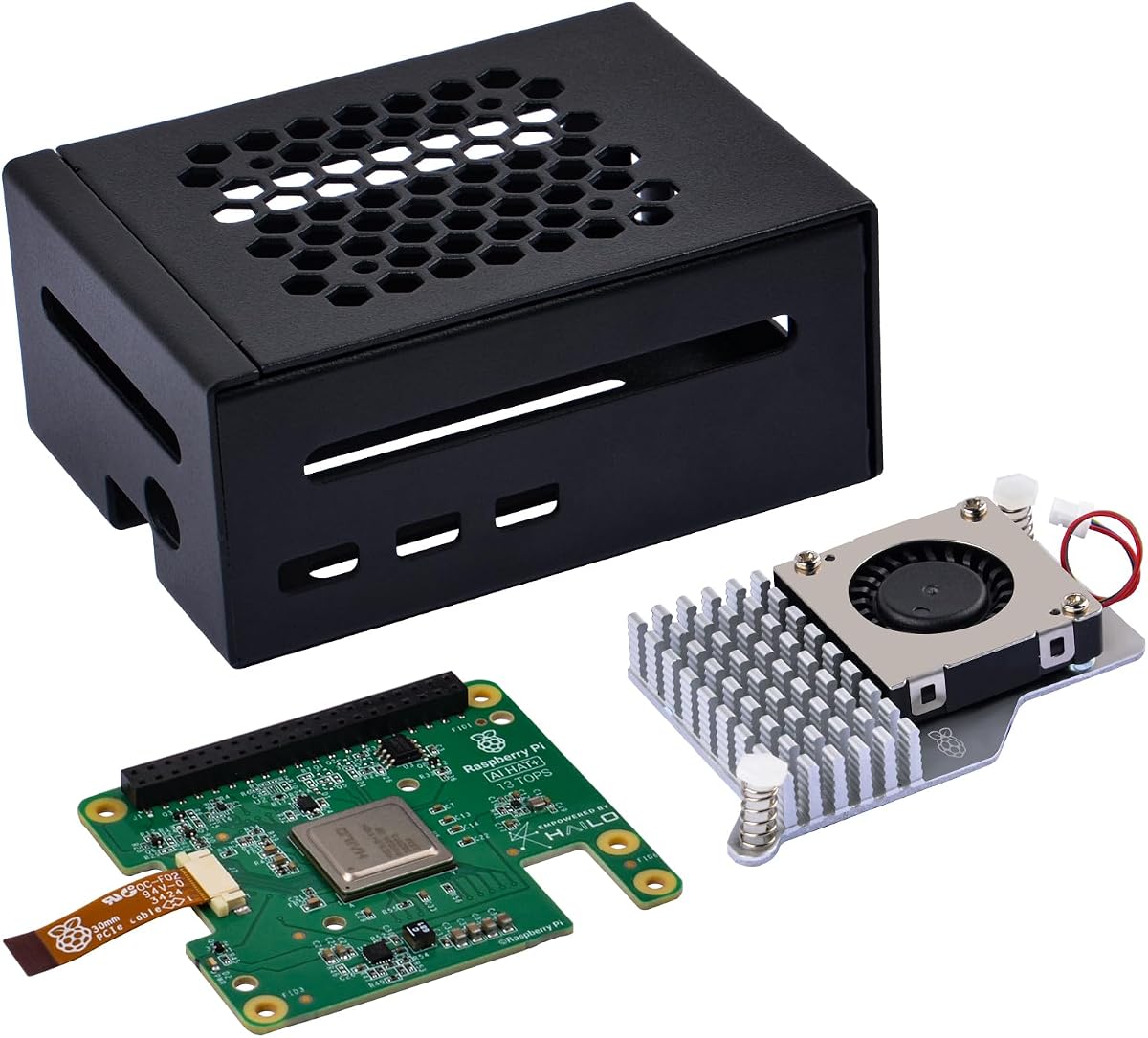
GeeekPi AI HAT+ Kit
4.5Editor score
Hailo AI Accelerator
Metal Case Included
Active Cooling System
This guide compares the top AI Raspberry Pi Kits available in October 2026, evaluating sensors, AI accelerators, and learning resources for makers and
Artificial intelligence is transforming how we interact with technology, and Raspberry Pi kits make these tools accessible to everyone. These boards offer a unique platform for learning coding, robotics, and machine learning without expensive hardware. Choosing the right kit depends on your goals, skill level, and desired project complexity.
We analyzed the most popular AI Raspberry Pi kits based on hardware capabilities, software support, and educational value. Our comparison focuses on kits that include sensors, cameras, and AI accelerators for real-world applications. We also consider community support, documentation quality, and ease of setup for beginners.
Each pick in this list highlights specific strengths like vision tracking, voice interaction, or advanced computing power. Note that prices and availability change frequently, so check current listings before purchasing. Whether you are a student, educator, or hobbyist, these kits provide a solid foundation for AI exploration.
4.5Editor score

4.6Editor score

4.5Editor score
The following table provides a side-by-side comparison of all ten kits evaluated in this guide. It highlights key specifications and unique features to help you quickly identify which system matches your project requirements.

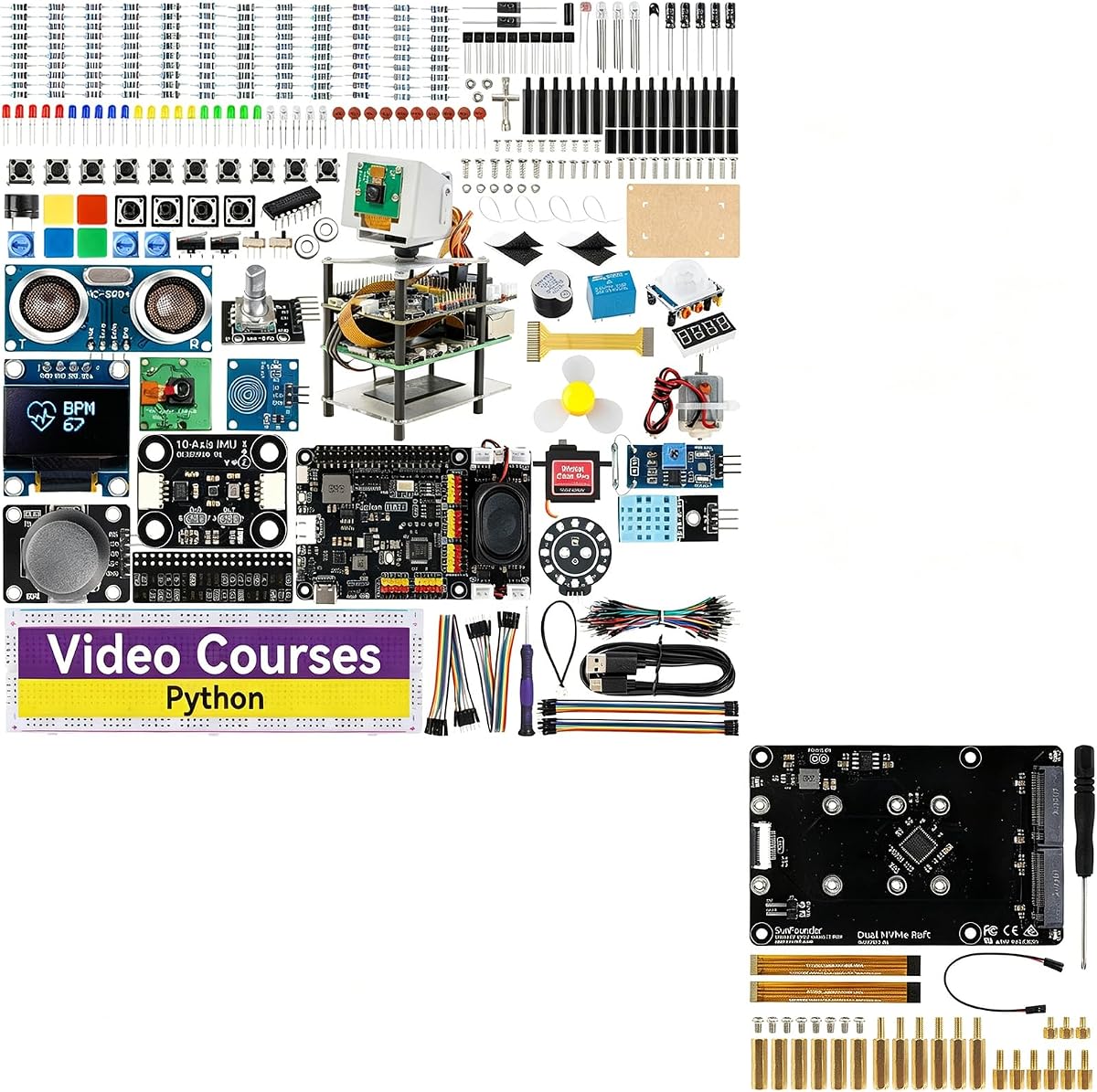


The SunFounder AI Fusion Lab Kit stands out as a comprehensive solution for learners wanting to explore AI on Raspberry Pi. With a 4.6 rating, it is praised for its all-in-one approach to learning vision, voice, and sensor integration.
We may earn a commission when you buy through this link, at no additional cost to you.
Its standout quality is the support for multiple large language models like ChatGPT and Gemini alongside vision tools like YOLO and MediaPipe. The included Pan-Tilt HAT allows projects to track objects actively, making abstract concepts tangible. The Fusion HAT+ power system simplifies hardware control with a unified Python library.
While powerful, the kit does not include the Raspberry Pi board itself, which is a trade-off for its flexibility across Pi 5, 4, and Zero models. Beginners should ensure they have compatible hardware before starting. However, the structured video lessons by Paul McWhorter make the learning curve manageable.
This kit is ideal for students and hobbyists ready to build multi-modal projects. It balances affordability with advanced features like voice interaction and object tracking. If you want a guided path from basics to AI robotics, this is a top recommendation.
Combines voice, vision, and sensors in one package for interactive projects.
Video lessons by Paul McWhorter provide step-by-step guidance for beginners.
We may earn a commission when you buy through this link, at no additional cost to you.
The Vilros Raspberry Pi 5 AI Kit is rated 5.0 for its robust hardware setup that gets you running immediately. It includes the Pi 5 board with 8GB RAM and a powerful Hailo-8 accelerator for intensive AI tasks.
We may earn a commission when you buy through this link, at no additional cost to you.
This kit shines for its plug-and-play nature with a preloaded 128GB Micro SD card and compatible case. The Hailo-8 accelerator provides up to 26 TOPS for neural network processing, significantly boosting performance over standard Pi setups. It is perfect for developers who need raw speed.
The main downside is its focus on compute rather than a wide array of sensors. You may need to buy additional components for interactive projects. However, for running large language models locally, its performance is unmatched in the Pi ecosystem.
Choose this kit if you prioritize processing power and convenience. It is a reliable workstation for AI developers looking to deploy models without complex assembly.
The Hailo-8 accelerator delivers 26 TOPS for fast neural network inference.
Includes Pi 5 board and preloaded OS to start projects instantly.
We may earn a commission when you buy through this link, at no additional cost to you.
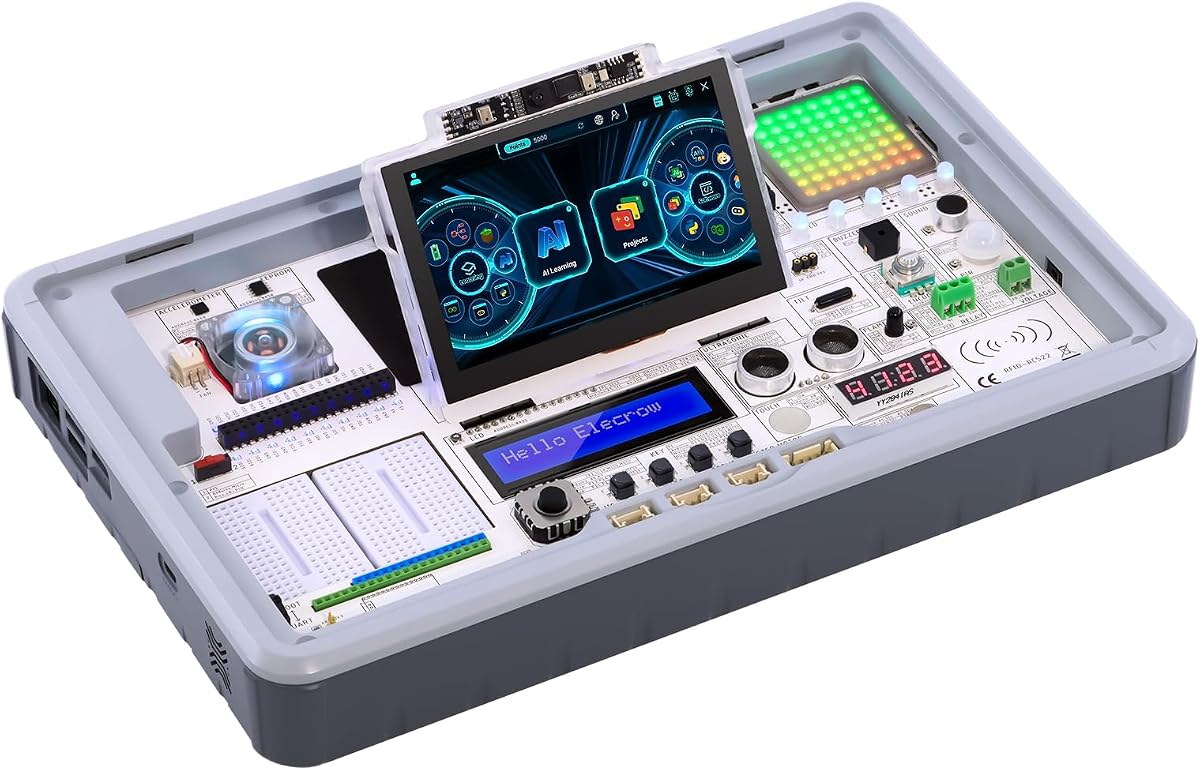
The ELECROW CrowPi3 Basic Kit is designed as an AI learning station with 41 onboard sensors and a 4.3-inch touch display. It runs OpenCV and large language models, making it a complete development environment.
We may earn a commission when you buy through this link, at no additional cost to you.
Its key strength is the convenience of integrated sensors that eliminate the need for breadboards. The 200-step curriculum guides users through component identification and code execution. It also supports Arduino Nano and micro:bit, adding versatility to your projects.
Like the SunFounder kit, it does not include the Pi board, which is a consideration for budgeting. The Basic version covers essentials but may lack advanced modules found in Pro models. However, for structured learning, it is highly effective.
This kit is ideal for educators and students who want a tidy setup. It simplifies the initial learning curve by pre-integrating hardware components for immediate testing.
41 integrated sensors allow for quick experiments without breadboard wiring.
200 lessons teach coding and hardware identification step by step.
We may earn a commission when you buy through this link, at no additional cost to you.
This variant of the SunFounder AI Fusion Lab Kit includes a Dual NVMe Raft to expand storage capabilities significantly. It supports RAID configurations, making it ideal for builders who need reliable data storage alongside AI tasks.
We may earn a commission when you buy through this link, at no additional cost to you.
The kit combines the benefits of the Fusion Lab with advanced storage support for NAS or media centers. It retains the vision tracking and multi-LLM features while offering 500MB/s speed via PCIe Gen 2.0. This bridges the gap between learning and production use.
Since it is an add-on variant, you still need a Raspberry Pi 5 to start. It is best suited for those who already own the board or plan to upgrade. The complexity of setup is slightly higher than the basic kit.
Choose this if you need a robust server setup. It is perfect for developers building home assistants or media servers with integrated AI capabilities.
Dual NVMe Raft adds two SSD slots with RAID support for reliability.
Combines learning tools with server-grade storage capabilities.
We may earn a commission when you buy through this link, at no additional cost to you.
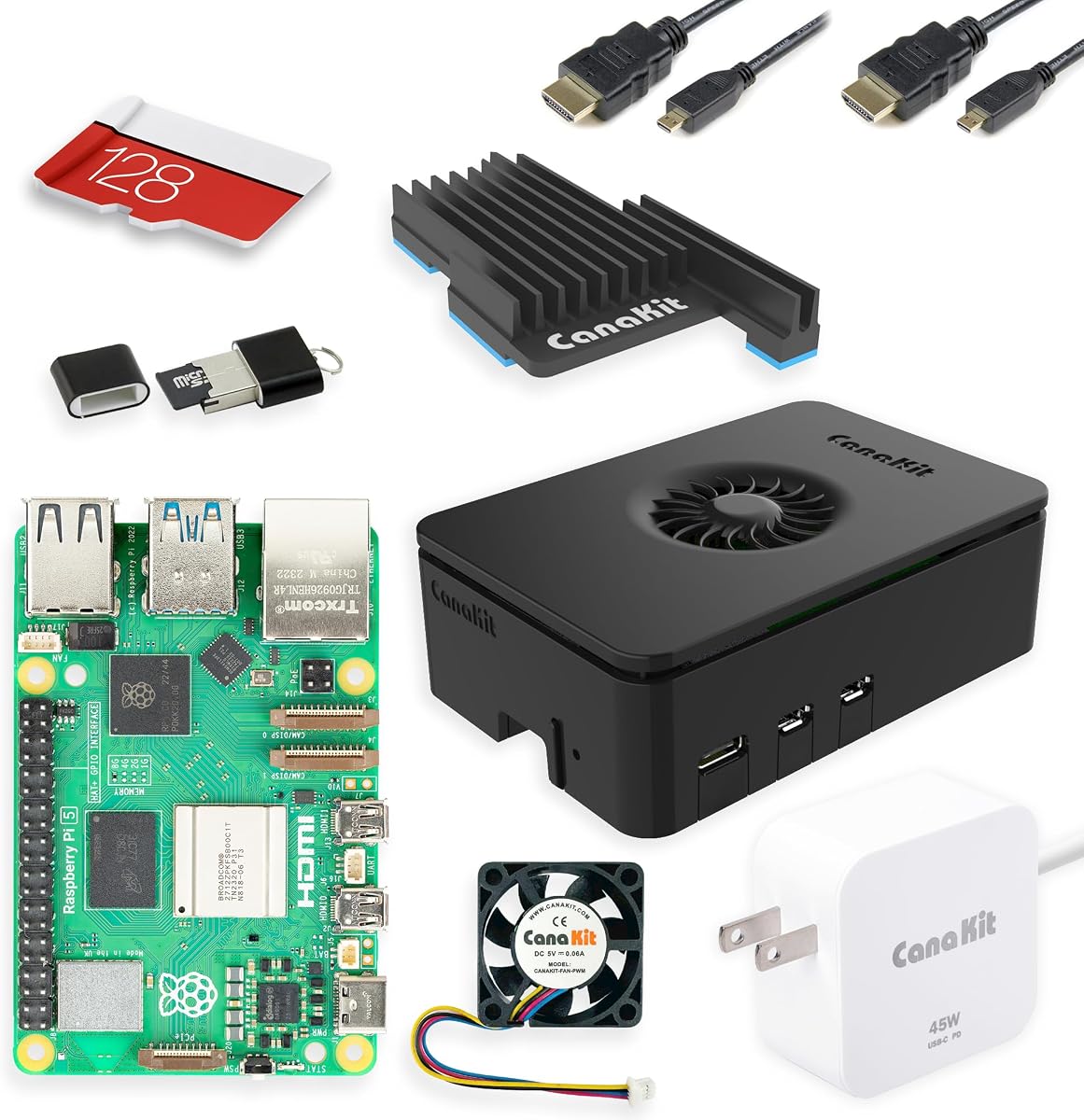
The CanaKit Raspberry Pi 5 Starter Kit PRO is a top-rated option for those seeking a reliable base to build upon. With a 4.7 rating, it offers a Pi 5 board with 8GB RAM and a robust Turbine Black Case.
We may earn a commission when you buy through this link, at no additional cost to you.
This kit focuses on providing essential components like a low noise fan and a 128GB SD card preloaded with OS. It ensures your system runs smoothly under load, which is crucial for AI tasks. It is a safe choice for stability.
However, it lacks dedicated AI sensors or accelerators out of the box. You will need to add components for computer vision or robotics. For this reason, it is better as a foundation than a dedicated AI kit.
Use this kit if you already have specific AI components in mind. It provides a high-quality platform to integrate custom hardware for your projects.
Active cooling and high RAM ensure smooth operation during AI tasks.
Great base to add specific sensors or accelerators later.
We may earn a commission when you buy through this link, at no additional cost to you.
The GeeekPi AI HAT+ Kit is an affordable option that brings dedicated AI acceleration to the Pi 5. It includes a Hailo NPU that handles 13 TOPS for efficient neural network processing without draining power.
We may earn a commission when you buy through this link, at no additional cost to you.
Its standout feature is the integration with Raspberry Pi OS camera applications, which automatically use the NPU for tasks like object detection. The metal case protects hardware effectively. It is highly rated for ease of use by developers.
The main limitation is that you must buy the Pi 5 board separately. Also, while 13 TOPS is sufficient for many tasks, larger models may require more power. For most beginners, it is plenty.
This kit is perfect for those wanting to explore AI computing without complex builds. It offers great value for adding specialized hardware to your existing setup.
Raspberry Pi OS automatically detects NPU for seamless acceleration.
Affordable way to add Hailo acceleration to Pi 5 projects.
We may earn a commission when you buy through this link, at no additional cost to you.
This official kit from Seeed Studio includes the Raspberry Pi 5 board with all essential accessories. It is rated 4.6 for reliability and comes with a 27W power supply that supports AI accelerators and cameras.
We may earn a commission when you buy through this link, at no additional cost to you.
The official active cooling case helps maintain stable performance during demanding tasks like running Docker containers or media servers. Preloading the OS ensures you can start coding immediately without setup delays. It is a trusted choice for professional use.
While it does not include specific AI sensors, it is designed to support Edge AI development. You may need to add hardware for vision projects. However, the official components ensure high quality.
Select this kit for a hassle-free official experience. It is ideal for students who need a reliable base for engineering and coding projects.
Official power supply and case ensure reliability and safety.
Stable system optimized for AI containers and workloads.
We may earn a commission when you buy through this link, at no additional cost to you.
The SunFounder AI Robot Kit is a specialized package for building a robot dog or similar interactive pet. It includes 12 servos and a Raspberry Pi Zero 2 W for control and interaction.
We may earn a commission when you buy through this link, at no additional cost to you.
Its standout feature is ChatGPT-4o integration, enabling natural voice conversations with the robot. The FPV camera and app control add interactivity. It mimics real behavior like walking and shaking its head.
The Pi Zero 2 W limits computing power for heavy AI models. However, it is sufficient for local control and voice commands. Servo quality is high but can be complex for new builders.
This kit is ideal for robotics enthusiasts. It delivers a tangible project that responds to voice and vision.
Natural language processing enables voice interactions with the robot.
Rich motion capabilities allow realistic walking and gestures.
We may earn a commission when you buy through this link, at no additional cost to you.
The ELECROW CrowPi 3 AI Station is designed as a development environment with 41 onboard sensors and a capacitive touch display. It supports AI exploration like object detection and language models.
We may earn a commission when you buy through this link, at no additional cost to you.
It offers a clear layout with no wiring needed for sensors. The 200+ course resources cover AI interaction and IoT projects. It is great for hands-on learning in education settings.
The kit does not include the Pi board, requiring separate purchase. Some users find the software integration less smooth than competitors. However, its physical design remains convenient for prototyping.
This kit is recommended for classroom use where durability matters. It simplifies sensor access significantly for students.
Integrated modules reduce setup time for complex projects.
Integrated microphone supports voice recognition experiments.
We may earn a commission when you buy through this link, at no additional cost to you.
This CrowPi 3 variant includes the Raspberry Pi 5 16GB board, making it the most powerful kit in the lineup. It combines high memory capacity with 41 onboard sensors for demanding AI work.
We may earn a commission when you buy through this link, at no additional cost to you.
With 200+ guided lessons, it offers extensive resources for coding and IoT. The inclusion of the 16GB board eliminates compatibility guesswork. It is rated 4.5 for performance and ease of use.
The price is significantly higher than other kits, which may not suit all budgets. However, if you need maximum RAM for large models, this is the best choice available.
Choose this for advanced users who want a complete system. It ensures you have the power to handle complex tasks without upgrades.
16GB RAM allows running large models locally without memory issues.
Includes board and sensors for immediate setup and testing.
We may earn a commission when you buy through this link, at no additional cost to you.
Choosing the right kit depends on balancing hardware capabilities with your learning goals. This guide breaks down the key factors to consider before purchasing.
Consider whether you need an external accelerator like Hailo or can use standard CPU. Accelerators provide faster inference for neural networks. If you plan to run complex models locally, look for kits with dedicated AI chips.
Evaluate your need for specialized hardware versus standard compute power.
Check if the kit includes the Pi board itself. Many kits sell the board separately to keep prices lower. If you need a complete package, ensure all cables and cases are included.
Look for packages that provide a fully integrated experience to save time.
A good AI kit should have sensors for vision, voice, or touch. Some options come with cameras and microphones built-in for interaction. Others require external components which can increase cost and setup time.
Prioritize kits with pre-integrated sensors for simpler experiments.
High-quality kits offer structured lessons and documentation to guide learning. Look for video tutorials or online resources that match your skill level. A well-designed curriculum helps beginners progress faster.
Ensure there is adequate support for your project goals.
Check compatibility with future add-ons like extra storage or different boards. Some kits offer slots for NVMe drives or other expansion cards. This ensures your setup can grow as your projects get more complex.
Choose systems with flexible expansion options for long-term use.
AI tasks can generate heat and require more power than standard computing. Look for active cooling solutions and adequate power supplies included in the package. This prevents overheating and system instability.
Verify cooling fans are active for sustained performance.
Determine a budget that balances cost with necessary features. Some premium kits cost more but save money by including components that would be expensive to buy separately. Weigh the total value against just the initial price.
Assess total cost of ownership including future component needs.
Active communities help solve problems and share project ideas. Check forums or documentation quality before buying. A strong community ensures you can find help if you encounter issues.
Look for brands with active forums and forums.
Begin by installing the operating system on the SD card using the included instructions. Most kits come with a preloaded image to simplify setup. Ensure your power supply matches the kit requirements to prevent damage.
Connect sensors and accessories carefully to avoid short circuits. Use the provided cases to protect exposed pins. Keep the system away from direct heat sources during operation.
Regularly update the software to keep libraries like OpenCV current. Backup your projects to external storage to prevent data loss. Clean the active cooling fans periodically with compressed air to maintain performance.
Some kits include the board while others do not. Always check the product details carefully to confirm what is included. You may need to buy the Pi separately if it is not listed as part of the package.
Yes, many of these kits support local language models like ChatGPT variants. Kits with Hailo accelerators perform better for these tasks. Ensure you have enough RAM and storage for the model files.
Many kits offer guided video lessons and structured projects for beginners. They simplify hardware setup to focus on coding. Look for ones with comprehensive documentation to ease your entry.
Most kits support Python primarily as it is the standard for AI and Pi. Some may also offer C or JavaScript tutorials. Check the specific language support in the curriculum description.
Connect the camera module to the designated port on the Pi board. Install the camera drivers if not pre-loaded. Ensure your software is configured to access the video stream properly.
Some kits like those with NVMe raft support additional storage directly. Others may require USB drives for expansion. Check the compatibility of the case and board for expansion options.
We have reviewed the top ten AI Raspberry Pi kits for November 2026, highlighting unique strengths for different needs. The SunFounder Fusion Lab leads for learning, while Vilros offers high performance for developers. CrowPi 3 stands out for integrated sensors and course support.
When choosing, prioritize whether you need a complete system or just hardware components. Consider your project requirements like voice recognition versus vision tracking. The right kit depends on balancing your budget with specific AI features.
Remember to check current listings for availability and compatibility before purchasing. Prices change frequently as new models are released. Select the system that best aligns with your educational or professional goals.