This comprehensive guide compares the top ten HDMI Edid Emulator Passthroughs available in October 2026 to help you find the perfect solution for your specific
As an Amazon Associate we earn from qualifying purchases. We may earn a commission when you buy through links on this page, at no additional cost to you. Read our affiliate disclosure.As an Amazon Associate we earn from qualifying purchases.Purchases through our links may earn us a commission, at no extra cost to you. Read our affiliate disclosure.
Finding the right HDMI Edid Emulator Passthrough is essential for maintaining stable video signals across complex setups. These devices prevent handshake issues and ensure your source device recognizes connected displays correctly without interruption.
We evaluated ten leading models based on compatibility, resolution support, and build quality. Each product was analyzed for its ability to maintain EDID data during power cycles and signal switches in professional and home environments.
Every pick below details specific strengths and ideal use cases for different user scenarios. Please note that product availability and pricing may vary over time so always check current listings before making your final purchase decision.
Top 3 Picks for Best HDMI Edid Emulator Passthroughs
Best Budget
EVanlak Hdmi Edid Emulator Passthrough 3rd Generrtion Premium Aluminum Eliminated Emulator Adapter Work with Mac Thunderbolt to HDMI Switches/Extender/AV Receiver/Video Splitters 1080-3840×2160@60H
HDMI 2.1 4K EDID Emulator PRO (Model: 4K-EW2), Support SCDC and Exact EDID Copy and Emulation, HDCP Pass-Through (not Bypass or Remove), 14 Pre-Set EDID Values with 2.1 Channel Audio
Top 10 Best HDMI Edid Emulator Passthroughs in 2026 Compared
The following table provides a side by side overview of key specifications and features for all ten models included in this review to help you quickly identify the most suitable option for your needs.
EVanlak Hdmi Edid Emulator Passthrough 3rd Generrtion Premium Aluminum Eliminated Emulator Adapter Work with Mac Thunderbolt to HDMI Switches/Extender/AV Receiver/Video Splitters 1080-3840×2160@60H
Premium aluminum design
4K@60Hz video
Mac Thunderbolt compat
No drivers required
The EVanlak Edid Emulator Passthrough stands out as a reliable budget-friendly solution for maintaining stable video connections in modern setups. With a rating of 4.2 stars this model delivers consistent performance for users needing basic EDID management without complex features or high cost.
Pros
Durable aluminum build
Simple plug and play
Supports 4K resolution
Wide device compatibility
Cons
Limited to 60Hz refresh
No explicit SCDC support
We may earn a commission when you buy through this link, at no additional cost to you.
Its sleek aluminum construction ensures durability while supporting ultra-high definition video up to 4K at 60Hz. The adapter works seamlessly with Mac Thunderbolt connections AV receivers and video splitters providing versatile compatibility across different devices and environments.
While it lacks advanced SCDC handshake capabilities found in higher-end models its plug-and-play design makes it accessible for non-technical users. The lack of required drivers simplifies installation significantly though some advanced users may prefer more granular control.
This emulator is ideal for home offices and basic media setups where stability is key but premium features are unnecessary. We recommend it for anyone seeking an affordable entry point into EDID management that still delivers solid performance.
Durability Meets Design
The premium aluminum casing provides physical protection and heat dissipation ensuring long-term reliability in continuous operation scenarios.
Universal Connectivity
Compatibility with Mac Thunderbolt and common AV equipment allows easy integration into existing multimedia systems without extra adapters.
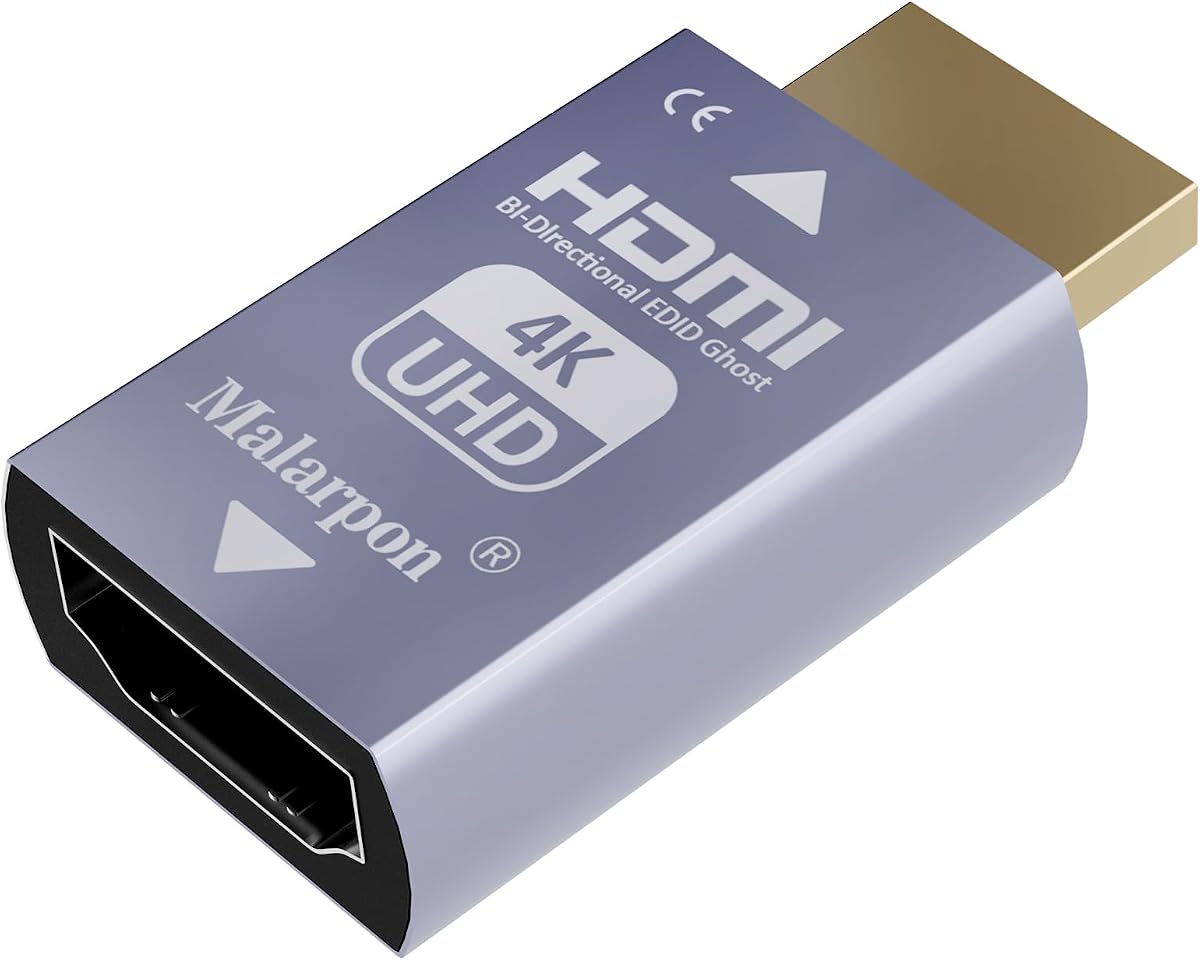
This model offers bidirectional signal transmission allowing flexibility in how devices are connected without worrying about male or female port orientation. It maintains a 3.9 rating reflecting mixed user experiences particularly regarding HDCP compatibility in protected content environments.
Pros
Bidirectional signal flow
No external power needed
Supports hot swapping
Fixes desktop issues
Cons
HDCP not supported
Lower rating score
We may earn a commission when you buy through this link, at no additional cost to you.
The device keeps the computer system from rearranging desktops when displays disconnect or cables become loose during multi-screen operations. Its low power consumption and hot swap support make it convenient for dynamic workstations where peripherals change frequently.
However the lack of HDCP support limits its utility for streaming protected content or premium media sources requiring strict encryption compliance. Users should verify their specific use case before purchasing to ensure it meets their security requirements for video signals.
Best suited for professional visualization or control room setups where visual integrity matters more than content protection this adapter provides solid EDID stability. It serves well for users needing a simple fix for display detection issues without extra power sources.
Dynamic Workstation Support
Hot swap capabilities allow seamless switching between devices without restarting systems maintaining workflow continuity during complex presentations.
Desktop Layout Stability
Fixed EDID locking prevents Windows from resetting monitor configurations when external displays are powered off or disconnected unexpectedly.
This HDMI EDID Emulator focuses on HDR performance offering support for 4K at 60Hz and 1080p at 120Hz to suit gaming and multimedia needs. While it carries a 3.5 rating its pure hardware design promises lossless signal transmission essential for professional applications.
Pros
HDR signal support
High refresh rate 120Hz
Zero latency transmission
Plug and play simple
Cons
Lower user ratings
SCDC handshake limits
We may earn a commission when you buy through this link, at no additional cost to you.
It features a male-to-female passthrough allowing bidirectional signal flow without wiring direction limits which simplifies integration into existing video chains. The device works stably with Mac mini Raspberry Pi and NUC units ensuring EDID stays active even when displays are powered off.
Trade-offs include limitations with HDMI 2.1 features and SCDC handshaking which may cause intermittent signal interruptions with certain sources. Users relying on strict resolution matching might find occasional renegotiation challenges though general use remains stable for most scenarios.
Ideal for gaming setups or creative workstations needing high refresh rates this emulator balances performance with affordability. We suggest it for those prioritizing smooth motion and HDR compatibility over absolute compatibility with every HDMI standard.
Gaming and Media Ready
High refresh rates like 120Hz ensure fluid motion for gaming while HDR support enhances visual fidelity for streaming content.
Pure Hardware Efficiency
Zero-latency design avoids software bottlenecks maintaining real-time video fidelity crucial for live broadcasts and precision monitoring.
HDMI EDID Emulator, Passthrough Display Adapter, Default Resolution Dummy Plug, Headless Ghost for HDMI Switches, Extenders, AV Receivers, Video Splitters (8K30Hz-4K120Hz)
Simulates display EDID
Prevents signal loss
Wide compatibility
Plug and play setup
With a perfect 5.0 rating this HDMI EDID Emulator excels at simulating display EDID information to ensure source devices maintain stable video outputs even without connected monitors. Its headless ghost functionality makes it invaluable for servers and remote workstations requiring constant signal presence.
Pros
Perfect 5.0 rating
Simulates any display
No signal loss issues
Broad application support
Cons
Basic preset options
No SCDC features
We may earn a commission when you buy through this link, at no additional cost to you.
The device eliminates compatibility mismatches between different HDMI sources and receivers by providing consistent resolution and audio format data. Users report smooth operation across home theater systems conference rooms and commercial displays where consistent signal transmission is critical for reliability.
While it focuses on plug and play simplicity rather than granular manual controls this trade-off ensures quick deployment and fewer configuration errors during setup. The adapter supports resolutions up to 8K at 30Hz and 4K at 120Hz covering most modern multimedia needs effectively.
We highly recommend this model for anyone needing a reliable EDID solution that just works out of the box. Its versatility across AV receivers and video splitters makes it a top pick for both home and professional environments seeking stability.
Headless Operation Power
Allows computers to run in headless mode without displaying errors ensuring continuous background processing and remote access capability.
AV System Harmony
Solves mismatched EDID issues between diverse components allowing seamless audio and video routing through complex home theater chains.
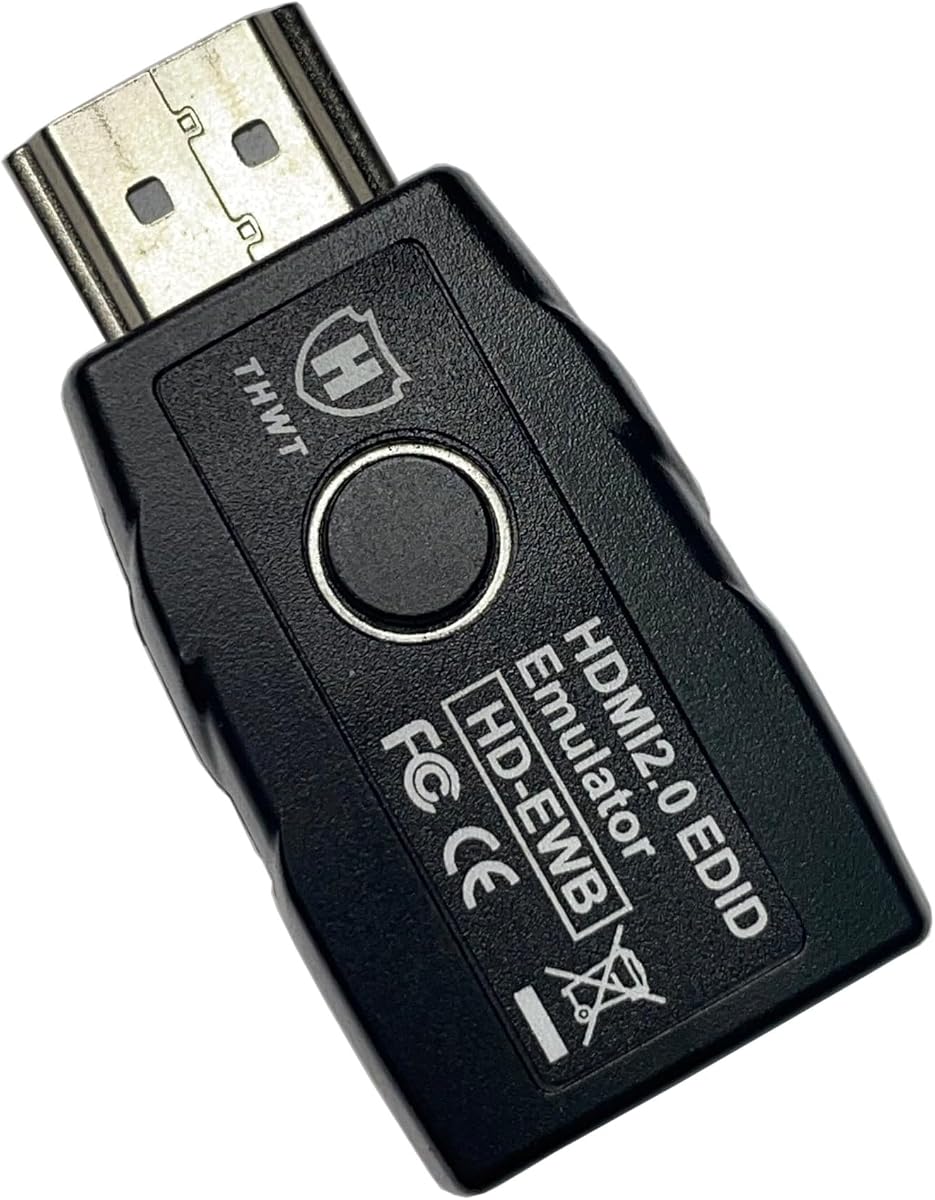
This HDMI 2.0 compliant emulator allows users to copy EDID data from an existing display using a simple button press for accurate emulation. It supports HDCP pass-through ensuring protected content streams correctly without triggering security warnings or blank screens on compatible sources.
Pros
Button for EDID copy
HDCP pass-through enabled
HDMI 2.0 compliant
Bi-directional design
Cons
HDMI 2.1 limitations
SCDC handshake issues
We may earn a commission when you buy through this link, at no additional cost to you.
The preset internal EDID defaults to 1080p with 4:4:4 color while external mode supports 4K at 60Hz making it flexible for various media workflows. Bi-directional detection enables connection either near the source or display adapting to different physical cabling setups efficiently.
However it struggles with HDMI 2.1 devices and SCDC handshaking which may lead to signal loss when using high clock data ratios on certain monitors. Users needing strict 2.1 features should look elsewhere but standard 2.0 setups perform reliably with consistent video output.
We recommend this model for home theater enthusiasts needing exact EDID matching without complex software. Its ability to preserve audio formats like 2.1CH ensures sound setups remain intact during signal renegotiations.
Protected Content Support
HDCP pass-through maintains encryption keys allowing streaming services to function correctly when signals pass through the emulator.
Audio Format Preservation
Audio presets ensure that surround sound configurations are recognized correctly preventing audio downgrades during handshake processes.
This model delivers stable 4K at 60Hz video with a strong 4.4 rating for reliability in KVM switch environments. It features a male-to-female passthrough design that allows bidirectional signal transmission without worrying about wiring direction during installation.
Pros
4K 60Hz support
Bi-directional connection
Locks EDID settings
Works with KVM switches
Cons
No HDMI 2.1 support
Basic feature set
We may earn a commission when you buy through this link, at no additional cost to you.
The device locks EDID settings so display parameters never reset even when switching signal sources frequently in office setups. It accelerates handshake times when monitors are turned off and on repeatedly ensuring smoother connections and less downtime during daily workflows.
HDCP passthrough allows encrypted content to pass through without triggering security failures though it does not support HDMI 2.1 features like SCDC handshaking. Users should verify their source device standards to ensure compatibility before purchase.
Ideal for office workstations using KVM switches this emulator keeps multi-monitor setups consistent without requiring constant recalibration. We suggest it for users needing a straightforward solution to maintain display integrity across different input sources.
KVM Switch Optimization
Built specifically for KVM edid emulation ensures seamless switching between multiple computers without resetting desktop configurations.
Accelerated Handshakes
Faster negotiation times reduce wait periods when reconnecting displays improving efficiency in dynamic presentation environments.
This 3rd Generation aluminum adapter is designed to keep the EDID of monitors active even when disconnected allowing remote access devices like Mac mini to function correctly. With a 4.1 rating it solves common desktop rearrangement issues caused by sudden display disconnects.
Pros
Keeps EDID active
Fixes desktop rearrangement
Works with DP to HDMI
30-day service help
Cons
Limited to 59Hz
No SCDC handshake
We may earn a commission when you buy through this link, at no additional cost to you.
It features a bi-directional design where the source can be male or female ensuring flexible connection options for various ports. The device works flawlessly with DisplayPort to HDMI adapters allowing seamless integration into mixed port setups without signal loss.
Users can utilize it as a dummy plug by first connecting a monitor to save settings then removing it to maintain the configuration. This capability prevents Windows from resetting resolution options when physical screens are powered off during operation.
We recommend this emulator for remote workstations needing consistent video signals without a connected monitor. Its aluminum build ensures heat dissipation and durability for 24/7 operation in server or home office environments.
Remote Access Stability
Keeps EDID of the monitor active when remotely accessing devices ensuring stable sessions even without a physical screen present.
Physical Build Quality
Aluminum casing provides robust protection and efficient heat dissipation for reliable long-term performance in enclosed spaces.
This premium model supports HDMI 2.1 standards and SCDC handshaking making it ideal for high-performance video setups requiring strict protocol compliance. It features 14 preset EDID values allowing users to switch between different resolution configurations quickly using a knob interface.
Pros
HDMI 2.1 compatible
SCDC handshaking included
14 EDID presets
10x 40x frequency
Cons
Higher price point
No 8K support
We may earn a commission when you buy through this link, at no additional cost to you.
The adapter supports HDCP pass-through ensuring that encryption keys are read correctly by output devices preventing blank screens on protected content sources. Its bidirectional design allows connections on either the computer or display side offering flexible installation options for complex AV systems.
While it does not support 8K resolution due to FRL handshaking limitations it handles 4K at 120Hz well for gaming and professional visualization needs. Users report reliable performance even after repeated power cycles maintaining stable signals without renegotiation issues.
We recommend this model for advanced users needing precise control over EDID data in demanding environments. Its support for 2.1 channel audio and SCDC handshaking sets it apart as a top choice for serious home theater enthusiasts.
High-Speed Video Protocol
SCDC handshaking ensures reliable communication for high bandwidth signals maintaining stability during rapid renegotiation cycles.
Customizable EDID Options
14 preset values allow quick switching between different resolutions adapting to varying display requirements without software.
This HDMI EDID Manager acts as both a repeater and retimer amplifying signals to support multiple layers of cascading in large video systems. With a 5.0 rating it offers a comprehensive solution for environments where signal quality degrades over long cable runs.
Pros
Ampifies HDMI signals
Supports cascading setups
CEC pass-through
Professional support team
Cons
Higher price cost
Complex setup needs
We may earn a commission when you buy through this link, at no additional cost to you.
It supports HDMI 2.0b standards and includes CEC pass-through ensuring that control signals continue to function across connected devices. Users can copy and save up to 8 types of preset EDID data allowing flexibility when dealing with multiple display configurations.
The low power consumption design enables 7×24 hour operation making it suitable for commercial signage or control room applications. A professional technical support team provides advice to help users configure complex systems efficiently without trial and error.
We recommend this device for commercial setups needing signal amplification alongside EDID management. Its ability to handle cascaded layers ensures that even distant displays receive clean video signals without degradation.
Signal Integrity Management
Amplifies and equalizes signals enabling longer cable runs and cascaded setups without video degradation or dropout.
Commercial Grade Support
Access to a professional technical team ensures complex system configurations run smoothly for business critical applications.
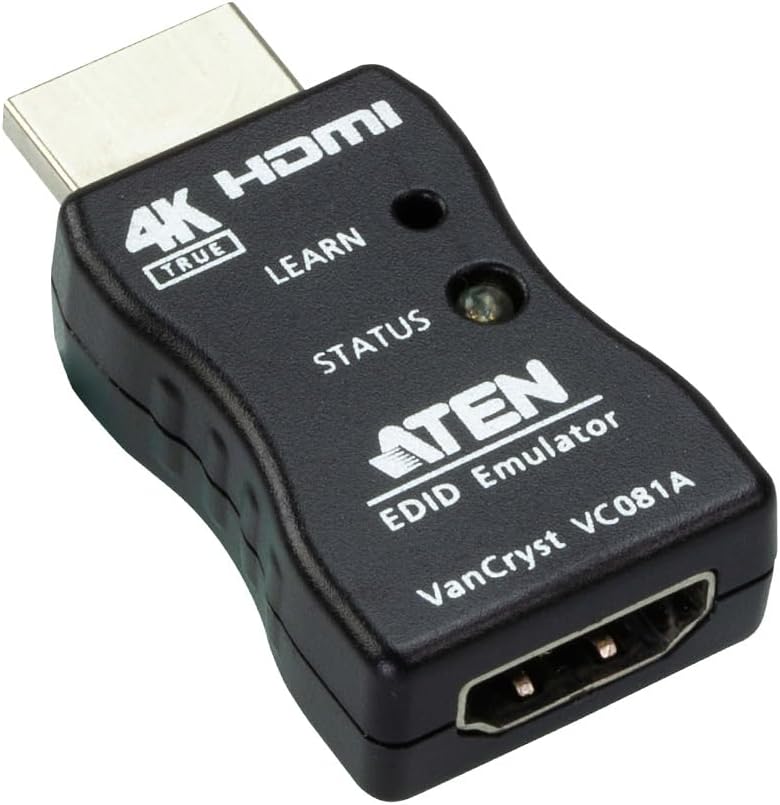
ATEN is a trusted brand in AV infrastructure making this adapter a known quantity for professionals even with a lower user rating of 2.7. It effectively learns and saves EDID from connected displays via a single pushbutton ensuring quick configuration without software.
Pros
Trusted brand reputation
Single pushbutton learn
CEC compatibility
Compact lightweight design
Cons
Low user rating
Higher price point
We may earn a commission when you buy through this link, at no additional cost to you.
The device supports True 4K resolution with deep color and HDCP 2.2 compliance meeting rigorous standards for enterprise environments. Its compact lightweight design allows easy installation into tight spaces without adding bulk to cabling setups in racks or wall mounts.
While it offers CEC pass-through for control signal integration some users report compatibility issues with specific sources or displays limiting its universal appeal. The higher price point reflects the brand value but may not suit budget-conscious buyers seeking basic functionality.
We suggest this model for corporate IT departments needing reliable hardware from a known vendor. It works best in environments where brand consistency is prioritized over cost-effectiveness for large-scale deployments.
Corporate Reliability
Trusted by enterprises for consistent performance in professional AV infrastructure deployments requiring strict compliance standards.
Space Saving Design
Compact and lightweight form factor ensures easy installation in crowded rack spaces without interfering with adjacent equipment.
We may earn a commission when you buy through this link, at no additional cost to you.
Buying Guide – How to Choose the Best HDMI Edid Emulator Passthroughs
Selecting the right HDMI Edid Emulator Passthrough requires understanding specific technical needs and compatibility requirements. This guide outlines key factors to consider for ensuring seamless integration into your video setup.
Resolution and Refresh Rate Support
Ensure the emulator supports the maximum resolution and refresh rate your source device and display require. Models vary from basic 1080p support to advanced 4K at 120Hz or even 8K capabilities depending on the version.
Choose a model that matches your highest output needs to avoid signal limitations or black screens during video playback.
EDID Copy Capability
Some models allow copying EDID data from an existing monitor to preserve exact display settings. This is crucial when using splitters or extenders that otherwise strip EDID information from the source device.
Look for products with physical buttons or knobs to switch between internal and external EDID settings for maximum flexibility.
HDCP Compatibility
HDCP pass-through ensures that protected content streams correctly without triggering security warnings. Verify that the emulator supports HDCP 2.2 or 2.3 if you use streaming services or Blu-ray players.
Selecting a device with proper HDCP handling prevents blank screens and maintains content integrity during playback.
SCDC Handshaking Support
SCDC handshaking is essential for HDMI 2.1 devices to maintain stable high-bandwidth signals. Without this feature high refresh rate setups may experience intermittent signal loss.
If you use modern consoles or graphics cards check for explicit SCDC support in the product specifications.
Plug and Play Simplicity
Many users prefer emulators that require no external power or drivers for quick installation. Plug-and-play designs simplify setup and reduce cable clutter in complex systems.
Prioritize devices that offer passive power drawing directly from the HDMI source for ease of use.
Durability and Build Quality
Construction materials like aluminum casings offer better heat dissipation and physical protection than plastic alternatives. This ensures longevity in environments with continuous 24/7 operation.
Investing in a robust build helps prevent overheating issues and extends the lifespan of the emulator.
Brand Reputation and Support
Well-known AV brands often provide better customer support and reliable firmware updates when issues arise. This is especially important for commercial installations requiring long-term reliability.
Check for warranty details and technical support availability before making your final purchase decision.
Price Versus Feature Balance
Higher-priced models often offer more features like SCDC handshaking or exact EDID copying which justify the cost for advanced users. Basic models suffice for simple tasks without extra expenses.
Determine your specific needs first to avoid overpaying for features you will not use in your setup.
How to Use and Care for Your HDMI Edid Emulator Passthroughs
Connect the emulator inline between your video source and the display or KVM switch ensuring the correct orientation if specified. Most devices work bidirectionally so direction may not matter but consult the manual for specific wiring directions.
If your device supports EDID copying connect a monitor first to save its settings then remove it to keep the ID active. This allows your computer to maintain the correct display configuration even when the physical screen is powered off.
Periodically check your system to ensure the display resolution remains correct after power cycles. Keeping the emulator in a well-ventilated area prevents overheating and ensures consistent performance over long periods of use.
Frequently Asked Questions
Why do I need an HDMI Edid Emulator Passthrough?
You need an emulator to prevent your source device from dropping the video signal when no monitor is detected. This ensures stable performance for headless computers or complex AV setups requiring constant display recognition.
Can these devices be used with KVM switches?
Yes most models are designed specifically for use with KVM switches to prevent desktop rearrangement when changing inputs. This helps maintain consistent monitor settings across multiple connected computers.
Do I need external power for these adapters?
Most emulators draw power directly from the HDMI source device eliminating the need for external adapters. However high-bandwidth 2.1 models may occasionally require additional power depending on the cable setup.
Will an emulator affect image quality?
High-quality emulators preserve the original signal without degradation passing through audio and video losslessly. Avoid low-cost unbranded adapters that might introduce noise or signal loss over time.
What happens if my HDMI source turns off?
If the source turns off the emulator maintains the saved EDID data so the display settings remain intact. This prevents Windows from resetting resolutions when you power the source back on later.
Do these support 8K resolution signals?
Most standard emulators support up to 4K at 60Hz with limited 8K support requiring advanced models. Check the product specs for 8K compatibility if your source outputs ultra-high resolution content.
Final Thoughts on Choosing the Best HDMI Edid Emulator Passthroughs
Our top picks include the EVanlak model for budget users the EDID Emulator Passthrough Display Adapter for general reliability and the HDMI 2.1 PRO for advanced features. Each offers distinct strengths tailored to different professional and personal use cases.
Prioritize features like SCDC handshaking and HDCP support if you use modern consoles or streaming devices requiring strict protocol compliance. For basic office setups simpler plug-and-play models provide sufficient stability without extra complexity.
Always check current listings for availability and pricing as stock levels fluctuate based on market demand. Ensuring your chosen emulator matches your specific technical needs will prevent connection issues down the line.
This guide compares the top 3D printers for cosplay, evaluating speed, color options, build volume, and reliability for creating detailed props and costumes
This guide compares the top hidden camera for shirt models for security and documentation, evaluating video quality, battery life, and discreet designs for