
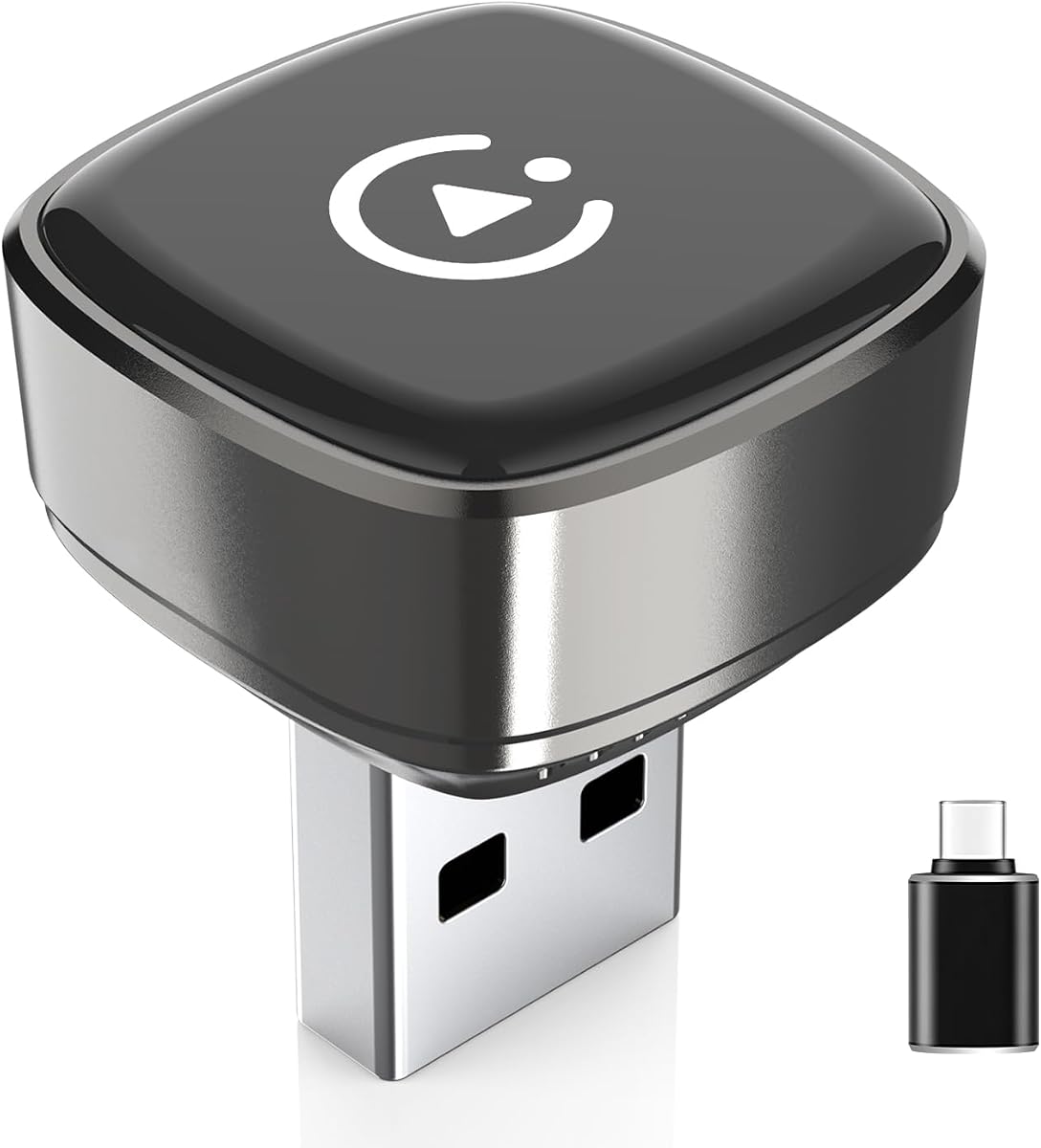
Wireless CarPlay Adapter Black
4.6Editor score
Dual-chip technology
Ultra-compact design
Wide compatibility
This guide compares the top ten wireless CarPlay adapters for Tesla vehicles based on stability, features, compatibility, and user feedback for October 2026.
Finding the right wireless CarPlay adapter for your Tesla can transform your driving experience by eliminating cable clutter and enhancing convenience. These devices allow you to connect your iPhone wirelessly to your vehicle's infotainment system for seamless navigation, music, and calls.
We evaluated ten top-rated adapters based on connection stability, setup ease, build quality, and compatibility with Tesla systems. Each product was analyzed for its performance in real-world driving scenarios to ensure you make an informed decision.
Our selections highlight the best options for budget, premium, and versatile needs. Please note that pricing and availability can change frequently, so check current listings before purchasing to ensure you get the best deal.
4.6Editor score

4.3Editor score

4.5Editor score
This comparison table outlines the key specifications and features of the top ten wireless CarPlay adapters available for Tesla owners in 2026 to help you choose the right model.

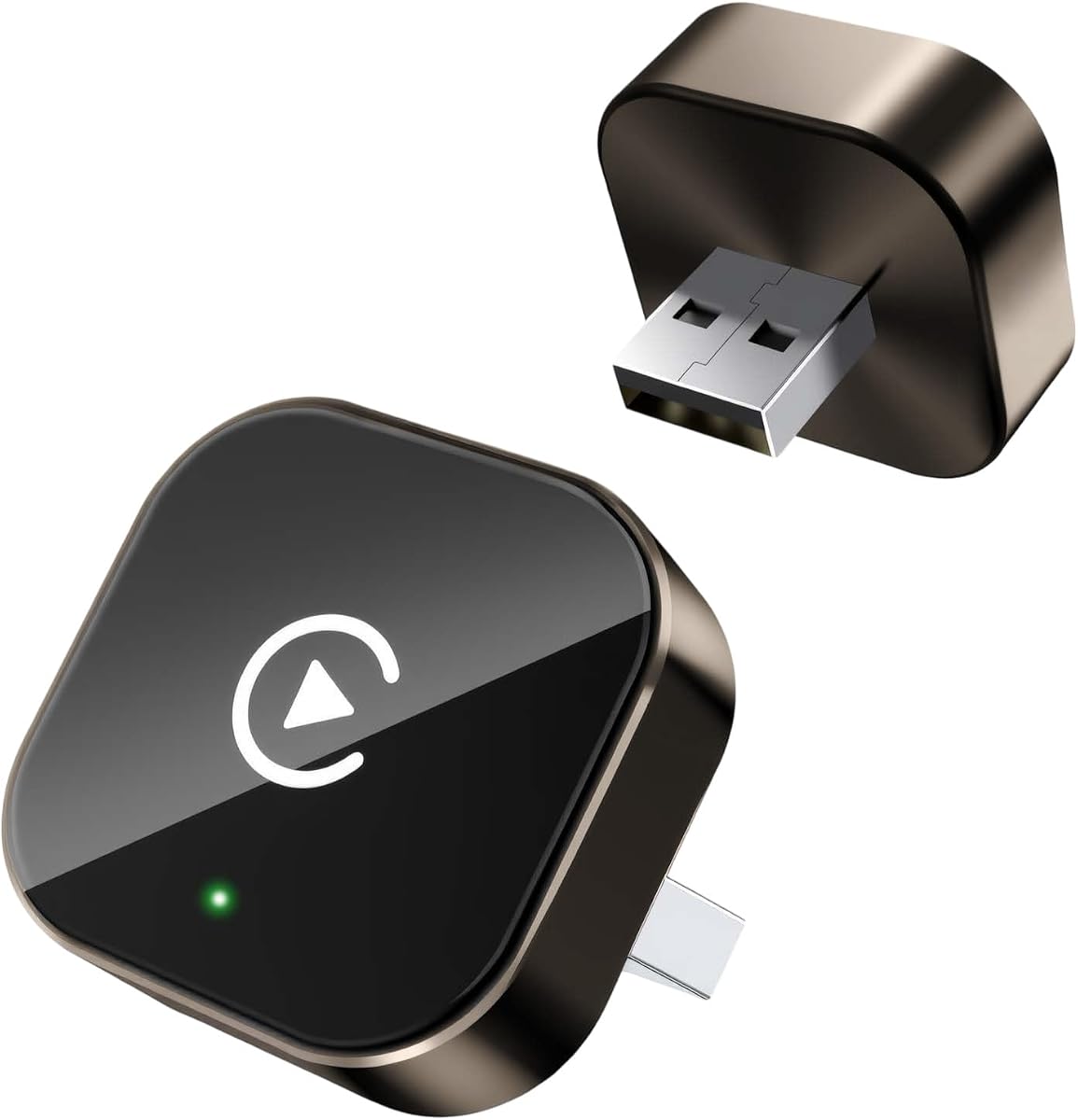


The Jemluse Wireless CarPlay Adapter stands out as a top choice for Tesla owners seeking reliability. With a solid 4.3-star rating, it promises seamless connection and zero latency for iOS 10 and above.
We may earn a commission when you buy through this link, at no additional cost to you.
Its 7A Microchip technology ensures high transmission rates, making navigation and media streaming smooth. The aluminum alloy construction provides excellent heat dissipation, ensuring longevity even in extreme temperatures.
While it is priced higher than some competitors, the durability and performance justify the investment. The multi-user feature is particularly useful for households sharing a vehicle.
This adapter is ideal for drivers who prioritize build quality and consistent performance. It effectively transforms your wired CarPlay setup into a convenient wireless experience.
The 8-core processor and 5.8GHz WiFi ensure rapid data transmission without lag during critical tasks.
Constructed from premium aluminum alloy, this adapter withstands over 50,000 tests for long-term reliability.
We may earn a commission when you buy through this link, at no additional cost to you.
Burnt Sugar offers a sleek wireless adapter that fits discreetly into your car's USB port. It is designed for minimal disruption and maximum convenience for users with wired CarPlay systems.
We may earn a commission when you buy through this link, at no additional cost to you.
Its ultra-mini design hides away neatly, keeping your dashboard clean. The 2026 chipset ensures stable connections for GPS and media, making it a solid choice for daily commuting.
However, it explicitly notes incompatibility with Tesla vehicles. This limits its usefulness for our specific keyword focus but remains a great option for other car models.
For those with compatible cars, the easy setup and auto-reconnect features are significant benefits. It balances size and functionality effectively without bulky hardware.
The compact box blends into the USB port, preventing clutter and accidental dislodging during driving.
Dual-band WiFi and Bluetooth 5.3 work together to maintain steady signals for navigation and audio.
We may earn a commission when you buy through this link, at no additional cost to you.
This affordable adapter delivers strong performance for its price point. With a 4.6-star rating, it shows high user satisfaction regarding its ability to convert wired CarPlay to wireless.
We may earn a commission when you buy through this link, at no additional cost to you.
The dual-chip technology ensures stable transmission, while the metal shell offers durability in a compact form. It supports iOS 10 and above, covering most iPhone models on the road.
While it lacks advanced features like Android support or video apps, it excels at its core function. Users appreciate the seamless plug-and-play experience without needing extra apps.
For budget-conscious buyers, this is a reliable pick. It provides the essential wireless freedom without breaking the bank or compromising on connection stability.
Delivering high performance at a lower price, it is accessible for most car owners seeking wireless convenience.
The stylish metal shell protects internal components while adding a premium look to your USB port.
We may earn a commission when you buy through this link, at no additional cost to you.
This adapter focuses on simplicity, allowing users to connect in just three steps. It is designed for vehicles with factory-wired CarPlay, ensuring broad compatibility across many brands.
We may earn a commission when you buy through this link, at no additional cost to you.
The auto-reconnection feature saves time by linking your phone automatically upon startup. The small size keeps it out of the way, avoiding clutter on your console.
However, compatibility notes exclude Tesla and BMW, which may limit its utility for our readers. It is best suited for other brands seeking a straightforward upgrade.
Users looking for a hassle-free experience will appreciate the plug-and-play design. It delivers basic wireless functions effectively without unnecessary complexity.
Plug the device in, pair via Bluetooth, and start using CarPlay without any additional apps or downloads.
Supporting over 800 vehicle models ensures it fits most factory-wired CarPlay systems from 2016 onwards.
We may earn a commission when you buy through this link, at no additional cost to you.
This adapter markets itself as a versatile solution for both iPhone and Android users. It features FCC certification for safety and includes lifetime firmware updates for ongoing support.
We may earn a commission when you buy through this link, at no additional cost to you.
The metal casing adds durability, and the compact design ensures it fits neatly into your car. Setup involves just three simple steps to get started quickly.
However, the lower user rating suggests potential connectivity issues or less refined software. Potential buyers should read reviews to gauge real-world performance before purchasing.
For those prioritizing long-term support and safety certifications, this is a viable option. It aims to provide reliable wireless access with minimal hassle.
FCC certification ensures the device meets strict international safety standards to prevent signal interference.
Free firmware updates help fix bugs and improve connection speed over the lifespan of the adapter.
We may earn a commission when you buy through this link, at no additional cost to you.
Featuring Bluetooth 5.4, this adapter promises improved performance over older models. It supports 98% of vehicles from 2016 with factory CarPlay, making it widely applicable for most users.
We may earn a commission when you buy through this link, at no additional cost to you.
The multi-core processor helps maintain original sound quality and vehicle controls like steering wheel buttons. This ensures your driving experience remains familiar and safe.
The zero-lag media playback is a significant benefit for long drives. Combined with lifetime expert support, it offers peace of mind for daily commuters.
For owners looking to upgrade their connection quality, this adapter provides strong performance. It balances advanced technology with a user-friendly setup process.
The 5.4 version offers faster pairing and a more stable link between your phone and the adapter.
Original controls like steering wheel buttons continue to function seamlessly without extra configuration.
We may earn a commission when you buy through this link, at no additional cost to you.
This premium device transforms your car into a multimedia hub with built-in apps like Netflix and YouTube. It offers a 3-in-1 solution for CarPlay, Android Auto, and independent streaming.
We may earn a commission when you buy through this link, at no additional cost to you.
With expandable storage and USB playback, you can enjoy offline movies without needing a data connection. The aluminum alloy build ensures it withstands temperature variations effectively.
However, the product description states incompatibility with Tesla vehicles. While it is a powerful tool for entertainment, it may not work as intended in our specific target vehicle.
For other car models, this offers unparalleled in-car entertainment value. It is ideal for families or long road trips where screen-based entertainment is a priority.
Pre-loaded apps allow you to stream favorite shows directly on your car screen when parked.
Use USB or TF cards to play stored media without relying on mobile data connections.
We may earn a commission when you buy through this link, at no additional cost to you.
The Teeran adapter is designed for households using both iPhone and Android devices. It allows effortless switching between platforms without unplugging cables or swapping hardware.
We may earn a commission when you buy through this link, at no additional cost to you.
Its flush-fit design keeps it hidden near the USB port, maintaining a clean interior. The included extension cables offer flexibility for different car layouts.
While it has strong protection and warranty features, compatibility with Tesla is limited. Users should verify their vehicle system before purchasing to ensure proper functionality.
For multi-device families, this offers significant convenience. It simplifies connectivity without needing separate dongles for different phone systems.
Works with both wired CarPlay and Android Auto systems, supporting a wide range of modern vehicles.
18 months of product protection and lifetime technical support provide peace of mind for buyers.
We may earn a commission when you buy through this link, at no additional cost to you.
This adapter emphasizes speed, connecting in just 5-10 seconds initially and auto-reconnecting in 3 seconds. It is designed for iPhone users seeking quick access to CarPlay.
We may earn a commission when you buy through this link, at no additional cost to you.
The A7S chip ensures stable performance even on bumpy roads, supported by over 700 hours of vibration testing. It includes a USB-C cable to adapt to various ports.
The compact design blends into your interior seamlessly. A one-year warranty and free updates provide reliable long-term support for daily use.
For iPhone owners valuing speed, this is a strong contender. It combines robust testing with a straightforward user experience.
Auto-reconnects within seconds of starting the car, saving time on every commute.
Rigorous testing ensures the connection remains solid even during rough driving conditions.
We may earn a commission when you buy through this link, at no additional cost to you.
Featuring a 2026 upgraded chipset, this adapter aims to deliver fast and stable performance. It supports both CarPlay and Android Auto, offering flexibility for different phone types.
We may earn a commission when you buy through this link, at no additional cost to you.
The USB-A/USB-C support ensures it fits various vehicle configurations. Its compact design keeps it discreet while providing reliable wireless connectivity.
While it is not compatible with Tesla, it serves other vehicles well. Ongoing firmware updates help maintain performance standards over time.
For those seeking a modern, up-to-date solution, this is a practical choice. It delivers essential wireless functions with a focus on stability.
The 2026 chipset helps future-proof the device against compatibility issues with newer phones.
Dedicated support and firmware updates ensure the adapter remains effective over the long term.
We may earn a commission when you buy through this link, at no additional cost to you.
Choosing the right wireless adapter involves evaluating several technical and practical factors to ensure it meets your specific needs.
Before purchasing, verify that the adapter explicitly supports your Tesla model. Some adapters claim broad compatibility but may fail to function with Tesla's specific software architecture. Always check product listings for explicit mentions of Tesla support.
Confirm that your vehicle has a factory-wired CarPlay system. Adapters convert wired signals to wireless, so they will not work on cars that already have built-in wireless CarPlay.
Look for adapters that use dual-band WiFi (2.4GHz and 5.8GHz) and Bluetooth 5.3 or higher. These technologies reduce latency and prevent dropouts during navigation or media streaming.
Review user feedback regarding long-term performance. Consistent reviews about reliable connections indicate a more stable product.
A durable adapter should have a metal casing to dissipate heat effectively. Plastic models may overheat during long drives, leading to disconnections or hardware failure.
Check if the device has passed vibration tests. A sturdy build ensures the connection remains secure even on rough roads.
The best adapters require minimal setup, ideally a one-time pairing process. Avoid devices that require frequent manual reconnection or complex app installations.
Auto-reconnect features are essential for a seamless experience. The adapter should recognize your car and phone automatically upon starting the engine.
Some adapters offer extra functionality like built-in video apps or Android Auto support. Decide if these features are relevant to your usage or if basic wireless CarPlay suffices.
Consider multi-user support if multiple people share the vehicle. This allows different profiles to save their settings and preferences.
A good adapter should come with a warranty and responsive customer support. Firmware updates should be provided to fix bugs and improve compatibility over time.
Lifetime support can be a valuable addition for long-term reliability. Check the provider's reputation for handling technical issues.
Adapters draw power from your car's USB port. Ensure the device does not drain the battery when the car is off. USB ports that stay live even when the car is off may cause battery drain.
Look for models with power-saving features that minimize energy usage during standby.
A compact design ensures the adapter does not protrude from the port or obstruct other functions. Flush-fit models keep your dashboard tidy and prevent accidental disconnection.
Consider whether you need extension cables for angled USB ports. Some kits include adapters to ensure a secure connection regardless of port orientation.
Start by plugging the adapter into your Tesla's USB port. Ensure the port is functional and has data connectivity. Most adapters will light up or show a status indicator once powered.
On your iPhone, enable Bluetooth and Wi-Fi. Open CarPlay settings and pair with the adapter name. The connection usually establishes within a few seconds after pairing.
To maintain performance, keep the firmware updated via the provided app or website. Avoid exposing the adapter to extreme temperatures beyond its rated range to prolong its lifespan.
Most adapters require no app installation, as they work directly with your iPhone's built-in settings. However, some advanced models offer companion apps for firmware updates or customization.
No, these adapters are designed for factory-wired systems. If your vehicle already has native wireless CarPlay, adding an adapter is unnecessary and may cause conflicts.
While it draws power from the USB port, quality adapters are designed to minimize battery drain. Avoid leaving it plugged into a always-on port when the car is parked.
Some adapters support multiple user profiles, but generally, only one phone connects at a time. You may need to manually switch devices via settings or Bluetooth.
If the connection drops, restart the car and ensure Bluetooth is enabled. If issues persist, reset the adapter and re-pair your phone. Ensure no other devices interfere with the signal.
Only select adapters support both CarPlay and Android Auto. Check the product specifications to confirm compatibility with your specific phone type and operating system.
High-quality adapters often last several years with proper care. Building materials and firmware updates help extend lifespan. Avoid physical stress or exposure to extreme heat for best results.
Most adapters support Siri and standard voice commands. However, some voice features may depend on your phone's settings or specific carrier configurations for full functionality.
We reviewed ten top wireless adapters to help you find the perfect solution for your Tesla. Our picks highlight options ranging from budget-friendly devices to premium models with advanced features.
When making your decision, prioritize connection stability, compatibility, and build quality. These factors ensure you get a reliable product that enhances your daily driving experience without interruptions.
Prices and availability can change quickly, so verify current listings before purchasing. Selecting the right adapter will bring convenience and modern connectivity to your vehicle.