
13 inch Spark F13 DTF Printer for Custom Apparel Printing
5.0Editor score
Home-based workflow design
12-hour auto cleaning
Lifetime technical assistance
This guide compares the top 10 DTF transfer printers for custom shirts, evaluating print quality, workflow speed, ink systems, and support for DIY and business
Choosing the right DTF transfer printer for custom shirts can transform your apparel business or hobby into a thriving creative venture. These machines allow you to print vibrant designs directly onto film which is then transferred to fabric using heat. The best models offer high resolution, reliable white ink circulation, and user-friendly workflows.
We compared ten real products based on their print head technology, workflow features like vacuum platens and auto-cleaning, and overall value. Each entry includes verified ratings, key specifications, and honest pros and cons to help you decide which machine fits your space budget and production needs.
Every pick shows what makes the printer stand out, who it is best suited for, and the trade-offs you should expect before buying. Prices and availability change frequently, so verify current listings and support terms before placing an order to ensure you get the best deal and service.
5.0Editor score

4.3Editor score
4.4Editor score
This side-by-side comparison helps you quickly identify which DTF printer matches your production volume, fabric types, and maintenance preferences. Each entry lists core specs like print width, resolution, and included accessories to streamline your selection process.




This machine stands out for its ability to deliver vibrant colors and restore picture effects accurately on various fabrics. With a rating of 4.3 stars it shows reliability for users seeking high-quality transfers on custom shirts. The automatic timing and white ink stirring system help prevent clogging and ensure consistent results.
We may earn a commission when you buy through this link, at no additional cost to you.
The standard A3 suction platform provides secure holding for film during printing which reduces misalignment issues. Users appreciate that motherboard and printhead parts are easier to buy replace and cheaper than many competitors. This reduces downtime and maintenance costs significantly over time.
While the printer is powerful it requires some initial setup to master the workflow including powder shaking and curing steps. It does not support larger formats beyond A3 which may limit high-volume production. These trade-offs are acceptable for small to mid-sized shops prioritizing quality and flexibility.
Buyers looking for a versatile DTF solution that handles both DTG and DTF ink should consider this model. It is ideal for customizers needing reliable results on cotton polyester and blended fabrics. Follow maintenance guides to keep the printhead healthy for long-term performance.
The printer restores original picture effects with excellent brightness and color saturation for professional transfers.
Easy access to motherboard and printhead components lowers repair costs and simplifies troubleshooting.
We may earn a commission when you buy through this link, at no additional cost to you.
The Spark F13 is designed specifically for home studios and small shops aiming to produce custom apparel without heavy upfront costs. Its 5.0 rating reflects strong user satisfaction with color fidelity and ease of setup. The built-in vacuum platen helps keep film flat to reduce printhead strikes.
We may earn a commission when you buy through this link, at no additional cost to you.
White ink circulation and 12-hour auto cleaning extend printhead life and reduce downtime during busy periods. InkSonic provides RIP software setup videos and 24/7 one-on-one technical support to guide you through your first prints. This level of guidance is rare at this price point.
Though ideal for side businesses the machine is not meant for high-volume commercial runs. Daily cleaning routines are essential to maintain performance which adds to the workflow time. These requirements are manageable for most hobbyists and small brand owners.
If you need a reliable entry-level DTF printer with strong support and consistent results the F13 is a top choice. It handles dark garments well with dense white underbase for vivid colors. Check current listings for bundle deals and warranty details.
Designed for small shops the printer includes tools to handle real customer orders efficiently.
Users get lifetime technical assistance to resolve issues quickly and keep production running.
We may earn a commission when you buy through this link, at no additional cost to you.
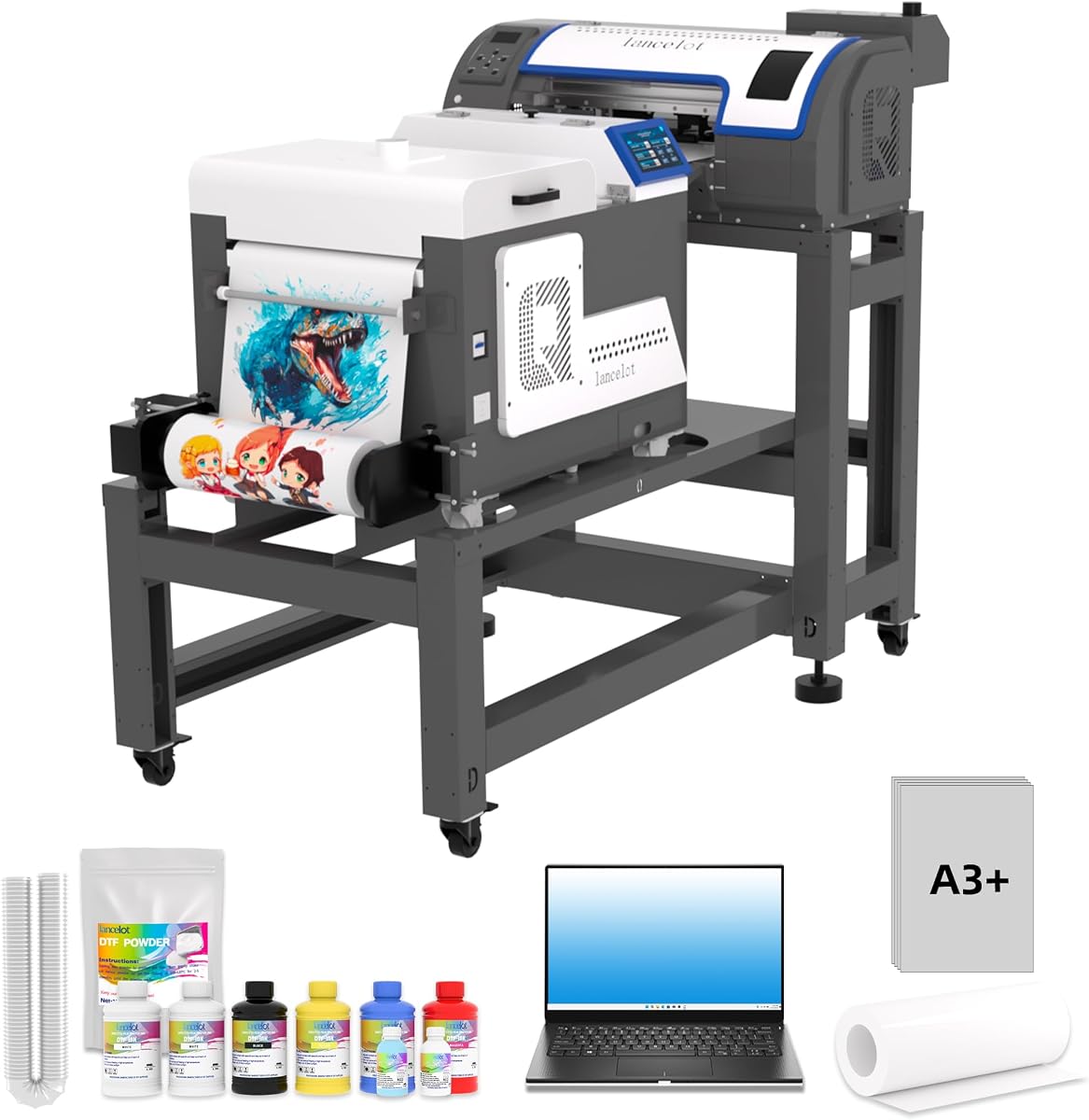
This bundle delivers a complete production station combining printer powder shaker dryer and mobile workstation for streamlined output. The XP600 printhead supports high-resolution transfers up to 720 x 1440 dpi for sharp details. A 4.4 rating shows users value the cohesive setup and quality results.
We may earn a commission when you buy through this link, at no additional cost to you.
Holiday mode with white ink circulation and auto-cleaning ensures easy restarts after idle periods. Users can manage roll or sheet workflows making it flexible for growing orders. Preloaded software on the included laptop reduces setup complexity significantly.
The comprehensive bundle comes at a higher price point requiring more floor space for the workstation. While efficient for small businesses it may be overkill for casual hobbyists. These trade-offs are reasonable for those serious about scaling production.
Investors seeking an all-in-one DTF solution with organized workflow and strong support should consider this bundle. It is perfect for custom apparel shops needing reliable results and minimal downtime. Verify shipping terms for the full station setup.
The bundle organizes printing powdering and curing in one dedicated area for efficiency.
Handles both individual roll and batch sheet workflows to adapt to order size.
We may earn a commission when you buy through this link, at no additional cost to you.
This printer offers high precision with an L1805 6-color printhead delivering 2880×1440 dpi resolution for crisp details. Its 5.0 rating reflects excellent saturation and consistent results on cotton and blended fabrics. The vacuum platform holds film securely during printing to prevent misalignment.
We may earn a commission when you buy through this link, at no additional cost to you.
Upgraded white ink circulation and automatic cleaning prevent clogging to extend printhead life. Users can print a photo in 178 seconds in photo mode which speeds up batch jobs. DuPont DTG ink compatibility ensures professional results on lighter fabrics.
Though powerful it requires careful setup and manual mixing which adds to the learning curve. Inks are not included so buyers must budget for consumables. These factors are minor compared to the print quality and speed.
Professionals needing fast reliable DTF printing with strong color performance will find this printer valuable. It handles dark garments well with proper white underbase. Read the manual thoroughly before initial use.
The L1805 printhead delivers ultra-sharp details and vibrant colors for detailed designs.
Prints a photo in under three minutes for faster turnaround on detailed jobs.
We may earn a commission when you buy through this link, at no additional cost to you.
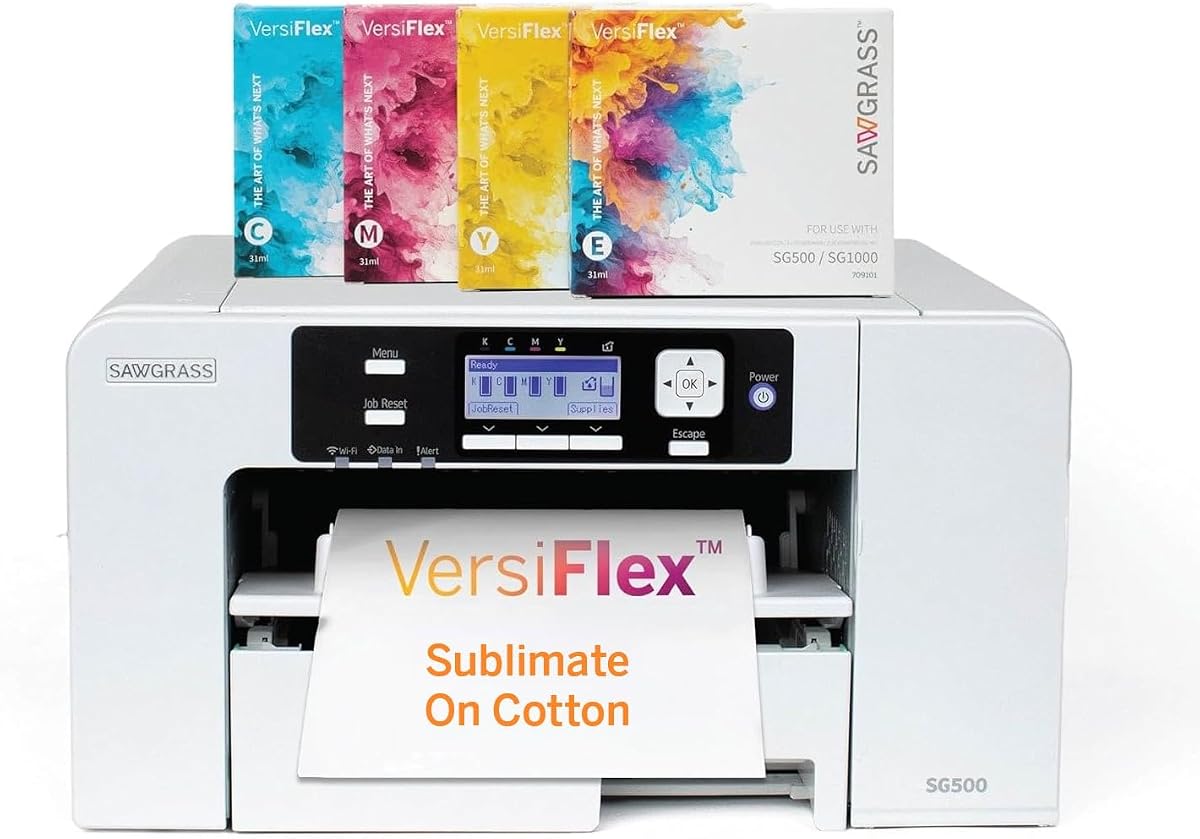
The Sawgrass VersiFlex SG500 bundle offers a next-gen decoration solution designed for natural fibers and untreated wood. Unlike traditional DTG it requires no pre-treatment making it easier for beginners to start. Users praise the soft touch inks that deliver true-to-life colors.
We may earn a commission when you buy through this link, at no additional cost to you.
It works with VersiFlex Light Heat Transfer Paper and certified inks that ensure safe consistent results. A pressure adjustable manual heat press is required which adds to the workflow. The rating of 2.7 reflects some user friction with setup and reliability.
While it simplifies decoration the reliance on a manual press can limit speed compared to automated DTF systems. It is better suited for small batches rather than high-volume output. These factors are acceptable for crafters prioritizing ease of use.
Hobbyists and small brands wanting no pre-treatment transfers should evaluate this bundle for specific materials. It shines on cotton canvas and porous surfaces with minimal prep. Verify current availability and support terms.
VersiFlex technology enables decoration on natural fibers without extra chemical prep.
Inks deliver vibrant colors with a soft comfortable feel on finished apparel.
We may earn a commission when you buy through this link, at no additional cost to you.
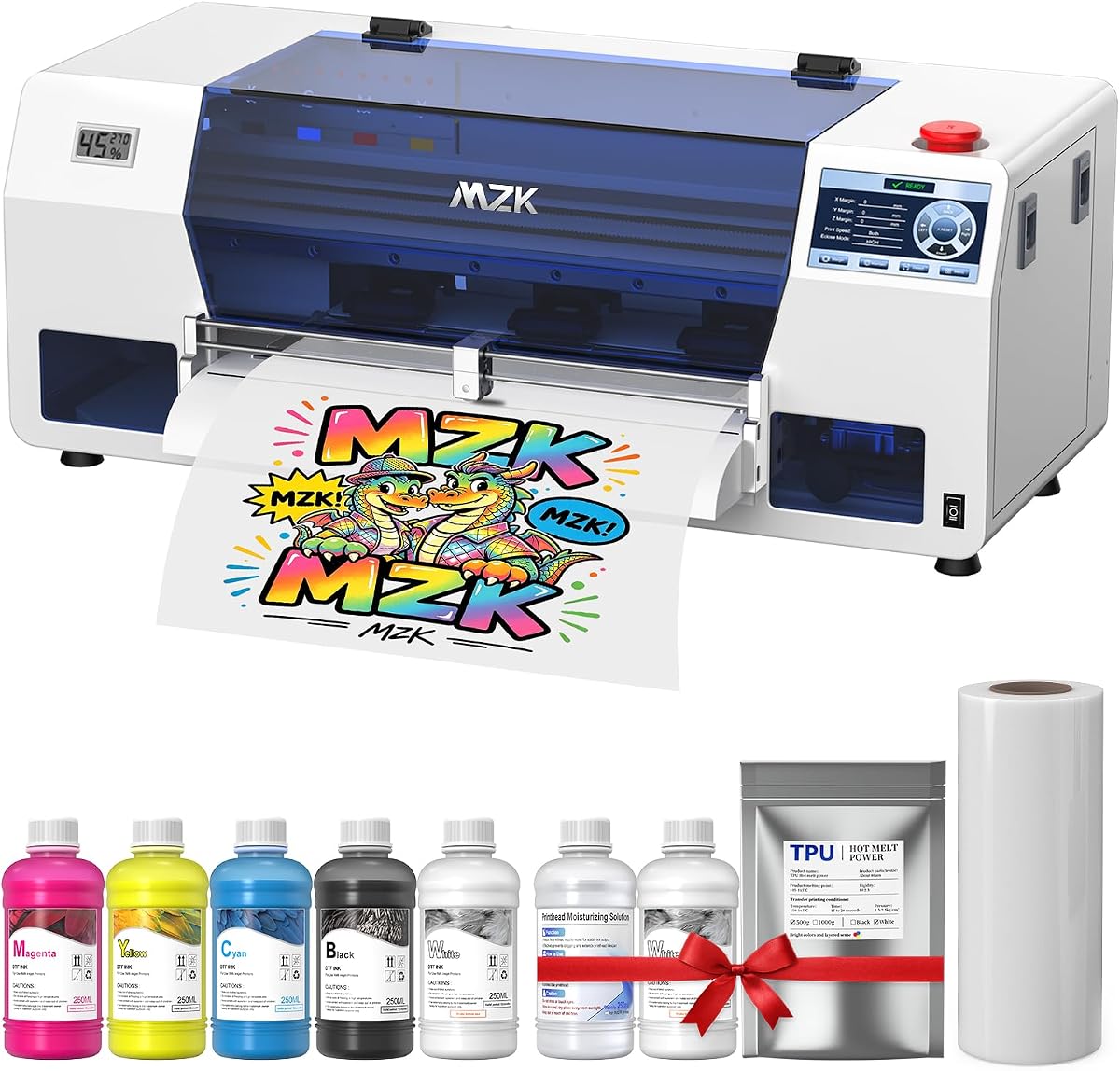
This A4 DTF printer comes with an extensive bundle including ink powder moisturizing kit and oven for a complete workflow. The 1440×1440 dpi resolution delivers vivid colors and clear details suitable for DIY projects. The built-in cutter saves film and streamlines operations.
We may earn a commission when you buy through this link, at no additional cost to you.
White ink circulation helps prevent clogging and extend printhead life. It supports printing on cotton polyester and other common fabrics. Customer support is available via email and live chat to assist with troubleshooting.
The printer is limited to A4 size which restricts larger designs. Windows-only support excludes macOS users and limits compatibility. These constraints may not suit all production needs but work for small batches.
DIY creators and home businesses looking for an affordable A4 DTF bundle should consider this option. It provides essential tools to start printing quickly. Verify system requirements before purchase.
Includes double inks powder moisturizing kit and oven to start production immediately.
Built-in cutter saves film and ensures clean cuts for each transfer.
We may earn a commission when you buy through this link, at no additional cost to you.
This bundle includes the R1390 DTF printer and a curing oven for a streamlined production workflow. The L1800 printhead delivers fine detail and smooth gradients for professional transfers. Lifetime technical assistance ensures you can resolve issues quickly.
We may earn a commission when you buy through this link, at no additional cost to you.
The platen vacuum keeps film flat to prevent printhead strikes and maintain print quality. It supports home-based apparel businesses seeking polished results without large commercial setups. Users appreciate the included tools and guidance.
Though comprehensive it requires space for both printer and oven which may be challenging for small studios. Initial setup can be complex and needs careful attention. These factors are manageable with the provided support.
Business owners needing a full DTF and curing setup should consider this bundle for its value and support. It handles dark garments well with strong white coverage. Review current shipping and warranty terms.
Includes curing oven to complete transfers efficiently in one production line.
Lifetime support helps new users avoid common mistakes and keep printing.
We may earn a commission when you buy through this link, at no additional cost to you.
This A3 DTF printer features a detachable reel design and 100m PET film capability to streamline daily operations. White ink circulation and automatic cleaning reduce clogging and extend printhead life. A 4.1 rating reflects reliability for custom shirt production.
We may earn a commission when you buy through this link, at no additional cost to you.
Users can access online support to install and debug the machine quickly. The package includes oven RIP software and tutorials to reduce setup time. It is compatible with multiple fabrics including cotton polyester and denim.
Though powerful the printer requires careful setup and dedicated space for the oven. USB drive support has changed and users should check official sources for software. These issues are manageable with clear documentation.
For custom shops needing flexible A3 printing with strong ink protection this model is a solid choice. It handles high-volume batches well with reel feeding. Verify current software versions before purchase.
Allows continuous printing up to 100m film length to improve efficiency.
White ink circulation and stirring reduce sedimentation and extend printhead life.
We may earn a commission when you buy through this link, at no additional cost to you.
This printer offers high-speed A3+ printing with an F1080 printhead and 24/7 auto-maintenance mode. The 5 inch LED touchscreen simplifies control and reduces computer dependencies. A 4.7 rating shows strong satisfaction with efficiency and reliability.
We may earn a commission when you buy through this link, at no additional cost to you.
Two years of free ink and powder offer substantial savings for ongoing production. The anti-clog design and dual ink monitoring prevent issues and keep workflow smooth. ICC calibration curves ensure accurate colors for custom designs.
Windows-only support limits macOS compatibility and the maintenance routines require consistent attention. For busy shops these are minor trade-offs for the speed and value provided. Check system requirements before purchase.
Businesses needing rapid DTF output with low consumable costs will find this model compelling. It is ideal for workshops prioritizing uptime and efficiency. Verify current ink shipping eligibility.
Prints A3 films in about four minutes for faster job turnaround.
Two years of free supplies reduce overall cost of ownership significantly.
We may earn a commission when you buy through this link, at no additional cost to you.
This A3 DTF printer features a dual feeder for roller and sheet workflows to handle various order types. The 13 inch print width and 1440×1440 resolution deliver high color reproduction. Lifetime one-on-one technical assistance supports both novice and experienced users.
We may earn a commission when you buy through this link, at no additional cost to you.
White ink circulation improves ink vitality and reduces sedimentation extending printhead life. Patterns remain vivid after multiple washes which ensures customer satisfaction. Adjustable air suction prevents jams in batch printing.
Setup may require attention and oven space increases the footprint. The lower rating reflects some users finding configuration steps challenging. Clear instructions and support help resolve these issues quickly.
Users prioritizing flexible feeding and durable results should consider this model for home or office use. It is well suited for small batches and custom projects. Verify current support terms before ordering.
Supports both sheet and roller modes for adaptable production workflows.
Engineers provide one-on-one assistance to ensure smooth setup and operation.
We may earn a commission when you buy through this link, at no additional cost to you.
Selecting a DTF printer requires balancing print quality, maintenance needs, and production capacity. Below are key factors to evaluate before you decide.
Print head models like L1800 L1805 XP600 and F1080 influence resolution and ink handling. Higher-end heads provide finer detail and better white ink circulation which reduces clogs. Check the head model and its compatibility with RIP software.
Choose a head matching your volume; hobbyists can start with L1800 while pros may prefer F1080 for speed.
A4 printers handle smaller transfers and A3 models support 13 inch widths for larger designs. Consider the maximum garment area you need to cover without tiling. Wider formats improve efficiency for batch orders.
Pick a format that fits your space and order size to avoid unnecessary resizing.
White ink circulation and anti-clog designs extend printhead life and reduce downtime. Auto cleaning routines and moisturizing kits help if the printer sits idle for days. Verify the system supports your desired ink brand and type.
Prioritize printers with robust circulation and clear maintenance schedules for reliable long-term use.
Bundles may include ovens shakers and workstations that streamline powdering and curing. Look for features like detachable reels vacuum platens and dual feeders to improve throughput. Check if RIP software and tutorials are included.
A well-rounded bundle reduces extra purchases and helps you produce consistent transfers faster.
Most DTF printers work on Windows 7 10 or 11 with specific RIP applications. macOS users must verify support or use a Windows VM which adds complexity. Ensure the software supports your design tools.
Choose a printer whose software matches your existing setup to avoid workflow interruptions.
Lifetime technical assistance and warranty terms differ across vendors. Strong support helps troubleshoot setup and printhead issues quickly. Look for vendors providing video guides and responsive communication.
Select a brand with proven after-sales service to protect your investment over time.
Hobbyists benefit from compact A4 or A3 models while high-volume shops need faster speeds and larger formats. Consider your batch size and turnaround targets. Higher speeds reduce per-unit time but may require more maintenance.
Match the machine speed and capacity to your current and projected order volume.
DTF transfers work on cotton polyester denim leather and blended fabrics without pretreatment. Some models specify performance on dark garments due to white underbase quality. Check customer feedback on wash durability for your target materials.
Choose a printer proven for your specific fabric mix to ensure consistent results.
Before printing prepare your design in RIP software and load the correct DTF film. Run a nozzle check and ensure white ink circulation is active to prevent clogs. Vacuum the platen or use the suction system to hold film steady during the print.
After printing apply DTF powder evenly to the wet ink and cure it in the oven at recommended temperatures. Allow the transfer to cool before peeling and press onto garment using a heat press. Follow time and pressure settings for durable results.
Maintain the printer by running auto-cleaning cycles and using moisturizing kits during idle periods. Store inks in a cool dry place and shake bottles before refilling. Schedule weekly checks on ink levels and printhead status to keep production running.
A DTF transfer printer prints designs onto special film with colored and white inks. Powder is applied to the wet ink and cured to bond with fabric. The transfer is then pressed onto shirts or other materials using a heat press.
Yes DTF printers can print on dark garments because they use a white ink underbase that shows colors vividly. Unlike sublimation DTF does not require pre-treatment and works on various fabric colors.
Run nozzle checks and cleaning cycles before each session if the printer has been idle for days. Some models offer auto-cleaning modes which help keep nozzles clear and extend printhead life.
You will need DTF film powder inks curing oven and a heat press. Some bundles include these items so check the package contents. Also consider moisturizing kits and maintenance tools for regular care.
Most DTF printers run on Windows with dedicated RIP software. macOS users may need to use Windows virtualization or look for models with Mac support which are less common. Check system requirements before purchasing.
Use printers with white ink circulation and anti-clog designs. Keep the printer in a stable environment and run auto-cleaning routines. Use moisturizing kits during idle periods to keep ink fluid.
With proper maintenance a DTF printer can last several years of regular use. Lifespan depends on print volume maintenance habits and printhead protection features. Consistent care and timely repairs extend operational life.
Use the printer's software cleaning functions and follow the manufacturer's instructions. For stubborn clogs use printhead cleaning solution and gentle wipes. Avoid excessive force and keep the head moist when idle.
Our top picks include the A3 DTF Multifunction Printer for overall quality the Spark F13 for budget-friendly home use and the Lancelot M1630 Pro for full production needs. Each model offers strong print quality and support tailored to different workloads.
When choosing prioritize maintenance features ink system reliability and workflow tools like vacuum platens and feeders. Consider your available space and whether you need bundles with ovens and shakers to streamline production.
Prices and availability can shift quickly so verify current listings and warranty terms before ordering. Read updated customer reviews and confirm software compatibility with your operating system for a smooth experience.