
EMEET C960 1080P Webcam with Microphone
4.4Editor score
1080p video with privacy cover
2 omnidirectional built-in microphones
90 degree wide angle field of view
Plug and play with USB A or C
Discover the top 1080p webcams for streaming and meetings. This guide compares features, video quality, and compatibility to help you choose the perfect camera.
Finding the right webcam is essential for clear video calls and streaming. A good 1080p webcam ensures you look professional and connected. Look for autofocus, noise-canceling mics, and privacy features when selecting your device.
We evaluated ten top-rated 1080p webcams based on video clarity, audio quality, and ease of use. Our comparison covers popular brands and models suitable for home offices and content creators. Each pick highlights specific strengths to match different user needs.
This guide presents detailed reviews and specifications for each recommended webcam. You will see key features, pros, and cons to make an informed decision. Note that prices and availability may change over time on retailer sites.
4.4Editor score

4.6Editor score

4.4Editor score
This side by side comparison lists all ten selected 1080p webcams with their key specifications. Use this table to quickly compare video resolution, field of view, audio features, and connectivity options across models.




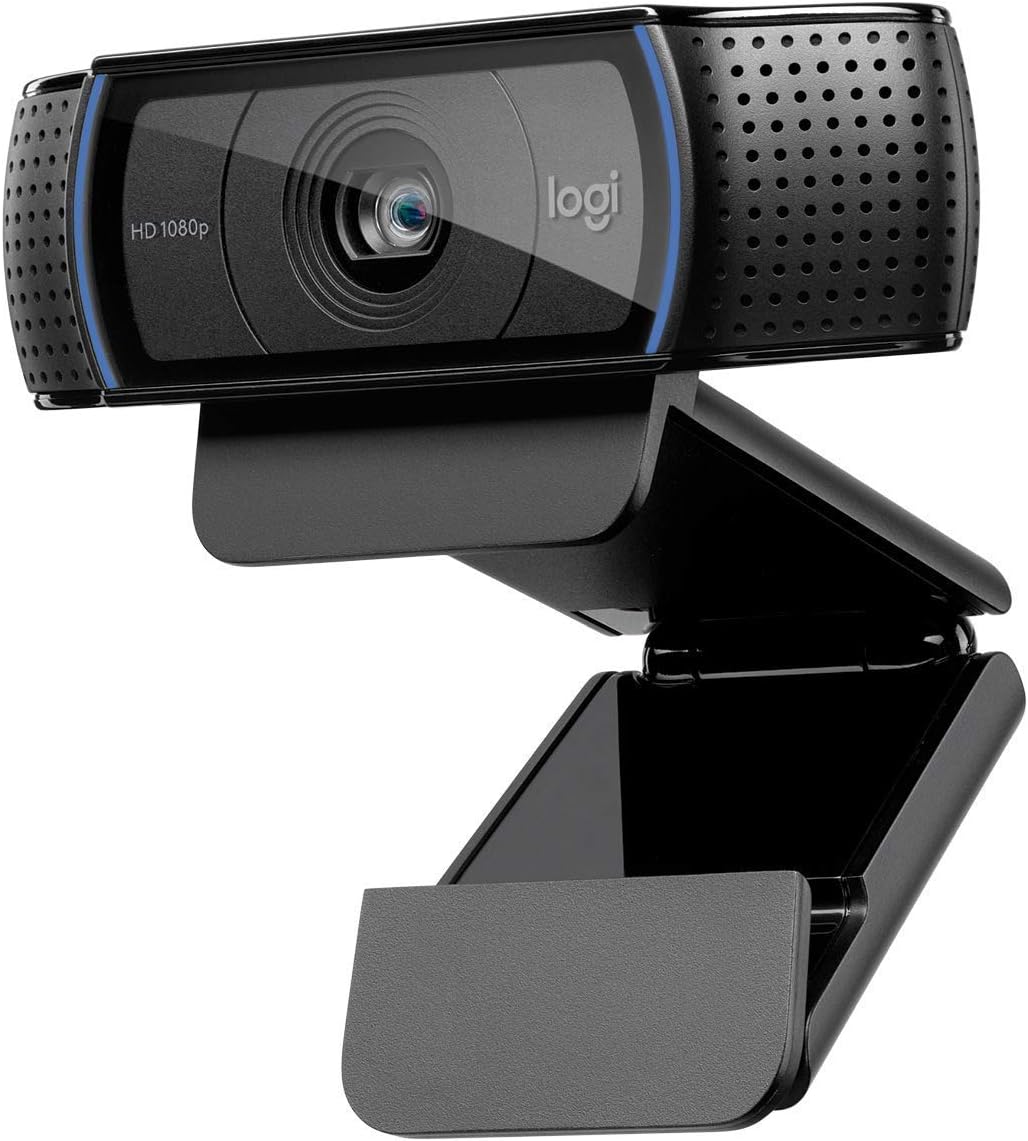


The Logitech C920x HD Pro PC Webcam stands out as a top choice for video calls and streaming. It delivers Full HD 1080p video at 30fps with crisp detail and vibrant colors. Users appreciate its autofocus and light adjustment which keep you looking sharp in various lighting conditions.
We may earn a commission when you buy through this link, at no additional cost to you.
This webcam features HD autofocus and light correction to produce bright razor sharp images even in low light settings. The stereo audio with dual mics captures natural sound during calls and recorded videos. It comes with a three month XSplit VCam license allowing you to remove or blur your background without a green screen.
While it lacks a privacy shutter which some competitors offer the C920x excels in image clarity and ease of use. The fixed focus lens is optimized for typical desk distances so very close shots may be less sharp. This trade off is acceptable for most meeting and streaming scenarios where clarity matters more.
Buy this webcam if you want a reliable all rounder for professional calls and content creation. It is fully compatible with Windows 11 and works well with popular platforms. The included software bonus adds extra value for those who want background customization options without extra tools.
The HD autofocus and dual mics ensure you are seen and heard clearly in any call or recording session.
Works seamlessly with Windows 11 and includes a trial of XSplit VCam for background effects during streaming.
We may earn a commission when you buy through this link, at no additional cost to you.
The Logitech C920S HD Pro Webcam offers premium video quality with the added security of a privacy shutter. It delivers Full HD 1080P video calls and recording with a glass lens that ensures crisp and vibrantly colored images. Users value the control the shutter provides for privacy when not on calls.
We may earn a commission when you buy through this link, at no additional cost to you.
HD autofocus and light correction ensure razor sharp high definition video in every environment. Stereo audio with dual mics captures natural sound on calls and recorded videos. The privacy shutter puts you in control of what you show and protects the lens with a snugly fitting cover.
While it does not include the XSplit VCam license the C920S excels in basic performance and privacy features. The fixed focus lens works well for standard desktop use but may struggle with very close macro shots. This is a minor trade off for the added privacy protection and reliability.
Choose this webcam if privacy is a priority alongside high quality video. It is ideal for home offices where you may need to cover the lens quickly. The glass lens and autofocus ensure you look professional in meetings and recordings without extra setup.
The integrated privacy shutter lets you cover the lens easily for peace of mind during breaks or focused work.
HD autofocus and light correction deliver sharp and clear video in various lighting conditions for professional calls.
We may earn a commission when you buy through this link, at no additional cost to you.
The EMEET C960 1080P Webcam offers an affordable entry into high quality video calls without sacrificing key features. It provides realistic 1920 x 1080p video with a five layer anti-glare lens for smooth streaming. The included cover adds privacy and can be removed automatically when needed.
We may earn a commission when you buy through this link, at no additional cost to you.
Built in 2 omnidirectional mics pick up your voice to create clear audio for communication. Automatic light adjustment applies exposure optimization to help you look your best in normal or well lit environments. It features both USB Type-A and A-to-C adapter connections for wider compatibility across devices.
While it lacks Windows Hello support and uses fixed focus the C960 delivers strong value for everyday users. The 90 degree wide-angle lens captures more participants without frequent adjustments. This makes it ideal for small home offices or casual streaming where cost and privacy are priorities.
Buy this webcam if you want a budget friendly option with privacy and decent audio. It works with popular apps like Zoom and Teams. Select it as the default microphone and camera device in your apps for best results during calls and recordings.
Supports USB Type-A and C adapters making it versatile for modern laptops and desktops without extra adapters.
Dual mics capture clear voice while the privacy cover ensures your lens stays hidden when not in use.
We may earn a commission when you buy through this link, at no additional cost to you.
The Logitech C920e HD 1080p Mic Webcam is designed for professional workplaces with certified compatibility for Zoom and Microsoft Teams. It features a 78 degree fixed field of view to balance individual users and shared items. Two integrated omnidirectional microphones capture audio clearly from up to one meter away.
We may earn a commission when you buy through this link, at no additional cost to you.
Built-in HD autofocus ensures you are seen clearly throughout video calls with automatic light correction. The attachable privacy screen flips up and down to cover or expose the lens for security. It comes with a sturdy adjustable clip for laptops or monitors plus 1/4 inch threads for tripod mounting.
While the privacy screen is attachable rather than integrated the C920e offers enterprise-grade reliability and sound quality. The fixed field of view works well for meetings but may limit close-up flexibility. This is acceptable for business users prioritizing seamless integration and clear audio.
Choose this webcam if you need certified performance for workplace tools like Teams and Zoom. It supports device management software for remote deployment. Mount it on any laptop or monitor for a professional setup that ensures you stay connected and visible in all meetings.
Certified for Zoom and Microsoft Teams to ensure seamless integration and compatibility in professional environments.
Includes an adjustable clip and tripod threads for versatile mounting on laptops, monitors, or standard tripods.
We may earn a commission when you buy through this link, at no additional cost to you.
The NexiGo N60 1080P Webcam produces exceptionally sharp and clear videos with a 1080p FHD two-MP CMOS sensor. It delivers video at resolutions up to 1920 x 1080 with 30fps and includes a privacy cover for security. The built-in noise-cancelling microphone reduces ambient noise for enhanced sound quality.
We may earn a commission when you buy through this link, at no additional cost to you.
Works with USB 2.0 and 3.0 with no additional drivers required for easy setup. It is compatible with a wide range of systems including Windows, macOS, Linux, and Android TV. The privacy cover blocks the lens when not in use to help provide peace of mind for individuals and companies.
While it does not support Windows Hello and is not compatible with game consoles the N60 excels in general use. The noise-cancelling mic is great for calls and streaming. Select it as your default device in apps to ensure proper microphone and camera permissions.
Buy this webcam if you want a versatile option with privacy and broad OS support. It works well with Zoom, Skype, and Teams. The software control and privacy features make it a solid choice for home offices and casual streaming needs.
Works with Windows, macOS, Linux, and Android TV without extra drivers for seamless integration across devices.
Includes a privacy cover and noise-cancelling mic to keep your space secure and audio clear in all settings.
We may earn a commission when you buy through this link, at no additional cost to you.
The EMEET S600 4K Webcam boasts a high-definition 4K Sony 1/2.55 sensor for crisp images exceeding typical webcam quality. It offers 4K at 30FPS or smooth 1080P at 60FPS. PDAF autofocus and auto light adjustment keep every detail sharp and clear in various lighting environments.
We may earn a commission when you buy through this link, at no additional cost to you.
Premium microphones use proprietary algorithms to filter background noise and capture your voice with exceptional clarity. The field of view adjusts at 1080P but is fixed at 4K for better image quality. It includes a built-in privacy cover and offers flexible rotation and tilting for ideal angles.
While the FOV changes with resolution and advanced tuning requires EMEETLINK software the S600 delivers top-tier performance. The rugged design ensures durability and stability. Use it in well-lit environments for optimal results and select video settings in your apps for best performance.
Buy this webcam if you are a streamer or content creator wanting 4K quality. It supports flexible angles and privacy. Select it as default device in apps and ensure permissions are enabled for best audio and video performance during streaming.
4K at 30fps or 1080p at 60fps ensures smooth and crisp video for aspiring streamers and live content.
PDAF autofocus and noise-canceling mics provide sharp visuals and clear voice capture across various scenes.
We may earn a commission when you buy through this link, at no additional cost to you.
The Logitech Brio 101 Full HD 1080p Webcam offers RightLight auto brightness and a privacy slide for reliable calls. It boosts brightness by up to 50% and reduces shadows. The integrated webcam cover makes it easy to get total privacy when not on a call.
We may earn a commission when you buy through this link, at no additional cost to you.
Built-in mic lets others hear you clearly during video calls and it works with most video calling platforms. Customize your view with the Logi Options+ app to adjust zoom and framing. It is made with a minimum of 77% post-consumer plastic for eco-friendly design.
While it has limited advanced controls and a fixed USB A cable the Brio 101 is easy to use. Plug and play works with most platforms. Select it as default device in apps and ensure camera and microphone permissions are enabled for best results.
Buy this webcam if you want eco-friendly features and reliable brightness. It is great for home offices and meetings. Use the app to adjust settings and select it as your default device for optimal audio and video during calls.
Built with at least 77% post-consumer plastic making it an eco-friendly choice for conscious buyers.
Plug and play works with most platforms and app settings let you customize your view easily.
We may earn a commission when you buy through this link, at no additional cost to you.
The Logitech HD Pro Webcam C920 offers Full HD 1080p video for widescreen calls and recording. It is designed for desktop or laptop use with reliable performance and dual stereo microphones for clear audio. Users appreciate its ease of use and compatibility with popular platforms.
We may earn a commission when you buy through this link, at no additional cost to you.
It delivers 1080p video quality for clear calls and recorded videos. The dual stereo microphones capture natural sound on calls. Setup is plug and play and it works seamlessly with Windows 11 and other systems. Select it as default device in apps for best audio and video results.
While it lacks a privacy cover and is an older model the C920 remains reliable for basic needs. It does not include advanced features like auto focus on some newer models. This is acceptable for users prioritizing simplicity and cost-effective video quality.
Buy this webcam if you want a classic reliable option for basic calls. Select it as your default device in apps and ensure permissions are enabled for best audio and video during calls and recordings.
Full HD 1080p resolution ensures sharp and clear video for professional calls and recording.
Dual stereo microphones capture natural sound for clear audio during calls and recorded videos.
We may earn a commission when you buy through this link, at no additional cost to you.
The Logitech Brio 105 Full HD 1080p Business Webcam offers affordable 1080p resolution and RightLight 2 auto balance for clear video. It includes a privacy shutter for extra confidence. It is compatible with major operating systems and certified for Google Meet.
We may earn a commission when you buy through this link, at no additional cost to you.
Plug and play setup works by plugging it into a USB-A port on your computer. It supports Logitech Sync for remote deployment. The privacy shutter gives employees extra confidence that their privacy is protected especially when working from home. Select it as default device in apps for best performance.
While it has a fixed focus lens and limited customization the Brio 105 is reliable for business use. AutoLight balance improves image quality in suboptimal conditions. Use it for meetings and select it as your default device for best audio and video results.
Buy this webcam if you want a business-friendly value with privacy and certified compatibility. Select it as your default device in apps and ensure permissions are enabled for best audio and video during calls.
Certified for Google Meet and supported by Logitech Sync for easy remote deployment in business environments.
Integrated privacy shutter gives extra confidence and protects privacy when not in use.
We may earn a commission when you buy through this link, at no additional cost to you.
The Logitech Brio 100 1080p Full HD Webcam offers up to Full HD 1080p Resolution at 30 fps for clear and smooth video streaming and recording. It features a 58 Diagonal Field of View and plug and play compatibility with popular video conferencing applications. The integrated audio capture provides convenient all-in-one webcam solution.
We may earn a commission when you buy through this link, at no additional cost to you.
This renewed option delivers clear video and audio for meetings and calls. Setup is easy USB connection works seamlessly. Select it as default device in apps and ensure permissions are enabled for best audio and video. It is a cost-effective choice for basic video needs.
While it has a limited field of view and is a renewed product the Brio 100 is reliable for general use. The 1080p resolution ensures smooth video and the microphone is built-in. Use it for meetings and select it as your default device for best audio and video results.
Buy this webcam if you want an affordable renewed option with Full HD quality. Select it as your default device in apps and ensure permissions are enabled for best audio and video during calls and recordings.
Renewed product offers Full HD 1080p resolution at an affordable price for basic video needs.
Plug and play compatibility works with popular video conferencing applications for seamless setup.
We may earn a commission when you buy through this link, at no additional cost to you.
Choosing the right 1080p webcam involves considering several factors to ensure quality video and audio for your needs. This guide outlines key elements to look for when selecting a model.
Look for Full HD 1080p resolution at 30fps for clear and smooth video streaming and recording. Higher resolutions like 4K are available but 1080p is standard for most meetings.
Prioritize 1080p for standard video calls and streaming to ensure clarity without excessive data usage.
Choose between autofocus and fixed focus. Autofocus adjusts automatically for better clarity in various scenarios while fixed focus is optimized for typical desk distances.
Select autofocus if you move frequently during calls and fixed focus for static setups.
Field of view ranges from 58 to 90 degrees. Wider angles capture more participants but may introduce distortion at the edges.
Opt for 78 to 90 degrees for group calls and 58 to 70 degrees for individual focus.
Privacy shutters or covers allow you to block the lens when not in use for security. Integrated covers are more secure than attachable ones.
Always choose a webcam with a privacy shutter if security is a priority for your workspace.
Look for dual microphones and noise-canceling features to ensure clear audio. Omni-directional mics capture sound from all directions.
Prioritize built-in dual mics to avoid needing external audio equipment during calls.
USB A is standard but USB C adapters add versatility for modern laptops. Ensure plug-and-play compatibility without extra drivers.
Select models with USB C options if your laptop lacks standard USB A ports.
Check compatibility with your operating system and apps like Zoom, Teams, and Google Meet. Some models offer enterprise certifications.
Ensure the webcam works with your specific platforms to avoid setup issues and delays.
Advanced software can offer auto light balance and background customization. Some models include licenses for virtual camera tools.
Look for companion apps that enhance image quality and provide additional control over settings.
Plug the webcam directly into a USB port for stable performance. Avoid hubs unless they provide sufficient power and data transmission.
Select the webcam as the default camera and microphone device in your video applications to ensure proper usage.
Keep the lens clean with a soft cloth and cover it with a shutter when not in use for privacy and protection.
1080p webcams provide Full HD video at 30fps which is sufficient for most meetings and streaming. 4K webcams offer higher resolution for sharper details but require more data and processing power. Choose 1080p for standard use and 4K for professional content creation.
Most 1080p webcams are plug and play and work without extra drivers on Windows 10/11 and macOS. Some advanced models may have companion software for customization but basic functionality works out of the box.
Most PC webcams do not support Xbox or PlayStation consoles due to different USB protocols. Check compatibility details carefully if you plan to use the camera with a console system.
Windows Hello support allows biometric login using your webcam instead of a password. Not all models include this feature so check specifications if you need secure login capabilities.
Use webcams with auto light balance features like RightLight or light correction. Position your camera to face a light source and avoid strong backlighting behind you.
Ensure the webcam is selected as the default microphone in your applications. Check system permissions to allow microphone access and disable other audio input devices temporarily.
We reviewed ten top 1080p webcams including the Logitech C920x for overall quality and the EMEET C960 for budget value. Each model offers distinct features tailored to different user needs and environments.
Prioritize video clarity, privacy features, and microphone quality when making your decision. Consider your specific use case whether it is business, streaming, or casual calls to find the right fit.
Prices and availability may change over time so check current listings for the best deals. Select the webcam that matches your requirements and ensures clear communication in all your calls.