
MAIWO 4 Bay Hard Drive Enclosure
3.5Editor score
USB 3.1 with 10Gbps
Dual cooling fans included
Daisy chain expansion support
Finding the right storage solution is crucial for modern data needs. A 4 Bay Hard Drive Enclosure with Cooling Fans offers expansive capacity while keeping drives safe from overheating during heavy use.
We evaluated ten top models based on transfer speeds, build quality, cooling efficiency, and compatibility. Our list covers various budgets and use cases from home media to enterprise backup.
Each pick highlights key strengths and potential trade-offs so you can decide easily. Prices and availability change often, so verify current details before making your final purchase decision today.
3.5Editor score

4.3Editor score
4.1Editor score
As an Amazon Associate we earn from qualifying purchases.
This side-by-side comparison highlights the core specifications of each model. Use this table to quickly identify the right enclosure for your specific storage and speed requirements.


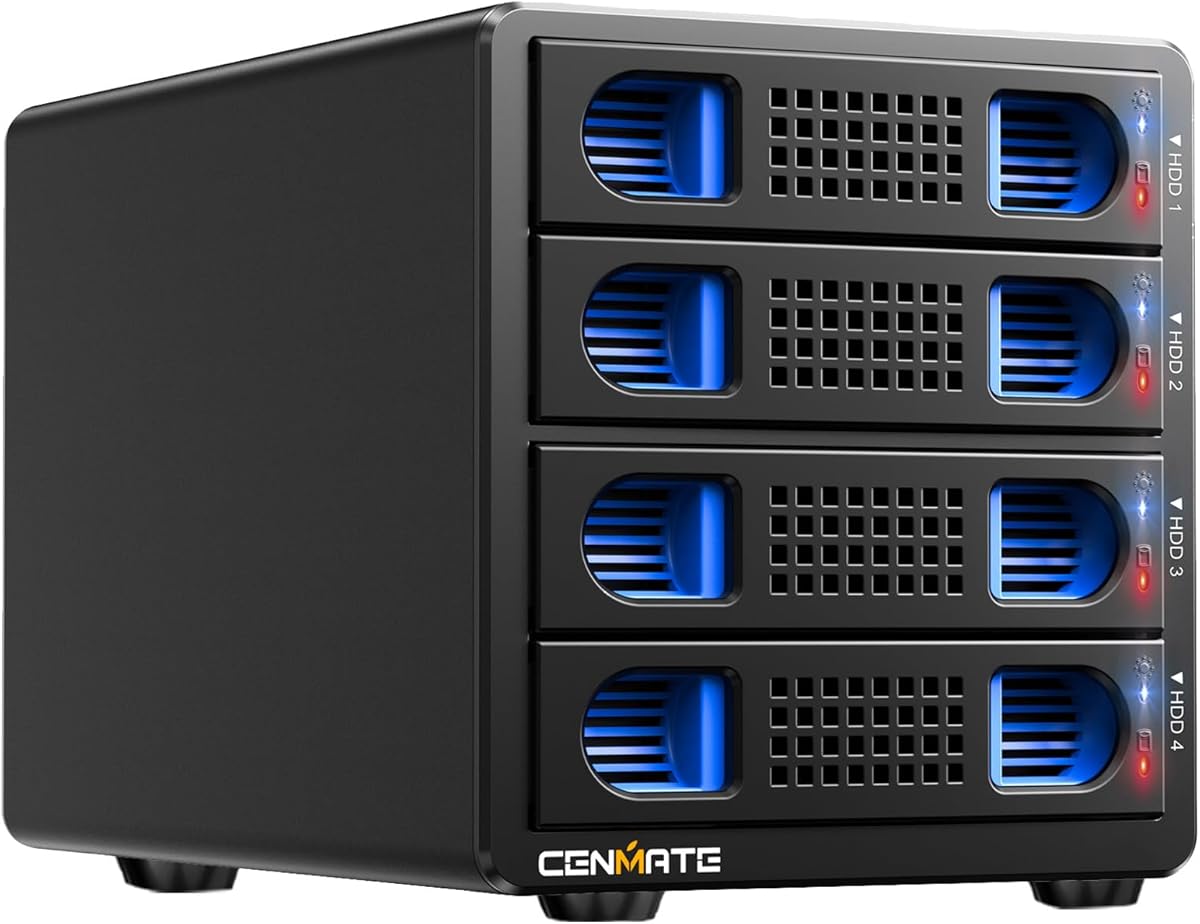
This CENMATE enclosure stands out as a reliable choice for personal and business users needing robust storage. With a 4.3 rating it offers solid performance for expanding desktop or laptop capacity without complex RAID setups.
We may earn a commission when you buy through this link, at no additional cost to you.
The aluminum-alloy construction helps dissipate heat while a dedicated fan ensures drives stay within safe temperatures. It supports 2.5 and 3.5 inch drives up to 20TB each delivering speeds of 5Gbps via USB 3.0.
While the fan noise is noticeable it is acceptable for most environments where data security matters most. Hot swappable features allow easy drive changes without powering down the entire system for efficiency.
Ideal for those needing straightforward external storage this model balances capacity and cooling well. Consider this if you prioritize tool-free installation and a stable power supply over maximum USB speed.
The combination of aluminum housing and an active fan keeps internal temperatures stable even during large file transfers or long-term storage tasks.
Users can insert or remove drives without shutting down the enclosure which streamlines workflows for those who frequently swap storage media.
We may earn a commission when you buy through this link, at no additional cost to you.
This model upgrades the speed to 10Gbps making it suitable for users needing faster throughput for large video or data projects. The USB 3.2 Gen 2 interface ensures future compatibility with modern hosts.
We may earn a commission when you buy through this link, at no additional cost to you.
Like its sibling it uses an aluminum build to manage heat while a 2-inch fan keeps drives cool. Hot swappable functionality is included allowing quick drive swaps without system downtime.
The noise level remains similar to the standard version which may require placement away from quiet workspaces. However the speed increase justifies the upgrade for performance-focused users.
Choose this if you need higher bandwidth for data transfers. It delivers a balance of speed and capacity while maintaining the reliability expected from CENMATE hardware.
Transferring large files becomes significantly quicker with 10Gbps support which benefits professionals working with high-resolution media or extensive datasets.
The Type-C port supports Thunderbolt 3 and 4 ensuring it works seamlessly with a wide range of modern laptops and desktop computers.
We may earn a commission when you buy through this link, at no additional cost to you.
MAIWO offers an affordable entry into 4 bay storage with features that rival costlier units. The dual fan design ensures drives stay cool which is vital for longevity when handling large datasets.
We may earn a commission when you buy through this link, at no additional cost to you.
Unique among budget options it includes an HDMI port allowing direct video output to a TV. This adds entertainment value beyond simple data storage for home theater setups.
While some users report mixed experiences the capacity and cooling features provide good value. Ensure your host supports the required connections to utilize all capabilities fully.
This model is ideal for budget-conscious buyers who want dual cooling and extra connectivity. It proves that you do not need to spend heavily to get functional 4 bay storage.
Two fans activate automatically when temperatures rise keeping drives within safe limits during continuous heavy loads or high capacity usage.
The HDMI port supports 4K video allowing you to connect directly to a TV for media playback without needing a computer intermediary.
We may earn a commission when you buy through this link, at no additional cost to you.
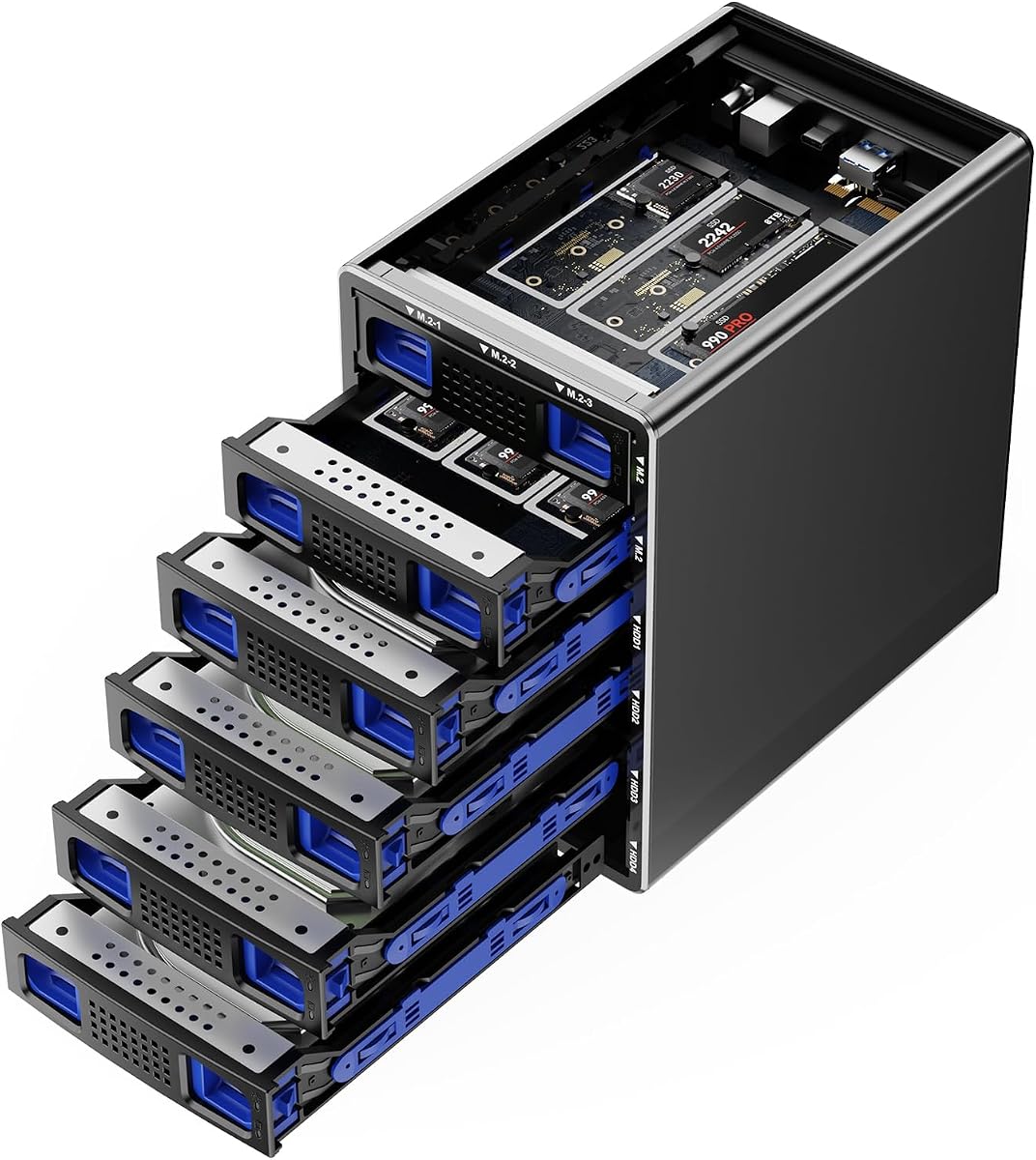
This hybrid enclosure uniquely supports both traditional SATA drives and M.2 NVMe SSDs making it a flexible option for advanced users. It maximizes storage by combining high capacity HDDs with fast SSDs.
We may earn a commission when you buy through this link, at no additional cost to you.
The aluminum construction and silent fans ensure stability while handling mixed drive types. It supports up to 4 22TB HDDs and 6 8TB SSDs totaling an impressive 136TB capacity.
Setup may require more attention to detail than standard enclosures but the payoff is significant flexibility. It is perfect for users needing both speed and bulk storage in one unit.
Consider this if you want to future-proof your storage setup. The ability to mix drive types offers unmatched versatility for diverse data management needs.
Supports 2.5 and 3.5 inch SATA drives plus multiple M.2 NVMe sizes allowing users to optimize for speed and capacity simultaneously.
With support for over 100TB total this unit handles massive datasets without needing multiple separate enclosures or complex network setups.
We may earn a commission when you buy through this link, at no additional cost to you.
WAVLINK delivers a feature-rich experience with independent switches for each bay. This design allows precise control over drive power which enhances both safety and convenience for daily use.
We may earn a commission when you buy through this link, at no additional cost to you.
The included HDMI port supports 4K video output making it a versatile docking station beyond simple storage. Temp-controlled fans activate only when needed to optimize noise levels.
Users should note that video output requires a compatible host port. Otherwise the unit functions smoothly for high-speed data transfers and multimedia projects.
Ideal for power users who want control and extra connectivity. This model stands out for its ability to serve as both storage and a media dock.
Each bay has its own power switch allowing you to turn specific drives on or off without affecting others in the enclosure.
The HDMI interface supports 4K resolution turning the enclosure into a media hub for direct video playback on compatible displays.
We may earn a commission when you buy through this link, at no additional cost to you.
SABRENT focuses on 2.5 inch drives providing a compact solution for laptops and external SSDs. The magnetic cover design makes frequent access to drives effortless without tools.
We may earn a commission when you buy through this link, at no additional cost to you.
Built for reliability it includes a whisper-quiet fan ensuring operation does not disturb quiet work environments. This makes it suitable for offices or home media centers.
Users needing 3.5 inch drives should look elsewhere as this model is limited to smaller form factors. For 2.5 inch needs it offers excellent value and ease of use.
Choose this if you work with portable drives and value silence. It simplifies drive management while keeping noise levels exceptionally low.
Supports 2.5 inch drives up to 16TB each catering to users with laptops or portable external SSDs needing quick access.
The whisper-quiet fan ensures the unit remains unobtrusive even during heavy use making it ideal for shared or quiet spaces.
We may earn a commission when you buy through this link, at no additional cost to you.
This model offers dual connectivity with USB and eSATA ports ensuring compatibility with older and newer systems. The 80TB capacity handles extensive storage needs for businesses.
We may earn a commission when you buy through this link, at no additional cost to you.
While hot-swapping is not supported the unit provides stable performance for long-term storage. Fans activate to keep drives cool during high usage periods.
Users should note the specific requirements for eSATA ports on computers. Otherwise the USB connection works seamlessly for most modern machines.
Ideal for legacy system users or those needing backup connectivity. The eSATA option adds flexibility that few competitors offer today.
Both USB and eSATA ports allow connection to a wide range of computers ensuring flexibility for older or newer systems.
The design prioritizes stability over hot-swapping making it a reliable choice for permanent storage setups that rarely change drives.
We may earn a commission when you buy through this link, at no additional cost to you.
WAVLINK pushes capacity to 128TB supporting up to 32TB per drive. This makes it perfect for archiving massive datasets or media libraries.
We may earn a commission when you buy through this link, at no additional cost to you.
The aluminum shell and dual temp-controlled fans ensure drives stay cool even when fully loaded. Independent switches allow users to manage power per drive.
Users planning to use large drives should verify drive availability and compatibility. This model delivers top-tier performance for those needing maximum storage.
Choose this for heavy archival needs. It balances massive capacity with high-speed transfers and effective cooling.
Supports up to 32TB per drive totaling 128TB which handles extensive archives without needing multiple separate systems.
10Gbps transfer speeds ensure that even with massive capacity moving large files remains fast and efficient.
We may earn a commission when you buy through this link, at no additional cost to you.
This model adds hardware RAID support offering data redundancy or performance improvements. It supports eight RAID modes allowing users to choose between protection or speed.
We may earn a commission when you buy through this link, at no additional cost to you.
Switching modes requires physical interaction via a reset button which adds a layer of complexity. The aluminum body helps maintain safe operating temperatures for all drives.
Users should back up data before configuring RAID modes as changes may result in data loss. This model suits those needing basic redundancy without a full NAS.
Ideal for users needing simple RAID features. It provides a cost-effective way to gain redundancy without investing in complex network storage.
Eight RAID modes offer choices from striping for speed to mirroring for data protection depending on user priorities.
Configuration is done via physical buttons and switches rather than software which ensures hardware-level control over storage settings.
We may earn a commission when you buy through this link, at no additional cost to you.
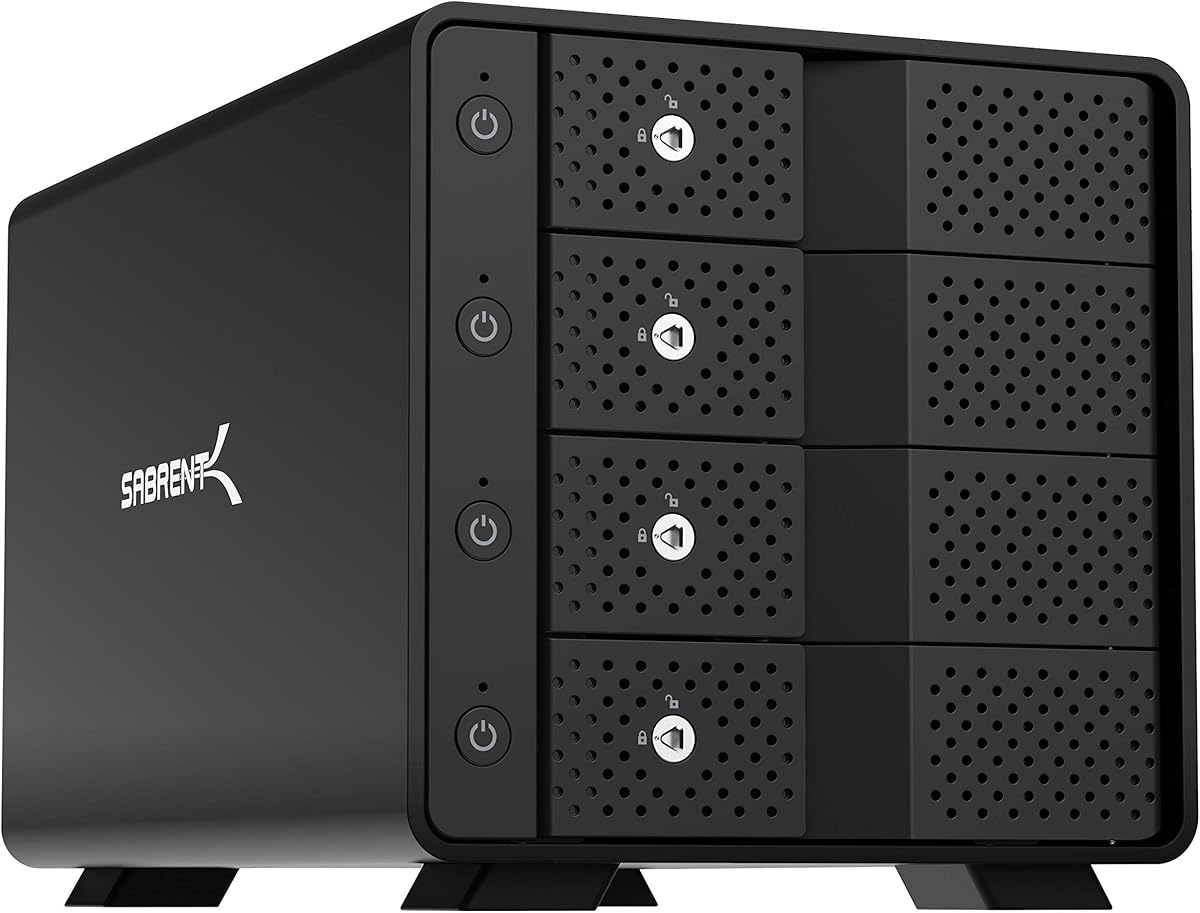
SABRENT delivers a premium experience with dedicated controllers ensuring stable independent connections for each drive. This architecture minimizes interference between bays for reliable performance.
We may earn a commission when you buy through this link, at no additional cost to you.
The metal build and 92mm fan ensure robust cooling and durability. Each bay includes a locking key and Kensington slot for added physical security in shared spaces.
While lacking HDMI this model focuses on storage reliability. The tool-free design and hot swap support streamline daily workflows efficiently.
Ideal for enterprise or professional users needing stability. The investment pays off in consistent performance and long-term reliability.
Each bay has its own controller ensuring one drive does not bottleneck another which is vital for consistent multi-drive performance.
Locking keys and Kensington slots protect the unit from theft making it suitable for public or shared office environments.
We may earn a commission when you buy through this link, at no additional cost to you.
Selecting the right enclosure requires balancing capacity speed and cooling features. This guide explains the critical factors to consider before purchasing.
Ensure the enclosure supports the physical size of your drives. Most models support 2.5 and 3.5 inch SATA drives but some only support 2.5 inch SSDs.
Choose a model that matches your existing or planned hardware to avoid needing extra adapters.
USB 3.0 provides 5Gbps while USB 3.2 Gen 2 reaches 10Gbps. Higher speeds matter for transferring large video or backup files quickly.
Match the interface to your computer's ports to avoid bottlenecks.
Active fans are essential for 4 bay units as multiple drives generate significant heat. Look for fans with temperature control to reduce noise.
Aluminum bodies help dissipate heat passively but active cooling is non-negotiable for 24/7 operation.
Hot swap allows drive changes without powering down the unit. This is vital for users who frequently swap drives for backups.
Confirm the product specs state hot swap support before purchasing.
Modern drives can exceed 20TB. Ensure the enclosure supports high capacity drives per bay to maximize total storage.
Total capacity is the sum of all four bays so check the maximum per drive specification.
Aluminum and metal shells offer better heat dissipation and durability than plastic. Metal builds also protect drives from minor impacts.
Premium metal enclosures usually justify the higher cost with longer lifespan.
Some models include HDMI or eSATA ports. HDMI allows direct video output to a TV while eSATA supports older systems.
Decide if these extras are needed based on your workflow requirements.
A reliable power adapter ensures drives spin correctly without dropping out. Look for units with DC adapters rated for high capacity drives.
Stable power prevents data corruption during heavy write operations.
Install your drives by sliding them into the tool-free trays. Ensure they click securely into place before powering on the unit.
Connect the power adapter and then the USB cable to your computer. Wait for the drives to appear in your file explorer.
Regularly dust the vents and fan to maintain airflow. If the fan becomes loud it may need cleaning or replacement.
Most models listed support DAS (Direct Attached Storage) where each drive is separate. Only specific models like the CENMATE RAID enclosure support hardware RAID modes for redundancy.
Yes most enclosures support both sizes but you may need 2.5 inch adapters for the smaller drives. Check the product specs to confirm mounting bracket availability.
Multiple drives generate heat that can damage data. Fans keep temperatures safe ensuring long-term reliability during continuous or heavy file transfers.
USB-C often supports higher speeds and newer interfaces like Thunderbolt. It is more future-proof but ensure your computer has a compatible port.
Yes most models are plug and play with macOS. You may need to format drives to ExFAT or APFS for optimal Mac compatibility.
Most fans are around 40 to 50 decibels which is noticeable in quiet rooms. Some models have silent modes or temperature controls to reduce noise.
The CENMATE Aluminum 4 Bay offers the best balance of price and performance for most users seeking reliable storage.
Prioritize cooling and speed if you handle large video files or work in high-demand environments.
Verify current prices and availability before purchasing to ensure you get the best deal available today.