
5-in-1 External CD/DVD Drive for Laptop
4.2Editor score
Includes SD and TF card reader slots
Dual USB ports for peripheral hub use
Affordable price with reliable performance
Find the best External DVD Drive for Windows 11 with our expert comparison of top models for performance, compatibility, and reliability today.
As modern laptops shed internal optical drives, an External DVD Drive for Windows 11 becomes essential for media playback and software installation. Choosing the right model ensures seamless connectivity and reliable performance across your daily tasks without hassle.
We evaluated ten top-rated drives based on speed, build quality, and Windows 11 compatibility. Our analysis covers plug-and-play functionality, data transfer rates, and real-world usability to help you find a dependable solution for your setup.
Each pick highlights specific strengths like portability or extra features. Prices and availability fluctuate frequently, so check current listings before purchasing. This guide provides the insights needed to make a confident decision for your optical storage needs.
4.2Editor score

4.2Editor score

4.4Editor score
This side-by-side comparison highlights key specifications across all ten models. Review build quality, interface types, and special features to determine which drive aligns best with your specific computing requirements and budget constraints.




The Amicool External DVD Drive stands out as a top choice for Windows 11 users seeking reliability. With a solid 4.2 star rating, it delivers seamless plug-and-play functionality. Its dual interface support ensures compatibility across modern laptops with Type-C ports.
We may earn a commission when you buy through this link, at no additional cost to you.
Its dual USB 3.0 and Type-C interfaces offer versatile connectivity options. The built-in cable design prevents loss and keeps your workspace organized. Intelligent error correction ensures smooth data transfer even with older or scratched discs.
While it lacks Blu-ray support, it handles standard CDs and DVDs efficiently. The slim 13mm profile makes it ideal for travel. Users should connect directly to a motherboard port for optimal power stability.
Buy this drive if you need a reliable optical solution for legacy software or media. It suits professionals and home users alike. Its universal compatibility across Windows and Mac systems adds significant value to any setup.
Dual interfaces ensure you can connect to both legacy USB-A and modern USB-C ports without adapters.
The slim profile and integrated cable make it easy to pack for business trips or remote work.
We may earn a commission when you buy through this link, at no additional cost to you.
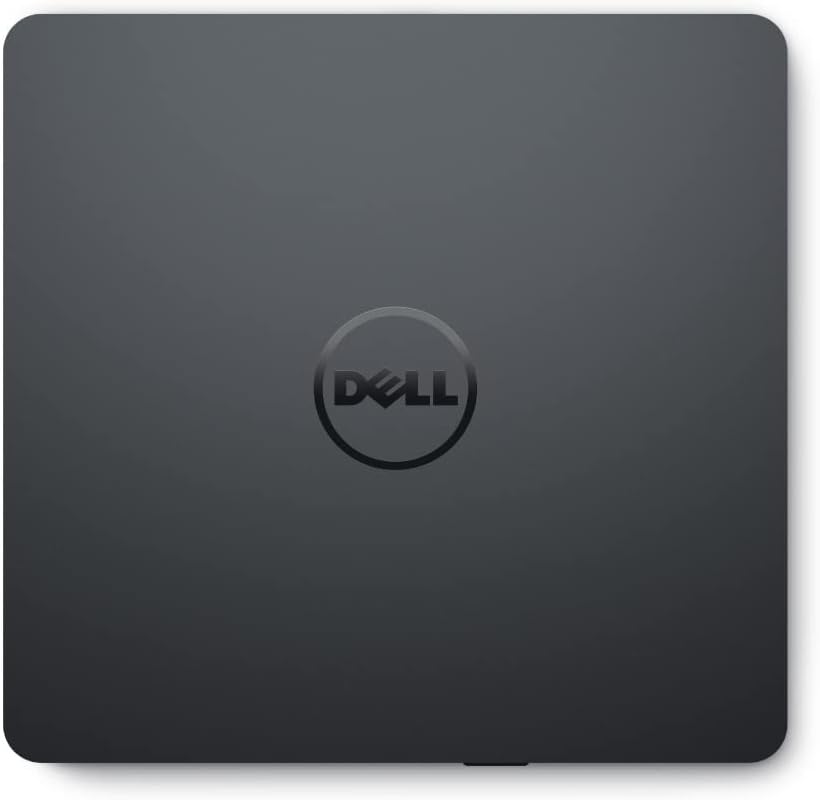
The Dell External USB Slim DVD RW Drive offers seamless integration for Dell laptop users. Its 4.5 star rating reflects strong performance in reading and burning discs. The pre-loaded CyberLink Media Suite simplifies media management right out of the box.
We may earn a commission when you buy through this link, at no additional cost to you.
Its slim 14mm profile complements modern Ultrabooks perfectly. Powered directly by USB ports, it eliminates the need for extra power cords. The elegant design ensures it blends in well with your workspace aesthetics.
While it works with most PCs, it may lack the versatility of universal drives. Users should ensure their USB ports provide sufficient power for stable operation. The included warranty adds confidence to this premium option.
Choose this drive if you prioritize brand consistency with your Dell system. It is ideal for home or office use where media playback and software installation are frequent tasks. The included software suite provides immediate value.
Designed to match the look and feel of Dell notebooks for a cohesive workstation setup.
CyberLink Media Suite allows immediate DVD playback and burning without extra installations.
We may earn a commission when you buy through this link, at no additional cost to you.
The HP Inc. USB External DVDRW Drive delivers trusted performance for HP workstation users. With a 4.5 star rating, it ensures reliable access to optical media. The official branding guarantees compatibility with HP system specifications.
We may earn a commission when you buy through this link, at no additional cost to you.
Its construction supports heavy-duty office environments with consistent reliability. The standard USB connectivity works across various devices without complex setup. Read and write speeds meet standard expectations for daily backup tasks.
However, it lacks advanced features like card readers or bundled software. Users focused purely on disc access will find it sufficient. The design prioritizes function over form for professional settings.
Select this drive if you need a straightforward optical solution for HP systems. It suits business environments where durability and compatibility are paramount. The lack of extra features keeps it simple and effective.
Built to withstand daily office usage with consistent performance over time.
Standard USB connection ensures broad compatibility without additional drivers or software.
We may earn a commission when you buy through this link, at no additional cost to you.
The Rioddas External CD/DVD Drive offers reliable performance with copper mesh technology. This feature minimizes data transfer errors during reading and writing. The physical eject button ensures safe media removal even when the computer freezes.
We may earn a commission when you buy through this link, at no additional cost to you.
Its USB 3.0 support ensures fast speeds up to 5Gbps. The embedded cable keeps your bag organized and prevents lost adapters. This drive suits users who value stability during critical data operations.
Users should avoid USB hubs to ensure sufficient power. The design is practical but lacks premium materials compared to higher-end models. It remains a strong choice for budget-conscious buyers needing reliability.
Buy this drive if you need stable disc access for backups. The physical eject button adds a layer of safety against software glitches. Its compatibility with Linux and Mac expands its utility beyond Windows.
Copper mesh shielding reduces interference to ensure consistent read and write reliability.
Physical button allows disc removal even when the system becomes unresponsive.
We may earn a commission when you buy through this link, at no additional cost to you.
The 5-in-1 External CD/DVD Drive offers exceptional value with multiple functions. In addition to optical drives, it includes SD and TF card readers. This versatility makes it a compact solution for data transfer needs.
We may earn a commission when you buy through this link, at no additional cost to you.
USB 2.0 hub ports allow connecting keyboards or mice simultaneously. The dual cable design ensures compatibility with different port types. Its affordable price point makes it accessible for students and home users.
Power might be limited on older laptops without external cables. The hub function can reduce read speeds if multiple devices are connected. For most tasks, it provides adequate performance at a low cost.
Choose this drive for maximum utility at minimum cost. It suits users needing card reading without a separate reader. The warranty adds peace of mind for budget-conscious buyers seeking reliability.
Combines optical drive with card readers to reduce the number of devices needed.
Dual cable connectors and USB hub features provide extra utility without extra fees.
We may earn a commission when you buy through this link, at no additional cost to you.
The ORIGBELIE External CD DVD Drive excels in portability with 13mm thickness. Its anti-shock technology protects internal mechanisms during transit. The included storage bag keeps it safe while traveling for business or study.
We may earn a commission when you buy through this link, at no additional cost to you.
Noise reduction ensures quiet operation during media playback. USB 3.0 support delivers fast speeds up to 5Gbps. The power cable is handy for laptops with weaker USB ports.
It lacks premium materials found in higher-priced models. Users must ensure sufficient power for reliable performance. The slim design makes it a top choice for backpack-friendly setups.
Buy this drive if travel is a primary concern. The included accessories add value for on-the-go users. It offers solid performance with a focus on compact form factors.
At only 13mm thick, this drive slips easily into any laptop sleeve or bag.
Noise reduction ensures media playback does not disrupt quiet environments like offices.
We may earn a commission when you buy through this link, at no additional cost to you.
The ROOFULL External CD DVD Drive stands out with its durable carrying case. This feature ensures protection against scratches and drops during transport. Its over 1.65 million units sold confirm its market trust.
We may earn a commission when you buy through this link, at no additional cost to you.
USB 3.0 provides high-speed data transfer up to 5Gbps. Anti-interference technology maintains performance even in electrically noisy environments. The two-year warranty offers extensive coverage for long-term use.
While the price is higher, the included case adds value. Users benefit from reliable anti-interference tech during critical burns. It suits those seeking a premium package for daily workloads.
Choose this drive for long-term reliability and protection. The case makes it ideal for frequent travelers. Its performance metrics justify the investment for professional users.
A durable case protects the drive from physical damage while stored or carried.
Over 1.65 million units sold worldwide indicate high customer satisfaction and durability.
We may earn a commission when you buy through this link, at no additional cost to you.
The ASUS ZenDrive supports M-Disc for long-term data archival. This feature ensures data lasts for decades without degradation. DISC Encryption II provides security for sensitive files on physical media.
We may earn a commission when you buy through this link, at no additional cost to you.
Its slim black profile matches modern aesthetics. USB 2.0 and Type-C cables ensure compatibility. Nero BackItUp for Android simplifies mobile data management integration.
Users prioritizing security will appreciate the encryption features. The 13mm design keeps it travel-friendly. Software setup is required to maximize the security potential.
Buy this drive for secure archival backups. It suits professionals handling sensitive data. The M-Disc support makes it a future-proof option for storage needs.
M-Disc technology allows data to be stored for decades without degradation.
DISC Encryption II enables password protection and hidden file functionality.
We may earn a commission when you buy through this link, at no additional cost to you.
The Portable External USB DVD Drive uses intelligent burning technology for speed. Pure-copper-knitted-net tech reduces resistance and ensures stable data transmission. Its fashionable design appeals to users valuing aesthetics.
We may earn a commission when you buy through this link, at no additional cost to you.
Embedded cables prevent loss and keep your workspace tidy. It supports Windows 11 and Mac easily. Read and write speeds meet standard expectations for daily use.
While effective, it lacks advanced features like card readers. Users should connect to strong USB ports. It is suitable for those needing a reliable backup drive.
Choose this drive for its reliable burning technology. The copper tech adds stability. It suits general users needing consistent performance without extra complications.
Intelligent burning optimizes the burning process for speed and data integrity.
Pure-copper knitted net tech reduces resistance for consistent transmission.
We may earn a commission when you buy through this link, at no additional cost to you.
The Dell Slim DW316 offers specific support for Inspiron and XPS models. With a 4.7 star rating, it excels in reliability. DVD-RAM support allows rewriting discs multiple times for flexible backup.
We may earn a commission when you buy through this link, at no additional cost to you.
USB 2.0 connectivity ensures compatibility even if newer ports are scarce. Its slim external form factor fits easily into any office setup. The high rating indicates strong user satisfaction.
Speed is limited compared to USB 3.0 options. Users with older Dell laptops will find perfect compatibility. It is a niche choice for specific hardware needs.
Select this drive if you own compatible Dell hardware. The DVD-RAM support offers unique flexibility. Its high reliability makes it a safe choice for professional environments.
Users praise this drive for working reliably with specific Dell laptop models.
Support for DVD-RAM allows repeated rewriting of discs for versatile data storage.
We may earn a commission when you buy through this link, at no additional cost to you.
Selecting the right External DVD Drive for Windows 11 requires evaluating compatibility, speed, and features. This guide breaks down the essential factors to help you choose a model that fits your workflow.
Modern laptops often feature USB-C ports, while older models use USB-A. Look for dual connectors or adapter compatibility to ensure seamless connection without extra hardware costs.
Ensure the drive supports your laptop's ports to avoid purchasing additional adapters for connectivity.
USB 3.0 offers significantly faster speeds than USB 2.0, critical for large data backups. Check the drive supports 5Gbps for efficient file transfers.
Prioritize USB 3.0 support for faster burn and read speeds during daily tasks.
Most drives are bus-powered, but some require extra power for stability. If your laptop has weak USB ports, check for an included power cable.
Verify if the drive needs external power if your laptop USB ports are underpowered.
Slim profiles and built-in cables enhance portability for travelers. Consider weight and size if you carry it daily in a bag.
Choose a slim design with integrated cables for hassle-free portability.
Standard drives support CD and DVD formats. Ensure compatibility with RW formats if you need to rewrite discs frequently for testing.
Confirm the drive supports RW formats if you need to burn or rewrite discs regularly.
Windows 11 compatibility is standard, but Mac users should verify driver-free support. Some brands offer better Mac integration with specific software.
Check for seamless driver-free support on Windows 11 and Mac OS to avoid setup issues.
Longer warranties indicate confidence in build quality. Aim for at least a one-year warranty to protect against early failures.
Prioritize models with at least a one-year warranty for protection against defects.
Some drives include hubs or card readers for versatility. Evaluate if these additions add value beyond basic optical functionality.
Decide if additional features like card readers justify the price over a basic model.
Connect the drive directly to a powered USB port on your computer. Ensure the connection is secure to prevent data errors during transfers.
Insert the disc with the label facing up before closing the tray. Use recommended software like VLC or Windows Media Player for playback tasks.
Store the drive in a protective case when not in use to prevent scratches. Keep it away from moisture and extreme temperatures to ensure longevity.
Yes, most modern External DVD Drives work seamlessly with Windows 11. They typically use plug-and-play technology requiring no additional drivers to function.
Many drives support macOS including Apple Silicon models. Ensure compatibility with macOS settings for automatic detection and use.
Check your USB port connection first as loose cables cause issues. Try a different port or use a power cable if your laptop USB port is weak.
Standard external DVD drives usually do not support Blu-ray. You would need a specific Blu-ray external optical drive for higher resolution disc playback.
USB 3.0 transfers data ten times faster than USB 2.0. This makes a significant difference for burning large files or backing up data quickly.
Most drives are plug-and-play requiring no installation. However, you may need media players or burning software installed to utilize full features.
External drives typically last three to five years with regular use. Proper storage and avoiding physical shocks help extend their operational life.
Many external drives are not fully compatible with ChromeOS due to system restrictions. Verify specific compatibility before purchasing for Chromebook use.
We reviewed ten top options ranging from budget-friendly models to premium solutions. Each offers distinct advantages in speed, design, and compatibility for Windows 11.
Prioritize interface connectivity and speed if you handle large files daily. Choose models with extra features if you need versatility beyond simple media playback.
Prices and stock fluctuate frequently online. Always verify the current price before making your final purchase decision today.