
Soundcore P30i by Anker
4.3Editor score
4-Mic AI Enhanced Calls
Adaptive Noise Cancelling
Hands-Free Viewing Case
Discover the top earbuds for Teams Meetings in October 2026. This guide compares noise cancellation, microphone quality, and battery life for professionals.
Finding the right earbuds for Teams Meetings is essential for remote professionals who need clear communication. Noise canceling features and reliable connectivity ensure you stay focused during critical calls without distractions from your environment.
We evaluated ten top models based on microphone clarity, active noise cancellation, and battery endurance. Our analysis focuses on how well each device handles voice isolation and maintains a stable connection during long video conferences.
Each pick highlights specific strengths like multipoint pairing or extended playtime for all-day use. Please note that availability and stock levels change frequently, so verify current details before making your final purchase decision online.
4.3Editor score
3.5Editor score

4.2Editor score
This comparison table lists all ten selected models with key specifications to help you decide quickly. We focus on microphone count, battery life, and special features tailored for business communication needs.



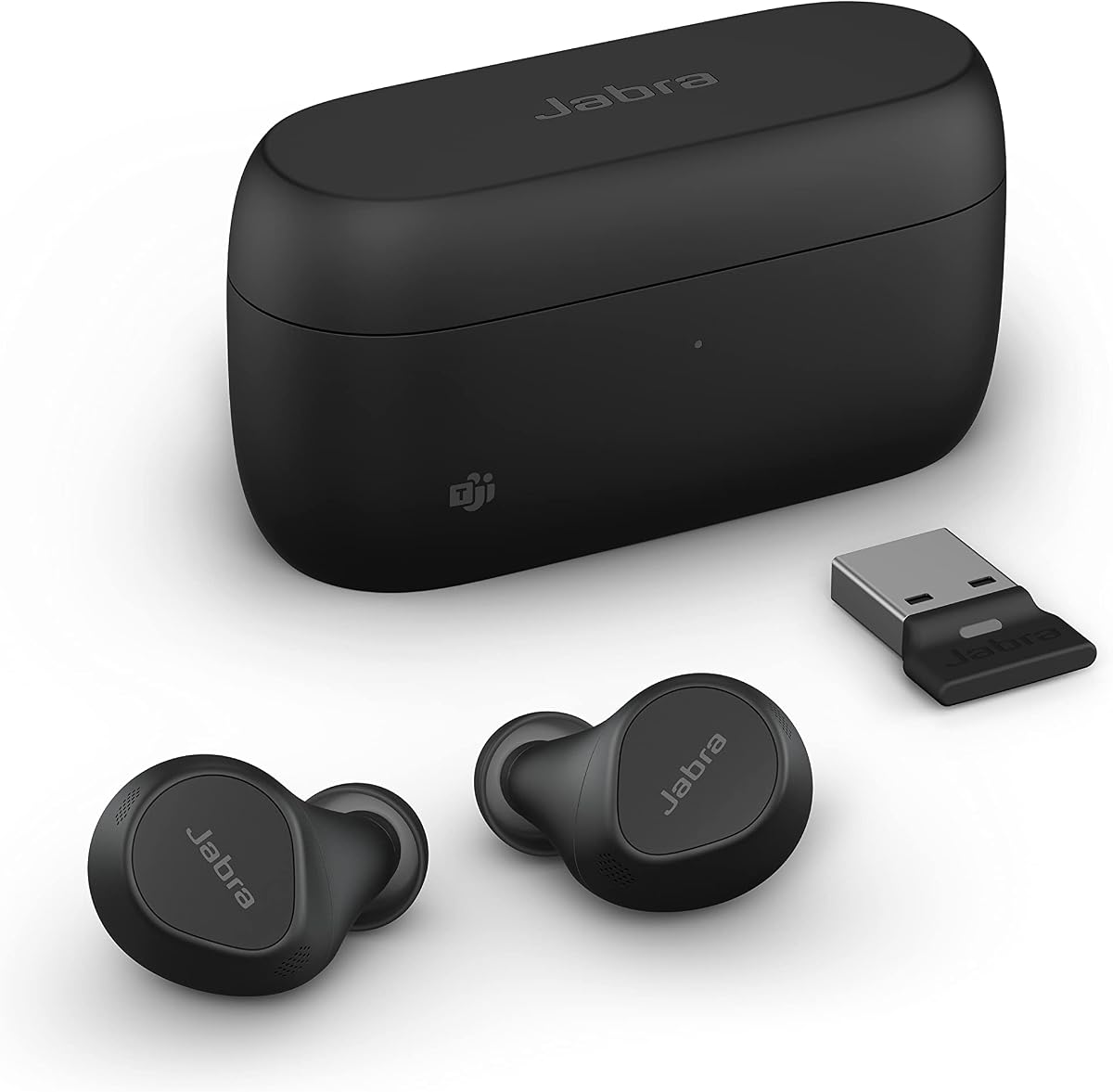
This model stands out because it is officially certified for Microsoft Teams, ensuring seamless integration with enterprise software. It features six microphones in total across both buds to isolate your voice during calls.
We may earn a commission when you buy through this link, at no additional cost to you.
The active noise cancellation blocks distracting sounds while transparency mode helps you hear your environment. You can use the included USB receiver for a more stable wireless connection on your computer.
Battery life is solid for daily meetings though not the longest on this list. The Logi Tune app allows you to tweak settings and manage the device easily from one dashboard.
Professionals needing strict compatibility with Teams and Zoom should consider this reliable option. Its robust connectivity features make it a strong choice for consistent call quality.
Official certification ensures buttons work correctly and connection stability is optimized for Teams apps.
Advanced beamforming helps distinguish your voice from others in noisy office environments.
We may earn a commission when you buy through this link, at no additional cost to you.
These premium earbuds offer advanced features like a built-in AI Note-Taker for recording and summarizing meetings. They are certified for high speech quality by Guinness World Records for objective testing.
We may earn a commission when you buy through this link, at no additional cost to you.
Business users handling confidential information will appreciate the strict privacy standards and local AES-256 encryption. The 10 sensors ensure your voice is heard clearly even in very noisy environments.
The case includes a large AMOLED screen for controlling settings and accessing voice recording features. Battery life is decent but heavy usage of AI features may drain it faster.
Choose this if you need top-tier call quality and innovative tools for managing meeting notes. It represents the cutting edge of smart audio technology for professionals.
The smart case can record in-person meetings and generate summaries to save you time.
Compliance with ISO and NIST standards ensures your data is secure during transcription.
We may earn a commission when you buy through this link, at no additional cost to you.
This budget-friendly option delivers surprising performance with four microphones and AI enhancement for clear calls. The case doubles as a phone stand which is great for viewing screens during video conferences.
We may earn a commission when you buy through this link, at no additional cost to you.
Active noise cancelling reduces external noise significantly so you can focus on your conversation. You get solid battery life and a quick charge feature that supports busy schedules.
While the design is simple it performs well for the price point. The app allows you to customize EQ and ANC settings for your preference.
Ideal for those needing reliable meeting earbuds without spending a lot. It combines practical features with affordable pricing effectively.
The unique case design supports your phone for comfortable hands-free media consumption.
Algorithms help isolate your voice from background chatter during meetings.
We may earn a commission when you buy through this link, at no additional cost to you.
These earbuds feature bone conduction sensors that detect when you are speaking to improve voice clarity. They are certified for Microsoft Teams and support advanced multipoint to stay connected to laptop and phone.
We may earn a commission when you buy through this link, at no additional cost to you.
You can switch seamlessly between devices without disconnecting manually. The design is ergonomic and comfortable for long periods of wear in the office.
Battery life is moderate and might require frequent charging if used heavily throughout the day. However the call quality is excellent due to the smart mic technology.
Buy these if you prioritize voice clarity and seamless device switching. They are built for professionals who need reliable connectivity on the go.
Sensors detect vibrations to help cancel noise when you speak.
Keep both your phone and laptop connected simultaneously for easy calls.
We may earn a commission when you buy through this link, at no additional cost to you.
These buds offer exceptional battery life that can last weeks on a single charge with the case. They use six microphones and ENC technology to ensure clear voice transmission during calls.
We may earn a commission when you buy through this link, at no additional cost to you.
Hybrid ANC reduces low frequency noise effectively so you can focus on your meeting. The earbuds are waterproof and suitable for various environments including workouts.
Sound quality is balanced with good bass thanks to the OrigX tuning. You can customize the audio profile using the dedicated app.
A great choice for users who want long battery life without breaking the budget. The call features are sufficient for daily team check-ins.
Up to 68 hours total playtime means less frequent charging needed.
Hybrid ANC helps reduce steady noise like office hum or travel noise.
We may earn a commission when you buy through this link, at no additional cost to you.
Designed specifically for workspaces these earbuds use an AI-based mic for crystal clear voice clarity. Adaptive ANC allows you to switch between focus and awareness easily.
We may earn a commission when you buy through this link, at no additional cost to you.
The touch controls on the device make it easy to manage calls and music. You can pinch to switch modes or swipe for volume adjustments.
Bluetooth 5.3 provides a stable connection for modern laptops and smartphones. The build feels solid and fits comfortably for extended wear.
Ideal for professionals wanting a dedicated tool for communication. The focus on voice quality makes them a strong contender.
Filters out background noise to deliver best-in-class call quality.
Switch between deep focus and awareness with a simple pinch.
We may earn a commission when you buy through this link, at no additional cost to you.
These earbuds feature a detachable boom mic for superior voice clarity on calls. The USB-C charging dock provides additional power and keeps your devices organized.
We may earn a commission when you buy through this link, at no additional cost to you.
You get multipoint connectivity to stay connected to two devices at once. The total playtime is excellent for long work sessions without recharging often.
The design is practical for work use rather than fashion. While it looks different it delivers on functionality for meetings.
Choose this if you need a boom mic for better audio isolation. It offers a unique approach to work earbuds.
Detachable boom mic ensures your voice is heard clearly even in noise.
The included dock charges both buds and mic together.
We may earn a commission when you buy through this link, at no additional cost to you.
Featuring earhooks this model offers a secure fit for active users who move around during calls. It boasts an impressive 80 hours of total playtime for extended usage.
We may earn a commission when you buy through this link, at no additional cost to you.
Hybrid ANC helps you focus on audio while maintaining awareness. The Hi-Res audio quality ensures clear sound reproduction for music and meetings.
The LED display on the case shows exact battery levels for peace of mind. It is waterproof and durable for daily use in various conditions.
A good pick for active professionals needing secure fit and long battery. The sound quality is a strong bonus for calls.
Soft composite ear hooks ensure stability during movement or workouts.
LED display shows battery level and charging status accurately.
We may earn a commission when you buy through this link, at no additional cost to you.
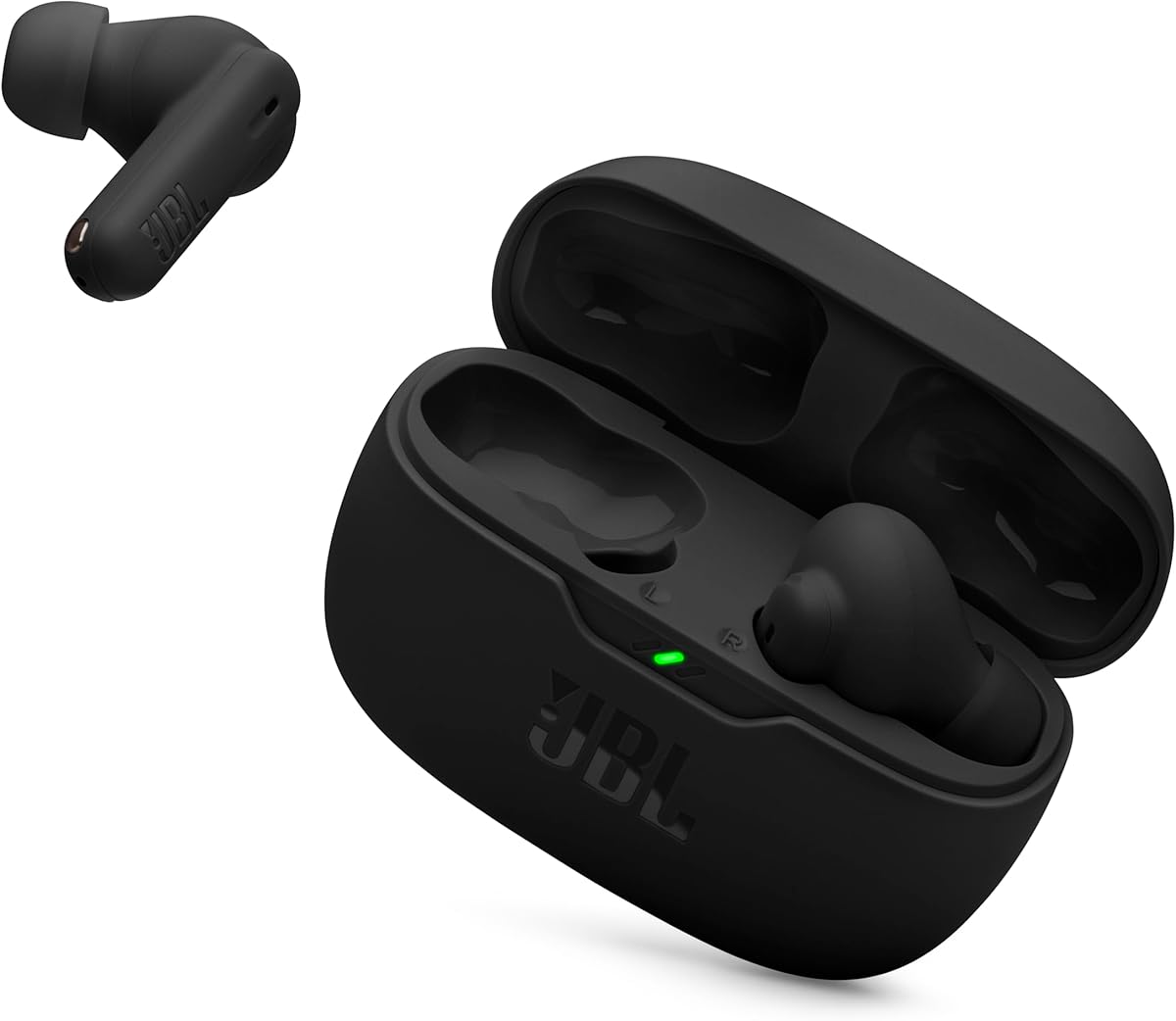
These earbuds deliver JBL Pure Bass sound which adds richness to your audio. Four microphones ensure clear call transmission even when you are moving around.
We may earn a commission when you buy through this link, at no additional cost to you.
Smart Ambient lets you control how much outside noise you hear during work. Battery life is solid at 40 hours total including the case.
The design is simple and sleek for everyday use. It works well for both music and conference calls without issues.
A great option for those who value brand reputation and bass. It is affordable and functional for daily meetings.
8mm dynamic drivers deliver exciting sound quality for music.
Control how much of the outside world you want to hear.
We may earn a commission when you buy through this link, at no additional cost to you.
Upgraded with Bluetooth 5.4 this model offers faster connection and lower latency for video calls. The LED display shows power levels clearly for easy monitoring.
We may earn a commission when you buy through this link, at no additional cost to you.
Four ENC microphones help block out background noise for better voice clarity. Battery life is robust at 50 hours which supports long workdays.
IPX7 waterproofing ensures durability against sweat and rain. It is compatible with most devices including laptops and tablets.
An excellent choice for those wanting the latest tech at a low cost. The high rating reflects its strong performance in testing.
Next-generation chip offers lower power consumption and stronger signal.
ENC noise cancelling technology blocks out background noise effectively.
We may earn a commission when you buy through this link, at no additional cost to you.
Selecting the right earbuds for meetings involves checking microphone quality and connectivity. This section outlines key factors to consider for a smooth remote work experience.
The microphone is the most critical component for Teams meetings. Look for models with multiple mics and noise cancellation features to isolate your voice from background noise.
Prioritize earbuds with AI-enhanced calls or boom mics for maximum clarity.
Long battery life ensures you do not run out of power during a critical meeting. Check both single charge duration and total playtime with the case.
Aim for at least 8 hours per charge and 30+ hours total for heavy users.
ANC helps you focus on the meeting by blocking distracting sounds around you. Hybrid ANC is more effective as it uses multiple microphones to reduce noise.
Ensure the ANC mode is easy to switch on and off during calls.
Stable Bluetooth is essential to avoid dropouts during video calls. Multipoint support allows you to connect to both your laptop and phone simultaneously.
This feature saves time when switching between a call and a presentation.
Some earbuds are certified for Microsoft Teams ensuring they work correctly with app buttons. This can be vital for enterprise environments.
Verify that the device supports your preferred conferencing platforms.
You may wear the earbuds for hours during back-to-back meetings. Look for ergonomic designs and removable ear gels to find a comfortable fit.
A secure fit also improves noise isolation and call quality.
Physical buttons or reliable touch controls make it easy to manage calls. You should be able to mute or end a call quickly without fumbling.
Avoid models where controls are hard to reach or unresponsive.
Waterproof ratings protect your earbuds from sweat and rain. This is important if you work from various locations or have an active lifestyle.
Look for at least IPX4 rating for basic protection.
Start by pairing your earbuds to your device via Bluetooth settings. Ensure the connection is stable before joining a meeting to avoid delays.
Use the companion app to adjust noise cancellation levels and microphone settings for optimal performance. This helps tailor the sound to your specific environment.
Clean the earbuds regularly with a soft dry cloth to remove dust and oil. Keep the charging contacts clean to ensure they charge correctly in the case.
Models like the Logitech Zone True Wireless and Jabra Evolve2 are certified for Teams ensuring full compatibility. They support specific buttons and stable connections for meetings.
Active noise canceling is highly recommended if you work in noisy environments. It helps you focus on the call and blocks distractions from others around you.
Ideally you want at least 8 hours of battery life on a single charge. This covers a full workday without needing to recharge frequently during meetings.
Bluetooth Multipoint allows your earbuds to connect to two devices at once. You can switch between your laptop and phone seamlessly during a call.
Boom mics can provide better voice isolation because they sit closer to your mouth. This reduces background noise but may be less discreet than in-ear mics.
Regular earbuds can work but dedicated work models offer better microphones and controls. If you call often a model designed for meetings is a better investment.
Use a soft dry cloth to wipe the exterior. Avoid water on electronics but use a soft brush to clear debris from the speaker mesh.
Certification ensures the earbuds support specific Teams features like call mute buttons. It guarantees better stability and integration with the software.
The top picks offer a range of options from budget friendly to premium AI features. Choose based on your specific needs like microphone quality or battery life.
Focus on connectivity and comfort since you will use these devices daily. Reliable performance is key for maintaining professional communication standards.
Always check the current availability and features before buying. Prices and models may vary so verify details on the product pages.