
Redragon S101-3 PRO Gaming Keyboard and Mouse
4.5Editor score
Full-size RGB backlit keyboard
High-precision gaming mouse included
5 dedicated macro record keys
Discover the top keyboard and mouse combos optimized for Baldurs Gate 3 gaming performance comfort and custom macros in our expert comparison guide for October
Finding the right peripherals for Baldurs Gate 3 means balancing comfort, responsiveness, and macro support. This guide explores ten highly rated combos designed to enhance your gameplay experience across various budget levels.
We compared each product based on build quality, ergonomic design, lighting options, and overall value. Our selection includes wired and wireless sets, ensuring you can find the perfect fit for your setup.
Each pick highlights specific strengths and trade-offs to help you decide quickly. Keep in mind that pricing and availability can shift frequently, so check current listings before finalizing your purchase decision.
4.5Editor score
4.4Editor score

4.2Editor score
This side-by-side comparison evaluates every selected keyboard and mouse combo based on key features, durability, and suitability for intense gaming sessions like Baldurs Gate 3.


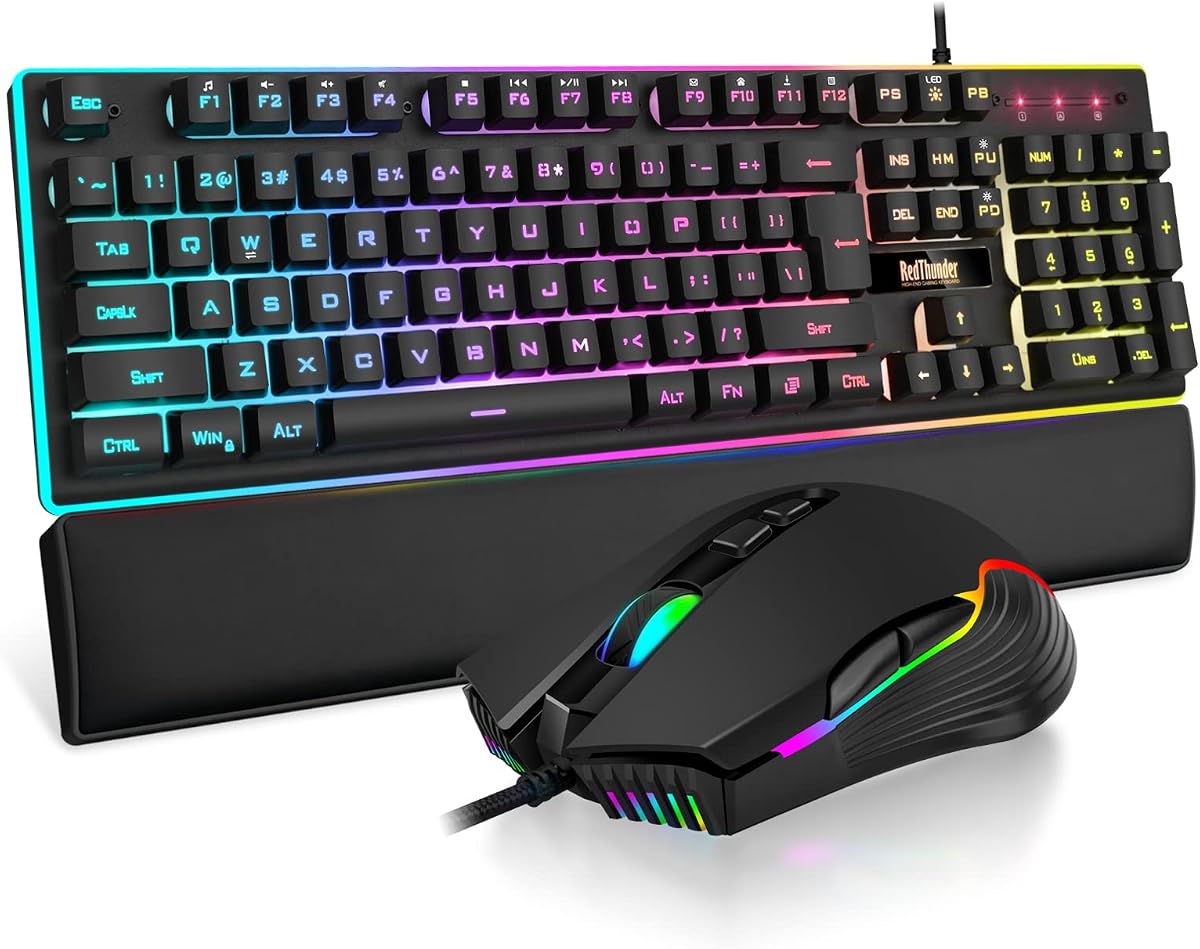
The Redragon S101-3 PRO offers an all-in-one gaming solution that balances affordability with functionality. It features a full-size keyboard with RGB backlighting and a high-precision mouse designed for both work and play.
We may earn a commission when you buy through this link, at no additional cost to you.
Its standout quality is the five dedicated macro record keys, which allow you to sequence complex commands essential for intricate RPG gameplay. The included software lets you customize lighting patterns and adjust DPI settings easily.
While the membrane keys do not provide the tactile feedback of mechanical switches, they are remarkably quiet and comfortable for long sessions. The anti-ghosting technology ensures every key press registers during intense battles.
This combo is ideal for budget-conscious gamers or those setting up their first dedicated gaming station who need reliable performance without breaking the bank.
The five independent macro keys let you assign complex ability rotations or item usage sequences, streamlining your gameplay in Baldurs Gate 3.
An included wrist rest helps reduce fatigue during extended gaming sessions, keeping your hands in a comfortable position for better control.
We may earn a commission when you buy through this link, at no additional cost to you.
The RedThunder K10 Wired combo stands out as an editor's choice due to its robust build quality and mechanical feel. It features a full-size layout with anti-ghosting keys, ensuring reliability during complex input scenarios.
We may earn a commission when you buy through this link, at no additional cost to you.
The mouse boasts a high-precision optical sensor with adjustable DPI up to 7200, offering the accuracy needed for precise aiming. The included soft leather wrist rest adds significant ergonomic value for comfort.
Despite being wired, the anti-slip material and ergonomic design reduce hand fatigue effectively. The floating keycaps and rainbow RGB lighting enhance the visual appeal without distracting from gameplay.
This set is perfect for gamers who desire the tactile feedback of mechanical keyboards but prefer an affordable wired solution that includes necessary accessories like a wrist rest.
With a 12000fps scan rate and 1000Hz detection rate, this mouse tracks movements accurately, essential for real-time combat mechanics.
The built-in steel plate ensures the keyboard remains sturdy and resistant to deformation even after years of rigorous use.
We may earn a commission when you buy through this link, at no additional cost to you.
The VEILZOR combo delivers a premium wireless experience with a rechargeable design that eliminates the need for disposable batteries. It features silent keys and an ergonomic wrist rest for enhanced comfort.
We may earn a commission when you buy through this link, at no additional cost to you.
Its silent operation is particularly beneficial for late-night gaming sessions where noise could disturb others. The 2.4G wireless connection provides a stable link with a range of up to 10 meters.
While the DPI is lower than some competitors, the 1600 DPI setting is sufficient for most gaming scenarios. The USB-C rechargeable feature adds to the convenience of long-term use.
This set is ideal for users seeking a clutter-free workspace who value quiet operation and ergonomic comfort during extended gameplay sessions.
Both keyboard and mouse are engineered to reduce noise by nearly 99%, making this perfect for shared living spaces or offices.
The 10-meter range allows for flexible seating arrangements, letting you play comfortably from a distance without cables.
We may earn a commission when you buy through this link, at no additional cost to you.
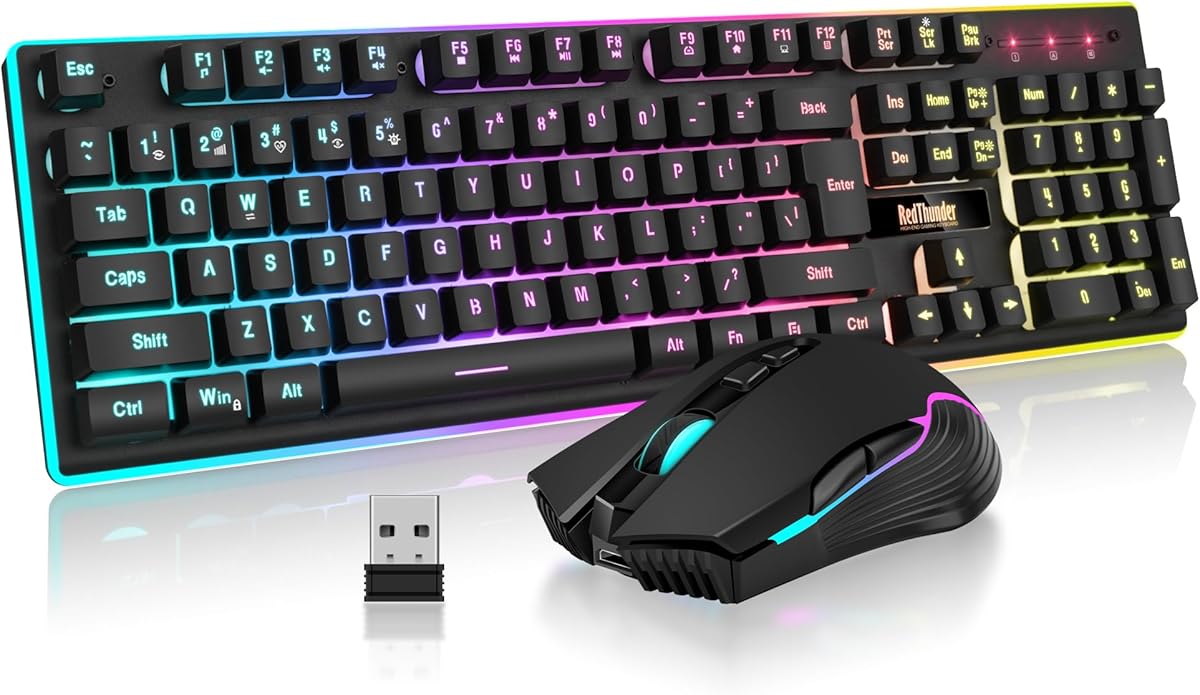
The RedThunder K10 Wireless brings the mechanical feel of its wired counterpart to a wireless form factor. It features a large rechargeable battery that supports extended use without frequent charging.
We may earn a commission when you buy through this link, at no additional cost to you.
The 2.4G high-speed transmission ensures stable performance even during intense gaming battles. The keyboard and mouse share a single USB receiver, simplifying setup and reducing USB port usage.
Users appreciate the smart energy-saving functions that put devices to sleep after inactivity, preserving battery life. However, the DPI is lower than the wired version, which may affect high-speed tracking.
This combo is suitable for gamers who prioritize wireless freedom and battery longevity over maximum mouse sensitivity settings.
The 3000mAh keyboard battery allows continuous usage for up to eight hours with lighting, reducing downtime significantly.
The mouse design fits the palm perfectly with anti-sweat and non-slip materials for better control during gameplay.
We may earn a commission when you buy through this link, at no additional cost to you.
The Rii Gaming Keyboard and Mouse Set focuses on durability and widespread compatibility. It features ergonomic design that helps release your hand from fatigue during extended use.
We may earn a commission when you buy through this link, at no additional cost to you.
The 3-LED backlit keyboard and 7-color breathing light mouse create a visually appealing setup without complex software requirements. The laser-carved characters ensure the keys remain visible over time.
With a keyboard key life of 5 million clicks and a mouse life of 3 million clicks, this set is built to withstand heavy usage. It supports a wide range of operating systems out of the box.
This is an excellent choice for users who want a plug-and-play experience with reliable performance across different platforms including Android TV boxes.
Supports Windows, Mac, and even Android TV boxes, making it versatile for various entertainment and work setups.
The ergonomic shape is designed to reduce hand strain, ensuring comfort whether you are gaming or working on documents.
We may earn a commission when you buy through this link, at no additional cost to you.
The K1 RGB LED Backlit Wired Keyboard offers a standard full-size layout with 104 keys and a number pad, making it practical for both gaming and productivity tasks.
We may earn a commission when you buy through this link, at no additional cost to you.
The RGB backlight system supports 8 colors and 5 modes, allowing you to adjust brightness and light speeds to match your aesthetic preferences. The mouse features 6 speed levels for versatile responsiveness.
Floating keycaps are removable and feel good in the hand, while the waterproof USB 2.0 cable ensures stable data transmission. The non-slip pads on the bottom enhance stability during use.
This keyboard is ideal for users looking for a reliable, full-sized keyboard with customizable lighting at a competitive price point.
The inclusion of a numeric keypad makes this a versatile choice for data entry and general office work as well as gaming.
Easy-to-use FN key combinations let you cycle through lighting effects and adjust brightness without needing external software.
We may earn a commission when you buy through this link, at no additional cost to you.
This combo focuses on accessibility with large print keys that make typing easier and more accurate. It features a colorful backlit design with seven color options and three brightness levels.
We may earn a commission when you buy through this link, at no additional cost to you.
The ergonomic design includes unfoldable feet to reduce hand fatigue, and the silent keys ensure a distraction-free environment. It works well on Windows and supports various operating systems including Raspberry Pi.
While primarily designed for visibility, the anti-ghosting and ergonomic layout make it suitable for extended typing sessions. The plug-and-play setup eliminates the need for driver installation.
This set is perfect for users who struggle with standard key sizes or require better visibility in low-light environments.
High-contrast keys and bold fonts ensure that you can easily identify keys even in dim lighting conditions.
The adjustable feet and non-slip construction keep the keyboard secure and positioned correctly during extended use.
We may earn a commission when you buy through this link, at no additional cost to you.
The BlueFinger RGB Gaming Keyboard and Mouse Combo provides a complete package with an included mouse pad. It features a rainbow backlit keyboard that illuminates letters through the keys for visibility.
We may earn a commission when you buy through this link, at no additional cost to you.
With 19 non-conflict keys, you can press or hold multiple keys simultaneously, which is crucial for complex game controls. The ergonomic mouse has adjustable DPI settings for customized sensitivity.
The durable 61-inch USB braided wire ensures longevity, while the mouse pad offers a smooth surface for comfortable wrist rest support. The entire set works with Windows and Mac operating systems.
This set is a great value option for users needing a complete gaming setup including a mouse pad without additional expense.
The inclusion of a 11.8 x 9.8 inch mouse pad saves you from buying separate accessories to finish your desk setup.
Built-in steel plate and durable key life ensure the keyboard can withstand the pressure of intense gaming sessions.
We may earn a commission when you buy through this link, at no additional cost to you.
This combo offers oversized keys that are 3x larger than standard for better visibility. It features an integrated wrist rest and quiet low-profile keys suitable for office or home environments.
We may earn a commission when you buy through this link, at no additional cost to you.
The adjustable DPI on the mouse allows for customization across different tasks, while the three switchable backlight colors aid typing in low-light conditions. Multimedia shortcut keys add convenience for audio control.
Built to last with up to 10 million keystrokes, the spill-resistant design ensures durability. The ergonomic layout supports extended use without discomfort.
Ideal for users needing clear visibility and quiet operation, this set works well for both professional and personal use cases.
Low-profile keys significantly reduce typing noise, making it perfect for shared workspaces or late-night activities.
The oversized keys make it easy to identify characters quickly, reducing errors during fast typing or gaming.
We may earn a commission when you buy through this link, at no additional cost to you.
The SABLUTE combo features 4X larger characters to help users quickly identify keys. It includes an integrated palm rest and foldable stand to maintain a comfortable typing angle.
We may earn a commission when you buy through this link, at no additional cost to you.
The mouse also has built-in backlighting for visibility in low-light conditions, matching the keyboard's aesthetic. It supports 7-color adjustable backlighting with multiple lighting modes.
Plug-and-play wired connectivity ensures instant setup without drivers or batteries. The ergonomic design reduces wrist fatigue during long study or work sessions.
This set is perfect for students or seniors who need clear visibility and ergonomic support for daily typing tasks.
The adjustable palm rest and stand reduce wrist strain, ensuring comfort during extended daily use.
Adjustable backlighting helps you choose the best visual environment to prevent eye strain in different lighting conditions.
We may earn a commission when you buy through this link, at no additional cost to you.
Selecting the right peripherals involves evaluating key factors like comfort, responsiveness, and durability to enhance your gameplay experience.
Long gaming sessions require comfortable peripherals to prevent fatigue. Look for ergonomic designs with wrist rests and non-slip grips to maintain control over extended periods.
Prioritize setups that fit your hand size and typing style to reduce strain.
A fast response time ensures your actions register immediately during combat. Anti-ghosting and high polling rates are crucial for simultaneous key presses.
Check the DPI settings and sensor quality to ensure smooth tracking.
High-quality materials like steel plates and braided cables extend the lifespan of your peripherals. Durable switches withstand millions of keystrokes without failure.
Invest in sturdy builds that can withstand intense gaming sessions.
Programmable macros allow you to execute complex sequences with a single key press. RGB customization helps you personalize your setup and improve key visibility.
Software support and dedicated macro keys add significant value.
Wired connections offer stability and zero latency while wireless setups provide a clutter-free desk. Choose based on your preference for mobility versus reliability.
Ensure wireless models have stable transmission and good battery life.
Membrane keys are quieter and softer while mechanical keys offer tactile feedback. Your choice depends on your preference for noise levels and typing feel.
Test different key types to find what suits your comfort best.
Ensure the peripherals work seamlessly with your operating system. Good software support is essential for advanced features like macro programming.
Check for driver availability and OS compatibility before purchasing.
Compare features against price to find the best value. A solid warranty protects your investment against defects and manufacturing issues.
Look for reputable brands that offer customer support and guarantees.
Start by plugging in your keyboard and mouse and allowing your system to recognize the devices. Most modern sets work immediately without drivers but check for software updates.
Clean the keys and sensors regularly using compressed air and a soft cloth to prevent dust buildup and ensure smooth operation.
Adjust DPI settings and lighting to match your environment and gameplay needs. Proper customization enhances both aesthetics and performance.
While mechanical keyboards offer tactile feedback and faster response, membrane keyboards with anti-ghosting are sufficient. Choose based on personal preference and budget.
Yes, many keyboards allow macro recording which can streamline ability rotations. Always check the game's terms of service regarding macro usage.
A DPI between 800 and 3200 is generally ideal for gaming, offering precision and speed. Adjust according to your mousepad size and personal comfort.
Modern wireless keyboards with 2.4G connections provide stable performance with minimal latency. Ensure they have strong battery life for uninterrupted play.
Turn off the device and use compressed air to blow out dust from between keys. Wipe surfaces with a soft dry cloth for best results.
Most products listed support Windows fully while Mac compatibility varies. Check specific models for multimedia key support on macOS systems.
Choosing the right keyboard and mouse combo depends on your specific needs for comfort performance and budget. The top picks offer excellent options across different categories to suit every gamer.
Prioritize ergonomic features and responsiveness to enhance your gameplay experience. Investing in quality peripherals pays off during long and intense gaming sessions.
Always check current prices and availability before purchasing to ensure you get the best deal. Your ideal setup is closer than you think with the right combination of features.