
EKWB EK-Quantum Vector3 TUF RTX 5080 GPU Water Block
4.5Editor score
Designed for ASUS TUF RTX 5080
Low hydraulic restriction design
Addressable D-RGB lighting
This guide compares the top ten Ek waterblocks for Nvidia graphics cards including RTX 5080 and 5090 models with features cooling performance and compatibility
Choosing the right water block for your Nvidia GPU can transform your cooling experience and system stability. These components are designed to handle intense thermal loads while maintaining quiet operation and stunning visuals for enthusiasts.
We evaluated ten leading models from EKWB to identify the best options for various setups. Our analysis covers build quality, cooling efficiency, lighting integration, and compatibility with modern graphics cards to help you make an informed decision.
Each selection highlights key strengths and potential trade-offs for different user needs. Keep in mind that availability and pricing may shift over time so verify current stock before finalizing your purchase decision for your specific system.
4.5Editor score

4.6Editor score

4.7Editor score
Below is a side-by-side overview of each model to help you compare specifications at a glance.


This water block represents the pinnacle of thermal management for the RTX 5090 with its advanced split-flow engine. The precision engineering ensures maximum heat dissipation across the core and memory modules while maintaining low flow restriction.
We may earn a commission when you buy through this link, at no additional cost to you.
The nickel-plated copper coldplate provides exceptional thermal conductivity which is critical for high-end GPUs under heavy loads. The expanded fin array and optimized flow paths work together to reduce temperatures significantly compared to air cooling solutions.
While it is designed specifically for Gigabyte RTX 5090 models this compatibility ensures a perfect fit without needing custom modifications. The backplate adds structural integrity and helps dissipate heat from PCB components that might otherwise overheat.
If you own a compatible RTX 5090 this block delivers top-tier performance and aesthetics. It is ideal for enthusiasts who demand the best cooling possible and want seamless integration with their RGB ecosystem.
The open split-flow design enhances thermal performance by ensuring even coolant distribution across the GPU die.
D-RGB LEDs sync with motherboard software for a cohesive lighting experience throughout your system.
We may earn a commission when you buy through this link, at no additional cost to you.
Designed specifically for the ASUS TUF RTX 5080 this block offers a balance of performance and value. The cooling engine maintains low restriction which is vital for loops with multiple components.
We may earn a commission when you buy through this link, at no additional cost to you.
The construction uses nickel-plated copper for reliable thermal transfer while the acrylic top showcases your coolant beautifully. Thermal pads are pre-cut for ease of installation and the backplate passively cools PCB hotspots.
Installation is straightforward thanks to captive screws that secure the backplate firmly without slipping. The RGB lighting integrates with major motherboard headers ensuring your system stays visually cohesive.
For owners of the TUF RTX 5080 this is an excellent choice that delivers premium features without the highest price tag. It proves that efficient cooling does not always require the most expensive option.
Engineered specifically for the TUF chassis to ensure zero clearance issues during installation.
Optimized flow paths keep hydraulic restriction low so your pump works less to move coolant.
We may earn a commission when you buy through this link, at no additional cost to you.
This block is tailored exclusively for the ROG Astral RTX 5090 offering unmatched performance for that specific GPU. The expanded fin array maximizes heat dissipation ensuring stable performance even during extreme overclocking.
We may earn a commission when you buy through this link, at no additional cost to you.
Construction quality is top-notch with nickel-plated copper and a black anodized backplate that adds durability. The cooling solution actively manages the core VRAM and power stages while passively cooling the PCB.
Integration with EK-Matrix7 simplifies loop planning allowing for clean routing and vertical mounting options. The RGB system features 14 individually addressable LEDs providing extensive customization for your build.
If you have an Astral RTX 5090 this block is the definitive choice for thermal control and aesthetics. It justifies its premium price through specialized engineering and comprehensive cooling coverage.
Follows EK-Matrix7 standardization for simplified loop planning and perfect component integration.
Actively cools all critical zones while the backplate passively dissipates heat from PCB hotspots.
We may earn a commission when you buy through this link, at no additional cost to you.
Exclusive to the ROG Astral RTX 5080 this block delivers precision cooling with advanced features. The open split-flow engine ensures optimal heat dissipation across all active components for consistent performance.
We may earn a commission when you buy through this link, at no additional cost to you.
It features a nickel-plated copper coldplate for superior heat transfer and a cast acrylic top for clarity. The L-shaped backplate provides structural support and passive cooling for PCB hotspots ensuring comprehensive thermal management.
Thermal pads come pre-cut for seamless installation and the RGB lighting matches major motherboard sync technologies. The 14 LEDs along edges provide extensive visual customization options.
Owners of the Astral RTX 5080 will find this block offers the best fit and cooling available. It combines premium materials with specific compatibility for a truly tailored solution.
Designed exclusively for the Astral 5080 chassis ensuring precise fitment without clearance issues.
Equipped with 14 addressable LEDs for extensive lighting customization across your system.
We may earn a commission when you buy through this link, at no additional cost to you.
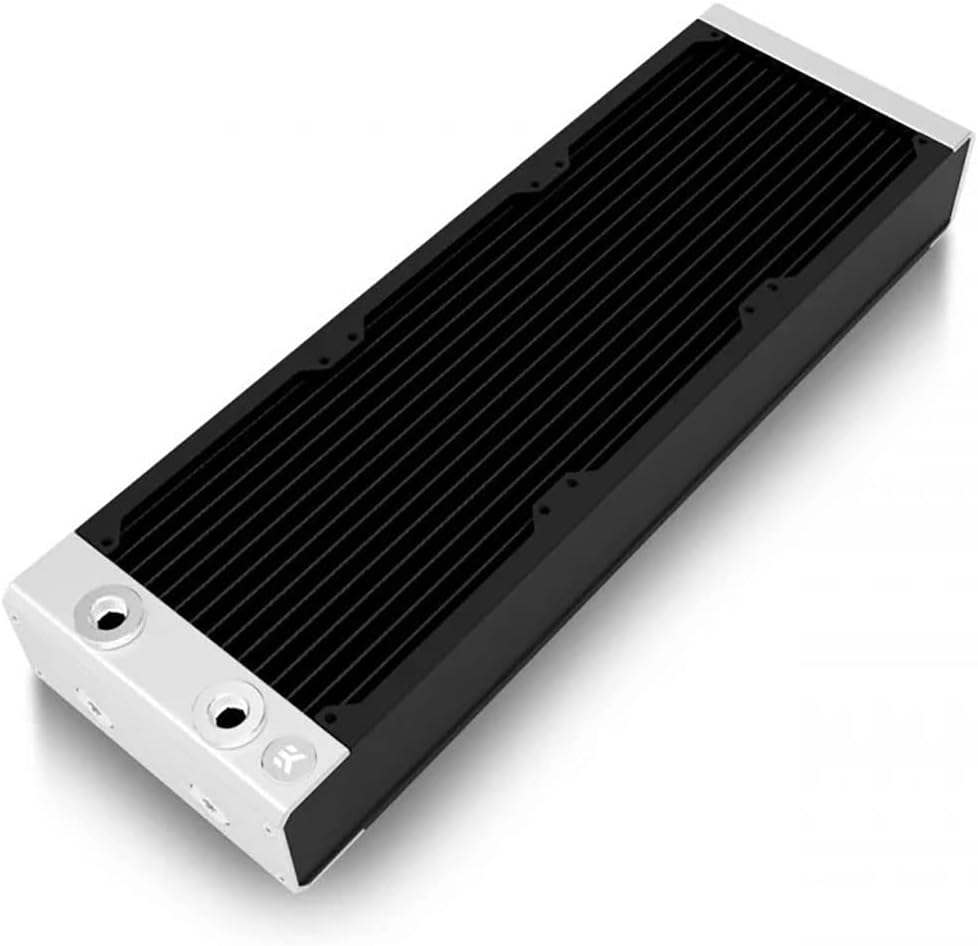
This radiator is among the thickest available offering unmatched cooling power for complex loops. The sixteen copper tubes across the radiator ensure optimal coolant flow without stressing your loop.
We may earn a commission when you buy through this link, at no additional cost to you.
High-grade non-louvered fins with 18 FPI density provide the best balance between thermal transfer and air resistance. It performs best with medium to high-speed fans or a push/pull setup for maximum efficiency.
International versions may differ slightly so verify fitment details before ordering. The sheer volume of copper and fin density makes it ideal for overclocked GPUs and CPUs needing maximum dissipation.
If you have the case space and cooling needs this radiator delivers top-tier thermal performance. It is a robust choice for serious enthusiasts building high-performance systems.
At 58mm thick this radiator offers the most cooling power of the EK-Quantum Surface series.
Benefits most from high-speed fans or a push/pull setup to utilize full thermal potential.
We may earn a commission when you buy through this link, at no additional cost to you.
This reservoir aims to revolutionize loop building with its flat shape and nine G1/4 ports. The design lets you choose the most optimal setup for your liquid cooling loops without bulky vertical tanks.
We may earn a commission when you buy through this link, at no additional cost to you.
Digital RGB lighting adds visual appeal while the compact dimensions fit easily in tight cases. However the capacity is limited at around 225ml which may require additional maintenance.
Users report mixed experiences regarding ease of use and overall build quality. It is a niche product best suited for those seeking specific port configurations and unique form factors.
Consider this if you need a flat reservoir with multiple ports for specialized loops. Evaluate capacity needs carefully before purchase.
Equipped with nine G1/4 ports to allow maximum flexibility for loop tubing routing.
Flat design saves vertical space and fits better in certain compact case layouts.
We may earn a commission when you buy through this link, at no additional cost to you.
Designed for AMD AM5 and Intel 1700/1851 platforms this block improves thermal performance by up to 2 degrees Celsius over its predecessor. The optimized internal geometry ensures maximum heat transfer efficiency.
We may earn a commission when you buy through this link, at no additional cost to you.
A nickel-plated copper coldplate provides superior conductivity while precise mounting pressure ensures consistent contact. Its slim profile allows fitting in tight spaces without compromising cooling performance.
The Velocity 3 is a clear upgrade for CPU cooling in demanding workloads and builds where temperature stability matters. It works seamlessly with your existing loop components.
If you need reliable CPU cooling for modern platforms this block is a strong candidate. It balances performance and ease of integration effectively.
Optimized internal geometry improves thermal performance by up to 2 degrees C over previous models.
Supports AMD AM5 and Intel 1700/1851 sockets for broad platform coverage.
We may earn a commission when you buy through this link, at no additional cost to you.
This block features a next-generation socket-specific cooling engine for Intel LGA 1700 platforms. The D-RGB lighting syncs with all major motherboard manufacturers for a unified look.
We may earn a commission when you buy through this link, at no additional cost to you.
It includes EK-Matrix7 compliance for seamless integration with distro plates and easy tube routing. The patent-pending exact Mount system ensures secure installation while the included paste from Thermal Grizzly helps.
While newer models exist this remains a solid choice for those with 1700 sockets needing RGB and Matrix7 compatibility. It provides reliable cooling and aesthetic integration.
Choose this if you need a D-RGB CPU block for 1700 with Matrix7 support. It delivers consistent performance and good value.
Features a next-generation cooling engine that is socket-specific for Intel 1700 platforms.
Extensive D-RGB lighting compatible with all major motherboard RGB software.
We may earn a commission when you buy through this link, at no additional cost to you.
Built for AMD AM5 this block features the highest-grade 99.99% pure electrolytic copper cold plate for reliable heat transfer. The white edition appeals to builds seeking a clean aesthetic.
We may earn a commission when you buy through this link, at no additional cost to you.
Digital RGB lighting offers customization and the block has perfect user ratings indicating high satisfaction. Dimensions are designed to fit standard AM5 mounting points precisely.
It is an excellent choice for white-themed AM5 builds where appearance and thermal performance matter. The pure copper ensures efficient cooling for demanding CPUs.
Buy this if you want a pure copper AM5 block with white styling and RGB. Its ratings reflect strong reliability.
Cold plate is manufactured out of 99.99% pure electrolytic copper for superior conductivity.
Specifically designed for the AMD AM5 socket with precise mounting geometry.
We may earn a commission when you buy through this link, at no additional cost to you.
This compact 120mm radiator suits small form factor builds where space is tight. The black finish blends well with standard cases and it carries S-series reliability ratings.
We may earn a commission when you buy through this link, at no additional cost to you.
Ideal for single-GPU setups or auxiliary cooling loops this radiator does not support heavy loads alone. It uses standard G1/4 ports ensuring easy integration.
Perfect users love its quality and compact footprint for minimal loop designs. It adds thermal margin without taking up case space.
Use this if you need a small radiator for basic cooling or backup. Verify your case supports 120mm radiators first.
120mm size fits easily in small cases without compromising thermal reliability.
Uses standard G1/4 ports so it integrates with common fittings and tubing.
We may earn a commission when you buy through this link, at no additional cost to you.
Selecting the right water block depends on your specific GPU model cooling needs and system layout.
EKWB designs blocks for exact models like the ASUS TUF RTX 5080 or Gigabyte RTX 5090. Ensure the block matches your GPU SKU to avoid clearance issues.
Always confirm compatibility with your specific graphics card before purchasing.
Look for nickel-plated copper coldplates and optimized flow paths like split-flow designs. These features maximize heat transfer and reduce temperatures under load.
Higher performance blocks often include expanded fin arrays for better thermal dissipation.
Most modern blocks offer D-RGB lighting compatible with major motherboard sync software. Check cable lengths and connector types to ensure compatibility with your system.
Ensure the lighting matches your desired color scheme and sync technology.
EK-W uses systems like EK-Matrix7 for standardized tube routing and mounting. This simplifies loop planning and allows for clean vertical or horizontal GPU mounts.
Prioritize blocks that support Matrix7 if you plan a full EK-Quantum loop.
Full-coverage backplates protect the PCB and passively cool hotspots. L-shaped profiles are common for structural reinforcement.
Choose blocks with backplates that match your GPU's layout for full protection.
Pre-cut high-performance thermal pads ease installation and ensure consistent contact. They reduce the risk of gaps between components and the coldplate.
Verify that pads are included or purchased separately before assembly.
Consider the overall dimensions including connectors and clearance for case fit. Large blocks might require extended cases or modified layouts.
Measure your case interior to avoid installation conflicts.
Materials like CNC-machined cast acrylic tops and aluminum backplates affect aesthetics and durability. High-grade copper and plating ensure long-term reliability.
Invest in blocks with premium materials for lasting performance and visuals.
Before installation ensure your GPU is disconnected and static-safe tools are used. Align the block carefully and secure mounting screws to the recommended torque to avoid damage.
After assembly flush the loop thoroughly to remove debris and check for leaks before powering on. Verify RGB headers connect properly to your motherboard for lighting control.
Maintain the system by checking coolant levels and cleaning filters regularly. Replace thermal pads if you disassemble the block to ensure continued thermal performance.
No each block is designed for specific card models like Gigabyte or ASUS. Check compatibility details carefully to match your exact GPU SKU before purchasing.
No CPU blocks are optimized for different heat sources and dimensions. Always use a GPU-specific block to ensure proper contact and cooling performance.
D-RGB blocks require a 3-pin 5V digital LED header on your motherboard. Ensure your board supports this header for proper lighting synchronization.
Some models include thermal paste but many do not. Check the product description or prepare your preferred paste separately.
Backplates protect the PCB from damage and passively cool hotspots. While not strictly required they are recommended for full system stability.
Power down the system and disconnect the GPU before installation. Use proper tools to secure mounting screws and verify alignment before closing the case.
The top picks highlight versatile cooling and aesthetic options for modern high-end GPUs. Whether prioritizing value or performance these selections cover key needs.
Focus on compatibility performance and RGB integration to ensure your build looks great and stays cool under load.
Always check current availability and pricing before finalizing your order to get the best value available today.