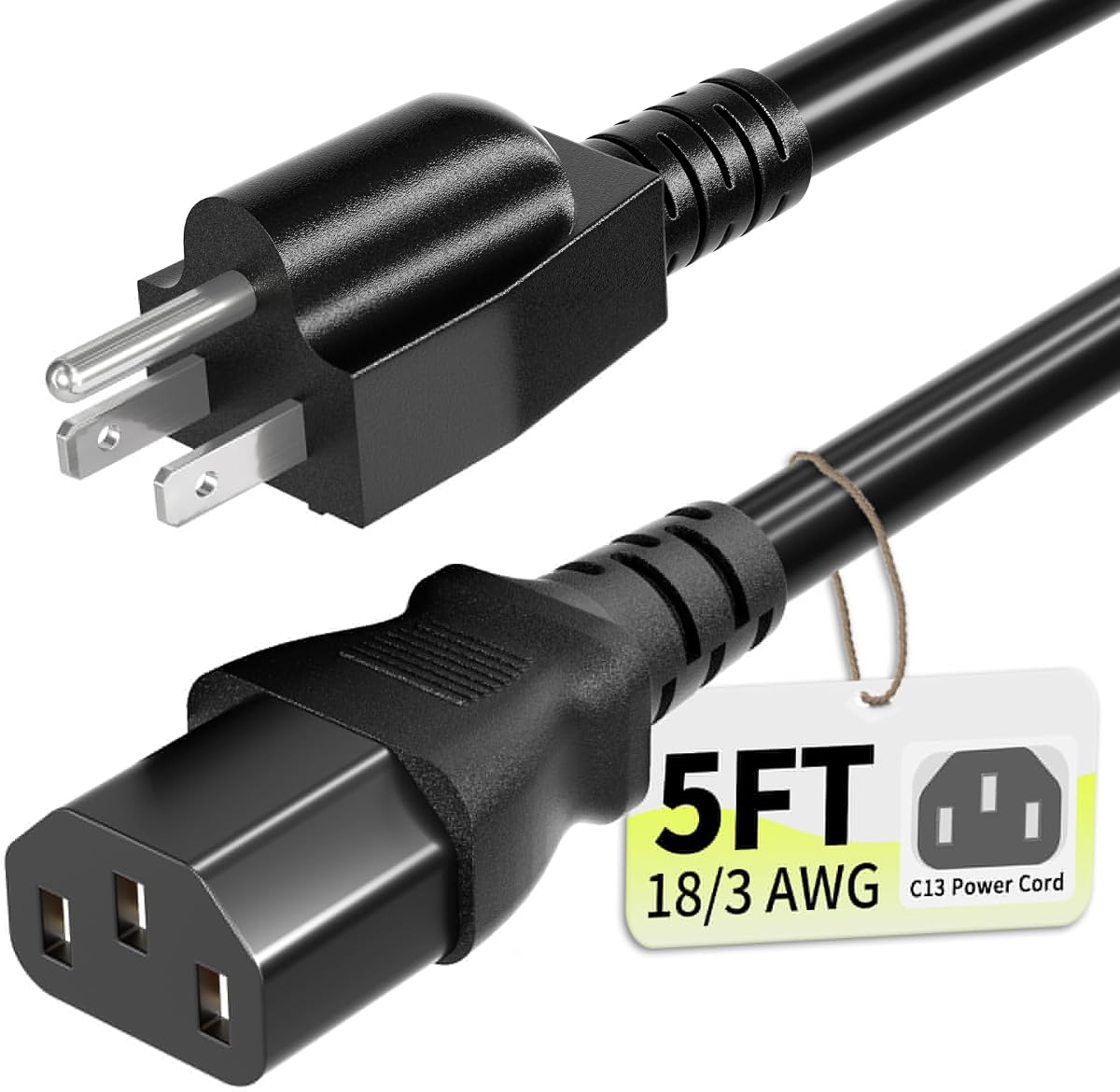
Vockjour Universal 5ft(1.5m) Power Cord, 3-Prong Pure Copper ETL, Black
4.8Editor score
100% pure copper core
ETL listed for safety
Flexible PVC jacket design
A reliable power connection is essential for keeping your Dell monitor running smoothly without interruptions. The right cord ensures stable voltage and protects your hardware from potential electrical surges that could cause damage over time.
We evaluated ten highly rated power cables and adapters based on compatibility, safety certifications, and durability features. Each option was selected to meet the specific voltage and connector requirements of various Dell monitor models found in home and office settings.
Every review highlights key specifications and user feedback to help you make an informed decision for your workstation. Keep in mind that availability and pricing may change frequently, so verify details before finalizing your purchase online.
4.8Editor score
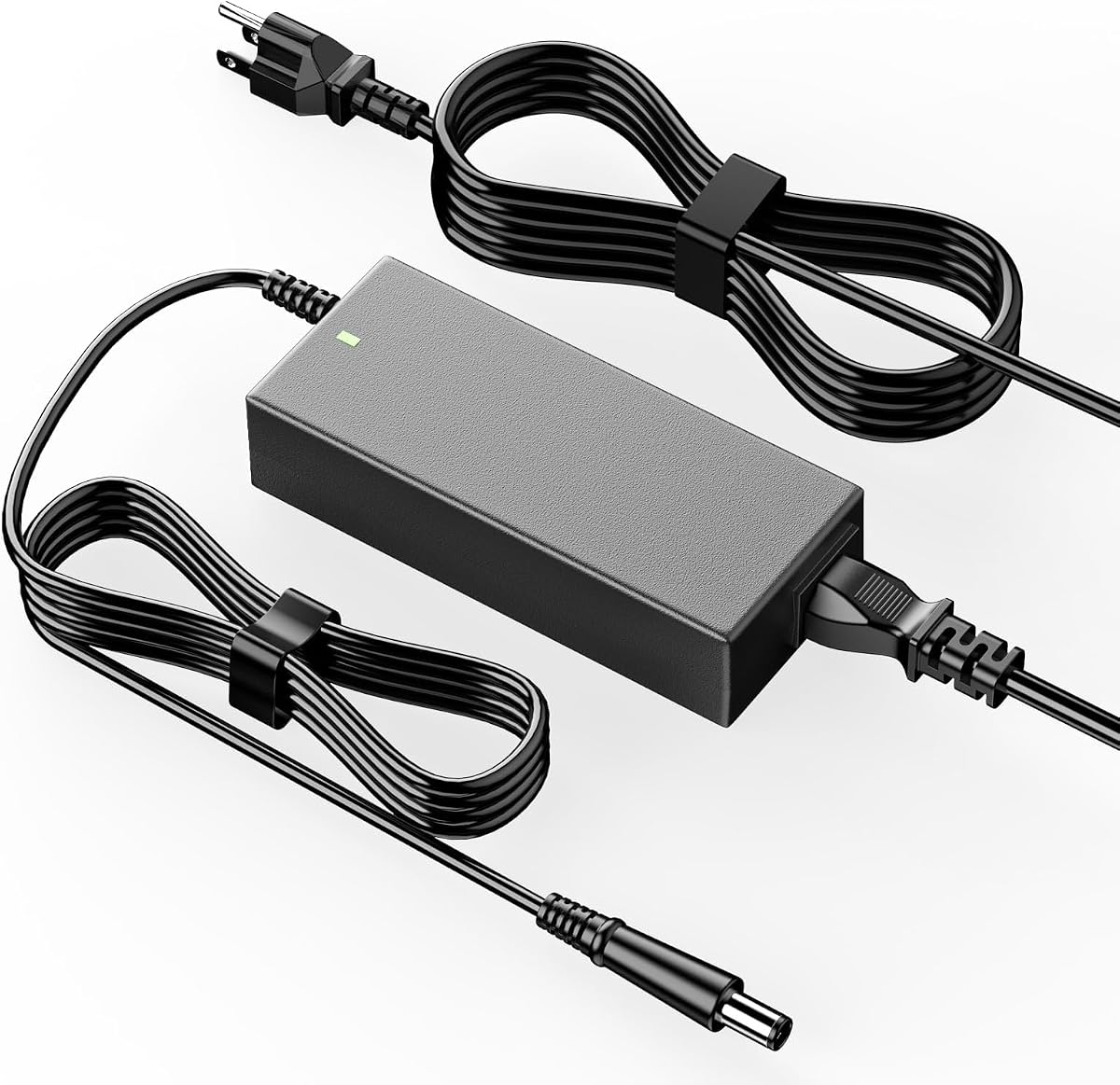
4.9Editor score

4.2Editor score
As an Amazon Associate we earn from qualifying purchases.
This side-by-side comparison highlights the key specifications and strengths of each power solution to help you match the right cord to your specific Dell monitor model quickly.

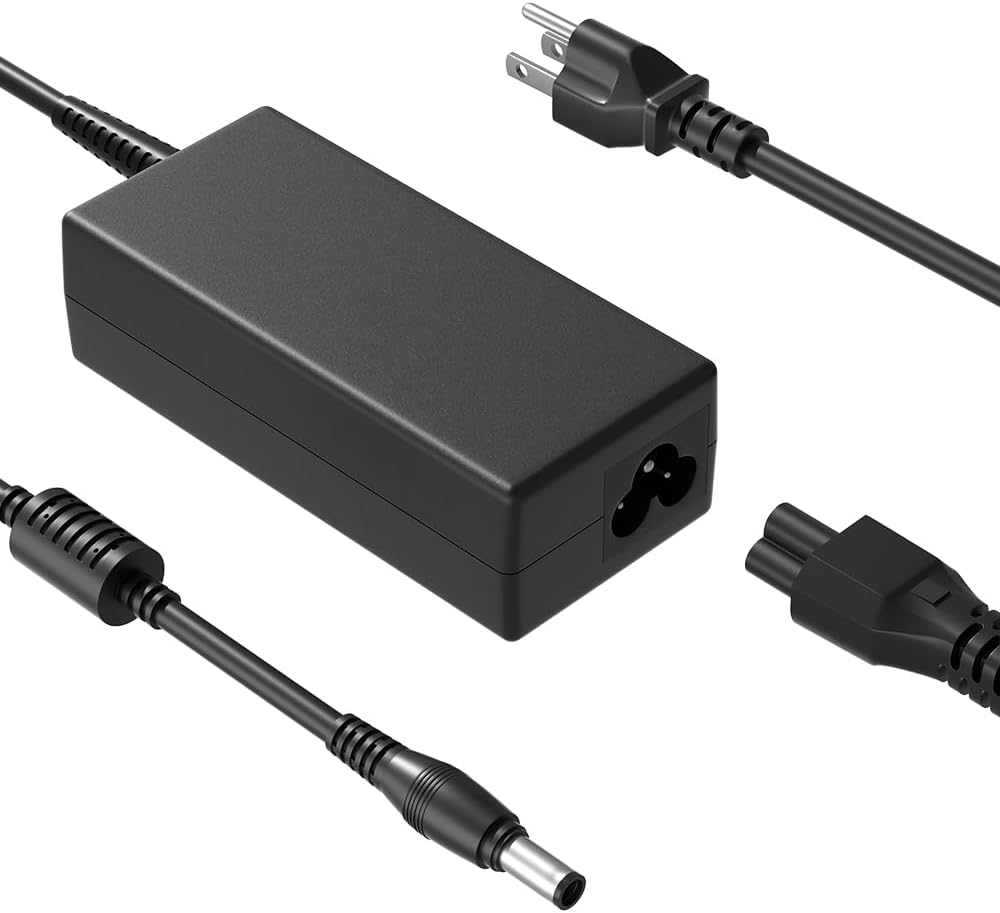


This adapter delivers precise power for Dell monitors requiring 19.5V input with a 7.4×5.0mm connector tip. It holds a strong rating due to its stability and safety features that prevent overheating during long sessions.
We may earn a commission when you buy through this link, at no additional cost to you.
The built-in temperature monitoring actively regulates internal heat to protect your monitor from electrical damage. It also includes a detachable power cord for easy storage and replacement when needed later on.
While the specific connector limits compatibility to certain Dell models, this ensures safe operation without voltage mismatch risks. Users appreciate the compact design that fits easily into desk drawers or travel bags.
It is ideal for users seeking a reliable replacement that matches original equipment specifications exactly. Buy this if you need consistent performance and safety protections for your Dell S or P series monitor.
The adapter delivers a strict 19.5V output that matches OEM specs to prevent flicker or shutdowns.
Intelligent temperature monitoring adjusts power based on device heat to reduce failure risks.
We may earn a commission when you buy through this link, at no additional cost to you.
This standard 3-prong power cable uses pure copper for high conductivity and low power loss. It works with many Dell monitors that accept universal 3 pin power connections on their rear panel.
We may earn a commission when you buy through this link, at no additional cost to you.
The ETL listing confirms it meets strict safety standards for electrical performance and compliance. A flexible PVC jacket protects the internal wires from bending or cracking during daily use.
It does not include extra safety chips like adapters but provides reliable power delivery for monitors with internal power supplies. The pure copper core ensures stable voltage without unnecessary resistance in the circuit.
Choose this cord if your Dell monitor requires a standard C13 input and you need an affordable extension. It is a great backup option for home or office setups where cost matters.
Made of 100 percent pure copper to provide high conductivity and low power loss.
Works with any device having a 3 pin power connection including most Dell monitors.
We may earn a commission when you buy through this link, at no additional cost to you.
This adapter supports worldwide voltage inputs making it perfect for travelers or international offices. It delivers stable 12V power with built-in safeguards against overcurrent and short circuit conditions.
We may earn a commission when you buy through this link, at no additional cost to you.
Safety certifications like CE and FCC ensure it meets rigorous standards for reliable operation. Heat resistant materials help prevent overheating during extended periods of continuous power delivery to your device.
The longer 8FT cord allows flexible placement near floor outlets without needing extra extensions. Users value the peace of mind from multi-layer protection against electrical faults that could damage hardware.
Buy this if you need a durable replacement for 12V Dell monitors in varied locations. It balances cost and features well for users who prioritize safety and portability.
Accepts AC 100 to 240 volts for use in different countries and regions worldwide.
Built-in safeguards protect against overcurrent short circuit and overheating for reliable delivery.
We may earn a commission when you buy through this link, at no additional cost to you.
This versatile 5ft power cable provides safe reliable power for many electronic devices including Dell monitors. Its fully molded design ensures maximum durability and a long life in active work environments.
We may earn a commission when you buy through this link, at no additional cost to you.
The heavy-duty 18 AWG gauge cord supports stable current flow without overheating during normal use. It serves as a reliable replacement for lost or worn out cords in desktop setups.
While it lacks advanced electronics it offers a solid connection for monitors that accept standard 3 pin inputs. The flexible design helps route cables cleanly behind desks or computer towers.
Select this cord if you need a straightforward replacement for a compatible Dell monitor model. It is a practical choice for general use where basic power delivery is the main goal.
Features a fully molded design that provides maximum durability and long life for daily use.
Delivers safe reliable power for monitors computers and other gadgets with 3 pin connections.
We may earn a commission when you buy through this link, at no additional cost to you.
This portable charger offers faster reliable charging for various Dell S series monitors. It uses heat resistant materials for extended durability and includes safeguards against common electrical issues.
We may earn a commission when you buy through this link, at no additional cost to you.
The built-in chip adjusts power based on device temperature to ensure safer charging over time. A lightweight design makes it easy to pack for business trips or move between workspaces.
It is not suitable for monitors requiring more than 65W so check your model before buying. However for compatible units it provides a stable power source with good value for daily use.
Choose this adapter if your monitor needs 12V power and you want a compact reliable solution. It works well for home or office setups where portability and safety matter.
Built-in chip adjusts power based on device temperature for safer charging and battery life.
Made with heat resistant materials for extended durability and reliable operation.
We may earn a commission when you buy through this link, at no additional cost to you.
This adapter supports Dell IPS LED monitors with an 8-foot cable for convenient setup. It uses a pure copper core for stable output and low heat generation during operation.
We may earn a commission when you buy through this link, at no additional cost to you.
Safety certifications include CE FCC and RoHS to ensure secure power delivery over time. The flame retardant case provides added protection against external heat sources or accidents.
It is ideal for users who need extra reach to plug into distant floor outlets easily. The long cable reduces strain on connections and allows flexible desk arrangements.
Buy this if your Dell monitor requires 12V power and you want a longer cable included. It offers good value with solid construction for regular office or home use.
Includes an 8-foot cable for convenient placement and setup around desks and walls.
Made with pure copper wire core for stable output and low heat generation.
We may earn a commission when you buy through this link, at no additional cost to you.
This cable is designed for older Dell flat panel monitors with 3 pin shroud connectors. It arrives as a tested unit in great working condition for reliable power connection.
We may earn a commission when you buy through this link, at no additional cost to you.
The 6-foot length provides enough reach for most desk setups without requiring extra extensions. It uses the USA standard 3 prong design to fit common wall outlets safely.
Keep in mind this is a cord only so it works only with monitors that have internal power. It is not a full adapter and will not replace external power bricks on its own.
Choose this if you need a replacement cord for a legacy Dell P or U series monitor. It is a simple effective solution for restoring power to older hardware.
Designed to work with most Dell flat panel monitors using 3 pin shroud power connectors.
Tested units come in great working condition for reliable power connection right away.
We may earn a commission when you buy through this link, at no additional cost to you.
This power cable is intended for Dell E U and P series monitors that accept AC cables. It provides a simple cord only package for users who need a direct wall power connection.
We may earn a commission when you buy through this link, at no additional cost to you.
The 5ft length fits standard desk layouts and is easy to manage behind computer towers. It has a perfect rating from users who verified compatibility with their specific monitor models.
This is not a full adapter so ensure your monitor has an internal power supply before buying. If it does it offers a straightforward way to restore power without complex setups.
Select this if you need a replacement cord for E2014H or similar Dell monitors. It is a high rated basic solution for users needing just the cable part.
Used with Dell E2014H U2412M P2412H P1913S and 1704FPT monitors specifically.
Package includes only the cord as pictured without any additional adapter brick.
We may earn a commission when you buy through this link, at no additional cost to you.
This pack includes two 15-foot replacement power cords ideal for large setups or backups. They feature 18 AWG wire and UL listing to ensure safe electrical performance across devices.
We may earn a commission when you buy through this link, at no additional cost to you.
The extra length allows routing from floor outlets to tall desks without tension on plugs. Having two cords lets you keep one at home and one for travel or spare use.
These are basic universal cords so they work with any device using a standard 3 pin input. They lack safety chips but provide reliable power for monitors with internal power supplies.
Buy this pack if you need long cables or a spare for multiple monitors. It offers strong value for users who want flexibility and safety ratings at a low cost.
Universal 15-foot replacement power cord for extended reach to floor outlets.
UL listed for safety to ensure safe electrical performance across devices.
We may earn a commission when you buy through this link, at no additional cost to you.
This power supply offers a 2.63 meter cable that connects floor outlets to standing desks easily. It delivers stable 12V power with safety protections against short circuits and overcurrent.
We may earn a commission when you buy through this link, at no additional cost to you.
The outer shell manages normal operating temperatures while the smart IC chip regulates current flow. It operates quietly without coil whine to keep your workspace peaceful during work.
Please note it is not for laptops or USB-C devices so verify voltage before ordering. The warm feel during use is normal for power bricks delivering steady output to monitors.
Choose this if you need a monitor power supply with extra cable length for office layouts. It is a complete package suitable for backup chargers or dual-screen workstations.
Total cable length measures roughly 2.63 meters for sufficient reach to motorized standing desks.
Engineered to operate quietly without noticeable coil whine for a peaceful workspace.
We may earn a commission when you buy through this link, at no additional cost to you.
Selecting the right power cord requires attention to voltage connector type and safety certifications to avoid hardware damage or poor performance.
Ensure the power source provides the exact voltage and amperage specified on your original adapter or monitor label. Mismatched voltage can cause instability flicker or permanent damage to the internal power supply components.
Always verify the output values on the adapter or label before ordering any replacement power cord or adapter for your specific model.
Check the barrel connector dimensions and polarity carefully because Dell uses different sizes across monitor series. The center pin presence and barrel diameter must match exactly to fit the port properly without forcing it.
Take photos of your old plug and measure diameters with a ruler to confirm compatibility before purchasing a new cable or adapter.
Look for safety certifications like UL CE or ETL on the product to ensure it meets electrical safety standards for home use. Certified products include built-in protections against short circuits overheating and voltage spikes.
Prioritize certified cables over unbranded options to reduce fire risk and protect your monitor from electrical faults during operation.
Consider your desk layout and outlet position to choose a cable length that avoids tension or stretching on connectors. A cord that is too short may pull the adapter out while one too long creates clutter on the floor.
Measure the distance from your power outlet to the monitor and select a cable that provides at least a few feet of slack for routing.
Inspect the jacket material and wire gauge for signs of durability such as thick PVC or pure copper cores. Flexible but robust cables resist cracking and bending fatigue which improves lifespan in daily environments.
Choose cords with molded connectors to prevent breakage at the plug points which is a common failure area for power cables.
Determine whether your monitor uses an external brick or internal power supply before buying a replacement solution. Monitors with internal supplies need a C13 power cord while others require an AC DC adapter with a specific plug.
Check the back of your monitor for a power jack versus a barrel connector to know if you need a cable or an adapter unit.
Read user reviews focusing on consistency and performance to avoid cheap copies that fail quickly or provide unstable power. Reputable brands often offer better quality control and customer support for any issues after purchase.
Prioritize products with multiple verified purchase reviews that mention working perfectly with your specific monitor model for reliability.
Check the seller policy for returns or exchanges in case the product arrives damaged or is incompatible with your device. A clear return window protects you from being stuck with a non-functional power supply.
Select products that include at least a 30-day return option and manufacturer warranty for added peace of mind on your investment.
Plug the power cord into the monitor first then connect the other end to a grounded wall outlet to prevent power surges. This order ensures the monitor does not receive a sudden spike when the connection is completed.
Regularly inspect the cable for frays or discoloration on the plug to catch wear early before it becomes a hazard. Replace any cord showing signs of damage immediately to avoid electrical shorts or fire risks.
Store spare cords coiled loosely without tight bends to prevent wire breakage inside the jacket over time. Avoid wrapping them tightly around the adapter brick or sharp edges during storage to maintain flexibility.
Inspect the back of your monitor to find the power input type. If it has a standard round 3-pin jack you need a cable. If it has a small barrel hole you need an adapter with a matching tip.
No you should not use just any adapter because voltage and tip size must match exactly. Mismatched power can damage the internal supply so always verify specs with your original adapter label.
Look for UL or ETL certification and features like overheat and short circuit protection. Certified cables are tested to meet safety standards which reduce risks of electrical faults during use.
A longer cord helps if your outlet is far from your desk but avoid excessive length that creates clutter. Choose a length that reaches comfortably without tension or loose loops on the floor.
Flickering often means the adapter voltage or amperage does not match the monitor requirements. Check that the replacement provides the exact output specified on your original power supply unit.
Replace it if you notice fraying discoloration or loose connectors. Even if it works inspect cables every six months for wear especially if they are bent frequently during use.
Yes many Dell monitors work with third party adapters if voltage tip and polarity match. Always check reviews for compatibility with your model before buying non original replacement power units.
Internal supplies are inside the monitor and need a standard C13 cable. External supplies are separate bricks that plug into the wall and connect to the monitor via a barrel connector.
This guide highlighted ten reliable options ranging from simple cables to adapters with safety features for Dell monitors. The top picks balance performance and cost to fit various needs across home and office environments.
Prioritize matching the exact voltage and connector size to avoid hardware damage from incompatible power supplies. Safety certifications should also be a key factor when choosing a long-term solution.
Always check current product details and compatibility notes before buying to ensure a proper fit for your specific model. Prices and availability may change so verify the latest specs on the product page.