
GEEKOM GeekBook X14 Pro
4.3Editor score
14-inch 2.8K OLED Display
Intel Core Ultra 9 185H
2.2 lbs Ultra Thin Design
Vlogging demands powerful machines capable of handling video editing, streaming, and multitasking without lag. Choosing the right laptop ensures your creative workflow remains smooth and efficient during long production sessions.
We evaluated ten top models based on processor speed, graphics capabilities, display accuracy, and portability. Our analysis focuses on devices that balance performance with battery life for creators on the go.
Each pick highlights specific strengths for vlogging tasks like 4K editing or live streaming. Keep in mind that specifications and availability can change, so verify details before purchasing your next device.
4.3Editor score

4.9Editor score

5.0Editor score
As an Amazon Associate we earn from qualifying purchases.
The following table provides a side-by-side comparison of the top ten laptops selected for vloggers. Review the key specifications to find the device that best matches your creative needs.





This NIMO model stands out as a top contender for vloggers needing serious power without a dedicated GPU. It holds a strong rating for handling demanding creative software smoothly and reliably.
We may earn a commission when you buy through this link, at no additional cost to you.
The AMD Ryzen 7 8745HS processor paired with 32GB of RAM ensures that 4K video editing and live streaming run without stuttering or lag during complex sessions.
While the system is robust, the thermal management can lead to noticeable fan noise during intensive rendering tasks, which might be a minor drawback in quiet environments.
Vloggers who prioritize performance and storage capacity above all else should consider this laptop as their primary machine for production and editing workflows.
The eight core processor provides ample headroom for running video editors and browsers simultaneously without performance drops.
With a 1TB SSD and room for upgrades, you can store large project files and footage locally without constant external drives.
We may earn a commission when you buy through this link, at no additional cost to you.
The GEEKOM X14 Pro offers a premium experience with its vibrant OLED display perfect for color grading. It earns high marks for its sleek design and efficient performance.
We may earn a commission when you buy through this link, at no additional cost to you.
Its 2.8K OLED panel delivers true blacks and vibrant colors that are essential for ensuring your videos look great across different viewing devices and platforms.
The premium build comes at a higher cost, and the 14-inch screen might feel cramped for timeline editing compared to larger 15 or 16-inch alternatives available.
Traveling vloggers who need a lightweight machine for editing on the go will find the balance of performance and portability ideal for their daily workflow.
The OLED technology ensures accurate color representation which is critical for professional video grading and final output checks.
Weighing just 2.2 lbs this laptop fits easily in small bags making it perfect for commuters and digital nomads.
We may earn a commission when you buy through this link, at no additional cost to you.
This budget-friendly NIMO laptop provides excellent value for entry-level creators. It maintains a perfect rating for reliability and basic video editing capabilities.
We may earn a commission when you buy through this link, at no additional cost to you.
The Ryzen 5 processor and 16GB of RAM handle standard editing tasks well allowing you to work on projects without breaking the bank initially.
Limited storage and integrated graphics may require external drives and careful file management for heavier 4K projects over extended periods of use.
New vloggers starting out can rely on this machine to build their channel and refine their skills before investing in higher-end hardware later.
This system offers a low barrier to entry for those starting their journey in video content creation and streaming.
Users can add more storage or memory later as their needs grow extending the useful life of the device.
We may earn a commission when you buy through this link, at no additional cost to you.
The HP 17 offers a spacious screen that is helpful for detailed editing work. It is rated well for students needing a reliable workhorse for various tasks.
We may earn a commission when you buy through this link, at no additional cost to you.
The large 17.3-inch display provides more real estate for tool panels and timelines which can speed up the editing process significantly.
However, the 8GB RAM limits heavy multitasking and the larger chassis makes it less ideal for carrying around constantly to shoot content.
Stationary users or those who edit at a desk often find this model practical due to the screen size and included numeric keypad for data work.
The expansive screen allows for easier management of complex projects and detailed frame adjustments without zooming constantly.
The numeric keypad supports efficient data entry which is useful for creators who also handle admin or financial tasks.
We may earn a commission when you buy through this link, at no additional cost to you.
This HP model delivers a high value proposition with its large screen and professional features. It is rated highly for reliability in daily productivity scenarios.
We may earn a commission when you buy through this link, at no additional cost to you.
The 17.3-inch Anti-Glare display reduces eye strain during long editing sessions making it comfortable for extended work periods at home.
While it lacks easy memory upgrades the included privacy shutter and Windows 11 Pro security add significant value for professional users.
Those who prioritize screen real estate and security features over pure portability will appreciate the balance this laptop offers for creative workflows.
The anti-glare coating ensures clear visibility even in bright rooms helping maintain focus during long editing marathons.
A physical camera shutter provides peace of mind when not recording ensuring privacy is protected at all times.
We may earn a commission when you buy through this link, at no additional cost to you.
The Dell 16 balances business features with creative needs effectively. It receives solid ratings for comfort and reliability in office environments.
We may earn a commission when you buy through this link, at no additional cost to you.
The 16-inch FHD+ display offers a wider aspect ratio which helps with timeline visibility while ComfortView Plus reduces eye fatigue during long work hours.
The Intel Core 7 is capable but not top tier for heavy rendering so it is best for 1080p work rather than intensive 4K production tasks.
Professional vloggers who need dependable hardware support and a comfortable viewing experience will find this laptop suitable for their daily needs.
Dell ComfortView Plus reduces harmful blue light keeping your eyes fresh during long editing sessions and late night work.
Onsite service availability ensures quick resolution of any hardware issues minimizing downtime for your content creation schedule.
We may earn a commission when you buy through this link, at no additional cost to you.
This NIMO variant provides high-end performance at a competitive price point. It holds a top rating for users needing desktop-level speed in a laptop.
We may earn a commission when you buy through this link, at no additional cost to you.
The combination of 32GB RAM and a 1TB SSD ensures smooth operations and ample space for large video files and complex software projects.
Thermal management can cause some noise when pushing the hardware but this is an acceptable trade-off for the raw performance provided in the unit.
Vloggers needing maximum power without paying premium brand prices will find this laptop an excellent choice for handling demanding production tasks.
The eight core processor handles compiling and rendering tasks quickly keeping your workflow efficient and frustration free.
USB4 ports allow for fast data transfer and eGPU support giving you future proof options for expanding your setup.
We may earn a commission when you buy through this link, at no additional cost to you.
The Acer Aspire brings AI capabilities and a touchscreen to the workflow. It is highly rated for those wanting innovative features in a portable form.
We may earn a commission when you buy through this link, at no additional cost to you.
With 32GB RAM and a massive 2TB SSD this machine handles storage needs effortlessly allowing you to keep extensive libraries of assets on hand.
The touchscreen is great for quick edits but may consume more battery so you may need to adjust settings when working away from outlets.
Creators who value interaction and storage space will find this model particularly useful for organizing and editing large volumes of content on the go.
Built-in AI acceleration helps speed up repetitive tasks and enhances video effects without draining battery life excessively.
The 2TB drive means you rarely need external hard drives allowing for a cleaner and more streamlined mobile workspace.
We may earn a commission when you buy through this link, at no additional cost to you.
This Lenovo Yoga offers excellent versatility with its flip design. It is rated highly for users who want tablet mode for sketching ideas.
We may earn a commission when you buy through this link, at no additional cost to you.
The 2K touchscreen provides crisp visuals and the 360-degree hinge allows you to use it as a tent or stand for presentations easily.
The added weight of the 2-in-1 design means it is slightly heavier than traditional laptops but the flexibility adds value for creative professionals.
Vloggers who value adaptability and want a device that can switch between laptop and tablet tasks will find this model highly practical.
The ability to fold the screen back enables easy presentation viewing or comfortable reading during breaks in production.
High resolution pixels ensure that details in your video clips are sharp and easy to inspect during editing.
We may earn a commission when you buy through this link, at no additional cost to you.
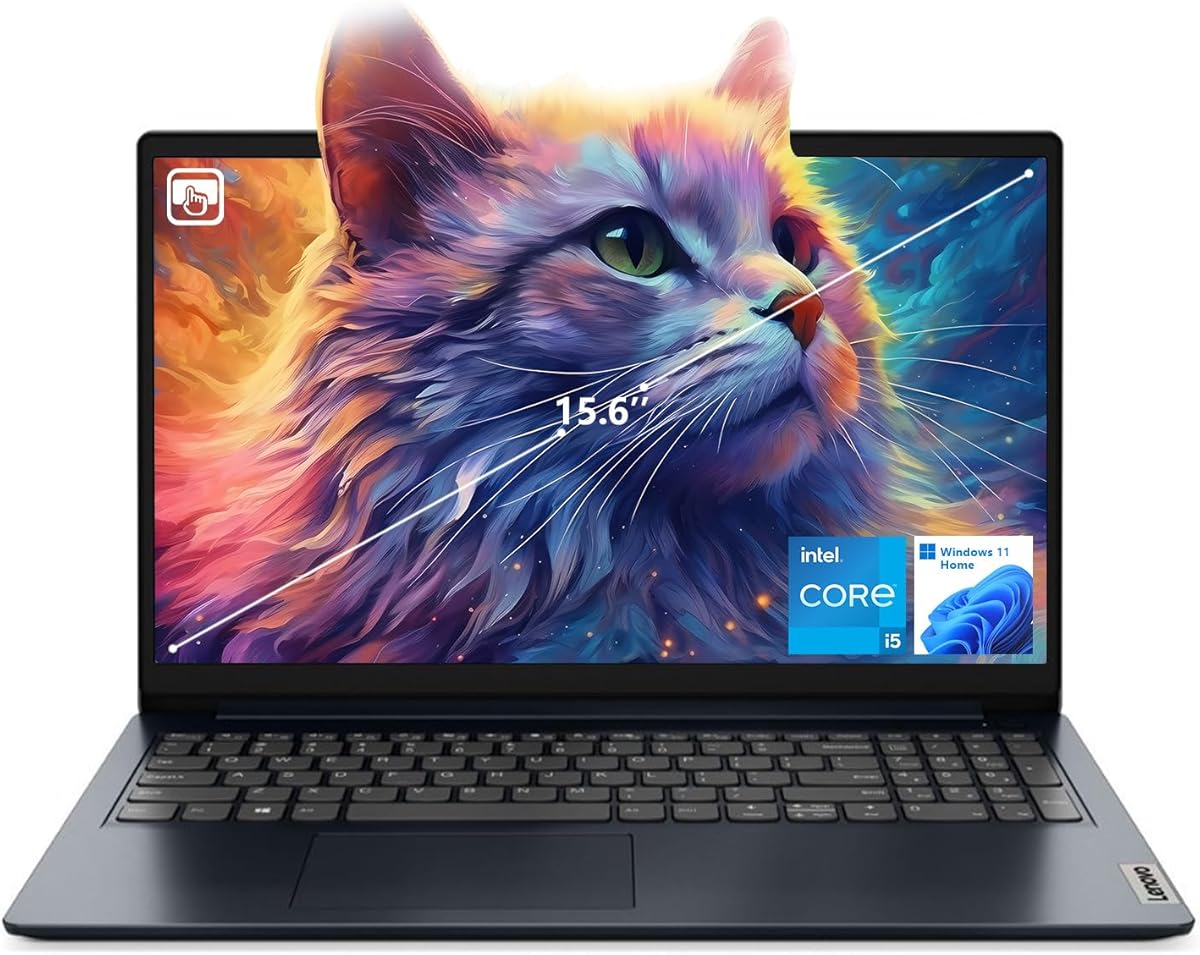
The IdeaPad 1i is a solid entry point for beginners. It is rated for general productivity and light creative work without demanding too much budget.
We may earn a commission when you buy through this link, at no additional cost to you.
The 16GB RAM helps with basic multitasking and the touchscreen allows for intuitive navigation through menus and file selection in daily use.
The display is not very bright which can make it hard to see in well lit environments so you may need to adjust your workspace lighting.
New creators looking for a budget friendly device to start learning editing will find this a safe and functional starting point.
The touchscreen adds a layer of convenience for quick tasks like scrolling through footage or navigating the file explorer.
Wi-Fi 6 ensures stable streaming and quick uploads to cloud services which is vital for remote collaboration and backup.
We may earn a commission when you buy through this link, at no additional cost to you.
Selecting the right laptop for vlogging involves balancing power, portability, and display quality to meet your specific production needs.
A fast processor is essential for video rendering and multitasking. Look for multi-core CPUs that can handle export jobs quickly without slowing down other apps.
Prioritize newer generations of processors to ensure longevity and better support for modern software.
Memory determines how many apps you can run at once. Vlogging workflows often require editing software alongside browsers and chat tools.
Aim for at least 16GB of RAM to prevent system lag during heavy editing sessions or streaming.
Integrated graphics have improved but dedicated or high-end integrated GPUs are better for visual effects and color grading.
Check if the graphics card supports hardware acceleration for the video software you plan to use.
Color accuracy and resolution are critical for ensuring your video looks good on various devices. An anti-glare screen is also helpful for outdoor shooting.
Look for screens with high brightness and wide color gamuts for precise editing work.
Video files consume massive amounts of space. A fast SSD ensures quick access to large files and faster boot times.
Consider models with upgradeable storage or enough capacity to hold your current and future project files.
If you travel often, weight and dimensions matter. A lighter laptop reduces fatigue during long days of shooting.
Balance the need for a large screen with the requirement to carry the device comfortably in a backpack.
Editing on the go requires a long battery life to avoid constant outlet hunting. Check the real-world endurance claims.
Fast charging support can be a lifesaver when you only have short breaks between filming locations.
Ports like USB-C and HDMI are vital for connecting external drives and cameras. Avoid models that rely too heavily on dongles.
Ensure the laptop has enough ports to handle your current setup without needing a hub.
To extend the lifespan of your device keep it on a hard surface when editing to prevent overheating. Clean the screen regularly with a microfiber cloth.
Always back up your footage to an external drive or cloud service regularly. Never rely solely on the internal drive for storing raw video files.
Keep your drivers and OS updated to ensure compatibility with the latest editing tools. This helps maintain security and performance stability.
For basic editing you should aim for at least 16GB of RAM to handle modern software smoothly. Having 32GB is even better for heavy projects and multitasking.
Integrated graphics can handle 1080p editing but a dedicated GPU or high-end integrated graphics are recommended for 4K work and effects. Many newer integrated chips are powerful enough for most creators.
Screen color accuracy is crucial so you know your videos look right on other devices. A display with high DCI-P3 coverage ensures your colors are vibrant and precise.
Tablets are great for quick edits but a traditional laptop offers better software support and file management for complex projects. A 2-in-1 laptop might be the best middle ground.
512GB is a good start but video fills space fast. Consider external drives or models with 1TB or more for storing large libraries of raw footage.
Expect 8 to 12 hours of light use but editing drains battery faster. Look for models with fast charging to get quick power boosts when you are on the go.
The top picks for this year include the NIMO and GEEKOM models for their impressive balance of power and portability. Each offers unique strengths depending on your editing needs.
Prioritize a strong processor and ample RAM to ensure your workflow is never interrupted by slow performance or lag during critical tasks.
Remember to verify current stock and support options before buying to ensure you get the best device for your creative journey.