
Logitech G PRO X Superlight 2 Wireless Gaming Mouse – Black
4.5Editor score
8 kHz polling rate support
95-hour battery life
HEERO 2 optical sensor
This guide compares the lightest mice for gaming to help you find the perfect ultralight peripheral for competitive performance and comfort.
Finding the lightest mice for gaming can transform your competitive edge significantly. Players seek minimal weight to reduce fatigue and increase speed during long sessions. This guide explores top ultralight options designed for precision and comfort.
We evaluated each mouse based on sensor quality, battery life, and build durability. Our analysis focuses on models that balance featherlight design with high-performance features. Every pick offers unique advantages tailored to different grip styles and budgets.
Each recommendation highlights specific strengths like wireless connectivity or ergonomic shapes. Keep in mind that availability and pricing may fluctuate over time. We ensure all links direct to current listings for your convenience and accurate information.
4.5Editor score

4.3Editor score

4.5Editor score
This side-by-side comparison outlines the key specifications of each ultralight gaming mouse to help you make an informed decision quickly.

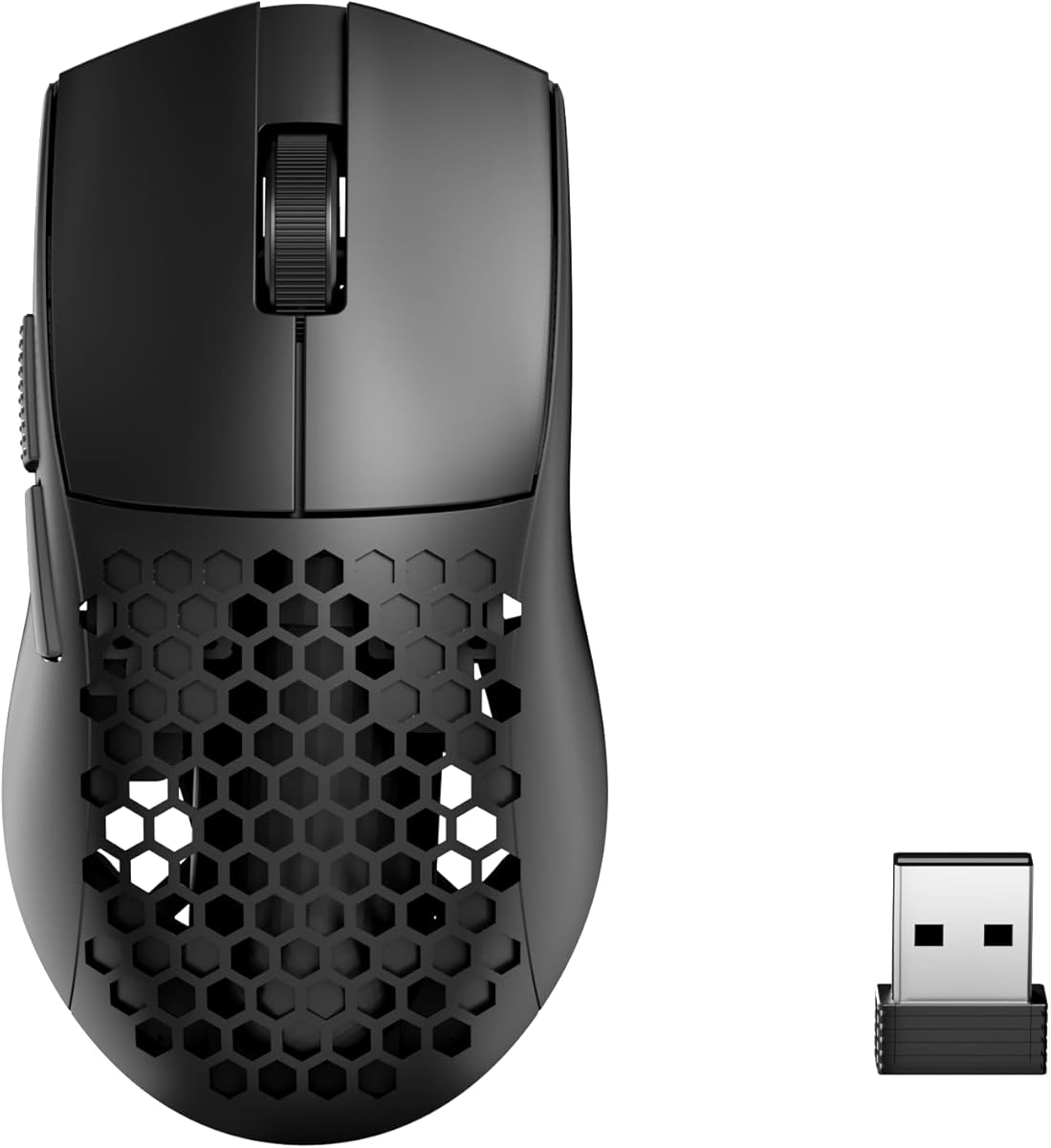


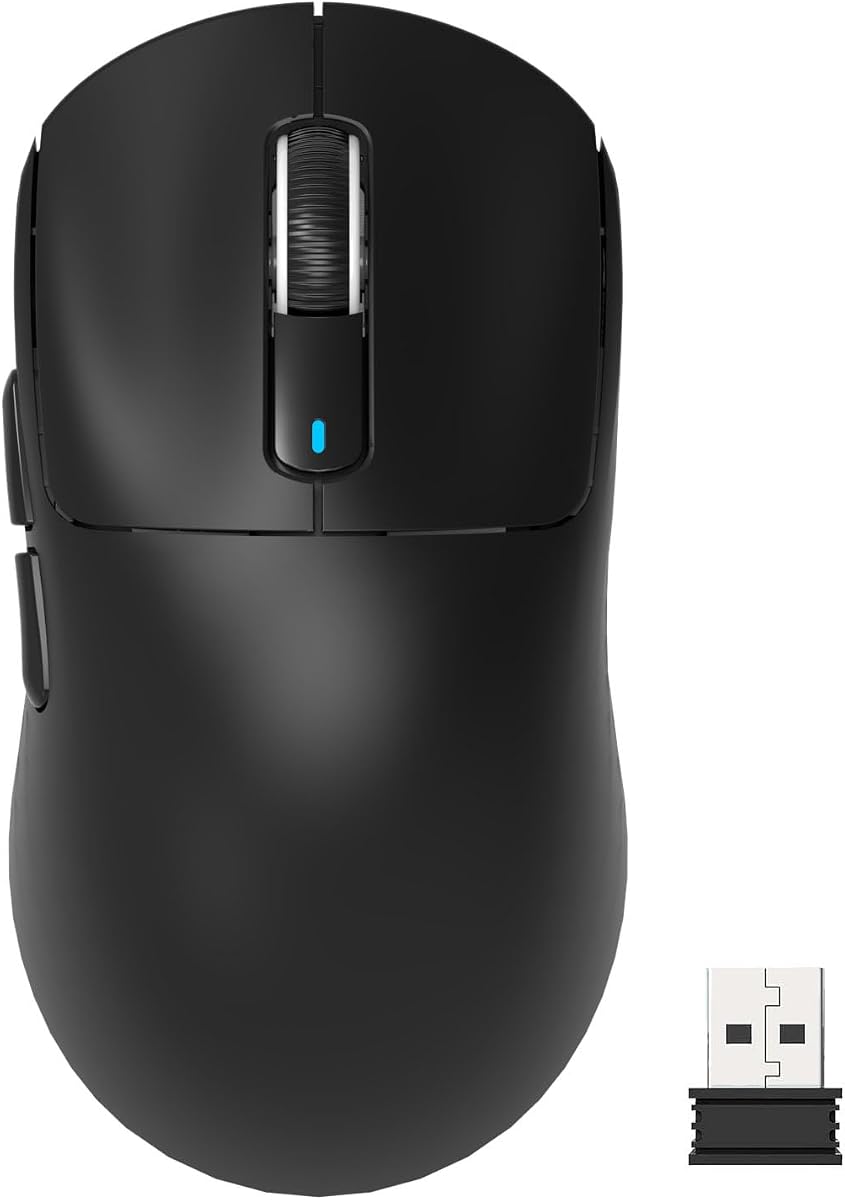


The Logitech G PRO X Superlight 2 stands out as a top choice for gamers seeking the lightest mice for gaming. With a rating of 4.5 stars, it delivers championship-level performance designed with esports pros.
We may earn a commission when you buy through this link, at no additional cost to you.
Its HERO 2 sensor offers over 888 IPS tracking and up to 44000 DPI for precise aiming. The wireless connection ensures lag-free gameplay while the POWERPLAY compatibility adds convenience for continuous charging.
While the price is higher than budget options, the build quality and performance justify the investment. The zero-additive PTFE feet provide seamless gliding on any surface for smooth control.
Professional players and enthusiasts should choose this model for its reliability and speed. It remains a benchmark for ultralight wireless mice in competitive gaming scenarios today.
The HERO 2 sensor ensures zero smoothing or acceleration for exact tracking during intense matches.
Engineered with top esports pros, this mouse features LIGHTFORCE hybrid switches for tactile reliability.
We may earn a commission when you buy through this link, at no additional cost to you.
The Pulsar Gaming Gears X2H Crazylight redefines lightweight design at just 37g. This mouse is lighter than an egg while delivering heavyweight results for competitive play.
We may earn a commission when you buy through this link, at no additional cost to you.
It features the XS-1 flagship sensor with 32000 DPI and 750 IPS tracking speed. The symmetrical shape supports both claw and relaxed claw grips effectively for precision.
Users might find the mini size small for larger hands or palm grips. However, the lightweight structure ensures minimal wrist movement and quick reactions during games.
Ideal for claw grip users seeking maximum speed and agility. The Dust-proof structure and included skates ensure consistent performance over extended use.
Tipping scales at 37g, this mouse feels weightless for rapid flicks and movements.
Optical switches and Blue Encoder provide swift responses with pinpoint accuracy.
We may earn a commission when you buy through this link, at no additional cost to you.
The Redragon M808 Storm offers an affordable entry into ultralight gaming. Rated 4.5 stars, it balances budget pricing with performance features for casual players.
We may earn a commission when you buy through this link, at no additional cost to you.
Its honeycomb shell reduces weight to 85g while keeping the structure durable. The optical sensor allows DPI adjustments up to 12400 for tailored sensitivity.
Some users prefer wireless options to avoid cable drag during fast movement. However, the lightweight weave cable minimizes friction for smoother gameplay.
Budget-conscious gamers will appreciate this option for its features and price. It delivers solid performance without breaking the bank for casual sessions.
The frosted honeycomb shell offers a unique look while reducing overall weight.
Seven programmable buttons and RGB settings allow for personalized gaming setups.
We may earn a commission when you buy through this link, at no additional cost to you.
The Razer Viper V3 HyperSpeed provides excellent battery life for wireless gaming. With up to 280 hours on one AA battery, it suits long play sessions.
We may earn a commission when you buy through this link, at no additional cost to you.
Its Focus Pro 30K sensor ensures accuracy on various surfaces including glass. The 82g weight maintains maneuverability without sacrificing build quality.
Switches are mechanical which may wear out after 60 million clicks. However, gold-plated contacts resist wear and tear effectively over time.
Gamers who need extended battery life should consider this model. It delivers consistent performance for tournaments or daily use without frequent charging.
Power through intense schedules with 280 hours of high-performance gaming time.
Disable Enhance pointer precision in Windows settings for better tracking results.
We may earn a commission when you buy through this link, at no additional cost to you.
The Redragon M725 Honeycomb offers versatile connectivity for gaming and work. Rated 4.4 stars, it supports Bluetooth, 2.4GHz, and wired connections seamlessly.
We may earn a commission when you buy through this link, at no additional cost to you.
At 49g, the hollow design reduces weight and keeps hands dry. The symmetrical shape ensures comfort during extended gaming marathons.
Customization requires software for mapping buttons and macros. This adds a step but allows for efficient multitasking and hotkey access.
Users needing multiple device connections will find this mouse practical. It balances affordability with functional features for diverse scenarios.
Switch between USB-C, Bluetooth, and 2.4GHz modes for different tasks.
The honeycomb shell enhances palm air circulation to reduce fatigue.
We may earn a commission when you buy through this link, at no additional cost to you.
The Logitech G305 Lightspeed is ideal for gamers on the go. With a rating of 4.6 stars, it combines efficiency and high performance in a small package.
We may earn a commission when you buy through this link, at no additional cost to you.
The HERO sensor delivers 12000 DPI and excellent power efficiency. Battery life extends to 250 hours on a single AA cell.
It lacks extra buttons for complex macros but suits standard gameplay well. The compact shape fits easily in laptop bags for travel.
Students and travelers will appreciate its lightweight and portable build. It remains a reliable companion for gaming anywhere without bulk.
Achieve 10x power efficiency over previous generations for lasting play.
Built-in nano receiver storage keeps your setup complete and ready.
We may earn a commission when you buy through this link, at no additional cost to you.
The MCHOSE L7 Pro combines lightness with ergonomic comfort for precise control. It offers a high hump design that fits various hand shapes well.
We may earn a commission when you buy through this link, at no additional cost to you.
Its sensor detects motion at submicron scales with 26000 DPI. The 8K polling rate ensures smooth tracking for fast-paced games.
Some users might prefer established brands for support. However, the optical switches offer durability with 150 million clicks.
Gamers seeking comfort and high specs should consider this option. It delivers top performance at a competitive price point effectively.
The small waist angle and high hump balance weight distribution for control.
Supports USB-C, 2.4G, and BT connections for versatile device pairing.
We may earn a commission when you buy through this link, at no additional cost to you.
The ATTACK SHARK X3 provides strong performance for its price. With a 49g ultralight design, it supports various grip styles comfortably.
We may earn a commission when you buy through this link, at no additional cost to you.
The flagship PAW3395 sensor captures movements with high precision. It connects via USB-C, 2.4GHz, and Bluetooth for multi-device setups.
Some users may find the plastic feel less refined. However, Kailh switches ensure durable performance with crispy clicks.
Budget gamers needing a reliable wireless option should choose this. It offers high-end features without the high cost.
PAW3395 optical sensor tracks the slightest movements for accuracy.
Connect up to 4 devices simultaneously for seamless workflow switching.
We may earn a commission when you buy through this link, at no additional cost to you.
The Pulsar X2 Crazylight balances medium size with ultralight speed. At 39g, it feels weightless while offering robust performance.
We may earn a commission when you buy through this link, at no additional cost to you.
Its XS-1 sensor tracks with 32000 DPI precision. The symmetrical shape supports claw and fingertip grips for accuracy.
Users wanting a larger feel may find it small. But the lightweight build minimizes wrist strain during long sessions.
Ideal for those seeking lightweight speed and durability. The dust-proof structure ensures consistency over time.
Designed with minimalist aesthetics for ultra-light handling and peak results.
Swift responses with dust-proof structure to prevent unintended double clicks.
We may earn a commission when you buy through this link, at no additional cost to you.
The ASUS ROG Harpe Ace Mini is designed with professional FPS players. Rated 4.4 stars, it offers precise aiming for competitive gaming.
We may earn a commission when you buy through this link, at no additional cost to you.
The AimPoint Pro sensor provides 36000 DPI and track-on-glass tech. Tri-mode connectivity ensures flexibility across different devices.
Small hands benefit most from its compact semi-symmetrical shape. Large-handed users might find it too small for comfort.
Pro gamers seeking pro-approved reliability should choose this model. It delivers high precision for desktop and laptop setups effectively.
Co-developed with pros to optimize fingertip and claw grip control.
Omni Receiver links multiple supported devices through a single receiver.
We may earn a commission when you buy through this link, at no additional cost to you.
Selecting the best ultralight mouse requires considering weight, sensor, and connectivity for your specific needs.
Lightweight mice reduce fatigue and improve aim speed during intense matches. Look for models around 40-80 grams depending on your hand size.
Prioritize durable materials like honeycomb shells or solid lightweight frames for longevity.
A high-quality sensor ensures accurate tracking without acceleration or smoothing. Aim for DPI above 10000 and tracking speed over 400 IPS.
Flagship sensors like HERO or PAW3395 offer reliable precision for competitive play.
Wireless models offer freedom but check latency and battery life. Wired options provide stability but may introduce cable drag.
Tri-mode connectivity gives flexibility for gaming and work across multiple devices.
Your grip style dictates which shape feels comfortable. Symmetrical mice suit claw or fingertip grips well.
Ergonomic shapes help reduce strain for palm grips during long sessions.
Mechanical switches offer tactile clicks while optical switches prevent double clicks. Choose based on your feel preference.
Ensure switches have high durability for consistent performance over time.
Wireless mice should offer long battery life to avoid interruptions. Look for at least 50 hours of continuous use.
Charging via USB-C or battery swaps adds convenience for extended gaming.
Ultralight options range from affordable to premium. Set a budget that balances features with your financial limits.
Budget models may lack advanced sensors but still offer solid performance.
Customizable software allows for DPI and macro adjustments. Ensure the interface is intuitive for easy setup.
Check for firmware updates to maintain compatibility and performance.
Begin by charging the battery or pairing the wireless receiver for connection. Adjust DPI settings through the software to match your preferred sensitivity levels.
Keep the mouse surface and feet clean to ensure smooth gliding. Use a microfiber cloth to wipe away dust or debris regularly.
Store the mouse in a dry place when not in use. Avoid exposing it to extreme temperatures that might affect internal components.
Yes, most modern ultralight mice are designed with durability in mind using reinforced plastics and robust switches. Honeycomb shells may collect dust so clean them regularly for longevity.
Lightweight mice reduce wrist strain and allow faster movements which can improve aim. However, personal preference plays a significant role in performance.
Most players prefer between 40g and 80g for a balance of speed and control. Hand size and grip style influence the ideal weight choice.
Modern wireless models use advanced tech for low latency comparable to wired. Battery life varies but should last at least 50 hours per charge.
Many high-end sensors like HERO and AimPoint Pro track on glass. However, standard sensors may struggle on reflective surfaces.
Use compressed air to blow out dust from the holes. Wipe the surface gently with a dry cloth to avoid damage.
The lightest mice for gaming provide performance and comfort for competitive play. Our top picks include models from Logitech, Pulsar, and Redragon.
Prioritize weight, sensor quality, and grip shape when making your choice. Budget options still deliver strong results without compromising key features.
Always verify current prices and availability as listings may change. We hope this guide helps you find the perfect mouse today.