
HP Smart Tank 5003
4.0Editor score
Mess-free refill system
Up to three years ink included
Easy setup and maintenance
Finding the right printing solution for your home or office can be challenging when faced with endless options and confusing specifications. Cartridge free printers have emerged as a reliable alternative to traditional models by offering significant cost savings and reduced waste over time. These devices use refillable ink tanks instead of small cartridges making them ideal for high-volume printing tasks without breaking the bank.
To compile this list we evaluated ten standout models based on their performance reliability ease of use and overall value for money. Each product was scrutinized for print quality connection options ink capacity and user feedback to ensure only the best contenders made the cut. Our goal is to provide you with a clear and unbiased overview of what each machine brings to the table.
Every pick in this guide highlights specific strengths and ideal use cases so you can match a printer to your unique requirements. Please note that product availability and pricing may fluctuate frequently due to market dynamics and seasonal promotions. We recommend checking the latest details on the official product pages before making your final purchase decision today.
4.0Editor score

4.3Editor score

3.9Editor score
As an Amazon Associate we earn from qualifying purchases.
This side-by-side comparison outlines the key specifications and capabilities of each model to help you quickly identify the best fit for your specific printing demands and budget constraints.





The Epson EcoTank ET-2903 stands out as a top contender for home users seeking reliable and cost-effective printing solutions. With a solid 4.3 star rating it has garnered praise for its impressive longevity and high output volume without frequent refills.
We may earn a commission when you buy through this link, at no additional cost to you.
This model comes with enough ink to last up to three years which translates to thousands of pages right out of the box. The Micro Piezo Heat-Free technology ensures crisp text and vibrant colors while minimizing energy consumption significantly.
While the initial investment is higher than traditional printers the long-term savings on ink are substantial. The only notable drawback is the need for periodic firmware updates to maintain peak performance and security standards.
If you need a versatile all-in-one machine for documents and photos the ET-2903 is a strong investment. It balances performance ease of use and eco-friendly design making it ideal for busy households.
The included ink is enough to last years reducing the frequency of purchases and interruptions.
Refilling the tanks is designed to be simple and clean with no need for squeezing or spills.
We may earn a commission when you buy through this link, at no additional cost to you.
The HP Smart Tank 5003 offers a compelling balance of affordability and functionality for home users. It brings the benefits of tank-based printing to a lower price point without sacrificing essential features like scanning and copying.
We may earn a commission when you buy through this link, at no additional cost to you.
Its mess-free refill system is particularly user-friendly allowing you to top up ink without worry of spills or stains. The printer is ready to print high volumes right out of the box thanks to the generous initial ink supply.
While it lacks some of the advanced features of higher-end models it excels at core tasks reliably. The lack of a color display means navigation relies on buttons or app interface which might be less intuitive for some.
For those on a tight budget needing consistent color prints this model is an excellent choice. It delivers value and simplicity making it a smart option for small home offices.
You get high page counts at a lower upfront cost which saves money in the long run.
The refill design prevents spills ensuring your workspace stays clean during ink replacement.
We may earn a commission when you buy through this link, at no additional cost to you.
The Epson EcoTank ET-2988 is a powerhouse among home printers offering high-speed performance and premium features. It is a renewed model which can offer significant savings while still providing reliable performance and support.
We may earn a commission when you buy through this link, at no additional cost to you.
With speeds of up to fifteen pages per minute it handles large print jobs efficiently saving you time. The auto duplex printing feature helps reduce paper usage which is great for both the environment and your costs.
The 1.44-inch color display makes navigation simple and intuitive compared to models with only buttons. While renewed units come with some risk the value proposition remains strong for those seeking speed and convenience.
If you need fast reliable printing and duplex capabilities this model is a top choice. It combines premium features with the convenience of tank ink for a robust home office solution.
The fifteen pages per minute speed ensures you wait less when printing large documents.
Two-sided printing reduces paper waste and keeps your office supplies last longer.
We may earn a commission when you buy through this link, at no additional cost to you.
The Epson EcoTank ET-2803 is known for its innovative approach to connectivity and ease of use. It brings hands-free voice-activated printing to the home space which can be very convenient for quick tasks.
We may earn a commission when you buy through this link, at no additional cost to you.
This printer uses Micro Piezo Heat-Free technology to deliver sharp text and vibrant photos without wasting energy. The included ink is enough for thousands of pages so you can print without interruption for a long time.
A key drawback is the lack of automatic duplex printing meaning you must manually flip pages for double-sided jobs. However for single-sided printing tasks it remains a highly efficient and eco-friendly choice.
For users who value convenience and smart home integration this model is a strong contender. It simplifies the printing process while offering significant savings on ink over the device life.
Hands-free printing allows you to send jobs easily without touching the device directly.
Using tank ink helps reduce plastic waste from cartridges which benefits the environment.
We may earn a commission when you buy through this link, at no additional cost to you.
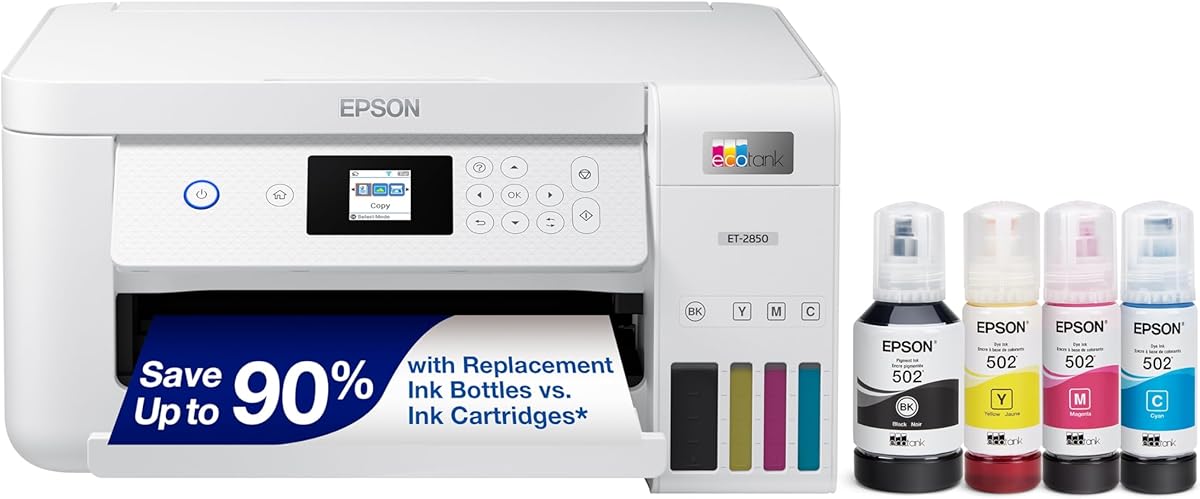
The Epson EcoTank ET-2850 balances performance and features well for home users. It stands out with automatic duplex printing which helps save paper and keeps your workspace organized.
We may earn a commission when you buy through this link, at no additional cost to you.
With pigment black ink it produces very sharp text suitable for professional documents. The Smart Panel app makes it easy to manage print jobs and scan documents directly from your phone.
It is priced higher than basic models but the added features justify the cost for active users. The only downside is its slightly larger footprint which might be a concern for small spaces.
If you need efficient printing with two-sided output this model is a great choice. It offers reliability and ease of use making it a solid investment for daily tasks.
Built-in duplex saves paper and time by handling double-sided pages for you automatically.
The intuitive app allows you to manage prints and scans from any connected device.
We may earn a commission when you buy through this link, at no additional cost to you.
The Epson EcoTank ET-4800 is a capable machine for basic home printing tasks. It features high-capacity tanks that minimize interruptions and ensure you can keep printing for long periods.
We may earn a commission when you buy through this link, at no additional cost to you.
Using Micro Piezo Heat-Free technology it delivers sharp photos and text without heating elements. The wireless connectivity ensures you can send jobs from any device on your network easily.
It has a slightly lower rating than other models which may indicate minor usability issues. The lack of automatic duplex is also a limitation for users needing frequent double-sided output.
For simple needs and reliable output this model remains a viable option. It is a good choice if you prefer a straightforward setup without complex features.
The large tanks hold more ink so you spend less time refilling and more time working.
Connectivity allows you to print from any smart device without cables or hassle.
We may earn a commission when you buy through this link, at no additional cost to you.
The Canon MegaTank G3270 is designed for users who value simplicity and space efficiency. It fits easily into small offices and home desks without taking up too much room.
We may earn a commission when you buy through this link, at no additional cost to you.
It comes with enough ink to last years allowing you to print thousands of pages without buying refills. The LCD display makes basic navigation straightforward even for less tech-savvy users.
While it lacks some advanced features like duplex printing it handles daily tasks well. The only real limitation is the lack of automated double-sided printing which may affect paper usage.
If you need a reliable compact printer for basic home tasks this is a good choice. It balances price and performance well for many households.
Its small footprint allows it to fit neatly into tight workspaces and small rooms.
The LCD screen simplifies setup and operation with clear on-screen prompts.
We may earn a commission when you buy through this link, at no additional cost to you.
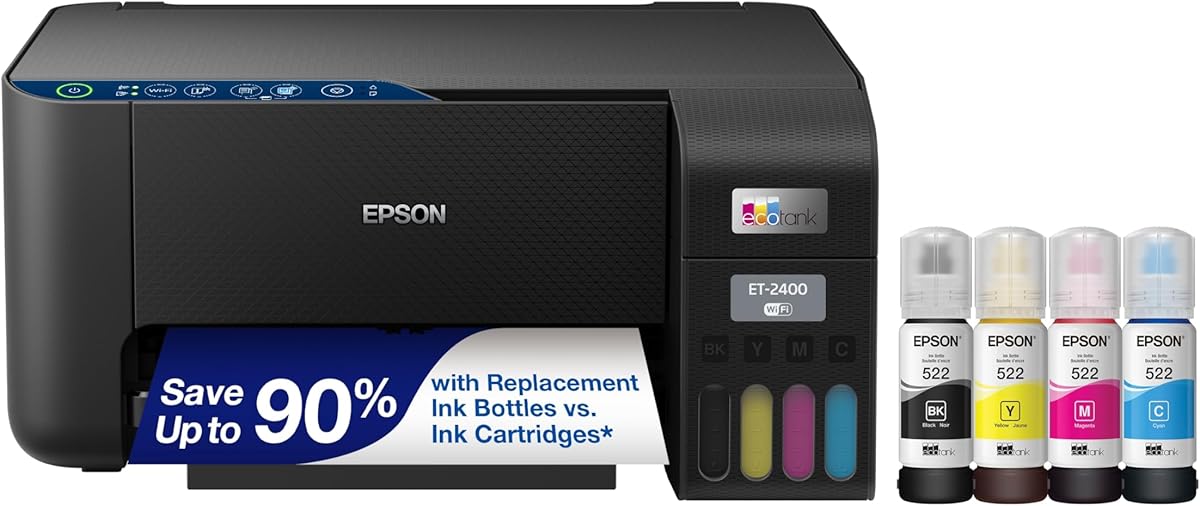
The Epson EcoTank ET-2400 provides a simple and effective solution for everyday printing. It is built to be reliable and easy to use for the average home user.
We may earn a commission when you buy through this link, at no additional cost to you.
With EcoFit bottles it ensures that refilling ink is straightforward and mess-free. The wireless connectivity makes it easy to connect multiple devices and share printing resources effectively.
It offers basic functionality without complex bells and whistles. This makes it affordable and easy to manage but limits it for power users needing advanced features.
For those seeking basic quality printing at a low cost this model works well. It is a practical choice for households with moderate printing needs.
The refill bottles are keyed to prevent errors and spills during maintenance tasks.
Multiple users can connect and print to the device from their own smart devices.
We may earn a commission when you buy through this link, at no additional cost to you.
The Epson EcoTank ET-2800 is a solid performer for home users needing both text and photo printing. It is known for its durability and consistent output quality over time.
We may earn a commission when you buy through this link, at no additional cost to you.
Heat-Free technology ensures it uses less energy while delivering clear text and vibrant images. The wireless options make it easy to manage print jobs from mobile devices effortlessly.
It does not offer duplex printing which means manual page turning is needed for double-sided pages. For users focused on single-sided documents this is a minor concern.
This model is a dependable choice for those who prioritize reliability and print quality. It is well-suited for standard home office environments.
The technology reduces power consumption during operation helping lower your utility bills.
High quality ink allows for vivid colors suitable for family photos and documents.
We may earn a commission when you buy through this link, at no additional cost to you.
The Epson EcoTank ET-2980 is designed for users who need high output without frequent maintenance. It provides a robust platform for continuous printing needs.
We may earn a commission when you buy through this link, at no additional cost to you.
It uses large tanks and simple bottles to minimize the effort needed for refills. This helps keep downtime low and ensures you can always print when you need to.
While it is larger and pricier than basic models the capacity justifies the choice for active users. The only downside is the size which may not suit very small desks.
If you need a reliable printer that can handle high volume this model is ideal. It offers peace of mind with its long-lasting ink supply.
Large tanks support heavy use and reduce refill frequency significantly for offices.
The app allows seamless printing from smartphones and tablets for convenience.
We may earn a commission when you buy through this link, at no additional cost to you.
Choosing the right printer requires understanding key factors that impact performance cost and usability. This guide outlines what you should consider before buying.
The most critical aspect of a cartridge free printer is how much ink it holds and how long that ink lasts. High capacity tanks allow for thousands of pages which reduces the frequency of refills and overall cost. Look for models that promise enough ink for at least two years of typical home use to ensure value.
Choose a printer with generous ink supply to minimize maintenance and long-term expenses.
Print quality determines how professional your documents and photos will look. Most modern models offer high resolution which ensures sharp text and vibrant colors. If you print many photos look for specific color performance ratings to ensure accurate representation.
Prioritize models with high DPI for sharp text and color accuracy.
Modern users expect flexible connectivity options such as Wi-Fi and mobile printing apps. Some models even support voice commands or cloud services for seamless integration with your devices. Ensure the printer supports the apps and systems you already use to avoid compatibility issues.
Select a printer that supports your preferred connection methods and apps.
The speed of a printer impacts how quickly you receive your prints. Faster models are beneficial if you frequently print large documents or have multiple users. Check the pages per minute rating to ensure it meets your daily workflow demands.
Opt for faster speeds if you have high volume daily printing needs.
Automatic duplex printing allows for two-sided pages without manual intervention which saves paper and time. Not all budget models include this feature so check the specs carefully. A larger paper tray also reduces the need for frequent refills during busy periods.
Look for automatic duplex and larger trays to save paper and effort.
The physical dimensions of a printer matter if you have limited desk space. Some models are compact while others may be larger due to tank designs. Measure your available area and choose a machine that fits comfortably without obstruction.
Ensure the printer fits your workspace dimensions before purchasing.
While the upfront price is important the long-term cost of ink and maintenance is equally critical. Cartridge free printers often have higher initial costs but save money over time. Calculate the cost per page to understand the true expense of using the device.
Consider long-term maintenance costs rather than just the upfront price.
To get the best performance from your cartridge free printer ensure you set up the network correctly and download the official software. Proper initial setup prevents connectivity issues and ensures all features work as intended from day one.
Regular maintenance includes cleaning the print heads and checking ink levels periodically. Use the built-in utility tools in the software to run cleaning cycles if you notice streaks or faded prints on your output.
Store ink bottles in a cool dry place away from direct sunlight to maintain their quality. Always replace ink caps tightly after refilling to prevent the ink from drying out or leaking into the workspace.
A cartridge free printer uses large refillable ink tanks instead of small disposable cartridges. This design reduces waste and lowers the cost per page significantly over time.
Most models include enough ink to last between two to three years depending on usage. This equates to thousands of pages right out of the box for typical households.
While possible it is generally recommended to use genuine ink to avoid damage. Using non-genuine ink may void the warranty and affect print quality performance.
Many premium models support automatic duplex printing for two-sided pages. However budget models may require manual flipping for double-sided documents.
Yes many models offer high resolution color output suitable for photo printing. Check specific model ratings for photo quality if this is a priority for you.
Refilling is designed to be mess-free with keyed bottles and open slots. Simply align the bottle and let gravity fill the tank without squeezing or spilling.
Yes occasional cleaning of print heads helps maintain consistent quality. Most software suites include maintenance tools to simplify this process for users.
These printers can save hundreds of dollars over the life of the device. The high capacity tanks drastically reduce the frequency of ink purchases.
We have reviewed ten exceptional models that offer reliability and value for home users. Whether you need speed or simplicity there is a suitable option in this list for every need.
Prioritize factors like ink capacity and connectivity features to match your workflow. Avoid models that lack necessary features like wireless or duplex if they are essential for you.
Always verify current pricing and availability before buying as details may change. We hope this guide helps you find the perfect printer for your home or office needs.