
Joy-Con Charging Grip 1PCS
4.3Editor score
Ergonomic handle design
LED charging indicators
Lightweight portable build
This guide compares the top Joycon Charging Grip options for Nintendo Switch and OLED models to help you find the best ergonomic and charging solution for your
Finding the right Joycon Charging Grip can transform your Nintendo Switch experience by combining comfort with continuous power during gameplay. These accessories allow you to play while recharging your controllers, ensuring long sessions without interruptions or battery anxiety.
We evaluated ten distinct charging grips based on build quality, ergonomic design, charging speed, and additional features like LED indicators or battery banks. Our analysis focuses on real-world usability and compatibility with both standard and OLED Switch models.
Each pick below highlights specific strengths such as price, portability, or advanced protection features. Keep in mind that availability and pricing can shift frequently, so verifying current stock before purchase is always recommended for the best deal.
4.3Editor score

4.5Editor score
4.7Editor score
The following comparison table breaks down the key specifications and features of each Joycon Charging Grip option to help you make an informed decision based on your specific gaming needs.


The JINGDU Switch JoyCon Charging Grip stands out as a top choice for players seeking reliability and ease of use. With a strong 4.5 rating from users, it delivers a consistent experience for charging controllers while gaming. Its intelligent control circuit ensures safe charging without overheating risks.
We may earn a commission when you buy through this link, at no additional cost to you.
This grip features a V-shaped design that fits naturally in your hands, reducing strain during long sessions. The red and green LED indicators provide immediate feedback on battery status, so you never guess if a controller is ready. The flame retardant shell adds an extra layer of safety during extended use.
While it performs well, note that the Joycons and protective cases are not included in the package. You must slide your existing controllers into the rails, which can feel slightly loose if your Joycons have thick cases. However, the secure hold prevents slippage during intense gameplay.
Ideal for home or travel, this grip offers a perfect balance of functionality and portability. Whether you are playing on the go or at your TV setup, the ability to charge while playing eliminates downtime. It is a solid investment for any Switch owner looking to extend their gaming hours.
The intelligent control circuit and resettable fuse protect your controllers from power surges, ensuring longevity.
LED lights clearly show when your Joycons are charging or fully charged, removing guesswork from your routine.
We may earn a commission when you buy through this link, at no additional cost to you.
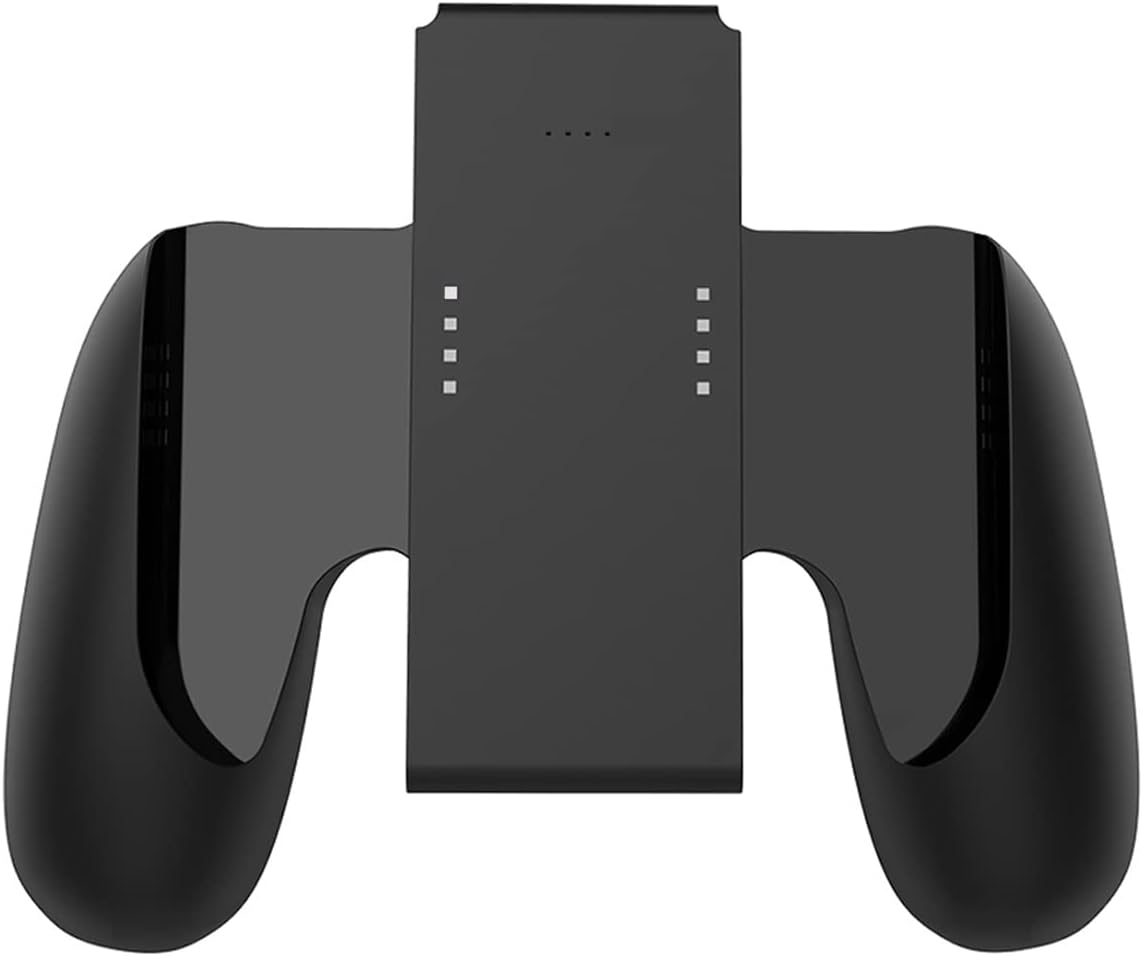
For budget-conscious gamers, the Joy-Con Charging Grip 1PCS offers excellent value without sacrificing core functionality. It supports play while charging, ensuring your controllers stay powered up during intense sessions. The 4.3 rating reflects satisfaction with its straightforward and effective design.
We may earn a commission when you buy through this link, at no additional cost to you.
The ergonomic handle is designed to provide a secure and comfortable hold, reducing hand fatigue over time. LED indicators are integrated seamlessly to show charging status at a glance. This grip works universally with Switch consoles, making it a versatile addition to your setup.
However, the cable length may feel restrictive for some users who prefer to sit further from the power source. The design is utilitarian compared to premium options, lacking extra features like integrated batteries. Despite this, it performs the primary task of charging efficiently.
This grip is perfect for casual players or those needing a spare charger for a second room. It is lightweight and easy to carry, fitting easily into a bag for travel. If you need a reliable and affordable solution, this option delivers consistent performance for everyday use.
The handle shape reduces strain on your hands, allowing for longer gaming sessions without discomfort.
Intuitive LED lights keep you informed about battery levels without needing to check the console.
We may earn a commission when you buy through this link, at no additional cost to you.
This two-pack option from JINGDU is ideal for households with multiple players who need to keep controllers charged simultaneously. Each grip retains the same safety and performance features as the single unit, ensuring consistency across both units. With a 4.5 rating, users appreciate the reliability and convenience.
We may earn a commission when you buy through this link, at no additional cost to you.
Both grips are lightweight at just 30 grams each, making them easy to transport or store when not in use. The intelligent control circuit and resettable fuse protect your controllers from damage during charging. The red and green LED indicators provide clear status updates for each controller independently.
While getting two grips is convenient, the price point is higher than single options. You still need to connect each grip to a power source via the Type-C cable, which is not included in this specific bundle. Ensure your power adapter can handle both devices if plugging in simultaneously.
Ideal for families or friends who game together often, this set eliminates the wait time for charging one controller after another. You can rotate controllers easily, ensuring continuous play without interruptions. It is a practical investment for those who want to maximize their gaming uptime at home or on the go.
Two grips allow simultaneous charging for two players, reducing downtime during multiplayer sessions.
Each unit includes flame retardant shells and intelligent circuits for safe and durable performance.
We may earn a commission when you buy through this link, at no additional cost to you.
This unique grip doubles as a charging station, standing upright on its own for a stylish display solution. It transforms your Joy-Cons into a larger gamepad with enhanced comfort materials that reduce hand fatigue during long play. With a 4.4 rating, it is well-regarded for its secure and non-slip hold.
We may earn a commission when you buy through this link, at no additional cost to you.
The special abrasive material on the handles ensures your hands stay in place even during intense gaming sessions. Reflective player indicator lights are designed to be easy to see, helping you track controller status without checking the screen. The stand function adds a practical way to store controllers neatly when not in use.
The grip is slightly larger than standard options, which may feel less portable for travel. It relies on external power via the Type-C port, so you cannot use it as a battery pack on the go. However, for stationary setups, the design is robust and user-friendly.
Perfect for console owners who want a tidy setup, this grip combines function with form. It is suitable for both Switch and Switch OLED models, ensuring broad compatibility. If you value aesthetics and organization alongside charging capabilities, this option offers a distinct advantage over standard grips.
Abrasive material and anti-slip grooves ensure a secure hold during intense gaming action.
The grip stands upright independently, making it practical for display and storage when not gaming.
We may earn a commission when you buy through this link, at no additional cost to you.
This grip stands out with its Kingdom Gold Trim design, making it a favorite for fans who want style alongside function. The ABS material ensures durability while the anti-slip handle provides comfort during extended sessions. With a 4.7 rating, it is highly rated for its unique look and reliable performance.
We may earn a commission when you buy through this link, at no additional cost to you.
The red and blue LED lights clearly indicate charging status, changing once the controller is fully charged. It works seamlessly with Switch and Switch OLED Joycons, sliding in easily without the need for tools. The 1.5M cable offers enough length for most setups without cluttering your desk.
While the design is eye-catching, it may not appeal to users who prefer plain or neutral accessories. The internal electronics are standard, focusing on charging rather than advanced features like built-in batteries. However, the build quality holds up well against daily wear and tear.
Ideal as a gift for enthusiasts or personal use, this grip adds a touch of flair to your gaming gear. It is compact enough to carry in a bag while maintaining a secure hold for gameplay. If you want to express your style while keeping your controllers charged, this is a strong choice.
Surrounded by gold borders and mystical symbols, this grip brings a unique theme to your setup.
Made of ABS materials, the charger grip ensures long-lasting protection for your Joy-Con controllers.
We may earn a commission when you buy through this link, at no additional cost to you.
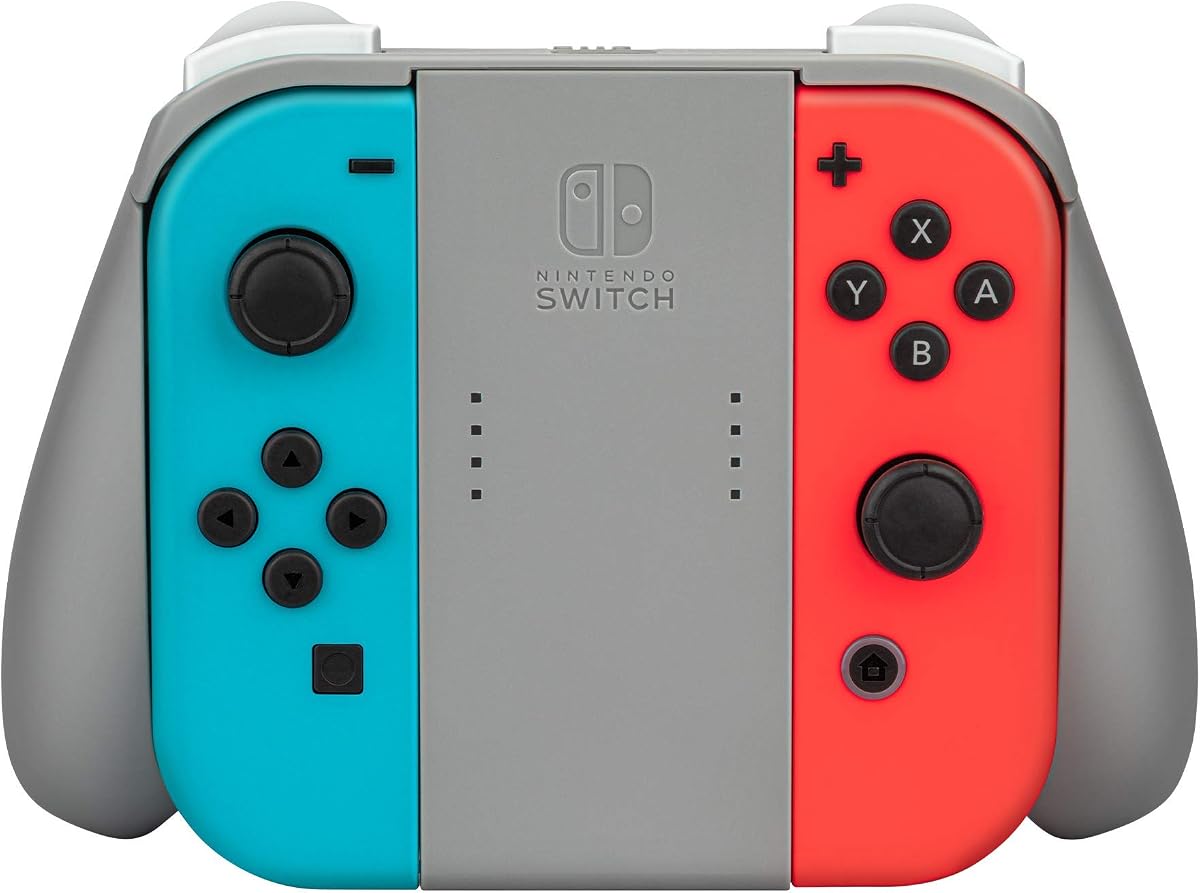
If your primary need is comfort without charging capabilities, the PowerA Comfort Grips deliver reliable ergonomics. They transform your Joy-Cons into a larger gamepad with double-injected rubber grips that reduce fatigue during play. With a 4.7 rating, they are praised for their secure fit and build quality.
We may earn a commission when you buy through this link, at no additional cost to you.
The lightweight design ensures they do not add significant weight to your setup, making them easy to carry. Visible player indicator lights remain accessible, allowing you to track status without removing the grip. The slide-in design is simple and secure, preventing accidental dislodging during use.
However, these do not support charging while playing, requiring you to pause games if your controllers run low. This limitation is acceptable for short sessions but not ideal for long marathons. The grip is purely mechanical, focusing on physical comfort over electronic features.
Best for casual play or short gaming sessions where battery life is not a primary concern, this grip offers solid value. It is a great accessory for players who prioritize hand comfort over advanced functionality. If you need a simple and effective solution, PowerA is a trusted name to consider.
Double-injected rubber grips provide added comfort, making it easy to hold controllers for hours.
The easy slide-in design ensures each Joy-Con is held securely without the risk of slipping out.
We may earn a commission when you buy through this link, at no additional cost to you.
The KINVOCA Charging Grip stands out as a premium option with a built-in 2000mAh battery, extending playtime by up to 40 hours. It allows you to charge controllers without an outlet connection, perfect for travel. With a 4.7 rating, it is valued for its versatility and robust protection features.
We may earn a commission when you buy through this link, at no additional cost to you.
You can charge both the battery pack and controllers simultaneously using the long USB-C cable. This means you can play uninterrupted even if both the grip and Joy-Cons are running low. The wider, ergonomic shape suits both adults and children comfortably, reducing hand fatigue during long sessions.
Safety is a priority with automatic cutoff after controllers are fully charged to prevent overcharging. The plastic rails ensure smooth sliding without scratching your controllers. While the added battery makes it slightly bulkier, the freedom it offers on the go is unmatched by other options.
Ideal for travelers and marathon gamers, this grip eliminates the worry of dead batteries in the middle of a session. It is a must-have for those who need extended playtime without constant access to a power source. If you want a comprehensive solution that combines comfort and power, this is the top choice.
The internal 2000mAh power bank can extend controller life up to 40 hours for uninterrupted play.
Overcharge protection cuts off charging automatically when controllers are full, ensuring safety overnight.
We may earn a commission when you buy through this link, at no additional cost to you.
As an officially licensed accessory by Nintendo, this PDP grip offers a level of trust and compatibility that third-party brands aim to match. It features enhanced trigger extensions for quicker reaction times, which benefits competitive gamers. With a 4.4 rating, it is recognized for its full-size plus comfort.
We may earn a commission when you buy through this link, at no additional cost to you.
The Full Size Plus design turns Joy-Cons into a full controller with comfortable ergonomic grips. Individual charging indicators let you know the status of each Joy-Con independently. The included 5-foot Type-C USB cable ensures you can continue playing while charging without being tethered too tightly.
Availability may vary depending on region or specific color needs like Red/Blue. The trigger extensions are a unique feature not found on standard grips, providing a mechanical advantage during play. However, the design is strictly for gaming comfort rather than extended power storage or travel use.
Ideal for competitive players who want official hardware compatibility and ergonomic enhancements, this grip is a solid choice. It provides a traditional controller feel with modern charging convenience. If you prioritize official branding and specific trigger mechanics, this PDP model is worth the investment.
Officially Licensed by Nintendo ensures high compatibility and quality standards for your Switch console.
Included trigger extensions provide quicker reaction times for faster and more responsive gameplay.
We may earn a commission when you buy through this link, at no additional cost to you.
This compact grip is designed for portability, measuring only 5.6 x 2.9 inches and weighing about 2.3 ounces. It includes built-in overcharge protection to keep your controllers safe during long charging sessions. With a 4.1 rating, it is a functional choice for users who prioritize ease and safety.
We may earn a commission when you buy through this link, at no additional cost to you.
The LED indicators clearly show charging status, helping you monitor progress at a glance. The durable ABS material ensures long-lasting performance without adding unnecessary bulk to your gaming bag. The complete package includes the handle, cable, and instruction manual for easy setup.
While the design is simple, it effectively delivers the core function of play-while-charging. It does not have advanced features like built-in batteries or extended trigger mechanisms. The focus remains on providing a reliable and compact solution for everyday charging needs without extra cost.
Best for travelers who want a small and safe charging solution, this grip fits easily into any bag. It is suitable for quick charges or daily use where portability is key. If you need a no-nonsense and compact grip, this option provides solid value and functionality.
Weighing only 2.3 ounces, it is highly portable and convenient for use at home or on the go.
Built with overcharge protection to ensure safe and reliable charging for your valuable controllers.
We may earn a commission when you buy through this link, at no additional cost to you.
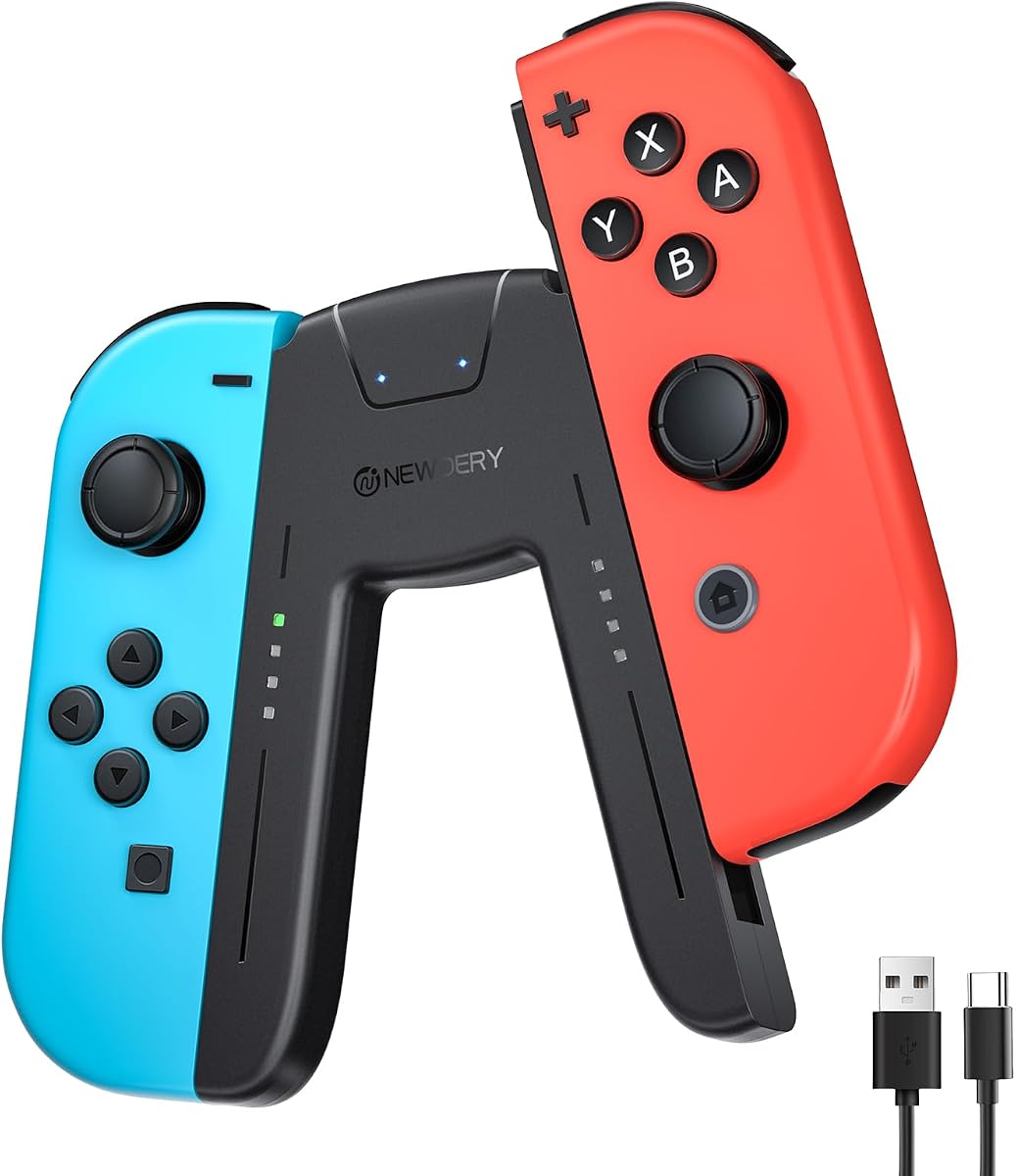
The NEWDERY LIFE Charging Grip emphasizes ergonomic health with an angled handle design that keeps your wrist in a natural position. This helps prevent hand soreness even after long gaming sessions. With a 4.5 rating, it is appreciated for its focus on comfort and user safety.
We may earn a commission when you buy through this link, at no additional cost to you.
It is lightweight and pocket-sized, making it easy to carry wherever you go. The precision slide rails ensure smooth installation for both Switch and Switch OLED Joycon controllers. Safe charging protection guards against over-current and over-voltage, ensuring consistent and reliable performance.
The 4.9ft charging cable is a good standard length for most setups. However, it does not include a built-in battery for off-grid play. The design is straightforward, focusing on reducing strain and providing secure charging rather than extra features.
Ideal for players who experience wrist strain or hand soreness, this grip offers a thoughtful ergonomic solution. It is suitable for daily use at home or on the go due to its lightweight build. If you prioritize long-term comfort and protection for your hands, this is a practical investment.
The angled handle design helps keep your wrist in a natural position, preventing hand soreness during long play.
Built-in intelligent charging protection guards against over-current and over-voltage for safe everyday use.
We may earn a commission when you buy through this link, at no additional cost to you.
Selecting the right charging grip depends on your specific needs, such as playtime duration, portability, and comfort requirements. This section breaks down the key factors to consider before making a purchase.
Ensure the grip supports simultaneous charging and gameplay, which is essential for long gaming sessions without interruption. Look for models that maintain controller performance while connected to power.
This feature allows you to play continuously without pausing to recharge, maximizing your gaming uptime and preventing dead batteries.
Check for durable materials like ABS plastic or flame retardant shells that protect against wear and heat during use. High-quality construction ensures longevity and safety for your expensive controllers.
Durable materials prevent cracking or damage over time, ensuring the grip remains secure and reliable through regular gaming sessions.
Clear LED indicators are vital for knowing the charging status of each controller without needing to check the console screen. Red and green or red and blue lights are common standards.
Visible lights let you quickly confirm if your controllers are charging or fully powered, streamlining your setup and management process.
If you travel often, look for lightweight and compact designs that fit easily into a gaming bag or pocket. Bulkier grips with built-in batteries may be heavier but offer more power.
Portability ensures you can game on the go without worrying about heavy equipment, making it easier to carry your gear anywhere.
Safety features like overcharge protection, resettable fuses, and intelligent circuits protect your controllers from power surges and overheating. These are critical for leaving controllers plugged in overnight.
Proper protection extends the lifespan of your controllers by preventing electrical damage during long or unattended charging cycles.
Verify that the grip is compatible with both the standard Switch and the Switch OLED models to ensure a proper fit for your specific hardware. Some grips may vary slightly in rail design or spacing.
Universal compatibility ensures you do not need to buy separate grips if you upgrade or own multiple console versions.
Check if the package includes a USB-C charging cable, as some models sell this separately. Having the right length and quality cable is essential for your setup.
An included cable saves you the hassle of buying one separately and ensures you have the correct connector right out of the box.
Ergonomic designs with anti-slip grooves or angled handles reduce hand fatigue and wrist strain during extended play. Look for grips that fit your hand size and playing style.
Comfort features allow you to game for longer periods without discomfort, improving your overall gaming experience and physical health.
To start using your charging grip, simply slide your Joy-Con controllers into the rails until they click into place securely. Then, connect the Type-C charging cable to the grip's port and plug the other end into a power source like a USB adapter.
Monitor the LED indicators to ensure your controllers are charging correctly; typically, red lights indicate charging and green or blue lights show full charge. Avoid using the grip with wet hands or near water to maintain the internal circuitry and prevent electrical hazards.
For maintenance, wipe the grip occasionally with a dry cloth to remove dust and sweat that could build up over time. Do not use harsh chemicals or submerge the device in water, as this can damage the electronic components and void the warranty.
Yes, most charging grips allow you to play while charging even when docked to a TV. Ensure you have a USB adapter connected to the TV's USB port or an external power source for continuous power during gameplay.
Many grips are designed to fit Joy-Cons even with thin protective cases, but thick cases may not slide in easily. It is best to check product specifics or remove the case if the fit feels too tight during installation.
Most modern grips include overcharge protection that stops charging once the controllers are full. However, using grips with certified safety features like resettable fuses ensures maximum safety during long unattended sessions.
Any standard USB power adapter or port that provides a 5V output will work with these grips. You do not need a special adapter, but using a high-quality cable ensures stable and efficient charging performance.
Yes, most charging grips are designed to hold both left and right Joy-Cons simultaneously. You can charge both controllers at once, which is ideal for multiplayer sessions or ensuring both controllers stay powered.
If the light does not turn on, check if the cable is securely connected and the power source is active. Ensure the Joy-Cons are inserted correctly and clean the ports on the controllers if they are dirty or obstructed.
We have explored ten top-rated Joycon Charging Grip options that balance comfort, durability, and charging efficiency. Whether you choose the JINGDU Grip for reliability or the KINVOCA for extended playtime, each pick offers unique benefits for your gaming needs.
Prioritize features like play-while-charging capability and ergonomic design to ensure you get the most out of your gaming sessions. Safety features and LED indicators are also crucial to monitor power levels and protect your controllers from damage.
Remember to check current prices and availability before purchasing, as stock levels and offers can change frequently. Investing in the right grip will enhance your experience and keep your controllers powered up for endless gaming enjoyment.