
Toshiba HDWL120XZSTA L200 2TB Laptop PC Internal Hard Drive
4.6Editor score
Low power profile
Shock resistant
Optimized battery life
Finding the right storage solution is crucial for any computer setup. The 5400 Rpm HDD Hard Drive offers a balance of capacity and efficiency for everyday computing tasks.
We have analyzed the leading models on the market to help you make an informed decision. Our list covers various capacities and form factors to suit different needs.
Each pick highlights key features and performance traits to guide your choice. Keep in mind that availability and offers can change over time as you shop.
4.6Editor score

4.7Editor score

4.5Editor score
As an Amazon Associate we earn from qualifying purchases.
This side by side comparison highlights the key specifications and features of the top ten models available for your consideration.




This Seagate BarraCuda drive is a solid choice for general computing needs. It holds a rating of 4.7 stars from users who value its reliability. The 2TB capacity provides ample space for files and media.
We may earn a commission when you buy through this link, at no additional cost to you.
The drive features a 5400 RPM speed which balances power consumption with performance. Its 128MB cache helps manage data flow efficiently for smoother operation. The SATA 6Gb/s interface ensures fast data transfer rates.
While it is not the fastest drive available it works well for everyday tasks. The packaging is designed to reduce waste and simplify setup. It is a good option for those needing more storage.
You should consider this drive if you need reliable storage for a desktop or laptop. It is suitable for storing documents photos and videos without issues. Many users find it to be a dependable upgrade.
The drive is built to handle daily workloads with consistent performance over time.
Its compact form factor makes it easy to fit into various computer chassis.
We may earn a commission when you buy through this link, at no additional cost to you.
This model offers a significant amount of storage with its 6TB capacity. It is designed for desktop computers where space is less of a constraint. Users appreciate the large volume for backing up data.
We may earn a commission when you buy through this link, at no additional cost to you.
The 256MB cache is larger than many other models in this class. This helps with handling larger files and multi tasking scenarios. The 5400 RPM speed keeps power usage moderate for extended operation.
You will need a desktop case that supports 3.5 inch drives to use this unit. It is not suitable for laptops or smaller form factor systems. The design focuses on capacity over portability.
Consider this drive if you need to store large amounts of video or photos. It works well as a secondary drive in a home or office PC. The warranty adds peace of mind for long term use.
Ideal for users who need to archive large media collections locally.
The 3.5 inch size fits standard tower cases with ease.
We may earn a commission when you buy through this link, at no additional cost to you.
This drive brings 5TB of storage into a 2.5 inch form factor. It is perfect for laptops or compact desktop builds that need space. The design allows for easy portability when needed.
We may earn a commission when you buy through this link, at no additional cost to you.
Performance is consistent with the 5400 RPM speed found in many models. The cache size helps manage data efficiently for general use cases. It is a practical solution for on the go professionals.
You may find the price slightly higher than larger desktop drives. However the flexibility of the smaller size often justifies the cost. It fits into spaces where bigger drives cannot go.
Choose this option if you need high capacity in a portable package. It is great for upgrading an old laptop or a small form factor PC. The reliability of the brand ensures it lasts over time.
Bring your data with you without sacrificing storage space.
Fits into standard 2.5 inch drive bays in notebooks.
We may earn a commission when you buy through this link, at no additional cost to you.
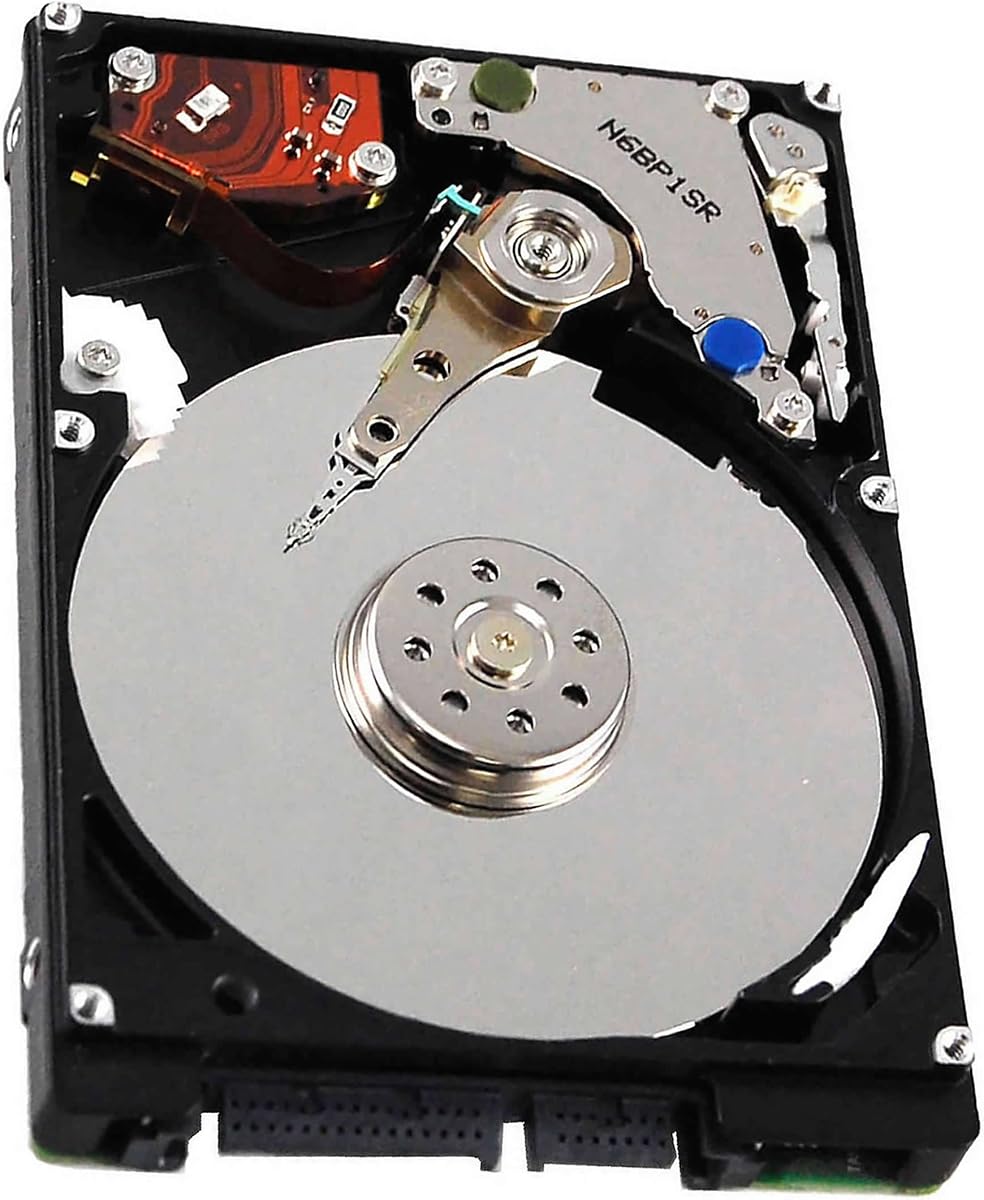
This Toshiba drive is designed with efficiency in mind for laptop users. It features a low power profile that helps extend battery life during use. The shock sensors protect data when the device is moving.
We may earn a commission when you buy through this link, at no additional cost to you.
The 5400 RPM speed ensures smooth operation without draining power quickly. Its height fits many older or thin laptop designs that use 9.5mm slots. It is a solid upgrade for those needing more room.
Note that this comes as a bare drive without extra packaging. You will need to install it yourself or have a tech help you. It is cost effective for those comfortable with hardware upgrades.
Select this drive if you want to save money while getting reliable storage. It is great for extending the life of an older laptop. The features are tailored for mobile computing environments.
The low power profile helps your laptop run longer on a single charge.
Built in sensors help prevent data loss during movement.
We may earn a commission when you buy through this link, at no additional cost to you.
This drive is marketed as a go-to upgrade for on-the-go computing. It balances capacity with a small form factor for easy use. The caching technology helps optimize data flow for better speed.
We may earn a commission when you buy through this link, at no additional cost to you.
You can rely on this drive for daily tasks like browsing and work. The two year warranty provides coverage for peace of mind. It fits into both laptop and desktop setups without issues.
The design is focused on mobility and general performance needs. It may not be the fastest option available on the market today. However for most users it provides more than enough speed.
This is a good choice if you want a flexible drive for multiple devices. It works well for storing personal files and media libraries. The brand supports it with a solid warranty period.
Use this drive in both your laptop and desktop systems.
Specialized caching helps apps load faster and run smoother.
We may earn a commission when you buy through this link, at no additional cost to you.
This WD Blue drive comes as factory renewed to offer value. It has zero power on hours meaning it is fresh for use. The 256MB cache is a strong point for data handling.
We may earn a commission when you buy through this link, at no additional cost to you.
It is a good option for users looking to save on costs. The drive is tested to meet quality standards before sale. You get the performance of a new drive at a lower point.
Be aware that renewed items might have cosmetic signs or packaging. They function like new but may vary in appearance. It is best for non critical storage needs in a PC.
Choose this if you need reliable storage for a budget build. It works well for storing games or media in a desktop. The warranty gives confidence for your purchase today.
Factory testing ensures the drive meets performance standards.
Get high performance without paying full retail price.
We may earn a commission when you buy through this link, at no additional cost to you.
This drive is designed for rugged environments and mobile use. It features high shock tolerance which is great for travel or field work. The G-Force Protection helps safeguard data during impact.
We may earn a commission when you buy through this link, at no additional cost to you.
The 320GB capacity is smaller by today's standards but still useful. It is perfect for older laptops that do not need large space. The 5400 RPM speed is reliable for basic tasks.
Note that the SATA interface is older which may limit speeds. It is best for legacy systems that cannot support faster connections. It is a niche choice for specific needs only.
Consider this if you maintain old industrial or laptop systems. It offers robustness where modern drives might fail in rough use. The design is proven for durability in tough settings.
Built to withstand shocks and vibrations in mobile settings.
Perfect for upgrading older notebooks with limited space.
We may earn a commission when you buy through this link, at no additional cost to you.
This drive is purpose built for network attached storage environments. It offers less wear and tear for 24/7 operation. The Health Management system lets you monitor drive status easily.
We may earn a commission when you buy through this link, at no additional cost to you.
It includes Rescue Data Recovery Services which adds extra safety. This feature helps if something goes wrong with your storage. The three year warranty covers long term needs well.
While it costs more it is built for reliability in servers. You will notice less noise and vibration compared to standard drives. It is a premium choice for important data storage.
Select this if you run a home office or small business server. It is ideal for RAID setups where uptime is critical. The investment pays off in reliability and peace of mind.
Engineered to work reliably in multi-drive network systems.
Included recovery services help protect your valuable files.
We may earn a commission when you buy through this link, at no additional cost to you.
This drive offers a balance of speed and capacity for PCs. The transfer rate is high enough for video and photo work. The included software helps migrate data from old drives.
We may earn a commission when you buy through this link, at no additional cost to you.
It is suitable for multimedia editing and large file storage. The 256MB cache supports smooth handling of big datasets. Users rate it highly for its reliability and ease of use.
Note that it is designed for desktop use not servers. It may not handle constant heavy writes as well as NAS drives. For typical desktop tasks it performs very well indeed.
Consider this for your main computer if you need space. It helps you store more without slowing down your system. The frustration free packaging makes setup quick and clean.
Sustained rates help you move large files faster.
Free software simplifies moving data to the new drive.
We may earn a commission when you buy through this link, at no additional cost to you.
This drive is tuned for NAS systems with up to 8 bays. It is designed for continuous operation which suits home servers. The NASware technology helps protect data during use.
We may earn a commission when you buy through this link, at no additional cost to you.
It supports RAID setups for added redundancy and safety. The warranty and support from Western Digital are world class. You can rely on it for long term storage solutions.
While it is more than a desktop drive it is built for uptime. It handles the stress of always on systems well. It is a solid choice for network storage setups.
Choose this for your NAS if reliability is a priority. It fits well in most NAS units out of the box. The investment ensures your data stays safe and available.
Built to run 24/7 without issues in NAS units.
Ready for RAID setups to keep data safe.
We may earn a commission when you buy through this link, at no additional cost to you.
Selecting the right drive involves considering capacity form factor and use case to ensure you get the best value.
First assess how much data you need to store on a daily basis. For basic documents 2TB is often plenty but for media 4TB or more is better. Consider future growth to avoid swapping drives soon.
Check if your device takes 2.5 inch or 3.5 inch drives. Laptops usually require 2.5 inch models while desktops use 3.5 inch. Height also matters for thin laptops so measure before you buy.
Look for SATA 6Gb/s interfaces for fast data transfer rates. The 5400 RPM speed is energy efficient but slower than 7200 RPM models. Ensure your motherboard supports the interface for best results.
A larger cache buffer helps manage data flow between the drive and PC. Models with 256MB cache often handle big files better than those with 64MB. This is key for smooth performance during heavy use.
Desktop drives are not always suitable for NAS or server use. Look for NAS specific drives if you run a storage system 24/7. These models have better reliability for continuous operation demands.
If you move your drive often look for models with shock resistance. Built in sensors can protect data during movement or impact. This is vital for laptops or portable external storage solutions.
Check the warranty length to ensure coverage for potential issues. Brands like Seagate and WD offer years of protection on many models. Good support helps resolve problems quickly if they arise.
For battery powered devices choose a drive with a low power profile. 5400 RPM drives generally use less power than faster ones. This helps extend battery life on laptops and mobile devices.
Run regular health checks using built in tools to monitor the drive. Update drivers and firmware to keep performance optimal over time. Keep the system cool as heat can shorten the life of internal parts.
This number shows how many times the platter spins in a minute. A 5400 RPM drive uses less power and makes less noise than faster models. It is good for general storage where high speed is not needed.
They work fine for storing games but load times will be slower than on SSDs. If you have a budget SSD can be used for the system drive. These drives are better for secondary storage of large titles.
No desktop drives are 3.5 inches which is too big for most laptops. You need a 2.5 inch model for portable computers. Check the height too as some laptops take only 7mm or 9.5mm drives.
CMR writes data in parallel while SMR writes in overlapping zones for more space. CMR is better for RAID and heavy use because it is faster. Look for CMR if you need reliability and consistent speeds.
Check user ratings and reviews on trusted sites to gauge performance. Brands like Seagate and WD have long histories of making reliable drives. Also look for a solid warranty length to protect your purchase.
Most drives work out of the box once connected to your system. Some brands offer tools for migration or monitoring which are optional. You do not need extra software for basic file storage tasks.
Renewed drives are tested to meet quality standards before sale. They can offer good value if they come with a warranty. Check the return policy to ensure you can get a replacement if needed.
It is wise to back up important files at least once a week. Use another drive or cloud storage to keep copies safe. Regular backups protect you if a drive fails unexpectedly.
Remember to check current availability and offers before you buy. Prices and stock can change often so verify details on the site. This guide aims to help you pick a drive that lasts.