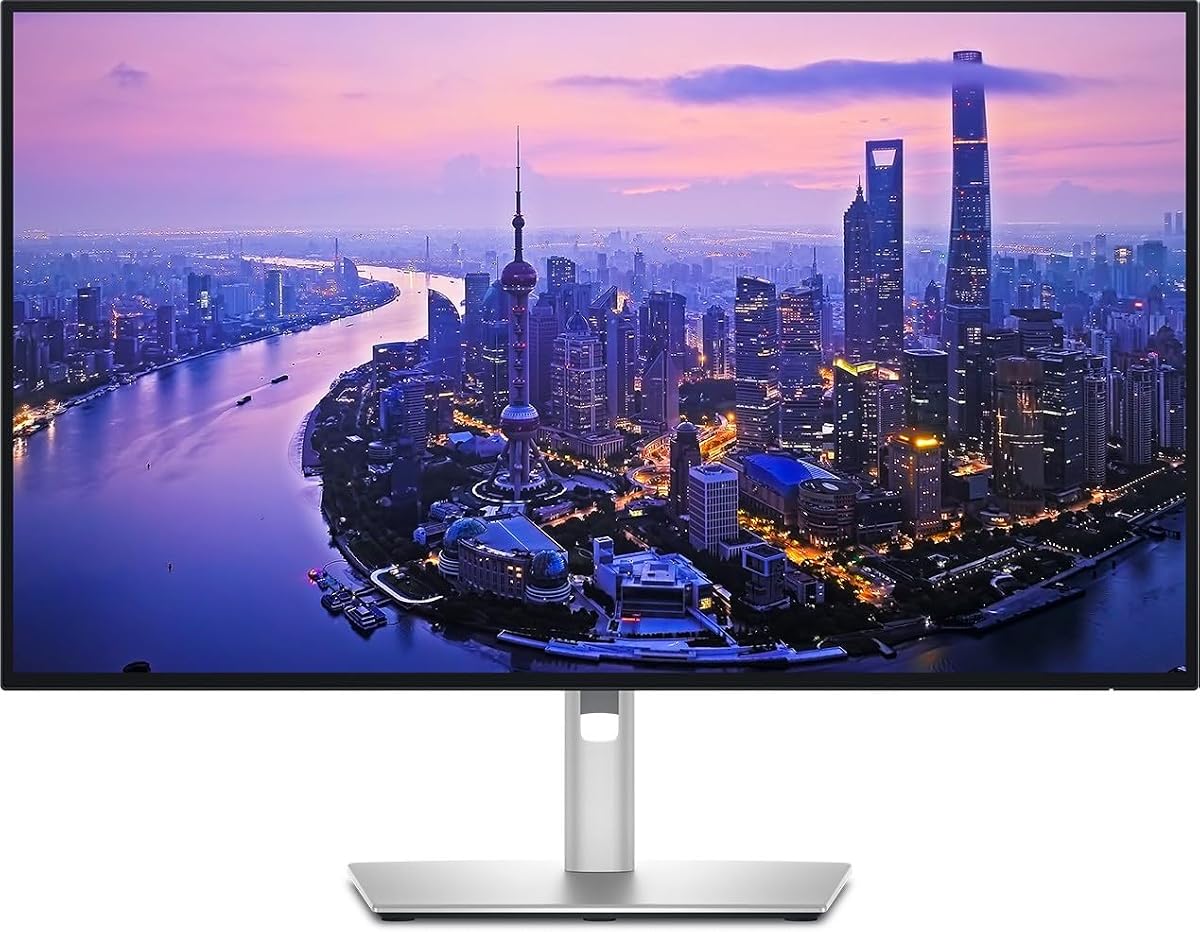
Dell UltraSharp U2725QE 27-Inch 4K UHD IPS Black Monitor
4.4Editor score
140W power delivery
Daisy chain support
Factory calibrated color
Finding the right display for your workstation requires balancing resolution, connectivity, and color fidelity. 4K monitors with Thunderbolt offer the speed and simplicity modern creators need. These screens deliver crisp visuals and seamless device integration without cluttering your desk with cables.
We evaluated ten leading models based on panel quality, refresh rates, and hub capabilities. Each product was assessed for its ability to handle demanding workflows like video editing, coding, and design. Our analysis focuses on real-world performance and connectivity options that matter most.
Every pick highlights specific strengths such as color accuracy, ergonomic design, or port versatility. Prices fluctuate often so check current listings before purchasing. Use this guide to find the display that best matches your workflow and budget requirements today.
4.4Editor score

4.6Editor score

4.5Editor score
As an Amazon Associate we earn from qualifying purchases.
This side-by-side comparison highlights key specifications across all ten models. Use it to quickly identify which monitor offers the right mix of size, ports, and color performance for your specific needs.


The Dell UltraSharp U3226QER stands out as a premium choice for creative professionals needing accurate color and seamless workflow integration. Its factory-calibrated display ensures your edits match final output with a Delta E under 1.5.
We may earn a commission when you buy through this link, at no additional cost to you.
This monitor features an Enhanced IPS Black panel delivering 3,000:1 contrast ratio for deeper blacks than standard IPS screens. The built-in KVM switch lets you control two machines with one keyboard and mouse enhancing multitasking efficiency.
While the price is higher than average it justifies itself with professional-grade color coverage and robust connectivity. Users might find the 32-inch size demands significant desk space which could be a constraint for smaller setups.
This display is ideal for graphic designers video editors and Mac users seeking a reliable companion. It delivers premium visuals and productivity features that make it a top recommendation for demanding work environments.
Factory calibration ensures colors are true to life right out of the box saving time on adjustments.
The KVM switch allows effortless switching between devices without needing extra peripherals.
We may earn a commission when you buy through this link, at no additional cost to you.
The Dell UltraSharp U2725QE delivers premium performance with Thunderbolt 4 connectivity that supports up to 140W power delivery. This single cable solution simplifies your desk while keeping devices charged and connected efficiently.
We may earn a commission when you buy through this link, at no additional cost to you.
It uses IPS Black technology to improve contrast and reduce glare for better viewing in various lighting conditions. The ambient light sensor adjusts brightness automatically reducing eye strain during long work sessions.
Despite its high price the rich port selection and ergonomic adjustability make it versatile for professional setups. However the cost may be prohibitive for casual users who do not need such advanced features.
Buyers wanting a top-tier Thunderbolt monitor should consider this model for its balance of power and display quality. It excels in providing a clean workspace with reliable performance for demanding tasks.
Thunderbolt 4 allows video data and high power over one cable reducing clutter effectively.
Built-in sensors and ComfortView Plus help maintain visual comfort throughout the day.
We may earn a commission when you buy through this link, at no additional cost to you.
The LG 27UP850K-W offers a compelling mix of 4K resolution and Thunderbolt compatibility at a lower price point. It covers 95% of the DCI-P3 color gamut making it suitable for most creative tasks.
We may earn a commission when you buy through this link, at no additional cost to you.
Features like HDR 400 and built-in stereo speakers add value without extra accessories. The USB-C port supports up to 90W power delivery which is sufficient for most laptops and tablets.
While it lacks the advanced contrast of higher-end IPS Black panels it still delivers vivid images and sharp text. Some users might find the stand adjustments limited compared to premium models.
This monitor is perfect for professionals seeking solid performance without overspending on unnecessary features. It balances cost and functionality well for home offices or entry-level workstations.
USB-C and multiple HDMI ports provide flexible connection options for various devices.
Built-in webOS platform allows direct streaming without needing an external source.
We may earn a commission when you buy through this link, at no additional cost to you.
This Dell UltraSharp model emphasizes connectivity with a built-in Thunderbolt hub that transforms the monitor into a workstation. It covers 100% of sRGB and Display P3 spaces ensuring true-to-life color reproduction.
We may earn a commission when you buy through this link, at no additional cost to you.
Ergonomic adjustments like height pivot and tilt support comfortable viewing angles for extended use. The design incorporates sustainable materials aligning with modern eco-conscious preferences for office equipment.
Some users reported variability in quality control which affects overall satisfaction ratings. However the feature set remains robust for those prioritizing port variety and color accuracy.
Ideal for office setups needing many peripheral connections this monitor simplifies cable management effectively. It offers good value for professionals needing a reliable hub and sharp display.
Connect storage drives and accessories directly through the monitor to reduce cable clutter.
Full adjustability helps prevent strain during long work hours by allowing custom setups.
We may earn a commission when you buy through this link, at no additional cost to you.
The Dell S2725QC offers a 120Hz refresh rate which is rare at this price point for 4K panels. This ensures smooth motion for both work and casual gaming scenarios enhancing user experience.
We may earn a commission when you buy through this link, at no additional cost to you.
Its IPS panel covers 99% sRGB providing vibrant visuals suitable for creative tasks. ComfortView Plus reduces blue light emissions without compromising color accuracy for healthier viewing habits.
The 65W USB-C power delivery is adequate for most laptops though high-performance machines may need extra charging. Audio improvements deliver detailed sound which reduces the need for external speakers.
This monitor is a great choice for users wanting high refresh rates in a compact workspace. It balances performance and comfort effectively for general productivity and light gaming needs.
120Hz refresh makes scrolling and video playback appear much more fluid than standard panels.
Enhanced speakers provide richer sound that enhances media consumption without extra gear.
We may earn a commission when you buy through this link, at no additional cost to you.
This listing represents a specific enterprise bundle of the Dell UltraSharp U2725QE with additional support or warranty terms. It retains the core features of the standard model including strong Thunderbolt 4 capabilities.
We may earn a commission when you buy through this link, at no additional cost to you.
The monitor supports daisy chaining allowing users to connect multiple 4K displays in a single cable setup. This is particularly useful for multi-screen work environments requiring high performance and reliability.
While lacking specific consumer ratings the underlying hardware quality is proven for professional use. It offers peace of mind through dedicated support channels and official product guarantees.
Business users looking for reliable bulk procurement options should consider this specific SKU for consistent quality. It meets enterprise standards for color accuracy and connectivity robustness.
Bundle options often include extended warranties and priority support for business continuity.
Daisy chain support simplifies cabling for multi-monitor configurations significantly.
We may earn a commission when you buy through this link, at no additional cost to you.
The ViewSonic VP2488-4K is a compact 24-inch monitor designed to align with Mac ecosystem color standards. It delivers 100% sRGB and 98% DCI-P3 coverage ensuring precise color reproduction for designers.
We may earn a commission when you buy through this link, at no additional cost to you.
Thunderbolt 4 connectivity supports 40 Gbps data transfer and 100W power delivery to charge laptops efficiently. This allows for a clean desk setup with minimal cables needed for operation.
While the smaller size may not suit every user it maximizes desk space for tight workstations. The stand is fully adjustable ensuring comfort despite the compact physical footprint.
Creative professionals with limited space will appreciate its precise color calibration and robust connectivity. It offers a high-quality compact solution for Mac users needing reliable visual accuracy.
Color profiles align perfectly with Apple devices ensuring consistent visuals across your setup.
A 24-inch footprint leaves more room for other desk essentials and documents.
We may earn a commission when you buy through this link, at no additional cost to you.
Samsung's ViewFinity S7 delivers a 32-inch screen with excellent clarity and vibrant colors for creative tasks. It covers a wide color gamut and supports HDR10 for enhanced contrast in media consumption.
We may earn a commission when you buy through this link, at no additional cost to you.
Eye Saver Mode minimizes blue light and flickering making long viewing sessions more comfortable. The Game Mode adjusts settings dynamically for clearer scenes during interactive entertainment.
Unlike some other models this screen focuses on display quality rather than heavy hub features. Users should verify connectivity options before purchase if Thunderbolt is a priority requirement.
This monitor is ideal for users prioritizing visual quality and eye comfort at a large size. It works well for both professional and home entertainment needs without complexity.
TUV certified Eye Saver Mode helps reduce strain during extended daily usage.
HDR10 support improves contrast making movies and games look more immersive.
We may earn a commission when you buy through this link, at no additional cost to you.
The Dell U3225QE offers a massive 31.5-inch display designed to maximize screen real estate for multitasking. Its integrated Thunderbolt hub streamlines connectivity so users can focus on productivity rather than setup.
We may earn a commission when you buy through this link, at no additional cost to you.
Crisp text and sharp images are ensured by the high-resolution LED panel. The slim bezel design complements modern office aesthetics while reducing visual distraction during long work days.
While powerful the size requires a larger desk area and budget commitment from the buyer. Some users may find the standard contrast acceptable but not exceptional compared to premium IPS Black models.
Professionals needing extensive workspace in a single screen will find this model highly beneficial. It simplifies workflow management through expansive visuals and strong connection options.
A larger view allows multiple windows and tools to be visible simultaneously.
Integrated hub features reduce the need for separate docking stations.
We may earn a commission when you buy through this link, at no additional cost to you.
The Samsung TU87F Series supports dual 4K display setups via two Thunderbolt 3 ports for extended productivity. It uses a VA panel to deliver deep blacks and vibrant colors across a 32-inch workspace.
We may earn a commission when you buy through this link, at no additional cost to you.
Picture-by-Picture and Picture-in-Picture modes allow multiple sources to be viewed simultaneously. This is useful for comparing designs or monitoring data streams while maintaining one unified interface.
While refresh rate is standard at 60Hz it provides smooth operation for office work. The fully adjustable stand ensures ergonomic comfort for different user heights and preferences.
Users needing dual 4K setups in one chassis will find this feature particularly useful. It combines versatile connectivity with a large canvas for demanding professional tasks.
PBP and PIP modes enable side-by-side comparison without needing extra monitors.
Thunderbolt 3 allows high-speed data transfer and device charging simultaneously.
We may earn a commission when you buy through this link, at no additional cost to you.
Selecting the right Thunderbolt monitor involves more than just resolution. Consider your workflow, device compatibility, and desired features to ensure the display meets your daily needs effectively.
A 4K resolution provides sharp text and detailed imagery essential for creative work. Screen sizes typically range from 24 to 32 inches impacting desk footprint and viewing comfort.
Choose a size that fits your physical space while providing enough clarity for detailed tasks.
IPS panels offer excellent color accuracy and viewing angles suitable for most professional tasks. Advanced IPS Black technology improves contrast for deeper blacks without sacrificing color fidelity.
VA panels may provide higher contrast but can have slower response times and narrower viewing angles.
Look for high DCI-P3 or sRGB coverage percentages to ensure your edits match print or web output. Factory calibration with low Delta E values guarantees accuracy right out of the box.
If color fidelity is critical verify the monitor offers validated color profiles and calibration tools.
Thunderbolt 4 provides 40 Gbps speed and high power delivery through a single cable. Ensure the monitor has enough USB-C USB-A and HDMI ports for your peripherals.
Daisy chain support allows multiple screens to connect via one cable simplifying desk organization.
Monitor USB-C power delivery varies from 65W to 140W which impacts laptop charging capabilities. Higher wattage ensures your laptop stays powered during intensive usage sessions.
Check your laptop requirements to confirm the monitor can supply enough power to replace a charger.
Adjustable stands with height tilt pivot and swivel help prevent strain during long work sessions. VESA mount compatibility offers flexibility if you prefer wall or arm mounting options.
Comfortable viewing angles are essential for maintaining focus and reducing physical discomfort.
Standard refresh rates are 60Hz but higher options like 120Hz provide smoother motion for scrolling and gaming. This is beneficial for users transitioning between work and leisure activities.
Consider your usage patterns to decide if a higher refresh rate justifies the added cost.
Built-in hubs, KVM switches, and eye care technologies enhance productivity and user comfort significantly. These features reduce peripheral clutter and improve long-term usability.
Evaluate which extras align with your workflow to avoid paying for unused capabilities.
Connect your device using a certified Thunderbolt cable to ensure full speed and power delivery. Avoid using third-party adapters that may limit performance or cause connection instability.
Adjust the brightness and color settings via the on-screen display menu to match your ambient lighting. Proper calibration improves eye comfort and color accuracy for professional work.
Keep the screen clean with a microfiber cloth and mild cleaning solution to avoid scratches. Dust and fingerprints can degrade image quality and reduce the lifespan of the panel.
Thunderbolt monitors combine high-speed data transfer video output and power delivery in a single connection. This simplifies your desk setup by reducing cable clutter and improving workflow efficiency significantly.
Most Thunderbolt 4 monitors are compatible with Macs but check specific color profiles like Display P3. Some models are optimized for Macs to ensure accurate colors and seamless integration out of the box.
Yes many Thunderbolt monitors support daisy chaining which allows you to connect additional displays via a single cable. This reduces the need for extra ports on your host device effectively.
Accurate colors ensure your designs and photos look consistent across different screens and printed materials. Professional work requires reliable color representation to avoid costly rework or mismatched outputs.
IPS Black technology improves contrast ratios by controlling light leakage better than standard IPS panels. This results in deeper blacks and more vibrant colors while maintaining the wide viewing angles IPS is known for.
For laptops requiring high performance look for monitors offering 90W or more power delivery. This ensures your laptop charges fully during usage instead of slowly draining the battery while working.
All Thunderbolt ports use USB-C connectors but not all USB-C ports support Thunderbolt speeds and features. Always verify the monitor explicitly lists Thunderbolt 4 or 3 to guarantee full compatibility.
Cleaning your monitor once a week helps maintain image clarity and prevents dust buildup. Use a soft cloth and avoid harsh chemicals that could damage the anti-glare coating or panel surface.
The Dell UltraSharp U3226QER leads our list for creators needing premium color accuracy and workflow tools. It offers a balanced mix of performance features that justify its higher price for professionals.
For budget-conscious buyers the LG 27UP850K-W provides strong 4K visuals and essential Thunderbolt features at a lower cost. It remains a reliable option for those prioritizing value without sacrificing core specs.
Prices for these displays fluctuate often so checking current listings ensures you get the best deal available. Prioritize the features that matter most to your workflow to make a confident purchase decision.