
Acer 4-in-1 USB C Hub
4.2Editor score
Dual 4K@60Hz HDMI outputs
100W Power Delivery charging
USB-A 5Gbps data transfer
This guide compares the top 10 Dual HDMI Monitor Adapter options for productivity, focusing on performance, compatibility, and features to help you choose the
Finding the right Dual HDMI Monitor Adapter can transform your workspace by enabling a multi-screen setup that boosts efficiency and streamlines your workflow significantly.
We evaluated ten top-rated adapters based on video output quality, connectivity options, operating system support, and overall build quality to ensure you get reliable performance.
Each pick highlights specific strengths and limitations so you can match the adapter to your laptop or desktop setup while noting that prices and availability may vary.
4.2Editor score

4.5Editor score

4.1Editor score
This side-by-side comparison lists all ten adapters with key specifications to help you quickly identify which model fits your specific connectivity and display needs.


The StarTech USB-A 3.0 to Dual HDMI Adapter is a standout choice for users who need a reliable solution to connect two monitors to their Windows-based systems. With a solid 4.5-star rating, this adapter offers exceptional USB video performance that supports resolutions up to 4K at 30Hz on one port and 1080p at 60Hz on the other. Its design targets IT professionals and power users who prioritize stability and performance in their daily workflows.
We may earn a commission when you buy through this link, at no additional cost to you.
One of its key strengths lies in its ability to increase productivity by extending your desktop across up to two HDMI monitors. The adapter works with all Windows X86/X64/ARM platforms including Intel AMD and Snapdragon X Copilot+ PC. It includes two-channel audio through HDMI and supports HDCP 1.4 which ensures you can view protected content legally. The ninepointeight-inch cable length provides flexibility for positioning without cluttering your desk too much.
However there are trade-offs to consider before making a purchase. The adapter is only compatible with Windows and does not support macOS ChromeOS or Linux which limits its versatility for cross-platform users. Additionally administrator rights are required to install the drivers which might be an obstacle in managed corporate environments. While these constraints exist they are acceptable for those fully invested in the Windows ecosystem.
This adapter is best suited for office professionals remote workers and IT administrators who need a durable and effective dual-monitor solution. The three-year warranty along with free lifetime twenty-four-by-five multi-lingual technical assistance adds significant value to the offering. If you need a dependable way to extend your workspace on Windows this adapter delivers the reliability you expect from a professional-grade product.
This adapter lets you extend your desktop by adding up to two HDMI monitors to your laptop or desktop computer which is ideal for workstation setups in the office or working from home.
Designed and built for IT professionals this adapter is backed by a 3-year warranty and includes free lifetime 24/5 multi-lingual technical assistance for peace of mind.
We may earn a commission when you buy through this link, at no additional cost to you.
The Acer 4-in-1 USB C Hub stands out as a premium solution for users seeking high-speed connectivity and versatile display options. With a 4.2-star rating this hub delivers crisp 4K@60Hz output for both single and dual displays via HDMI 2.0 which ensures smooth and vivid visuals for your work or entertainment needs. Its multifunctional design includes high-speed data transfer and robust power delivery all packed into a sleek compact form factor.
We may earn a commission when you buy through this link, at no additional cost to you.
This USB C to HDMI hub enables you to connect to external monitors with exceptional clarity making it perfect for creative work or multitasking. The inclusion of a high-speed USB-A 5Gbps port allows for efficient file transfers while the 100W power delivery port keeps your laptop charged consistently during use. It supports both Windows and macOS devices with DisplayPort Alternate Mode making it a flexible choice for various laptop models.
Despite its advantages there are limitations to note for some users. macOS can only mirror the same content across all external monitors meaning you cannot extend your desktop on Mac devices with this adapter. The cable is only 20cm long which might be restrictive depending on your desk layout. Confirming that your laptop has a USB-C port with video output support is essential before purchase to avoid compatibility issues.
The Acer hub is ideal for professionals who need a reliable and feature-rich docking solution for their USB-C laptops. It balances performance with convenience offering power pass-through and fast data transfer alongside dual HDMI outputs. If you require a hub that supports high-resolution displays and keeps your device powered this adapter provides the premium functionality you need for an efficient workflow.
This USB C to HDMI hub enables crisp 4K@60Hz output for both single and dual displays via HDMI 2.0 delivering smooth and vivid visuals for your daily tasks.
Features a high-speed USB-A 5Gbps port for efficient data transfer and a robust 100W power delivery port to keep your laptop powered during meetings or on the move.
We may earn a commission when you buy through this link, at no additional cost to you.
The 4K HDMI Splitter 1 in 2 Out offers an affordable and straightforward solution for users who need to display the same content on two screens simultaneously. With a 4.1-star rating this splitter supports up to 4K resolution and 30Hz refresh rate making it suitable for presentations or shared viewing experiences. Its plug-and-play design ensures you can set it up without installing drivers which simplifies the process for non-technical users.
We may earn a commission when you buy through this link, at no additional cost to you.
This device is designed to split a single signal source from a TV box game console or PC into two display devices like monitors or TVs. The audio signal is synchronized with the HDMI output so you do not need additional audio cables. It is compatible with a wide range of devices including MacBook laptops desktop PCs graphics cards and TVs making it versatile for different entertainment or work scenarios.
There are limitations to consider if you need extended display functionality. The splitter does not support extended display meaning both screens will show the same content rather than separate windows. While it supports 4K at 30Hz you may need to adjust settings for the first connection to ensure the desired resolution displays correctly. These constraints are acceptable for users who only need mirrored outputs.
This splitter is best for home users or educators who need to mirror content across multiple displays without complex configurations. Its ease of use and compatibility with various devices make it a practical choice for basic needs. If you require a budget-friendly way to share content on two screens this adapter provides a reliable solution without requiring technical expertise.
Easy to use without needing to install drivers simply set up to watch videos on two display devices with synchronized audio for a seamless experience.
Compatible with MacBook laptops desktop PCs graphics cards and TVs making it a versatile choice for sharing content across different screen types.
We may earn a commission when you buy through this link, at no additional cost to you.
The Selore USB C Docking Station Dual Monitor transforms your laptop into a powerful workstation by offering a comprehensive set of connectivity options. With a 4.4-star rating this docking station supports dual 4K@60Hz HDMI ports which allows you to extend your workspace across two external monitors on Windows. It also includes a 100W PD charging port and multiple USB data ports ensuring your device stays powered and connected.
We may earn a commission when you buy through this link, at no additional cost to you.
This adapter features intelligent technology that provides temperature control and stable performance even under heavy use. The inclusion of SD and microSD card slots makes it easy to browse and copy photos and videos from your cameras quickly. It connects to USB4 Thunderbolt 4 Thunderbolt 3 USB-C or USB 3.0 ports which makes it versatile for various laptop models and user needs.
One limitation to be aware of is that macOS users can only use this adapter for mirroring rather than extending displays across two screens. Additionally the docking station requires a Thunderbolt or full-featured USB-C port which means it might not work with all USB-C connections. These factors should be considered if you use a Mac or have limited port options on your device.
This docking station is ideal for home and office users who need to maximize productivity with multiple displays and peripherals. It balances display quality with peripheral connectivity offering a plug-and-play experience that reduces clutter on your desk. If you want a versatile hub that supports dual monitors and keeps your laptop charged this adapter provides the functionality you need for efficient work sessions.
Boost productivity with our USB C dual HDMI supporting MST mode under Windows Laptop for extending two monitors simultaneously with stable performance and temperature control.
USB C to SD/microSD card reader allows you to easily browse and copy photos and videos from your cameras to quickly share your beautiful moments with others.
We may earn a commission when you buy through this link, at no additional cost to you.
The Selore&S‑Global USB‑C to Dual HDMI Adapter offers a powerful combination of video output and fast data transfer for users with USB-C laptops. With a 4.5-star rating it supports dual 4K@60Hz HDMI outputs which deliver high-resolution visuals for both external monitors. The adapter also includes a USB-A 5Gbps port for quick file transfers and a 100W PD charging port to keep your device powered during use.
We may earn a commission when you buy through this link, at no additional cost to you.
This adapter is designed for users who need to connect to external monitors with 4K HDMI output for movies games or work. It supports DisplayPort MST technology which allows for extended displays on Windows making it easier to manage multiple tasks simultaneously. The sleek and compact design ensures portability while the robust build quality provides stable performance under daily workloads.
One key limitation is that macOS users can only use mirror mode with this adapter meaning you cannot extend your desktop across two different screens on a Mac. Additionally the package does not include a power adapter or data cable so you must provide these separately for full functionality. These constraints should be considered before purchase to ensure compatibility with your specific workflow.
This adapter is best for professionals who need a reliable and fast solution for dual-monitor setups on Windows laptops. Its balance of high-resolution video and high-speed data transfer makes it a strong choice for demanding work environments. If you require a hub that supports extended displays and provides sufficient charging power this adapter delivers the performance you need for seamless productivity.
Windows OS supports both SST and MST mode so you can extend your display across two monitors for better multitasking and workflow efficiency on your Windows device.
The USB-A 5Gbps port meets the needs of professional users who require fast transfers of large files without slowing down your workflow or performance.
We may earn a commission when you buy through this link, at no additional cost to you.
The DisplayPort to Dual HDMI Adapter is a specialized tool for users who need to extend their display using a DisplayPort source on desktops or laptops. With a 4.1-star rating it achieves stunning 4K@60Hz UHD resolution which renders every particle with clarity for sharp visuals. The adapter utilizes DisplayPort MST technology to allow your laptop to extend two different monitors without the need for additional drivers or software.
We may earn a commission when you buy through this link, at no additional cost to you.
This device supports both SST and MST modes which makes it versatile for different display setups. It is compatible with a wide range of graphics cards and mini PCs including models from ASUS Dell Intel and NVIDIA which ensures broad usability. The non-locking connector design helps prevent damage to your graphics card when unplugging adding a layer of safety to your setup.
There are important compatibility requirements to keep in mind when choosing this adapter. It requires your computer to have a DisplayPort interface and support DP1.4 to achieve dual 4K@60Hz resolution. Additionally it needs an external power adapter which is not included in the package. These constraints are acceptable for users with compatible hardware but may limit its use for those without the necessary port or power source.
This adapter is ideal for desktop users or professionals who need extended displays on devices with DisplayPort outputs. Its plug-and-play functionality and high-resolution support make it a practical choice for enhancing productivity. If you have a compatible system and need a reliable way to add two external monitors this adapter provides the performance and features you require.
This Display Port to HDMI cable adapter utilizes cutting-edge technology to achieve stunning 4K@60Hz UHD resolution which renders every particle with clarity and handles every source with precision.
The non-locking connector design helps prevent damage to your graphics card when unplugging ensuring durable construction and stable signal transmission over time.
We may earn a commission when you buy through this link, at no additional cost to you.
The WAVLINK HDMI Splitter Extended Display is designed for users who need a flexible solution to connect multiple monitors using either USB-C or USB-A ports. With a 4.4-star rating it offers dual monitor support with resolutions up to 1920×1080@60Hz or 192560×1440@60Hz which is ideal for productivity apps and multitasking. Its wide compatibility ensures it works across Windows Mac and Chrome OS systems.
We may earn a commission when you buy through this link, at no additional cost to you.
This adapter allows you to extend or mirror screens as desired giving you control over your workspace layout. It connects via a single USB3.0 connection to the host which simplifies the setup process. The adapter is ideal for web and productivity apps like Google Docs or Windows Office making it a practical tool for office environments or remote work setups.
While it offers great functionality there are limitations to consider before purchasing. Driver installation is required which means it does not support plug-and-play functionality and you must download the latest drivers for proper use. Additionally it is not recommended for gaming graphic-intensive or design work due to performance constraints. These factors make it best suited for general productivity tasks.
This adapter is best for office workers and students who need a reliable dual-monitor setup for document editing or research. Its compatibility with Mac and Windows ensures broad usability for different systems. If you need a versatile adapter that supports extended displays for productivity apps this option provides the features you need for efficient daily work sessions.
Ideal for web and productivity apps like Google Docs or Windows Office which makes this adapter perfect for office environments or remote work setups where multitasking is key.
USB-C or USB 3.0 to HDMI Adapter easily connects to USB4 Thunderbolt 4 Thunderbolt 3 USB-C or USB 3.0 which provides versatile options for various laptop models.
We may earn a commission when you buy through this link, at no additional cost to you.
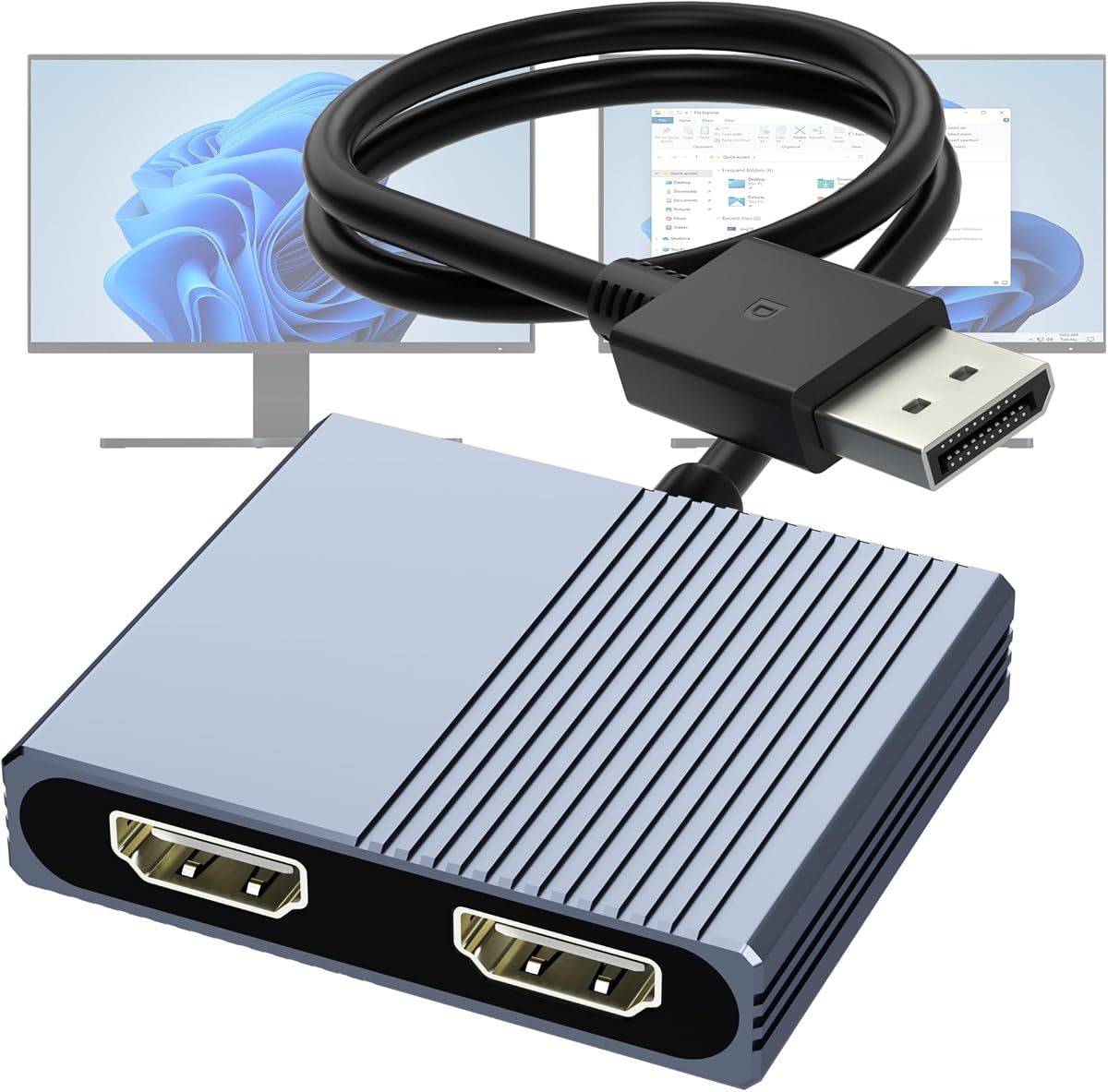
The DisplayPort to Dual HDMI Adapter is a high-performance solution tailored for users with graphics cards from NVIDIA and AMD. With a 4.4-star rating it simultaneously outputs one DP signal to dual HDMI displays which improves work efficiency significantly. The adapter supports ultra-high definition 4K@60Hz video on both ports delivering ultra-smooth visuals with stunning clarity for demanding applications.
We may earn a commission when you buy through this link, at no additional cost to you.
This device features an integrated aluminum alloy housing and gold-plated ports which ensure exceptional durability and stable signal transmission even under heavy use. The gold-plated DP connector is tested for over 25000 cycles which means it withstands repeated plugging and unplugging without wear. It allows your laptop to extend two different monitors which boosts productivity for professionals working on complex projects.
However there are specific requirements you must meet to use this adapter effectively. Your computer must support DP1.4 and the graphic cards must support at least 18Gbps to achieve multi-monitor extend display. macOS users will find that this adapter only supports SST mode meaning mirroring rather than extended displays. These constraints ensure performance for Windows users but limit macOS flexibility.
This adapter is ideal for desktop users and gamers who need extended displays on systems with dedicated graphics cards. Its rugged design and high-resolution support make it a reliable choice for professional environments. If you have a compatible GPU and need a durable way to connect two external monitors this adapter provides the performance and build quality you expect.
The display port to dual hdmi splitter features an integrated aluminum alloy housing and gold-plated ports for exceptional durability and stable signal transmission even under heavy use.
The displayport mst hub allows your laptop to extend 2 different monitors boosting work efficiency for professionals who need more screen real estate for complex tasks.
We may earn a commission when you buy through this link, at no additional cost to you.
The UANTIN 6-in-1 USB C Hub provides versatile connectivity for users who need multiple ports alongside dual HDMI outputs. With a 4.3-star rating it features two HDMI ports supporting 4K@60Hz which delivers crisp video for both single-screen and dual-screen setups. The hub also includes three USB-A ports for connecting various peripherals like keyboards and mice freeing up your laptop ports.
We may earn a commission when you buy through this link, at no additional cost to you.
This adapter is designed for hybrid work environments where you need to move between office and remote setups. Its slim lightweight build fits easily into your laptop bag making it a perfect companion for travel. The 100W Power Delivery port allows you to use all ports while still providing full-speed charging for your laptop which ensures your device stays powered during long sessions.
Despite its features there are limitations to consider before purchase. The adapter comes with a 30-centimeter cable which might be too short for some desk setups. macOS users can only use this hub for mirroring or extending to a single additional display which limits flexibility. These constraints should be evaluated to ensure it meets your specific workspace needs.
This hub is best for users who need a compact solution to expand both video and peripheral connectivity. Its driver-free design and reliable performance make it a practical choice for everyday work. If you want a hub that supports dual monitors and offers multiple USB ports this adapter provides the versatility you need for an organized workspace.
This USB-C to HDMI hub delivers crisp 4K@60Hz video via two HDMI 2.0 ports supporting both single-screen and dual-screen setups for smooth vivid visuals.
Three USB 2.0 ports allow you to easily connect a keyboard mouse USB flash drive or printer creating a neat and organized workspace whether at the office or at home.
We may earn a commission when you buy through this link, at no additional cost to you.
The OREI SplitExtend HDMI Splitter is designed to connect a single HDMI source to two external displays for mirrored or extended viewing. With a 4.1-star rating it is ideal for boosting productivity with a 3-screen setup that combines a laptop display with two monitors. It works with a wide range of operating systems including Windows macOS and Chrome OS which ensures broad usability.
We may earn a commission when you buy through this link, at no additional cost to you.
This adapter features an integrated USB-A to USB-C adapter which makes it compatible with various laptops including Thunderbolt 3/4 and USB4 models. The installation of the Silicon Motion driver is required for proper functionality so you must have permission from IT admin if using a work laptop. This requirement ensures reliable performance but may be a hurdle in some environments.
There are specific hardware requirements you should consider before purchasing this adapter. It requires an Intel i5 processor or higher for optimal performance which limits its use on older or lower-spec devices. While it supports mirroring on Android at up to 1080p it does not support iOS Linux or Unix systems. These constraints make it best suited for Windows and macOS users.
This splitter is best for users who need a reliable solution for extending displays across multiple monitors on Windows systems. Its support for a 3-screen setup makes it a strong choice for multitasking and productivity. If you require an adapter that offers flexible connectivity and reliable performance this option provides the features you need for an efficient workflow.
Connect a single HDMI source to two external displays for mirrored or extended viewing which is ideal for boosting productivity with a 3-screen setup.
Features an integrated USB-A to USB-C adapter making it compatible with USB-C USB-A Thunderbolt 3/4 and USB4 laptops and devices for flexible and hassle-free setup.
We may earn a commission when you buy through this link, at no additional cost to you.
Selecting the right Dual HDMI Monitor Adapter requires understanding your specific hardware and display needs to ensure compatibility and optimal performance.
The most critical factor is ensuring the adapter supports your operating system. Many adapters work with Windows but only support mirroring on macOS. Always check product descriptions to confirm if extended display modes are available for Mac users.
Look for adapters that support the resolution and refresh rate your monitors require. 4K at 60Hz is ideal for smooth visuals but may need a DP1.4 source or HDMI 2.0 cables. Lower specs might limit you to 30Hz which can feel choppy.
Identify the port on your laptop such as USB-A USB-C or DisplayPort. USB-C hubs are best for modern laptops while DisplayPort adapters are ideal for desktops with dedicated graphics cards. Matching the port type avoids compatibility issues.
Some adapters require driver installation while others are plug-and-play. Drivers may need admin rights or specific tools which could be a barrier in corporate environments. Choose plug-and-play options if you want hassle-free setup.
If you want to charge your laptop while using the adapter look for Power Delivery ports. This feature keeps your device powered without needing extra cables. Ensure the wattage matches your laptop's charging requirements.
The physical build and cable length affect usability on your desk. Shorter cables offer portability but less flexibility. Aluminum housings and gold-plated connectors improve durability and signal stability over time.
If you need to connect peripherals like keyboards or SD cards choose a hub with additional ports. These hubs offer more functionality beyond video output making them a better all-in-one solution for workspaces.
Warranty coverage varies by product with some offering up to three years. Reliable technical support adds peace of mind if you encounter issues. Check the manufacturer's support policy before purchasing.
Connect the adapter to your laptop using the correct port and plug both HDMI monitors into the adapter outputs.
Install any required drivers if prompted by the system or use the provided download link for optimal performance.
Care for your adapter by avoiding tight bends on cables and keeping ports free from dust to extend its lifespan.
Not all adapters support extended displays on macOS. Many hubs only allow mirroring which shows the same content on both screens. Check the product details to confirm if extended display mode is available before purchasing.
USB-A adapters connect to traditional rectangular ports while USB-C adapters connect to smaller oval ports. USB-C adapters often support more features like power delivery and higher data speeds. Choose the one matching your laptop port.
Most adapters support two monitors only. Some workarounds exist for third monitors but they require specific hardware support and may reduce performance. Check product specifications to confirm maximum display count.
Some adapters require driver installation while others are plug-and-play. Drivers may need administrator rights or specific software. Always check the product page to see if drivers are necessary for your operating system.
A 30Hz refresh rate often occurs when the source port or cable does not support HDMI 2.0 or DP1.4. Verify that your laptop cable and monitor support the required standards for 60Hz performance.
Many adapters do not support Linux due to driver limitations. Check the compatibility list provided by the manufacturer to confirm Linux support. Some USB adapters may work but extended display can be unstable.
If the adapter has a Power Delivery port connect your laptop charger to that port on the hub. Ensure the power adapter matches your laptop's charging requirements. This allows you to use the monitors and charge simultaneously.
Most adapters are not designed for gaming due to potential latency and refresh rate limits. They are best for productivity and general use. For gaming consider direct connections or specialized docking solutions.
We reviewed ten top Dual HDMI Monitor Adapter options that cater to different needs from budget-friendly mirroring to premium high-resolution productivity setups.
Prioritize your specific requirements such as operating system support display resolution and peripheral connectivity to select the adapter that best enhances your workflow.
Remember that prices and availability can change so check current listings on trusted retailers to ensure you get the best value for your investment.