
Lenovo 2026 Chromebook 14
5.0Editor score
MediaTek Kompanio 540 CPU
14 Inch WUXGA Touchscreen
Long Lasting Battery Life
Discover the top Chromebooks for AI featuring Google Gemini integration and smart tools to boost productivity and creativity across education and professional
Modern computing demands intelligent tools that adapt to user needs seamlessly. Chromebooks for AI integrate advanced neural processing and cloud-based assistants directly into the operating system. This ensures users can access powerful generative features without complex setups or external subscriptions.
Our comprehensive guide evaluates ten leading models based on processor capability, memory efficiency, and native AI feature support. We analyzed real-world performance metrics for generative art, automated drafting, and intelligent video call enhancements to determine the top contenders.
Each pick highlights unique strengths like touchscreens, extended battery life, and durable chassis designs. While pricing varies by configuration and retailer promotions, these devices offer exceptional value for students and professionals seeking next-generation productivity capabilities.
5.0Editor score

4.9Editor score

4.5Editor score
This side-by-side comparison outlines key specifications for all ten selected models. We focus on processor types, memory capacity, storage solutions, and unique AI-driven features to help you make an informed decision quickly.


The Acer Chromebook Plus 514 leads our list with exceptional AI integration and robust performance. It receives a high user rating due to its seamless incorporation of Gemini and notebookLM directly into the workflow. This makes it ideal for those needing powerful generative tools without third-party apps.
We may earn a commission when you buy through this link, at no additional cost to you.
Powered by the Intel Core i3-1315U, it handles multitasking with ease. The inclusion of 8GB LPDDR5 ensures smooth application switching while the 256GB SSD provides quick access to files. The 14-inch WUXGA touch display offers vibrant visuals for creative tasks and document editing.
While the base storage is fixed, the cloud storage bonus compensates significantly for most users. The Wi-Fi 7 support ensures future-proof connectivity speeds. However, those needing heavy local storage might find the 256GB capacity limiting for large media libraries.
This device is perfect for students and professionals seeking a balance of power and portability. The security features including the Titan C2 chip provide peace of mind. We highly recommend this model for anyone prioritizing AI capabilities in a reliable Chromebook.
The Google AI Pro trial includes 5TB storage and advanced Gemini features directly accessible in Gmail and Docs.
The anti-glare matte touch screen reduces eye strain during long work sessions while maintaining color accuracy.
We may earn a commission when you buy through this link, at no additional cost to you.
The ASUS Chromebook Plus CX34 stands out for its creative AI tools designed to enhance visual and audio quality. Users can leverage generative features to reimagine photos and create unique backgrounds effortlessly. This device is particularly useful for content creators needing quick edits.
We may earn a commission when you buy through this link, at no additional cost to you.
Performance is handled by the Intel Core i3-1215U processor paired with 8GB RAM. The UFS storage is reliable though slightly slower than SSDs found in other models. The 14-inch display provides adequate brightness and color for general productivity and media consumption tasks.
The AI features like noise cancellation for video calls significantly improve remote communication clarity. While the battery life is standard, the build quality ensures longevity. The main drawback is the lower storage speed which might impact large file transfers.
This laptop is a strong choice for users focused on creative workflows within the Chrome ecosystem. The exclusive Google AI features add value beyond standard browsing capabilities. It balances cost and functionality well for everyday professional tasks.
Built-in AI simplifies photo editing and background generation without needing external software subscriptions.
Noise cancellation and lighting enhancement ensure professional presentation quality during virtual meetings.
We may earn a commission when you buy through this link, at no additional cost to you.
The Acer Chromebook Plus 515 offers a larger viewing area ideal for split-screen AI workflows and detailed editing. Its 15.6-inch Full HD touch display enhances usability for those working with complex documents or spreadsheets. The AI integration supports NotebookLM directly for research tasks.
We may earn a commission when you buy through this link, at no additional cost to you.
Powered by the Intel Core i3-1305U and 8GB LPDDR5X memory, it delivers smooth performance for daily tasks. The SSD ensures fast boot times and application loading. Wi-Fi 6E support maintains stable high-speed connections essential for cloud-based AI tools.
Despite the larger size, the device remains portable enough for commuting. The touch interface adds versatility for creative input methods. However, the battery duration is slightly lower compared to smaller models due to the screen size power requirements.
This model is recommended for users needing screen real estate without sacrificing AI capabilities. The balance of performance and display quality makes it suitable for office environments. It is a solid choice for productivity-focused tasks requiring extensive visual space.
The larger touch screen enables comfortable multitasking and intuitive navigation for AI-assisted document editing.
NotebookLM availability allows users to summarize and analyze research papers efficiently within the browser.
We may earn a commission when you buy through this link, at no additional cost to you.
The acer Chromebook Plus Spin 714 represents the pinnacle of Chromebook AI performance with its Intel Core Ultra processor. This chip includes a dedicated NPU for accelerating local AI tasks and graphics rendering. The 120Hz display provides incredibly smooth visuals for animations and scrolling.
We may earn a commission when you buy through this link, at no additional cost to you.
Performance is top-tier for a Chromebook allowing for demanding workflows. Thunderbolt 4 connectivity ensures fast data transfer and support for multiple high resolution external displays. The convertible form factor adds flexibility for presentations and creative work.
While the price is higher the features justify the investment for power users. The AI capabilities extend beyond simple text generation to complex visual processing. Battery life is acceptable though intensive AI tasks may drain it faster than standard usage.
This premium device is best for professionals requiring the best hardware available in the Chrome ecosystem. The combination of speed and connectivity makes it a powerhouse. It is an excellent choice for those needing reliable high-performance computing on the go.
The dedicated NPU in the Ultra processor handles AI tasks efficiently reducing latency and heat generation.
Thunderbolt 4 allows connecting to external GPUs or 4K monitors for expanded workspace capabilities.
We may earn a commission when you buy through this link, at no additional cost to you.
The Acer Chromebook Plus 514 with 512GB storage offers excellent value for users needing significant local space for media and projects. It supports up to three external monitors making it versatile for desktop replacement setups. The MIL-STD-810H certification ensures resilience against physical shocks and spills.
We may earn a commission when you buy through this link, at no additional cost to you.
Powered by the 8-Core Intel Core i3-N355 it handles multitasking efficiently. The 8GB LPDDR5X RAM ensures smooth operation during heavy usage. The 1080p webcam with privacy shutter provides security for remote work environments. This model is robust for daily educational and business use.
The Quick Insert key enhances creativity by allowing fast image generation. While it lacks a dedicated AI accelerator the cloud features compensate well. The weight is slightly higher which might affect portability for travelers compared to ultralight options.
This device is perfect for users who prioritize storage capacity and durability over extreme portability. It offers a balanced feature set for general computing needs. It is a reliable option for students and professionals needing a sturdy and spacious device.
The 512GB SSD allows extensive local file storage reducing reliance on cloud uploads for large datasets.
The Quick Insert key streamlines workflows by instantly generating images and text assistance.
We may earn a commission when you buy through this link, at no additional cost to you.
The Lenovo 2026 Chromebook 14 is designed for students and budget-conscious users. It features an 8-core MediaTek Kompanio 540 processor that delivers efficient performance for web browsing and document editing. The 14-inch WUXGA touchscreen provides sharp visuals suitable for interactive learning and research.
We may earn a commission when you buy through this link, at no additional cost to you.
Despite the lower RAM it handles standard ChromeOS tasks effectively. The lightweight design and long battery life make it ideal for all-day campus use. The stereo speakers enhance media consumption and virtual classroom sessions. It is a highly rated option for basic AI tasks.
The limited storage and memory are trade-offs for its affordability and portability. Users relying heavily on cloud services will find it sufficient. The camera shutter and privacy features add value for students concerned about security during classes.
This Chromebook is an excellent entry point for those wanting AI features without a premium price tag. It balances cost and functionality effectively for basic tasks. It is highly recommended for students needing a reliable portable device for schoolwork.
Weighing under 3 lbs it fits easily into backpacks for carrying between classes or study locations.
The WUXGA touchscreen enables natural interaction with digital textbooks and interactive educational content.
We may earn a commission when you buy through this link, at no additional cost to you.
This Acer Chromebook Plus 514 model emphasizes creativity with its Quick Insert Key and substantial storage. The 512GB SSD allows saving large creative assets locally. The device meets military standards for durability making it suitable for harsh environments and travel.
We may earn a commission when you buy through this link, at no additional cost to you.
Performance is driven by the Intel Core i3-N355 and 8GB LPDDR5X RAM. This combination handles multiple browser tabs and apps smoothly. The anti-glare touch display reduces reflections ensuring clarity in bright conditions. It is built for reliability and consistent daily use.
While it lacks Thunderbolt connectivity the USB-C and USB-A ports cover most needs. The battery life supports full workdays without interruption. The Quick Insert Key offers a unique advantage for artists and writers needing instant assistance.
This model is ideal for users prioritizing storage and durability in a Chromebook. The features support robust creative workflows effectively. It is a strong choice for those needing a durable device with ample space for projects.
The Quick Insert Key provides instant access to AI tools generating images and text directly in apps.
MIL-STD-810H certification ensures the laptop withstands drops spills and rough handling during travel.
We may earn a commission when you buy through this link, at no additional cost to you.
The acer Chromebook Plus 514 offers a compact form factor with efficient performance. Its Intel Core 3 processor handles daily tasks comfortably. The 512GB SSD provides ample space for files and apps. It is a practical choice for basic AI usage and browsing.
We may earn a commission when you buy through this link, at no additional cost to you.
The 14-inch WUXGA display offers crisp visuals for media and work. Wi-Fi 6E ensures stable connectivity for cloud-based AI tools. The on-board memory improves efficiency though it is not user upgradable. This model balances cost and functionality well.
Users seeking a lightweight option with decent specs will appreciate this model. It does not have premium materials but performs reliably. The battery life supports standard workdays effectively. It is suitable for casual users and students.
This Chromebook is a cost-effective solution for those entering the AI ecosystem. It provides necessary features without unnecessary complexity. We recommend it for those needing a reliable secondary device for home or office use.
Wi-Fi 6E support ensures fast and stable internet connections for seamless cloud AI interactions.
The 1920 x 1200 resolution provides sharp text and images ideal for reading and writing tasks.
We may earn a commission when you buy through this link, at no additional cost to you.
This Acer Chromebook Plus model stands out with its AMD Ryzen 3 processor and AI-enhanced video capabilities. The 1080p camera automatically enhances clarity and lighting for professional virtual meetings. It is a strong competitor in the AMD segment offering reliable multitasking.
We may earn a commission when you buy through this link, at no additional cost to you.
The 8GB LPDDR5X memory ensures smooth performance despite the compact storage. Wi-Fi 6E supports fast network speeds for streaming and downloads. The keyboard features spill resistance adding practical protection for office environments. It delivers a balanced experience for daily tasks.
While storage is limited cloud integration covers most file needs. The battery life is decent but varies with usage intensity. The AI video tools significantly improve presentation quality in remote collaborations. This model is a solid option for professional users.
This Chromebook is suitable for those preferring AMD architecture and video quality. The AI features are integrated effectively to aid productivity. It is recommended for users needing a reliable device for video conferencing and daily office tasks.
Built-in AI optimizes camera lighting and noise cancellation for clear virtual meetings.
The spill resistant keyboard protects against liquid damage ensuring longevity in office settings.
We may earn a commission when you buy through this link, at no additional cost to you.
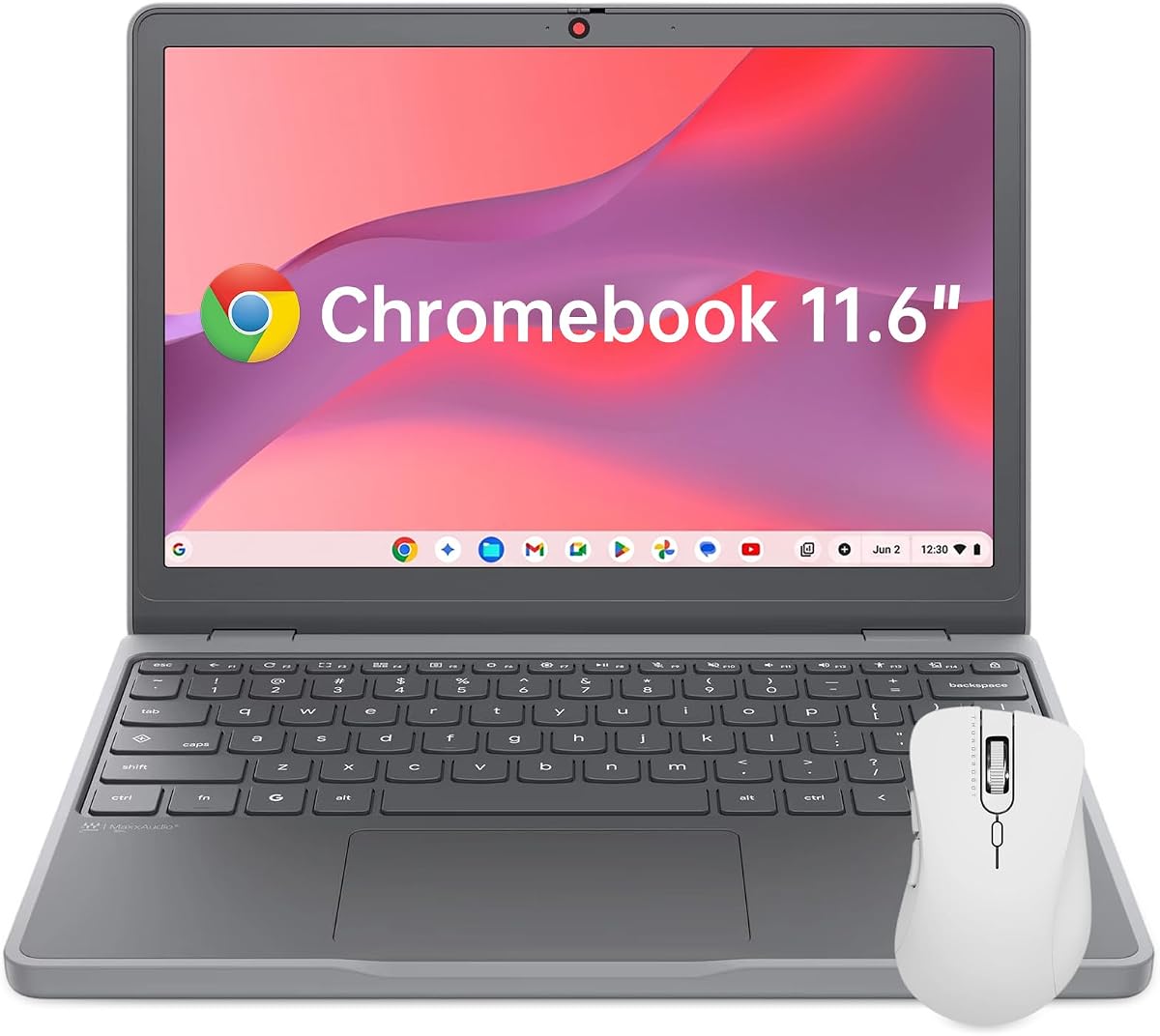
The Lenovo Chromebook 11.6 is built for maximum portability. It weighs just 2.69 lbs and has a slim profile for easy travel. The compact size makes it ideal for students commuting or professionals needing a secondary device on the go.
We may earn a commission when you buy through this link, at no additional cost to you.
Powered by the Intel N150 processor it handles essential web and office tasks efficiently. The built-in Google H1 Security Chip protects data effectively. Battery life lasts all day making it suitable for long trips without a charger. It is a practical choice for frequent travelers.
The 11.6-inch display is small but adequate for text work. Storage is limited but cloud integration compensates for this. The ruggedized chassis ensures durability against drops and bumps during travel. It sacrifices screen size for extreme mobility.
This Chromebook is perfect for those prioritizing travel and durability over screen real estate. It offers reliable performance for light tasks. It is recommended for users who need a lightweight companion for work or school.
The rugged chassis meets military standards ensuring resistance to drops and harsh travel conditions.
The integrated H1 Security Chip provides robust protection for personal data during travel.
We may earn a commission when you buy through this link, at no additional cost to you.
Selecting the right Chromebook for AI requires evaluating several hardware and software factors to ensure performance matches your needs.
The processor is the heart of your AI performance. Look for Intel Core Ultra or i3 processors as they often include dedicated neural processing units for AI tasks. AMD Ryzen processors are also efficient for handling multi-threaded workloads smoothly.
Prioritize modern processors with at least 4 cores to ensure smooth multitasking and quick response times for AI features.
RAM determines how many apps you can run simultaneously without slowdowns. Aim for 8GB or more to handle AI tool overlays and multiple browser tabs comfortably. Storage should be at least 256GB SSD to store local files and cache AI data efficiently.
Choose devices with 8GB RAM and 512GB SSD to maximize local storage and multitasking capabilities for advanced users.
A high-resolution touchscreen enhances interaction with AI drawing and document tools. WUXGA (1920×1200) displays offer sharp text and vibrant colors essential for creative work. Anti-glare coatings are beneficial for reducing eye strain during long sessions.
Select a 14-inch WUXGA touch display for a balance of portability and visual clarity for all tasks.
ChromeOS integrates native AI tools like Gemini and NotebookLM directly into the system. Verify that the device supports these features fully without needing third-party add-ons. This ensures seamless access to summarization and image generation capabilities.
Ensure the device supports Chromebooks Plus features to unlock maximum AI productivity tools and cloud storage.
Fast internet is crucial for cloud-based AI processing. Wi-Fi 6E or Wi-Fi 7 support ensures stable high-speed connections. For external displays and storage check for USB-C with Thunderbolt support if you need to connect to multiple monitors.
Opt for devices with USB-C Thunderbolt 4 and Wi-Fi 6E to maximize connectivity options for external devices.
Long battery life ensures uninterrupted work during travel or meetings. Aim for at least 10 hours of usage to cover a full workday. Lightweight designs under 3 lbs make commuting easier without physical strain.
Choose a lightweight model with a battery lasting at least 10 hours for reliable mobile productivity.
A sturdy build protects against accidental drops and spills. Military-grade durability ratings like MIL-STD-810H provide confidence for daily use. Spill-resistant keyboards are an added bonus for office environments.
Prioritize models with MIL-STD-810H certification for enhanced resistance to daily wear and tear.
Security chips like Titan C2 or H1 protect against unauthorized access. Privacy shutters on webcams allow physical control over camera access during sensitive meetings. Regular ChromeOS updates keep the system secure from vulnerabilities.
Look for hardware-based security chips and physical privacy shutters for enhanced data protection and privacy.
Maximize AI features by enabling all Google AI Pro options in your settings menu. This unlocks advanced tools like Gemini in Gmail and Docs automatically. Ensure your internet connection is stable to utilize cloud processing capabilities fully.
Keep your Chromebook updated to access the latest AI improvements and security patches. Regular software updates often include new generative tools and performance enhancements for the processor. This ensures long-term efficiency and reliability.
Clean the touchscreen with a microfiber cloth to prevent smudges affecting touch sensitivity. Use a protective sleeve during travel to prevent physical damage to the ports and screen. Regular maintenance extends the lifespan of the device significantly.
Yes, most AI features like Gemini and NotebookLM rely on cloud processing which requires an active internet connection. Some basic functions may work offline but advanced generative tools need connectivity. Ensure you have Wi-Fi for optimal performance.
While Chromebooks are designed for cloud AI they can run some lightweight local models via browser extensions. However, heavy models like Stable Diffusion require powerful local GPUs which Chromebooks typically lack. Cloud tools are more practical for ChromeOS users.
Chromebooks include Titan C2 security chips and sandboxing features that protect enterprise data effectively. Automatic updates ensure security patches are always current against new threats. They are considered highly secure for business use cases.
256GB is generally sufficient since Chromebooks rely heavily on cloud storage for files. However, 512GB is recommended if you store many local media files or use offline apps. Cloud storage bonuses often offset local storage limits.
A touchscreen allows natural interaction with AI drawing and text tools. It simplifies navigation through complex interfaces and supports handwriting recognition. Touch is ideal for creative tasks and interactive learning experiences.
Most Chromebook Plus models support Google AI Pro features by default. However, some older models may not receive the latest AI upgrades. Check the device specifications to confirm AI feature eligibility before purchase.
We identified the Acer Chromebook Plus 514 as the top overall choice for its perfect balance of performance and AI integration. The Lenovo 2026 Chromebook 14 offers incredible value for budget-conscious users needing portable power. The acer Chromebook Plus Spin 714 leads in premium features for professionals.
When prioritizing your choice consider how much you rely on cloud versus local processing. Ensure you have at least 8GB RAM for smooth multitasking during complex tasks. A high-quality display will significantly improve your daily workflow efficiency.
Remember that prices change frequently so check current availability before making your final decision. These models provide solid foundations for integrating AI into your daily work. Selecting the right device will enhance productivity significantly for years to come.