
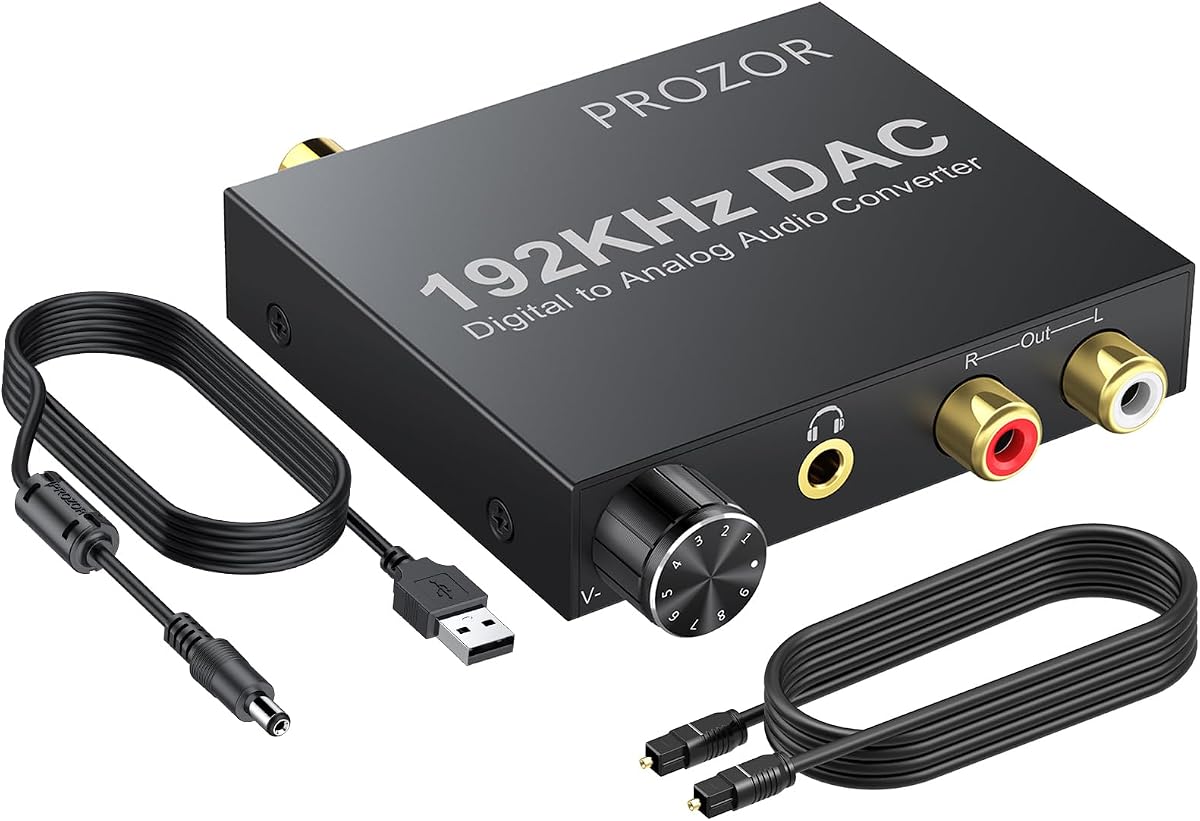
PROZOR 192KHz Digital to Analog Audio Converter
4.4Editor score
Converts optical to RCA simultaneously
Supports up to 192kHz PCM
Aluminum alloy housing for shielding
Compare top 192kHz DACs for high-resolution audio, featuring detailed specs, audio quality, and connectivity options for audiophiles and home theater.
Finding the right digital to analog converter can transform your audio setup into a high-fidelity experience. A good 192kHz DAC ensures precise signal conversion with minimal distortion and jitter for clearer sound.
We evaluated ten distinct models ranging from budget-friendly converters to flagship amplifiers. Our comparison focuses on chipsets, supported sample rates, build quality, and connectivity options to help you choose wisely.
Each pick highlights specific strengths like balanced outputs or compact designs. Please note that availability and terms may change over time, so verify current stock before finalizing your purchase decision.
4.4Editor score

4.6Editor score

4.6Editor score
The following table provides a side-by-side overview of key specifications and features for each model to facilitate easy comparison and selection.



The D&A Alpha Pro stands out as a top-tier digital to analog converter designed for serious audiophiles. With a rating of 4.6 stars it reflects high satisfaction among users seeking flagship performance.
We may earn a commission when you buy through this link, at no additional cost to you.
Its core strength lies in the ES9039MSPRO DAC chip which supports up to 768kHz PCM and DSD512. The 4C-FBDA fully balanced discrete amplification circuit delivers over 6000mW per channel ensuring powerful drive for demanding headphones.
The main trade-off is the substantial cost and physical size compared to standard desktop converters. This unit also requires dedicated power and careful placement to maximize the benefits of its isolation architecture.
Audiophiles with high-impedance headphones or premium systems should choose this model for its unmatched precision and power. It is highly recommended for those who demand the absolute best in digital conversion technology.
Three femtosecond-grade oscillators slash jitter to 15ps for sharper imaging and detail.
Physical segregation of digital and analog modules ensures zero crosstalk during processing.
We may earn a commission when you buy through this link, at no additional cost to you.
The PROZOR 192KHz Digital to Analog Audio Converter offers an accessible entry point for improving digital audio quality. It holds a solid 4.4 rating making it a reliable choice for budget-conscious users.
We may earn a commission when you buy through this link, at no additional cost to you.
This device converts coaxial or optical signals to analog RCA and 3.5mm outputs simultaneously. It supports sampling rates up to 192kHz and 24bit streams which covers most common high-resolution audio needs.
Limitations include the lack of a volume knob and basic amplification. Users must adjust output volume on the source device or downstream amplifier which adds a step to the listening routine.
Home theater owners or casual listeners needing basic HDMI ARC or optical conversion will find this unit sufficient. It is a practical solution for connecting older TVs or consoles to modern speaker systems.
Includes optical and power cables for quick setup without needing extra drivers.
Aluminum housing provides shielding against electromagnetic interference from other devices.
We may earn a commission when you buy through this link, at no additional cost to you.
The PROZOR Volume Adjustable DAC adds a practical feature often missing in budget converters. This model maintains a 4.4 rating and focuses on user control over audio output levels directly from the unit.
We may earn a commission when you buy through this link, at no additional cost to you.
It converts digital signals from coaxial or optical inputs to analog outputs while allowing manual volume adjustment via a dedicated knob. This flexibility helps optimize sound levels for different listening environments.
While functional it lacks advanced audio processing or high-power amplification. The volume control is simple analog attenuation which may not be as precise as digital control found in pricier units.
Users who connect this to passive speakers or older amplifiers will appreciate the direct volume control. It is a smart upgrade from basic converters for anyone wanting more control over their setup.
Adjust output volume to desired level without touching your TV or console remote.
Gold-plated interfaces ensure minimal signal loss during transmission to your speakers.
We may earn a commission when you buy through this link, at no additional cost to you.
This PROZOR model is tailored for users needing a direct optical to headphone connection. It holds a strong 4.5 rating which suggests users value its sound quality and ease of use.
We may earn a commission when you buy through this link, at no additional cost to you.
The built-in amplifier chip enhances clarity and power for the 3.5mm output. It supports high resolution audio formats up to 192kHz and 24-bit ensuring detail is preserved during conversion.
The main limitation is the single 3.5mm output limiting connection options to headphones or small speakers. It also lacks coaxial inputs which might restrict compatibility with some older devices.
Gamers or movie watchers using headphones with HD TVs or consoles will find this convenient. It provides a simple and effective way to get better sound from digital sources without extra cables.
New-generation amplifier chipset delivers cleaner output with improved detail and lower distortion.
Works effortlessly with HD TVs game consoles and DVD players for easy integration.
We may earn a commission when you buy through this link, at no additional cost to you.
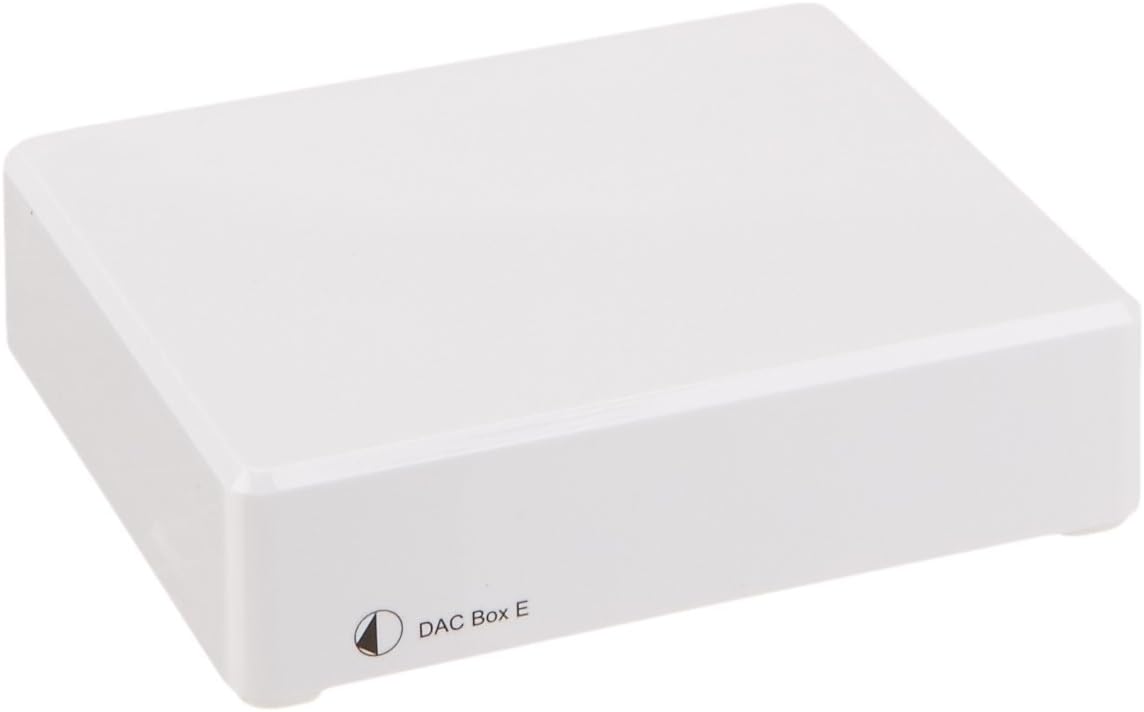
The Pro-Ject DAC Box E is known for its elegant design and straightforward functionality. It holds a 3.7 rating which indicates mixed satisfaction among users compared to more feature-rich models.
We may earn a commission when you buy through this link, at no additional cost to you.
This unit handles digital inputs via coaxial optical and USB connections. It supports high resolution audio up to 24-bit and 192kHz PCM ensuring accurate representation of digital source material.
Its compact aluminum chassis shields against interference and fits neatly into any setup. However the lack of advanced tuning or extra inputs might limit appeal for demanding audiophiles.
Users prioritizing aesthetics and basic functionality in a desktop system may appreciate this model. It is suitable for those connecting computers or streamers to powered speakers or standard amplifiers.
The compact stylish aluminum chassis enhances visual appeal of any audio setup.
Versatile input options allow connection of multiple devices including computers and CD players.
We may earn a commission when you buy through this link, at no additional cost to you.
The Fosi Audio Q4 serves as both a DAC and headphone amp with added sound tuning features. With a 4.4 rating it reflects strong user satisfaction regarding its versatility and sound quality.
We may earn a commission when you buy through this link, at no additional cost to you.
It accepts digital inputs via USB optical and coaxial providing flexible connectivity for PCs or players. The included bass and treble knobs allow users to tailor sound signatures to personal preferences.
Users seeking neutral reproduction might find the tone controls less ideal. These adjustments add coloration which can be beneficial for casual listening but may hinder critical analysis of recordings.
PC users or casual listeners wanting customizable sound will find this unit practical. It integrates easily into desktop setups to drive headphones or active speakers with adjustable tone options.
Adjustable bass and treble knobs allow fine-tuning to match source or room acoustics.
No driver installation needed for instant high fidelity audio enjoyment on any device.
We may earn a commission when you buy through this link, at no additional cost to you.
The Fosi Audio Q6 targets enthusiasts seeking high-resolution audio capabilities in a small package. It carries a 4.6 rating which highlights its strong performance in converting high-fidelity digital files.
We may earn a commission when you buy through this link, at no additional cost to you.
Powered by the AK4493S DAC chip it supports sampling rates up to 32-bit 768kHz and DSD512. The system includes an XMOS processor and high-quality op-amps for clean accurate signal conversion.
While it offers exceptional audio resolution it lacks a direct headphone output. This limits its use to feeding external amplifiers or powered speakers which may require additional equipment.
Audiophiles with dedicated amplifier systems will appreciate the high-resolution support. It is an excellent choice for desktop setups focused on delivering the best possible quality to speakers.
Crystal-clear audio with 32-bit 768kHz PCM and DSD512 support for immersive listening.
Over 120dB Signal to Noise Ratio ensures clean accurate conversion with minimal distortion.
We may earn a commission when you buy through this link, at no additional cost to you.
This converter offers a specific solution for connecting optical devices to systems with XLR inputs. It has a 4.3 rating indicating reliable performance for users needing this specific connectivity path.
We may earn a commission when you buy through this link, at no additional cost to you.
The device converts optical digital signals into unbalanced mono XLR outputs for left and right channels. It supports high-resolution rates up to 192kHz and 24-bit ensuring detail is preserved.
The main drawback is the lack of RCA outputs limiting its utility to XLR compatible gear. It also produces unbalanced signals which might be prone to interference over long cable runs.
Users with balanced inputs who want to use optical sources will find this useful. It serves a niche role for connecting TVs or players directly to XLR-equipped amplifiers or mixers.
Converts SPDIF Toslink signals to two unbalanced XLR signals for left and right channels.
Compact lightweight design allows for easy transport and space-saving audio connections.
We may earn a commission when you buy through this link, at no additional cost to you.
The SMSL PS100 is a versatile mini converter that includes HDMI ARC for modern TVs. It holds a 4.2 rating and is popular for connecting newer gaming consoles to audio systems.
We may earn a commission when you buy through this link, at no additional cost to you.
It accepts inputs via HDMI ARC USB optical and coaxial to convert signals to RCA outputs. The unit includes an independent power supply to improve audio quality when connected to computers.
It lacks advanced tuning features or direct control options. Users must rely on source device settings to manage volume and equalization which might be a hurdle for some setups.
Home theater users needing HDMI ARC extraction will find this a convenient option. It simplifies connecting TVs and game consoles to external stereo systems without complex wiring.
Connect directly to TV HDMI ARC interface to enjoy audio from TV and PS5 easily.
Includes optical coaxial USB inputs to handle various digital audio sources seamlessly.
We may earn a commission when you buy through this link, at no additional cost to you.
This multifunction converter offers extensive connectivity options for diverse audio setups. It holds a 4.0 rating reflecting its utility for users needing flexible routing of digital signals.
We may earn a commission when you buy through this link, at no additional cost to you.
It supports HDMI ARC optical and coaxial inputs while providing simultaneous output to coaxial optical RCA and 3.5mm. This versatility makes it a hub for routing audio to multiple devices.
The device does not support advanced surround sound formats which might limit its use for home theater. Volume control is restricted to the output device requiring external management.
Users needing to connect multiple speakers or outputs from one source will find it useful. It is a solid choice for distributing audio from TVs or players to various devices easily.
Sends audio to optical coaxial and analog outputs at the same time for flexibility.
Extracts HDTV audio that supports ARC and converts it to your needed format.
We may earn a commission when you buy through this link, at no additional cost to you.
Selecting the right DAC involves evaluating chipsets, output types, connectivity, and build quality to match your specific audio needs.
The internal chip determines how digital data is converted to analog sound. Look for reputable chips from manufacturers like ESS or AKM which ensure low distortion and high resolution.
Prioritize models with flagship chips if you demand exceptional audio clarity and dynamic range for your system.
Ensure the DAC supports 192kHz and 24-bit PCM to handle high-resolution audio files correctly. Some models also support DSD formats for SACD enthusiasts.
Check if the device handles all the formats you use so there are no compatibility issues during playback.
Consider the inputs your source devices offer such as optical coaxial USB or HDMI ARC. Outputs should match your speakers or headphones whether RCA 3.5mm or XLR.
Choose a model that provides the necessary ports to connect all your devices without needing extra adapters.
Balanced outputs using XLR can reduce noise over longer cable runs compared to unbalanced RCA. This is crucial for large rooms or sensitive audio equipment.
If you have balanced inputs on your amplifier prefer a DAC with balanced outputs for cleaner signal transmission.
A metal chassis like aluminum or steel shields the internal components from electromagnetic interference. Plastic cases may be lighter but offer less protection against external noise.
Invest in a unit with a solid build to ensure longevity and better sound stability over time.
Jitter affects the timing accuracy of digital conversion which can blur detail in sound. Advanced models include specialized clocks or isolation circuits to minimize this effect.
Look for features like femtosecond oscillators or dual-domain isolation to ensure precise timing and imaging.
Some DACs include built-in headphone amplifiers that deliver high current to drive demanding headphones. Check the output power specifications to match your headphone impedance requirements.
Select a unit with enough power output if you plan to use it as a direct headphone amplifier.
Physical knobs for volume or tone adjustment can make daily use more intuitive. Some models allow remote control while others rely on source device settings.
Pick a DAC that offers the level of control you prefer for a convenient listening experience.
Connect your digital source using the appropriate cable such as optical or coaxial to the input port on the DAC. Ensure the settings on your TV or computer are set to PCM output format for best results.
Plug the analog output cables from the DAC into your amplifier or speakers. Adjust the volume on your amplifier to ensure a consistent signal level during use.
Keep the unit in a well-ventilated area to prevent overheating and avoid direct exposure to moisture. Dust the metal casing gently with a dry cloth to maintain its appearance.
Streaming services like Spotify typically stream at lower bitrates than 192kHz. While a 192kHz DAC can improve clarity through better conversion it might not be necessary for streaming. Consider one if you have a large library of local high-resolution files.
Both transmit digital audio signals but optical uses light while coaxial uses electrical pulses. Coaxial can sometimes offer slightly higher signal stability but optical is immune to electrical interference. Both support 192kHz formats adequately.
Most Bluetooth speakers receive audio wirelessly so a wired DAC connection is not typically needed. However if your speaker has an auxiliary input you can use a DAC to improve the source signal quality before Bluetooth transmission.
Ensure the TV audio settings are set to PCM or LPCM output as many TVs default to compressed formats. Also check that the optical cable is securely connected and the audio output is enabled in the TV menu.
Yes a good DAC can provide clearer positioning and more detailed sound effects in games. It removes digital noise and jitter which helps you hear footsteps and audio cues more accurately during gameplay.
Most standard DACs cannot directly connect to turntables which require phono preamp input. Some advanced models include analog inputs that support phono but generally a dedicated phono stage is needed first.
Use a Toslink optical cable with gold connectors for best signal integrity. Ensure the cable length is reasonable as longer cables can sometimes degrade the signal strength. Standard high-quality Toslink cables work well.
The D&A Alpha Pro PROZOR budget models and Fosi Audio Q6 offer top choices for different budgets and needs. Each brings unique strengths whether it is high power or simple connectivity for your setup.
Prioritize features like balanced outputs or HDMI ARC based on your specific equipment and listening goals. Investing in the right DAC ensures your digital audio is converted to the best possible analog signal.
Always check current availability and specifications before purchasing to ensure compatibility with your system. The right choice will significantly enhance your listening experience across music and movies.