
Focusrite Scarlett Solo 4th Gen
4.6Editor score
Huge 120dB dynamic range
Improved Air mode for vocals
Includes Pro Tools Intro Plus
This comprehensive guide compares the top ten Focusrite USB audio interfaces for 2026, evaluating sound quality, connectivity, and software features to help
Finding the right audio interface is crucial for any musician or podcaster looking to capture professional-grade sound. Focusrite has long been a leader in this space, offering reliable hardware that bridges the gap between home setups and studio quality.
We have analyzed ten distinct models ranging from compact solo units to extensive multi-channel solutions. Each product was evaluated based on its preamp quality, connectivity options, included software, and overall value for different recording needs.
Every selection in this list showcases unique strengths tailored to specific workflows and budgets. Please note that pricing and availability fluctuate regularly, so verify current details before making your final purchase decision.
4.6Editor score

4.7Editor score

5.0Editor score
The following table provides a side-by-side comparison of all ten selected models to help you quickly identify the unit that matches your specific input requirements and budget constraints.


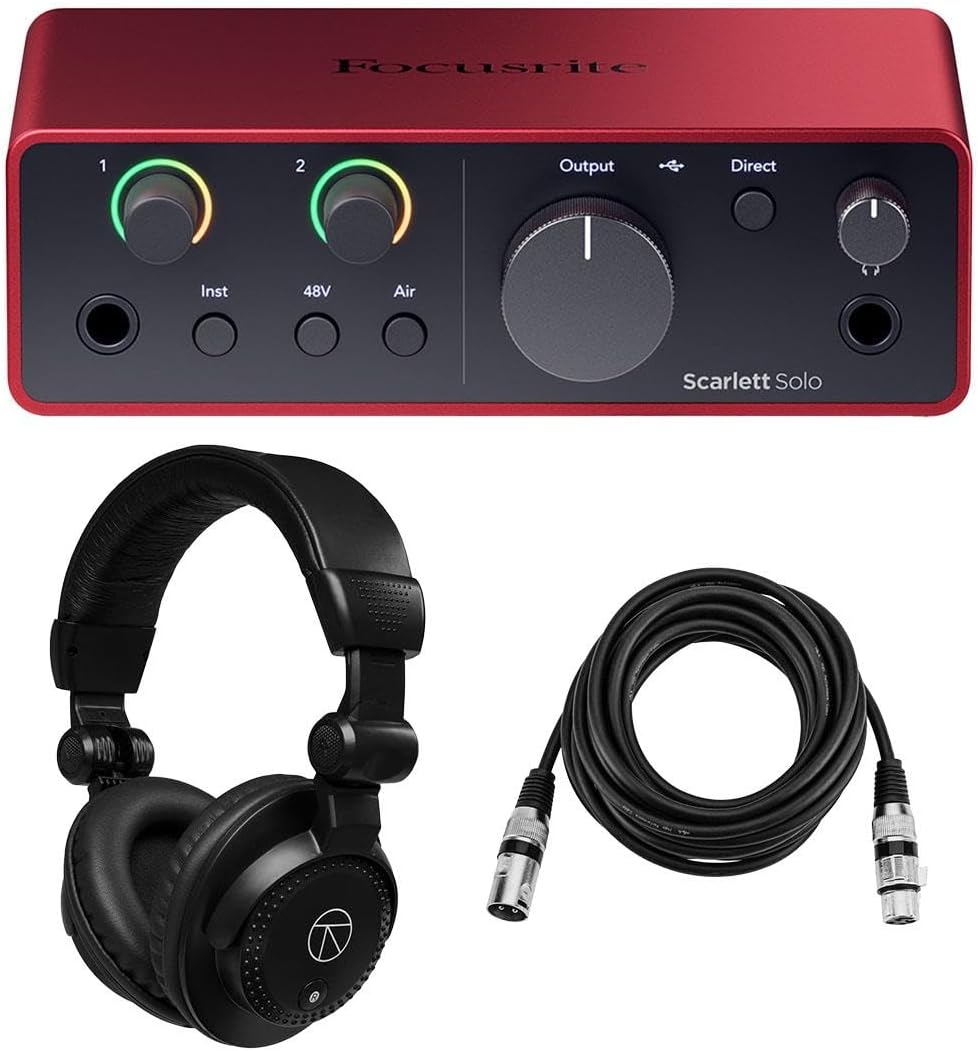


The Focusrite Scarlett Solo 4th Gen stands out as a top choice for solo artists needing professional sound without complexity. Its 4.6 rating reflects consistent performance and reliability across various recording scenarios.
We may earn a commission when you buy through this link, at no additional cost to you.
This interface features a huge 120dB dynamic range matching flagship studio gear. The improved Air mode adds rich harmonic drive to vocals and guitars, helping you find your signature sound quickly.
While it lacks multiple inputs, the single mic and instrument setup is perfect for bedroom producers. The trade-off is worth it for the price and the high quality of the included recording software.
Buy this if you need a simple, powerful tool to record vocals or guitar. It is an ideal starting point for anyone beginning their music production journey.
The converters used here are the same as those found in Focusrite’s flagship interfaces.
It includes Pro Tools Intro plus a full collection of record-making plugins.
We may earn a commission when you buy through this link, at no additional cost to you.
Rated 4.7, this bundle offers the clearest mic preamps ever found on a Scarlett interface. It is perfect for recording two sources simultaneously with professional clarity and detail.
We may earn a commission when you buy through this link, at no additional cost to you.
The Dynamic Gain Halos let you monitor signals directly from hardware to find perfect levels quickly. Auto Gain sets levels automatically in ten seconds ensuring consistent recording performance.
Although it costs more than the Solo model, the extra inputs and safety features justify the cost. You avoid clipping risks and get better sound for vocals and instruments alike.
Choose this for its balance of features and ease of use. It is the best choice for podcasters or duos needing reliable recording capabilities.
Unique illuminated halos let you easily monitor input signals directly.
Custom-designed amp with independent level control ensures accurate playback.
We may earn a commission when you buy through this link, at no additional cost to you.
This interface earned a perfect 5.0 rating for its extensive connectivity and high resolution audio. It supports complex setups with four mic preamps and eight line inputs for any band.
We may earn a commission when you buy through this link, at no additional cost to you.
Features like Auto Gain and Clip Safe simplify workflow while loopback functionality helps record computer audio. The bundle includes headphones and cables ensuring you have everything to start.
While it is larger and more complex, the flexibility is unmatched for serious producers. The near-zero latency ensures seamless monitoring without distracting delays during live recording.
Invest in this if you need to record multiple instruments at once. It provides professional studio features at a competitive price point for expanded setups.
Features eight line inputs and MIDI I/O for comprehensive connection options.
Auto Gain and Clip Safe features make level setting effortless.
We may earn a commission when you buy through this link, at no additional cost to you.
The 3rd Gen 2i2 is a classic known for natural sounding mic preamps and reliability. Millions of musicians use it daily to write and record music with great results.
We may earn a commission when you buy through this link, at no additional cost to you.
Air mode breathes life into vocals by adding unique high-end detail. It is like writing in a studio with the same experience of original ISA preamps.
It is still a strong performer but lacks the new features of the 4th Gen. The trade-off is lower complexity which some users may prefer for simplicity.
Consider this if you find it at a good price or need fewer advanced features. It remains a solid choice for recording vocals and guitar effectively.
Emulates original ISA preamps adding high-end detail to recordings.
Tool gets you set up recording and playing back within minutes.
We may earn a commission when you buy through this link, at no additional cost to you.
This bundle provides everything you need to start recording with a high quality interface. It includes the interface software suite and a long XLR microphone cable for setup.
We may earn a commission when you buy through this link, at no additional cost to you.
It ensures every recording captures professional-grade clarity with 24-bit/192 kHz resolution. The ultra-low latency USB 2.0 protocol allows real-time monitoring without distracting delays.
The 10 foot cable is a huge plus for flexible setup positions. This bundle removes the guesswork of buying compatible accessories separately.
Buy this if you need a complete ready to use solution immediately. It is ideal for beginners who want to avoid extra shipping costs.
Class-compliant design ensures integration with Mac Windows and iPad.
Features mic preamp instrument input and headphone output.
We may earn a commission when you buy through this link, at no additional cost to you.
This bundle offers a complete package including the interface headphones and accessories. It is designed to give you everything needed for vocal recording in one box.
We may earn a commission when you buy through this link, at no additional cost to you.
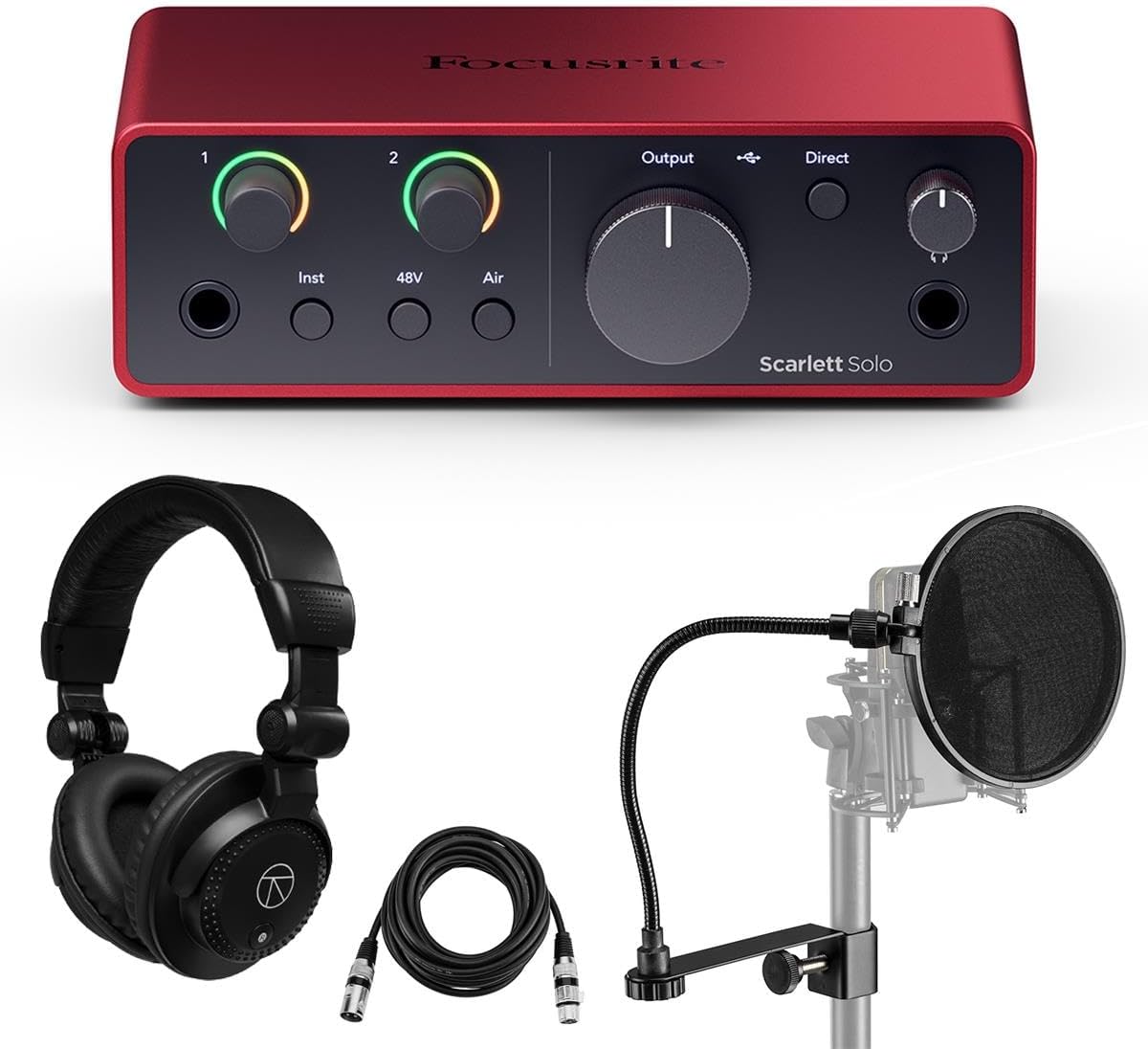
It includes Studio Monitor Headphones for accurate monitoring and a pop filter for vocal clarity. The interface features 4th Gen preamps and Dynamic Gain Halos.
The convenience of having all gear together is a major advantage. However the fixed accessories may not suit everyone if you already own headphones.
Choose this if you want to simplify your buying process. It is a great option for a quick studio setup without extra trips.
Includes interface pop filter headphones and microphone cable.
Full software suite included for immediate production.
We may earn a commission when you buy through this link, at no additional cost to you.
This Solo bundle is perfect for individual creators needing monitoring and recording tools. It includes Turnstile Audio Headphones and the Hitmaker Expansion software bundle.
We may earn a commission when you buy through this link, at no additional cost to you.
Air mode lets you record with the character of a big studio console. The independent volume control on the headphone output ensures great sound quality.
The Hitmaker Expansion provides Auto-Tune Access and other essential effects. This makes it a powerful tool for solo vocalists and guitarists.
Buy this if you need headphones and a powerful interface together. It is designed for songwriters who want to record and release tracks.
Software bundle featuring Auto-Tune Access and other plugins.
Makes it easier than ever to record and release songs.
We may earn a commission when you buy through this link, at no additional cost to you.
This bundle combines the Solo interface with headphones and a pop filter. It is designed for vocal recording with everything needed to reduce plosive sounds.
We may earn a commission when you buy through this link, at no additional cost to you.
Dynamic Gain Halos help set the perfect recording level quickly. The bundle also includes Control 2 for session management from your PC or Mac.
The pop filter is essential for clean vocal tracks. Having it in the bundle ensures you do not miss this critical accessory.
Choose this if you record vocals and need a filter included. It simplifies your purchase and ensures high quality vocal recordings.
Tool will have you making music in minutes.
Detailed ultra-low-noise mic pre for great sound.
We may earn a commission when you buy through this link, at no additional cost to you.
This 16i16 model offers extensive connectivity for bands needing more inputs. It includes two mic preamps and six line inputs for comprehensive connection options.
We may earn a commission when you buy through this link, at no additional cost to you.
It provides high resolution audio ensuring recordings capture every nuance with clarity. Near-zero latency enables real-time monitoring for seamless performances.
The bundle includes headphones pop filter and cables for a complete setup. This is an excellent choice for larger groups or drum recording.
Invest in this for its balance of inputs and audio quality. It is ideal for recording full bands with minimal external gear.
Connect various instruments with multiple line and mic inputs.
Class compliant ensuring effortless integration with Mac or Windows.
We may earn a commission when you buy through this link, at no additional cost to you.
The 2nd Gen Solo remains a reliable tool for recording studio-quality audio. It features a specially-designed mic pre with plenty of gain and phantom power.
We may earn a commission when you buy through this link, at no additional cost to you.
It is compact lightweight and tough enough to take anywhere. This portability is perfect for capturing ideas on the go.
Although older than 4th Gen models it still offers excellent sound. The Red 2 and Red 3 plug-in suite is a valuable bonus.
Consider this if you need a durable portable interface. It is a solid choice for basic recording needs with high quality plugins.
Specially designed pre with superb sound and 48V power.
Includes Red 2 Red 3 and Softube Time and Tone bundles.
We may earn a commission when you buy through this link, at no additional cost to you.
Selecting the right interface depends on your recording setup and future needs. This guide breaks down the key factors to consider before buying.
Start by listing how many microphones and instruments you need to record simultaneously. If you only sing and play guitar the Solo model is sufficient. For bands you may need more inputs like the 2i2 or larger models.
Choose an interface that matches your current setup but consider future growth.
Focusrite 4th Gen preamps offer clearer sound than previous generations. Look for high gain range and low noise to ensure clean recordings of quiet vocals.
Higher generation preamps generally provide better signal quality.
Most modern interfaces use USB-C for better speed and compatibility. Ensure your computer supports the connection type or you may need adapters.
USB-C offers faster data transfer and better power management.
Many bundles come with Pro Tools and DAW software. This adds value and saves you from buying expensive production tools separately.
Check which software version is included to ensure it meets your needs.
High dynamic range like 120dB captures more detail in your recordings. 24-bit/192 kHz resolution ensures professional quality sound for mastering.
Prioritize high resolution specs for better audio fidelity.
Auto Gain and Clip Safe features prevent distortion during recording. Gain Halos provide visual feedback so you set levels correctly without software.
Use interfaces with visual gain tools for easier setup.
If you travel to record you need a lightweight compact unit. Solo models are easier to carry than large 18i16 interfaces.
Select a size that fits your workflow and mobility needs.
Focusrite offers three-year warranties on most units. This long-term support ensures you are protected against hardware defects.
Verify warranty terms to ensure long-term peace of mind.
Connect the interface to your computer using a high quality USB-C cable. Ensure you install the latest drivers from the Focusrite website for optimal performance and stability.
Connect your microphone or instrument to the appropriate input. Turn the gain knob slowly while monitoring levels in your software to avoid clipping and distortion.
Protect your unit from dust and moisture when not in use. Store it in a case if you travel and avoid placing heavy items on top of the unit.
Yes for Windows systems you must install the Focusrite USB driver. macOS users typically do not need drivers for basic use but installing Focusrite Control 2 software allows better control over settings.
Air Mode emulates Focusrite ISA preamps to add high-end presence and harmonics. It lifts vocals and guitars to the front of the mix for a more polished studio sound.
Most modern 4th Gen models are class compliant and work with USB-C iPads. You may need a USB-C to Lightning adapter for older iPad models.
Bundles typically include Pro Tools Intro or Artist and Ableton Live Lite. The Hitmaker Expansion pack includes Auto-Tune Access and other essential plugins.
Use the Auto Gain feature to set levels automatically. Alternatively manually adjust the gain knob while watching the LED halo turn green not red.
Loopback allows you to record computer audio like browser audio or Zoom calls. It enables you to create samples from virtual inputs without extra hardware.
The 4th Gen has better preamps Dynamic Gain Halos and Auto Gain. It also supports newer software workflows for better overall recording convenience.
Not all models include cables. Check the bundle description to see if an XLR cable or USB cable is included before purchase.
We reviewed ten top models ranging from the solo units to the 18i16. Each offers distinct advantages depending on your input needs and budget constraints.
Prioritize preamp quality and gain control features. Ensure your chosen unit supports your software and hardware ecosystem before buying.
Prices and availability change frequently so check current offers before finalizing your purchase. Verify what is included in your specific bundle.