
Creative Pebble Plus 2.1
4.3Editor score
USB Powered Convenience
Down-Firing Subwoofer
45 Degree Elevated Drivers
This guide compares the top 2.1 channel desktop speakers for gaming, music, and movies, evaluating sound quality, power, and features to help you choose.
Finding the right sound system for your desk can transform your work and play experience. A good 2.1 channel desktop speaker setup delivers clear mids, crisp highs, and deep bass without cluttering your workspace with too many components.
We evaluated ten real models based on audio performance, connectivity options, build quality, and user feedback. Our analysis covers everything from budget-friendly options to premium systems with advanced features like RGB lighting and wireless control.
Each pick highlights key strengths and potential trade-offs to help you decide. Note that product availability and pricing can change frequently, so always verify current details before making your final purchase decision online.
4.3Editor score

4.5Editor score
4.2Editor score
The following table provides a side-by-side comparison of all ten reviewed speaker systems. It highlights key specifications and features to help you quickly identify which model best fits your specific desktop audio needs and budget constraints.


The Klipsch ProMedia 2.1 THX Certified system stands out as a legendary choice for desktop audio. With a 4.5 rating, it delivers incredible sound for gaming and movies through its advanced horn technology.
We may earn a commission when you buy through this link, at no additional cost to you.
Its MicroTractrix horn technology ensures high efficiency and clarity. The 6.5-inch side-firing subwoofer provides full bandwidth bass that you can actually feel, reaching up to 110dB peak output.
While it demands more desk space than compact units, the trade-off is worth it for audio fidelity. The plug-and-play setup with a 3.5mm input makes it easy to connect various devices immediately.
Audio enthusiasts and gamers seeking immersive sound should prioritize this model. It remains a top recommendation for those willing to invest in premium desktop speaker performance and reliability.
THX certification guarantees the system meets strict audio standards for fidelity and dynamic range in any environment.
MicroTractrix horn technology directs sound precisely to your ears, reducing distortion and improving midrange clarity significantly.
We may earn a commission when you buy through this link, at no additional cost to you.
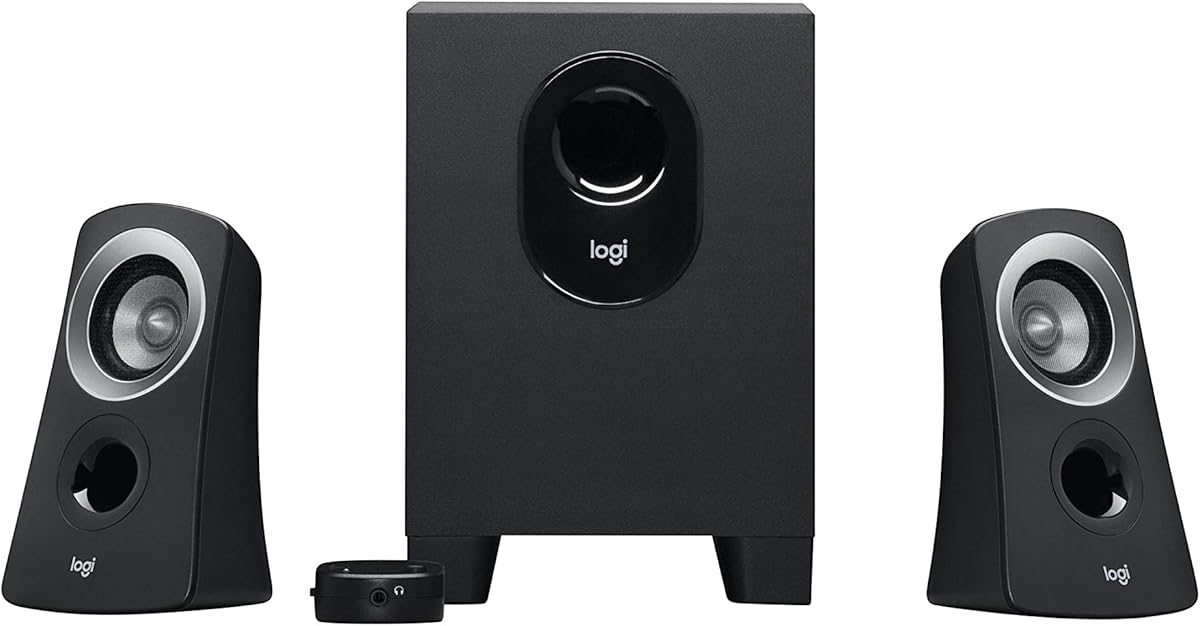
The Logitech Z313 offers an accessible entry point into 2.1 audio with a 4.4 rating. It provides 25 watts of RMS output suitable for casual listening in smaller home offices or bedrooms.
We may earn a commission when you buy through this link, at no additional cost to you.
Its control pod allows quick volume adjustments, which is great for daily use. The compact subwoofer fits easily under desks without taking up much floor space or cluttering the workspace visually.
Though it lacks the deep bass of higher-end models, it delivers balanced sound for its price. Users find it reliable for everyday tasks like video calls and background music without needing complex configuration.
Budget-conscious users wanting basic stereo separation with bass support will appreciate this unit. It is a practical choice for those who prioritize simplicity and cost over audiophile-grade performance metrics.
The small subwoofer and satellite design allow for easy integration into tight desk layouts without sacrificing usable surface area.
A dedicated control pod makes adjusting volume straightforward, removing the need to reach for system settings constantly.
We may earn a commission when you buy through this link, at no additional cost to you.
With a 4.6 rating, the Logitech Z623 brings studio-quality audio to your desktop with 400 watts of peak power. It is designed to fill large rooms with immersive sound for movies and gaming.
We may earn a commission when you buy through this link, at no additional cost to you.
The system supports up to three audio devices via RCA and 3.5mm inputs. This versatility makes it ideal for setups with multiple consoles or computers sharing the same audio system efficiently.
While it is larger than typical desktop speakers, the sound performance justifies the space requirement. Users report that the 130W subwoofer delivers significant low-end punch without distortion at high volumes.
Power users needing loud, clear audio for entertainment should consider this model. It serves well as a bridge between desktop speakers and home theater systems with minimal compromise on quality.
The 400W peak power ensures that audio remains clear and dynamic even when played loudly in spacious environments.
Supporting multiple inputs allows seamless switching between PC, console, and media players without constant cable swapping.
We may earn a commission when you buy through this link, at no additional cost to you.
The Creative Pebble X Plus offers a sleek, modern take on desktop audio with a 4.2 rating. Its USB-C connectivity and Bluetooth 5.3 support make it highly compatible with laptops and mobile devices.
We may earn a commission when you buy through this link, at no additional cost to you.
RGB lighting presets add a vibrant aesthetic touch to your desk setup. The upgraded 2.75-inch drivers deliver punchy bass via a compact subwoofer that balances well with the satellite units visually.
While the 30W peak power is modest, the sound quality remains crisp for typical desktop use. Users appreciate the ability to switch between wired and wireless modes for flexible listening scenarios daily.
Tech enthusiasts wanting stylish speakers with good connectivity will find this appealing. It suits those who value design and wireless convenience alongside decent audio performance in a small package.
Bluetooth 5.3 ensures stable connections for streaming music wirelessly without noticeable latency during playback sessions.
Six lighting presets allow you to match your desk aesthetic with various colors without affecting audio quality.
We may earn a commission when you buy through this link, at no additional cost to you.
Bluedee speakers score a 4.4 rating with 80W peak power and Bluetooth 5.4. They deliver clear vocals and balanced audio thanks to built-in DSP tuning that reduces harsh highs effectively.
We may earn a commission when you buy through this link, at no additional cost to you.
The single control knob simplifies daily adjustments for volume and lighting effects. This all-in-one approach streamlines the user experience for quick changes without needing separate remote controls or apps.
Users find the Bluetooth connection stable and convenient for mobile devices. The bass is punchy enough for movies and gaming, though it may not satisfy extreme low-frequency enthusiasts looking for deep rumble effects.
Those seeking a blend of modern connectivity and ease of use will enjoy this model. It is a strong contender for home office setups needing reliable wireless sound with some visual flair.
Digital Signal Processing optimizes the sound profile to ensure smooth playback without distortion at higher volumes.
A single knob handles volume, playback, and lighting changes, reducing clutter and simplifying user interaction.
We may earn a commission when you buy through this link, at no additional cost to you.
The Cyber Acoustics CA-3090 is an entry-level option with a 3.9 rating. It offers 18W peak power and a 4-inch subwoofer that provides basic stereo separation for casual desktop listening needs.
We may earn a commission when you buy through this link, at no additional cost to you.
Flat panel designs for satellites and subwoofer save space. The control pod allows simple volume adjustments and power toggling, which is straightforward for users not seeking advanced audio features or customization.
Sound quality is functional rather than immersive. While it suits quiet office environments, it may struggle with dynamic content like action movies or intense gaming scenarios requiring impactful audio feedback loops.
Budget-focused buyers needing basic sound enhancement will find it adequate. It serves as a reliable starter set for those prioritizing cost efficiency over high-fidelity audio performance or deep bass.
Flat panels ensure minimal protrusion from the desk, leaving more room for other essential workspace items.
The simplicity of controls makes it easy to use immediately without any complex setup or calibration steps required.
We may earn a commission when you buy through this link, at no additional cost to you.
The Creative Pebble Plus offers a unique USB-powered design with a 4.3 rating. It features 8W RMS total power but uses a High Gain Mode to boost volume when connected to a 2A USB adapter.
We may earn a commission when you buy through this link, at no additional cost to you.
Its 45-degree elevated drivers are angled directly at you, optimizing soundstage and focus for desktop listening. The down-firing subwoofer adds significant audio depth despite the system's small overall physical footprint.
Volume controls on the front provide easy access for quick adjustments. This design choice eliminates the need to reach around cables, making daily interactions more convenient for typical desk users.
Laptop users or those without extra outlets will appreciate the USB power. It is a great budget choice for clear sound without needing a dedicated wall socket for operation.
Eliminating the need for a wall socket reduces cable clutter and simplifies setup for laptops and mobile workstations.
Elevated drivers direct sound precisely at ear level, improving clarity and perceived volume without increasing power.
We may earn a commission when you buy through this link, at no additional cost to you.
The Cyber Acoustics CA-3610 delivers 62W peak power with dual 2-inch titanium drivers in satellites. A 4.2 rating highlights its ability to produce crisp highs and warm mid-tones effectively.
We may earn a commission when you buy through this link, at no additional cost to you.
A 5.25-inch down-firing subwoofer provides deep, powerful bass for movies and games. The angled design of satellites ensures better sound projection towards the listener on standard desktop configurations.
A headphone jack allows private listening without disturbing others. This feature adds practical value for shared spaces where personal audio sessions are common during work hours or late-night use.
Users needing strong bass on a budget will find this compelling. It balances cost and performance well for gaming and multimedia, offering a solid upgrade from standard monitor speakers.
Titanium drivers ensure clear, distortion-free high frequencies that enhance overall audio realism across various content types.
Private listening capability makes these speakers versatile for shared environments without needing separate headphones for every user.
We may earn a commission when you buy through this link, at no additional cost to you.
The Logitech Z407 features a unique wireless control dial with a 4.3 rating. It offers 80W peak power and a 20-watt bass output tuned for clarity without distortion during playback.
We may earn a commission when you buy through this link, at no additional cost to you.
Satellites can be placed vertically or horizontally to match your desk layout. This flexibility allows for better integration into varied workspace styles while maintaining optimal audio projection direction.
Users love the convenience of tapping and spinning the dial for volume control. Bluetooth switching allows quick transitions between devices, making it ideal for multi-device productivity setups.
Wireless enthusiasts wanting premium control will find this appealing. It suits those who value ease of use and immersive sound with minimal cable clutter around their computer desk.
The 30-meter range dial offers tactile control without needing to touch a computer mouse or keyboard frequently.
Oval satellites can stand up or lay flat to suit different desk sizes and aesthetic preferences effectively.
We may earn a commission when you buy through this link, at no additional cost to you.
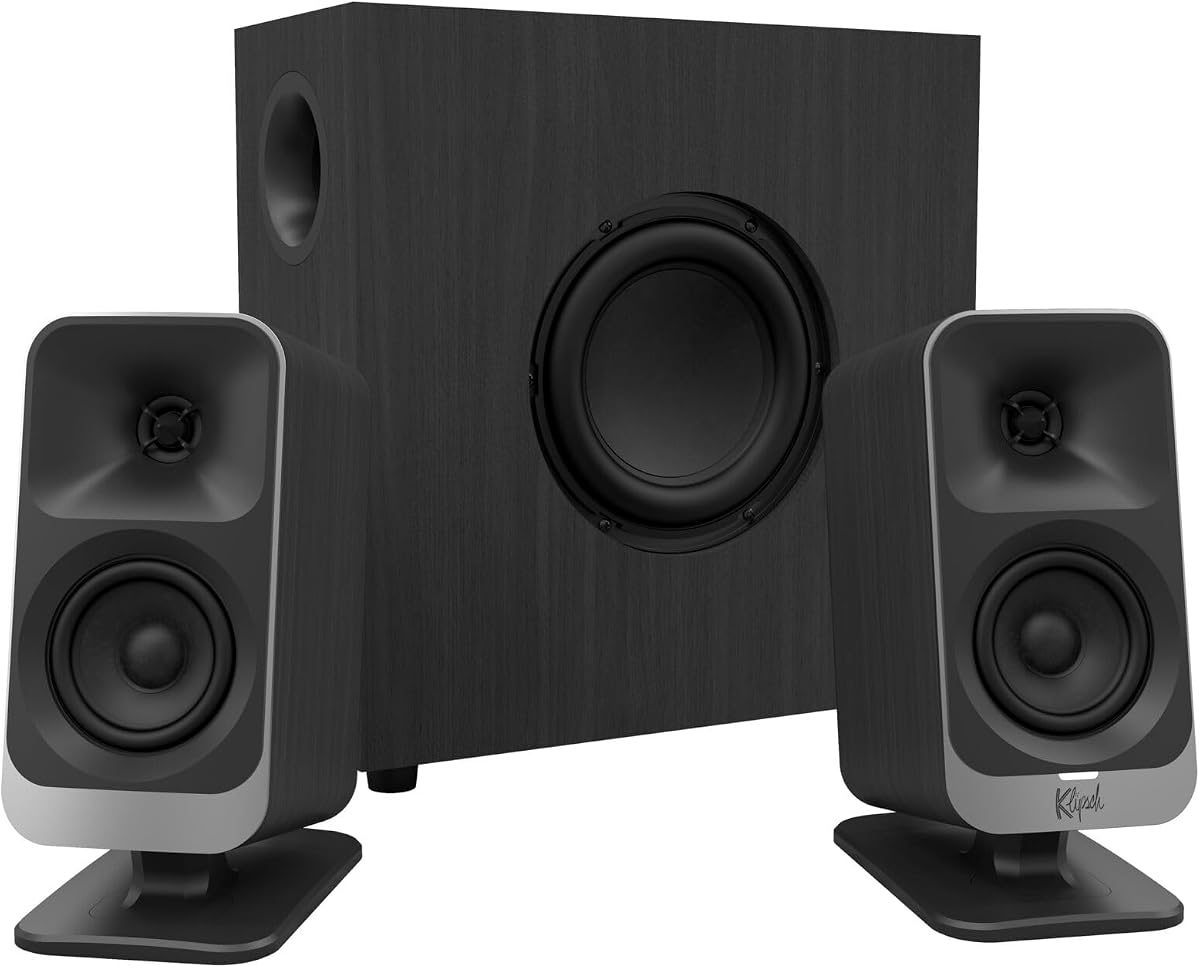
The Klipsch ProMedia Lumina 2.1 reimagines a legacy system with a 4.2 rating. It features a low-profile subwoofer that delivers all the low-end punch while fitting into modern workspaces neatly.
We may earn a commission when you buy through this link, at no additional cost to you.
Customizable RGB lighting enhances your setup aesthetics without distraction. Three color options allow you to match your workspace lighting to your personal preference or game themes effectively.
Connectivity includes USB-C, AUX, and Bluetooth 5.3 for broad compatibility. The Klipsch Control desktop app provides precision command over EQ and lighting for a personalized audio experience.
Premium gamers and creators valuing design and control should consider this. It offers a worthy successor to the classic ProMedia line with modern features and refined cabinet design.
The Klipsch Control app allows fine-tuning EQ settings to match different genres of music and gaming needs.
The subwoofer's compact shape minimizes floor space usage, making it ideal for desks with limited room underneath.
We may earn a commission when you buy through this link, at no additional cost to you.
Choosing the right 2.1 speaker system involves balancing power, connectivity, and physical design to match your specific desktop setup and audio expectations.
Power output directly influences how loud and clear your speakers can play. Look for RMS ratings rather than peak watts to understand continuous performance reliability over long periods.
Higher wattage helps fill larger rooms without distortion, but ensure your power outlet can support the demands efficiently.
Modern setups often require multiple connection types like USB-C, 3.5mm AUX, or Bluetooth. Check compatibility with your devices to avoid needing extra adapters or cables constantly.
Wireless options add convenience but may introduce slight latency, so consider wired inputs for critical gaming accuracy and responsiveness needs.
The subwoofer provides low-frequency impact. Side-firing or down-firing models affect where you place it relative to walls for optimal bass response in your room.
Ensure your desk space allows for the subwoofer dimensions to prevent clutter while maintaining acoustic performance quality.
Materials like wood or high-grade plastic affect durability and resonance. Heavier cabinets often reduce unwanted vibrations during high-volume playback sessions.
Consider aesthetics that match your workspace, as visual integration contributes to overall satisfaction with the purchase.
Dedicated control pods or dials simplify volume and bass adjustments without touching your computer. Look for intuitive layouts that reduce daily friction during use.
Smart app integration can offer deeper customization but may require setup time and software compatibility checks.
Certifications like THX indicate tested audio performance. DSP tuning helps reduce distortion and refine sound profiles for balanced listening experiences.
Prioritize brands with a reputation for audio engineering to ensure consistent quality across different content types like music or movies.
Position your satellite speakers at ear level or slightly elevated to optimize sound projection. Angle them inward slightly toward your listening position for better stereo imaging and clarity.
Place the subwoofer on a solid surface to avoid rattling. Experiment with its distance from walls to fine-tune bass depth without overwhelming your room acoustics.
Regularly dust the speaker grilles with a soft cloth to maintain clarity. Avoid placing liquids near the unit to prevent damage to electronic components and internal wiring.
Yes, 2.1 systems include a dedicated subwoofer for deeper low frequencies that 2.0 systems often miss. This adds impact to movies and music, making them feel more immersive and dynamic.
Most models support standard 3.5mm inputs, USB, or Bluetooth, ensuring compatibility with Mac devices. Always check specific connection requirements to confirm fit with your system ports.
Some models like the Logitech Z623 allow connecting multiple devices via RCA and AUX simultaneously. Others require manual switching via physical buttons or digital input selection controls.
No, these speakers are self-powered and include built-in amplifiers. You only need to connect them to a power outlet and your audio source directly without extra equipment.
Mute the speakers when using a microphone for calls to prevent feedback. Alternatively, use the headphone jack or mute button to silence output while keeping input active.
Most manufacturers offer a one-year warranty covering defects. Always review the included user guide for specific terms and contact details for support or replacement requests.
The Klipsch ProMedia 2.1 THX leads our list with certified sound and power, while the Creative Pebble Plus offers exceptional budget value for USB setups. Each model serves distinct needs from casual listening to immersive gaming.
Prioritize connectivity and subwoofer placement based on your room layout. A great pair of speakers should fit your space as well as your budget to ensure daily satisfaction.
Always verify current pricing and availability before purchasing to ensure you get the best deal. Sound quality remains the ultimate priority for a rewarding desktop experience.