
NETGEAR GS348
4.8Editor score
Plug-and-Play Setup
Energy Efficient Operation
Compact Metal Design
Compare the top 48 port gigabit managed switches for enterprise networking, security, and performance in this detailed expert review guide.
Selecting the right networking hardware is crucial for maintaining a stable and secure digital infrastructure. A 48 port gigabit managed switch offers the bandwidth and control needed for growing businesses.
We evaluated ten leading models based on management features, power efficiency, and build quality. Our comparison highlights how each device handles traffic, security protocols, and network scalability.
Each selection showcases unique strengths tailored to specific deployment needs. Note that availability and pricing may vary over time, so check current listings before purchasing.
4.8Editor score

4.7Editor score

5.0Editor score
This table provides a side-by-side look at the core specifications and capabilities of each selected switch model.




The TP-Link SG2452LP stands out as a top choice for businesses needing robust control and scalability. With a high user rating and industry-leading features, it delivers reliability without excessive noise. This model integrates seamlessly with the Omada ecosystem for streamlined network oversight.
We may earn a commission when you buy through this link, at no additional cost to you.
Its standout quality lies in the advanced security features including ACL, DoS protection, and DHCP snooping. The fanless design ensures it fits well in office environments where noise is a concern. Additionally, the web GUI and CLI options provide flexible management for different skill levels.
While integrating with the Omada Cloud adds setup complexity initially, the benefits of remote management justify the effort. The device is designed for stability, but users should ensure their network environment supports SDN firmware for optimal performance.
This switch is ideal for medium-sized offices or healthcare facilities requiring silent operation and strong security. It balances professional-grade capabilities with user-friendly interfaces. We recommend it for organizations planning long-term network growth.
TP-Link adheres to cybersecurity pledges ensuring advanced security is built into the hardware from the ground up.
Integration with Omada Cloud allows administrators to monitor and configure networks remotely without being on-site.
We may earn a commission when you buy through this link, at no additional cost to you.
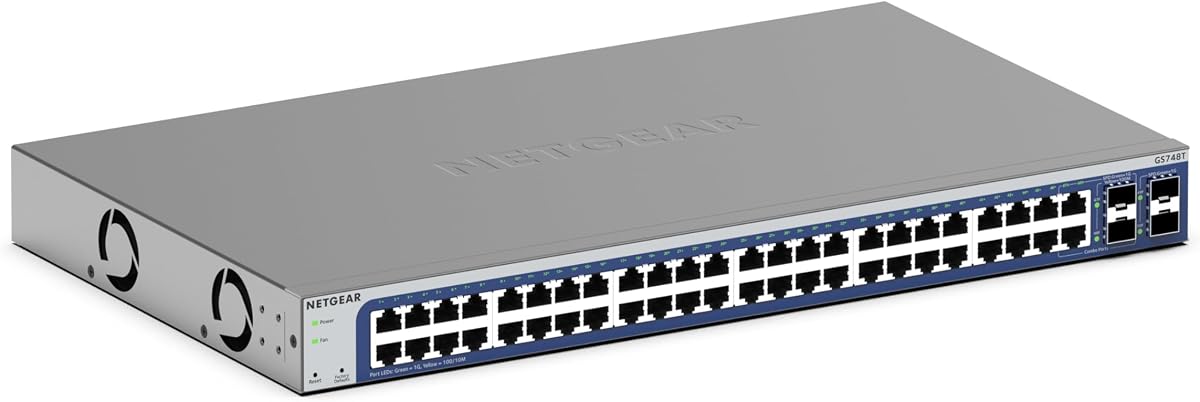
The NETGEAR GS748T offers a balanced approach to smart managed networking for businesses needing fiber options. Its user-friendly interface simplifies setup while maintaining essential management features. The inclusion of SFP ports enhances connectivity for high-speed backbone needs.
We may earn a commission when you buy through this link, at no additional cost to you.
Key strengths include its flexible mounting options and energy-efficient design compliant with IEEE standards. The 1-year NETGEAR Insight subscription provides remote access capabilities that are valuable for distributed teams. Performance remains consistent even under load due to auto-negotiating ports.
Users might find the software interface less customizable compared to fully managed rivals. However, for most small to medium businesses, the functionality is sufficient. The design prioritizes practicality and ease of installation over deep technical customization.
This switch is best suited for office environments needing straightforward management and fiber expansion. It works well with existing Cat5e or Cat6 cabling. We suggest it for users prioritizing speed and simple remote oversight.
Four 1G SFP ports allow for fiber optic connections to extend network reach efficiently.
NETGEAR Insight enables administrators to manage networks from anywhere via a centralized dashboard.
We may earn a commission when you buy through this link, at no additional cost to you.
The Omada SG3452 brings Layer 2 plus capabilities to the table with static routing for efficient traffic handling. It supports both standalone and SDN modes providing flexibility for various deployment scenarios. This switch is built for environments requiring segmentation and controlled routing.
We may earn a commission when you buy through this link, at no additional cost to you.
Integrated Omada SDN support allows seamless connection with access points and gateways for unified control. Security features like IP-MAC-Port binding and VLAN segmentation are robust. The five-year warranty offers significant peace of mind for long-term planning.
Some users may face compatibility issues if controllers do not support the necessary SDN firmware. The web interface is functional but sometimes lags during complex configurations. These minor issues are often outweighed by the feature set available.
This device is recommended for businesses looking to scale their network infrastructure within the Omada ecosystem. It suits environments needing both local and cloud management control. We advise ensuring firmware updates are current before deployment.
L2+ features include static routing to manage internal traffic paths more efficiently.
Remote access via the Omada app allows management of multiple sites from a single interface.
We may earn a commission when you buy through this link, at no additional cost to you.
This version of the NETGEAR GS748T focuses on longevity with its limited lifetime hardware warranty. It provides reliable smart managed features suitable for users who need stability over cutting-edge cloud tools. The combo SFP ports offer versatile uplink options for diverse network setups.
We may earn a commission when you buy through this link, at no additional cost to you.
The standout quality is the warranty support which includes next business day replacement. This reduces downtime risks significantly for critical business operations. The design allows for both desktop and rack mounting to fit various physical spaces.
While it lacks modern cloud features, the local management is stable and effective. Users seeking legacy support or simpler setups will appreciate the dedicated hardware focus. The energy-efficient design keeps power usage low during continuous operation.
Ideal for users wanting a dependable switch with long-term hardware security. It works well in environments where physical reliability is paramount. We recommend checking the warranty terms for full coverage details.
Flexible SFP combo ports allow connections via copper or fiber cables seamlessly.
Lifetime hardware protection ensures coverage for manufacturing defects throughout the device life.
We may earn a commission when you buy through this link, at no additional cost to you.
The TP-Link TL-SG3452P is a powerhouse for PoE deployments with 384W budget supporting numerous devices. It delivers high-speed connectivity and advanced L2+ features like static routing. This switch is essential for networks with many cameras or access points.
We may earn a commission when you buy through this link, at no additional cost to you.
PoE auto recovery ensures power cycles are handled automatically to restore connectivity without intervention. The Omada SDN integration unifies management across APs and gateways. Security features protect against unauthorized access and network storms effectively.
Higher cost is a trade-off for the robust power output and advanced features. Adequate ventilation is necessary due to the heat generated by high PoE loads. However, the performance benefits outweigh these considerations in most business settings.
Best for businesses needing to power many devices without additional injectors. It suits environments with heavy camera or VoIP phone loads. We recommend this for reliable and efficient PoE network deployment.
Automatic power recovery ensures devices reboot if they freeze, reducing manual maintenance needs.
Static routing helps manage internal traffic efficiently across segmented network environments.
We may earn a commission when you buy through this link, at no additional cost to you.
The NETGEAR GS348 is perfect for users needing a simple plug-and-play solution without complex settings. It offers high-speed connectivity with auto-negotiating ports that adapt to connected devices. Its unmanaged nature simplifies installation significantly for small setups.
We may earn a commission when you buy through this link, at no additional cost to you.
Standout features include its energy-efficient design and durable metal casing. The fanless design ensures silent operation which is great for office spaces. It works seamlessly with existing Cat5e or Cat6 cables without requiring special hardware.
Lack of management features means no VLANs or security controls beyond basic functionality. However, for basic connectivity needs this is often sufficient. The high user rating reflects its reliability and ease of use.
Ideal for small businesses or home offices needing immediate connectivity. It saves time and money on setup costs. We recommend this for users prioritizing simplicity over advanced control.
No software installation is needed making setup fast and easy for any user.
Complies with IEEE 802.3az to reduce power usage during idle times.
We may earn a commission when you buy through this link, at no additional cost to you.
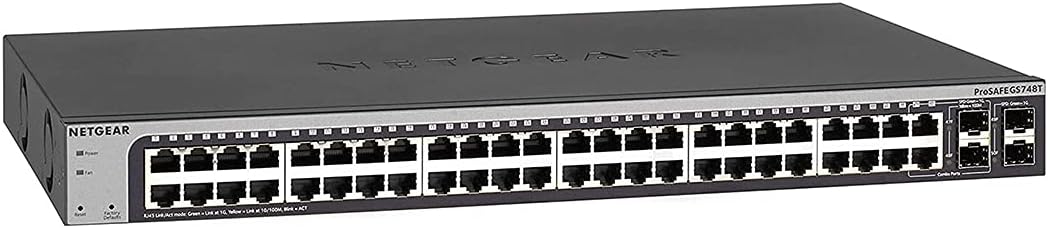
This renewed model of the NETGEAR GS748T provides the same smart managed features at a lower cost. It maintains the ProSAFE lifetime protection which adds value to the purchase. Buyers can find solid performance in pre-owned or refurbished units.
We may earn a commission when you buy through this link, at no additional cost to you.
The standout quality is the access to enterprise features without the full price tag. ProSAFE protection ensures ongoing support for hardware issues. The mounting options remain versatile for different installation scenarios.
The main trade-off is the uncertainty regarding physical condition and testing. While often reliable, users should inspect packaging and accessories carefully. This option suits those willing to take a slight risk for savings.
Best for budget-conscious buyers seeking reliable smart management. It works well for non-critical environments where cost is a primary driver. We suggest reviewing seller ratings before purchase.
Lifetime protection covers manufacturing defects and offers technical support from NETGEAR.
Advanced software provides secure setup and SNMP management for efficient administration.
We may earn a commission when you buy through this link, at no additional cost to you.
The UBIQUITI EdgeSwitch Lite offers impressive switching capacity with 140Gbps performance. It includes both SFP and SFP+ ports for high-speed uplink needs. This switch is built for demanding environments requiring non-blocking throughput.
We may earn a commission when you buy through this link, at no additional cost to you.
Key strengths include its DC power input option for backup scenarios and high user rating. The compact metal design supports versatile wall or rack mounting. It delivers reliable performance even under heavy network load.
The cost is higher than standard models but justified by the throughput capabilities. Users must consider ecosystem compatibility if using other Ubiquiti gear. These factors ensure long-term stability in critical infrastructure.
Ideal for data centers or high-performance business networks. It suits users needing reliable edge connectivity with high bandwidth. We recommend checking power requirements before installation.
70 Gbps switching performance ensures no bottlenecks during heavy data transfer periods.
DC input supports redundant power setups for continuous operation during outages.
We may earn a commission when you buy through this link, at no additional cost to you.
The YuanLey 48 Port switch offers impressive L3 management features and a 460W PoE budget. It supports 10Gbps SFP+ slots for high-speed uplinks in modern networks. This device is ideal for environments needing both high bandwidth and flexible routing.
We may earn a commission when you buy through this link, at no additional cost to you.
Features like QoS and ACL provide robust traffic management and security. The fanless design ensures quiet operation in work environments. It includes built-in power supply for consistent performance under load.
Users may find the web interface complex compared to leading brands. Support might be less responsive than major vendors. However, the cost-effectiveness is a significant advantage for growing businesses.
Best for businesses needing high-end features at lower cost. It suits environments with heavy PoE loads. We recommend reviewing technical specs to ensure compatibility.
Advanced routing capabilities allow better internal traffic control and efficiency.
Six high-speed SFP+ ports provide superior backbone connectivity.
We may earn a commission when you buy through this link, at no additional cost to you.
The NETGEAR GS348TPv2 achieves a perfect user rating thanks to its reliability and performance. It offers 380W PoE budget and smart managed features suitable for professional setups. This switch is built for seamless integration with existing network infrastructure.
We may earn a commission when you buy through this link, at no additional cost to you.
Standout features include its intuitive software interface and flexible mounting options. The 48 PoE+ ports support a wide range of devices. SFP connectivity ensures easy network expansion via fiber.
The cost is higher than basic models but reflects its enterprise-grade quality. Users needing basic connectivity might not require all features. However, the peace of mind is significant for business continuity.
Ideal for organizations prioritizing reliability and professional support. It suits environments with high device density. We recommend this for users needing top-tier PoE performance.
Easy-to-use software simplifies secure setup and ongoing access management.
380W total budget supports power-hungry devices across all ports effectively.
We may earn a commission when you buy through this link, at no additional cost to you.
Choosing the right switch involves balancing performance, management needs, and physical constraints. This guide outlines the essential factors to consider.
Managed switches offer control over VLANs and security settings while unmanaged switches plug in easily. Consider your technical expertise and need for segmentation. Managed devices support complex environments better.
If you need remote access or QoS select a managed model. For simple connectivity, unmanaged may suffice.
PoE allows powering devices like cameras and APs through the same cable. Check the total wattage budget to ensure all connected devices receive sufficient power. Higher budgets support more devices simultaneously.
Ensure the PoE standard matches your devices for compatibility. Calculate total wattage needs before purchasing.
SFP ports allow fiber connections for higher speed backbones. Some models offer combo ports for flexibility. Ensure there are enough uplinks to handle aggregate traffic from the 48 ports.
Evaluate your core network speed. Fiber uplinks are vital for data-heavy environments.
Fanless designs reduce noise and dust intake but may run hotter under load. Consider if the switch will be in a server closet or office floor. Mounting options should match your physical space.
Check operating temperature limits. Ensure the unit fits the rack or desktop space.
Look for ACLs, port security, and 802.1X authentication to protect your network. Advanced switches offer DoS protection and storm control. These features prevent unauthorized access and network disruptions.
Prioritize security if handling sensitive data. Regular updates are essential for maintaining protection.
Choose models that allow easy stacking or clustering as you grow. Support for SDN can simplify multi-site management. Future-proofing your network saves money long-term.
Consider how many additional devices you will add. Flexibility in port expansion is key.
Lifetime warranties offer protection against defects and reduce replacement costs. Check if technical support is available 24/7. Good support helps resolve issues quickly.
Review warranty terms carefully. A strong support network adds value to the purchase.
Price varies based on features like PoE and SFP ports. Balance upfront cost with long-term value. Expensive models often offer better efficiency and durability.
Calculate total cost of ownership. Sometimes higher initial investment pays off in stability.
Start by connecting the switch to your core router using the SFP or uplink ports. Power on the device and access the web interface using the default IP address. Log in with the provided credentials.
Configure VLANs to separate traffic and improve security. Assign static IPs to critical devices and set up PoE limits for connected gear. Regularly backup your configuration settings to prevent data loss.
Keep the switch in a well-ventilated area to prevent overheating. Clean dust from the vents periodically using compressed air. Monitor the LED indicators for any port errors or connectivity issues.
Yes if you need to separate traffic or secure devices remotely. Managed switches offer VLANs and security tools unmanaged ones lack. For basic internet access unmanaged may work but growth often requires management.
SFP ports allow fiber optic connections for longer distances and higher speeds. They are useful for connecting to distant buildings or server rooms. They also provide flexibility to change uplink types easily.
Calculate the total wattage required by all PoE devices. Each device usually requires 15W to 30W. Choose a switch with at least 20 percent extra capacity to handle peak loads safely.
Some models support stacking which allows treating multiple switches as one unit. Check the product specs for stacking capabilities. Stacking simplifies management and increases port density.
Omada is generally specific to TP-Link devices for full integration. Other brands use different protocols and controllers. Ensure you select a switch compatible with your existing management ecosystem.
Most professional switches offer 5 years or lifetime warranties. NETGEAR often provides lifetime hardware warranty on select models. Always verify warranty terms during purchase.
Most modern managed switches include IPv6 support for future networking standards. Check the specifications to confirm compatibility. IPv6 support ensures readiness for next-gen internet protocols.
Managed switches allow configuration of traffic rules and security settings. Unmanaged switches work out of the box with no settings. Managed options give more control but require technical knowledge.
We highlighted the TP-Link SG2452LP for its balanced features and reliability. The NETGEAR GS348 serves well for budget and simple needs. The GS348TPv2 offers top-tier performance for enterprise demands.
Prioritize features like PoE budget and management tools based on your specific needs. Security and scalability should also guide your decision to ensure long-term satisfaction.
Always check current prices and stock levels before purchasing as these can change. Select the model that best fits your infrastructure requirements today.