
Rongta Bluetooth Shipping Label Printer
4.0Editor score
Bluetooth wireless connectivity
150mm per second speed
Compact portable design
Supports iOS and Android
Compare the top DHL label printers for small business and home use. This guide reviews thermal shipping printers compatible with major platforms for efficient
Finding the right shipping printer is crucial for any business handling packages daily. A good DHL label printer ensures clear barcodes, fast throughput, and seamless integration with your favorite e-commerce platforms. Without reliable hardware, delays and errors can quickly add up, costing you time and customer trust.
We compared ten top-rated thermal printers based on connectivity, speed, software compatibility, and build quality. Our analysis focused on models that handle standard 4×6 labels well and support major carriers including DHL. Each product was evaluated for ease of setup, reliability during peak hours, and long-term value for growing businesses.
Each pick below highlights key strengths, pros, cons, and ideal use cases to help you decide. Note that prices and availability change frequently, so check the current listing before purchasing. We update this guide regularly to reflect new releases and user feedback from real-world shipping environments.
4.0Editor score

4.4Editor score

4.1Editor score
This side-by-side comparison highlights the core specifications of each thermal printer to help you make an informed choice. We look at connectivity options, print resolution, speed, and platform compatibility to show which models fit your specific workflow needs best.






The JADENS Bluetooth Thermal Shipping Label Printer stands out as a top choice for its blend of performance and ease of use. With a solid 4.4 rating from users, it delivers high-quality 203 DPI prints that ensure clear barcodes for DHL and other carriers.
We may earn a commission when you buy through this link, at no additional cost to you.
Its Japanese high-tech thermal print head ensures crisp output without ink or toner, reducing ongoing costs. The printer supports both fanfold and roll labels, offering flexibility for different label needs. Setup is remarkably quick, taking about one minute with included drivers and videos.
While Bluetooth works well with computers, mobile users must use the Jadens printer app on iOS or Android since direct Bluetooth printing isn't supported on phones. This minor limitation doesn't significantly hinder workflow for most small business owners needing reliable shipping output.
This printer is ideal for online sellers on Shopify, Amazon, and eBay who want a dependable workhorse without breaking the bank. If you prioritize print quality and setup simplicity, the JADENS model offers excellent value and efficiency for your daily shipping tasks.
The 203 DPI resolution ensures sharp text and barcodes that scan reliably, which is critical for DHL label acceptance.
Preloaded drivers and tutorial videos on a U-Disk let you start printing within minutes of unboxing.
We may earn a commission when you buy through this link, at no additional cost to you.
The Rollo Wireless Shipping Label Printer offers a premium wireless experience with direct Wi-Fi and AirPrint support. Its 4.1 rating reflects satisfaction among users who value convenience, and the device prints one 4×6 label per second at 150mm/s speed.
We may earn a commission when you buy through this link, at no additional cost to you.
This model shines with a printhead that lasts about 650,000 labels, making it more durable than many competitors. You can connect iPhones, iPads, and Macs directly without drivers, while Android and Windows connect via Wi-Fi or USB for flexibility.
The main trade-off is the higher price compared to budget models, and it lacks Bluetooth connectivity which some users might prefer. However, the stability and range of Wi-Fi often outweigh this for stationary setups where consistent performance matters most.
If you run a high-volume operation or prefer avoiding cables entirely, the Rollo Wireless is a strong investment. It works seamlessly with DHL and other major carriers, offering robust compatibility and reliability for professional shipping environments.
iOS users can print labels directly from iPhone or iPad without installing extra drivers or apps, streamlining the process.
The extended printhead life reduces maintenance costs and downtime, which is crucial for busy shipping workflows.
We may earn a commission when you buy through this link, at no additional cost to you.
The Rongta Bluetooth Shipping Label Printer is a budget-friendly option that still delivers reliable performance for small businesses. With a 4.0 rating, it offers essential thermal printing at 150mm/s and supports standard 4×6 labels for DHL shipments without extra cost.
We may earn a commission when you buy through this link, at no additional cost to you.
Its automatic label identification feature detects label width automatically, eliminating the need for manual calibration. You can connect via Bluetooth using the RONGTA app on iOS or Android, making it portable for on-the-go shipping tasks.
Build quality is basic compared to premium models, and it lacks some advanced features like Ethernet or high-resolution printing. However, the compact size and low price make it an excellent choice for those just starting out or with limited space.
If you need a simple, affordable printer for occasional to moderate shipping volume, the Rongta is a solid pick. It handles major platforms well and keeps initial hardware costs low, which is key for tight business budgets.
The printer automatically detects and feeds labels, saving you time on manual adjustments and setup between shipments.
Wireless connectivity lets you print from phones or tablets, ideal for shipping from different locations around your home or warehouse.
We may earn a commission when you buy through this link, at no additional cost to you.
The KNAON Bluetooth Thermal Shipping Label Printer combines speed and style with a 180mm per second print rate and a clean white design. Rated 4.4, it appeals to users who need quick output and plenty of customization options for labels beyond shipping.
We may earn a commission when you buy through this link, at no additional cost to you.
It includes over 3000 templates and 100 fonts in the FlashLabel Pro app, letting you design custom labels easily. Connectivity options include both USB and Bluetooth, though mobile users must pair through the app, which ensures a stable connection across devices.
While it doesn't offer Ethernet, the USB provides a reliable backup for desktop use. The package includes test printing papers to get you started, and the compact footprint makes it easy to store in any workspace.
If you value speed and design flexibility alongside reliable shipping performance, the KNAON is worth considering. It integrates well with major platforms like DHL and Etsy, making it a versatile choice for diverse labeling needs.
At 180mm per second, it prints faster than many rivals, helping you clear backlog during peak shipping times efficiently.
With 3000+ templates and fonts, you can create branded or custom labels beyond standard shipping, expanding your utility.
We may earn a commission when you buy through this link, at no additional cost to you.
The Rollo USB Shipping Label Printer earns a top 4.6 rating for its commercial-grade reliability and simplicity. It delivers 150mm/s speed and crisp 203 DPI prints without ink, and it includes the Rollo Ship app for cost-saving shipping rates.
We may earn a commission when you buy through this link, at no additional cost to you.
This model is built for heavy use, with a robust build that minimizes downtime. While it connects via USB only, the wired connection ensures stability for office or warehouse setups where mobility isn't critical. Drivers for Windows and Mac are straightforward to install.
The lack of wireless options means your printer stays fixed to a computer, but the trade-off is consistent performance. The app integration offers exclusive rates and simplifies workflow, which many professional shippers appreciate for daily operations.
If you prioritize durability and straightforward performance over mobility, the Rollo USB is a top contender. It handles all major platforms seamlessly and is ideal for businesses that need a dependable, always-on printing solution.
Built for high-volume use, this printer resists wear and tear, ensuring it keeps running through busy shipping seasons.
The included app provides easy access to shipping rates and label generation, streamlining your workflow.
We may earn a commission when you buy through this link, at no additional cost to you.
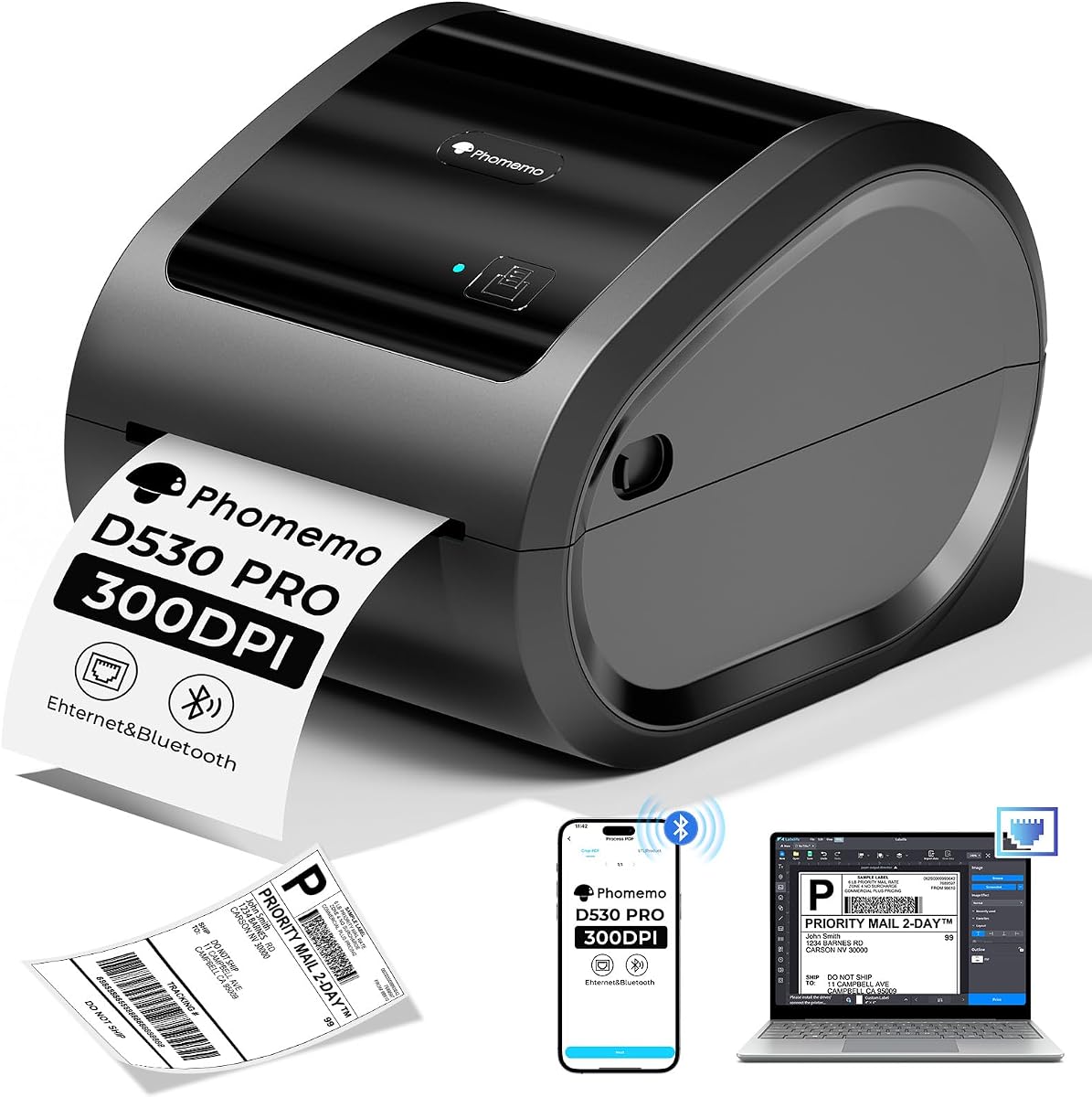
The Phomemo 300DPI Ethernet Thermal Label Printer offers higher resolution than most at 300 DPI, ensuring incredibly sharp labels. Rated 4.1, it provides flexibility with Ethernet, USB, and Bluetooth options, though it connects best via wired methods for stability.
We may earn a commission when you buy through this link, at no additional cost to you.
A built-in paper slot holds up to 500 rolls, reducing clutter and saving space on your desk. The 150mm/s speed is sufficient for moderate volumes, and it supports a wide range of label sizes and platforms including DHL.
Some users report Bluetooth pairing can be finicky, so Ethernet or USB is recommended for critical workflows. The return-to-paper function helps reduce waste, and the all-in-one design makes it a tidy addition to any workspace.
If print clarity and connectivity flexibility matter most, the Phomemo is a strong choice. Its high resolution ensures barcodes scan reliably, and the built-in bin simplifies paper handling for efficient daily operations.
The 300 DPI head delivers ultra-sharp text and barcodes that stand out, improving scan reliability for carriers.
Holding up to 500 rolls, the internal bin saves desk space and keeps your area organized without extra holders.
We may earn a commission when you buy through this link, at no additional cost to you.
The MUNBYN Bluetooth Thermal Label Printer stands out for its DAC Dynamic Algorithm Tech, which auto-calibrates to reduce misalignment. Rated 4.2, it combines professional output with quiet operation at just 60 dB, making it suitable for shared office spaces.
We may earn a commission when you buy through this link, at no additional cost to you.
It supports label widths from 1.57 to 4.25 inches, and the durable head lasts up to 970,000 labels. The Bluetooth indicator lights only during transfer, ensuring a stable connection when off, though this can be a bit counterintuitive at first.
While the app is required for mobile printing, the trade-off is high precision and low jam rates. The near-zero jam rate minimizes waste, which saves money over time and keeps your shipping schedule on track without interruptions.
If accuracy and low noise are priorities, the MUNBYN delivers. Its long-term value shines through reduced waste and high durability, making it a smart choice for businesses focused on efficiency and quality control.
The auto-calibration reduces label misalignment, ensuring precise prints and smoother packaging processes overall.
At 60 dB, it is quieter than typing, which helps maintain focus in quiet office or home environments.
We may earn a commission when you buy through this link, at no additional cost to you.
The Nelko Bluetooth Thermal Shipping Label Printer is a compact choice for small spaces, rated 4.3 for solid performance. It offers 150mm/s speed and 203 DPI clarity, handling both fanfold and roll labels for flexibility in daily tasks.
We may earn a commission when you buy through this link, at no additional cost to you.
Mac users can connect via USB but not Bluetooth, which is a limitation if you rely on wireless. Windows and mobile users enjoy Bluetooth convenience with the NELKO app. Drivers and videos on a U-Disk simplify setup significantly.
Its small size makes it easy to tuck into tight desks or shipping stations. The app supports saving logistics labels as PDFs for printing, ensuring smooth integration with major platforms including DHL and Etsy.
If space is at a premium and you need a reliable thermal printer, the Nelko is a great fit. It balances price and performance well, and its compact design keeps your workspace tidy without sacrificing essential features.
Much smaller than traditional printers, this unit takes minimal desk space while still delivering full shipping label output.
Included U-Disk resources provide clear setup guidance, reducing frustration and getting you printing faster.
We may earn a commission when you buy through this link, at no additional cost to you.
The NULLTONEX Shipping Label Printer is designed for efficiency, rated 4.4 for quick setup and reliable printing. It includes a starter pack of 25 4×6 labels and features a matte finish that looks professional on any desk.
We may earn a commission when you buy through this link, at no additional cost to you.
With 150mm/s speed and 203 DPI output, it handles high-volume tasks without overheating thanks to built-in protection. The FlashLabel Pro app allows template storage and offline design, so you can work without waiting for cloud downloads.
Bluetooth pairs easily with the app, and USB provides a stable option for laptops. While it prints in black and white only, the clarity is sharp enough for barcodes and addresses that scan easily across major carriers.
If you need a ready-to-use printer that saves costs on labels upfront, the NULLTONEX is ideal. It suits small businesses that want efficiency and simplicity, keeping downtime low during busy shipping periods.
Includes everything you need, such as cables and labels, so you can start shipping immediately without extra purchases.
Store templates locally to print without internet dependency, which helps avoid delays during connectivity issues.
We may earn a commission when you buy through this link, at no additional cost to you.
The DYMO LabelWriter 550 Series offers a user-friendly approach to shipping labels, rated 3.6 for simplicity. It uses direct thermal printing without ink and recognizes label types automatically to reduce waste and streamline operation.
We may earn a commission when you buy through this link, at no additional cost to you.
DYMO-branded labels are FSC certified and BPA-free, but the system works only with authentic labels, which can increase ongoing costs. The printer prints precise quantities, eliminating the hassle of cutting sheet labels manually.
While convenient for general use, compatibility restrictions mean you cannot use third-party roll labels freely. Setup is minimal, and the plastic-free packaging aligns with eco-friendly values for some buyers looking for sustainable options.
If you value ease of use and sustainability over cost flexibility, this model is worth consideration. It is well-suited for light shipping tasks where label precision and environmental impact matter more than broad compatibility.
The printer detects label types automatically, minimizing manual setup and ensuring correct print parameters each time.
Print exact quantities without sheet label waste, helping you save on materials and reduce environmental impact.
We may earn a commission when you buy through this link, at no additional cost to you.
Selecting the right DHL label printer involves weighing several key factors to match your shipping volume, budget, and workspace needs. Below we outline the most important considerations to help you make an informed decision.
Connectivity determines how you interact with the printer, so consider whether you need wireless flexibility or wired stability. Models with Bluetooth let you print from phones or laptops without cables, but apps are often required. Ethernet and USB options ensure reliable connections for busy offices.
Choose Bluetooth or Wi-Fi for mobility, but rely on USB or Ethernet for stability in high-volume workflows.
Speed affects throughput, especially during peak times. Look for 150mm/s or higher to keep up with orders. Resolution ensures barcodes scan reliably. 203 DPI is standard and sufficient for most shipping needs, while 300 DPI offers extra clarity.
Prioritize speed if you ship many packages daily, but ensure resolution meets carrier scanning requirements for accurate delivery.
Your printer must integrate smoothly with shipping platforms like Shopify, Amazon, Etsy, and DHL. Most thermal printers support PDF-based label printing, but check app compatibility and driver support for your operating system to avoid workflow interruptions.
Verify that your chosen model works with your primary sales channels and shipping software to keep operations smooth.
Standard shipping labels are 4×6 inches, but some printers handle a range from 1.5 to 4.3 inches. Ensure the printer supports the sizes you need for shipping and custom labels. Check if it accepts both roll and fanfold formats.
Match the printer to your typical label needs to avoid compatibility issues and wasted inventory.
A printer that is easy to set up saves time and frustration. Look for models with driver software, video tutorials, and quick calibration. Some include label starter packs to help you start right away.
Select a model with clear instructions and minimal manual steps to get productive immediately.
Durability impacts long-term value. Commercial-grade models resist wear and tear better. Check printhead lifespan and warranty terms. A longer head life reduces maintenance and replacement costs over time.
Invest in a sturdy build if you ship daily, as it pays off through fewer breakdowns and more consistent performance.
Consider both upfront cost and ongoing label expenses. Some printers restrict you to branded labels, increasing costs. Others support generic rolls. Budget models can be good for starters, but premium units may offer better efficiency.
Balance initial price with long-term label and maintenance costs to find the best overall value.
Noise matters in shared spaces. Some printers operate quietly under 60 dB, while others hum louder. Also, check dimensions to ensure the printer fits your desk or shipping area comfortably.
Choose a compact, low-noise model if you work near others or have limited desk space to maintain a pleasant environment.
First, install the printer drivers on your computer via the provided U-Disk or download portal. Connect via USB or pair Bluetooth through the specified app for mobile devices. Ensure your system recognizes the printer before loading paper.
Second, load labels carefully into the feed slot, making sure they sit flat without bends or folds. Run a test print to confirm alignment and print quality. Adjust settings as needed to match your shipping platform's output.
Third, keep the printer clean and dust-free to maintain consistent performance. Avoid exposing it to heat or direct sunlight. Replace the printhead only when necessary and follow the manufacturer's instructions for long-term maintenance.
Yes, all thermal printers in this guide support standard 4×6 shipping labels compatible with DHL. Since DHL typically accepts PDF labels, these printers work well with major platforms that generate PDF shipping documents for you to print.
Most thermal printers accept generic 4×6 rolls unless specified otherwise. DYMO models are restricted to their branded labels, while others support fanfold and roll labels from various suppliers to keep ongoing costs lower.
Bluetooth issues often stem from pairing glitches or app requirements. Try restarting the printer and app, ensuring your device supports the required Bluetooth version, or switch to a stable USB or Ethernet connection for critical shipping tasks.
Yes, most require specific drivers on PCs or companion apps on mobile devices. Some models include these tools on a U-Disk or link to official download pages, so check the product details for setup steps before first use.
Many printers have a feed button you press and hold to auto-detect label gaps. Refer to your model's instructions or app settings to adjust calibration before each label change to ensure accurate cutting and printing.
Standard thermal labels can fade over time if exposed to heat or sunlight. For outdoor use, consider synthetic or coated thermal labels designed to resist fading, especially for packages that might sit in transit for longer periods.
Our top picks cover a range of needs from budget to premium, ensuring you find a suitable model. The Rongta offers affordability for startups, the JADENS provides balanced quality, and the Rollo Wireless delivers robust connectivity for power users.
Prioritize connectivity, speed, and platform compatibility when making your final choice. Consider your volume and workspace constraints to avoid buying too much capability you won't use or less than you need for daily operations.
Remember to check current prices and availability before purchasing, as deals and stock change frequently. We hope this guide helps you streamline your shipping process and keep customers happy with reliable DHL label delivery.