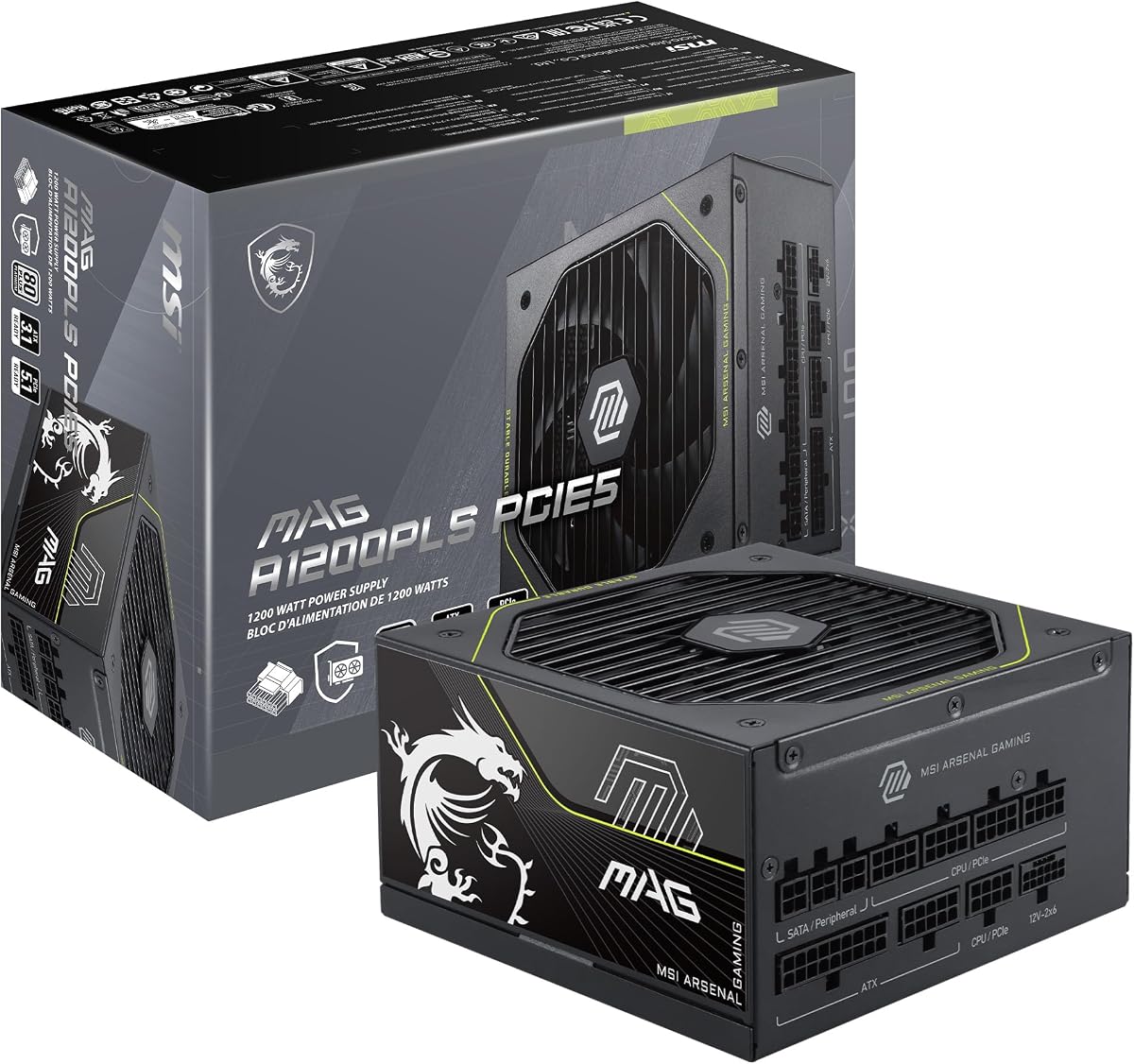
MSI MAG A1200PLS PCIE5
5.0Editor score
80 Plus Platinum Certified
Native 12V-2×6 Cables
Compact 150mm Design
This guide compares the top 1200W power supplies for high-end PCs, evaluating efficiency, modularity, ATX 3.1 compliance, and reliability for next-gen builds.
Choosing the right power supply is critical for any high-performance computer build. A 1200W unit provides ample headroom for demanding GPUs and CPUs while ensuring stable voltage delivery under heavy load conditions.
We analyzed ten top-rated models based on efficiency ratings, connector types, fan technology, and build quality. Each product meets modern ATX 3.1 standards to support the latest PCIe 5.1 graphics cards effectively.
Each pick highlights unique strengths like silent operation or premium capacitors. Prices fluctuate frequently so verify current deals before purchasing to ensure you get the best value for your specific system requirements.
5.0Editor score

4.4Editor score

4.5Editor score
The following table offers a side-by-side comparison of the ten selected units. It highlights key specifications such as efficiency ratings, warranty periods, and specific feature sets to help you make an informed decision quickly.



The CORSAIR HX1200i stands out as a top-tier choice for enthusiasts needing reliable power. With a 4.4 rating, it offers robust performance and modern features that support the latest hardware standards effectively.
We may earn a commission when you buy through this link, at no additional cost to you.
Its fully modular design simplifies cable management significantly. The iCUE software integration provides deep control over fan curves and power settings, making it ideal for users who want to optimize their system performance precisely.
While the price is higher, the build quality justifies the investment. Some users may find the software dependency cumbersome if they prefer plug-and-play simplicity, but the flexibility it offers is unmatched in this category.
This PSU is perfect for high-end gaming rigs or workstations. If you value silence, customization, and future-proofing with ATX 3.1 compliance, this model delivers exceptional value and long-term reliability.
Software integration allows real-time power tracking and custom fan curves for silent or high-cooling modes.
Compliance with new standards ensures compatibility with upcoming GPUs requiring higher transient power handling.
We may earn a commission when you buy through this link, at no additional cost to you.
The MSI MAG A1200PLS PCIE5 earns a perfect 5.0 rating for its balance of cost and capability. It delivers high-end features like native 12V-2×6 cables without breaking the bank for most builders.
We may earn a commission when you buy through this link, at no additional cost to you.
Its GPU Safeguard technology provides proactive protection against current anomalies. The compact form factor allows for easier cable routing and better airflow within standard mid-tower chassis configurations.
Though it lacks advanced software features, its hardware protection is solid. Some users might prefer a larger fan for lower noise but the 135mm unit handles thermal loads adequately for most scenarios.
Choose this if you want maximum wattage and efficiency at a lower price. It is an ideal match for gamers who need reliable power for flagship GPUs without overspending on brand premiums.
Monitors current status to alert users of potential power issues before damage occurs to hardware components.
Includes native 12V-2×6 connectors to ensure safe and direct power delivery to next-gen graphics cards.
We may earn a commission when you buy through this link, at no additional cost to you.
The ASUS ROG Strix 1200W Platinum targets users who demand the very best performance. Its 4.5 rating reflects superior engineering with unique voltage stabilization technology tailored for graphics cards.
We may earn a commission when you buy through this link, at no additional cost to you.
GaN MOSFET technology reduces heat and increases efficiency. The GPU-First Intelligent Voltage Stabilizer ensures consistent power delivery during intense gaming sessions preventing frame drops or instability.
While expensive, the build quality and internal components justify the cost. Some may find the lack of extensive software monitoring a downside compared to other brands, but the hardware performance remains top-tier.
Buy this if you seek maximum stability and premium features. It is perfect for high-end builds where every component must perform flawlessly under the most demanding workload conditions.
Uses Gallium Nitride components to boost efficiency by up to 30 percent and cool the internal layout effectively.
Patented technology stabilizes voltage directly for the graphics card to ensure smoother gameplay performance.
We may earn a commission when you buy through this link, at no additional cost to you.
The ASUS TUF Gaming 1200W Gold is built to withstand tough conditions with military-grade components. Its 4.6 rating highlights reliability and durability that appeals to long-term system builders.
We may earn a commission when you buy through this link, at no additional cost to you.
Dual ball fan bearings last twice as long as sleeve designs. The protective PCB coating shields internal electronics from moisture and dust making it ideal for humid environments or risky placements.
While Gold efficiency is slightly lower than Platinum options, the trade-off offers excellent value. Some users may notice higher power loss over time but the robust construction ensures consistent output.
Choose this for reliability and rugged build quality. It is well-suited for users who prioritize longevity and component toughness over maximum energy efficiency in their systems.
Components pass strict tests to ensure reliability under stress for extended operational lifespans.
Coating prevents moisture damage dust buildup and extreme temperature impact on critical circuitry.
We may earn a commission when you buy through this link, at no additional cost to you.
The Thermaltake Toughpower PT 1200W offers strong features like dual native PCIe 5.1 cables. Its 3.6 rating suggests mixed user experiences though it delivers good specs for the price.
We may earn a commission when you buy through this link, at no additional cost to you.
Flat etched cables improve flexibility and airflow inside cases. The H++ connectors provide visual cues to ensure proper seating which reduces connection errors during installation.
While it has solid protection features some users find the fan noise higher than expected. The lower rating might reflect inconsistent quality control rather than design flaws.
Consider this if you value dual native cables and cable ease. It is a viable option for builders who prioritize specific connector types over brand reputation or silent operation.
Features two native 12V-2×6 connectors to support multiple high-power GPUs without adapters.
Color-coded visual indicators confirm secure connections to prevent potential power delivery issues.
We may earn a commission when you buy through this link, at no additional cost to you.
The MONTECH Century II 1200W provides excellent value with a 4.3 rating. It includes modern ATX 3.1 features and high-quality components at a price point that beats many rivals.
We may earn a commission when you buy through this link, at no additional cost to you.
Zero RPM mode ensures silence during light tasks. The Japanese capacitors contribute to stable power delivery over long periods making it a reliable choice for continuous operation.
Its plain design might not appeal to RGB enthusiasts. Some users may prefer a more established brand but the performance and warranty support are competitive enough to ignore.
Buy this for cost-effective performance without major compromises. It is ideal for builders who need high wattage and efficiency but prefer to save on branding costs.
Fan stops spinning at low loads to eliminate noise completely during routine computing tasks.
High-grade components ensure long-term stability and reliability under varying electrical loads.
We may earn a commission when you buy through this link, at no additional cost to you.
The renewed Corsair HX1200i offers premium features at a reduced cost with a 4.6 rating. It brings full ATX 3.1 compliance and quiet operation to budget-conscious users seeking high quality.
We may earn a commission when you buy through this link, at no additional cost to you.
iCUE software remains fully functional for monitoring. The fluid dynamic bearing fan ensures long life and low noise levels during standard PC operations.
As a renewed unit cosmetic wear may be visible. Some buyers might hesitate due to condition concerns but the testing process usually guarantees full functionality and warranty coverage.
Consider this if you want flagship performance affordably. It is a smart choice for those who accept minor cosmetic signs for significant savings on a top PSU.
Units undergo testing to ensure full functionality and meet original performance standards.
Warranty benefits apply to renewed units providing peace of mind for your purchase.
We may earn a commission when you buy through this link, at no additional cost to you.
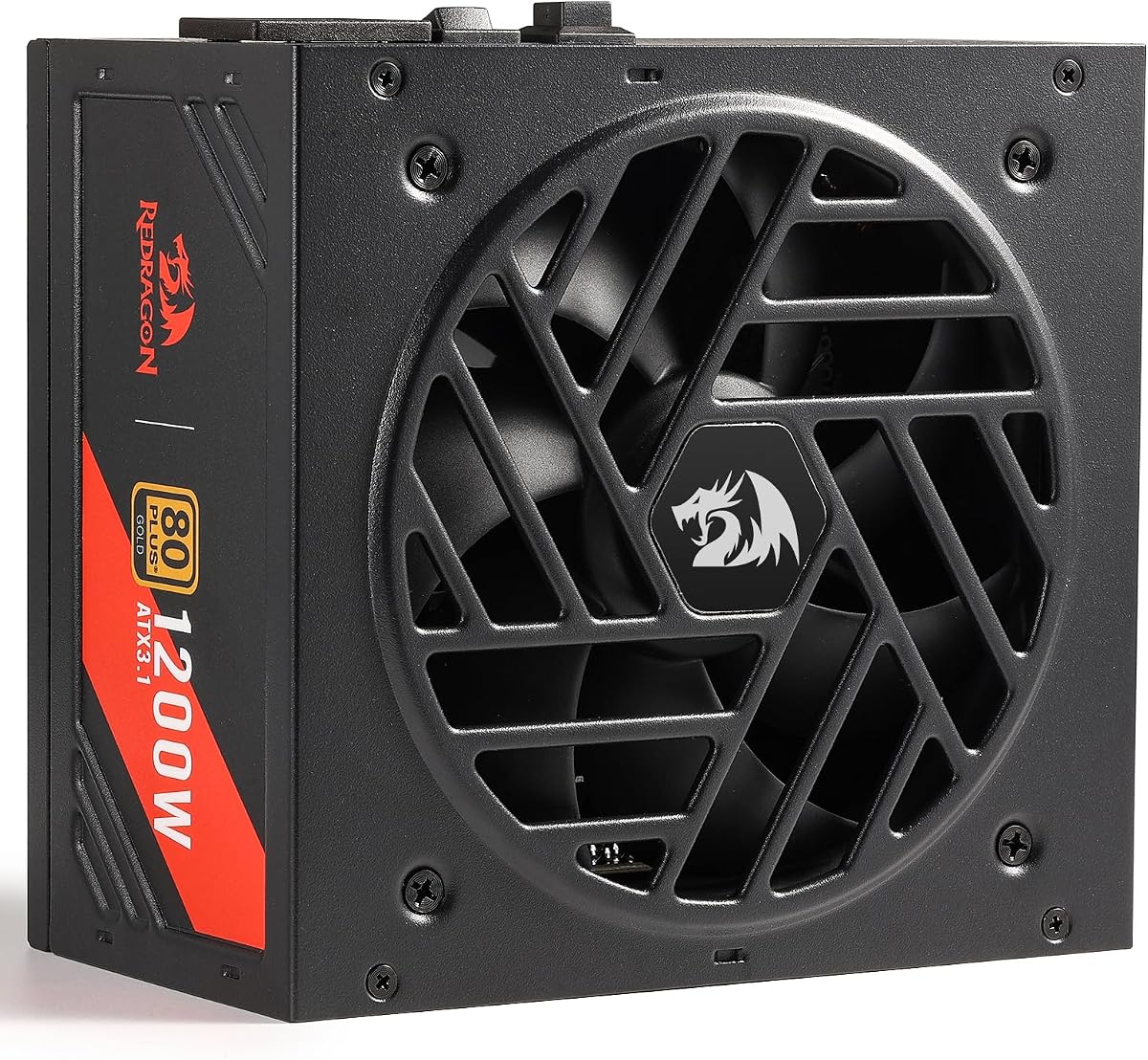
The Redragon RGMS-1200W PRO earns a perfect 5.0 rating for its compact form and reliability. It fits cases with limited space while delivering high quality components.
We may earn a commission when you buy through this link, at no additional cost to you.
Japanese capacitors ensure durability over time. Zero RPM fan mode keeps noise to a minimum during idle or low-load periods.
Its smaller size helps airflow in tight builds. Some users may find brand reputation less established but the product performance and ratings reflect genuine quality.
Choose this for smaller cases needing high wattage. It is ideal for compact builds that still require robust power support for modern graphics cards.
Fits easily in tight spaces offering better cable management and airflow in standard cases.
Intelligently adjusts fan speed to reduce noise while maintaining safe operating temperatures.
We may earn a commission when you buy through this link, at no additional cost to you.
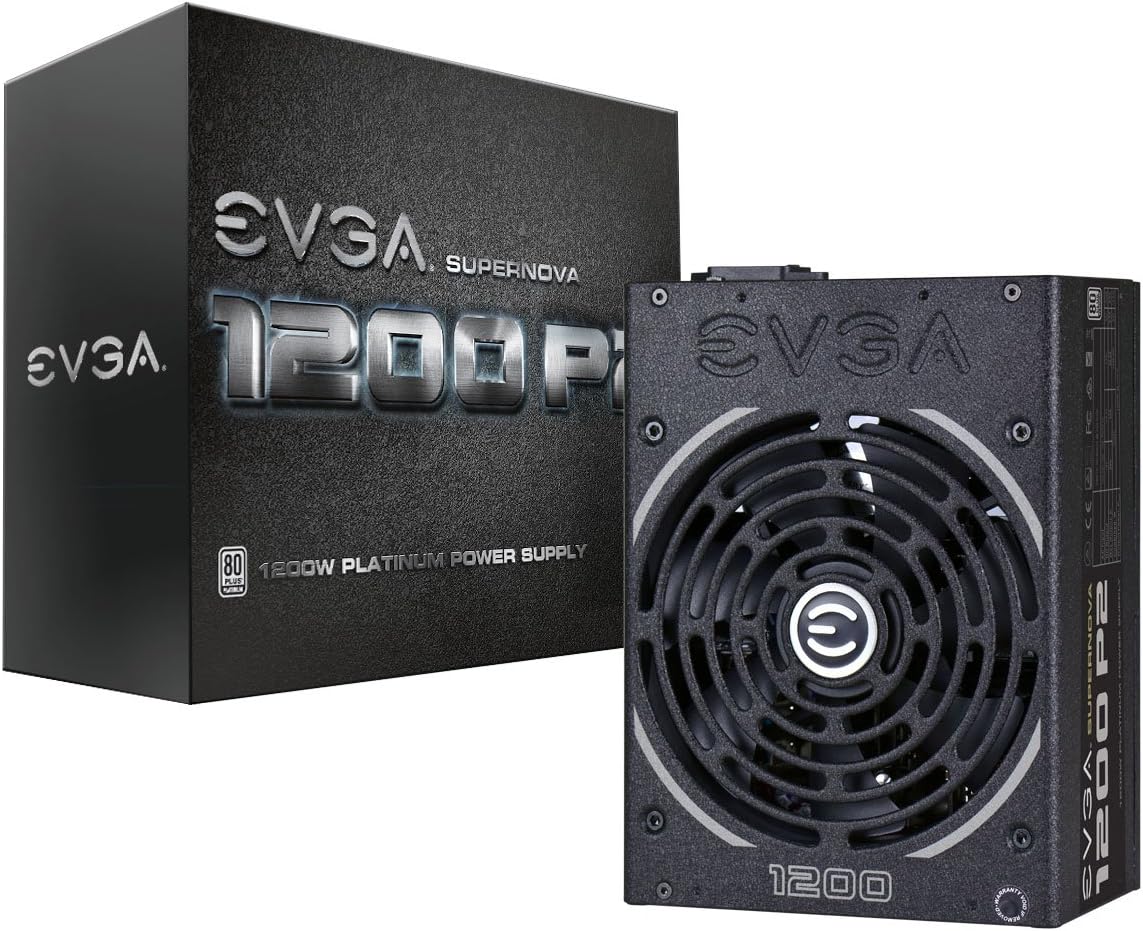
The EVGA Supernova 1200 P2 is a trusted unit with a 4.6 rating. It offers solid performance and reliability for users seeking a proven platform without the latest connector specifics.
We may earn a commission when you buy through this link, at no additional cost to you.
ECO Mode keeps the fan off during low loads. Japanese capacitors ensure stable operation over time which is crucial for long-term system health.
It may not have native PCIe 5.1 cables though adapters work. Some users might prefer newer models for future compatibility but this PSU remains highly capable for current needs.
Buy this if you trust established legacy models. It is suitable for systems that do not strictly require the newest ATX 3.1 connector specifications.
Fan stops spinning under typical loads to ensure near-silent operation during routine tasks.
Well-established design tested by users for years providing consistent power delivery results.
We may earn a commission when you buy through this link, at no additional cost to you.
The CORSAIR RM1200e supports modern standby sleep modes with a 4.1 rating. It is designed for fast wake times and low-load efficiency ideal for daily user systems.
We may earn a commission when you buy through this link, at no additional cost to you.
Cybenetics Platinum ensures high efficiency levels. The 105°C-rated capacitors provide thermal headroom for stable operation even under warm conditions.
It lacks some software features of top-tier models. Some users may find the fan less quiet under load but overall it meets modern power needs effectively.
Consider this for everyday use and efficiency. It fits well for users prioritizing wake times and reliable standby performance over advanced customization options.
Supports fast wake-from-sleep and reduces power draw when system is idle.
Rated for higher temperatures ensuring steady power delivery even under thermal stress.
We may earn a commission when you buy through this link, at no additional cost to you.
Selecting the right power supply involves looking at several key factors to ensure compatibility and performance.
A 1200W unit provides substantial power for multi-GPU setups or high-end single card builds. It ensures there is enough headroom for transient power spikes without throttling.
Ensure your total system draw stays within 80% of capacity for optimal efficiency and longevity.
Efficiency ratings like Gold or Platinum indicate how much electricity is converted to usable power versus wasted as heat. Higher ratings mean lower electricity bills and less heat output.
Look for at least 80 Plus Gold certification for balanced performance and efficiency in high-performance systems.
Modern GPUs often require 12V-2×6 connectors for proper power delivery. Ensure your PSU includes native cables to avoid adapter risks that can lead to connection failures.
Verify that the PSU has enough PCIe and CPU connectors to match your specific component needs.
Fully modular units allow you to connect only the cables you need reducing clutter and improving airflow inside the case. This makes builds look cleaner and helps with cooling.
Semi-modular or fully modular options are preferred over non-modular for high wattage systems.
Fluid dynamic or ball bearings tend to last longer and operate quieter than sleeve bearings. Zero RPM modes allow the fan to stop during low loads for silent operation.
Choose a fan with adequate diameter like 135mm or 140mm for better air movement at lower speeds.
A long warranty like 10 years signals confidence in product durability. It offers protection against manufacturing defects and ensures you get support if issues arise.
Always check the terms to confirm warranty validity and service regions before purchasing.
Key protections such as OCP OVP and SCP safeguard your components from power surges or failures. These safety nets prevent damage to expensive parts like GPUs and CPUs.
Prioritize PSUs with a comprehensive list of safety features for peace of mind.
Well-established brands often have better quality control and customer service. Reading user reviews can reveal common issues or strengths not listed in official specs.
Consider brands with a history of reliable PSUs to reduce the risk of early failures.
Install the power supply at the bottom of the case with the fan facing the intake to maximize cooling. Ensure all connectors are fully seated to prevent arcing or power loss during operation.
Keep the area around the intake free of dust or debris to maintain airflow. Regular cleaning of the fan and vents helps prevent overheating and prolongs unit life.
Avoid plugging high wattage devices directly into the PSU cables if using extension cables. Ensure all connections are secure and avoid bending cables tightly to preserve internal wire integrity.
Yes 1200W provides ample headroom for current and upcoming flagship GPUs. It ensures stable power during transient spikes which higher wattage units handle better than lower ones.
ATX 3.1 is recommended for newer GPUs requiring 12V-2×6 connectors. Older PSUs may need adapters which can introduce risk if not properly rated for the current.
Platinum units convert more electricity to usable power than Gold ones reducing wasted heat and power costs. The difference is often small but adds up over time.
Modular cables reduce clutter by letting you plug in only what you need. This improves airflow and makes building and troubleshooting the system much easier.
Cleaning every six months or as needed helps maintain airflow. Use compressed air to blow out dust from the fan and vents carefully.
No you should only use one power supply per system. Mixing units can cause electrical conflicts and damage your components.
An underpowered PSU may cause system crashes shutdowns or damage to hardware. It struggles to deliver stable voltage during high load conditions.
Yes capacitors degrade over time which can slightly reduce efficiency. However high quality units are designed to maintain performance for many years.
We reviewed ten top 1200W power supplies ranging from premium models like CORSAIR HX1200i to budget-friendly options like MSI MAG A1200PLS. Each offers unique strengths for different build priorities.
Focus on ATX 3.1 compliance and connector types to future proof your system. Quality components and warranty length matter just as much as raw wattage numbers.
Prices change often so check current deals before buying to ensure you get the best value for your specific system requirements.