
Dell 24 240Hz
4.7Editor score
0.5ms response time
99% sRGB coverage
TÜV eye comfort
Finding the right display is crucial for players aiming to dominate in tactical shooters like Valorant where every millisecond counts. A high refresh rate screen ensures smooth motion and reduces blur during intense firefights.
We evaluated ten leading models based on response time, refresh rate consistency, panel type, and adaptive sync support to determine which options deliver the clearest visuals for competitive play.
Each selection highlights key strengths and trade-offs so you can choose based on your budget and setup needs. Keep in mind that availability and pricing can change frequently online.
4.7Editor score
4.5Editor score

4.6Editor score
As an Amazon Associate we earn from qualifying purchases.
This side-by-side comparison highlights the core specifications and features of each monitor to help you quickly identify the best fit for your gaming setup.


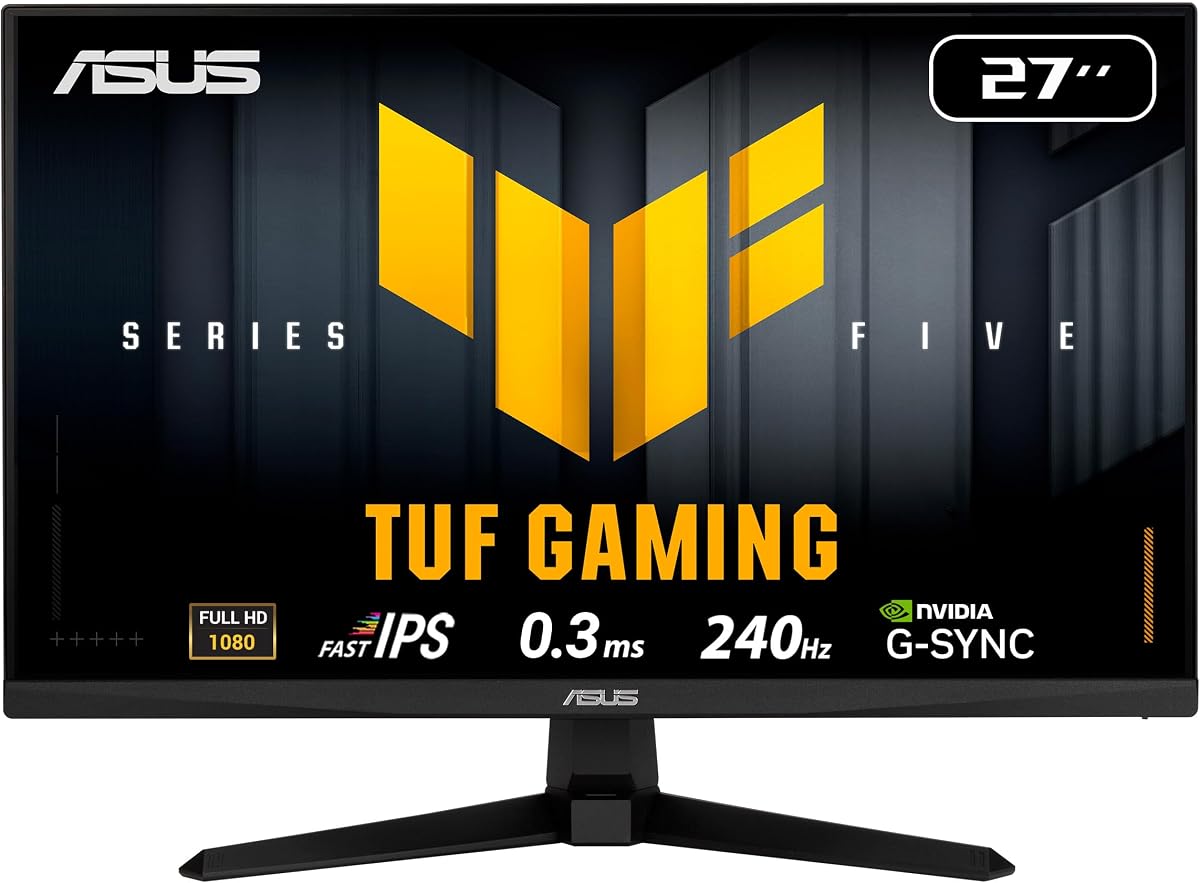
The ASUS TUF VG279QM5A stands out as a top contender for competitive shooters with its 240Hz refresh rate and 0.3ms response time ensuring minimal lag during fast paced action.
We may earn a commission when you buy through this link, at no additional cost to you.
Its Fast IPS panel delivers vibrant colors and wide viewing angles while features like ELMB SYNC eliminate ghosting which is critical for tracking moving targets in Valorant.
While it lacks some ergonomic flexibility and a USB hub the performance benefits and solid build quality make it a reliable choice for serious players seeking edge.
Gamers looking for a balance of speed color accuracy and durability should consider this model as it consistently delivers smooth visuals without breaking the bank.
The combination of 240Hz refresh rate and ELMB SYNC technology ensures that fast moving objects remain sharp and clear even during intense firefights.
With 99% sRGB coverage and a 0.3ms response time the monitor provides accurate colors and near instant pixel transitions for precise aiming.
We may earn a commission when you buy through this link, at no additional cost to you.
The Dell 24 240Hz offers exceptional value for budget conscious gamers seeking high refresh rates without compromising on image quality or response speed.
We may earn a commission when you buy through this link, at no additional cost to you.
Its IPS panel ensures 99% sRGB coverage and wide viewing angles while the 0.5ms response time and FreeSync Premium support provide smooth tear free gameplay.
Although the stand is basic and lacks USB ports the monitor's eye comfort features and reliable performance make it a strong option for extended gaming sessions.
Players on a tight budget who still want competitive performance will find this Dell model an excellent entry point into high refresh rate monitoring.
Despite its affordable price this monitor delivers a true 240Hz experience which is rare in the budget category and essential for fast paced titles.
TÜV 3-star certification helps reduce blue light and flicker allowing players to focus longer without straining their eyes during competitive matches.
We may earn a commission when you buy through this link, at no additional cost to you.
For those seeking premium performance the AOC 27 Gaming Monitor QHD combines a 1440p resolution with a 260Hz overclocked refresh rate for ultimate visual fidelity and smoothness.
We may earn a commission when you buy through this link, at no additional cost to you.
Its 0.3ms response time and G-SYNC support ensure crisp images and synchronized frame rates while enhanced gaming features like Shadow Control improve visibility in dark corners.
The frameless design and ergonomic tilt adjustments add to the immersive experience but the higher cost and GPU requirements may limit its accessibility for some users.
Serious competitive gamers with powerful rigs will appreciate the extra detail and speed this monitor provides for a truly next level Valorant experience.
The QHD resolution offers sharper detail than standard FHD allowing players to spot enemies more easily while maintaining high refresh rate performance.
Pushing beyond 240Hz to 260Hz provides smoother motion which can give a competitive edge in fast reaction scenarios during ranked matches.
We may earn a commission when you buy through this link, at no additional cost to you.
The SANSUI 24.5 Inch 300hz offers an impressive 300Hz refresh rate which exceeds the standard 240Hz for those wanting ultra smooth motion in competitive FPS titles.
We may earn a commission when you buy through this link, at no additional cost to you.
Its Fast IPS panel covers 120% sRGB and includes useful features like crosshair overlays and dynamic luminous control to enhance gameplay clarity during matches.
While it lacks built-in speakers and the build feels basic the included cables and lifetime technical support add value for users seeking high refresh rates on a budget.
Players prioritizing maximum refresh rates over premium build quality will find this model a compelling option for improving reaction times in Valorant.
With up to 300Hz capability this monitor pushes beyond standard offerings providing exceptionally smooth motion for players with capable hardware setups.
Wide color gamut and dynamic control features ensure vibrant images and better visibility in varied lighting conditions during intense gameplay.
We may earn a commission when you buy through this link, at no additional cost to you.
The Amzfast 24 Curved Gaming brings a 1500R curvature to the 240Hz category offering a more immersive experience for players who prefer wraparound visuals.
We may earn a commission when you buy through this link, at no additional cost to you.
Its ultra-slim base saves desk space and game modes like FPS and RTS optimize visuals for specific scenarios while the high contrast ratio enhances depth perception.
Though rating data is unavailable the wide color gamut and eye protection features suggest solid performance for casual and competitive gaming alike.
Gamers seeking a unique curved design with solid refresh rates at an accessible price point should consider this monitor for their next setup upgrade.
The 1500R curvature wraps the screen around the viewer creating a more engaging experience that can help maintain focus during long matches.
The ultra-slim base allows for under keyboard storage maximizing desk real estate for those with limited workspace at their gaming station.
We may earn a commission when you buy through this link, at no additional cost to you.
The msi MAG 274CF X24 stands out with its VA panel which offers high contrast for deeper blacks and better visibility in dark corners during gameplay.
We may earn a commission when you buy through this link, at no additional cost to you.
AI Vision technology enhances brightness and saturation in darker areas while FreeSync Premium ensures smooth frame rates to reduce screen tearing during matches.
While VA panels can have slightly higher motion blur than IPS the 0.5ms response time and high customer ratings indicate a reliable choice for many users.
Players who prioritize contrast and image depth over wide viewing angles will appreciate this monitor's performance in varied lighting environments.
The AI Vision feature reveals details in shadows and enhances overall brightness which is helpful for spotting enemies in darker map areas.
The VA panel delivers a high contrast ratio for richer blacks and better depth perception compared to standard IPS alternatives.
We may earn a commission when you buy through this link, at no additional cost to you.
The AOC 27 Gaming Monitor FHD offers a 260Hz overclocked refresh rate on a 27-inch IPS panel delivering smooth motion and vibrant colors for competitive gameplay.
We may earn a commission when you buy through this link, at no additional cost to you.
Its frameless design and flicker-free technology create an immersive experience while reduced strain during long sessions making it comfortable for extended ranked play.
Though it lacks HDR support and the stand is basic the adaptive-sync compatibility and software customization options provide flexibility for tuning performance settings.
Gamers wanting a larger 27-inch screen with high refresh rates and reliable color performance will find this AOC model a strong contender for their setup.
Overclocking to 260Hz provides smoother motion than standard 240Hz which can improve tracking precision during fast-paced engagements.
The three-sided frameless design minimizes bezel distraction and enhances immersion by blending seamlessly with the gaming environment.
We may earn a commission when you buy through this link, at no additional cost to you.
The SANSUI 24 Curved 240Hz combines a 1500R curved panel with a 240Hz refresh rate offering immersive visuals and smooth motion for competitive gaming.
We may earn a commission when you buy through this link, at no additional cost to you.
Its 124% sRGB color gamut and HDR support ensure vibrant imagery while game presets and crosshair overlays help tailor the display for specific gaming scenarios.
Although ergonomics are limited and there is no USB hub the monitor offers solid performance and reliable technical support for users seeking a curved experience.
Players looking for an affordable curved option with high refresh rates will find this model a good balance of immersion and speed.
The 1500R curvature enhances peripheral vision and immersion making fast movements and targets easier to track during intense matches.
With wide color coverage and HDR this monitor delivers vivid imagery that helps differentiate elements quickly in chaotic game environments.
We may earn a commission when you buy through this link, at no additional cost to you.
The ASUS TUF VG249QML5A brings Fast IPS technology to a compact 24-inch form factor with 240Hz refresh rate and 0.3ms response time for quick reactions.
We may earn a commission when you buy through this link, at no additional cost to you.
Its height adjustable stand allows ergonomic customization and ELMB SYNC eliminates ghosting for sharper visuals during fast movements and intense gunfights.
While the smaller screen might not suit everyone the combination of speed accuracy and ergonomic flexibility makes it a great choice for focused competitive play.
Players needing a smaller footprint without sacrificing high refresh performance will appreciate this monitor's balance of speed adjustability and warranty coverage.
The height adjustable stand helps customize viewing angles for comfort and reducing strain during long practice sessions and ranked games.
ELMB SYNC technology reduces motion blur while keeping variable refresh rates active for sharper images and smoother motion together.
We may earn a commission when you buy through this link, at no additional cost to you.
The ASUS TUF VG259QM5A offers a mid-size 25-inch display with 240Hz refresh rate and Fast IPS technology for sharp fast and accurate visuals in competitive play.
We may earn a commission when you buy through this link, at no additional cost to you.
With 0.3ms response time and G-SYNC compatibility it minimizes motion blur and tearing while the 99% sRGB coverage ensures colors remain vibrant and true to life.
Although it lacks USB ports and the price is higher the extensive warranty and reliable performance make it a solid investment for serious gamers.
Players wanting a balance between 24-inch and 27-inch screens with top tier response times will find this model an excellent fit for their setup.
The 25-inch size offers a comfortable field of view that balances immersion with peripheral visibility for competitive aiming and tracking.
Fast IPS technology delivers both rapid response times and accurate colors ensuring clear visuals and precise tracking during matches.
We may earn a commission when you buy through this link, at no additional cost to you.
Selecting the right monitor involves balancing refresh rate response time panel type and ergonomic features to suit your specific gaming needs and budget.
A 240Hz refresh rate ensures the screen updates 240 times per second providing smoother motion and reduced blur compared to 144Hz or 60Hz monitors which is essential for tracking fast enemies.
Look for monitors that guarantee true 240Hz performance without sacrificing other key features like response time or input lag for optimal gameplay.
Response time measures how quickly pixels change color ideally under 1ms to minimize ghosting and motion blur during fast-paced movements and quick turns.
Models with 0.3ms to 0.5ms response times are preferred for competitive Valorant to ensure clear target visibility without distracting artifacts.
IPS panels offer excellent color accuracy and wide viewing angles while VA panels provide higher contrast ratios and deeper blacks for better visibility in dark corners.
Choose IPS for consistent colors and viewing angles or VA for deeper blacks depending on your priority for color fidelity versus contrast performance.
Adaptive sync technologies like FreeSync Premium or G-SYNC synchronize the monitor refresh rate with your GPU to eliminate screen tearing and stuttering during gameplay.
Ensure the monitor supports adaptive sync compatible with your graphics card for smooth uninterrupted visuals and reduced input lag.
1080p is the standard for competitive Valorant ensuring high frame rates without overloading your GPU while 1440p provides sharper detail but requires more processing power.
Stick with 1080p if your GPU prioritizes high frame rates for responsiveness or choose 1440p for more detailed visuals if performance remains stable.
Adjustable stands with height tilt and swivel options help maintain proper posture and reduce neck strain during extended gaming sessions which is critical for long play.
Look for models with ergonomic adjustments or VESA mount compatibility to customize the viewing position to your comfort level.
Features like flicker-free technology and low blue light filters reduce eye strain and fatigue allowing longer focused gameplay without discomfort during practice.
Certified eye comfort standards indicate a monitor has undergone testing to minimize harmful light emissions for better eye health.
Check for sufficient HDMI and DisplayPort inputs with the latest versions supporting higher refresh rates at full resolution to maximize your monitor capabilities.
Having multiple ports allows easy switching between devices and ensures compatibility with your current PC or console setup.
Set the refresh rate to 240Hz in your operating system display settings and ensure your GPU drivers are updated to support the full performance potential of the monitor.
Use adaptive sync features in the monitor OSD and NVIDIA or AMD control panel to prevent tearing and ensure smooth gameplay during fast-paced matches.
Clean the screen regularly with a soft microfiber cloth and avoid harsh chemicals to maintain display quality and prolong the life of the panel.
Yes a 240Hz monitor significantly improves motion clarity and reduces input lag compared to lower refresh rates giving competitive players a smoother and more responsive visual experience essential for quick reactions.
1080p is typically preferred for competitive Valorant as it allows higher frame rates which reduce input latency and ensure smooth gameplay without requiring a high-end GPU to render extra pixels.
Response time matters because lower values reduce motion blur and ghosting helping you track moving targets more clearly during fast movements which is critical for accurate aiming in FPS games.
Choose based on your GPU brand with G-SYNC for NVIDIA cards and FreeSync for AMD cards both eliminate screen tearing and provide smoother frame rates when enabled in compatible games and settings.
Connect the monitor via DisplayPort or HDMI then go to Windows Display settings select advanced display settings choose 240Hz from the refresh rate dropdown and apply the changes.
Most modern 240Hz monitors include adaptive sync support but it is important to verify compatibility with your GPU and the specific feature set before purchasing to ensure seamless performance.
Use DisplayPort 1.4 or HDMI 2.0 cables that support 240Hz at the monitor resolution to ensure you can achieve the full refresh rate without bandwidth limitations or signal drop.
A smaller screen like 24 or 25 inches can be better for Valorant as it keeps the entire game view within your peripheral vision reducing eye movement and increasing focus on targets.
The ASUS TUF VG279QM5A Dell 24 240Hz and AOC 27 Gaming Monitor QHD lead the list by balancing speed accuracy and features tailored for competitive gaming performance.
Prioritize response time and refresh rate over resolution if your main goal is maximizing reaction speed while considering ergonomic and eye comfort for long play comfort.
Check current availability and pricing as models often change and selecting the right balance of performance and budget ensures the best setup for your gaming needs.