
Acer Nitro KG271U
4.5Editor score
180Hz refresh rate
0.5ms GTG response
95% DCI-P3 color
Finding the perfect display for competitive gaming or creative work requires careful consideration of resolution, refresh rates, and panel technology. A 27 inch WQHD 1440p gaming monitor offers the ideal balance between pixel density and performance, delivering crisp visuals without overburdening your graphics card. These screens are designed to handle fast-paced action while maintaining sharp details in static scenes.
We evaluated ten leading models based on their refresh rates, response times, color accuracy, and build quality. Each product was analyzed against industry standards to ensure it meets the demands of modern gaming and professional tasks. Our comparison highlights key features like adaptive sync technologies, ergonomic stands, and connectivity options that matter most to users.
Every selection in this list provides unique strengths tailored to different budgets and use cases. From budget-friendly options to premium displays with advanced HDR support, there is a suitable choice for every setup. Please note that prices and availability can change frequently, so verify current details before making your final purchase decision.
4.5Editor score

4.6Editor score

4.7Editor score
As an Amazon Associate we earn from qualifying purchases.
The following table provides a side-by-side comparison of all ten selected monitors to help you quickly identify the specifications that match your needs.


The Acer Nitro KG271U stands out as a top-tier option for gamers seeking a balance of performance and visual fidelity. With its high 180Hz refresh rate and incredibly fast 0.5ms response time, this monitor delivers fluid motion and sharp imagery during intense gaming sessions.
We may earn a commission when you buy through this link, at no additional cost to you.
Its QHD resolution provides a crisp image that enhances detail in both games and creative work. The IPS panel ensures consistent colors across wide viewing angles, making it suitable for collaborative environments or shared viewing experiences.
While the stand lacks extensive ergonomic adjustments, the monitor's sleek design compensates for this limitation. The zero-frame build maximizes screen real estate, creating an immersive viewing experience without distracting borders.
Overall, this model is highly recommended for competitive gamers and content creators who value speed and color precision. Its robust feature set at a competitive price point makes it a compelling choice in the crowded mid-range market.
Supporting 95% of the DCI-P3 color space, this monitor delivers vibrant and accurate colors ideal for design work and media consumption.
AMD FreeSync technology synchronizes the display with your graphics card to eliminate screen tearing and stuttering for seamless action.
We may earn a commission when you buy through this link, at no additional cost to you.
The ASUS TUF Gaming VG27AQ3A represents a premium choice for users who demand the highest level of performance and reliability. It features advanced synchronization technologies that ensure smooth visuals regardless of your graphics card choice. The 180Hz refresh rate combined with G-Sync compatibility makes it ideal for PC gamers seeking tear-free experiences.
We may earn a commission when you buy through this link, at no additional cost to you.
Color accuracy is exceptional, with a Fast IPS panel covering 130% of the sRGB gamut. This wide color range ensures that images appear vibrant and true to life, which is crucial for photo editing and video production tasks alongside gaming.
The monitor includes built-in speakers for convenient audio output, reducing cable clutter in your setup. However, while it supports HDR-10, the impact is modest due to the panel's peak brightness limitations, which may not satisfy hardcore HDR enthusiasts.
In conclusion, this monitor is an excellent investment for serious gamers and professionals who prioritize visual quality and responsive performance. Its comprehensive feature set and robust build justify the higher cost for those needing top-tier equipment.
ELMB Sync technology allows variable refresh rates and low motion blur to work simultaneously for sharper images during fast movement.
Multiple HDMI and DisplayPort inputs along with integrated speakers provide versatile connection options for various devices and setups.
We may earn a commission when you buy through this link, at no additional cost to you.
The Acer Nitro XV271U M3 offers an impressive array of features at a mid-range price point, making it a strong contender for budget-conscious gamers. Its 180Hz refresh rate ensures smooth motion, while the 1ms response time minimizes ghosting in fast-paced games. The inclusion of AMD FreeSync Premium enhances visual stability by matching the monitor to your GPU output.
We may earn a commission when you buy through this link, at no additional cost to you.
One of its standout features is the highly ergonomic stand, which allows for tilt, swivel, pivot, and height adjustments. This flexibility ensures comfortable viewing positions for extended sessions. The built-in speakers provide a basic audio solution, eliminating the immediate need for external speakers.
While the response time is slightly slower than the KG271U model, it remains competitive for most casual and competitive gaming scenarios. The panel quality is solid, delivering clear images and decent color reproduction suitable for general entertainment and productivity tasks.
This monitor is best suited for users who need a versatile display with excellent ergonomic features without paying a premium. It balances performance and practicality effectively, ensuring a comfortable and enjoyable experience across various applications.
Full stand adjustability including height and pivot allows users to customize their viewing angle for maximum comfort and productivity.
AMD FreeSync Premium technology reduces screen tearing and stuttering to ensure smooth gameplay during intense gaming moments.
We may earn a commission when you buy through this link, at no additional cost to you.
The Samsung 27" Odyssey G5 introduces an immersive curved design that wraps around the peripheral vision for enhanced focus during gaming. Its QHD resolution provides sharp details, while the 180Hz refresh rate ensures fluid motion in competitive titles. The 1ms response time helps capture real-time actions accurately, improving precision during gameplay.
We may earn a commission when you buy through this link, at no additional cost to you.
A unique feature is the Black Equalizer, which allows you to adjust brightness in dark areas to spot enemies hidden in shadows. This practical tool is highly beneficial for survival horror or tactical shooters where visibility is key. Additionally, HDR10 support enhances highlights and shadows for more vivid scene reproduction.
The ergonomic stand supports tilt, pivot, and height adjustments, accommodating various desk setups and user preferences. While the curved screen enhances immersion, it may not be ideal for professionals who require perfectly flat geometry for graphic design or drafting work.
Overall, this monitor is perfect for gamers seeking an immersive experience and practical features to improve visibility. Its balance of performance and specialized gaming tools makes it a standout choice in the curved display market.
The curved screen design wraps around your field of view to create a more engaging and immersive gaming experience.
Black Equalizer technology adjusts dark areas to make it easier to see details and enemies hidden in shadows.
We may earn a commission when you buy through this link, at no additional cost to you.
SANSUI offers a compelling option for competitive gamers with its 200Hz refresh rate and 1ms response time. This combination ensures minimal motion blur and ultra-smooth gameplay, giving you a distinct advantage in fast-paced titles. The IPS panel delivers consistent colors, covering 120% of the sRGB gamut for vivid visuals.
We may earn a commission when you buy through this link, at no additional cost to you.
Built-in eye care technologies like low blue light and anti-flicker help reduce strain during extended use. These features are valuable for long gaming sessions or work days, protecting your vision without sacrificing visual quality. The monitor supports VESA mounting for flexible installation on walls or arms.
However, the lack of built-in speakers means you will need external audio for sound. Additionally, the stand only supports tilt adjustment, limiting ergonomic positioning. These trade-offs are acceptable given the high performance specifications available at this price point.
This monitor is ideal for users prioritizing speed and performance over convenience features like speakers or full ergonomic stands. It delivers competitive specs that rival more expensive models, making it a smart choice for budget-oriented enthusiasts.
A 200Hz refresh rate provides incredibly smooth motion rendering that benefits competitive gamers and fast-paced games.
Low blue light and anti-flicker technologies help minimize eye strain during prolonged periods of screen usage.
We may earn a commission when you buy through this link, at no additional cost to you.
This SANSUI model stands out with a robust Fast IPS panel offering a 200Hz refresh rate and 1ms response time. These specs are excellent for reducing motion blur and ghosting, ensuring crisp visuals in action games. The wide color gamut covers 95% of DCI-P3 and 130% of sRGB, providing vibrant and accurate colors.
We may earn a commission when you buy through this link, at no additional cost to you.
A major advantage is the fully adjustable stand that supports height, tilt, swivel, and pivot. This vertical rotation capability is particularly useful for coding or reading long documents. Adaptive Sync technology helps synchronize refresh rates to eliminate screen tearing during dynamic gaming sessions.
While the stand is highly ergonomic, the overall build feels lighter compared to premium competitors. The menu navigation is straightforward but basic, lacking the advanced customization found in higher-end models. Despite this, the performance-to-price ratio remains impressive for gamers seeking speed and flexibility.
For users needing a versatile and high-performance display without breaking the bank, this monitor is an excellent choice. Its combination of speed, color accuracy, and ergonomic features makes it suitable for both gaming and productivity work.
Full height, tilt, swivel, and pivot adjustments allow for perfect viewing angles and vertical screen orientation.
MPRT low motion blur technology ensures sharp images and clear details even during rapid movement on screen.
We may earn a commission when you buy through this link, at no additional cost to you.
KOORUI delivers a competitive gaming monitor with a 200Hz refresh rate and 1ms response time tailored for smooth action. The Fast IPS panel ensures wide viewing angles and accurate color reproduction, supported by a 95% DCI-P3 coverage. HDR400 certification enhances contrast and brightness for a more dynamic visual experience.
We may earn a commission when you buy through this link, at no additional cost to you.
The minimalist and ultra-thin body design fits seamlessly into modern setups. A sturdy stand allows for tilt adjustments and VESA wall mounting, offering flexibility for desk space optimization. Game modes help optimize visibility for details in dark scenes during gameplay.
While HDR400 provides some improvement, its impact is limited compared to higher-end HDR implementations. Additionally, the stand lacks full ergonomic adjustments, which might affect comfort during long hours of use. Nevertheless, the overall package remains robust for the price.
This monitor is suitable for gamers looking for high refresh rates and reliable performance at a reasonable cost. Its sleek design and strong warranty support add to its appeal for long-term usage in a variety of environments.
Specialized game modes adjust brightness and contrast to enhance visibility of dark details and improve reaction times.
95% DCI-P3 coverage ensures rich and realistic colors that pop on screen for entertainment and creative tasks.
We may earn a commission when you buy through this link, at no additional cost to you.
The Acer Nitro EDA270U features a 1500R curved screen that wraps around your field of view for a more immersive experience. Its 180Hz refresh rate ensures fluid gameplay, while the 1ms VRB response time reduces motion blur. The curved design is ideal for games that benefit from peripheral engagement and visual depth.
We may earn a commission when you buy through this link, at no additional cost to you.
AMD FreeSync Premium technology ensures smooth visuals by syncing refresh rates with your GPU. The zero-frame design maximizes screen space, creating a seamless look when multiple monitors are used together. Built-in speakers provide convenient audio without extra cables.
However, the stand supports only tilt adjustments, limiting ergonomic customization. The VRB mode reduces brightness to minimize motion blur, which might affect dark scene visibility in certain games. Despite these limitations, it remains a solid choice for curved display enthusiasts.
This monitor is recommended for users seeking immersion and performance without a high price tag. Its curved design and robust refresh rate make it a strong contender for gamers prioritizing engaging visuals and fast responsiveness.
A 1500R curve matches the human eye to create a natural and engaging viewing experience in gaming environments.
Slim bezels provide a clean look and maximize screen space for uninterrupted viewing and multi-monitor setups.
We may earn a commission when you buy through this link, at no additional cost to you.
The ASUS TUF VG27AQL1A is a reliable choice for gamers seeking consistent performance and color accuracy. Its 170Hz refresh rate offers smooth motion, while the 1ms MPRT response time minimizes blur. G-Sync compatibility ensures tear-free visuals for NVIDIA users, while ELMB Sync reduces ghosting effectively.
We may earn a commission when you buy through this link, at no additional cost to you.
With 130% sRGB coverage, this monitor delivers vibrant colors suitable for creative work and media consumption. Eye care technologies like flicker-free and low blue light help protect vision during long sessions. HDR400 support enhances contrast, though brightness levels remain modest compared to higher-end HDR displays.
The build quality is robust, reflecting ASUS TUF's reputation for durability. While the refresh rate is slightly lower than some competitors, it still meets the needs of most casual and competitive gamers. The lack of high-end HDR brightness means it may not suit dedicated movie watchers.
This monitor is best for users who value brand reliability and color fidelity over absolute peak refresh rates. Its balanced feature set and strong performance make it a dependable choice for a wide range of applications and setups.
G-Sync compatible technology synchronizes the display with NVIDIA GPUs to prevent screen tearing and stuttering.
Flicker-free and low blue light technologies help reduce eye strain and fatigue during extended usage periods.
We may earn a commission when you buy through this link, at no additional cost to you.
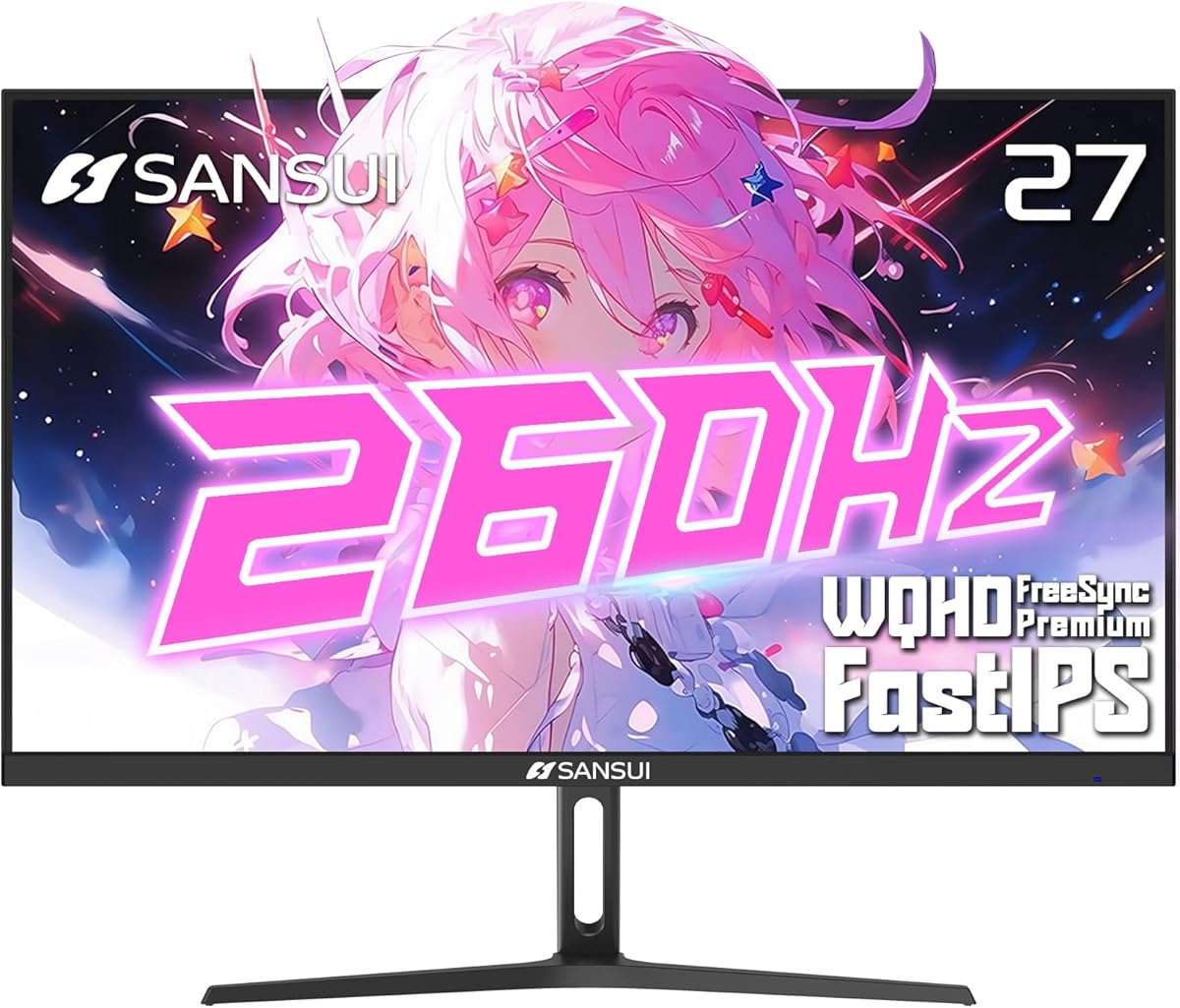
This SANSUI model pushes boundaries with a 260Hz refresh rate and 1ms MPRT response time, catering to the most competitive players. Such high speeds ensure minimal motion blur and instant responsiveness. The Fast IPS panel covers 98% of DCI-P3 and 130% of sRGB for vibrant and accurate color reproduction.
We may earn a commission when you buy through this link, at no additional cost to you.
Built-in game assist features like crosshair and timer tools help improve gameplay performance. FreeSync Premium support ensures smooth visuals by adapting refresh rates to match GPU output. VESA mounting compatibility offers flexible installation options for various desk configurations.
Achieving 260Hz requires a powerful graphics card, which may not be feasible for all users. The stand only supports tilt adjustments, limiting ergonomic positioning. However, the sheer speed and color performance make this a compelling option for high-end setups.
For competitive gamers seeking the fastest response possible without compromising color quality, this monitor is a top contender. Its advanced features and high refresh rate provide a significant edge in fast-paced titles where every millisecond counts.
A 260Hz refresh rate delivers unmatched smoothness and responsiveness for professional and competitive gaming needs.
Integrated crosshair and timer tools assist players in improving accuracy and timing during critical moments.
We may earn a commission when you buy through this link, at no additional cost to you.
Selecting the right monitor involves evaluating technical specs that impact performance and comfort. This guide breaks down key factors to consider before making a purchase.
Refresh rate determines how many frames the screen displays per second. For competitive gaming, 144Hz or higher ensures smooth motion and quick updates. Look for 180Hz or 260Hz if you have a powerful graphics card.
Higher refresh rates provide smoother visuals and reduced motion blur in fast-paced games.
Response time measures how quickly pixels change color. Faster response times reduce ghosting and blurring during rapid movement. Aim for 1ms or lower for the crispest imagery.
A lower response time ensures sharper images during fast action and movement on screen.
IPS panels offer excellent color accuracy and wide viewing angles. VA panels have better contrast ratios. TN panels are fastest but have poorer colors. For general use, IPS is highly recommended.
IPS panels provide the best balance of color quality and performance for most users.
Color gamut coverage indicates how many colors a monitor can display. Look for high percentages of sRGB or DCI-P3. For creative work, aim for 99% sRGB or higher.
Wide color gamut ensures vibrant and accurate visuals for content creation and entertainment.
Adaptive Sync technologies like FreeSync and G-Sync match the monitor to your GPU speed. This eliminates screen tearing and stuttering. Check your graphics card brand for compatibility.
Adaptive Sync ensures a tear-free and stutter-free gaming experience by synchronizing refresh rates.
Adjustable stands allow you to change height, tilt, swivel, and pivot. Proper ergonomics reduce neck strain and improve comfort during long sessions. VESA mounts are useful for wall mounting.
Full ergonomic adjustments help maintain a comfortable and healthy viewing posture over time.
Ensure the monitor has enough ports like HDMI and DisplayPort for all devices. DisplayPort often supports higher refresh rates. Additional USB ports are convenient for connecting peripherals.
Multiple input options ensure you can connect all your devices without limitations or adapters.
HDR improves contrast and color range for more realistic visuals. However, entry-level HDR400 is less impactful than higher standards. Look for HDR if you watch movies alongside gaming.
HDR support enhances visual depth and color range for a more vivid viewing experience.
Start by adjusting the brightness and contrast settings to match your room's lighting. Most monitors have preset game modes or sRGB settings to help with accurate colors. This ensures a comfortable viewing experience.
Clean the screen regularly using a microfiber cloth to remove dust and smudges. Avoid using harsh chemicals or paper towels which can scratch the surface. Keep the monitor in a well-ventilated area to prevent overheating.
Adjust the stand height and tilt to align the screen with your eye level. Proper posture reduces eye strain and fatigue during long sessions. Use VESA mounts if you need more flexibility in positioning.
Yes, 1440p offers significantly sharper images on a 27-inch screen due to higher pixel density. It provides more screen real estate for multitasking and gaming without sacrificing visual quality.
Yes, driving 1440p at high refresh rates requires a powerful graphics card to maintain smooth frame rates. Entry-level GPUs might struggle to achieve high settings at this resolution.
FreeSync is AMD's adaptive sync technology and is generally free, while G-Sync is NVIDIA's proprietary standard that requires certified hardware. G-Sync often offers smoother performance but costs more.
Curved monitors enhance immersion by wrapping around your field of view. They are preferred for gaming but may not be ideal for professional tasks requiring flat geometry like drafting.
Response time affects how quickly pixels change color. Faster response times reduce ghosting and blur, providing clearer images during fast motion, which is critical for competitive gaming.
Yes, most models with IPS panels and wide color gamut are suitable for creative work. They provide the accuracy and viewing angles needed for design and editing tasks.
You should use a DisplayPort 1.2 or higher cable to support 180Hz at 1440p. HDMI cables may be limited to lower refresh rates on some monitors.
Some models include basic built-in speakers for convenience, but many do not. External speakers are usually recommended for better audio quality.
Choosing a monitor depends on balancing performance, visual quality, and budget. Our top picks offer a mix of speed, color accuracy, and ergonomic features to suit various needs and setups.
Prioritize features that match your usage. Competitive gamers should focus on refresh rates and response times, while creators may prefer color accuracy and ergonomic adjustments.
Keep in mind that prices fluctuate regularly. Verify current specs and costs before buying to ensure you get the best value for your investment.