
FLASHFORGE AD5X
4.4Editor score
Multi-Color IFS
Fully Auto Leveling
High-Speed Printing
Compare the best 3D printers for figurines and models with detailed reviews on speed, precision, multi-color options, and ease of use for hobbyists.
Choosing the right 3D printer for figurines and models requires balancing speed, precision, and material versatility. Modern printers offer advanced features like multi-color printing and auto-calibration to simplify the process for creators of all skill levels.
We evaluated ten top-rated models based on build quality, print accuracy, and user experience. Each device was assessed for its ability to handle intricate details, support diverse filaments, and integrate smoothly into creative workflows without excessive setup time.
Every selection highlights unique strengths such as high-speed performance or enclosed chambers for advanced materials. Note that pricing and availability may change, so verify current details before purchasing to ensure the best value for your specific modeling needs.
4.4Editor score

4.7Editor score

4.0Editor score
This side-by-side comparison highlights key specifications and capabilities across ten leading 3D printers. Each entry is designed to help you identify the model that best fits your requirements for creating detailed figurines and complex artistic models.





The Bambu Lab A1 stands out as a top-tier choice for creating detailed figurines and models. With a 4.7 rating, it delivers high-speed precision and reliable performance that appeals to both beginners and experienced users seeking quality.
We may earn a commission when you buy through this link, at no additional cost to you.
Its standout feature is the ability to print at speeds up to 10,000 mm/s² while maintaining accuracy. The active flow rate compensation ensures smooth surfaces, and full-auto calibration means you spend more time printing and less time tuning the machine.
While the open design limits some advanced filament options compared to enclosed models, the balance of speed and ease of use is hard to beat. Multi-color printing via AMS lite adds significant value for complex models needing vibrant details.
This printer is ideal for hobbyists who want professional results without complex setup. If you prioritize speed and simplicity alongside detailed output, the A1 offers a compelling package for bringing your 3D designs to life efficiently.
High acceleration rates allow rapid printing without ringing or ghosting, ensuring crisp edges on small figurine features.
Automated processes handle bed leveling and Z-offset adjustments, reducing human error and improving first-layer success.
We may earn a commission when you buy through this link, at no additional cost to you.
The Bambu Lab P2S Combo is a powerful option for users needing professional-grade output. With a 4.7 rating, it combines high-speed performance with advanced multi-color capabilities to handle complex figurines and industrial parts alike.
We may earn a commission when you buy through this link, at no additional cost to you.
Its PMSM Servo Extruder and active flow rate compensation deliver sharp layers and consistent results. The AMS 2 Pro includes built-in filament drying, ensuring optimal material conditions for flawless prints every time.
While the investment is significant, the productivity gains from fast speeds and reliable AI monitoring justify the cost. The adaptive airflow system allows printing diverse materials without compromising quality or safety.
This model suits creators who need speed and versatility in one package. If you require multi-material prints or plan to scale production, the P2S Combo provides the reliability and features necessary for demanding projects.
Built-in drying and adaptive cooling maintain filament integrity for consistent quality across various material types.
AI detection identifies failures early, minimizing material waste and time lost to unsuccessful prints.
We may earn a commission when you buy through this link, at no additional cost to you.
The FLASHFORGE Creator 5 Pro is engineered for industrial applications and intricate models requiring multiple materials. It offers a 4.0 rating and unique features like four independent toolheads that switch without flushing filament.
We may earn a commission when you buy through this link, at no additional cost to you.
Its 65°C active heated chamber prevents warping in advanced filaments, while the CoreXY structure ensures speed and stability. The Near-Zero Waste System drastically cuts operational costs by eliminating massive purge waste during color changes.
While the system is complex and priced for pros, the flexibility it offers is unmatched. Dual HEPA filtration makes it safe for indoor use, and real-time monitoring keeps you informed throughout the print process.
If you need robust multi-material printing for functional parts or artistic models, this printer delivers. The trade-off is cost and complexity, but the resulting versatility and waste reduction make it a top choice for serious creators.
FlashSwap technology switches nozzles in seconds, reducing waste and speeding up multi-color projects significantly.
Active heating and air filtration enable safe printing of engineering materials like ABS and PC in home environments.
We may earn a commission when you buy through this link, at no additional cost to you.
The Bambu Lab P1S is a versatile enclosed printer capable of handling a wide variety of filaments. With a 4.5 rating, it balances high-speed printing with reliability, making it a solid choice for varied modeling tasks.
We may earn a commission when you buy through this link, at no additional cost to you.
Its enclosed design improves performance for engineering materials, and it supports up to 16 colors when connected to the AMS. The fully automated leveling ensures precise first layers consistently, reducing setup time significantly.
While it cannot handle all reinforced polymers, its support for common engineering materials is strong. The speed and precision offer excellent value for users needing an enclosed system without sacrificing workflow efficiency.
This model is best for those seeking enclosed printing flexibility. Whether you need speed for prototyping or multi-color capabilities for finished models, the P1S provides a reliable foundation for creative projects.
Sealed chambers prevent warping on sensitive materials, ensuring dimensional accuracy for complex models.
Expandable AMS support allows up to 16 colors, giving creators extensive palette options for detailed designs.
We may earn a commission when you buy through this link, at no additional cost to you.
The FLASHFORGE AD5X offers impressive features for a budget-friendly price point. With a 4.4 rating, it brings multi-color capabilities and high-speed performance to hobbyists who need creative flexibility without breaking the bank.
We may earn a commission when you buy through this link, at no additional cost to you.
Its Independent Filament System allows printing four colors simultaneously without manual swaps. The fully automatic leveling ensures consistent quality, while the 300°C nozzle enables printing a wide range of standard and engineering filaments.
While initial setup for multi-color printing may require patience, the results are worth the effort. The large build volume supports multiple smaller objects in one go, maximizing productivity for various project types.
This printer is ideal for cost-conscious creators wanting advanced features. If you want to explore multi-color designs and high-speed output affordably, the AD5X delivers significant value for personal and hobbyist printing needs.
Independent Filament System enables vibrant, multi-colored models without constant manual intervention or swapping.
Fast 600mm/s speeds and 220mm build volume allow rapid prototyping and larger model production efficiently.
We may earn a commission when you buy through this link, at no additional cost to you.
The Snapmaker U1 distinguishes itself with a rapid 5-second tool changer that supports up to four toolheads. With a 4.5 rating, it simplifies multi-material workflows and reduces waste during complex printing tasks significantly.
We may earn a commission when you buy through this link, at no additional cost to you.
Its SnapSwap system ensures tool changes happen in seconds instead of minutes. Combined with vibration compensation and automated calibration, the printer maintains high accuracy across mixed-material prints for functional prototypes.
While the system is specialized and requires compatible software, the workflow efficiency it provides is unmatched. It supports diverse material combinations including water-soluble supports, enhancing design possibilities for intricate models.
This model suits creators needing flexible multi-material output. If you value speed in tool switching and reduced material waste, the Snapmaker U1 offers a robust solution for advanced prototyping and finished models.
Automated tool changes eliminate manual filament management, streamlining the production of complex multi-material parts.
Rigid motion systems ensure stability even during rapid changes, delivering consistent quality across large print volumes.
We may earn a commission when you buy through this link, at no additional cost to you.
The Creality SPARKX i7 Combo focuses on simplifying the modeling process with AI integration. With a 4.0 rating, it allows users to upload portraits and generate 3D models instantly, reducing technical barriers for personal gifts.
We may earn a commission when you buy through this link, at no additional cost to you.
Its pre-assembled design gets users printing within minutes. The AI camera monitors for failures like spaghetti tangles, sending instant alerts to maximize success. Multi-color printing offers transitions with significantly less waste than standard systems.
While the AI tools are innovative, they depend on connectivity. The large build volume and quiet operation make it suitable for home use, but calibration options are simpler compared to industrial-grade options.
This printer is perfect for beginners wanting quick results. If you prioritize ease of setup and innovative AI tools over manual control, the SPARKX i7 Combo provides a welcoming entry point into 3D modeling.
Upload photos to generate models instantly, streamlining the creation of personalized figurines and custom gifts.
Pre-assembled design reduces setup time to minutes, allowing immediate experimentation and printing for users.
We may earn a commission when you buy through this link, at no additional cost to you.
The FLASHFORGE Adventurer 5M Pro combines speed with safety features for home environments. It delivers 600mm/s speeds, a 3-second nozzle swap system, and dual filtration to maintain a clean workspace for users.
We may earn a commission when you buy through this link, at no additional cost to you.
Its high-temperature extruder handles engineering materials, while the enclosure ensures thermal stability. Vibration compensation algorithms eliminate ghosting, resulting in smooth surface finishes that are crucial for high-quality figurines and models.
While filtration systems require occasional cleaning, they ensure safety during long prints. The mobile control and camera monitoring make it convenient for users who need to manage prints remotely during busy days.
This model is great for users balancing safety and speed. If you need quick results without compromising print quality or indoor air quality, the Adventurer 5M Pro delivers a reliable and user-friendly printing experience.
Tool-free nozzles reduce downtime and maintenance effort when switching between print sizes or materials.
Integrated filtration captures fumes and particles, ensuring a comfortable environment for continuous use.
We may earn a commission when you buy through this link, at no additional cost to you.
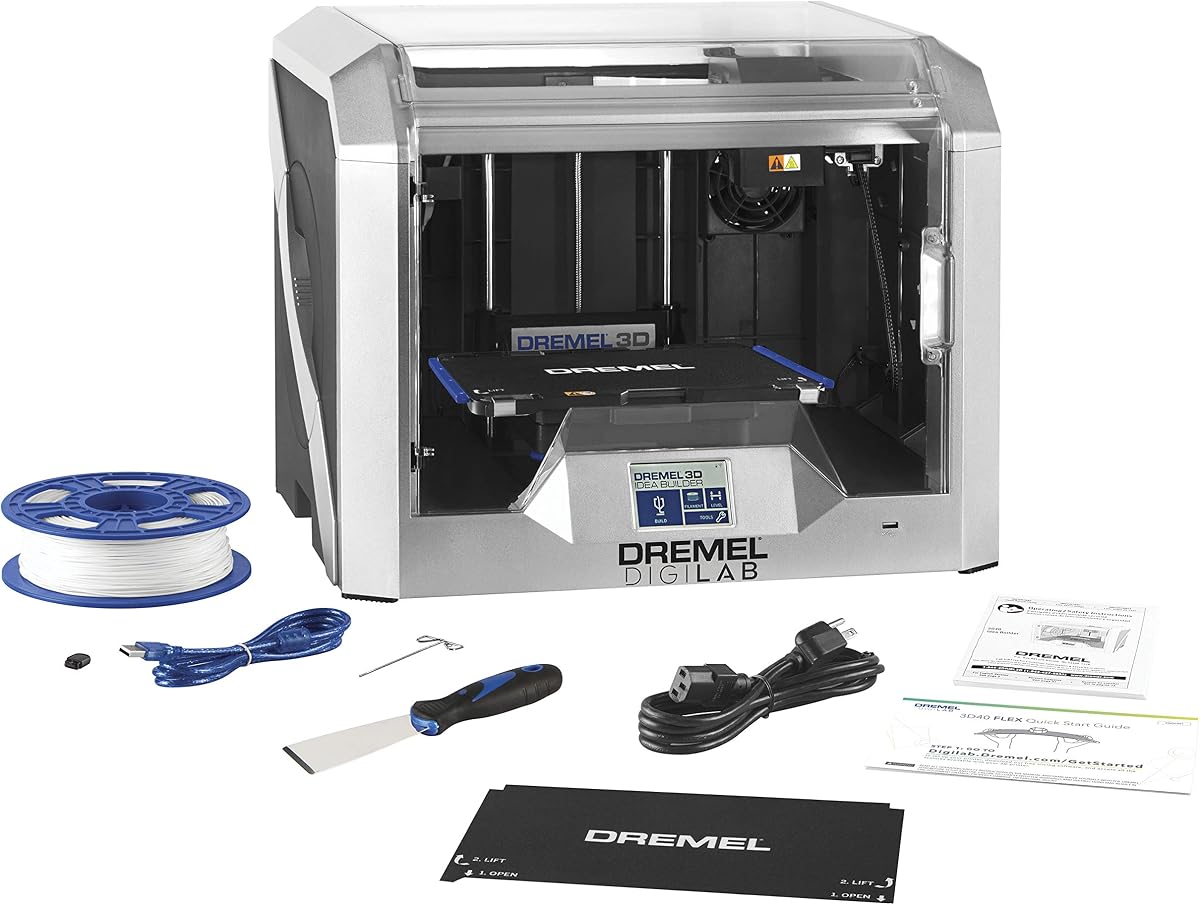
The Dremel DigiLab 3D40 Flex is known for its reliable performance and user-friendly design. With a 4.4 rating, it offers high resolution and automated features that make it ideal for educational settings or focused modeling projects.
We may earn a commission when you buy through this link, at no additional cost to you.
Its flexible build plate simplifies model removal, and the direct drive extruder minimizes clogs. The automated 9-point leveling ensures consistent accuracy, which is critical for intricate details on figurines and small-scale models.
While it operates at slower speeds compared to modern high-speed models, its reliability and safety features make it a trusted choice. Network-friendly connectivity allows easy access via multiple devices for seamless workflow integration.
This printer is perfect for users prioritizing ease and stability. If you value straightforward operation and consistent results over raw speed, the 3D40 Flex offers a dependable option for detailed 3D work.
High 50 micron resolution ensures fine details and smooth textures on small and delicate figurine parts.
Network compatibility and intuitive controls make it easy for teams or individuals to manage prints efficiently.
We may earn a commission when you buy through this link, at no additional cost to you.
The Bambu Lab A1 Combo builds on the standard A1 by integrating the AMS Lite for seamless multi-color printing. With a 4.6 rating, it delivers high-speed precision and active flow compensation for accurate and detailed figurine production.
We may earn a commission when you buy through this link, at no additional cost to you.
Its fully automatic calibration handles Z-shift and bed leveling for every print. The 1-clip quick-change nozzle simplifies maintenance, and motor noise cancellation keeps the environment quiet while producing high-quality prints.
While the combined cost is higher than the base model, the convenience and color capabilities add significant value. It ensures you have all necessary components from the start for a smooth multi-color workflow experience.
This model suits users wanting full out-of-the-box capability. If you need speed, automation, and color in one package, the A1 Combo provides a robust solution for creative and precise 3D printing projects.
AMS Lite integration allows multi-color prints without separate setup steps or external hardware purchases.
Calibration adjustments happen automatically for each job, ensuring consistent results across various print types.
We may earn a commission when you buy through this link, at no additional cost to you.
Selecting the right printer involves evaluating several key factors that affect your final output and workflow efficiency.
Speed impacts production time, while resolution determines the level of detail visible on your models. Look for printers that offer high speeds without sacrificing the 50-micron resolution needed for intricate figurines.
Prioritize machines with active compensation technology to maintain precision at high speeds.
Multi-color systems allow you to print vibrant models without manual intervention. Options range from independent filament systems to multi-toolhead setups that change nozzles rapidly.
Choose a system that aligns with your budget and the frequency of your multi-color projects.
The build volume determines how large a model you can print in one piece. Standard volumes around 220mm are suitable for most figurines, while larger ones are needed for full-scale props.
Ensure the printer bed size matches your typical project dimensions to avoid splitting models unnecessarily.
Different models require different materials such as PLA, ABS, or engineering-grade polymers. Check the nozzle temperature and enclosure type to ensure compatibility with your preferred filaments.
A 300°C nozzle and heated chamber offer broader options for durability and professional finishes.
Automatic leveling and flow compensation reduce setup time and failure rates. Features like auto-bed leveling ensure consistent first layers, which are critical for successful prints.
Invest in models with AI monitoring to detect issues early and save valuable time and material.
Noise-canceling motors and enclosed chambers keep the printing environment comfortable for home or office use. Look for dual filtration systems to manage fumes and particles effectively.
Ensure the printer meets safety standards for indoor operation with low noise levels under 50dB.
User-friendly software with mobile control enhances the workflow. Network-friendly features allow remote monitoring and printing from any device without physical access.
Check for compatibility with popular slicing tools and cloud services to streamline your creative process.
Reliable customer support and warranty terms ensure you have assistance when issues arise. Established brands often provide better resources and parts availability over time.
Verify the warranty duration and access to technical support before finalizing your purchase decision.
Always begin by leveling the bed and calibrating the flow rate using the automated tools provided by your machine. This ensures the first layer adheres properly and prevents print failures common with new setups.
Monitor prints regularly using built-in cameras or mobile apps to catch issues like stringing or adhesion problems early. Addressing these quickly minimizes material waste and improves overall print quality for your figurines.
Perform regular maintenance by cleaning the nozzle and checking belts for tension. Replace filters and wipe down the print bed regularly to maintain optimal performance and longevity of your equipment.
For detailed figurines, a resolution of 50 microns or lower is recommended. This ensures smooth surfaces and fine features. High-speed printers often include compensation to maintain this precision even at faster print speeds.
Yes, an enclosed printer is essential for ABS to prevent warping and ensure thermal stability. Look for models with active heated chambers that reach at least 65°C for reliable ABS printing results.
Multi-color printers use either independent filament systems or toolheads to switch colors automatically. These systems manage filament changes with minimal waste and interruption during the print process.
It depends on the build volume of your printer. Most standard models can handle pieces up to 220mm in size. For larger figurines, you may need to split the model into parts and assemble them.
Modern printers feature automatic calibration that simplifies this process significantly. Tools like auto-bed leveling and flow compensation handle technical settings, making it easier for new users to start printing.
High-quality prints typically range from 50 to 600 mm/s depending on the printer technology. High-speed models maintain accuracy through active compensation algorithms that prevent defects at fast speeds.
Regular maintenance includes cleaning nozzles, checking belt tension, and replacing filters. Keeping the print bed clean and checking for wear on parts ensures consistent performance and longevity of the machine.
Most printers come with proprietary software, but they are often compatible with open-source slicers. Mobile apps and cloud integration make it easy to manage files remotely for convenient access.
Whether you choose the Bambu Lab A1 for speed and automation or the FLASHFORGE Creator 5 Pro for multi-material versatility, each option offers unique benefits for creative projects.
Prioritize factors like resolution, build volume, and material compatibility to ensure your printer meets the specific demands of your figurine and model creations.
Remember to check current availability and pricing before purchasing to confirm that the model remains the best fit for your needs and budget.