
Roku 43-Inch Select Series Smart TV
4.5Editor score
Sharp 4K with HDR10
Seamless Streaming Apps
Simple Voice Remote Control
This guide compares the top 42 Inch Smart TV models of 2026, evaluating picture quality, smart features, gaming performance, and value to help you choose.
Finding the right television for your space can be tricky. A 42 Inch Smart TV offers a perfect balance for bedrooms, small living rooms, or gaming setups without overwhelming your wall space with bulk.
We compared ten leading models based on resolution, smart platform usability, gaming features, and overall value. Our analysis focuses on real-world performance metrics like motion handling, color accuracy, and interface responsiveness.
Each pick highlights specific strengths such as OLED clarity or budget-friendly streaming options. Note that availability and pricing fluctuate frequently, so check current listings before making your final purchasing decision today.
4.5Editor score

4.4Editor score

4.0Editor score
The following table provides a side-by-side comparison of all ten models analyzed in this guide to help you quickly identify the specifications that match your specific viewing needs.




This Samsung model delivers solid performance for general viewing with its Crystal Processor enhancing colors and details. It ranks high for providing endless free content options without requiring extra subscriptions.
We may earn a commission when you buy through this link, at no additional cost to you.
The Motion Xcelerator technology ensures smooth visuals during sports and gaming, while the Color Booster makes scenes pop. Upscaling handles lower resolution inputs well for clearer viewing.
While the picture is sharp, the sound output is adequate but not immersive without an external speaker. The interface is straightforward but can be crowded for those preferring simplicity.
Ideal for casual viewers who want a big screen experience without high costs. It balances smart features and picture quality effectively for a mid-range budget.
The processor analyzes each frame to optimize sharpness and color, ensuring even older content looks crisp on the display.
Samsung TV Plus offers over 2700 free streaming options, giving immediate access to news and sports without monthly fees.
We may earn a commission when you buy through this link, at no additional cost to you.
The Roku Select Series stands out for its ease of use and affordable price point. It provides a clean Home Screen that organizes your apps without clutter, making navigation effortless.
We may earn a commission when you buy through this link, at no additional cost to you.
Picture quality is sharp with HDR10 support bringing out details in bright scenes. The voice remote simplifies searching across thousands of apps efficiently without typing.
Sound is clear for dialogue but lacks bass depth. The interface is responsive but may lag slightly on older Wi-Fi connections during heavy streaming.
Perfect for bedrooms or secondary rooms where cost matters most. It delivers a reliable streaming experience without the complexities of advanced operating systems.
The Roku Home Screen keeps your favorite apps front and center, reducing the time spent searching for content.
Control playback and search across multiple apps using simple voice commands directly from the included remote control.
We may earn a commission when you buy through this link, at no additional cost to you.
This 40-inch model offers a practical solution for smaller spaces needing simple streaming capabilities. The bright picture ensures visibility even in rooms with ambient light during daytime hours.
We may earn a commission when you buy through this link, at no additional cost to you.
Setup takes minutes, and the uncluttered remote makes it easy to navigate apps quickly. Bluetooth Headphone Mode allows for private listening without disturbing others nearby.
The lack of 4K resolution means detail is lower on close viewing. However, for standard streaming services, it remains clear enough for comfortable watching sessions.
Best suited for dorms or guest rooms where high definition is secondary to cost and usability. It provides a solid entry point into smart TV technology.
Pair wireless headphones directly to the TV for private viewing without needing external speakers or complex wiring setups.
Seamlessly share photos and videos from Apple devices to the big screen for instant viewing without cables.
We may earn a commission when you buy through this link, at no additional cost to you.
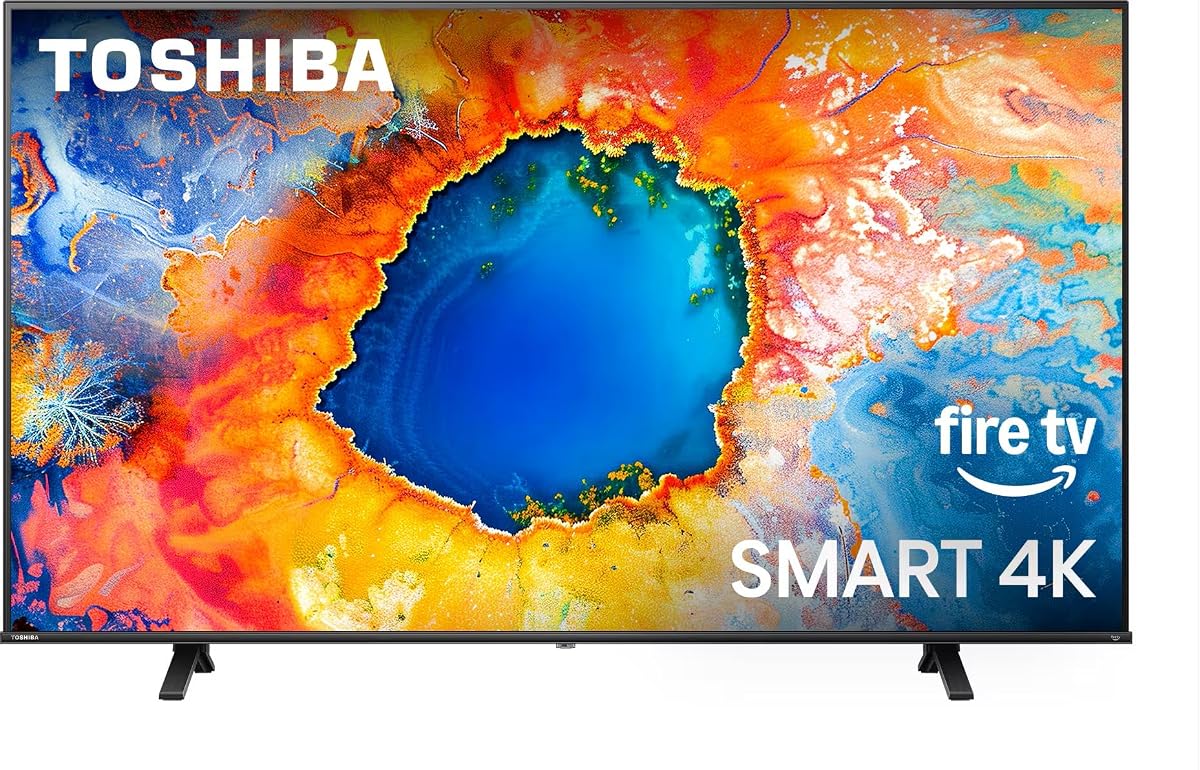
Toshiba brings a unique focus on gaming and motion with its REGZA Engine. The Game Mode supports VRR and ALLM for reduced lag during competitive gaming sessions.
We may earn a commission when you buy through this link, at no additional cost to you.
AI Upscaling delivers near 4K quality even for HD content. Dolby Atmos provides immersive sound that enhances movies significantly without external audio equipment.
Sports Mode optimizes fast action for clarity. However, the contrast ratio is decent but not deep enough for dark room viewing compared to premium panels.
Ideal for households prioritizing gaming and sports viewing. It balances performance features with a budget-friendly price point effectively.
Ultimate Motion technology reduces blur in fast scenes, ensuring that rapid movement remains distinct and easy to follow.
Access all popular streaming apps on a single home screen with quick navigation and voice search capabilities.
We may earn a commission when you buy through this link, at no additional cost to you.
This OLED model delivers exceptional picture quality with deep blacks and high contrast. The Glare Free technology ensures the image remains clear even in bright rooms without distracting reflections.
We may earn a commission when you buy through this link, at no additional cost to you.
The NQ4 AI Gen3 Processor upscales content using 128 neural networks for sharp details. Gaming is smooth with 165Hz refresh rates and G-SYNC support for tear-free visuals.
Auto HDR Remastering breathes new life into older content. The price is higher, but the immersive viewing experience justifies the cost for enthusiasts.
Best for movie lovers and gamers seeking top-tier visuals. It offers a cinematic experience that standard LED TVs cannot match effectively.
The processor automatically adjusts picture settings based on scene content, ensuring optimal color and detail for every genre.
Low latency and variable refresh rates eliminate screen tearing, providing a competitive edge for console players.
We may earn a commission when you buy through this link, at no additional cost to you.
Samsung introduces Mini LED technology to this model for brighter highlights and deeper blacks than standard LED. The color spectrum offers true-to-life vibrancy that enhances viewing pleasure.
We may earn a commission when you buy through this link, at no additional cost to you.
Supreme Mini LED Dimming manages contrast effectively. Soccer Mode provides stadium-like clarity for sports, ensuring fast action remains sharp and detailed during live broadcasts.
The Gaming Hub aggregates apps and cloud games into one place. While brightness is strong, some blooming may occur in very dark scenes compared to OLED panels.
Perfect for sports fans and bright room viewers. It offers high-end features like Mini LED at a more accessible price point for families.
Specialized settings enhance greens and motion clarity, making football and soccer broadcasts look more realistic and immersive.
Access cloud gaming and console apps without needing multiple controllers or devices, centralizing entertainment options.
We may earn a commission when you buy through this link, at no additional cost to you.
Insignia offers a straightforward Fire TV experience focused on value. It supports millions of movies and shows, giving you extensive choice for entertainment.
We may earn a commission when you buy through this link, at no additional cost to you.
Parental controls help manage content for children easily. The DTS Virtual-X sound creates a 3D audio experience without needing external speakers for movies.
The build is functional with VESA compatibility for wall mounting. Picture quality is decent for daytime viewing but struggles in dark rooms due to contrast limits.
Best for casual users needing an affordable entry point. It handles basic streaming needs without complex features or high costs.
View live camera feeds and control compatible lights directly from the Fire TV home screen for added home safety.
Stream over 1.8 million movies and shows across major platforms like Prime Video and Hulu with a single interface.
We may earn a commission when you buy through this link, at no additional cost to you.
The Ember series represents Amazon's latest Fire TV hardware with a modern design. Wi-Fi 6 ensures quick loading times even when multiple devices connect to the network.
We may earn a commission when you buy through this link, at no additional cost to you.
Ambient Experience allows the TV to show artwork when turned off. Alexa+ makes finding shows faster through natural language voice commands across various apps.
HDR10+ delivers bright visuals that pop in well-lit rooms. The interface is polished but the ambient features often come with extra service requirements.
Best for Alexa households wanting seamless smart home control. It offers a polished experience for those invested in the Amazon ecosystem.
Faster connectivity ensures 4K streams start instantly without buffering, even when your home network is busy.
Alexa+ suggests content based on your preferences, reducing the time spent scrolling through endless app menus.
We may earn a commission when you buy through this link, at no additional cost to you.
LG's OLED technology offers self-lit pixels for perfect blacks and infinite contrast. The Alpha 11 AI Processor enhances quality using dual AI engines for sharp details.
We may earn a commission when you buy through this link, at no additional cost to you.
WebOS provides intuitive navigation with Google Gemini support. Gallery Plus transforms the TV into art when not in use, adding aesthetic value to your room design.
Response time is instant for gaming with G-SYNC support. The OLED Care features protect the panel during extended viewing, ensuring longevity over time.
Best for cinematic experiences in dark rooms. It delivers deep immersion that is unmatched by standard display technologies available today.
Each pixel controls its own light, allowing for true black levels and infinite contrast ratios for realistic images.
The Alpha 11 processor analyzes scenes to improve clarity and sound, providing a smarter viewing experience.
We may earn a commission when you buy through this link, at no additional cost to you.
LG QNED combines Quantum Dot and NanoCell for vibrant colors. The A7 AI Processor improves sound and picture details dynamically across various content types and lighting conditions.
We may earn a commission when you buy through this link, at no additional cost to you.
HDR10 Pro reveals vivid colors in both bright and dark scenes. Filmmaker Mode preserves the director's original vision for an authentic cinematic viewing experience at home.
WebOS offers easy streaming access. While color accuracy is high, the overall contrast falls short of OLED models for dark room viewing scenarios.
Best for bright room viewing and color accuracy. It balances advanced color technology with a user-friendly smart interface.
Certified 100% color volume ensures hues remain consistent across the screen without shifting in brightness.
Personalize your space with Gallery Plus features that allow you to change the display look when the TV is idle.
We may earn a commission when you buy through this link, at no additional cost to you.
Selecting the right model depends on your room size, viewing habits, and budget. Consider these key factors to ensure you buy a TV that fits your needs perfectly.
Panel type dictates contrast and brightness levels significantly. OLED offers perfect blacks while Mini LED provides higher brightness for sunny rooms.
Choose OLED for dark room watching and LED or Mini LED for bright spaces to avoid glare issues.
Refresh rates determine how smoothly motion appears on the screen. Higher rates like 120Hz reduce blur in fast scenes.
Gamers and sports fans should look for at least 120Hz to enjoy fluid movement without artifacts.
The operating system determines app availability and interface speed. Roku, Fire TV, and Google TV each have unique layouts.
Pick a platform that supports the streaming services you use most frequently for daily convenience.
High Dynamic Range formats improve contrast and color. Look for HDR10+, Dolby Vision, or HLG support.
Dolby Vision offers better dynamic metadata handling than standard HDR10 for consistent picture quality.
For console users, features like VRR and ALLM reduce input lag. HDMI 2.1 support is critical for next-gen consoles.
Ensure your chosen model has HDMI 2.1 ports to access 4K at high frame rates smoothly.
Sound output is often overlooked. TVs with Dolby Atmos or DTS Virtual-X provide better immersion.
If audio matters, consider models with eARC support to connect external soundbars easily.
Check the number of HDMI and USB ports. Wi-Fi 6 support ensures stable streaming connections.
Verify you have enough ports for your consoles and soundbars without needing complex switches.
A 42-inch screen is ideal for distances between 4 to 8 feet. Too close may show pixelation on lower resolutions.
Measure your seating distance carefully to ensure the screen size feels immersive and comfortable.
Clean the screen gently with a soft microfiber cloth to avoid scratches. Avoid using chemical cleaners that might damage the anti-glare coating on the display surface.
Keep the TV in a well-ventilated area to prevent overheating. Ensure the stand or wall mount has enough clearance for airflow around the rear vents.
Update the software regularly to access new features and security patches. Most smart TVs handle these updates automatically, but check settings to confirm they are enabled.
Yes, a 42 Inch TV is excellent for gaming due to its compact size and low input lag. Many models offer 120Hz refresh rates and HDMI 2.1 support for responsive play.
For a 42 Inch screen, the ideal viewing distance is about 5 to 7 feet. This range allows you to see details clearly without straining your eyes during movies.
Most modern smart TVs support Bluetooth for headphones and speakers. Check specific product details to confirm pairing capabilities with your audio devices.
Yes, all listed models are wall mountable using standard VESA patterns. Ensure you purchase a compatible mount bracket for your specific model size.
You will find Roku, Fire TV, Google TV, and Samsung Tizen on the market. Each platform offers different apps and user interface designs.
4K offers four times the resolution of 1080p, providing sharper images. It is essential for high-resolution streaming and gaming content.
Use the Movie or Filmmaker mode for accurate colors. Avoid Vivid mode as it often oversaturates colors unnaturally.
While most TVs have built-in speakers, a soundbar enhances audio immersion. It is recommended for movies to get better dialogue clarity.
We reviewed ten top models ranging from budget Roku sets to premium OLEDs. Each option brings unique strengths like gaming performance or smart integration to the table.
Prioritize panel type and smart platform based on your specific needs. If brightness matters, look for Mini LED. If contrast matters, choose OLED.
Prices fluctuate frequently so check current listings before finalizing your purchase. Keep an eye on sales for the best deal available today.