
Raywego 49 Inch Curved Ultrawide Gaming Monitor
4.6Editor score
165Hz refresh rate
1500R curved design
DQHD resolution support
Finding the right display for your racing simulator is crucial for realism. A 49 inch ultrawide monitor provides an immersive field of view that mimics a real cockpit experience.
We compared ten leading models based on resolution, refresh rate, panel type, and curvature. Each option offers unique benefits for sim racers seeking speed and visual fidelity.
This guide highlights key features and trade-offs to help you choose. Prices fluctuate often so check current listings before finalizing your purchase decision today.
4.6Editor score

4.3Editor score

4.1Editor score
As an Amazon Associate we earn from qualifying purchases.
The following table presents a side-by-side comparison of all ten selected models. Evaluate their core specifications to find the perfect match for your racing rig requirements.





The Raywego 49 Inch Curved Ultrawide Gaming Monitor offers an excellent entry point for sim racers. It holds a high 4.6 rating and delivers a 165Hz refresh rate with DQHD resolution for sharp visuals.
We may earn a commission when you buy through this link, at no additional cost to you.
Its 1500R curve provides a immersive field of view essential for racing. The VA panel ensures high contrast ratios helping you see details in dark corners of tracks clearly.
While it lacks the highest peak brightness found in premium models the color performance is strong with 127% sRGB coverage. This ensures vibrant track colors and accurate lighting conditions.
This monitor is ideal for racers seeking immersion without a premium price tag. Its adaptive sync support reduces tearing making it a reliable choice for competitive play sessions.
The 32:9 aspect ratio expands your peripheral vision significantly mimicking real cockpit angles for better spatial awareness.
With 1ms response time and 165Hz refresh rate you experience minimal motion blur during high speed cornering.
We may earn a commission when you buy through this link, at no additional cost to you.
Samsung Odyssey OLED G9 stands out for its QD-OLED technology. It achieves a 4.3 rating with infinite contrast perfect for night races. The 0.03ms response time ensures instant reaction to track changes.
We may earn a commission when you buy through this link, at no additional cost to you.
The 5120×1440 resolution brings crisp details to every track line. Thermal modulation systems help maintain performance without overheating during long endurance racing sessions.
Although expensive the visual quality is unmatched. Dark scenes show true black without light bleed giving you depth perception essential for braking points.
This model suits enthusiasts prioritizing display technology. The advanced features justify the investment for those who demand the highest possible visual performance.
Dual layer structure delivers wider color gamut and higher brightness than standard OLED panels enhancing track detail.
Near instant pixel transition eliminates motion blur ensuring clear vision during rapid lane changes.
We may earn a commission when you buy through this link, at no additional cost to you.
INNOCN 49C1R offers a balanced mix of features for racers. It holds a 4.2 rating with 120Hz refresh rate and 5K2K resolution. USB-C connectivity simplifies cabling for modern gaming PCs.
We may earn a commission when you buy through this link, at no additional cost to you.
Built-in speakers add convenience for audio cues though dedicated headsets are preferred. The 1800R curve provides wide viewing without extreme curvature distortion.
Adaptive Sync ensures smooth gameplay reducing screen tearing. PIP/PBP modes allow multitasking which helps during race strategy planning or streaming setups.
Ideal for multi-purpose use the monitor supports various devices easily. Its robust connectivity options make it a flexible choice for versatile racing setups.
USB-C supports video data and 65W power delivery enabling a one-cable setup for laptops.
5120×1440 resolution renders track details sharply improving visibility on tight corners.
We may earn a commission when you buy through this link, at no additional cost to you.
The Samsung Odyssey G9 2024 model delivers extreme performance. It holds a 4.1 rating with 240Hz refresh rate and 1000R curvature. DisplayHDR 1000 offers incredible brightness for daylight tracks.
We may earn a commission when you buy through this link, at no additional cost to you.
Core Lighting Plus extends immersion beyond the screen. The 1000R curve matches eye geometry for natural focus without distortion reducing eye strain.
Fast response times eliminate ghosting ensuring crisp images. Auto Source Switch enhances usability detecting device changes instantly.
Best for competitive racers needing speed. The high refresh rate and curve create unmatched immersion but may require desk adjustments.
1000R curvature wraps around peripheral vision creating a seamless panoramic racing view.
1000 nits peak brightness ensures clear visibility even in bright virtual environments.
We may earn a commission when you buy through this link, at no additional cost to you.
The G91F 2025 model offers refined features. It holds a 4.4 rating with DisplayHDR 600 and 144Hz refresh rate. Auto Connect streamlines setup connecting instantly when devices power on.
We may earn a commission when you buy through this link, at no additional cost to you.
1000R curvature ensures deep immersion. DisplayHDR 600 delivers vibrant contrast making track lighting and shadows appear realistic.
FreeSync Premium Pro eliminates tearing. The ergonomic stand allows easy adjustment for long race sessions.
Excellent for those wanting the latest tech. Its balance of performance and convenience makes it a top contender.
Auto Source Switch+ instantly switches to active gaming devices saving time and effort.
DisplayHDR 600 provides sufficient brightness to reveal details in dark corners.
We may earn a commission when you buy through this link, at no additional cost to you.
CRUA 49 Inch is a solid budget choice. It holds a 4.4 rating with 165Hz refresh rate and 1500R curvature. 120% sRGB coverage ensures vibrant visuals.
We may earn a commission when you buy through this link, at no additional cost to you.
AMD FreeSync prevents tearing. The height adjustable stand allows ergonomic positioning.
DQHD resolution offers sharp images. Low blue light technology reduces strain during long sessions.
Ideal for entry level sim racers. It balances cost with performance effectively.
High refresh rate at budget price helps competitive racing without breaking bank.
120% sRGB ensures vivid track details and accurate lighting.
We may earn a commission when you buy through this link, at no additional cost to you.
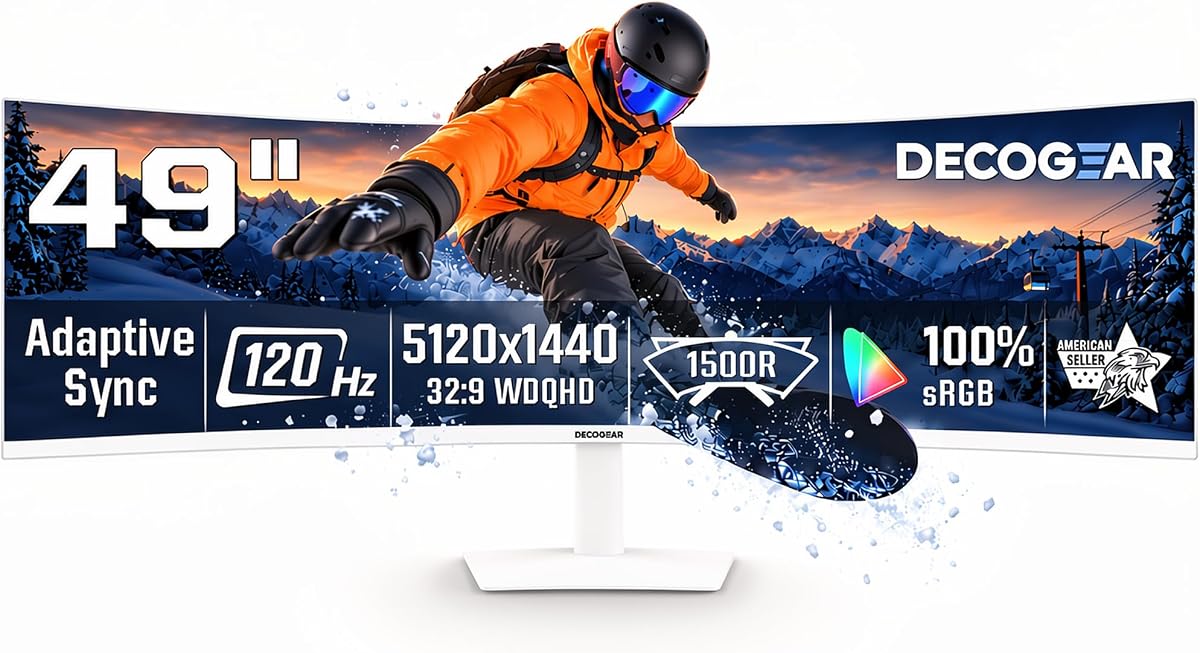
Deco Gear 49 Inch focuses on versatility. It holds a 4.1 rating with 120Hz refresh rate and 5K2K resolution. USB-C power supports laptops directly.
We may earn a commission when you buy through this link, at no additional cost to you.
KVM allows controlling multiple PCs. Built-in speakers offer convenience for basic audio.
IPS contrast aids viewing angles. PIP/PBP help monitor telemetry on secondary windows.
Best for hybrid work-racing setups. Its features suit multitasking needs.
KVM lets one keyboard and mouse manage multiple connected systems easily.
65W power delivery reduces cable clutter by powering laptop and display.
We may earn a commission when you buy through this link, at no additional cost to you.
ASUS ROG XG49VQ remains a reliable choice. It holds a 4.4 rating with 144Hz refresh rate. FreeSync 2 HDR enhances visual performance.
We may earn a commission when you buy through this link, at no additional cost to you.
DisplayHDR 400 and 90% DCI-P3 offer decent color. Eye care tech minimizes fatigue.
1800R curvature ensures immersion. VESA mount flexibility supports custom rigs.
Suitable for users seeking proven stability. It delivers consistent performance.
90% DCI-P3 ensures vibrant visuals for track details.
Flicker-free and blue light filters reduce eye strain.
We may earn a commission when you buy through this link, at no additional cost to you.
Z-Edge 5K 49 Inch offers high refresh rate performance. It holds a 4.5 rating with 240Hz refresh rate and 5K2K resolution. Color accuracy is strong at 99% sRGB.
We may earn a commission when you buy through this link, at no additional cost to you.
FreeSync ensures smooth gameplay. USB-C supports video transmission.
240Hz refresh rate reduces motion blur significantly. PIP/PBP aids telemetry.
Ideal for competitive racing needing speed. Its specs deliver excellent performance.
240Hz refresh rate minimizes motion blur during high speed racing.
99% sRGB ensures accurate track and lighting representation.
We may earn a commission when you buy through this link, at no additional cost to you.
Samsung G93SC offers premium OLED visuals. It holds a 4.1 rating with QD-OLED and 240Hz refresh rate. True Black 400 ensures deep shadows.
We may earn a commission when you buy through this link, at no additional cost to you.
0.03ms response time eliminates lag. Auto Connect enhances usability.
240Hz ensures high-speed clarity. Design is sleek and modern.
Best for premium setups prioritizing contrast. It delivers exceptional visual depth.
True Black 400 provides infinite contrast for darker track corners.
0.03ms response ensures crisp motion during rapid racing sequences.
We may earn a commission when you buy through this link, at no additional cost to you.
Selecting the right monitor involves balancing performance specs and physical constraints. This section explores the critical factors to ensure your choice meets racing simulator needs.
Resolution defines the level of detail you see on the track. For a 49 inch screen 5120×1440 or 5K2K resolutions provide sharp track lines and readable telemetry. Lower resolutions like 1080p may appear pixelated when viewing distant objects.
Prioritize higher resolution if you use simulators requiring fine detail for optimal visual clarity.
Higher refresh rates translate to smoother motion rendering fast moving cars. 165Hz and 240Hz models ensure fluid visuals reducing motion blur. Lower rates like 60Hz or 120Hz may feel sluggish in competitive racing.
Select at least 144Hz to maintain smooth gameplay during high-speed maneuvers.
Panel type determines color accuracy and contrast. VA panels offer high contrast suitable for dark tracks. QD-OLED delivers true blacks and vibrant colors but costs more. IPS provides wider viewing angles but lower contrast.
Choose VA or QD-OLED for the best contrast needed in night racing scenarios.
Curvature wraps the screen around your field of view. 1000R provides maximum immersion while 1500R balances immersion with text legibility. Extreme curves may distort UI elements.
Select curvature that fits your desk depth and personal comfort preferences.
Response time impacts motion blur during fast turns. Aim for 1ms or lower to eliminate ghosting. OLED panels often achieve near instant response times.
Prioritize low response times to maintain sharp visuals during rapid motion.
Modern rigs require robust connections. DisplayPort 1.4 supports high resolutions and refresh rates. HDMI 2.1 is useful for consoles. USB-C simplifies laptop setups.
Ensure sufficient ports to connect your PC and peripherals without dongles.
HDR enhances dynamic range making bright areas brighter and dark areas darker. Look for DisplayHDR 400 or higher. It improves track lighting realism and shadow detail.
Choose monitors with HDR for realistic lighting conditions in various tracks.
Ergonomics matter for long sessions. Adjustable stands allow tilt and height changes. VESA compatibility supports monitor arms for deeper setups.
Verify mounting options to fit your cockpit configuration and space.
Begin by positioning the monitor at eye level to reduce neck strain. Ensure the curve faces your primary viewing angle for maximum immersion.
Adjust brightness and color settings to match your room lighting. Use HDR features sparingly as they can sometimes wash out UI elements in games.
Clean the screen with a microfiber cloth avoiding harsh chemicals. Dust the stand regularly to maintain stability during intense gaming sessions.
Yes but ensure your GPU supports the resolution and refresh rate you choose. DisplayPort 1.4 is recommended for high bandwidth. Older GPUs may struggle with 240Hz at DQHD.
HDR improves contrast and lighting realism significantly. It helps distinguish track boundaries in shadows. However ensure your game supports HDR to utilize this feature effectively.
For competitive racing 144Hz or higher is recommended. Higher refresh rates reduce motion blur and provide smoother motion during fast turns.
Use built-in calibration tools or software like Windows Display Calibrator. Adjust brightness to 120 nits and set gamma to 2.2 for accurate colors.
Most simulators adapt well to curves. However some UI elements might appear distorted at edges. Adjust in-game FOV to compensate for distortion.
A 49 inch monitor spans about 45 inches wide. Ensure your desk depth is at least 24 inches to accommodate the curve comfortably.
Yes the wide screen allows multiple windows side by side. Ideal for multitasking during race planning or live streaming.
Use DisplayPort 1.4 cables for highest refresh rates. HDMI cables may not support full speed on all monitors.
We reviewed ten excellent monitors offering various strengths. The Samsung G9 OLED leads in quality while the CRUA and Raywego models offer budget performance.
Prioritize refresh rate and panel type based on your competitive needs. Higher refresh rates benefit fast racing while OLED offers best contrast.
Check current prices and availability before buying. Prices fluctuate often ensuring you secure the best deal for your setup.