
ARCTIC P12 Pro A-RGB
4.7Editor score
High static pressure
PWM speed control
Smooth fluid dynamic bearing
Explore the top addressable RGB fans for PC cooling. This guide compares performance, noise, lighting sync, and build quality to help you choose the best fans
Choosing the right addressable RGB fans can transform your PC build into a visual masterpiece while ensuring optimal cooling performance. These fans combine high airflow with customizable lighting effects that sync with your motherboard for a seamless aesthetic experience.
We evaluated ten top-rated models based on cooling efficiency, noise levels, bearing quality, and lighting customization options. Our comparison includes budget-friendly packs and premium options to suit every build style and budget constraint.
Each selection highlights key strengths and potential trade-offs so you can make an informed decision for your system. Keep in mind that pricing and availability change frequently, so check current listings before purchasing your next cooling upgrade.
4.7Editor score

4.7Editor score
4.8Editor score
This side-by-side comparison breaks down the core specifications and features of each fan model to help you identify the best fit for your specific cooling and aesthetic requirements.




The Thermalright TL-C12C-S X5 earns our Editor's Choice for balancing high performance with whisper quiet operation. It offers solid cooling capabilities across a five-pack configuration that suits most standard PC builds without breaking the bank.
We may earn a commission when you buy through this link, at no additional cost to you.
Its S-FDB bearings significantly reduce vibration and noise while maintaining reliable airflow up to 66.17 CFM. The ARGB lighting is soft and even, making it ideal for users who prefer subtle visual accents over flashy effects.
While it lacks advanced lighting controllers or unique visual features, the fan delivers exactly what most builders need. The trade-off is acceptable since the price per fan remains highly competitive compared to premium alternatives.
This pack is perfect for system integrators and gamers seeking reliable cooling with synchronized lighting. It fits seamlessly into radiators or case intake positions while ensuring your components stay cool during extended use.
The S-FDB bearing design minimizes operational noise to under 25.6 dBA, ensuring a quiet environment even under heavy system loads.
With airflow reaching 66.17 CFM, this fan efficiently moves air through radiators and mesh panels for consistent thermal management.
We may earn a commission when you buy through this link, at no additional cost to you.
CORSAIR RS120 ARGB fans stand out with their innovative daisy-chain design that simplifies cable management dramatically. This triple pack delivers strong airflow and customizable lighting that integrates smoothly with compatible motherboard software.
We may earn a commission when you buy through this link, at no additional cost to you.
AirGuide technology directs airflow precisely toward hot components, improving cooling efficiency without needing extra ducts. The magnetic dome bearings ensure smooth spinning and long-term durability even during high RPM operation.
Though it comes at a higher cost than generic options, the build quality and ease of setup justify the expense. The requirement for a compatible motherboard may limit compatibility with older systems lacking 5V ARGB headers.
Ideal for enthusiasts prioritizing clean builds and performance, these fans excel in radiator setups. Their strong static pressure makes them perfect for pushing air through dense heatsinks and tight airflow channels.
Daisy-chain connections reduce connector clutter by allowing multiple fans to share a single PWM and ARGB port.
Anti-vortex vanes optimize air direction to hit critical components directly, enhancing thermal performance in constrained spaces.
We may earn a commission when you buy through this link, at no additional cost to you.
The ARCTIC P12 Pro A-RGB proves you do not need to spend much for effective cooling and decent aesthetics. It offers an impressive speed range and solid static pressure that works well in challenging airflow environments.
We may earn a commission when you buy through this link, at no additional cost to you.
Precision manufacturing and automatic balancing minimize vibrations for a quieter experience. Its fluid dynamic bearing ensures long life while reducing friction and noise during continuous operation cycles.
While it lacks advanced RGB synchronization features, the fan provides enough visual variety for budget builds. The trade-off allows users to allocate more funds to other components without sacrificing cooling efficiency.
Perfect for entry-level builders or silent PC enthusiasts, this fan delivers reliable performance. Its wide speed range lets you tune airflow exactly how you want through standard PWM motherboard controls.
At a fraction of the price of competitors, this fan provides excellent airflow and reliability for budget-conscious builders.
Automatic balancing and high-precision measurement reduce vibration, resulting in smooth and quiet operation across speeds.
We may earn a commission when you buy through this link, at no additional cost to you.
Thermaltake CT120 EX ARGB fans simplify installation with their magnetic connection design that reduces wiring complexity. The triple pack offers vibrant lighting and solid cooling suitable for case fans or radiator setups.
We may earn a commission when you buy through this link, at no additional cost to you.
The optimized hydraulic bearing supports quiet operation while the anti-vibration mounting system keeps noise low during steady operation. These fans deliver consistent performance under load thanks to their balanced blade design.
While not the quietest option at full speed, they provide strong value for their feature set. The 5V sync requirement means you need a compatible motherboard header to control lighting through your preferred software.
This pack suits gamers who want flashy visuals and reliable cooling in one box. The magnetic connections make future upgrades easier since adding more fans only requires a compatible magnetic link.
MagForce 2.0 allows fans to connect via magnets, reducing cables and saving internal space inside your PC chassis.
Anti-vibration mounting ensures the fans stay in place while reducing unwanted noise from frame resonance.
We may earn a commission when you buy through this link, at no additional cost to you.
This unique six-pack includes both forward and reverse fans, ensuring lighting remains visible from every angle. It comes with a combined hub for centralized speed and lighting control that simplifies complex setups.
We may earn a commission when you buy through this link, at no additional cost to you.
The three-sided prism design offers more visible LED area than standard fans, creating vivid effects. Each fan houses 28 bright ARGB LEDs, making them stand out even on darker case panels or through tempered glass.
While the controller introduces extra cables, it removes the need for multiple motherboard connections. The inclusion of reverse blades saves you from buying separate kits for bottom or side intake positions.
Ideal for modders prioritizing visual consistency, this set offers complete coverage without extra purchases. The hub provides multiple lighting modes and speed management in one convenient package for your system.
Reverse blade fans ensure the lighting stays visible even when mounted on bottom panels facing inward toward the floor.
A dedicated 2-in-1 hub manages both PWM speeds and ARGB lighting, reducing motherboard port usage and cable complexity.
We may earn a commission when you buy through this link, at no additional cost to you.
Thermalright TL-C12C-S X3 provides an affordable way to equip your case with reliable RGB fans. This triple pack focuses on delivering solid cooling and whisper quiet operation without unnecessary extras.
We may earn a commission when you buy through this link, at no additional cost to you.
Each fan uses S-FDB bearings to maintain smooth operation and reduce wear over time. The lighting is bright enough for visibility yet soft enough to avoid harsh reflections inside your PC case.
While it does not support daisy chaining or advanced sync features, it covers essential needs for most builds. The price per fan stays low, making it easier to replace stock fans across multiple intake and exhaust zones.
This trio fits best for standard builders seeking simple RGB upgrades without complexity. It balances budget pricing with dependable performance for long-term daily use or gaming sessions.
With 66.17 CFM airflow, these fans move enough air to keep temperatures low during extended gaming or rendering tasks.
Noise levels stay below 26 dB, making them suitable for office PCs or quiet workstation environments.
We may earn a commission when you buy through this link, at no additional cost to you.
Thermalright TL-C12C-S X5 offers exceptional value for those needing to fill multiple fan slots in a single purchase. This five-pack ensures consistent performance across intake and exhaust points with identical noise and airflow specs.
We may earn a commission when you buy through this link, at no additional cost to you.
Its S-FDB bearings ensure durability while keeping noise levels impressively low even during high-speed operation. The RGB effects are soft and even, matching well with most case designs and cooling components.
While it lacks advanced customization features, the consistent cooling and low price make up for it. Builders can outfit full cases with matching fans without worrying about performance mismatches between slots.
Perfect for full-size tower cases needing maximum airflow, this pack covers all bases affordably. It serves both new builds and upgrades where uniform performance across fans matters most.
All fans in the pack share identical specs, ensuring consistent cooling results across every intake and exhaust position.
At five fans per pack, the cost per unit drops significantly compared to buying singles or smaller packs.
We may earn a commission when you buy through this link, at no additional cost to you.
Thermaltake CT120 ARGB delivers quick cooling upgrades with its compact two-pack configuration designed for smaller cases. Each fan features a solid frame and daisy-chain compatibility to reduce cable clutter inside tight spaces.
We may earn a commission when you buy through this link, at no additional cost to you.
With speeds up to 2000 RPM, these fans can push higher airflow when needed for intensive cooling scenarios. The nine addressable LEDs per fan provide vibrant colors that sync smoothly with your motherboard software.
While the cables are shorter than premium models, they work fine for most standard motherboard placements. The mounting hardware is basic but functional for securing fans to cases or radiators.
This pack is ideal for gamers who want easy RGB setup without buying large quantities. The solid build ensures durability, making them reliable choices for compact chassis upgrades.
Adjustable speeds up to 2000 RPM allow you to balance airflow and noise depending on current system load.
Solid structural frames help dampen vibration and maintain stability during long gaming sessions.
We may earn a commission when you buy through this link, at no additional cost to you.
Thermaltake LE120 ARGB provides a balanced option for cooling and aesthetics with its triple pack and included PWM splitter. This setup simplifies wiring by allowing all three fans to connect through a single header.
We may earn a commission when you buy through this link, at no additional cost to you.
The hydraulic bearings ensure smooth operation while supporting a reliable 66.1 CFM airflow for consistent cooling. Lighting remains vibrant and adjustable through standard 5V motherboard sync software for seamless visual effects.
Though it lacks advanced features, the included splitter and solid build make it practical for most cases. The design avoids unnecessary complexity while focusing on delivering steady performance and bright visuals.
This pack suits builders wanting straightforward RGB upgrades with minimal fuss. The included splitter removes the need for extra connectors, making initial setup quick and hassle-free.
The 3-way PWM splitter connects all fans to one motherboard header, reducing port usage and cable mess.
Hydraulic bearings and standard PWM control ensure long life and stable airflow across variable speeds.
We may earn a commission when you buy through this link, at no additional cost to you.
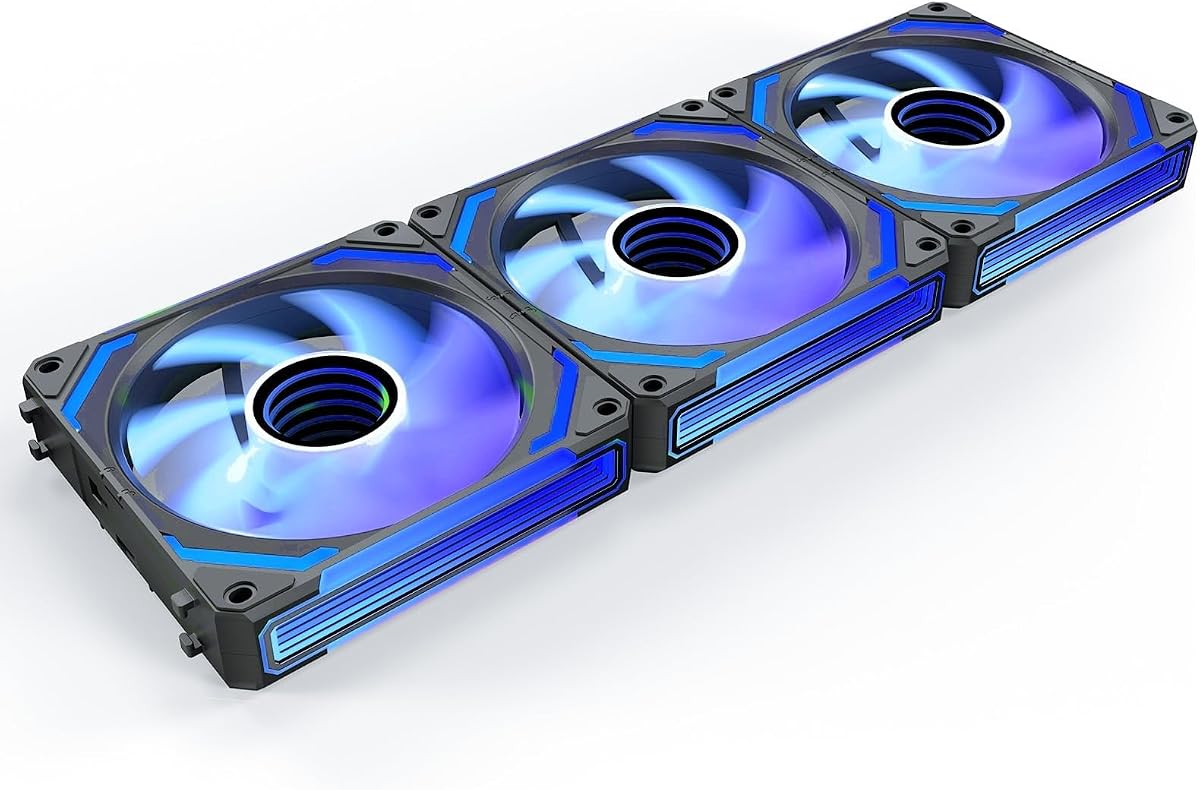
AsiaHorse COSMIQ stands out with its stunning infinity mirror design that delivers a premium look unmatched by standard fans. This triple pack combines reverse blade aesthetics with music-sync lighting for a dynamic visual experience.
We may earn a commission when you buy through this link, at no additional cost to you.
The fans support daisy chaining and come with a small controller for standalone lighting control. Their hydraulic bearings keep noise low even at 2000 RPM while maintaining 68.5 CFM airflow for solid cooling.
Though the price is higher, the visual impact justifies the cost for modders wanting standout builds. The music sync adds unique interactivity that responds to game audio or system alerts in real time.
Ideal for showcase builds and enthusiasts who value unique lighting effects, this set delivers performance and beauty. It suits cases with tempered glass panels where internal lighting and blade visibility matter most.
Infinity mirror lighting creates deep layered effects that make fans stand out as focal points in your build.
Built-in sound pickup reacts to game audio or music, synchronizing lighting rhythms with system sounds.
We may earn a commission when you buy through this link, at no additional cost to you.
Selecting the right addressable RGB fans involves balancing cooling performance with visual preferences and budget constraints. This guide breaks down the essential factors to consider before making a purchase.
Airflow measures how much air a fan moves in cubic feet per minute (CFM), which matters for general case ventilation. Static pressure indicates how well a fan pushes air through obstacles like radiators or dense panels, making it crucial for liquid cooling setups.
Choose high airflow for case fans and high static pressure for radiator or dense heatsink applications.
Bearing technology directly affects noise levels and long-term reliability. Fluid Dynamic Bearings (FDB) and Sleeve Bearings are common, with FDB offering smoother operation and longer life for high-performance models.
Opt for FDB or Magnetic Bearings if you prioritize quiet operation and durability.
Addressable RGB requires a 5V 3-pin ARGB header on your motherboard to control lighting effects. Check your motherboard manual to confirm compatibility before buying fans that rely on software syncing.
Ensure your motherboard supports 5V ARGB for proper control and color matching.
Noise is measured in decibels (dBA), and lower values mean quieter operation. Some fans include noise-dampening mounts or optimized blades to reduce vibration.
Look for fans rated below 25 dBA for silent builds.
Buying fans in packs reduces cost per unit and ensures consistent performance across your build. Smaller packs suit limited space while larger packs cover full-case setups efficiently.
Assess how many fans you need to cover all airflow zones before purchasing.
Daisy-chain or magnetic connectors reduce wiring complexity and save internal space. Some models include hubs or controllers to manage multiple fans without using multiple motherboard headers.
Prioritize models with daisy-chain support for cleaner builds.
Reverse blade fans keep lighting visible when mounted on intake positions that face inward. Standard fans work well for exhaust or top-mounted setups where lighting is still visible.
Consider blade direction if aesthetics matter for specific intake locations.
PWM control allows automatic speed adjustments based on temperature readings from your motherboard. This feature helps reduce noise during idle while increasing cooling during heavy loads.
Select fans with 4-pin PWM connectors for dynamic speed management.
Install fans according to airflow direction markings usually printed on the frame. Ensure intake and exhaust zones work together to create balanced airflow that reduces heat buildup inside your case.
Connect RGB cables to compatible 5V ARGB headers and avoid 12V RGB ports to prevent damage. Use daisy-chain connectors where available to minimize wiring and simplify management.
Regularly clean fans using compressed air to remove dust buildup that increases noise and reduces cooling efficiency. Check mounting screws periodically to ensure fans stay secure during operation.
RGB fans have fixed color patterns that change together across all LEDs. ARGB fans allow individual LED control for complex color and lighting effects. ARGB offers more customization through compatible motherboard software and controllers.
Yes, you need a motherboard with a 5V 3-pin ARGB header to control addressable lighting. Some boards use RGB headers that support different voltage and protocols, so check compatibility carefully before buying.
Most headers support up to 3 to 5 fans depending on total current draw. Using daisy-chain cables helps distribute power properly. Exceeding the limit may cause dimming or connection issues.
Not necessarily. Noise depends on bearing quality and blade design rather than RGB capability. Many modern RGB fans use silent bearings and optimized blades to maintain low noise levels under load.
You can mix brands as long as they use compatible 5V 3-pin connectors. However, lighting control software may not sync perfectly across manufacturers. Consistent branding often provides better synchronized visual effects.
Yes, many ARGB fans support high static pressure which is ideal for liquid coolers. Check the fan's static pressure rating to ensure it can push air through the radiator effectively during operation.
Our top picks highlight strong performers across different needs from silent cooling to visual customization. The Thermalright TL-C12C-S X5 leads with balanced performance and quiet operation.
Prioritize airflow specs and bearing types that match your cooling setup before worrying about aesthetics. Ensure your motherboard supports ARGB control to unlock full lighting potential.
Prices and availability change frequently, so review current listings before purchasing. Regularly update fan firmware and software to maintain performance and unlock new lighting features.