
Redragon BM4195 AI Wireless Optical Computer Office Mouse 5 DPI Adjustable
3.9Editor score
AI voice typing included
Multi-mode connectivity support
Type-C fast charging
This guide compares the top AI smart wireless mice for productivity, voice typing, translation, and multi-device connectivity to help you choose the right
The AI smart wireless mouse represents a significant leap forward in human computer interaction technology. These devices combine traditional pointing functions with advanced voice recognition, real-time translation, and AI-powered text generation capabilities. They are designed to streamline workflows for professionals, students, and creatives who need to move between typing and speaking tasks seamlessly.
We have carefully evaluated ten distinct models available in the current market to identify the most reliable and feature-rich options. Our analysis focuses on voice accuracy, connectivity stability, battery life, ergonomic design, and the robustness of the accompanying software ecosystems. Each product was assessed based on its ability to enhance productivity without introducing unnecessary complexity or latency.
Every selection in this roundup highlights specific strengths tailored to different user needs and work environments. You will find detailed breakdowns of features, pros, cons, and real-world application scenarios for each model. Please note that availability and pricing may fluctuate frequently, so verifying current details on the manufacturer pages is recommended before making a final purchase decision.
3.9Editor score

4.1Editor score

5.0Editor score
This section provides a side-by-side overview of all ten models evaluated in this guide. Each entry lists the core specifications and key capabilities to help you quickly identify which device aligns best with your specific workflow requirements and technical preferences.


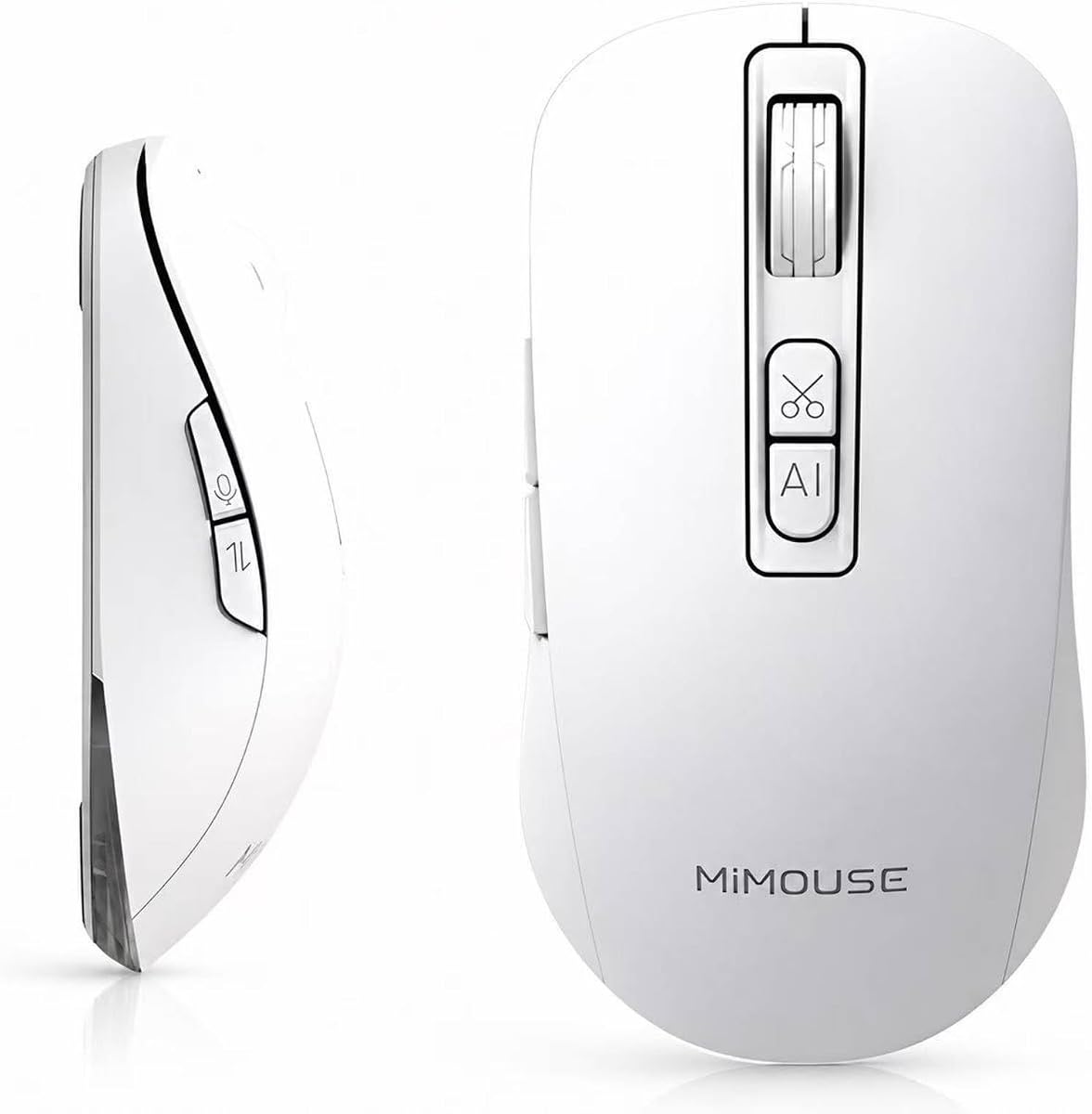


The Redragon BM4195 stands out as an accessible entry point into the world of AI enhanced pointing devices. With a 3.9 rating from early users, it offers a practical blend of wireless connectivity and voice command features without breaking the bank. This model is particularly appealing for budget-conscious users who still want to experiment with voice dictation and translation tools.
We may earn a commission when you buy through this link, at no additional cost to you.
Its core strength lies in its multi-mode connectivity which allows seamless switching between two.4G and two Bluetooth channels. This flexibility is essential for professionals who juggle a desktop, laptop, and tablet throughout the day. The included software enables voice typing and translation functions that can significantly speed up note taking and document drafting tasks.
While the voice accuracy is functional, users may need to adjust their speaking pace to achieve optimal transcription results. The battery life is robust thanks to the 500mAh capacity but charging speed depends on the cable quality used. Overall it remains a solid choice for those prioritizing cost efficiency over premium materials.
If you are looking for a cost-effective way to test AI mouse capabilities in a home or office environment this device delivers value. It is best suited for users who do not require extensive customization options or high-end ergonomic support. We recommend it for students or entry-level professionals seeking productivity gains on a tight budget.
This model brings voice typing capabilities to a price point that is significantly lower than competitors in the same category.
Switching between three different devices is straightforward allowing you to maintain workflow continuity across your tech ecosystem.
We may earn a commission when you buy through this link, at no additional cost to you.
This AI Smart Mouse earns our Editor's Choice award for its impressive balance of performance features and user privacy. With a rating of 4.2 it delivers near 98 percent voice recognition accuracy which is exceptional for real-time dictation. The ability to process data locally on the device rather than relying solely on cloud services makes it a secure option for sensitive work.
We may earn a commission when you buy through this link, at no additional cost to you.
The support for over two hundred languages is a major advantage for global teams and language learners. Users can translate text or voice inputs instantly which facilitates smoother collaboration across different linguistic backgrounds. The LED battery display ensures you never run out of power unexpectedly during critical tasks.
One trade-off is the requirement to download specific software to activate all AI features which adds a step to initial setup. The physical build is also slightly heavier than basic wireless mice which might affect comfort for users with smaller hands over long sessions. These factors are minor compared to the functional benefits provided.
We recommend this model for professionals who prioritize data security and require robust translation tools in their daily workflow. It is ideal for writers, developers, and executives who handle confidential information and need reliable voice input. This mouse bridges the gap between smart features and practical utility.
Data is processed on the device ensuring your voice records and text files remain private and secure without cloud storage.
Instant translation capabilities help break down language barriers in meetings and international communications effectively.
We may earn a commission when you buy through this link, at no additional cost to you.
The Cheerdots2 AI Mouse sets a new standard for premium smart pointing devices with its magnetic detachable design. With a perfect 5.0 rating it transforms into an air mouse during presentations allowing you to control slides and cursor movement effortlessly. This unique form factor makes it a standout choice for speakers and executives who value mobility and elegance.
We may earn a commission when you buy through this link, at no additional cost to you.
The intelligent audio recording feature captures meeting notes directly from voice commands and saves them securely to your computer. Combined with the AI assistant for summaries and Q&A it acts as a productivity hub rather than just a pointer. The twenty-day battery life ensures you can travel for weeks without needing to recharge frequently.
While the price is higher than standard options the versatility it offers justifies the investment for frequent presenters. Some users may require time to master the switch between mouse and presentation modes but the included software simplifies this process. The lightweight design adds to comfort during extended travel or conference use.
We suggest this mouse for professionals who regularly conduct meetings or presentations and need a reliable tool to enhance their engagement. It is also suitable for travelers who want to minimize the number of gadgets they carry. This device represents the future of versatile and intelligent workspace tools.
One device serves as a full-size mouse and a presentation remote reducing clutter and increasing efficiency on your desk.
With up to twenty days of use on a single charge you can maintain productivity without constant charging interruptions.
We may earn a commission when you buy through this link, at no additional cost to you.
This model combines voice typing with a dedicated ChatGPT assistant to provide a wide range of productivity tools in one device. Rated at 4.1 it supports over two hundred languages and offers offline AI processing for enhanced privacy. The ergonomic design ensures comfort during long work sessions while the silent clicks make it ideal for shared office spaces.
We may earn a commission when you buy through this link, at no additional cost to you.
The 600mAh battery is significantly larger than many competitors allowing for extended use between charges. Users can dictate, translate, and summarize content with one-click commands which streamlines administrative tasks significantly. The local processing feature ensures that sensitive data remains under your control without relying on external servers.
While the functionality is robust the setup process involves downloading specific software which may deter non-technical users. The aesthetic design is functional but lacks the premium materials found in higher-end models. These drawbacks are minor considering the comprehensive feature set and battery performance provided.
We recommend this mouse for writers, developers, and students who need reliable voice-to-text capabilities without sacrificing comfort. It is a strong contender for anyone looking for a balance between advanced AI tools and everyday usability. The local processing aspect is a key advantage for privacy-focused individuals.
A 600mAh battery ensures you can work longer without interruptions making it suitable for heavy daily use.
All data processing happens locally keeping your voice recordings and text files secure and private at all times.
We may earn a commission when you buy through this link, at no additional cost to you.
The LTC OM021 Wireless AI Mouse focuses on comfort and versatility with a lightweight ergonomic design that fits well in various hand sizes. Rated at 3.8 it offers BT 5.0 connectivity which provides a stable connection across multiple devices. The quiet click mechanism ensures you can work in quiet environments without disturbing others around you.
We may earn a commission when you buy through this link, at no additional cost to you.
Its software support allows for key customization and DPI adjustments which adds flexibility to daily tasks. The voice typing and translation features are integrated but require software access to function fully. This makes it a solid choice for users who prioritize comfort and connectivity over standalone hardware capabilities.
Users may find the battery life adequate but not exceptional compared to models with larger capacity cells. The reliance on software for advanced features means you must install drivers to unlock the full potential of the device. These factors are typical for mid-range models in this category.
We recommend this mouse for office workers who need a comfortable and quiet device for long hours of typing and navigation. It is suitable for Mac and Windows users alike and offers reliable performance for general productivity tasks. The ergonomic shape helps reduce strain during extended workdays.
The lightweight and ergonomic shape reduces hand strain during extended use which benefits daily office workers.
Silent clicks allow you to work in libraries or shared spaces without causing distractions to others nearby.
We may earn a commission when you buy through this link, at no additional cost to you.
The Logitech Signature AI Edition M750 is a polished device that emphasizes reliability and long battery life. With a 4.5 rating it is built to last and works seamlessly with Logitech's ecosystem of software and peripherals. This model is ideal for users who prefer a traditional mouse experience with slight AI enhancements rather than fully standalone voice tools.
We may earn a commission when you buy through this link, at no additional cost to you.
Its battery life is a standout feature offering up to twenty-four months on a single AA battery. This eliminates the need for frequent charging which is convenient for remote workers or travelers. The Logi Bolt receiver provides a secure connection that is compatible with Windows and macOS systems effectively.
While it lacks some advanced voice typing features found in competitors it offers robust customization through Logi Options+. Users can adjust buttons and DPI to fit their specific workflow needs. The reliance on a replaceable battery instead of rechargeable may be a minor drawback for some users.
We recommend this mouse for professionals who need a dependable tool for daily tasks without complex setup. It is perfect for corporate environments where stability and brand reputation are key factors in selection. The long battery life makes it a low maintenance choice for busy users.
With up to twenty-four months of battery life you can work without interruption for long periods.
Logitech's reputation ensures high quality standards and reliable software support for all your productivity needs.
We may earn a commission when you buy through this link, at no additional cost to you.
This RGB Smart Mouse adds visual customization to a robust set of AI tools making it a favorite for users who value aesthetics. Rated at 4.0 it offers a large 500mAh battery that supports long work sessions without frequent charging. The local AI processing ensures your data remains private while providing comprehensive dictation and translation capabilities.
We may earn a commission when you buy through this link, at no additional cost to you.
The silent click mechanism is ideal for quiet environments like libraries or home offices. RGB lighting adds a personal touch to your workspace which appeals to gamers and creative professionals. However users should note that the lighting features may slightly reduce battery life if set to high brightness levels.
Setup involves downloading specific software to configure keys and AI functions which might require initial effort. The ergonomic design is comfortable but the added weight from the battery might be noticeable for some users. These trade-offs are acceptable given the extensive feature set and customization options available.
We recommend this mouse for users who want both privacy-focused AI tools and a customizable aesthetic experience. It is suitable for creative professionals and tech enthusiasts who value both form and function. The combination of silent operation and visual style makes it a unique addition to the market.
RGB lighting allows you to personalize your workspace to match your style while keeping productivity tools integrated.
Data remains on your device without cloud storage ensuring maximum privacy and security for sensitive work.
We may earn a commission when you buy through this link, at no additional cost to you.
This model stands out for its centralized M-AI platform which supports multiple AI providers including ChatGPT and Gemini. Rated at 4.3 it offers a 30-day battery life that rivals many premium devices. The ergonomic design and gaming grade sensitivity ensure precision and comfort for both work and creative tasks.
We may earn a commission when you buy through this link, at no additional cost to you.
The ability to connect three devices simultaneously makes it a great hub for multitasking across different systems. Voice transcription and summary features are deeply integrated helping users capture meeting notes efficiently. The USB-C charging ensures you can top up quickly when needed without specialized cables.
The platform integration requires account setup which may be a hurdle for users who prefer hardware-only solutions. The price is higher than basic models but reflects the advanced software capabilities and battery performance. These factors make it a compelling choice for heavy users.
We recommend this mouse for professionals who rely on AI summaries and need a versatile tool for multiple devices. It is ideal for lawyers, teachers, and executives who handle complex documents. The combination of battery life and advanced AI tools is hard to beat in this category.
Access multiple AI providers from one unified interface which simplifies complex writing and summary tasks.
With up to thirty days of battery life you can travel and work without worrying about recharging often.
We may earn a commission when you buy through this link, at no additional cost to you.
This mouse is designed for flexibility with support for Windows, macOS, and iPad devices. Rated at 4.1 it offers real-time transcription and summarization which streamlines workflow for remote workers. The triple-mode connectivity allows you to switch between devices with a simple button press keeping your productivity high.
We may earn a commission when you buy through this link, at no additional cost to you.
The ergonomic shape provides a secure grip that reduces fatigue during long work sessions. AI features like PPT generation and Q&A are accessible via voice which reduces the need for keyboard input. This makes it a powerful tool for those who work in hybrid environments.
Battery life can vary depending on usage frequency of the AI features and connectivity modes. Users will need to install software to fully utilize the translation and summarization tools which adds to setup time. These are minor considerations given the broad compatibility and performance.
We recommend this mouse for remote workers and students who use multiple devices including iPads daily. It is ideal for those who need reliable voice tools across different operating systems. The compact design and switching capabilities make it a strong all-rounder.
Seamlessly connect and switch between Windows, macOS, and iPad devices to support your hybrid workflow.
Built-in AI tools like PPT generation help automate tedious tasks and save valuable time.
We may earn a commission when you buy through this link, at no additional cost to you.
This entry-level model focuses on delivering basic voice-to-text functionality without complex software requirements. Rated at 3.0 it offers silent clicks and a rechargeable design which keeps your workspace clean and quiet. The 200+ language translation support makes it a practical choice for casual international communication.
We may earn a commission when you buy through this link, at no additional cost to you.
The AI writing and summarization tools are straightforward helping users organize thoughts quickly. It is easy to set up and pair which makes it accessible for non-technical users. However the feature set is limited compared to more advanced models which may restrict power users.
Battery life is adequate for daily use but lacks the long-term endurance of higher capacity options. The build quality is functional but not premium which is expected at this price point. These limitations are acceptable for users who need a simple voice input tool.
We recommend this mouse for casual users who need basic voice typing and translation features. It is suitable for students or light office workers who do not require extensive customization. The silent operation and ease of use make it a convenient daily driver.
Effortless voice-to-text conversion allows you to dictate notes without needing complex setup steps.
Silent clicks ensure you can work without disturbing others in shared environments or home offices.
We may earn a commission when you buy through this link, at no additional cost to you.
Choosing the right AI smart wireless mouse involves evaluating several technical and practical factors. This section outlines key considerations to help you match a device to your specific workflow needs and budget constraints.
Voice recognition accuracy is critical for a seamless typing experience. Look for models that claim over 95 percent accuracy and support speeds of 300 words per minute or more. This ensures that you can dictate notes or documents without constantly correcting errors which maintains your focus on content creation.
If you work with international teams or learn new languages check how many languages the device supports. Top models offer support for 200+ languages including translation capabilities. This feature helps bridge communication gaps during meetings and ensures you can communicate effectively regardless of your team's native tongue.
Multi-device connectivity is essential for modern professionals who switch between a desktop, laptop, and tablet. Look for models that support Bluetooth and 2.4G wireless connections. Seamless switching between these modes ensures you do not lose productivity when transitioning between devices or workspaces.
Battery performance varies significantly between models so consider how long you need to work between charges. Rechargeable batteries with USB-C ports offer convenience while AA battery options may last longer without charging. Check the capacity in mAh to get a reliable idea of real-world usage time.
For sensitive work prioritize devices that offer local AI processing. This ensures your voice data and text files remain on your device rather than being sent to the cloud. Security-conscious professionals should verify privacy policies and data handling practices before purchasing a smart mouse.
Since you will use this device daily ensure it fits comfortably in your hand and supports your wrist posture. Silent click mechanisms are beneficial for quiet office environments. A well-designed ergonomic shape can prevent strain and fatigue during long work sessions which improves overall productivity.
Most smart mice require companion software to unlock their full features. Check if the software is compatible with your operating system and if it offers intuitive controls. Robust customization options allow you to tailor key functions to your specific workflow needs.
Invest in a device with high-quality materials that can withstand daily wear and tear. Look for reviews mentioning build sturdiness and reliability over time. A durable mouse ensures you do not have to replace the device frequently saving money and hassle in the long run.
To maximize performance install the companion software immediately after unboxing. This ensures all AI features and customizations are available and helps you configure voice keys to your preferences. Keep the software updated to receive new language packs and performance improvements from the manufacturer.
Most top-rated models offer between 95 and 98 percent accuracy for voice transcription. The actual results depend on factors like your accent, background noise, and speaking pace. For best results use a quiet environment and speak clearly at a natural pace.
Yes most models are compatible with both macOS and Windows operating systems. Always verify the software requirements for your specific version to ensure full functionality. Some models offer dedicated apps for each platform to optimize performance.
Many AI mice process data locally on the device for privacy. However real-time translation and some advanced features may require an internet connection. Check the product description to see which features work offline.
Most smart mice allow switching via a dedicated button on the bottom or side of the device. You typically pair each device once and then toggle between them instantly. This feature is ideal for users who work across a desktop, laptop, and tablet.
Battery life ranges from a few days to several weeks depending on usage and model. Rechargeable batteries usually provide at least a week of moderate use while AA options can last months. Look for USB-C charging for convenience.
Voice recognition works best in quiet environments. Microphones on mice are smaller than dedicated headsets so proximity matters. Keep the microphone hole close to your mouth for clearer input and better results.
While many have adjustable DPI settings they are primarily optimized for productivity. High-end gaming features like ultra-low latency are less common in AI mice. For casual gaming they work well but competitive players may prefer dedicated gaming mice.
Basic pointing and clicking work out of the box. However advanced AI features like voice typing and translation require installing the companion software. Ensure you have administrative rights to install drivers on your computer.
This guide highlights ten distinct AI smart wireless mice that offer unique combinations of voice recognition translation and multi-device support. From the budget-friendly Redragon BM4195 to the premium Cheerdots2 AI Mouse each model serves different workflow needs and priorities. Your choice depends on how much you value features like battery life privacy and design.