
Canon PIXMA TR4720
3.9Editor score
Built-in fax functionality included
Wireless printing capabilities
Auto document feeder included
This guide compares the best all in one printer with fax options for home and office use, evaluating performance, features, and reliability to help you choose
Finding a reliable all in one printer with fax can streamline your workflow by combining printing, scanning, copying, and faxing into one compact device. These multifunctional machines save space and reduce clutter while offering essential connectivity options for modern offices.
We compared top models based on print quality, speed, connectivity features, and user feedback to identify the most versatile options available. Our analysis focuses on devices that deliver consistent performance for both home offices and small business environments.
Each pick highlights key strengths and ideal use cases to help you find the right fit for your needs. Prices and availability may change, so always check current listings before making a purchase decision for your office setup.
3.9Editor score

4.0Editor score

3.9Editor score
The following comparison highlights key specifications across ten top models to help you evaluate performance and features side by side for your specific printing needs.






The HP OfficeJet Pro 9125 stands out as a top contender for professional environments needing reliable fax capabilities. With a 3.9 rating, it delivers fast speeds and robust security features suitable for busy offices.
We may earn a commission when you buy through this link, at no additional cost to you.
Its 22 ppm black printing and 18 ppm color speeds ensure quick turnaround for presentations and reports. The 250-sheet input tray reduces refill frequency while the dual-band Wi-Fi maintains stable connections even in crowded networks.
While the initial investment is higher, the included Instant Ink trial and HP AI optimization reduce long-term costs. Users should note that non-HP cartridges are blocked, which may limit flexibility for some budgets.
This model is ideal for small businesses prioritizing speed, security, and fax reliability. Its touchscreen interface and app support make it accessible for teams with varying technical skills.
HP AI removes unwanted content from web pages and emails to reduce waste and improve layout precision without manual editing.
HP Wolf Pro Security protects against cyber threats by detecting suspicious network activity and preventing unauthorized access to your printer data.
We may earn a commission when you buy through this link, at no additional cost to you.
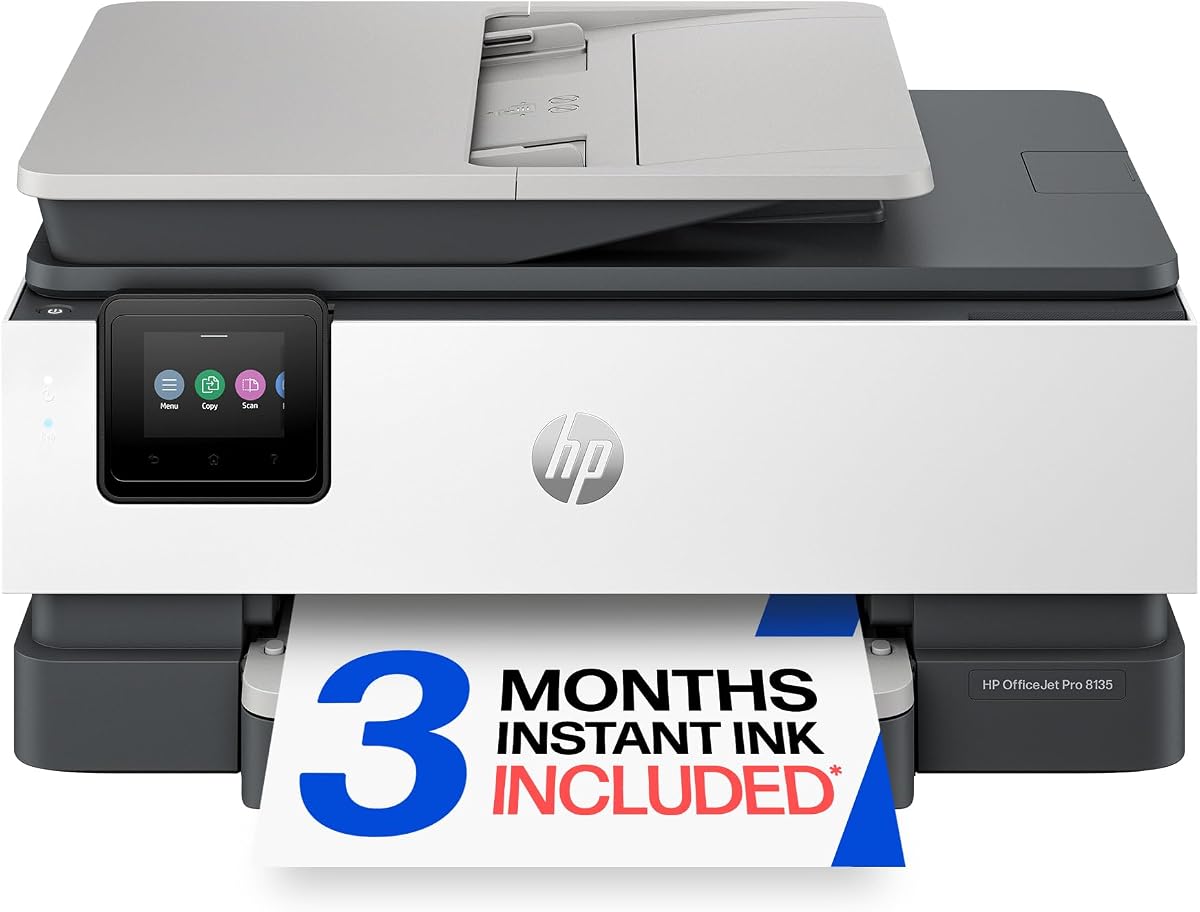
The HP OfficeJet Pro 8135 offers essential fax and multifunction features at a more accessible price for home offices. Its 3.9 rating reflects consistent performance for daily document tasks without compromising on core capabilities.
We may earn a commission when you buy through this link, at no additional cost to you.
With 20 ppm black printing and 10 ppm color speeds, it handles reports and flyers efficiently. The 225-sheet tray and auto document feeder streamline multi-page tasks while the touchscreen simplifies navigation for all users.
The Instant Ink trial helps manage costs during the first three months, though subscription fees apply later. Non-HP cartridge blocking remains a consideration for those seeking third-party ink alternatives for long-term savings.
This printer suits remote workers and freelancers needing fax, scanning, and reliable wireless printing. Its compact design and user-friendly interface make it a practical choice for smaller spaces.
HP AI optimizes web and email layouts to prevent wasted pages and ensure professional-looking prints directly from digital sources.
HP Wolf Essential Security safeguards your network by identifying and blocking potential cyber threats targeting your printer connection.
We may earn a commission when you buy through this link, at no additional cost to you.
The Epson EcoTank ET-4800 redefines ink efficiency with its supertank system, eliminating frequent cartridge replacements. With a 3.8 rating, it appeals to high-volume users seeking long-term savings and minimal waste.
We may earn a commission when you buy through this link, at no additional cost to you.
Its EcoFit ink bottles and Micro Piezo heat-free technology deliver sharp text and vibrant photos without expensive cartridges. The flatbed scanner supports easy copying and navigation while reducing reliance on disposable plastic components.
Initial setup requires filling tanks but offers thousands of pages upfront. Users should note slower speeds compared to laser alternatives and a larger physical footprint that may impact smaller workspaces.
Ideal for households or offices with heavy printing needs, this model reduces environmental impact and operational costs. Its design prioritizes sustainability and convenience for frequent document and photo production.
High-capacity tanks and refillable bottles eliminate cartridge waste, helping reduce landfill contribution while lowering long-term ink expenses.
Heat-free printing ensures consistent quality across paper types and reduces energy consumption compared to thermal inkjet alternatives.
We may earn a commission when you buy through this link, at no additional cost to you.
The HP OfficeJet Pro 8125 delivers efficient multifunction printing for home offices, though fax functionality is absent in this variant. With a 3.9 rating, it balances speed and connectivity for everyday document handling.
We may earn a commission when you buy through this link, at no additional cost to you.
Its 20 ppm black printing and auto document feeder support quick task completion. The 225-sheet tray and dual-band Wi-Fi maintain reliable performance while the touchscreen simplifies setup and operation.
Users prioritizing fax should note this model lacks built-in fax capabilities despite other strong features. The Instant Ink trial and AI tools help manage costs but cartridge restrictions remain a consideration.
This printer suits users needing fast, wireless printing and scanning in limited space. Its compact footprint and app integration make it ideal for remote workers focused on document management without fax needs.
HP AI refines web and email prints to eliminate clutter and improve professional appearance without manual formatting adjustments.
The HP app enables printing scanning and copying directly from smartphones for seamless integration with mobile workflows.
We may earn a commission when you buy through this link, at no additional cost to you.
The HP Smart Tank 7603 combines fax functionality with long-term ink savings for high-volume home office use. With a 3.9 rating, it eliminates frequent cartridge purchases while maintaining consistent output quality.
We may earn a commission when you buy through this link, at no additional cost to you.
Its mess-free refill system and up to three years of included ink reduce maintenance and operational costs. The auto document feeder and borderless printing support versatile tasks from contracts to photos.
While upfront investment is higher, the included ink significantly lowers total cost of ownership. Users should consider slower speeds compared to laser models when selecting for time-sensitive production needs.
Ideal for households or small offices with frequent printing and faxing demands. This model prioritizes convenience and cost efficiency while maintaining essential multifunction capabilities.
Included ink supplies last up to three years, reducing recurring expenses and eliminating interruptions from running out of cartridges.
Ink bottles drain directly into tanks without squeezing or spills, simplifying replenishment for all user experience levels.
We may earn a commission when you buy through this link, at no additional cost to you.
The HP OfficeJet Pro 9135 excels in speed and capacity, making it ideal for busy offices requiring reliable fax capabilities. With a 4.0 rating, it delivers exceptional performance for high-volume document workflows.
We may earn a commission when you buy through this link, at no additional cost to you.
Its 25 ppm black printing and dual 250-sheet trays minimize interruptions while the 4.3-inch touchscreen simplifies navigation. Single-pass duplex scanning reduces time for multi-page documents significantly.
Advanced security and AI tools enhance efficiency and protection but come at a premium cost. Non-HP cartridge restrictions may limit flexibility for budget-conscious users seeking alternative ink sources.
This model suits organizations prioritizing productivity and security with frequent faxing needs. Its robust feature set and reliability justify the investment for professional environments demanding consistent output.
The 4.3-inch color display provides intuitive navigation and quick access to settings for improved user experience.
Both sides of documents scan simultaneously reducing time and mechanical wear during multi-page faxing or digitization tasks.
We may earn a commission when you buy through this link, at no additional cost to you.
The Canon PIXMA TR4720 provides essential multifunction features including fax at a budget-friendly price. With a 3.9 rating, it meets basic home office needs without excessive complexity or cost.
We may earn a commission when you buy through this link, at no additional cost to you.
Its 8.8 ipm black printing and 100-sheet tray handle occasional documents while the auto document feeder supports multi-page scanning. Alexa integration enables smart reorder notifications to prevent ink shortages.
Print speeds are slower than higher-end models but acceptable for light use. Users should consider limited capacity when volume increases but cost savings remain significant for basic tasks.
This printer suits users needing fax scanning and reliable wireless printing on a limited budget. Its compact design and voice assistant support make it accessible for home environments.
Voice-enabled notifications alert you to low ink levels and can automatically reorder supplies without manual intervention.
Low standby power consumption and Energy Star certification help reduce electricity usage while maintaining reliable performance.
We may earn a commission when you buy through this link, at no additional cost to you.
The Canon PIXMA TR8620a balances photo and document needs with built-in fax for home office use. With a 4.0 rating, it offers versatile printing and scanning capabilities for varied tasks.
We may earn a commission when you buy through this link, at no additional cost to you.
Its 15 ipm speed and 200-sheet capacity handle moderate volumes while the Micro SD slot enables direct printing from devices. Alexa smart reorder ensures consistent supply availability without subscription requirements.
Print speeds lag behind laser alternatives but photo quality compensates for mixed workflows. Users should monitor cartridge levels as refills may occur more frequently than tank-based systems.
This printer suits users combining occasional photo prints with business documents and faxing. Its connectivity options and smart features provide flexibility for modern home office setups.
Micro SD card access allows quick photo printing without connecting a computer or smartphone for convenience.
Voice-enabled notifications and automatic reordering prevent downtime by ensuring timely ink replenishment without manual tracking.
We may earn a commission when you buy through this link, at no additional cost to you.
The HP OfficeJet Pro 8139 offers a one-year Instant Ink trial making it cost-effective for consistent home office use. With a 4.0 rating, it balances performance, faxing, and long-term savings.
We may earn a commission when you buy through this link, at no additional cost to you.
Its 20 ppm black printing and 225-sheet tray ensure reliable throughput while the AI tools reduce wasted pages. Security features protect network access and the touchscreen simplifies navigation for users.
While initial cost exceeds the 8135 model, extended ink savings offset the difference over time. Non-HP cartridge blocking remains a consideration for those seeking third-party alternatives.
This printer suits users prioritizing long-term ink management and fax functionality. Its combination of speed, security, and included trial makes it ideal for remote workers needing consistent output.
A full year of Instant Ink reduces maintenance and ensures reliable delivery before cartridges run out.
HP AI streamlines email and web prints to minimize waste and improve layout professionalism automatically.
We may earn a commission when you buy through this link, at no additional cost to you.
The Brother MFC-L2820DW offers fast monochrome printing and fax capabilities for text-heavy offices. With a 4.3 rating, it delivers reliable performance and efficiency for businesses prioritizing speed.
We may earn a commission when you buy through this link, at no additional cost to you.
Its 36 ppm output and 50-page auto feeder handle large document sets quickly while duplex printing saves paper. The Refresh subscription trial provides discounted toner access for long-term savings.
Users needing color should look elsewhere since this model is black and white only. However, its cost per page and speed outperform inkjet alternatives for document-only workflows.
This printer suits small offices focused on text and fax without color needs. Its compact footprint and secure connectivity make it ideal for efficient document management.
Automated toner delivery and discounts ensure consistent supply and reduced maintenance without manual ordering.
The Brother Mobile Connect app allows remote printing scanning and toner tracking from any mobile device.
We may earn a commission when you buy through this link, at no additional cost to you.
Selecting the right printer requires evaluating performance, connectivity, and operational costs based on your specific workflow and volume needs.
Print speed measured in pages per minute (PPM) affects productivity in busy environments. Look for models offering at least 15 to 20 ppm for black documents to ensure quick turnaround.
Quality matters for professional documents. Laser printers offer sharper text while inkjets excel at color and photo quality. Match the technology to your primary output needs.
Built-in fax functionality saves hardware costs by eliminating a separate machine. Ensure the model supports digital fax over phone lines or VoIP for modern setups.
Check features like automatic document feeders for faxing multi-page documents efficiently. This reduces manual handling and speeds up communication workflows.
Wireless connectivity enables printing and faxing from multiple devices without cables. Dual-band Wi-Fi ensures stable connections even in congested networks.
Ethernet ports and USB interfaces offer backup options for direct connections. Mobile printing apps enhance convenience for users frequently working from smartphones.
Input tray size determines how often you refill paper. Models with 250-sheet trays reduce interruptions compared to 100-sheet options for high-volume use.
Auto document feeders support multi-page scanning and faxing. Larger trays and automatic duplex printing improve efficiency and reduce manual handling.
Inkjet printers offer lower upfront costs but higher ongoing ink expenses. Tank systems reduce cost per page and are ideal for frequent color printing.
Laser printers use toner for sharp black text and longer cartridge life. Consider total cost of ownership rather than just initial purchase price.
Network security protects sensitive documents and data from unauthorized access. Look for built-in encryption and secure print release options.
Firmware updates and security suites like HP Wolf or Brother Secure Functions help defend against emerging cyber threats targeting office devices.
Mobile apps enable printing scanning and faxing directly from smartphones for greater flexibility. Ensure compatibility with iOS and Android systems.
Voice assistant integration with Alexa can streamline supply reordering and basic printer management tasks for busy environments.
Compact designs fit smaller workspaces without sacrificing functionality. Consider dimensions and weight if placement is limited.
Touchscreen interfaces simplify operation while reducing physical buttons that can wear out over time for long-term reliability.
Set up the printer by connecting to your Wi-Fi network and installing manufacturer software. Run alignment and calibration tests to ensure optimal print and scan quality.
Keep the auto document feeder clean to prevent paper jams. Store paper in dry conditions and remove any staples or clips before feeding documents for faxing.
Schedule regular maintenance like printhead cleaning and ink or toner replacements. Check firmware updates through the printer menu to maintain security and performance.
Yes, most models connect to landlines or VoIP adapters. Some newer models offer email or online fax services as alternatives to traditional phone lines.
Many modern printers support digital fax via email or dedicated online fax services. These eliminate the need for traditional analog phone connections.
Ink tanks refill with bottles and cost significantly less per page than cartridges. They require more frequent refills but save money over time.
Print speed depends on document complexity printer technology, and paper type. Laser printers generally offer faster text output while inkjets vary more.
Both brands include security features like encryption and threat detection. HP offers Wolf Pro Security while Brother uses Secure Functions for network protection.
Manufacturers use chips to ensure reliability and protect warranty. Blocking non-authorized cartridges helps prevent issues but limits alternative ink options.
Most include mobile apps for scanning and copying but faxing via apps varies. Check manufacturer documentation for app-specific fax support before buying.
This guide highlights top performers from HP Canon Epson and Brother offering diverse features for every need. Whether you prioritize speed, cost efficiency or reliability there is a model suited for your workflow.
Focus on long-term ink costs paper capacity and security features to maximize value. Matching these aspects to your volume ensures optimal performance without unexpected expenses.
Always verify current pricing and stock before purchasing since models update frequently. These recommendations provide a solid starting point for finding the best fit for your setup.