
PROZOR 192KHz Digital to Analog Audio Converter DAC
4.4Editor score
Converts digital optical to analog
Supports up to 192kHz
Aluminum alloy housing design
Discover the best audio converters for Mac in October 2026. We compare top DACs and interfaces for high-resolution sound and seamless compatibility.
Finding the right audio converter for your Mac is essential for high-quality sound. Whether you need to record old tapes or enjoy lossless music, the right device makes a huge difference in clarity and detail.
We compared ten top-rated products based on compatibility, sound quality, and ease of use. Our list includes USB DACs, optical converters, and audio interfaces suitable for various Mac setups and audio needs.
Each pick shows specific strengths like budget value or high-resolution support. Please note that prices and availability can change quickly on Amazon, so check the latest details before making your final purchase decision today.
4.4Editor score

4.6Editor score

4.5Editor score
This side-by-side comparison highlights the key specifications and capabilities of each top-rated audio converter designed to work seamlessly with macOS systems for enhanced audio performance.
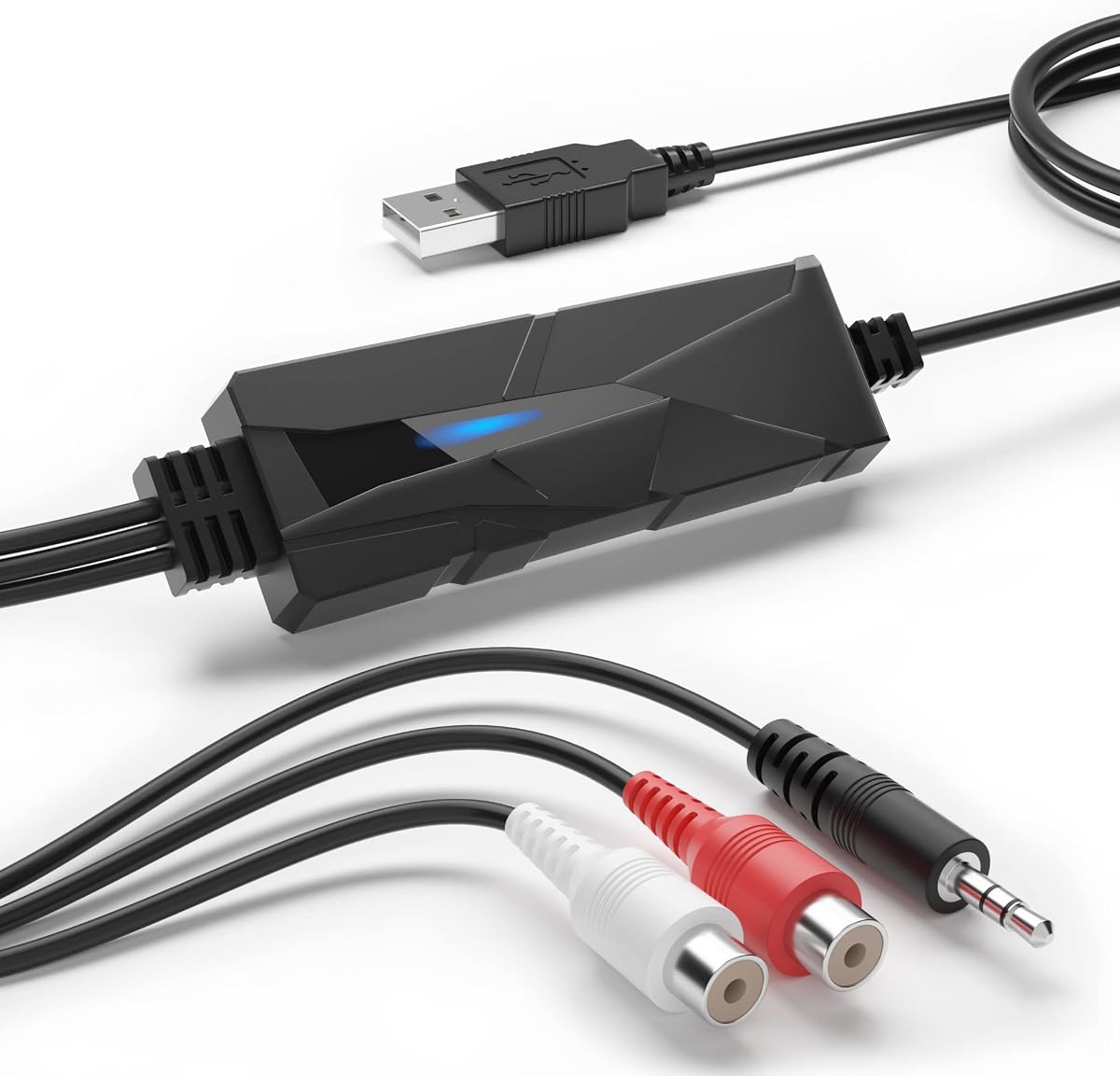


The DriverGenius AudioXfer is a budget-friendly option for converting analog audio to digital formats on your Mac. It offers a simple way to digitize old cassette tapes and vinyl records.
We may earn a commission when you buy through this link, at no additional cost to you.
Its standout quality is the included software support which allows you to edit and save recordings easily. The device supports macOS 15 making it versatile for many users.
However, it lacks high-resolution audio capabilities compared to more expensive models. The sound quality is functional but not audiophile grade for critical listening.
This converter is ideal for casual users who want to preserve old memories without spending much money. It is a practical choice for basic audio digitization tasks.
This device lets you bring old cassette tapes to life by converting them to MP3 or WAV formats for modern playback.
Plug and play functionality ensures you can start recording audio immediately without needing complex drivers or configuration.
We may earn a commission when you buy through this link, at no additional cost to you.
The Fosi Audio K5 Pro is a powerful DAC that enhances audio quality for gaming and music on Mac systems. It features a robust internal design with high-quality components.
We may earn a commission when you buy through this link, at no additional cost to you.
Its key strengths include a variety of inputs like USB C and optical which offer flexibility for different devices. The sound quality is clear with low distortion levels.
Users might find the volume control slightly basic compared to higher-end models. However the performance justifies the cost for most desktop setups.
This product is best for gamers and music lovers who need a reliable external sound solution. It brings significant audio improvements over standard Mac outputs.
The upgraded internals provide unrivaled performance and richer audio details for a more immersive listening experience.
Compatible with various sources including Mac computers and gaming consoles making it a versatile addition to any setup.
We may earn a commission when you buy through this link, at no additional cost to you.
The PROZOR 192KHz converter is an affordable device that turns digital optical signals into analog audio. It is highly rated for its performance at a low price.
We may earn a commission when you buy through this link, at no additional cost to you.
It supports high-resolution audio up to 192kHz which is impressive for this price point. The aluminum housing helps with heat dissipation and durability.
One downside is the need for a specific power adapter which might not be available in all homes. The setup is simple once power is connected.
This converter is perfect for users who want to connect TVs to speakers without spending a lot. It delivers clean sound suitable for home cinema.
Supporting sampling rates up to 192kHz ensures that you enjoy detailed and high-fidelity audio from your digital sources.
The aluminum alloy housing provides better electromagnetic shielding and heat dissipation than standard plastic cases.
We may earn a commission when you buy through this link, at no additional cost to you.
The Douk Audio U2PRO is a specialized device for audiophiles who want pristine lossless audio. It uses a high-quality chip to ensure stable signal transmission.
We may earn a commission when you buy through this link, at no additional cost to you.
Its standout feature is the ability to support PCM up to 768kHz and DSD512. This makes it compatible with high-end DACs and amplifiers.
The design allows for future upgrades which is a rare feature in consumer devices. However it requires some technical knowledge to use fully.
This adapter is best for users who already own high-end audio equipment. It acts as a bridge between Mac and professional audio systems.
Unlock pristine lossless audio by converting USB signals into clean digital outputs for classic DACs.
Ample internal space accommodates crystal oscillators allowing DIYers to upgrade clocking for even higher performance.
We may earn a commission when you buy through this link, at no additional cost to you.
The SMSL SU-1 is a compact DAC that supports MQA decoding for high-resolution audio streaming. It uses a high-end AKM chip for accurate sound reproduction.
We may earn a commission when you buy through this link, at no additional cost to you.
Its ability to decode MQA signals makes it ideal for streaming services like Tidal. The distortion levels are extremely low ensuring clean audio.
While it works well with Mac it might require drivers on Windows systems. The design is simple but effective for desktop use.
This decoder is perfect for users who prioritize audio quality and MQA content. It offers great value for high-resolution listening.
Support for MQA CD ensures original high-resolution signals are restored and confirmed with authentication.
The AK4493S chip achieves distortion lower than 0.00013 percent for ultra-clean sound output.
We may earn a commission when you buy through this link, at no additional cost to you.
The SMSL PO100 PRO is a compact USB interface that offers high-resolution audio decoding. It is designed for portability and ease of use.
We may earn a commission when you buy through this link, at no additional cost to you.
Its high sampling rates and MQA support make it a strong competitor in the portable DAC market. The design allows for flexible output options.
Users need to adjust switches correctly for optimal performance which might be confusing at first. Once set up it performs reliably.
This device is best for users who travel often and need high-quality audio. It is a great companion for modern Mac users.
Very compact USB digital interface easily stowed in bags for light travel anywhere.
MQA playback does not require additional software making streaming high-resolution audio easier.
We may earn a commission when you buy through this link, at no additional cost to you.
The Sound Blaster Play! 3 is a simple USB audio adapter that improves sound quality on Mac. It supports up to 24-bit 96kHz resolution.
We may earn a commission when you buy through this link, at no additional cost to you.
Its key strength is the easy setup which requires no drivers for basic use. The included software provides additional audio enhancements.
While not suitable for professional audio it is great for general multimedia use. The price point makes it accessible for many users.
This adapter is perfect for users who want a quick upgrade to their Mac audio. It is reliable for everyday tasks.
Downloadable software gives powerful audio enhancements and unprecedented control over sound profiles.
Compatible with all analog headsets from standard earbuds to gaming headphones without splitters.
We may earn a commission when you buy through this link, at no additional cost to you.
The iFi Audio Go Link Max is a premium portable DAC that offers high power output and balanced audio. It is built for discerning listeners.
We may earn a commission when you buy through this link, at no additional cost to you.
Its standout feature is the balanced 4.4mm output which provides superior sound quality. The dynamic range enhancement improves audio clarity.
The price is higher than competitors but the build quality justifies it. It is a great choice for professional use.
This device is best for users who demand top-tier audio performance. It offers an upgrade for Mac users with good headphones.
Dual ESS Sabre DAC chips form a balanced circuit for improved audio performance.
Balanced 4.4mm output provides up to 241mW power for driving demanding headphones.
We may earn a commission when you buy through this link, at no additional cost to you.
The Fosi Audio Q6 is a high-quality DAC that delivers crystal-clear audio for home stereo systems. It supports high-resolution formats like DSD512.
We may earn a commission when you buy through this link, at no additional cost to you.
Its key strengths include a variety of inputs which make it versatile for different sources. The build quality is solid and looks great.
It requires an external amplifier to drive speakers which adds to the cost. However the sound quality is exceptional for the price.
This DAC is perfect for users who want to upgrade their home audio system. It is a top choice for Mac users seeking quality.
Maximum sampling rates of PCM 32bit 768kHz and DSD512 for crystal-clear immersive listening.
High SNR and low THD ensure clean accurate signal conversion for better music.
We may earn a commission when you buy through this link, at no additional cost to you.
The Shure MVX2U is a professional audio interface designed for streaming and recording on Mac. It supports XLR microphones with high-quality processing.
We may earn a commission when you buy through this link, at no additional cost to you.
Its standout feature is the onboard DSP which provides consistent output and noise reduction. The auto level mode simplifies recording for beginners.
While it is more expensive than standard adapters it offers professional tools. It is a reliable choice for content creators.
This interface is best for users who need high-quality audio input. It is ideal for podcasting and livestreaming on Mac.
Streamline recording setups with clean consistent audio across devices using any XLR microphone.
Automatically adjusts gain in real time with onboard DSP for consistent output levels.
We may earn a commission when you buy through this link, at no additional cost to you.
Choosing the right audio converter requires understanding your specific needs and system compatibility.
Ensure the device supports macOS versions you use. Some require drivers while others work plug and play.
Check compatibility with your Mac ports such as USB-C or legacy USB-A.
Look for devices with high-resolution audio support like 24-bit or higher. This ensures clear and detailed sound.
Devices with better DAC chips usually offer lower distortion and better sound quality.
Choose based on your existing equipment. Optical inputs are common for TVs while USB is good for Mac.
Ensure the output matches your speakers or headphones. RCA and 3.5mm are standard options.
If you travel often consider a small dongle. Larger desktop DACs offer better sound but are less portable.
Portable devices are convenient but may have lower power output compared to desktop models.
Some devices come with editing software or specific drivers. Check if these are available for Mac.
Plug and play devices save time as they do not need complex installations or configuration.
USB-powered devices are convenient but might draw more power from your Mac. Others need external adapters.
Ensure you have the right power adapter if the device does not include one in the box.
Metal casings offer better heat dissipation and durability. Plastic models are lighter but may be less sturdy.
Gold-plated connectors ensure better signal transmission and reduce corrosion over time.
Set a budget before shopping. High-end models offer better sound but cost more than basic adapters.
Affordable options exist but may lack high-resolution support or advanced features like MQA.
Connect the converter to your Mac using the appropriate cable. Ensure it receives power if required by the device.
Select the correct audio output settings on your Mac. This usually involves going to System Settings and Sound.
Keep the device away from heat sources and dust. Clean ports regularly to ensure stable connections over time.
Most modern converters are plug and play and do not need drivers. Some high-end models may require specific software for full functionality.
Mac models usually have headphone jacks but not optical outputs. You may need a USB adapter for optical connections.
DACs convert digital audio to analog for better sound quality. They reduce noise and improve clarity compared to built-in audio chips.
USB-C converters are often more modern and support higher data rates. They work well with newer Macs that have USB-C ports only.
Yes you need an audio capture card or interface with analog inputs. This allows you to record from tapes or vinyl to digital.
MQA is a format for high-resolution audio streaming. Support ensures you can decode and hear the full quality of tracks.
We reviewed ten excellent audio converters for Mac ranging from budget options to professional interfaces. The Fosi Audio Q6 stands out as a top pick for high-quality audio.
Prioritize compatibility and audio quality when choosing your device. Consider your specific needs like portability or recording capabilities.
Check current prices and availability on Amazon before buying. Deals change frequently and might offer better value than usual.