
Blackmagic Design Mini Converter Audio to SDI CONVMCAUDS
4.5Editor score
Universal Power Supply
3 Gb/s SDI Technology
Auto Format Detection
This guide compares the top Audio to Sdi Embedder models for professional video production, highlighting features like SDI support and audio embedding quality.
Audio to Sdi Embedder units are essential for integrating high-quality sound into professional video workflows. These devices convert analog or digital audio signals into embedded formats compatible with SDI video streams. Choosing the right embedder ensures seamless synchronization and reliable signal transmission across broadcast and production environments.
We evaluated ten leading models based on technical specifications, connectivity options, and overall performance in real-world scenarios. Our comparison focuses on compatibility with various video standards, audio channel capacity, and reliability features like redundant inputs. This list covers options ranging from compact converters to advanced high-definition solutions.
Each pick highlights specific strengths such as multi-format support, ease of configuration, and robust build quality for demanding applications. Readers will find detailed breakdowns of capabilities to match their unique production needs. Please note that product availability and specifications may vary over time, so verify current details before purchasing.
4.5Editor score

4.9Editor score

3.8Editor score
This section provides a side-by-side comparison of all ten selected Audio to Sdi Embedder units to help you identify the model that best fits your technical requirements and workflow demands.




The Blackmagic Design Mini Converter Audio to SDI 2 stands out as a top choice for professionals needing reliable audio embedding. With a high user rating, this model ensures that sound and video remain perfectly synchronized during critical productions. Its design focuses on stability and ease of use, making it a favorite among broadcast engineers.
We may earn a commission when you buy through this link, at no additional cost to you.
Key strengths include redundant SDI inputs that automatically switch if the main signal is lost. This feature is invaluable for live events where downtime is not an option. The unit handles various video formats seamlessly, ensuring compatibility with existing equipment without requiring complex adjustments or additional hardware.
Trade-offs involve a slightly higher cost compared to basic converters and a compact design that limits physical port availability. However, these are acceptable given the reliability and professional features offered. The robust construction ensures it withstands the rigors of regular use in demanding production environments without failure.
This model is ideal for production teams, event planners, and broadcast facilities that prioritize signal integrity. If you need a dependable tool that minimizes risk and delivers consistent performance, this converter is a strong recommendation. Its reputation in the industry further supports its status as a leading choice in this category.
Redundant inputs ensure continuity during live broadcasts by instantly switching to backup signals if failures occur.
Advanced processing maintains pristine audio fidelity embedded into the video stream without introducing noise or artifacts.
We may earn a commission when you buy through this link, at no additional cost to you.
This Blackmagic Design model offers an excellent balance of performance and affordability for those entering professional workflows. It supports a broad range of video standards and includes advanced 3 Gb/s SDI technology for robust signal handling. The built-in USB connection allows for future upgrades to maintain compatibility with new video formats.
We may earn a commission when you buy through this link, at no additional cost to you.
The unit features a universal power supply with international adapters, making it highly portable for travel across different regions. Settings can be adjusted easily using a pen on the device, which simplifies configuration on set. Redundant SDI inputs provide mission-critical reliability for broadcast and live event applications.
While it lacks the latest 12G SDI capabilities found in higher-end models, it remains a powerful tool for SD and HD workflows. The slight age of the design means it may not support the newest ultra-high-definition standards directly without upgrades. However, its versatility and lower price make it a smart choice for many users.
It is best suited for independent producers, small studios, and educators who need reliable audio embedding without overspending. The international power supply adds significant value for global users or those who move between locations frequently. Overall, it delivers professional results at a price point that fits tighter budgets.
Includes socket adapters for countries worldwide, allowing direct plugging into local power sockets without extra gear.
USB port enables loading upgrades to add new video format compatibility as standards evolve over time.
We may earn a commission when you buy through this link, at no additional cost to you.
The Teranex Mini Audio to SDI 12G is designed for high-end workflows that demand 12G SDI performance and 4K resolution support. It handles automatic switching between SD, HD, 2K, and 4K formats effortlessly, ensuring seamless integration in modern production environments. This model is built for users who need top-tier video and audio embedding capabilities.
We may earn a commission when you buy through this link, at no additional cost to you.
It features four channels of professional balanced digital audio via XLR connectors, with the option to configure one for timecode. Optical audio input is also available via TOSLINK for additional connectivity options. The multi-rate support ensures that regardless of the input signal, the output is optimized correctly without manual intervention.
The higher cost reflects its advanced capabilities, which may be more than needed for basic HD setups. Setup can be more involved compared to simpler models, requiring attention to detail for optimal configuration. However, for professional broadcast and post-production facilities, these features are essential for maintaining quality standards.
This unit is best for studios and production houses that work with ultra-high-definition content regularly. The robust audio handling and high-speed video support make it a future-proof investment for growing technical demands. It is a solid choice for those who prioritize performance and resolution over budget constraints.
Supports 12G SDI speeds to handle 4K video content with minimal latency and maximum signal integrity.
Balanced XLR inputs provide high-quality audio connections that resist interference during transmission.
We may earn a commission when you buy through this link, at no additional cost to you.
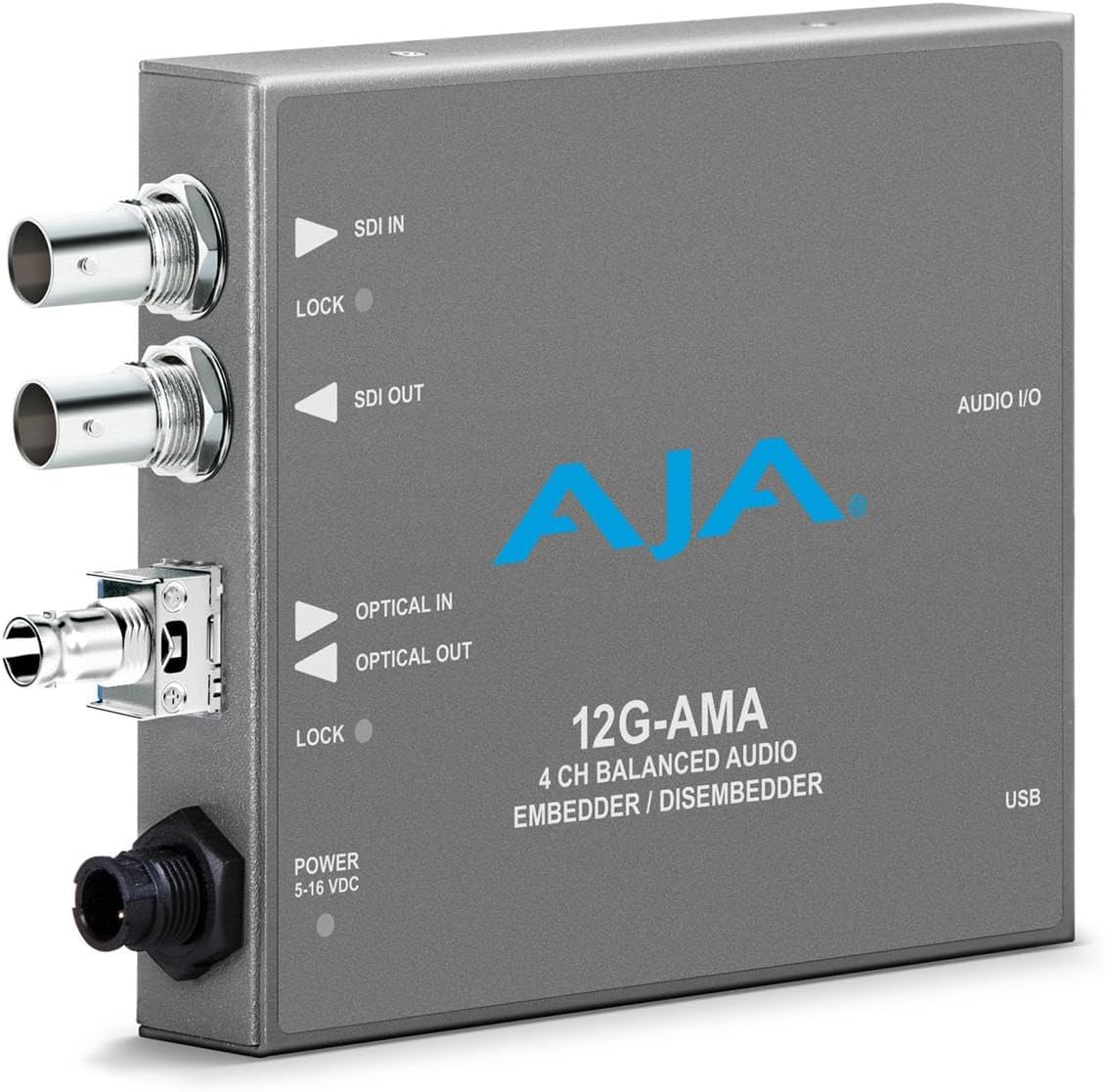
This Aja model provides high-speed 12G SDI embedding with the added flexibility of fiber options for long-distance transmission. It is designed for professional environments where signal integrity and connectivity variety are paramount. The unit ensures balanced audio is accurately embedded into video signals for pristine sound quality.
We may earn a commission when you buy through this link, at no additional cost to you.
The availability of fiber options allows for extended cable runs without signal degradation, which is crucial for large venues or studio setups. Its balanced audio support ensures that audio signals remain clear and free from noise during transmission. This makes it a versatile tool for various professional broadcasting scenarios.
However, the complexity of configuration might be a hurdle for users accustomed to simpler plug-and-play devices. Documentation can be limited compared to more common brands, requiring more technical knowledge to utilize fully. Despite this, the performance and connectivity options are significant advantages for specialized needs.
Ideal for advanced technical teams or broadcast engineers who need reliable high-speed connectivity and fiber capabilities. It serves well in scenarios requiring extended reach or isolation from electromagnetic interference. Users looking for professional robustness should consider this unit despite the steeper learning curve.
Optical fiber support allows for long-distance signal transmission without quality loss or interference.
12G SDI capabilities ensure support for ultra-high-definition video formats at high data rates.
We may earn a commission when you buy through this link, at no additional cost to you.
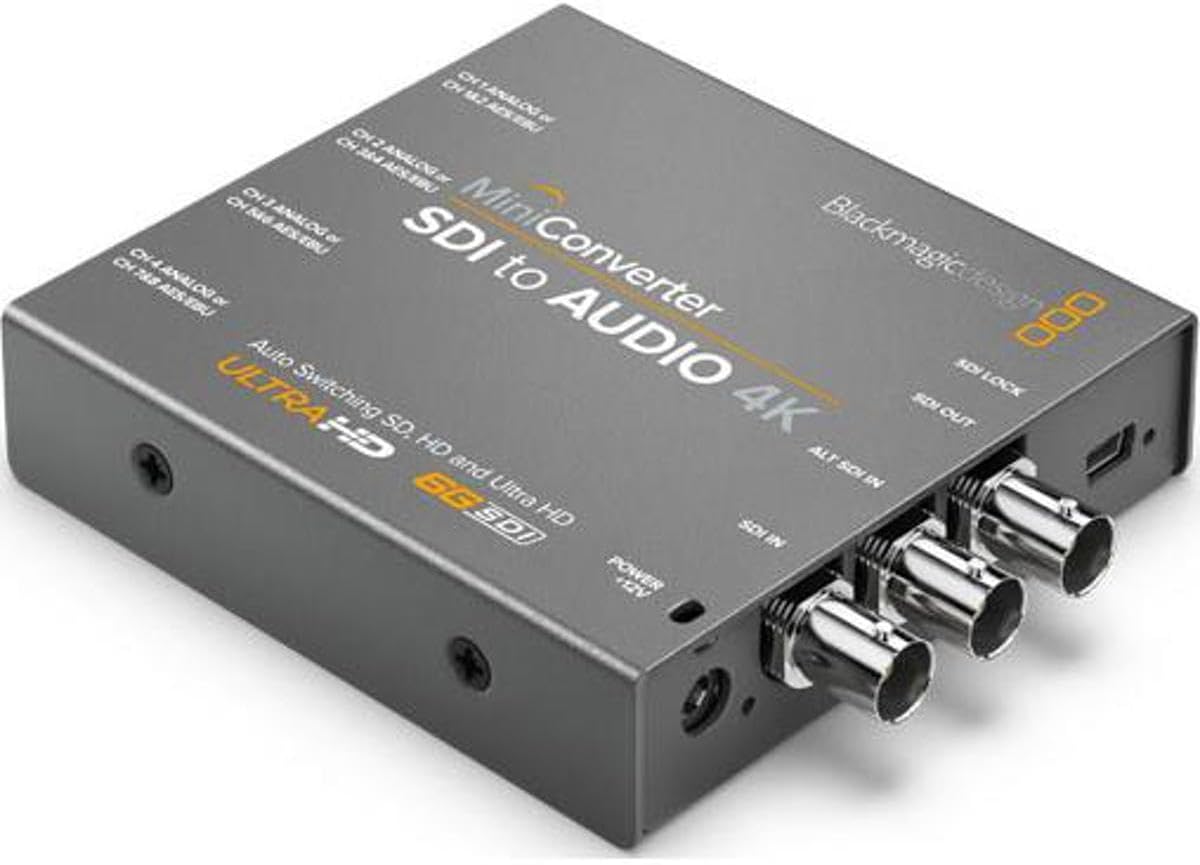
This converter is designed primarily for extracting audio from SDI signals rather than embedding it, making it unique in its category. It offers a compact solution for getting high-quality audio out of video feeds efficiently. The unit includes multinational power adapters, ensuring usability across different countries without extra hardware.
We may earn a commission when you buy through this link, at no additional cost to you.
Its small form factor makes it easy to integrate into rack setups or carry for remote shoots. The reliability is consistent with other Blackmagic Design products, ensuring stable performance over time. Users appreciate the simplicity of operation, which allows them to focus on the content rather than the gear.
Limitations include a lack of redundancy and a single audio path, which may not suit mission-critical environments requiring backups. It is strictly an extraction tool, so it does not function as an embedder for input audio. Understanding this specific use case is important before purchasing to ensure it meets your workflow needs.
Best for engineers who need to extract audio for recording or mixing in post-production workflows. It is also useful for monitoring audio independently from video signals during live events. For users prioritizing simplicity and portability in audio extraction, this model is a dependable choice.
Small physical size fits easily into tight rack spaces or mobile production kits for field use.
Includes international power adapters for use in multiple regions without needing local adapters.
We may earn a commission when you buy through this link, at no additional cost to you.
This unit converts SDI video signals to analog outputs, bridging the gap between modern digital systems and legacy equipment. It allows for embedded audio to be de-embedded into balanced analog or AES/EBU formats for monitoring or recording. The high conversion quality ensures that signal integrity is maintained during the transition to analog standards.
We may earn a commission when you buy through this link, at no additional cost to you.
It is particularly useful in environments where older monitors or recording devices require analog inputs. The balanced analog outputs help maintain signal quality over longer cable runs without introducing noise. Users find it reliable for daily tasks involving mixed digital and analog setups in studios or control rooms.
As an older model, it does not support ultra-high-definition formats like 4K, limiting its use to SD and HD content. The focus on analog conversion means it is not suitable for pure digital workflows that lack legacy hardware. However, for bridging these specific needs, it performs exceptionally well without compromising quality.
Ideal for facilities managing transitions from analog to digital or maintaining hybrid workflows. It is also helpful for connecting modern cameras to older display systems without purchasing new monitors. For engineers needing robust analog conversion, this model remains a trusted solution in the industry.
Converts modern SDI signals to analog standards for use with older monitors and recording devices.
Provides balanced audio connections to reduce interference during signal transmission to analog gear.
We may earn a commission when you buy through this link, at no additional cost to you.
Designed for modern 4K workflows, this converter extracts high-quality audio from SDI video signals efficiently. It supports both 4 channel analog and 8 channel AES/EBU digital audio outputs, providing flexibility for different routing needs. The unit includes redundant SDI inputs to ensure continuous operation even if the main feed is disrupted.
We may earn a commission when you buy through this link, at no additional cost to you.
Reclocking capabilities help maintain precise timing and synchronization between audio and video streams. This is critical in post-production and broadcast where even minor delays can cause issues during playback or live streaming. The build quality matches industry standards, ensuring it remains stable under heavy usage conditions.
The price is higher than standard HD units due to the 4K capabilities and advanced audio handling features. Users working exclusively with lower resolutions may not need these extra specifications and could save by choosing a simpler model. However, for 4K professionals, these features are essential for maintaining workflow efficiency.
Best for post-production houses, studios, and broadcast engineers working with ultra-high-definition content. It is also suitable for those who need robust audio channel options for complex recording setups. If your workflow involves 4K SDI, this model provides the necessary tools for professional audio extraction and monitoring.
Supports up to 8 channels of AES EBU audio for complex multi-track recording requirements.
Reclocking ensures audio and video stay synchronized without jitter during signal processing.
We may earn a commission when you buy through this link, at no additional cost to you.
This model converts analog video sources into SDI video output, allowing legacy cameras and decks to integrate with modern digital systems. It can embed audio from balanced AES/EBU or analog inputs directly into the SDI stream. This functionality is vital for organizations maintaining older equipment while transitioning to digital workflows.
We may earn a commission when you buy through this link, at no additional cost to you.
The device accepts a wide range of analog signals including component, NTSC, PAL, or S-video. It automatically handles the conversion process to ensure a clean digital output signal for downstream gear. Users appreciate its ability to keep existing camera lines running while upgrading the rest of the production chain to SDI.
It lacks support for ultra-high-definition resolutions like 4K, as it is optimized for standard and high-definition analog signals. If your workflow requires modern digital inputs, this converter may not be the right fit without additional adapters. However, for bridging analog sources, it is an effective and reliable solution.
Best for educational institutions or small broadcasters managing mixed analog and digital setups. It is also useful for archiving legacy footage directly into SDI workflows for editing and distribution. For those needing to digitize analog feeds reliably, this converter provides a practical and efficient solution.
Accepts component NTSC and PAL signals to convert them into modern SDI formats easily.
Allows audio inputs to be embedded alongside video for unified signal transmission to SDI.
We may earn a commission when you buy through this link, at no additional cost to you.
This AJA unit offers ultra-low latency with latency as low as 3.2 microseconds, which is critical for live synchronization scenarios. It supports 3G-SDI ensuring high-resolution video capture and conversion for professional results in broadcasting environments. The unit allows for 4-channel balanced analog audio I/O via XLR breakout for seamless integration.
We may earn a commission when you buy through this link, at no additional cost to you.
Configuration is handled via MiniConfig software on PC or Mac, offering precise control over audio embedding settings. This flexibility is appreciated by engineers who need to customize levels and parameters for specific show requirements. The broad compatibility with various video formats ensures it works with most modern cameras and switchers.
The higher price point reflects its professional features and low-latency capabilities compared to consumer-grade models. Dependence on software for setup may be less convenient for users who prefer physical controls on the device. However, the precision and speed make it an excellent choice for live broadcast and event production.
Ideal for live event production, sports broadcasting, and applications where real-time audio sync is non-negotiable. It is also a great fit for facilities that require frequent configuration changes between different production setups. For those valuing speed and flexibility, this model delivers professional performance consistently.
Achieves latency as low as 3.2 microseconds to maintain real-time synchronization in live workflows.
MiniConfig software provides detailed control over audio levels and embedding settings for precision.
We may earn a commission when you buy through this link, at no additional cost to you.
This converter supports 4096x2160p30 format, making it a powerful tool for embedding audio into ultra-high-definition video streams. It handles a wide range of SDI formats from SD up to 2K and 4K, offering flexibility for diverse production needs. The unit ensures pristine sound quality with 48kHz and 24-bit audio sampling.
We may earn a commission when you buy through this link, at no additional cost to you.
Redundant SDI inputs automatically switch if the main feed is lost, guaranteeing uninterrupted feeds during critical broadcasts. Video sampling options like 4:2:2 and 4:4:4 ensure high color precision which is vital for high-end production work. This model is designed to handle the demands of professional video and audio workflows effectively.
While robust, it comes at a higher cost which may be a barrier for smaller setups or hobbyists. It also requires reliable power and infrastructure to support 4K SDI transmission over standard cable distances. For users not needing 4K, a lower-resolution model might offer better value for money.
Best for production studios and broadcast facilities that prioritize high-resolution output and reliability. It is an excellent choice for those working on projects where color accuracy and audio fidelity are critical. If your workflow includes 4K content, this converter is a dependable option for maintaining quality.
Supports 4:2:2 and 4:4:4 sampling to ensure high color precision during video processing.
Handles 4096x2160p formats for embedding audio into 4K video content seamlessly.
We may earn a commission when you buy through this link, at no additional cost to you.
Selecting the right audio to Sdi embedder requires understanding your specific technical needs and workflow demands. Here are the key factors to consider before making a purchase.
Ensure the embedder supports the maximum resolution of your video production whether it is HD 2K or 4K. Using a device that matches your output resolution prevents bottlenecks and ensures high-quality signal processing across your workflow.
Look for units that explicitly state support for your primary formats like 1080p or 2160p to avoid compatibility issues later.
Different projects require different audio channel counts ranging from stereo to multi-channel setups. Check if the embedder supports the number of balanced analog or digital AES/EBU channels you need to embed into the video stream.
Choose a model that offers at least as many audio channels as your production requires to maintain full flexibility.
For mission-critical applications like live broadcasts, redundant inputs are essential to ensure signal continuity if the main cable fails. These units automatically switch to a backup input without interrupting the output stream.
Prioritize models with redundant SDI inputs if reliability is a top priority for your events.
Portable workflows benefit from units with universal power supplies and international adapters for use in different regions. Fixed installations may prefer standard power adapters or rack-mounted units for easier integration.
Consider where you will use the device most often to select the appropriate power configuration.
Verify the physical ports available on the unit match your existing cabling and audio interfaces. Some units offer XLR for balanced audio while others may use RCA or other connector types.
Choose an embedder with ports that match your existing gear to reduce the need for extra adapters.
Advanced units often come with software tools for configuring audio levels and video settings precisely. This allows for fine-tuning signal parameters before final output.
Check if the required software is compatible with your operating system before purchasing.
Select an embedder that supports upcoming video standards or offers firmware updates to stay current. This extends the lifespan of your equipment as production technologies evolve.
Look for units with USB ports or software update capabilities to maintain compatibility over time.
For live production, ultra-low latency is crucial to ensure audio and video remain synchronized in real time. High latency can cause noticeable delays during live broadcasts or monitoring.
Prioritize models that advertise low latency specs if you work with live video feeds.
Begin by connecting your audio sources to the balanced or digital inputs on the embedder using appropriate cables. Ensure that the video source is connected to the input port so the unit can embed the audio correctly into the SDI stream. Once connected, power on the device and check for any indicator lights confirming signal detection.
Use the provided software or physical settings to configure audio levels and video formats as needed. Proper configuration ensures that your audio matches the video resolution and format to avoid issues during playback or broadcasting. Test the output with a monitor that supports SDI to verify synchronization and quality.
Maintain your embedder by keeping it in a cool and dry environment to prevent overheating or moisture damage. Regularly inspect cables for wear and replace them if you notice signal dropouts or interference. Cleaning the exterior with a soft dry cloth helps maintain optimal performance and longevity over time.
An Audio to Sdi Embedder is a device that combines audio signals into a single SDI video stream for professional transmission. It allows sound and video to travel together over standard SDI cables without requiring separate connections.
For home projects, consumer-grade converters may suffice. However, professional embedders offer better reliability and advanced features that are valuable if you plan to work with high-resolution video or live broadcasts.
AES/EBU inputs provide digital audio signals which can offer higher fidelity and less noise over long distances. Analog inputs are more common for consumer gear but may require shielding to prevent interference during transmission.
Some advanced embedders support 4K and 2K resolutions while others are limited to HD. Always check the device specifications to ensure it matches your required video resolution before purchasing.
Models with redundant inputs automatically switch to the backup signal without interrupting the broadcast. This feature is crucial for maintaining continuity during live productions where downtime is not acceptable.
Most modern embedders support firmware updates via a USB connection to a computer. Check the manufacturer's website for the latest software and instructions to keep your device compatible with new video formats.
Low latency ensures that audio and video remain synchronized in real time which is critical for live broadcasting and monitoring. High latency can cause noticeable delays that disrupt the viewing experience or broadcast timing.
Yes most embedders can handle standard definition video formats along with high definition. They typically auto-detect the format of the input signal and process it accordingly for seamless integration.
The Blackmagic Design Mini Converter Audio to SDI 2 remains a top choice for professionals who prioritize reliability and redundancy in their workflows. Its robust features and high user ratings make it a standout option for critical broadcast and live production environments.
For users focused on value, the Blackmagic Design Mini Converter Audio to SDI CONVMCAUDS offers an excellent balance of performance and cost. It includes essential features like universal power and auto switching that benefit travelers and budget-conscious production teams.
Remember to verify the current specifications and availability before making a final decision since product details may change over time. Investing in a quality embedder ensures that your audio and video signals remain synchronized and professional for any production need.