
Kasa Smart Light Bulbs
4.5Editor score
No Hub Required
Energy Monitoring
Full Color
This guide compares the top smart bulbs for Google Home, evaluating compatibility, features, and performance to help you choose the right lighting.
Smart lighting transforms how we interact with our homes, offering convenience and ambiance through voice commands. Finding the right bulb for Google Home ensures seamless integration and reliable control without needing extra hubs.
We evaluated ten leading smart bulbs based on compatibility, color range, connectivity stability, and app features. Each option supports Google Assistant, allowing hands-free operation for everyday tasks and mood setting.
Every pick highlights key strengths and ideal use cases to match your specific needs. Keep in mind that availability and details may vary, so checking current listings helps ensure you get the latest features.
4.5Editor score

4.5Editor score

4.5Editor score
This table provides a side-by-side overview of key specifications for each model to help you compare connectivity, color options, and brightness at a glance.



The Govee Smart Light Bulbs stand out for their extensive color range and responsive app. With a 4.5 rating, they offer reliable performance for those seeking vibrant lighting effects without a hub.
We may earn a commission when you buy through this link, at no additional cost to you.
Key strengths include 16 million colors and 54 preset scenes. Music sync utilizes your phone's microphone to change lights with beats, adding fun to gatherings. Group control simplifies managing multiple bulbs.
Some users may find the lack of 5GHz WiFi limiting in congested networks. The app permissions for microphone access must be enabled for music sync, which adds a small setup step.
These bulbs are ideal for households prioritizing color customization and budget-friendly smart lighting. If you want immersive effects and easy Google Home integration, they are a strong choice.
The music sync feature transforms parties by matching light changes to sound rhythms detected by your phone.
Set timers and sunrise or sunset modes to automate lighting routines for better energy efficiency and convenience.
We may earn a commission when you buy through this link, at no additional cost to you.
Kasa Smart Light Bulbs deliver reliable smart lighting with added energy monitoring capabilities. Rated 4.5, they are perfect for budget-conscious users who want detailed usage data via the Kasa app.
We may earn a commission when you buy through this link, at no additional cost to you.
Features include 16 million colors and tunable white light from 2500K to 6500K. Voice control works seamlessly with Google Assistant. Real-time energy tracking helps optimize consumption without sacrificing quality.
The requirement for 2.4GHz networks might be a constraint for some routers. Setting up schedules and scenes requires the mobile app, which is straightforward but adds a learning curve.
Choose these if you value energy insights and dependable performance at a competitive price. They are suitable for everyday use where efficiency and control are top priorities.
Track real-time usage to identify patterns and reduce energy waste effectively in your home.
Create unique lighting effects for different activities like reading or entertaining using the app.
We may earn a commission when you buy through this link, at no additional cost to you.
Philips Hue Essential bulbs bring professional lighting design to smart homes. With a 4.5 rating, they offer smooth dimming and millions of colors for a polished look.
We may earn a commission when you buy through this link, at no additional cost to you.
The Hue app provides expert-designed scenes for various moods. Voice control connects to Google Assistant easily. The ecosystem allows adding bridges and accessories for advanced automation and syncing.
Advanced features may require a separate bridge, which increases the initial setup cost. However, the core functionality works right out of the box for immediate enjoyment.
These are ideal for users building a long-term smart lighting system. The brand reputation and seamless integration justify the investment for quality and flexibility.
Access preset scenes curated by lighting experts to instantly achieve the perfect atmosphere.
Start simple and expand with Hue products later for enhanced security and entertainment features.
We may earn a commission when you buy through this link, at no additional cost to you.
Linkind Smart Light Bulbs offer dual connectivity for uninterrupted control. Rated 4.4, they ensure you stay connected even if your WiFi drops, thanks to Bluetooth backup.
We may earn a commission when you buy through this link, at no additional cost to you.
Features include music sync and 104 preset scenes. The AiDot app allows DIY light shows and schedule settings. Voice control works via Google Assistant for hands-free convenience.
The dependency on the AiDot app limits integration with other systems like SmartThings. Initial setup requires both WiFi and Bluetooth, which might be tedious for some users.
These bulbs suit homes with WiFi dead zones where local control is needed. They are a great pick for reliability and creative lighting options.
Bluetooth backup ensures you can manage lights locally even during internet outages.
Use the app to design custom effects like swings and ripples for personalization.
We may earn a commission when you buy through this link, at no additional cost to you.
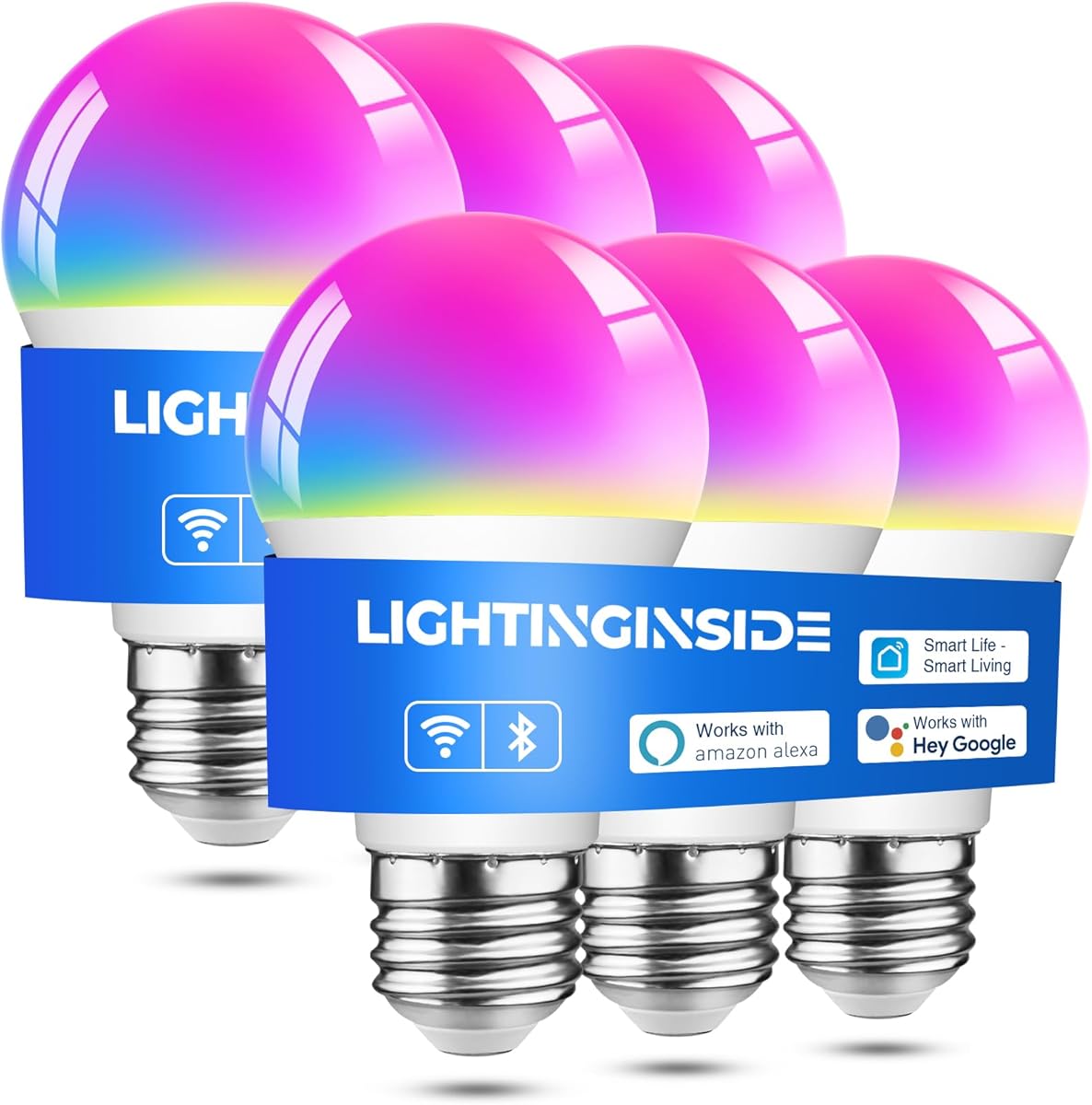
Lightinginside Smart Light Bulbs provide a full six-pack solution for whole-home lighting. Rated 4.4, they integrate well with SmartLife for unified control across devices.
We may earn a commission when you buy through this link, at no additional cost to you.
Features include tunable white light and RGB colors. The upgraded chip allows faster setup compared to standard models. BLE ensures you maintain local control if the internet goes down.
Using SmartLife app means you need to manage settings there. Initial pairing relies on 2.4GHz WiFi which might differ from your main network name.
Choose these for covering multiple rooms at once. The pack size and connectivity options make them a practical choice for larger homes.
Control all your devices in one place using the versatile SmartLife ecosystem.
Dual channel setup ensures you stay connected even when network issues arise.
We may earn a commission when you buy through this link, at no additional cost to you.
DAYBETTER bulbs offer straightforward smart control with Google Home. Rated 4.3, they are easy to set up using the dedicated app and standard E26 sockets.
We may earn a commission when you buy through this link, at no additional cost to you.
Features include RGB colors, tunable white, and music sync. Scheduling and group control help automate daily routines. Voice commands work reliably for basic on/off functions.
The app restricts integration with other hubs. Also, 5GHz networks are unsupported, which may require checking router settings before installation.
These are a solid choice for users wanting basic features without complexity. They fit well in living spaces where simple voice commands are preferred.
Set schedules to have lights adjust automatically based on your daily routine.
Manage multiple bulbs simultaneously to save time when adjusting whole room lighting.
We may earn a commission when you buy through this link, at no additional cost to you.
Linkind bulbs focus on quality light with high CRI ratings. Rated 4.4, they offer precise color rendering for tasks like reading or makeup in white light only.
We may earn a commission when you buy through this link, at no additional cost to you.
Features include Bluetooth local control for offline access and energy-efficient LED design. Voice control via Google Home works smoothly. The app includes scenes for different activities.
The absence of RGB limits mood lighting options. Also, the app requirement means you cannot use generic smart home apps like SmartThings.
Select these for functional lighting in bedrooms or offices where color accuracy matters. They balance performance with cost for focused use cases.
Experience true colors of your decor with high CRI lighting for better clarity.
Use Bluetooth to control lights even when your internet connection is unavailable.
We may earn a commission when you buy through this link, at no additional cost to you.
OREiN bulbs support the Matter protocol for broader compatibility. Rated 4.4, they allow pairing with Google Home app directly without needing separate bridges.
We may earn a commission when you buy through this link, at no additional cost to you.
Features include 16 million colors, tunable white, and music sync. Robust security via OTA upgrades keeps data safe. LAN operation ensures local control works even offline.
The app integration might still lean on AiDot for certain scenes. Also, setup requires 2.4GHz WiFi which could be a minor hurdle.
These are ideal for tech-savvy users wanting interoperability. Matter compatibility ensures your lighting stays relevant as standards evolve.
Matter standard ensures compatibility with most smart home platforms without extra hubs.
Automatic security patches keep your smart home protected against vulnerabilities.
We may earn a commission when you buy through this link, at no additional cost to you.
Linkind Matter bulbs provide cross-platform flexibility. Rated 4.5, they allow control via Apple Home, Google Home, or the AiDot app for flexible usage.
We may earn a commission when you buy through this link, at no additional cost to you.
Features include 16 million colors, preset scenes, and music sync. High CRI ensures bright, accurate light. Grouping simplifies managing whole-home lighting instantly.
The setup requires the AiDot app for integration which may confuse some users. 5GHz WiFi is unsupported which may limit connection speed.
These are perfect for mixed smart home environments. The multi-platform access ensures you can use your preferred ecosystem easily.
Connect to Apple, Google, or other Matter hubs to avoid vendor lock-in.
Design personalized scenes to match your mood for every occasion.
We may earn a commission when you buy through this link, at no additional cost to you.
Kasa soft white bulbs focus on warm, inviting light. Rated 4.4, they are ideal for rooms where relaxation and accurate color rendering are preferred.
We may earn a commission when you buy through this link, at no additional cost to you.
Features include dimmable light and energy monitoring. Google Assistant integration works for hands-free tasks. The 4-pack offers great value for upgrading entire rooms.
These bulbs lack color changing capabilities which limits use for mood lighting. Also, they require 2.4GHz WiFi which may need router checks.
Choose these for living areas or bedrooms where warm light is key. They are efficient and reliable for standard household lighting needs.
Soft white light reduces glare and creates a cozy atmosphere.
Keep track of power usage to manage costs effectively.
We may earn a commission when you buy through this link, at no additional cost to you.
Selecting the right smart bulb involves looking at compatibility, features, and connectivity. This guide breaks down the key factors to consider.
Ensure the bulb lists Google Home or Google Assistant support to enable voice commands. Compatibility ensures you can use phrases like Hey Google to control lights without extra hubs. Check if the app integrates directly with Google Home for seamless setup.
Look for explicit mentions of Google Home in product details. Avoid models that only support Alexa if you rely on Google for daily tasks.
Decide whether you want RGB colors or tunable white. Color bulbs offer fun scenes, while white bulbs focus on adjusting temperature for focus or relaxation. Some models provide both tunable white and RGB for maximum flexibility.
If you need mood lighting, choose a color model. For reading rooms, warm white with high CRI is often sufficient.
Most bulbs use 2.4GHz WiFi. Some offer Bluetooth backup to maintain local control if the internet drops. Dual connectivity ensures your lights stay functional during network issues.
Check if your router supports 2.4GHz. If not, you may need to adjust settings or choose a model with robust Bluetooth options.
Review the dedicated app. Some brands allow use with generic apps like SmartLife or Matter. Others require proprietary apps. A unified app simplifies managing multiple bulbs.
Consider if the app supports voice routines. Apps that link directly to Google Assistant allow smoother interaction.
Look for 800 lumens or higher for standard 60W equivalent brightness. Higher lumens ensure enough light for task areas. Efficiency saves money and reduces heat.
Prioritize energy monitoring features to track usage. Lower wattage bulbs save power while delivering the same brightness.
Check for 1% to 100% dimming range. Smooth dimming prevents flickering. Use app dimming instead of physical dimmer switches to avoid issues.
Avoid physical dimmer switches for smart bulbs. Rely on app or voice commands for adjusting brightness levels.
Aim for 25,000-hour rated lifespans. Longevity means fewer replacements. Warranty coverage varies by brand, so check for at least 2 years of protection.
Select brands with proven track records. Better warranties reflect confidence in product durability.
Note if hubs are required. Most modern bulbs are hubless but need specific WiFi setups. Dual network pairing like Bluetooth plus WiFi can be required for initial setup.
Prepare your router settings before starting. Ensure your network is ready to avoid delays during installation.
Start by installing the bulb in a standard E26 socket. Ensure power is off to avoid electrical hazards. Once the bulb is in, turn on the power to check the connection.
Download the recommended app and create an account. Follow the pairing process to add the bulb to your network. Link it to Google Home using the device setup options in the app.
For maintenance, avoid using physical dimmer switches. Reset the bulb using the app if you experience issues. Keep your router stable to maintain reliable connectivity.
Most of the selected bulbs do not require a hub. They connect directly to your home network via WiFi. However, some advanced ecosystems like Philips Hue may benefit from a bridge for extra features.
Most models support only 2.4GHz WiFi networks. You may need to separate your router bands or ensure compatibility during setup. Always check the specific requirements of your chosen model.
Bulbs with Bluetooth backup allow local control even when offline. For those without Bluetooth, functionality may be limited. This highlights the importance of choosing dual connectivity options for reliability.
No, smart bulbs generally do not work with traditional dimmer switches. Using them may cause flickering or damage. Always use the app or voice commands to dim the lights.
Yes, many options include tunable white settings. This allows you to adjust from warm to cool light. It is useful for matching natural light patterns throughout the day.
Several models offer music sync using your phone's microphone. This creates light effects that match music rhythms. Permissions must be enabled in the app for this to work.
Most bulbs offer a lifespan of up to 25,000 hours. This translates to years of regular use. Longer lifespans reduce replacement frequency and maintenance costs.
Restart your router and the bulb. Ensure you are using the correct network band. If issues persist, reset the bulb and try pairing again from the app.
We explored ten top-rated bulbs offering diverse features from color variety to energy efficiency. Models like the Govee and Kasa deliver vibrant effects and value for most households.
Prioritize connectivity options and ecosystem needs when selecting. Dual WiFi and Bluetooth models offer the best reliability. Ensure the app supports your specific voice assistant.
Remember to verify current product listings before purchase. Features and availability may change over time to checking ensures you get the best value for your setup.