
KIWITATA 2X Classic SNES USB Controller
4.3Editor score
Affordable two-pack bundle
Works with multiple systems
Ergonomic controller design
This guide compares the top classic nes controller replacement options for 2026, analyzing wired and wireless models, compatibility, build quality, and price
Finding a reliable classic nes controller replacement can transform your retro gaming experience. Whether your original controller has worn out or you want extra players, the right replacement ensures smooth gameplay. Modern options offer enhanced durability while maintaining that authentic feel everyone loves.
We evaluated ten top-rated controllers based on connectivity, build quality, and compatibility with various systems. Our analysis covers wired and wireless options, focusing on how well they replicate the original design. We also consider ease of setup and long-term reliability for daily use.
Each pick highlights key strengths and potential limitations to help you make an informed decision. Prices and availability can change frequently, so check current listings before purchasing. This guide aims to simplify your search for the perfect retro gaming accessory today.
4.3Editor score

4.0Editor score

4.5Editor score
Explore this side-by-side comparison of all ten products. Each entry lists essential specifications to help you quickly identify which controller fits your setup and budget needs best.




This NGHTMRE pack offers two controllers designed specifically for the NES Classic Mini. With a 10-foot cable, it provides significant distance from your console. The buttons are sensitive for quick responses during gameplay.
We may earn a commission when you buy through this link, at no additional cost to you.
The primary strength is the extended cable length, allowing comfortable seating positions. Both controllers work simultaneously without interference. The plug-and-play design means no drivers are needed for immediate use.
While the buttons respond well, the build quality feels somewhat light compared to original units. Some users report cable wear over time. These trade-offs are acceptable given the affordable price point.
Ideal for households needing multiple controllers for multiplayer sessions. If cable length is your priority, this option delivers solid value. Verify compatibility with your specific console model before purchase.
The 10-foot cable allows you to sit farther from the screen, reducing eye strain during long gaming sessions.
Including two controllers means you can host local multiplayer games immediately without buying separate units.
We may earn a commission when you buy through this link, at no additional cost to you.
ZAMPAM offers a wireless solution for PC and Mac users seeking retro gaming controllers. The 2.4GHz connection ensures stable input with minimal lag. A rechargeable battery lasts around 100 hours of play time.
We may earn a commission when you buy through this link, at no additional cost to you.
The wireless capability eliminates cable clutter, perfect for clean setups. Turbo functions allow rapid button firing for classic action games. The range supports movement up to 10 meters comfortably.
However, this product is not compatible with the NES Classic Mini, a key limitation. Users must configure keys via software initially. This adds setup time but ensures flexibility across systems.
Best for PC emulators and modern gaming PCs. If you value wireless convenience over direct console compatibility, these controllers offer excellent performance. Check system requirements before buying.
Wireless technology removes cables from your play area, creating a cleaner and more organized gaming space.
The turbo function lets you set rapid-fire keys, giving an edge in arcade-style retro games.
We may earn a commission when you buy through this link, at no additional cost to you.
The XYAB controller is a budget-friendly wired option for PC and Mac users. It features a classic design with a 6-foot cable for basic flexibility. The plug-and-play functionality simplifies setup for retro games.
We may earn a commission when you buy through this link, at no additional cost to you.
Its ergonomic shape aims for comfort during extended sessions. The A and B buttons are responsive for standard gameplay. At this price, it offers accessible entry into retro gaming on modern systems.
However, the rating indicates significant issues with reliability or build. Users may encounter connection drops or inconsistent button response. These factors make it less reliable than pricier alternatives.
Consider this only if cost is the main factor. For consistent performance, investing in a higher-rated model might be better. Check reviews closely before ordering.
USB plug-and-play means you can connect and start playing instantly without installing extra software.
This controller provides a low-cost way to try retro gaming on your PC without major investment.
We may earn a commission when you buy through this link, at no additional cost to you.
happymaxplus offers controllers with a 9-pin plug for specific retro consoles like AV 620 and HD 821. They feature four buttons with continuous fire capabilities. The two-pack design supports local multiplayer gaming.
We may earn a commission when you buy through this link, at no additional cost to you.
The high rating suggests reliable performance for compatible systems. The continuous fire function helps in games requiring rapid inputs. Setup is straightforward with plug-and-play functionality.
However, compatibility is narrow, restricted to specific models. Ensure your console has a 9-pin port before purchasing. It is not a universal solution for all retro setups.
Perfect for owners of these specific retro consoles needing replacements. The fire feature adds utility for action games. Confirm your console model to avoid compatibility issues.
The fire button allows rapid repeated inputs, helpful for games requiring quick shooting or jumping actions.
Getting two controllers in one pack supports immediate multiplayer sessions with friends or family.
We may earn a commission when you buy through this link, at no additional cost to you.
ZENANBiBi provides a 2-pack of USB wired controllers compatible with Windows, Mac, Linux, and RetroPie. The design mimics the classic NES controller for nostalgic play. No drivers are needed for instant use.
We may earn a commission when you buy through this link, at no additional cost to you.
This controller supports a wide range of systems, making it versatile for different setups. The 5.6-foot cable offers moderate flexibility for seating. It is popular among RetroPie enthusiasts.
However, it does not work with Wii or Switch, limiting console use. The cable is shorter than some alternatives. These limitations are manageable for PC-based retro gaming.
Best for users with multiple systems or RetroPie setups. The compatibility ensures you can use one controller across devices. Verify your specific emulator support before buying.
Supports various emulators across different operating systems, allowing flexible use for retro gaming libraries.
The layout replicates the original NES controller, preserving the feel and button mapping many players prefer.
We may earn a commission when you buy through this link, at no additional cost to you.
MAYFLASH offers an adapter to use NES Classic and SNES controllers with Wii U or Wii. It eliminates the need to buy new controllers if you have originals. Built-in turbo adds functionality.
We may earn a commission when you buy through this link, at no additional cost to you.
The adapter requires no drivers, simplifying setup. You can swap the D-pad and stick for ergonomics. It preserves the value of existing authentic controllers.
However, you still need compatible controllers for this to work. It adds another device to your setup, which may complicate connections. It is not a standalone replacement.
Ideal for collectors with authentic controllers needing modern system access. It bridges the gap between old controllers and newer consoles. Check your console type before buying.
This adapter lets you use your favorite classic controllers on newer systems without replacing them.
The built-in turbo feature enhances gameplay by allowing rapid button presses without extra controllers.
We may earn a commission when you buy through this link, at no additional cost to you.
This housing replaces the outer shell of Switch Joy-Cons with a retro NES style. It improves D-pad function for precision games. The soft touch material offers a comfortable grip.
We may earn a commission when you buy through this link, at no additional cost to you.
The customization allows unique designs beyond standard gray. The included tools help with disassembly. It enhances the feel of existing controllers.
However, this is a housing not a full controller replacement. It requires moderate electronics experience to install. It is not for those uncomfortable with hardware work.
Best for Switch owners wanting a retro look and better D-pad. It adds personality and utility to your controllers. Watch installation videos before starting the process.
Adds a unique retro style to your Switch, making it stand out with custom design options.
The ergonomic D-pad enhances input accuracy for games needing precise directional control.
We may earn a commission when you buy through this link, at no additional cost to you.
This bundle includes one controller, a power supply, and extension cables for the NES Classic. It is designed to provide immediate setup with necessary accessories. The cables help with reach.
We may earn a commission when you buy through this link, at no additional cost to you.
Having a power supply included can be useful if the original is missing. The extension cables allow flexible placement. It is a convenient package for initial setup.
However, the low rating suggests quality or reliability issues. With only one controller, multiplayer requires separate purchases. Verify component quality before buying.
Ideal if you need power and extensions alongside a controller. Check current reviews for reliability updates. Consider buying separately for better control.
This bundle provides multiple accessories in one purchase, simplifying initial console setup.
The included cables offer extra length for comfortable seating during gaming sessions.
We may earn a commission when you buy through this link, at no additional cost to you.
RDS offers a licensed Nintendo controller designed for the NES Classic. The textured silicone material provides a secure grip. It is rated highly for comfort and build quality.
We may earn a commission when you buy through this link, at no additional cost to you.
As a licensed product, it adheres to quality standards. The grip design improves control during intense gameplay. The red color adds a distinct look.
However, it is a single controller, so multiplayer requires extras. The cable length is standard. It is more expensive than unlicensed alternatives.
Best for those prioritizing quality and official licensing. If you want a reliable single controller, this is a strong choice. Check bundle deals for extra units.
Being a licensed product ensures it meets Nintendo's standards for quality and durability.
Textured silicone improves hand stability, reducing slips during fast-paced gameplay.
We may earn a commission when you buy through this link, at no additional cost to you.
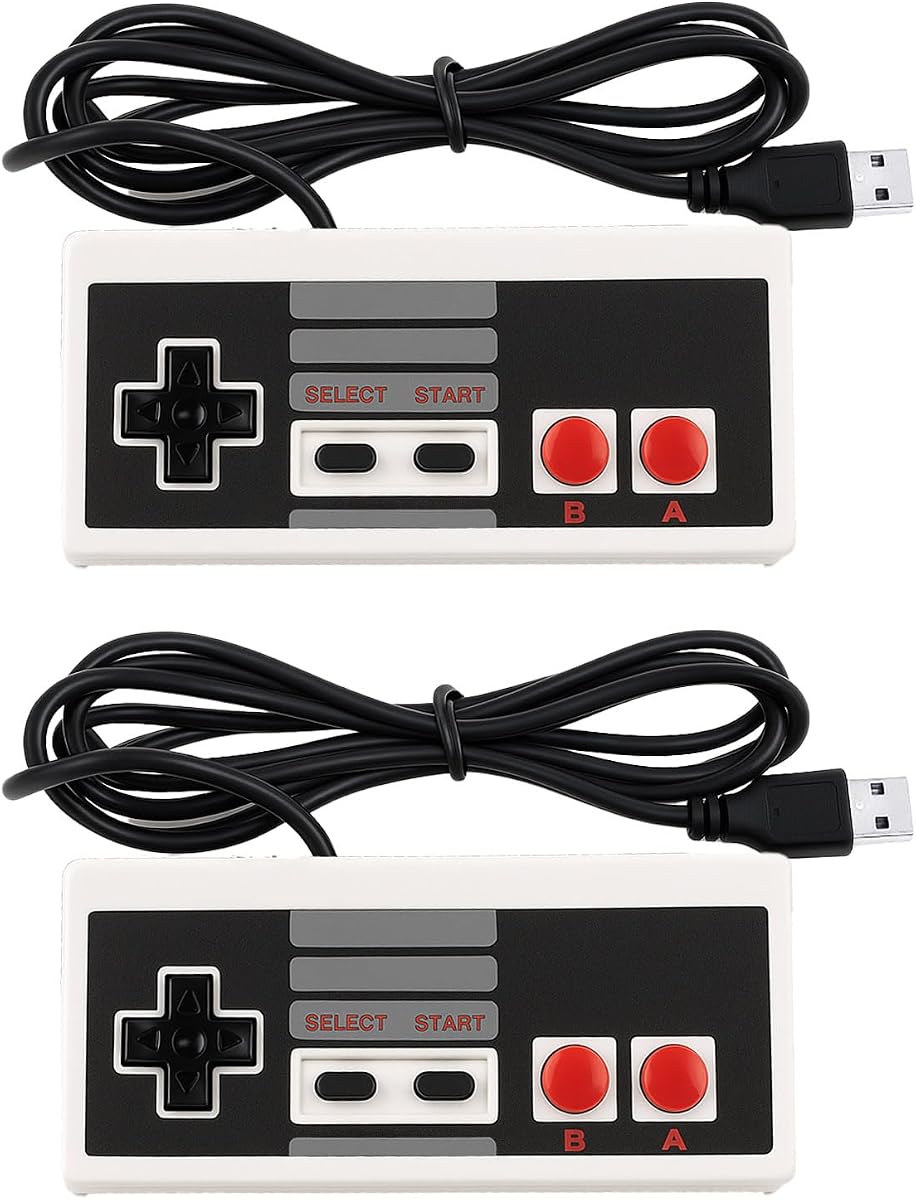
KIWITATA offers two SNES-style controllers for PC and Raspberry Pi gaming. They feature frosted cross keys for anti-slip comfort. The shape fits hands ergonomically for long play.
We may earn a commission when you buy through this link, at no additional cost to you.
The two-pack makes it budget-friendly for multiplayer setups. It supports Windows, Mac, and Linux systems. The frosted texture reduces sweat and improves grip.
However, it requires manual button mapping in emulators. It does not work with original SNES consoles. These limitations are typical for USB retro controllers.
Ideal for PC retro gamers on a budget. The two controllers allow immediate multiplayer support. Verify emulator compatibility before purchase.
Getting two controllers in one purchase saves money and allows local multiplayer immediately.
The frosted cross key reduces slippage, improving control during long gaming sessions.
We may earn a commission when you buy through this link, at no additional cost to you.
Selecting the right controller replacement involves considering compatibility, build quality, and features. This guide outlines key factors to help you find the perfect match for your needs.
Ensure the controller supports your specific console or system. Some are designed for NES Classic Mini, while others work with PC or SNES consoles. Mismatched connectors or protocols can cause failure.
Always verify compatibility lists before purchasing to avoid returns.
Wired controllers offer reliable input with no latency concerns but limit movement. Wireless options provide freedom from cables but may need batteries or charging. Choose based on your setup and play habits.
Wired is generally simpler for retro console use.
Longer cables provide more seating flexibility. Standard lengths range from 5 to 10 feet. Ensure the cable length fits your console placement to avoid tension or damage.
Look for options exceeding your console distance needs.
Quality construction ensures longevity and consistent button response. Materials like textured silicone improve grip. Avoid products with known durability issues or low ratings.
Higher rated products typically offer better reliability.
Confirm the button layout matches your gaming needs. Some controllers offer turbo functions or additional buttons for advanced play. Standard layouts preserve the original nostalgic experience.
Choose based on game requirements and personal preference.
Consider the total cost versus features offered. Two-packs may offer better value for multiplayer needs. Balance budget with quality to ensure satisfaction.
Compare units per price for optimal value.
Most retro controllers are plug-and-play without drivers. However, some systems may need manual setup. Avoid controllers requiring complex configurations if you want simplicity.
Plug-and-play is preferred for ease of use.
Check for warranty coverage or seller support options. Reliable brands often provide better after-sales service. This protects your investment against defects.
Prioritize sellers with clear support policies.
Connect the controller to your console or PC using the appropriate port. Ensure the device is powered off before plugging in to avoid shorts. If using an adapter, connect it first.
Store controllers in a dry, cool place to prevent wear. Avoid bending cables excessively to maintain internal integrity. Use protective cases for wireless models if available.
Clean the surface with a soft dry cloth. Avoid liquids that can damage internal components. Check for loose buttons or sticks periodically for maintenance.
Not all controllers work with the original NES Classic Mini. Some require specific 9-pin ports or adapters. Always check the product description for explicit Mini compatibility before purchase.
Most replacement controllers are plug-and-play and do not require drivers. However, some may need software for button mapping. Check the product details for specific system requirements.
Lifespan depends on build quality and usage. High-quality units can last years with proper care. Regular cleaning and careful cable handling extend longevity.
Wired controllers offer lower latency and reliability. Wireless provides convenience but may have battery concerns. For retro consoles, wired is generally preferred for simplicity.
Check connections first to ensure proper seating. Try cleaning around button areas. If issues persist, contact the seller for warranty support or replacement options.
Two-packs usually offer better value for multiplayer needs. They ensure consistent controller quality and reduce setup time. For single-player, a single unit might suffice.
Many USB controllers are compatible with Raspberry Pi and RetroPie. Some may need configuration. Check the product compatibility list for RetroPie support specifically.
We reviewed ten top replacement controllers, highlighting options for wireless freedom, compatibility, and budget. The NGHTMRE offers cable length, while ZAMPAM provides wireless. RDS brings licensed quality.
Prioritize compatibility with your system and build quality. If multiplayer is key, consider two-packs. Budget options exist but check ratings for reliability.
Remember to verify current prices and availability before purchase. Products can change over time. This guide aims to help you find a durable, reliable controller replacement.