
THUSTAR 8MP Document Camera
4.4Editor score
Adjustable image reversal
8MP 30fps capture
Foldable design for portability
Selecting the right document projector for classroom instruction is crucial for engaging students and delivering clear visual content. Modern teachers need reliable tools that can handle everything from physical documents to three-dimensional objects without technical hiccups during lessons.
Our team evaluated ten leading models based on image quality, connectivity options, durability, and ease of setup. We considered feedback from educators and technical specifications to ensure these picks meet the diverse needs of schools and training environments.
Each product review below highlights key strengths, potential drawbacks, and ideal use cases to help you make an informed decision. Please note that prices and availability can change, so verify current details before purchasing to ensure you get the best value.
4.4Editor score

4.5Editor score

4.6Editor score
As an Amazon Associate we earn from qualifying purchases.
This side-by-side comparison outlines the key specifications and capabilities of each model to help you quickly identify which device aligns best with your specific classroom requirements and budget constraints.





The IPEVO V4K stands out as a top choice for educators seeking high-resolution imaging without breaking the budget. With a 4.5 rating from users, this camera delivers Ultra High Definition live images up to 3264 x 2448 pixels, ensuring that even fine details on documents or artwork are clearly visible to students.
We may earn a commission when you buy through this link, at no additional cost to you.
Its Sony CMOS Image Sensor is a standout feature, providing exceptional noise reduction and color reproduction. This is particularly beneficial when teaching in dimly lit environments where traditional cameras might struggle. The fast focusing speed allows teachers to switch between different materials quickly, maintaining student engagement without technical interruptions.
While the camera excels in image quality, users should note the system requirements for optimal performance on Windows, including a dedicated video memory of 256MB for lag-free streaming. The max shooting area is also limited to approximately 13.46 inches by 10.04 inches, which may not accommodate larger A3 spreads or oversized art pieces.
Overall, the IPEVO V4K is an excellent investment for teachers who prioritize clarity and ease of use. Its compatibility with Mac, PC, and Chromebook makes it versatile for various classroom setups. If you need a reliable tool for live demos, web conferencing, or distance learning, this model offers professional-grade performance at a reasonable price point.
Clear visuals help students grasp complex concepts more easily. The 8MP sensor ensures text and diagrams remain sharp even when projected to a large screen.
The multi-jointed stand allows you to position the camera at any angle. This flexibility is crucial for capturing 3D objects or working with different desk heights.
We may earn a commission when you buy through this link, at no additional cost to you.
The Apollo Overhead Projector offers a traditional approach to classroom projection with a modern twist. Rated 4.2 by users, it delivers 2000 lumens of brightness, making it suitable for environments with ambient light. Its open head design allows teachers to project larger transparencies, which can be helpful for group activities or displaying maps.
We may earn a commission when you buy through this link, at no additional cost to you.
Connectivity is a strong suit for this model, featuring both VGA and USB ports. This versatility ensures compatibility with older projectors as well as newer systems. The built-in LCD display adds a layer of functionality, allowing for direct input without needing an external computer in some scenarios.
However, compared to modern document cameras, this projector requires transparencies, which can be time-consuming to prepare. The unit is also larger and heavier than portable document cameras, making it less ideal for teachers who move between classrooms frequently. Setup may take longer due to the bulb warm-up time typically associated with lamp-based projectors.
Despite these limitations, the Apollo remains a reliable workhorse for schools that already have overhead projector infrastructure or need a robust, standalone unit. It is a cost-effective solution for classrooms that need consistent brightness and do not require the advanced features of digital document cameras.
2000 lumens provide sufficient light to overcome window glare. This makes it a practical choice for classrooms without blackout curtains.
The simple interface allows teachers to start presentations quickly. Plug in the cable, turn on the unit, and adjust the focus.
We may earn a commission when you buy through this link, at no additional cost to you.
The IPEVO VZ-X Wireless is a premium solution designed for educators who demand flexibility and high performance. With a 4.6 rating, it offers three modes of connectivity: Wi-Fi, HDMI, and USB. This tri-mode capability ensures that you can connect to almost any projector or screen, regardless of available ports or setup constraints.
We may earn a commission when you buy through this link, at no additional cost to you.
One of its most impressive features is the 9-12 hours of battery life. This allows teachers to move around the room freely without being tethered to a power outlet or computer. The wireless range extends up to 33 feet, enabling you to capture objects from anywhere in the classroom, which is ideal for dynamic teaching styles.
While the price is higher than wired alternatives, the convenience and versatility justify the investment for many schools. The only potential drawback is the initial setup for Wi-Fi, which may require network access in some districts. However, once configured, the wireless experience is seamless and reliable.
For modern classrooms that value mobility and high-definition output, the VZ-X Wireless is a top-tier choice. Whether you are using a laptop, tablet, or smartphone, the ability to stream wirelessly enhances lesson planning and delivery. It is an excellent tool for distance learning and interactive teaching environments.
Go wireless with up to 33 feet of range. Move to different parts of the room to assist students while still sharing visuals.
A single charge lasts through multiple classes. This reduces downtime and ensures uninterrupted lessons even during power outages.
We may earn a commission when you buy through this link, at no additional cost to you.
The THUSTAR 8MP is a strong contender for schools operating on a tight budget. Rated 4.4 by users, it offers 8MP resolution at 30fps, delivering ultra-high-definition images. The ability to capture A3-size documents makes it versatile for displaying large textbooks or spreadsheets without splitting the image.
We may earn a commission when you buy through this link, at no additional cost to you.
Its foldable design is a significant advantage for classrooms with limited desk space. The multi-joint support allows for flexible angles, ensuring you can capture 2D and 3D objects effectively. The built-in ring lamp with three brightness levels helps eliminate shadows, making it usable in various lighting conditions.
While the performance is impressive for the price, some users note that rapid movement of objects under the lens can cause focus shifts. Additionally, plug-and-play compatibility is generally good, but specific drivers might be needed for full functionality on older operating systems. These minor trade-offs do not detract from its overall value.
For educators looking for a cost-effective yet capable document camera, the THUSTAR 8MP is highly recommended. It covers all the essentials, including image reversal and audio recording, making it a great starting point for integrating technology into the classroom without overspending.
The embedded foldable design occupies minimal space. This is perfect for shared desks or compact teacher stations.
Built-in dual microphones reduce noise and improve sound. This eliminates the need for an external mic for basic presentations.
We may earn a commission when you buy through this link, at no additional cost to you.
The INSWAN INS-2 UHD is designed for professional educators who need large-format capture capabilities. With a 13MP Sony sensor, it captures clear 4K Ultra HD images, making it ideal for art instructors or science teachers requiring high detail. The built-in anti-glare sheet helps in displaying glossy materials without reflections.
We may earn a commission when you buy through this link, at no additional cost to you.
A key selling point is the ALL-IN-ONE Documate software, which offers annotation, zoom, and whiteboard tools. This enhances the teaching experience by allowing real-time marking on documents. The macro capability allows capturing objects as close as 3.9 inches, perfect for examining small specimens or circuit boards.
Users should be aware that accessing the full range of features requires downloading the Documate software. Additionally, Mac compatibility is restricted to newer OS versions. While these requirements are manageable, they may add steps to the setup process for some users.
Overall, the INSWAN INS-2 UHD provides excellent value for those needing high-resolution imaging and integrated software tools. The combination of hardware and software features makes it a robust option for modern classrooms focused on detailed visual instruction and interaction.
The anti-glare sheet ensures text remains readable. This is especially useful when projecting photos or artwork.
Documate software adds OCR and annotation. This turns the camera into a powerful interactive teaching aid.
We may earn a commission when you buy through this link, at no additional cost to you.
The Lumens DC166 is a professional-grade device aimed at interactive whiteboard environments. Rated 3.6, it focuses on optical zoom capabilities, offering 6x optical zoom and 8x digital zoom. This allows teachers to magnify small details without losing image quality, which is crucial for detailed demonstrations.
We may earn a commission when you buy through this link, at no additional cost to you.
It supports UXGA, SXGA, and XGA resolutions, ensuring compatibility with a wide range of projectors. The one-touch video recording feature is useful for creating quick lesson captures without external software. The internal memory can store up to 120 JPEG images, providing offline accessibility.
However, the price point is significantly higher than many competitors, and the interface can be complex for new users. The learning curve may deter teachers who need simple plug-and-play solutions. It is best suited for environments where advanced zoom and recording features are necessary.
For institutions with interactive whiteboards and a need for precise optical zoom, the DC166 is a capable tool. While not the easiest to use, its professional features make it a reliable choice for specialized educational tasks.
True optical zoom maintains clarity at high magnification. This is essential for showing small components in science or math.
Designed to work with all major interactive whiteboards. This ensures seamless integration into existing classroom setups.
We may earn a commission when you buy through this link, at no additional cost to you.
The Epson PowerLite 118 is a versatile LCD projector that serves as a powerful display tool for classrooms. Rated 4.9, it utilizes 3LCD technology to produce vibrant, true-to-life images. The moderator function allows up to 50 users to connect simultaneously, which is beneficial for collaborative online sessions or distance learning.
We may earn a commission when you buy through this link, at no additional cost to you.
Durability is a key feature, with a lamp life of 17,000 hours. This significantly reduces maintenance costs and ensures the projector remains operational for years without frequent replacements. The built-in speaker eliminates the need for external audio devices in small to medium-sized rooms.
While the projector is an excellent display device, it requires a connection to a computer or document camera to function, unlike all-in-one camera systems. Its size and weight may also limit portability between rooms. It is best installed permanently or used in fixed classroom settings.
For schools needing a reliable, high-brightness display with remote learning capabilities, the PowerLite 118 is a strong choice. Its robust build and long lamp life make it a cost-effective investment for long-term classroom infrastructure.
The moderator function enables up to 50 connections. This facilitates hybrid classes and student collaboration.
3LCD technology ensures balanced color output. This leads to more engaging presentations for students.
We may earn a commission when you buy through this link, at no additional cost to you.
The DLP Business Projector is engineered for environments with high ambient light. Rated 5.0, it delivers 3300 lumens, ensuring slides and documents remain visible during daytime sessions. DLP technology provides professional images with enhanced contrast, making it suitable for detailed visual materials.
We may earn a commission when you buy through this link, at no additional cost to you.
Its quick start design reduces preparation time, allowing lessons to begin immediately without warm-up delays. The wired connection setup is straightforward, requiring only a cable to start projecting. This simplicity is advantageous for teachers who prefer minimal technical complexity.
However, the lack of wireless connectivity means a physical connection to a laptop or document camera is required. While the brightness is a major plus, it may be less suitable for very quiet environments due to potential fan noise. These factors are worth considering based on specific classroom needs.
For classrooms that prioritize brightness and speed, this projector is an excellent tool. It is reliable for daily business-style presentations and ensures content is clearly visible regardless of lighting conditions.
3300 lumens overcome daylight glare effectively. This allows for presentations with curtains open.
Simple wired setup reduces technical hurdles. Plug in and start projecting without complex configuration.
We may earn a commission when you buy through this link, at no additional cost to you.
The Epson PowerLite E20 is a durable and reliable projector designed for educational settings. Rated 4.8, it uses 3LCD technology to ensure images are true-to-life. The 5-watt built-in speaker provides adequate sound for small to medium classrooms without needing external speakers.
We may earn a commission when you buy through this link, at no additional cost to you.
HDMI connectivity allows for a single cable transfer of both video and audio, simplifying the setup process. The 12,000-hour lamp life offers long-term reliability, reducing maintenance frequency. The flexible construction makes it easy to display from virtually anywhere, whether ceiling-mounted or on a desk.
While the brightness is suitable for most classrooms, it may not match the 3300 lumens of the business model. The 4:3 aspect ratio is also older compared to modern 16:9 formats. Despite these limitations, it remains a cost-effective and sturdy option for schools.
For general classroom use where durability and image quality are key, the E20 is a strong choice. It balances performance with simplicity, making it a practical addition to any teaching environment.
HDMI transfers both audio and video via one cable. This streamlines setup and reduces clutter.
Flexible construction allows easy movement. This is ideal for teachers who need to transport the unit regularly.
We may earn a commission when you buy through this link, at no additional cost to you.
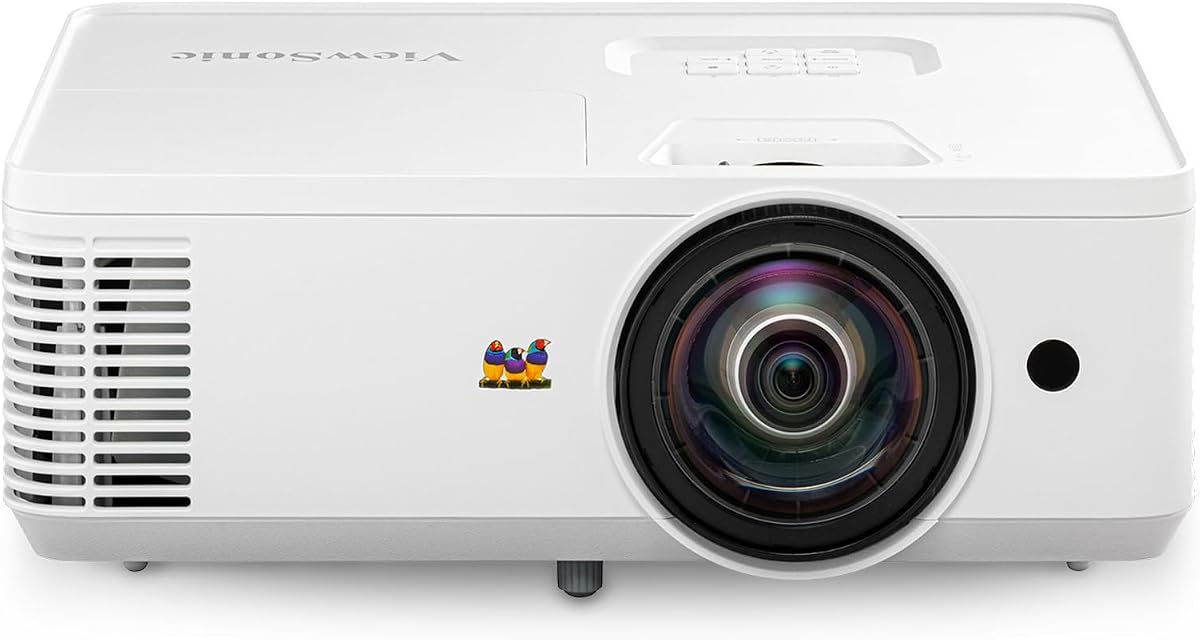
The ViewSonic PS502W is a short throw projector ideal for small classrooms. Rated 4.4, it features a 0.5 throw ratio, allowing it to project massive 100-inch images from just 4.5 feet away. This design minimizes shadows and glare, making it perfect for interactive learning environments.
We may earn a commission when you buy through this link, at no additional cost to you.
With 4000 ANSI lumens and SuperColor technology, it delivers crisp visuals and vibrant colors that hold up against moderate ambient light. The instant power on and off capabilities remove wait times, allowing for quick transitions between activities. Dual HDMI ports offer flexible connectivity options.
While it comes at a higher price point, the benefits of reduced shadows and space efficiency are significant for classroom setups. The fixed lens design may limit positioning flexibility, so placement must be planned carefully. These are minor trade-offs for the convenience it offers.
For classrooms with limited space or a need for interactive projection, the PS502W is an outstanding solution. It ensures that presentations remain visible and detailed while maintaining a streamlined setup process.
Short throw capability saves valuable floor space. This allows more room for student activities.
SuperColor technology provides a wide gamut. This makes images more engaging for students.
We may earn a commission when you buy through this link, at no additional cost to you.
Choosing the right document projector involves evaluating several key factors to ensure it meets your teaching needs and classroom environment.
Resolution determines how clear the projected images will appear. Look for cameras with at least 8MP to ensure text and fine details are sharp when displayed on a large screen. Higher resolution allows students to read small text or see intricate details in artwork.
Prioritize models with high megapixel counts for the best viewing experience.
Compatibility with your existing devices is essential. Ensure the projector supports USB, HDMI, or wireless connections to work seamlessly with computers, tablets, or smartboards. Wireless capabilities are beneficial for mobility and reducing cable clutter.
Select devices that offer multiple connection types for maximum flexibility.
Built-in LED lights are crucial for capturing documents in various lighting conditions. Adjustability in brightness helps reduce shadows and reflections, ensuring clear images even in bright classrooms. Look for multiple brightness levels to adapt to different environments.
Choose models with adjustable LED lighting for consistent image quality.
If you move between classrooms, a lightweight and compact design is important. Foldable or multi-jointed stands allow for easy storage and flexible positioning. Consider how quickly the device can be set up to avoid wasting valuable teaching time.
Opt for portable models with simple setup procedures.
Wireless models should offer sufficient battery life to cover a full class session. At least 9 hours of runtime ensures uninterrupted use without needing to be plugged in. This is especially useful for teachers who move around the room frequently.
Check battery specifications to ensure long-lasting performance.
Integrated software can enhance teaching by offering annotation, zoom, and recording tools. Features like image inversion and OCR help in making content more accessible. Ensure the software is compatible with your operating system.
Look for devices with comprehensive software suites for better utility.
Schools require equipment that can withstand daily use. Choose models made with durable materials and check for warranties that cover defects. Reliable customer support is also essential for quick resolution of any issues.
Prioritize brands known for longevity and strong support.
While higher-end models offer more features, budget-friendly options can still meet basic needs. Balance the cost with the essential features required for your specific teaching style. Avoid overspending on unnecessary features that will not be used.
Assess your needs against the price to find the best value.
To start, connect the document projector to your display device using the appropriate cable or wireless connection. Adjust the height and angle of the camera to center your subject, ensuring the focus is sharp by pressing the focus button if manual adjustment is needed.
For maintenance, keep the lens clean with a microfiber cloth to prevent smudges and ensure image clarity. Regularly update any software to maintain compatibility with new devices. Store the unit in a safe place when not in use to avoid damage from impacts.
If you experience connection issues, check the power source and cable integrity first. Ensure your computer drivers are up to date. If using wireless, verify that the network settings are correct. Consult the user manual for troubleshooting steps specific to your model.
A document camera captures images and video of physical objects and projects them onto a screen. A projector alone displays images from a computer or media source without the ability to capture physical documents directly. Many modern classrooms use both together for maximum flexibility.
Most document projectors are compatible with Mac OS, Windows, and Chrome OS. Check the specific product details for system requirements, as some models may require specific drivers or software versions to function correctly on macOS devices.
To set up a wireless projector, connect it to the same Wi-Fi network as your device. Use the manufacturer's app or software to pair the camera with the screen. Ensure the wireless range is sufficient for your classroom layout.
Most standard document cameras capture up to A4 or Letter size paper. Some models support A3 size, which allows for larger spreads or maps. Check the maximum shooting area in the product specifications to confirm the size limit.
Many document cameras come with built-in LED lights to assist with visibility in low-light conditions. Look for models with adjustable brightness to ensure clear images regardless of the room's lighting environment.
Yes, many models offer built-in recording capabilities or software that allows for video capture of the session. This feature is useful for creating resources for distance learning or reviewing teaching techniques later.
Most document cameras store images internally or require external storage like an SD card or computer hard drive. Check the internal memory capacity and supported external storage options to ensure you have enough space for your needs.
Many models are designed for plug-and-play use with minimal setup required. Just connect the USB or HDMI cable, install any necessary drivers, and start using it. Wireless models may require network configuration but are generally straightforward.
Selecting the best document projector for classroom use depends on your specific needs and budget. Models like the IPEVO V4K offer excellent value and performance for general use, while the THUSTAR 8MP provides a budget-friendly alternative without sacrificing too much quality.
When making your decision, prioritize features such as resolution, connectivity, and ease of use. Consider whether wireless capabilities or specific software tools are essential for your teaching style. This guide helps narrow down the options to those that truly add value.
Remember to check current prices and availability before purchasing to ensure you get the best deal. The right document projector can transform your lessons, making them more engaging and accessible for all students.