
Logitech B100
4.6Editor score
Zero setup plug play
Ambidextrous shape
Recycled plastic build
This guide compares the most durable computer mice on the market, focusing on build quality, longevity, and reliability for daily professional and home use.
Finding a durable computer mouse is essential for anyone who spends hours navigating screens daily. A reliable device ensures comfort and precision without frequent replacements or connectivity issues.
We analyzed ten top-rated models based on user feedback, build materials, and warranty coverage. Each selection offers unique features designed to withstand heavy use over time.
Each pick highlights specific strengths like battery life or ergonomic design. Remember that prices fluctuate frequently, so verify current deals before making your final purchase decision.
4.6Editor score

4.5Editor score

4.5Editor score
The following table provides a side-by-side comparison of all ten selected models, highlighting key specifications and connectivity options to help you find the right fit for your needs.





The Logitech M185 stands out as a reliable entry-level option for those seeking durability without a high price tag. With a solid 4.4-star rating from thousands of users, it proves that simplicity can be robust and effective for daily tasks.
We may earn a commission when you buy through this link, at no additional cost to you.
Its durability stems from a well-built chassis designed to withstand years of regular use. The mouse features a contoured shape that fits comfortably in either hand, while the included nano receiver ensures a stable connection up to thirty-three feet away.
While it lacks advanced features like side buttons, the scroll wheel is precise and the battery life is exceptional for this class. Users appreciate that the plastic parts include certified recycled materials, adding an eco-friendly touch to its sturdy construction.
This mouse is ideal for students or office workers who need a dependable tool for basic navigation. Its affordability and reliability make it a top choice for anyone wanting a no-fuss durable computer mouse.
Enjoy up to one year of usage on a single AA battery thanks to smart sleep mode technology that conserves power effectively.
Works seamlessly with Windows and Mac systems without requiring any software installation or driver updates for immediate use.
We may earn a commission when you buy through this link, at no additional cost to you.
The Logitech M510 offers a perfect blend of comfort and durability for users who spend long hours at their desks. Its robust design and high rating reflect its ability to handle heavy daily use without compromising on performance.
We may earn a commission when you buy through this link, at no additional cost to you.
Constructed with soft rubber grips and a contoured shape, this mouse supports your hand naturally to reduce fatigue. The inclusion of side-to-side scrolling adds versatility for navigating spreadsheets or wide web pages efficiently.
Battery life is a standout feature here, offering up to two years on a single charge with smart sleep modes. The Unifying receiver stays plugged in and allows you to connect multiple devices to one USB port easily.
This model is best suited for professionals who need extra buttons for productivity and value long-term comfort. Its durability and feature set make it a strong contender in the wireless mouse category.
The broad palm area and gently curved sides provide essential support for your hand during extended work sessions to prevent strain.
The tiny Unifying receiver remains in your laptop so you never lose the connection or worry about swapping dongles frequently.
We may earn a commission when you buy through this link, at no additional cost to you.
The Logitech B100 is the definition of a durable computer mouse built for simplicity and reliability. With a 4.6-star rating, it remains a top choice for those who prefer a wired connection for consistent performance and zero battery worries.
We may earn a commission when you buy through this link, at no additional cost to you.
Its durability comes from a robust build quality backed by Logitech's reputation for manufacturing billions of units. The ambidextrous shape ensures it fits well in either hand, making it a versatile option for shared workspaces or home offices.
As a wired device, it eliminates the need for batteries or wireless receivers, reducing potential points of failure. The flexible USB connection ensures a stable link to your computer, and the included recycled plastic materials reflect a commitment to sustainability.
This mouse is perfect for budget-conscious buyers who need a dependable tool for basic navigation tasks. Its simplicity and reliability make it an excellent choice for schools, offices, or anyone preferring a traditional wired setup.
Just plug it into any USB port and start working immediately without needing to install drivers or configure settings.
Manufactured by the industry experts, this mouse is designed to withstand years of daily use with minimal wear.
We may earn a commission when you buy through this link, at no additional cost to you.
The TECKNET USB Wired Mouse brings impressive precision and productivity to the table at a reasonable price point. Rated 4.5 stars by users, it is designed for those who need responsive cursor control and customizable buttons for efficient workflows.
We may earn a commission when you buy through this link, at no additional cost to you.
Its durability is emphasized by a lifespan tested for over six million keystrokes ensuring it withstands intense daily use. The Tru-Wave technology provides accurate tracking even on smooth surfaces like glass, which is rare for this price range.
With four adjustable DPI settings and six buttons including forward and backward keys, this mouse offers significant flexibility. The soft rubber grips and shaped design conform to your hand to reduce fatigue during long work sessions.
Ideal for power users or designers who need precise control and quick access to shortcuts, this mouse is a strong contender. Its robust build and feature set make it a reliable choice for desktop setups that demand high performance.
The intelligent cursor control ensures accurate tracking on various surface types including difficult ones like glass tables.
Soft rubber grips conform to the hand shape providing a comfortable hold that reduces strain during extended use.
We may earn a commission when you buy through this link, at no additional cost to you.
The Logitech Signature M550 L is designed for users with larger hands who value both durability and quiet operation. Its 4.5-star rating highlights its success in providing comfort and precision without disturbing others in shared environments.
We may earn a commission when you buy through this link, at no additional cost to you.
Built with a contoured shape and soft thumb area, this mouse offers long hours of comfort and secure grip. The SmartWheel scrolling allows you to switch between line-by-line precision and super-fast scrolling instantly to match your task needs.
One of its best features is the silent click technology which reduces noise by ninety percent for a distraction-free experience. Connectivity is flexible with options for Bluetooth Low Energy or a Logi Bolt USB receiver ensuring reliable performance on multiple devices.
This mouse is perfect for professionals working in quiet offices or at home who need a spacious, comfortable device. Its combination of smart features and durable design makes it a standout option for those who prioritize ergonomics.
Enjoy 90 percent less click noise with SilentTouch technology ensuring your work environment remains peaceful and focused.
Switch modes with a flick of the wheel to enjoy either precise document scrolling or fast navigation through web pages.
We may earn a commission when you buy through this link, at no additional cost to you.
The Logitech M705 Marathon is the gold standard for durable wireless mice known for its incredible battery life and robust build. With a 4.5-star rating, it continues to be a top choice for users who demand longevity and reliability from their peripherals.
We may earn a commission when you buy through this link, at no additional cost to you.
Its durability is evident in the nearly frictionless metal scroll wheel designed to withstand years of heavy scrolling. The laser grade tracking ensures smooth and precise cursor movement on surfaces that often confuse standard optical mice such as wood or glass.
You can go up to three years between battery changes thanks to efficient power management and smart sleep modes. The sculpted right-hand shape guides your hand to a comfortable position while customizable thumb buttons enhance navigation speed.
This mouse is ideal for power users who prioritize battery life and precision over flashy features. Its Marathon name is well-earned offering a durable companion for daily work that rarely needs attention or maintenance.
Go up to three full years between battery changes minimizing waste and hassle for long-term reliable usage.
Fly through long documents and web pages with a single spin of the nearly frictionless metal scroll wheel.
We may earn a commission when you buy through this link, at no additional cost to you.
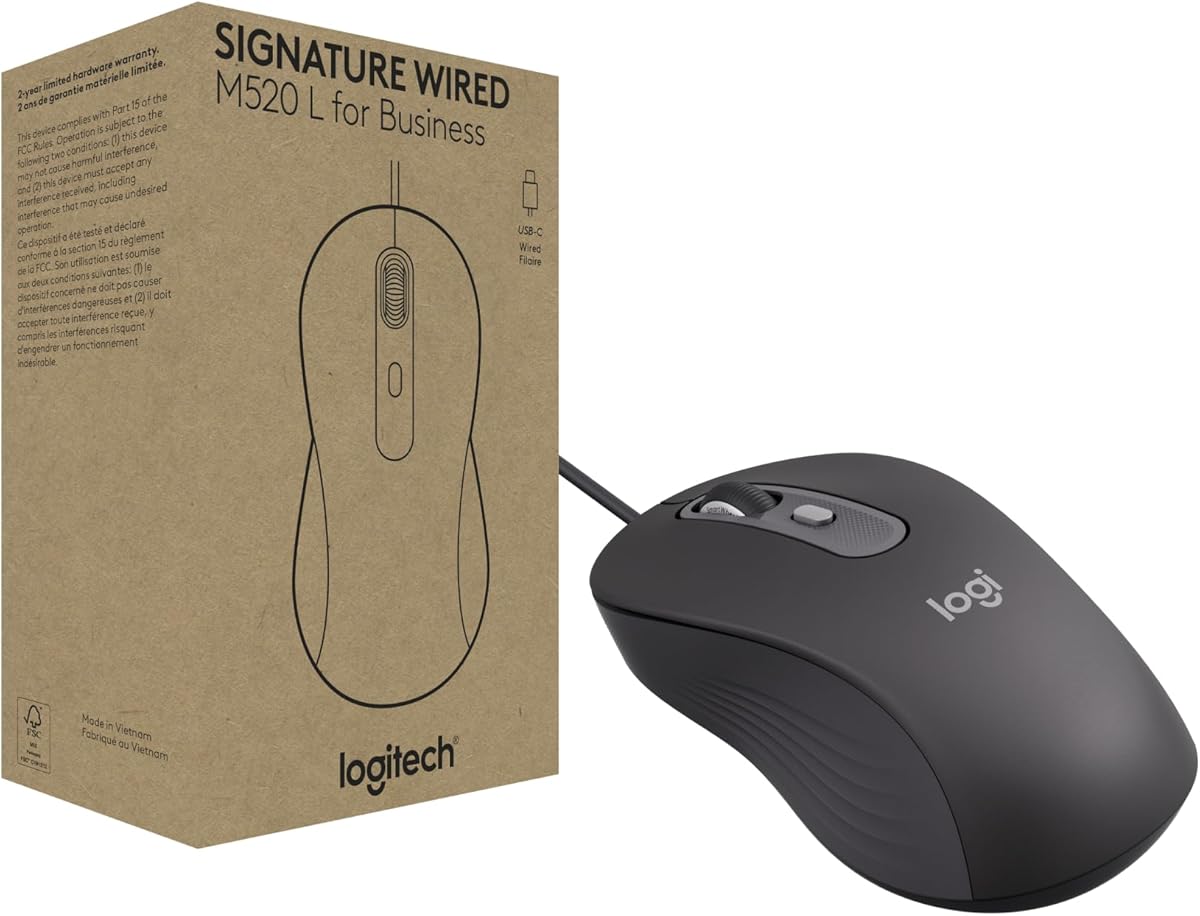
The Logitech Signature Wired M520 L is built for organizations and industries that require a reliable wired solution. With a 4.3-star rating, it focuses on durability, efficiency, and simplicity making it ideal for large-scale deployment or secure environments.
We may earn a commission when you buy through this link, at no additional cost to you.
Its USB-C wired connection ensures a stable link while reducing power consumption by sixty-eight percent compared to previous models. The SmartWheel scrolling allows switching between precision and speed instantly and the SilentTouch technology minimizes noise for shared workspaces.
Designed with sustainability in mind, the plastic parts include at least seventy-three percent post-consumer recycled plastic. The ambidextrous shape fits both left and right-handed users comfortably while ensuring broad compatibility across Windows macOS and Linux systems.
This mouse is perfect for IT managers or businesses looking for a durable cost-effective solution. Its focus on essential features and energy efficiency makes it a smart choice for modern office environments.
Uses a USB-C cable for modern device compatibility while maintaining a wired connection for stability and speed.
Reduces ninety percent of clicking noise with Silent Touch technology promoting focus in open workspaces.
We may earn a commission when you buy through this link, at no additional cost to you.
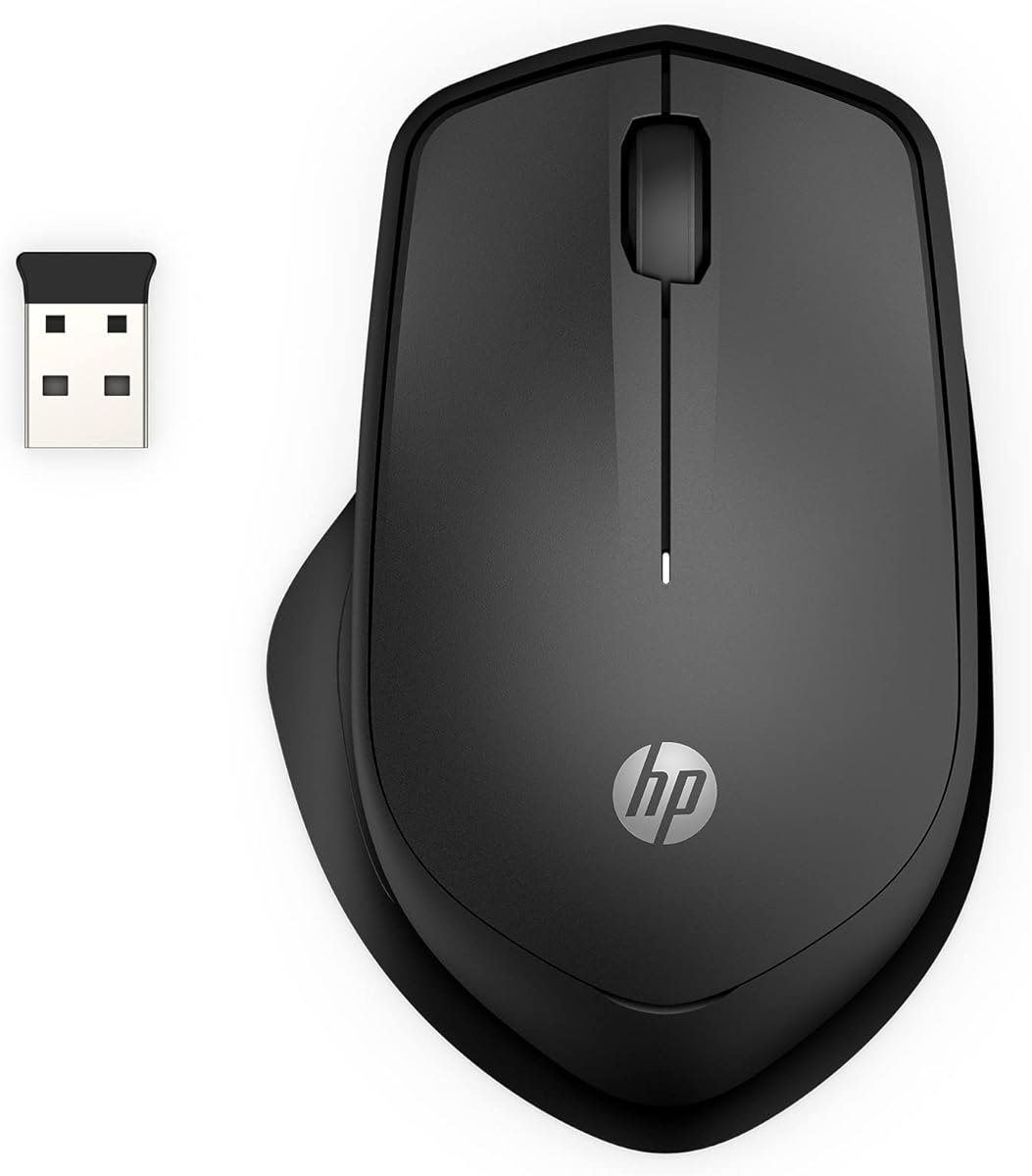
The HP 280 Silent Wireless Mouse delivers a quiet and comfortable experience ideal for shared work environments. With a 4.5-star rating, it is praised for its silent click technology and reliable performance across various surfaces.
We may earn a commission when you buy through this link, at no additional cost to you.
Its ergonomic right-handed design supports natural hand positioning to reduce strain during all-day use. The multi-surface technology ensures smooth tracking on virtually any surface without requiring a mouse pad for convenience.
Battery life is impressive with up to eighteen months of use on a single AA battery. The USB nano receiver stores inside the mouse for easy portability ensuring you always have a reliable connection available.
This mouse is perfect for users who value quiet operation and comfort without needing advanced customization. Its durability and user-friendly features make it a reliable choice for everyday computing tasks.
Experience up to 90% noise reduction on buttons for a satisfying click feel without the distracting sound.
Multi-surface technology delivers smooth movement on virtually any surface so you do not need a mouse pad.
We may earn a commission when you buy through this link, at no additional cost to you.
The Logitech Signature M650 L offers premium comfort and control for users who demand the best in ergonomics and features. With a 4.5-star rating, it is a top choice for those who need a spacious mouse with advanced customization capabilities.
We may earn a commission when you buy through this link, at no additional cost to you.
Its SmartScroll technology allows switching between precision and fast scrolling modes instantly for improved productivity. The soft thumb area and rubber side grips ensure a secure and comfortable fit for large hands during extended use.
You can customize the side buttons with Logitech Options+ for your favorite shortcuts like copy and paste or browser navigation. SilentTouch technology reduces noise by ninety percent ensuring your work remains focused without disturbing others.
This mouse is ideal for professionals who want a high-end ergonomic mouse with smart features. Its durable build and versatile connectivity options make it a standout choice for serious users.
Customize side buttons with Logitech Options+ to add shortcuts like back/forward or copy/paste for better efficiency.
Switch modes with a flick of the SmartWheel to get line-by-line precision or super-fast scrolling for long pages.
We may earn a commission when you buy through this link, at no additional cost to you.
The Acer Wireless Mouse offers high DPI performance and a solid durability rating at a competitive price. With a 4.3-star rating, it is designed for users who want adjustable sensitivity for different tasks without breaking the bank.
We may earn a commission when you buy through this link, at no additional cost to you.
Its rating of up to ten million clicks suggests exceptional longevity for daily use. The five adjustable DPI levels let you switch from precise work to quick navigation instantly and the visual indicator light confirms the current setting.
Forward and backward buttons enhance workflow efficiency while the auto power save mode extends battery life significantly. The ergonomic design fits medium to large hands comfortably ensuring all-day comfort during work or travel.
This mouse is perfect for users needing high precision and durable construction without paying for premium features. Its high click rating and versatile DPI options make it a strong choice for general computing and browsing.
Choose from five adjustable DPI levels from 800 to 4000 to match your sensitivity needs for different tasks.
Rated for up to 10 million clicks this mouse offers exceptional long-term durability for demanding daily use.
We may earn a commission when you buy through this link, at no additional cost to you.
Choosing a durable computer mouse involves considering several key factors beyond basic functionality to ensure you get a device that lasts and performs well for your specific needs.
The materials used in a mouse significantly impact its longevity. Look for models that mention reinforced plastics or high-quality rubber coatings. These materials resist wear and tear from daily use and accidental drops better than cheaper alternatives.
Prioritize mice made from high-grade plastics and reinforced joints to ensure your device survives years of regular use without cracking.
The click switches are often the first part of a mouse to fail. Manufacturers typically rate their mice by the number of clicks they can endure. Models rated for ten million clicks or more are generally more reliable for heavy users.
Check the click rating to ensure the switch can handle thousands of clicks daily without developing a double-click issue.
Wired mice often offer more consistent performance without battery concerns but limit your movement range. Wireless mice provide convenience but require reliable connection tech and battery management. Choose based on your workspace layout and usage patterns.
Choose wired for stability or wireless for freedom and ensure the connection type fits your daily workflow needs.
A mouse that fits your hand shape reduces strain and improves control. Contoured shapes and soft rubber grips enhance comfort during long sessions. This is critical for preventing fatigue and ensuring you can use the mouse for years without discomfort.
Ensure the mouse fits your hand size comfortably to avoid strain and extend the effective lifespan of your usage.
For wireless models, battery life is a key component of durability. Mice with long battery life or rechargeable options reduce downtime. Efficient power management ensures the device remains ready for use when you need it most.
Look for long battery life or rechargeable options to minimize interruptions and keep your device operational longer.
A good warranty signals manufacturer confidence in the product. Longer coverage periods protect you against early failures and defects. Review the terms carefully to understand what is covered and how claims are processed.
Select a mouse with a strong warranty to protect your investment and ensure support if issues arise later.
Not all optical sensors work equally well on every surface. High-quality sensors track better on glass or polished tables. Durability also means the sensor maintains performance over time without needing constant recalibration or cleaning.
Choose a sensor that tracks well on your specific desk surface to avoid frustration and ensure consistent performance.
Some durable mice come with software that updates firmware and fixes bugs. This keeps the device running smoothly over time. Customizable buttons also extend the product life by adapting to your changing workflow needs.
Ensure the mouse has software support for updates to keep it relevant and functional as technology evolves.
To extend the life of your durable computer mouse start by using a suitable mouse pad. A clean surface reduces friction on the sensor and prevents dust accumulation. This simple step helps maintain precise tracking and protects the internal sensors from debris.
Regularly clean the exterior with a soft dry cloth to remove oils and dust. Avoid harsh chemicals that might damage rubber grips or coatings. Gently wipe around the scroll wheel and buttons to ensure they remain responsive and smooth.
For wireless models replace or recharge batteries before they fully deplete. Deep discharge can damage batteries and cause the device to shut down unexpectedly. Proper care ensures your mouse remains reliable for the full duration of its lifespan.
Durability is determined by the materials used in the casing the quality of the internal switches and the robustness of the connection. Models rated for high click counts and built with reinforced plastics generally last longer under daily use.
Wired mice often have fewer points of failure since they do not rely on batteries or wireless receivers. However modern wireless mice with strong build quality can be just as durable if maintained properly.
Use a soft dry cloth to wipe the exterior and remove oils. You can use compressed air to blow dust out of the gaps around buttons and the scroll wheel for better hygiene.
With proper care a quality durable computer mouse can last anywhere from two to five years. The lifespan depends heavily on usage intensity and environmental factors like dust and humidity.
Yes Logitech is known for producing durable mice with rigorous quality testing. Many of their models come with extended warranties and high click ratings confirming their reliability.
Not all mice track well on glass or highly reflective surfaces. Check the specifications for surface compatibility and use a mouse pad for the best tracking results.
Performance usually remains stable if the sensor and connection remain clean. Battery degradation may occur over years but replacing the battery typically restores functionality.
An ergonomic mouse fits your hand shape and promotes a natural wrist position. Look for contoured designs and soft grips that reduce strain during long sessions.
We have reviewed ten durable computer mice that offer a range of features from basic reliability to advanced productivity tools. The Logitech M705 and M510 stand out for long battery life while the M185 offers budget-friendly durability.
When making your choice prioritize the features that matter most for your workflow such as ergonomics connectivity type and battery life. Investing in a quality mouse pays off through reduced fatigue and fewer replacements.
Remember that prices change frequently so check current deals before finalizing your purchase. These durable options are available online and should be a solid addition to any desk setup.