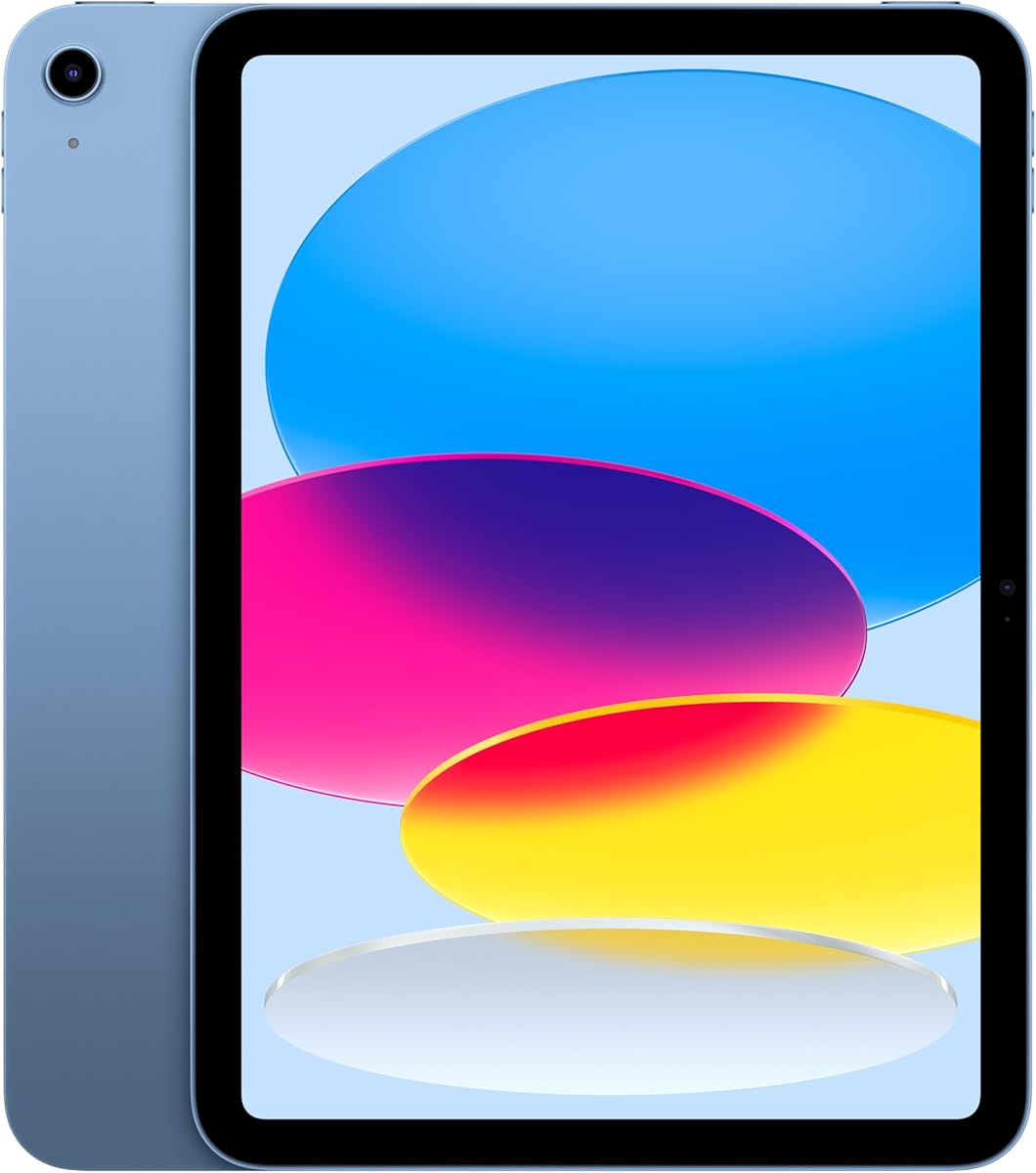
Apple iPad 11-inch
4.7Editor score
Superfast A16 chip
Liquid Retina display
All-day battery life
Finding the right device can be challenging for older adults who want to stay connected with family and friends. A good tablet should offer a simple interface, large icons, and reliable performance without overwhelming complexity or unnecessary features.
We evaluated ten top tablets based on ease of use, screen quality, battery life, and specific senior-friendly features like fraud protection and simplified navigation. Each product was assessed for its ability to meet the unique needs of older users effectively.
Each pick below highlights key strengths and potential trade-offs to help you choose the right fit for your needs. Please note that product availability and pricing can change frequently, so checking current details before purchasing is always recommended.
4.7Editor score

4.2Editor score

4.5Editor score
As an Amazon Associate we earn from qualifying purchases.
This side-by-side comparison helps you quickly identify the key differences between each model including screen size storage capacity and special features designed for ease of use.


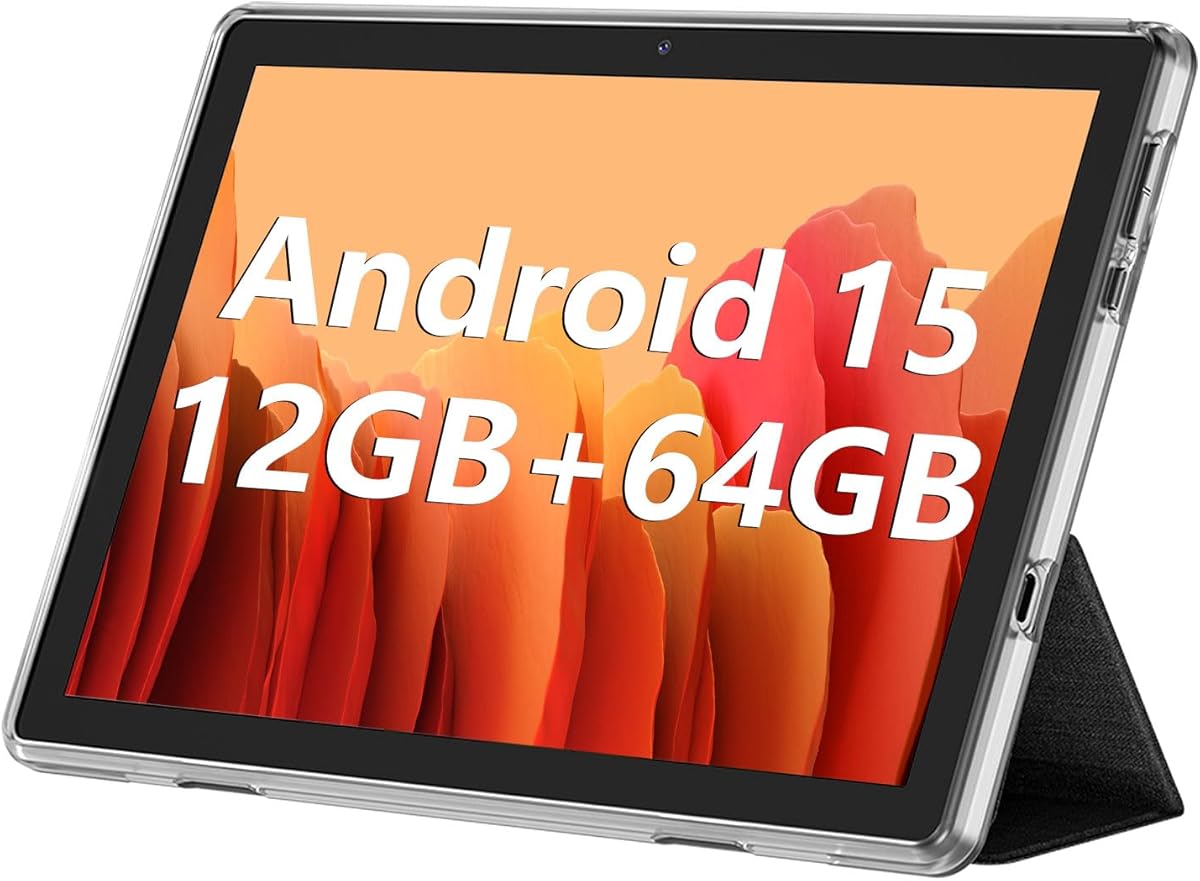


The GrandPad is specifically designed as a secure all-in-one tablet and phone solution for older adults. With a rating of 4.2 stars it stands out for its user-friendly approach to connectivity and safety features that prevent common online issues.
We may earn a commission when you buy through this link, at no additional cost to you.
Its standout quality is the private network that blocks spam and scams providing peace of mind for users who may be vulnerable to fraud. The large icons and simplified interface make navigation intuitive while companion apps allow family members to share photos and memories easily.
However the requirement for a monthly plan adds ongoing cost beyond the initial purchase price which may not suit everyone budget. Additionally it is not compatible with other wireless carriers limiting flexibility if users prefer different service providers or existing plans.
This device is ideal for seniors who prioritize safety and simplicity over customization. Families looking for a worry-free way to keep elderly loved ones connected with minimal tech support will find the GrandPad a reliable and thoughtful choice.
The secure network blocks spam and scams protecting users from potential online threats automatically.
Companion apps for Android and iOS let relatives share photos and videos securely within the closed system.
We may earn a commission when you buy through this link, at no additional cost to you.
The Pix Star Touch Tablet aims to simplify digital life with an interface designed for beginners. It features a 10.1 inch screen and dual cameras to facilitate video calls and photo sharing with family members easily and intuitively.
We may earn a commission when you buy through this link, at no additional cost to you.
Key strengths include the ability to highlight important buttons on each application reducing confusion during navigation. The zoom feature allows users to adjust text and interface size as needed which can be helpful for those with vision limitations.
Despite these features the low rating of 2.9 stars suggests potential reliability or performance issues that users should consider carefully before purchase. The simplified interface may also limit advanced functionality compared to standard Android tablets with full customization.
This tablet suits those seeking an entry-level device with straightforward controls for basic tasks. If the priority is keeping in touch through photos and video calls without complex setup the Pix Star offers a focused solution at a moderate price point.
Each application highlights important buttons making it easier for beginners to find what they need quickly.
Photos taken with dual cameras are stored on the tablet for instant sharing with friends and family.
We may earn a commission when you buy through this link, at no additional cost to you.
The Amazon Fire HD 10 offers a balanced mix of performance and usability at a competitive price point. With a 10.1 inch Full HD display and long battery life it supports entertainment reading and video calls effectively for daily use.
We may earn a commission when you buy through this link, at no additional cost to you.
Its standout qualities include the integrated Alexa voice assistant for hands free control and the durable design that withstands drops better than many competitors. The vibrant screen makes watching shows or reading digital books a pleasant experience without straining the eyes.
The main limitation is the lack of direct Google Play Store access which restricts some popular apps unless sideloaded or accessed via browsers. Users committed to Amazon services will find this negligible while others may miss key functionality.
This device is an excellent choice for seniors who want a reliable tablet for media consumption and communication without spending a premium. Its simplicity combined with robust features makes it a strong contender for general everyday tasks and entertainment.
Built for relaxation with a vibrant display and long battery life perfect for binge watching or reading.
Alexa integration allows users to ask for recipes, news, or smart home control with simple voice commands.
We may earn a commission when you buy through this link, at no additional cost to you.
The Samsung Galaxy Tab A11+ features a generous 11 inch screen ideal for users who prefer larger visuals for reading or video calls. Its powerful performance and fast charging ensure it keeps up with daily activities without frequent recharging interruptions.
We may earn a commission when you buy through this link, at no additional cost to you.
Key strengths include the immersive audio experience from quad speakers powered by Dolby Atmos making movies and music enjoyable without external speakers. The intelligent features like Circle to Search simplify everyday tasks by allowing screen-based queries without typing.
While the larger screen enhances visibility it also adds bulk which may be heavier for some users to hold for extended periods. The price point is higher than basic tablets but the performance and build quality justify the investment for long term use.
This tablet is well suited for seniors who value a big screen for media and clear audio for entertainment. It offers a premium experience with user-friendly intelligent features that reduce friction when navigating apps or searching for content.
Quad speakers powered by Dolby Atmos deliver rich cinema-like sound for movies and playlists.
Circle to Search lets users highlight items on screen to search instantly without typing queries.
We may earn a commission when you buy through this link, at no additional cost to you.
The ECOPAD offers a cost effective entry into Android tablets with the latest OS and solid hardware specs. Its 10.1 inch IPS screen and substantial battery life make it suitable for media consumption and casual browsing over several hours.
We may earn a commission when you buy through this link, at no additional cost to you.
The high storage expansion capability via SD card allows users to store extensive photo and video libraries without worrying about space constraints. Dual cameras enable video calls and photo capturing while maintaining a lightweight design for portability.
However the brand has less established support compared to major manufacturers which may result in slower updates or limited troubleshooting resources. Performance can vary depending on usage patterns which is a consideration for power users.
This device fits seniors seeking an affordable tablet with good screen quality and long battery life for daily tasks. It is a practical choice for those who need basic connectivity and media access without investing in a premium brand.
Expand up to 1TB via SD card to store photos videos and files without space concerns.
Built-in 6000mAh battery provides up to 8 hours of uninterrupted video playback for extended use.
We may earn a commission when you buy through this link, at no additional cost to you.
The Amazon Fire HD 8 is a compact and portable tablet designed for easy handling and entertainment on the go. Its 8 inch display remains bright and vibrant while maintaining a lightweight form factor that is easy to hold for long periods.
We may earn a commission when you buy through this link, at no additional cost to you.
Key strengths include the same impressive battery life as larger models and Alexa integration for video calls and smart home control without typing. The responsive performance ensures smooth streaming and browsing which is essential for a frustration free experience.
The smaller screen size may require squinting for some users with vision issues making text and images harder to read compared to larger displays. Those prioritizing portability over screen real estate will appreciate the balance it strikes.
This tablet is ideal for seniors who travel frequently or prefer a device that fits easily in a bag or one hand. It provides essential features like video calling and media streaming in a compact package that is comfortable to carry anywhere.
Thin and light design makes it easy to hold and carry for entertainment anywhere you go.
Ask Alexa to make video calls or control smart home devices without needing to use a keyboard.
We may earn a commission when you buy through this link, at no additional cost to you.
The Lenovo Tab One stands out for its ultra lightweight design weighing less than a pound which makes it effortless to carry. The included folio case provides protection and a built-in stand for hands-free viewing without needing extra accessories.
We may earn a commission when you buy through this link, at no additional cost to you.
Key strengths include the long battery life supporting up to 12.5 hours of YouTube streaming and vibrant visuals on an HD display. The dual Dolby Atmos speakers add to the entertainment value making it suitable for watching movies and listening to music.
The compact size is a double-edged sword as it enhances portability but may not be large enough for those needing bigger text or detailed graphics. Performance is adequate for everyday tasks but not designed for demanding applications or heavy multitasking.
This tablet is perfect for seniors who prioritize portability and want a ready-to-use device out of the box. The combination of weight, case, and battery life makes it an excellent option for casual use and on the go entertainment.
Less than a pound weight allows easy tucking in a purse or backpack for carrying everywhere.
Included folio case features a built-in stand for hands-free video watching and reading comfortably.
We may earn a commission when you buy through this link, at no additional cost to you.
The FEONAL 11 inch Tablet features the latest Android 16 OS with a powerful processor for fast and efficient performance. Its 11 inch display and eye protection modes create a comfortable viewing environment for extended reading or video sessions.
We may earn a commission when you buy through this link, at no additional cost to you.
A key differentiator is the dual SIM cellular support allowing online access without relying solely on Wi-Fi networks. The large 7000mAh battery ensures long standby and usage times while dual stereo speakers enhance audio quality for media consumption.
Being an emerging brand some users may find limited documentation or community support compared to established names like Samsung or Apple. However the feature set offers high value for those who want modern specs at a competitive price point.
This tablet is recommended for seniors who want the latest technology including cellular connectivity and large storage for all their content. The eye protection features and large screen make it suitable for comfortable daily use over several hours.
Powered by newest Android 16 operating system for smoother and more efficient user experience.
Reading mode and eye protection settings reduce strain during extended use for better comfort.
We may earn a commission when you buy through this link, at no additional cost to you.
The Apple iPad 11-inch combines powerful performance with a stunning display to deliver a premium experience for daily use. Its high rating of 4.7 stars reflects its reliability and ability to handle everything from video calls to creative tasks smoothly.
We may earn a commission when you buy through this link, at no additional cost to you.
Standout qualities include the Center Stage front camera that automatically keeps users centered during calls and the secure Touch ID for quick unlocking without remembering passwords. The all-day battery life supports continuous use without constant recharging interruptions.
The premium price point means it requires a larger initial investment than budget options but the build quality and performance justify it for long term use. Users must also navigate Apple specific ecosystem restrictions which may limit flexibility for some.
This device is ideal for seniors who want the best technology with top tier reliability and display quality. It serves well for staying connected through FaceTime and sharing photos while offering a smooth intuitive interface that ages gracefully.
Center Stage front camera tracks movement automatically to keep you centered during video calls.
Touch ID built into the top button allows secure unlocking with your fingerprint easily and quickly.
We may earn a commission when you buy through this link, at no additional cost to you.
The Samsung Galaxy Tab A11 offers a compact and affordable option for seniors who prefer smaller devices for easy handling. It features a 8.7 inch display with a smooth 90Hz refresh rate for fluid motion when scrolling through content.
We may earn a commission when you buy through this link, at no additional cost to you.
Key strengths include the lightweight design and One UI interface which is intuitive and easy to learn for new users. The long battery life ensures it lasts through a day of reading or watching videos without needing frequent recharging.
As an international version it lacks a warranty and includes some limitations such as no SIM card slot for cellular use. Country selection may need adjustment during setup which requires some technical awareness from the user.
This tablet is suitable for seniors looking for a reliable Samsung device without the high cost of premium models. It offers a solid balance of features and price for basic internet browsing and media consumption on the go.
Lightweight and portable design fits easily in a bag for carrying around the house or traveling.
90Hz display refresh rate delivers fluid motion making navigation and scrolling feel more natural.
We may earn a commission when you buy through this link, at no additional cost to you.
Selecting the right tablet involves considering several key factors to ensure it meets your needs for connectivity entertainment and daily use.
A larger screen makes text and images easier to see which is essential for seniors with vision limitations. Look for displays with high resolution and adjustability features like zoom or large text options to ensure comfortable reading without strain.
Prioritize displays between 10 and 11 inches for a balance of readability and portability in daily tasks.
The user interface should be intuitive with clear icons and minimal complexity to avoid confusion. Devices designed specifically for seniors often simplify menus and highlight essential functions to reduce learning time and frustration.
Choose tablets with simple navigation that require fewer steps to access common functions like calls or photos.
Long battery life ensures you can use the device throughout the day without frequent interruptions for charging. Look for models offering at least 8 to 10 hours of active use to maintain connectivity and entertainment over time.
Select devices with battery endurance that align with your daily usage patterns for consistent availability.
Security is critical for protecting against scams and spam that often target older adults. Look for tablets with built-in fraud protection secure networks or parental controls that limit unauthorized app installations or data access.
Ensure the device includes security measures to keep personal information safe from potential online threats.
Consider whether you need Wi-Fi only or cellular connectivity for internet access outside the home. Some seniors prefer cellular tablets that allow calls and data without relying on home networks while others may find Wi-Fi sufficient for most tasks.
Choose connectivity options that match your location and usage habits for reliable internet access anywhere.
Clear cameras are important for video calls and sharing photos with family members effectively. Front cameras should be at least 5MP to ensure sharp images during calls while rear cameras help capture memories with good detail.
Look for dual cameras with decent resolution to support video conferencing and photo sharing seamlessly.
Sufficient storage is necessary to keep photos videos and apps without worrying about space running out quickly. Aim for at least 64GB internal storage with expandable options via SD cards for those who store large media collections.
Prioritize expandable storage to accommodate growing libraries of photos and videos over time.
Reliable customer support can help resolve technical issues quickly if problems arise with the device. Look for brands with dedicated support lines or online resources that are easy to access and understand for non technical users.
Choose brands offering accessible support channels to ensure help is available when you need it.
Begin by setting up the tablet with clear labeling of icons and enabling accessibility features such as text magnification or voice control. This initial customization will make the device easier to navigate and reduce confusion when using apps daily.
Keep the device charged regularly and use protective cases to prevent damage from accidental drops. Store it in a consistent location so it is always within reach when you need to check messages or watch videos.
Regularly update software and clear cache to maintain performance and security. Simple routine maintenance ensures the tablet runs smoothly and extends its lifespan for long-term use without unexpected interruptions.
Yes tablets can be safe if security features like spam blocking and antivirus software are enabled. Many senior-focused devices include built-in fraud protection to prevent common scams. Always keep software updated and avoid clicking suspicious links.
A screen size between 10 and 11 inches provides enough space for comfortable reading and viewing. Larger displays reduce the need for zooming and make text easier to see. Look for models with adjustable font settings too.
Most tablets rely on home Wi-Fi to function but some models offer cellular connectivity for use anywhere. If internet is not available consider devices with offline modes or cellular data plans. Check requirements before purchasing.
Yes most tablets are designed with touchscreens that eliminate the need for physical keyboards. Voice assistants allow input without typing which helps users with dexterity issues. Touch interaction is intuitive and easy to learn.
Most modern tablets offer between 8 to 13 hours of active use on a single charge. Battery life depends on usage patterns like video streaming versus reading. Look for devices with long endurance to minimize charging interruptions.
Yes some models like the GrandPad feature simplified interfaces designed specifically for older adults. These tablets reduce complexity by limiting apps and highlighting essential features. They help beginners navigate without confusion easily.
Protective cases styluses and screen protectors help prevent damage and make interaction easier. Stands allow hands-free viewing which reduces arm fatigue. Choosing ergonomic accessories improves comfort during long sessions.
Most tablets come with pre installed email apps that guide you through setup easily. You will need your email address and password to connect accounts. Follow prompts to enable notifications for new messages.
The GrandPad stands out as a secure and simple solution while the Apple iPad offers premium performance and the Amazon Fire HD 10 provides excellent value for everyday use.
Prioritize factors like screen size and interface simplicity to ensure the device meets your specific needs and comfort preferences for daily interaction.
Remember to check current prices and availability before purchasing since models and deals can change frequently over time.