
Sonnet Breakaway Box 850 T5
4.5Editor score
850W Power Supply
Triple Wide GPU Support
Built-in Thunderbolt Dock
This comprehensive guide compares the top ten external graphics enclosure options for high-performance computing, gaming, and creative workflows in the current
External graphics enclosures transform your laptop into a desktop powerhouse. They allow you to connect high-end graphics cards directly to your system for massive performance boosts.
We analyzed ten leading models based on bandwidth, power delivery, compatibility, and build quality. Our comparison covers Thunderbolt 5, USB4, and OCuLink options for diverse needs.
Each pick highlights specific strengths like AI training, gaming, or portability. Prices and availability change frequently, so verify details before purchasing your ideal eGPU solution.
4.5Editor score

4.0Editor score

3.9Editor score
The following table provides a side-by-side comparison of all ten products to help you quickly identify the best fit for your specific hardware requirements and use cases.


The Razer Core X V2 stands out as the premier choice for users seeking the fastest external graphics connection available today. With Thunderbolt 5 support, it delivers up to 80 Gbps of bandwidth which ensures minimal performance loss when using high-end GPUs for gaming or professional work.
We may earn a commission when you buy through this link, at no additional cost to you.
Its design accommodates graphics cards up to 4 slots wide, offering significant flexibility for large modern GPU models. The included 140W USB-C Power Delivery ensures your laptop stays charged while connected. Additionally, the tool-free installation system makes swapping GPUs quick and convenient without needing specialized tools.
However, users should note that both the graphics card and power supply are sold separately, which adds to the initial investment. Also, compatibility is limited to Windows 11 and Mac devices with M1 or later chipsets are explicitly not supported for eGPU functionality.
This enclosure is ideal for professionals and gamers who need maximum speed and flexibility without being locked into specific hardware dimensions. If you require future-proofing with Thunderbolt 5 and plan to use large desktop GPUs, the Razer Core X V2 is the top recommendation.
The 80 Gbps bi-directional bandwidth ensures that even the most demanding creative applications and AAA games run smoothly without bottlenecks compared to older standards.
You can easily swap out to the latest graphics cards or recycle older ones using the tool-free install thumbscrews, making long-term upgrades much simpler.
We may earn a commission when you buy through this link, at no additional cost to you.
The Sonnet Breakaway Box 850 T5 is designed for users who need maximum power and connectivity without external adapters. It includes an 850W power supply capable of supporting even the most power-hungry modern graphics cards, ensuring stable operation under heavy loads.
We may earn a commission when you buy through this link, at no additional cost to you.
One of its standout features is the built-in Thunderbolt 5 dock, which adds additional ports including USB-A and Ethernet. This makes it not just an eGPU enclosure but a full workstation hub. The variable-speed fan cools large triple-wide cards effectively without excessive noise.
While it is priced higher than other options, the inclusion of the PSU and dock justifies the cost for professional users. It is optimized for Windows 11 and accelerates rendering and AI workflows significantly with near-desktop GPU power.
If you want a complete solution that minimizes external cabling and supports high-end triple-wide graphics cards, this is the best premium choice available. Its certified reliability makes it a solid investment for demanding creative and computing tasks.
The included 850W supply supports the power requirements of today and tomorrow, ensuring compatibility with current and future power-hungry GPU cards.
With one Thunderbolt 5 peripheral port and multiple USB and Ethernet connections, it expands your workspace connectivity beyond just the graphics output.
We may earn a commission when you buy through this link, at no additional cost to you.
This Mini eGPU Enclosure offers an accessible entry point for users wanting external graphics capabilities without breaking the bank. It supports Thunderbolt 3, 4, and USB4 interfaces making it versatile for many laptops and handhelds.
We may earn a commission when you buy through this link, at no additional cost to you.
The compact aluminum chassis is durable yet portable, ideal for users who move between locations. It supports various power supply sizes including SFX ATX and FLEX giving flexibility in how you power your setup.
Users should be aware that the power supply is not included and some DIY knowledge may be required for compatibility settings. It does not recommend handheld game consoles due to specific interface requirements.
For budget-conscious users who understand the setup requirements, this model provides solid performance and expandability. It is a great choice for testing eGPU workflows before investing in higher-end models.
Compatible with SFX ATX FLEX and DC power supplies allowing you to choose the most appropriate and efficient power source for your specific needs.
The lightweight aluminum shell protects components while remaining small enough to fit into a backpack for on-the-go graphics boosts.
We may earn a commission when you buy through this link, at no additional cost to you.
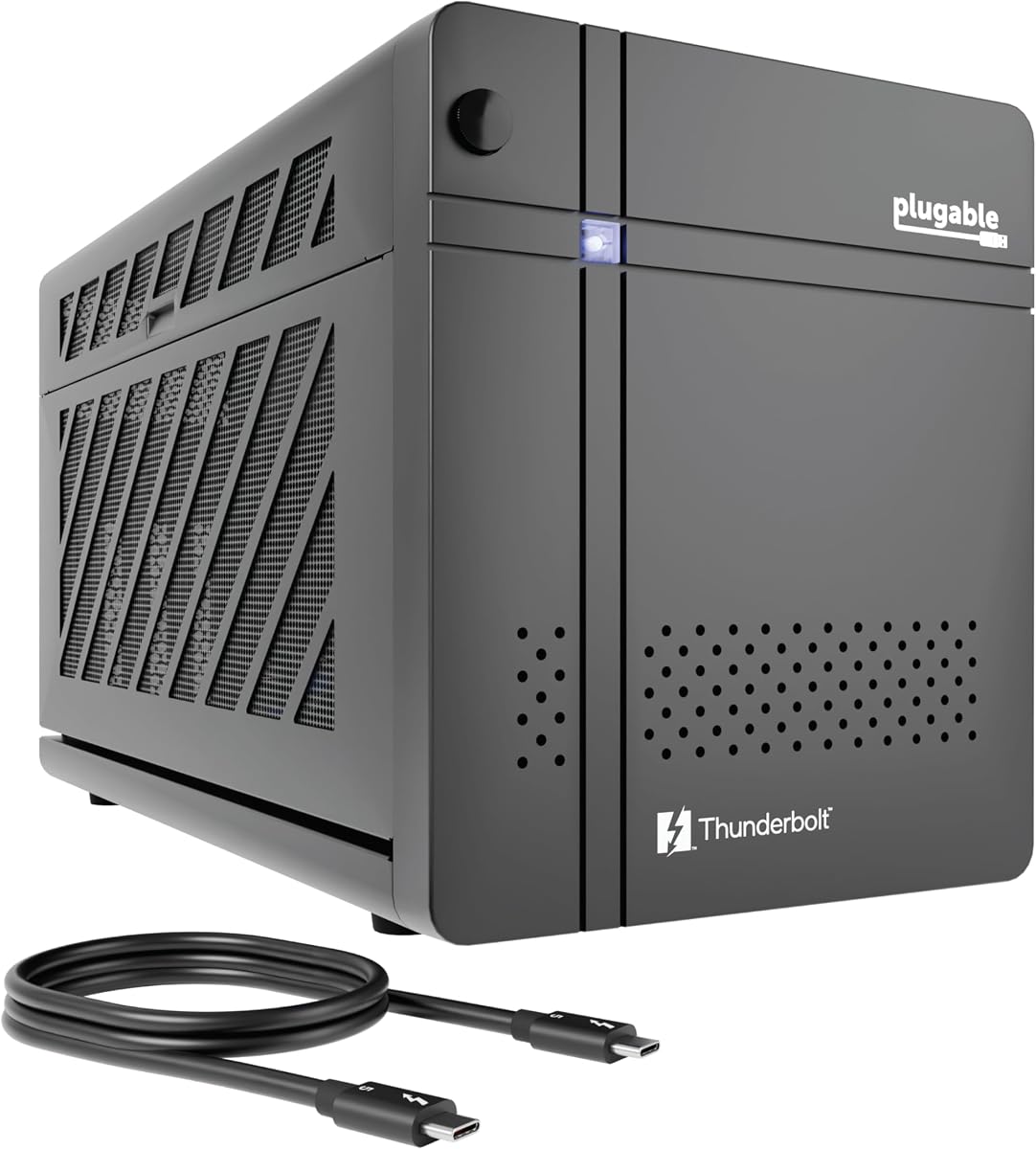
The Plugable TBT5-AI is a unique enclosure designed specifically for users who run local AI models without cloud reliance. It offers secure air gap support ensuring sensitive prompts and data never leave your local perimeter.
We may earn a commission when you buy through this link, at no additional cost to you.
With an 850W ATX 3.1 PSU providing dedicated 600W to the GPU it handles high-performance AI inference tasks smoothly. The 80Gbps Thunderbolt 5 speed doubles the bandwidth of TB4 ensuring fast model loading and execution.
Support is limited to Windows 11 which excludes macOS and Linux users. However, for professional or home office AI developers who prioritize privacy and performance the specialized features make it a top choice.
If you are building a secure offline AI workstation this enclosure provides the necessary hardware foundation. Its TAA compliance and lifetime support add value for enterprise or serious individual users.
Run models like Llama 3 locally with resolved privacy concerns ensuring your data stays within your physical control and never touches cloud servers.
The enclosure includes features like 96W host charging and high-speed Ethernet making it a full workstation hub tailored for AI workflows.
We may earn a commission when you buy through this link, at no additional cost to you.
This external GPU enclosure comes as a complete kit including everything needed for immediate setup. It includes a 240W external power supply Thunderbolt 4 cable and a custom carrying case making it ready out of the box.
We may earn a commission when you buy through this link, at no additional cost to you.
The aluminum shell combines portability with protection allowing you to transport it safely. It supports most NVIDIA and AMD cards up to specific dimensions fitting many standard compact GPUs perfectly.
Users should note the specific size limits for graphics cards. Additionally ensure your Type-C port supports Thunderbolt protocols. The multiple interfaces including DP and PD charging add practical utility.
For users seeking convenience without sourcing separate components this kit offers excellent value. Its design is ideal for portable setups where quick connection and transport are priorities.
The package includes the enclosure PSU cables and a case reducing setup time and hassle for immediate performance boosts anywhere.
Featuring a lightweight aluminum shell and custom case it delivers desktop-grade performance in a portable form factor.
We may earn a commission when you buy through this link, at no additional cost to you.
The ANQ-L336 Mini eGPU is optimized for handheld gaming consoles like the ROG Ally X and MSI Claw 8. It supports USB4 and Thunderbolt interfaces allowing seamless connection for portable gaming enhancements.
We may earn a commission when you buy through this link, at no additional cost to you.
It features an officially certified controller ensuring stable data transfer at 32Gbps with PCIe 4.0 x4 connectivity. The 85W PD charging enables Turbo Mode for handhelds directly through the dock connection.
Power supply flexibility allows ATX SFX FLEX and DC options though the PSU itself is not included. It supports a wide range of operating systems including Linux and macOS unlike many competitors.
For handheld enthusiasts wanting desktop-level graphics performance on the go this model offers tailored compatibility and performance. Its broad OS support makes it versatile for different user environments.
Designed for ROG Ally X and Claw 8 the dock enables Turbo Mode via pass-through charging for ultimate portable gaming performance.
Supports ATX SFX FLEX and DC power supplies giving users the freedom to choose existing power components for cost efficiency.
We may earn a commission when you buy through this link, at no additional cost to you.
The VK-Y900 eGPU enclosure is uniquely positioned to enable running LLM models on Apple Silicon Macs through TinyGPU. This allows local AI development without external cloud dependencies.
We may earn a commission when you buy through this link, at no additional cost to you.
It features dual Thunderbolt ports allowing one to charge your laptop at 85W while using the external GPU. The high-grade ENIG PCB ensures long-term oxidation resistance and reliable conductivity for demanding tasks.
This product is strictly intended for AI deep learning and does not support gaming or rendering on Mac. Ensure your hardware matches requirements and prepare your power supply separately.
For developers focused on local AI training this enclosure provides necessary compatibility. Its specialized support and future-proof GPU compatibility make it valuable for specific technical workflows.
Enables running TinyGPU models on Macs using Tinygrad offering local AI capabilities without traditional gaming or 3D rendering features.
Features one 85W PD port and one 15W port allowing single cable power delivery while connecting peripherals.
We may earn a commission when you buy through this link, at no additional cost to you.
The Sonnet Breakaway Box 750ex offers robust performance for users with Thunderbolt 3 ports. It includes a 750W power supply ready to handle high-performance graphics cards without external power worries.
We may earn a commission when you buy through this link, at no additional cost to you.
Additional connectivity includes four USB Type A ports and an Ethernet port making it a versatile hub. It is compatible with both Mac and Windows systems though M1 Macs are not supported.
Thunderbolt 3 provides lower bandwidth than newer standards but remains sufficient for many professional tasks. The 750W PSU is designed to handle future GPU power requirements ensuring longevity.
If you have existing Thunderbolt 3 hardware and want a reliable plug-and-play solution this enclosure is a solid choice. Its brand reliability and connectivity options add value for workstation setups.
Four USB 5Gb/s ports and RJ45 Ethernet allow peripheral connection and network access directly from the eGPU dock.
Works with compatible Mac and Windows systems enabling GPU acceleration for editing and rendering across platforms.
We may earn a commission when you buy through this link, at no additional cost to you.
The MINISFORUM DEG2 supports both USB4 V2 and OCuLink interfaces providing up to 80Gbps or 64Gbps speeds depending on connection. A hardware switch allows instant switching between docking and pure GPU modes.
We may earn a commission when you buy through this link, at no additional cost to you.
It includes an M.2 NVMe slot for storing AI models and project files directly on the dock keeping workspace synchronized across devices. The signal booster minimizes latency for high-bandwidth tasks like LLM inference.
Compatible with ATX and SFX power supplies it is versatile for different GPU power needs. A single cable handles data display and charging offering a clean desktop experience.
For users wanting flexibility between USB and OCuLink with onboard storage this dock offers unique value. Its design caters to advanced users needing high throughput and efficient workflows.
Store project files and models locally on the dock for quick access and synchronized workspace across different host devices.
Switch between USB4 V2 and OCuLink via hardware switch to optimize for either universal compatibility or pure GPU performance.
We may earn a commission when you buy through this link, at no additional cost to you.
This External eGPU Enclosure offers a complete solution including a 240W power supply and carrying case. It supports Thunderbolt 4 3 and USB4 interfaces making it compatible with many modern laptops and devices.
We may earn a commission when you buy through this link, at no additional cost to you.
The compact aluminum design ensures durability during transport. It fits most NVIDIA and AMD graphics cards up to specific dimensions which covers many popular options.
With multiple interfaces including PD charging and DisplayPort it adds practical connectivity. Ensure your Type-C port supports the required protocols for best results.
For users seeking a convenient complete package at a competitive price this kit offers high value. Its portability and included accessories make setup quick and effortless.
Includes enclosure power supply and case reducing the need to source separate components for immediate use.
Lightweight aluminum shell with custom case ensures protection during travel while delivering desktop-grade performance.
We may earn a commission when you buy through this link, at no additional cost to you.
Selecting the right eGPU enclosure involves evaluating bandwidth power capacity and compatibility with your existing hardware.
Check your laptop supports Thunderbolt 3 4 5 or USB4 with eGPU support. Older ports may not provide enough bandwidth for high performance.
Ensure your system OS supports eGPU functionality especially on Macs with M1 chips which have limitations.
High-end GPUs require significant power so ensure the PSU wattage matches your card needs. Some enclosures include PSUs while others require separate purchase.
Look for ATX SFX or flexible options to suit your setup and budget preferences.
Measure your graphics card dimensions against the enclosure limits. Some only accept compact single slot cards while others fit triple wide models.
Portable enclosures are ideal for travel but may limit GPU size options.
Thunderbolt 5 offers 80Gbps doubling TB4 speeds for faster data transfer. USB4 often matches TB4 performance at 40Gbps.
Higher bandwidth reduces performance loss making it essential for demanding workloads.
Enclosures with extra USB Ethernet or Thunderbolt ports function as docks. This simplifies cable management and expands peripherals.
Consider if you need charging ports to power your laptop during use.
Most enclosures support Windows well but Linux and macOS compatibility varies. Some are tailored for specific platforms like Apple Silicon AI.
Verify OS support before buying to avoid driver issues.
Prices range from affordable compact enclosures to premium all-in-one docks. Factor in the cost of GPU and PSU if not included.
Balance performance needs with cost to choose the best value option.
Active cooling fans prevent overheating during extended use. Look for adjustable fan curves or temperature control.
Good thermal design ensures stable performance over time.
Connect the enclosure to your laptop using the provided Thunderbolt or USB4 cable. Ensure drivers are installed before connecting the graphics card.
Allow the fan to ramp up automatically during heavy workloads. Keep vents clean and avoid blocking airflow to maintain cooling efficiency.
When not in use disconnect the single cable for portability and store in the provided case if available to protect from physical damage.
Yes you should install the latest GPU drivers from NVIDIA or AMD before connecting the enclosure. Some systems may auto-detect but manual installation ensures stability and performance.
No only laptops with Thunderbolt 3 4 5 or USB4 ports that support eGPU will work. Check your device specs specifically for these interfaces.
M1 and later Macs do not support eGPUs traditionally. Some specialized models support AI workloads on Apple Silicon but gaming is generally unsupported.
Not all include a PSU. Some provide full kits while others require separate ATX or SFX power supply purchases to match your GPU needs.
Thunderbolt 5 offers 80Gbps bandwidth double that of Thunderbolt 4 at 40Gbps. This allows for faster data transfer and better performance with high-end graphics cards.
Yes enclosures with high wattage and bandwidth are suitable for AI inference and training. Some models are optimized specifically for local AI workflows.
Check the enclosure specs for maximum card length width and slot count. Measure your GPU before purchasing to ensure physical compatibility.
Some enclosures support USB-C power delivery to charge your laptop while connected. Without this your laptop battery may drain faster when the GPU is active.
We reviewed ten top eGPU enclosures ranging from Thunderbolt 5 powerhouses to compact budget-friendly options. Each model offers unique strengths for different workloads and hardware setups.
Prioritize bandwidth and power capacity based on your GPU needs. Consider portability and extra ports if you need a complete docking solution.
Prices and product availability change frequently so always verify current specs before purchasing. This guide provides a solid starting point for selecting your ideal eGPU.