
XPPen Magic Note Pad
4.4Editor score
16K pressure sensitivity
90Hz refresh rate
Android 14 standalone
Finding the right electronic sketch pad can transform your creative workflow whether you are an artist student or professional looking to digitize notes and drawings with precision and ease.
We compared ten top-rated models based on pressure sensitivity screen quality portability and software compatibility to ensure you find a device that matches your specific artistic or professional needs.
Each pick highlights key features and real-world usage scenarios so you can make an informed decision while keeping in mind that availability and offers may change over time.
4.4Editor score

4.2Editor score

4.6Editor score
As an Amazon Associate we earn from qualifying purchases.
This side-by-side comparison highlights the unique strengths and specifications of each model so you can quickly identify which electronic sketch pad fits your workflow and budget.



The HUION Note Digital Notebook offers a unique hybrid approach to electronic sketching by combining traditional paper writing with digital capture capabilities for seamless workflow integration.
We may earn a commission when you buy through this link, at no additional cost to you.
Its standout quality lies in the ability to capture handwritten notes and drawings in real-time while maintaining the natural feel of pen on paper which artists and students love.
While it requires specific paper and an app the sync functionality ensures your work is saved digitally without losing the tactile experience that many creatives depend on daily.
Anyone looking for a portable and budget friendly way to digitize notes without switching to a full screen tablet will find this device meets their needs efficiently.
This device bridges the gap between analog and digital by using a special pen and app to digitize standard A5 paper notes instantly.
Users can record audio while writing allowing them to replay notes and associated audio for better meeting or class retention.
We may earn a commission when you buy through this link, at no additional cost to you.
The XPPen Magic Note Pad stands out as a premium standalone solution that brings full digital drawing capabilities to a device designed specifically for sketching and note-taking.
We may earn a commission when you buy through this link, at no additional cost to you.
Its high pressure sensitivity and 90Hz refresh rate deliver a smooth natural drawing experience that mimics paper while offering the versatility of color and advanced software features.
The trade-off involves a higher cost and slightly more weight compared to simpler LCD pads but the included apps and Android support justify the investment for serious users.
Professionals and students who want a complete standalone device with no computer dependency will appreciate the robust feature set and screen quality.
AG nano-etching technology provides friction and texture that reduce glare and give a realistic pencil feel on the digital screen.
Three display modes allow users to switch between natural color for notes and black and white for immersive reading or sketching.
We may earn a commission when you buy through this link, at no additional cost to you.
The Kayoubi LCD Writing Tablet provides a simple and affordable entry point for anyone seeking an electronic sketch pad focused on creative fun and mess-free drawing.
We may earn a commission when you buy through this link, at no additional cost to you.
Its massive 14.5 inch screen offers plenty of room for expression while the one-click erase button ensures quick cleanup without wasting paper or ink resources.
While it lacks advanced digital features the simplicity and cost make it an ideal gift for children or for adults needing a quick notepad for ideas.
Budget conscious buyers who want a reusable board for basic sketching or writing will find this device meets their needs perfectly.
Reusable technology allows for thousands of drawing sessions without the need for paper or pens reducing waste effectively.
Zero blue light and glare ensure that children can draw for long periods without risking eye strain or discomfort.
We may earn a commission when you buy through this link, at no additional cost to you.
The Bravokids LCD Tablet adds a splash of color to the basic electronic sketch pad concept making it particularly appealing to younger children who enjoy vibrant drawings.
We may earn a commission when you buy through this link, at no additional cost to you.
Its durable design and lightweight frame make it easy to transport and withstand drops while the lock key prevents accidental erasures during creative bursts.
While the battery is not easily replaceable the device offers reliable performance for short term use and educational play sessions.
Parents looking for a fun and safe drawing toy that encourages creativity without screen time guilt will find this model a great choice.
The colorful LCD screen allows kids to create rainbow drawings that keep them engaged and excited to draw for longer.
A simple lock key ensures that favorite drawings are not accidentally deleted before being saved or photographed.
We may earn a commission when you buy through this link, at no additional cost to you.
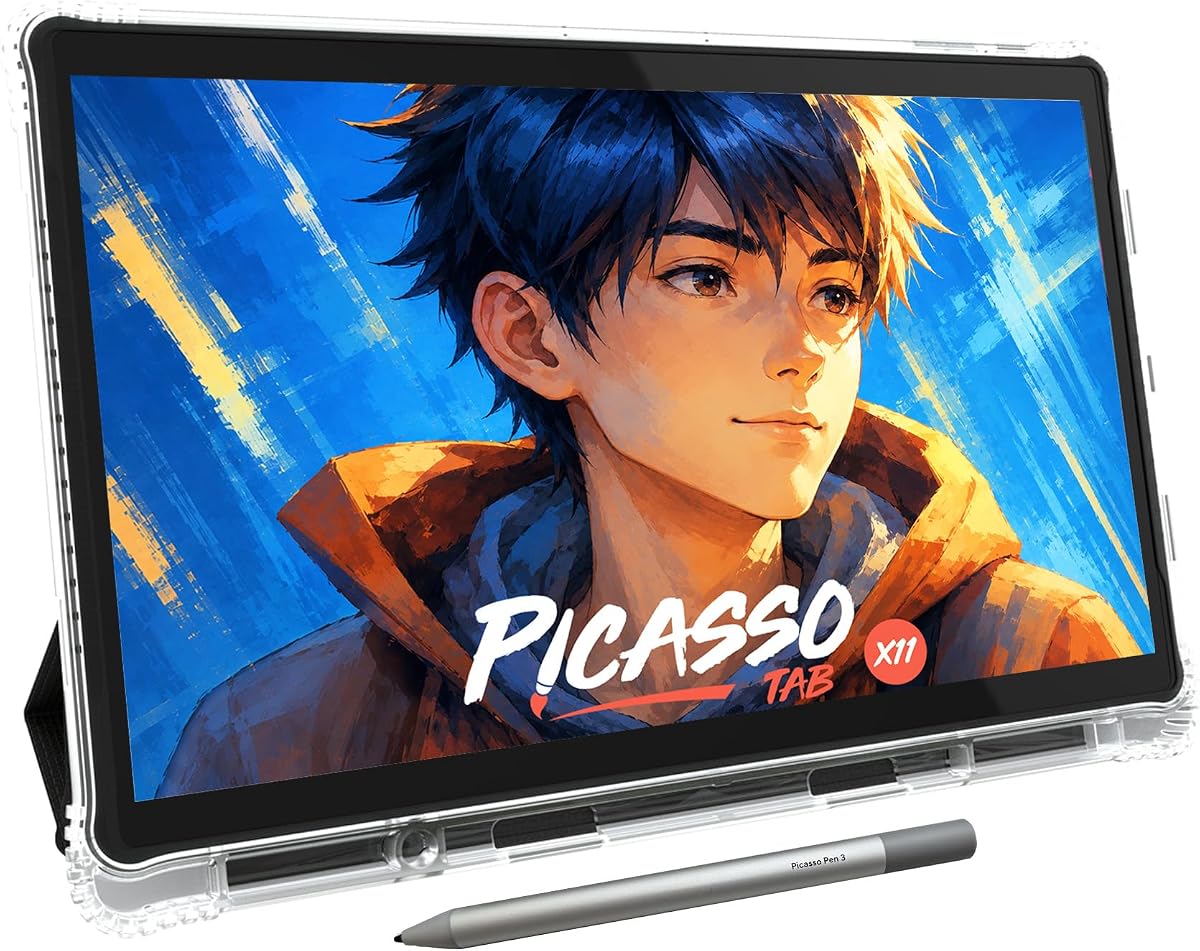
The PicassoTab X11 serves as a fully standalone creative device designed to bring digital art tools directly to users without requiring a computer connection.
We may earn a commission when you buy through this link, at no additional cost to you.
Its preloaded apps and lifetime VIP tutorials make it accessible for beginners who want to learn digital art techniques immediately after unboxing.
The laminated screen reduces parallax giving a more direct drawing experience while the high RAM supports multitasking for various creative apps.
Artists or students needing a portable computer-free tablet for sketching and painting will value the freedom and features this device provides.
Lifetime VIP access to tutorials guides new users through lessons and exercises to build digital art skills effectively.
No external computer is needed allowing users to draw and sketch anywhere with the built-in operating system.
We may earn a commission when you buy through this link, at no additional cost to you.
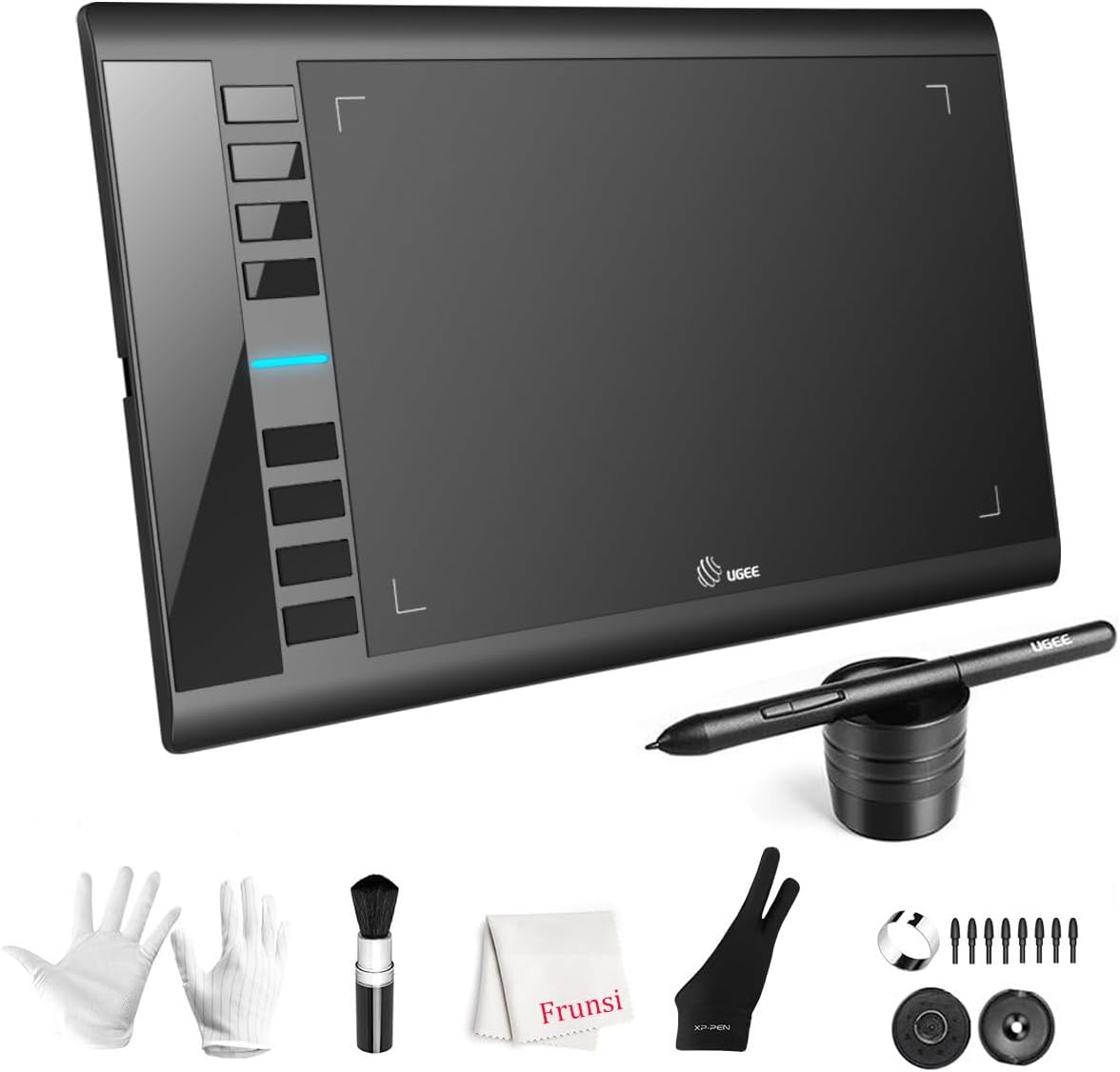
The UGEE M708 is a professional grade graphics tablet designed for users who need a large active area and high precision for digital art creation.
We may earn a commission when you buy through this link, at no additional cost to you.
Its 16K pressure sensitivity and customizable express keys offer advanced control for shading and tools which helps streamline the creative workflow significantly.
While it requires a computer connection the robust compatibility with major software makes it a strong contender for those starting digital art seriously.
Users seeking a budget friendly option that delivers professional performance will find this tablet offers great value for its capabilities.
Eight customizable shortcut keys allow quick access to frequent actions like erasing or zooming improving efficiency.
A generous drawing space ensures freedom of movement for broad strokes and detailed work without feeling constrained.
We may earn a commission when you buy through this link, at no additional cost to you.
The Mafiti LCD Writing Tablet is a compact and affordable option ideal for quick notes or doodles where portability is the primary concern.
We may earn a commission when you buy through this link, at no additional cost to you.
Its built-in kickstand allows users to display messages to friends or family making it more than just a drawing tool for daily tasks.
The replaceable battery ensures longevity and the ultra-thin design makes it easy to slip into bags for on the go creativity.
Anyone needing a small reusable writing pad for office memos or casual doodling will find this device practical and efficient.
The stylus doubles as a kickstand allowing messages or drawings to be displayed hands-free for easy reading.
Weighing little and thin enough for pockets ensures you can carry it everywhere for spontaneous ideas.
We may earn a commission when you buy through this link, at no additional cost to you.
The TEKFUN LCD Writing Tablet is specifically optimized for travel scenarios where a durable and portable sketch pad is essential for kids or travelers.
We may earn a commission when you buy through this link, at no additional cost to you.
Its waterproof design and lock switch protect against accidental spills and erasures ensuring the drawing surface remains safe during car rides or flights.
While it lacks digital storage the ease of use and reliability make it a perfect companion for road trips to keep young ones entertained.
Parents looking for a rugged mess free toy that can withstand travel conditions will appreciate the durability and convenience.
Built to resist water spills the tablet can handle unexpected accidents without damage or functional issues.
A dedicated key lock prevents accidental erasing keeping your work secure even during movement or play.
We may earn a commission when you buy through this link, at no additional cost to you.
The Wacom Intuos Small is a trusted choice among professionals and students looking for a reliable electronic sketch pad with proven performance and precision.
We may earn a commission when you buy through this link, at no additional cost to you.
Its battery-free pen technology delivers a natural writing experience and the included software provides immediate access to tools for digital art creation.
Although the active area is small it serves well for home studios or travel use where compactness and precision are prioritized over workspace.
Anyone wanting a proven and supported device from a market leader will find this tablet offers confidence and quality.
No need to charge the pen ensures it is always ready for use without interruption or maintenance.
Registering the device grants access to creative software and training resources to jumpstart the creative journey.
We may earn a commission when you buy through this link, at no additional cost to you.
The XP-PEN Artist12 offers a direct pen display experience allowing users to draw directly on the screen which is ideal for realistic art creation.
We may earn a commission when you buy through this link, at no additional cost to you.
Its high resolution screen and pressure sensitive pen ensure detailed and smooth strokes that make digital art feel natural and responsive.
While setup requires connecting to a computer the convenience of drawing directly on the display improves workflow speed and accuracy significantly.
Artists looking for a display tablet that offers professional features at a competitive price point will find this device highly beneficial.
Drawing directly on the screen provides intuitive control similar to traditional paper drawing with better tool access.
Vivid colors and sharp resolution help artists ensure their work looks accurate and professional across different displays.
We may earn a commission when you buy through this link, at no additional cost to you.
Choosing the right electronic sketch pad depends on your specific needs ranging from portability and budget to advanced features and software requirements.
Electronic sketch pads come in various forms such as standalone tablets LCD writing boards or computer-connected graphics tablets which significantly impacts their functionality and use cases.
Determine whether you need a portable standalone device for note-taking or a powerful graphics tablet for digital art creation to narrow your search.
For artistic sketching pressure sensitivity determines how the line thickness and opacity respond to the force applied by the pen for more realistic brush strokes.
Look for models with at least 2048 levels of pressure sensitivity to ensure smooth and natural drawing capabilities without lag or jitter.
A larger screen provides more workspace and reduces the need to zoom but may affect portability while higher resolution ensures sharper lines and clearer details.
Consider the balance between workspace comfort and portability needs when selecting a device especially if you plan to carry it frequently.
Battery life is crucial for portable devices as frequent charging can interrupt creative sessions and limit usage during travel or outdoor activities.
Check the battery duration and charging time to ensure the device can last through your typical usage patterns without needing constant access to power.
Ensure the electronic sketch pad works with your operating system and preferred creative software to avoid connectivity or driver issues that can hinder productivity.
Verify support for Windows Mac Android or iOS depending on your workflow to ensure seamless integration with your existing tools.
Battery-free pens eliminate the need for charging and often provide a better balance and grip making the drawing experience more comfortable over long periods.
Check for tilt support and customizable buttons on the pen to enhance workflow and reduce repetitive strain during detailed work.
Some devices come with built-in apps or software bundles that can enhance creativity and provide tools for note-taking or digital art without additional costs.
Look for models that support popular creative applications if you plan to use advanced features or collaborative tools for professional or educational projects.
Since sketch pads are often used in various environments a durable build and protective features like anti-glare screens or scratch resistance can extend the device lifespan.
Consider models with robust casing and reliable customer support to ensure the device withstands daily use and potential accidents.
To get the best results from your electronic sketch pad start by calibrating the pen if your device supports it and familiarize yourself with the shortcut keys or gestures.
Keep the screen clean with a soft lint-free cloth and avoid using harsh chemicals to prevent damage to the display or stylus sensors during regular use.
Store the device in a protective case when not in use to prevent scratches and exposure to dust which can interfere with the pressure sensors and pen accuracy.
No not all electronic sketch pads require a computer as standalone tablets exist that function independently with built-in operating systems and apps. However many graphics tablets designed for professional digital art do connect to a PC or Mac to access full software features. Choose based on whether you need portability or advanced software integration.
An LCD writing pad uses simple liquid crystal technology for basic drawing and writing without digital storage or computer connection while a graphics tablet offers pressure sensitivity and connects to software. The former suits quick notes and kids toys whereas the latter is designed for professional digital art.
Battery-free pens are generally more convenient because they never need charging and are always ready to use which prevents interruptions during creative sessions. Rechargeable pens may offer additional features like tilt support or programmable buttons but require regular charging to maintain functionality.
Yes many electronic sketch pads are specifically designed for note-taking offering features like digital syncing or large screens for writing. Standalone tablets and hybrid notebooks are particularly well suited for students who want to digitize notes while maintaining a natural writing feel.
The lifespan varies by build quality and usage but most electronic sketch pads can last several years with proper care. Regularly updating software replacing batteries when needed and protecting the screen from scratches will extend the device usable life significantly.
Most graphics tablets are compatible with popular creative software such as Photoshop Illustrator and Procreate depending on the operating system. Always check the manufacturer compatibility list to ensure drivers and pen features work correctly with your preferred applications.
The HUION Note XPPen Magic Note Pad and Kayoubi LCD Writing Tablet stand out as top picks offering diverse features suitable for professionals students and casual users alike.
Prioritize factors like pressure sensitivity portability and standalone capabilities to ensure your chosen device aligns with your specific creative or professional workflow needs.
Always verify current availability and features before purchasing as technology evolves and models may be updated with improved specifications over time.