
HDMI Media Player, Black Mini 1080p Full-HD Ultra HDMI Digital Media Player
4.1Editor score
Compact aluminum alloy design
Supports 1080p HDMI output
USB and SD card compatible
Compare the top external hard drive media players for 4K playback, digital signage, and home theater use with detailed specs and expert insights.
Finding the right external hard drive media player can transform your television into a smart hub for local content. These devices allow you to play high-resolution videos, music, and photos directly from USB drives or internal hard drives without needing a subscription service.
We compared ten leading models based on video quality, format support, storage capacity, and ease of use. Each product was evaluated for its ability to handle 4K content, connect to various displays, and provide reliable playback for both home and commercial signage applications.
Each pick below highlights key features, pros, cons, and ideal use cases to help you decide. Please note that prices and availability change frequently, so check the current listings before making your final purchase decision for your setup.
4.1Editor score

4.1Editor score
4.3Editor score
This side-by-side comparison helps you quickly identify the right device for your needs. We highlight key specifications like resolution support, storage options, and output types across all ten models.


The Micca 4K Ultra-HD USB and microSD Media Player is a top contender for anyone looking to enhance their TV experience. With a solid 4.1 rating, it stands out for its ability to play high-resolution content effortlessly from local storage.
We may earn a commission when you buy through this link, at no additional cost to you.
Its standout quality is the seamless support for 4K videos up to 4096×2304 at 30fps. The device handles various file formats including MKV, MP4, and AVI, making it versatile for home entertainment or business signage needs.
One trade-off is the lack of wireless connectivity which means you need a direct USB connection for media files. This is acceptable for users who prioritize stability and local playback over streaming capabilities.
This player is best suited for users who want a plug-and-play solution for local media files. We recommend it for home theaters and digital signage applications where reliable playback is key.
Experience sharp and clear video quality with support for 4K resolution on compatible TVs and projectors.
Connect USB drives up to 8TB or microSD cards up to 1TB to store your entire media library.
We may earn a commission when you buy through this link, at no additional cost to you.
The HDMI Media Player Black Mini is an excellent choice for budget-conscious buyers who still want reliable 1080p playback. It fits in the palm of your hand and works well for travel or small setups.
We may earn a commission when you buy through this link, at no additional cost to you.
Its main strength lies in its compatibility with a wide range of video formats like MKV, AVI, and MP4. The included AV cable ensures you can use it with older analog TVs or connect external speakers easily.
While it does not support 4K video which limits future-proofing for high-end displays this is a reasonable trade-off given the low cost. It serves well for standard HD content and simple media needs.
We recommend this player for casual users or secondary TVs where 4K is not required. It is a practical solution for offices or basic home entertainment systems.
Aluminum alloy construction makes it durable and easy to carry wherever you need entertainment.
Play most popular video formats without needing complex file conversions or additional software.
We may earn a commission when you buy through this link, at no additional cost to you.
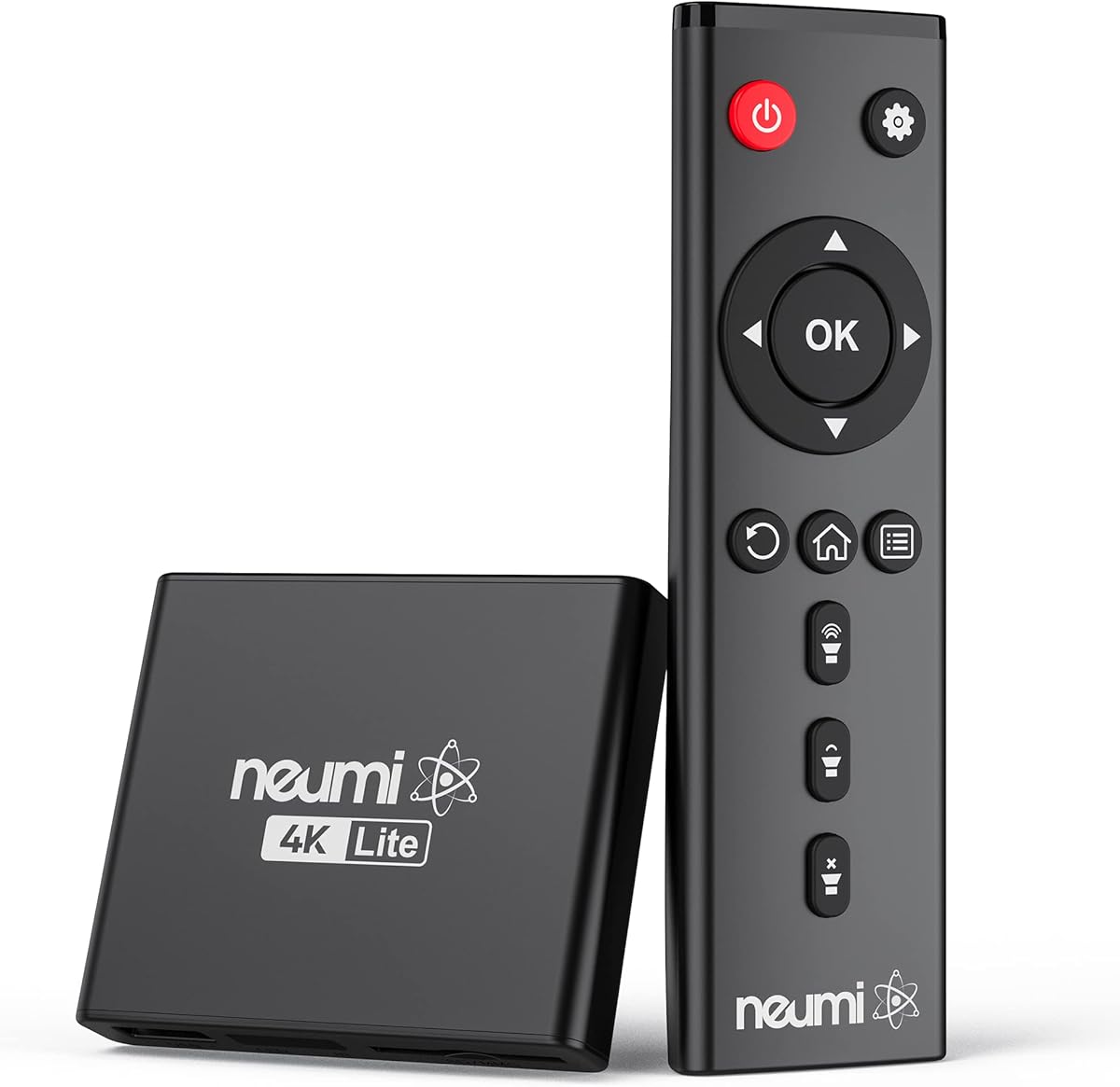
The NEUMI Atom 4K Lite stands out with a 4.3 rating and unique trigger sensor capabilities. It delivers stunning HDMI video quality up to 2160p and feeds digital surround sound for a cinema-like experience.
We may earn a commission when you buy through this link, at no additional cost to you.
Key strengths include the ability to loop videos continuously and play different content when triggered by a motion or push-button sensor. This makes it ideal for interactive displays in galleries or museums.
The trade-off is the extra cost and setup required for the optional sensor which is not included. However the core playback performance is robust enough to justify the premium price for specialized uses.
We recommend this player for commercial installations or tech-savvy users who want interactive media playback. It combines compact design with high-end video performance effectively.
Build interactive digital signage displays that react to user actions or motion detection easily.
Enjoy digital surround sound feeding directly to home theater receivers for immersive viewing.
We may earn a commission when you buy through this link, at no additional cost to you.
The ACEMAX 4K Offline Media Player offers a 2-in-1 design combining a media player with a hard drive enclosure. It is designed for offline use which ensures reliable playback without relying on internet connections.
We may earn a commission when you buy through this link, at no additional cost to you.
Its main strength is the ability to install a 2.5-inch SATA HDD directly for high-capacity storage. The metal housing helps dissipate heat during extended playback cycles making it robust for commercial signage.
One trade-off is that the hard drive is not included which adds to the initial setup cost and effort. Additionally some formats may need reformatting which can be confusing for non-technical users.
We recommend this for retail displays or menu boards where large storage and reliability are key. It is a practical choice for businesses wanting a dedicated signage system.
Install a compatible SATA HDD directly to store and play large media files from one unit.
Metal enclosure ensures safe operation during continuous playback without overheating issues.
We may earn a commission when you buy through this link, at no additional cost to you.
This 4K Media Player with Remote delivers high-quality audio with HDMI support up to 7.1 surround sound. It is well suited for home entertainment systems where audio immersion is a priority.
We may earn a commission when you buy through this link, at no additional cost to you.
Key features include dual USB ports and H.265 decoding which improves bandwidth efficiency and reduces buffering. The aluminum alloy casing adds protection for carrying during travel or events.
A trade-off is the 30Hz video rate which may not be as smooth as 60Hz models for fast action content. However for most movies and shows this is acceptable for most viewers.
We recommend this for home theaters focusing on audio quality. It is a solid option for users who want surround sound and good codec support.
Enjoy immersive audio with HDMI output supporting up to 7.1 channel surround sound systems.
Connect two USB devices simultaneously for versatile media management and keyboard support.
We may earn a commission when you buy through this link, at no additional cost to you.
The HDMI Media Player 4K Ultra HD is designed for advertising and multimedia TV playback scenarios. It supports direct decoding of Blu-ray files which simplifies content preparation for commercial use.
We may earn a commission when you buy through this link, at no additional cost to you.
Its strengths include multiple interface outputs like HDMI and VGA making it versatile for various display setups. The powerful decoding chip ensures efficient playback with high-quality 4K visuals.
A trade-off is the strict requirement to place files in the first level directory for automatic playback. This adds a step to setup but ensures consistent behavior in signage applications.
We recommend this for businesses needing reliable advertising displays. It offers solid performance for promotional content and is compatible with old and new TVs.
Ideal for ad playback with automatic features and support for professional media formats.
Use HDMI for TVs or VGA for monitors to connect to a wide range of displays.
We may earn a commission when you buy through this link, at no additional cost to you.
The WD 2TB Elements Portable External Hard Drive is an essential companion for media players needing local storage. It offers vast capacity to store photos, videos, and documents in a small lightweight design.
We may earn a commission when you buy through this link, at no additional cost to you.
Its strengths include SuperSpeed USB 3.2 Gen 1 which ensures fast file transfers between your PC and media player. It is plug and play ready so no extra software is needed for basic use.
A trade-off is that it is purely a storage device and does not decode video itself. However this makes it a highly compatible and reliable add-on for any media setup.
We recommend this drive for anyone needing extra storage for their media library. It is a robust choice for home and professional content storage needs.
Connect instantly to your PC or Mac without installing additional software or drivers.
Store thousands of photos, hours of videos, and important documents in a compact unit.
We may earn a commission when you buy through this link, at no additional cost to you.
This 4K 60Hz H.265 Ultra HD Digital Media Player and HDD Enclosure combination has achieved a perfect 5.0 rating. It works as both a media player and a hard drive enclosure in one unit.
We may earn a commission when you buy through this link, at no additional cost to you.
Its main strength is the versatility to play files from internal SATA drives or external storage like Type-C cards. The Type-C cable allows easy transfer of drive data to laptops for editing or backups.
A trade-off is the requirement to install a 2.5 inch SATA drive separately which adds setup time. But once installed it offers seamless high-capacity playback and convenient data management.
We recommend this for users wanting an integrated storage and playback solution. It is ideal for digital signage or home theater systems needing reliable 4K performance.
Seamlessly switch between media player and HDD enclosure roles for flexible content management.
Play popular formats like MP4, MKV, PPT, and AVI without needing complex file changes.
We may earn a commission when you buy through this link, at no additional cost to you.
The Ultra HD 4K 60Hz Digital Media Player and HDD Enclosure 2-in-1 offers a versatile way to play high-capacity files. It includes a Type-C cable for easy data transfer to laptops for editing.
We may earn a commission when you buy through this link, at no additional cost to you.
Its strengths include smooth 4K playback and auto play features that make it great for unattended displays. The integrated enclosure supports 2.5 inch SATA drives for large storage.
A trade-off is that remote batteries are not included which adds to the immediate setup effort. However the performance and warranty provide good value for commercial or home use.
We recommend this for users needing a reliable solution for video transfer and playback. It is a practical choice for offices and digital signage.
Use the included Type-C cable to transmit or modify HDD data directly from a laptop.
Enjoy sharp visuals with 4K 60Hz playback that is smoother than 30Hz models.
We may earn a commission when you buy through this link, at no additional cost to you.
This 4K Ultra HD Media Player and HDD Enclosure offers a versatile digital signage solution. It supports automatic video playback with continuous looping and the ability to resume where playback stopped.
We may earn a commission when you buy through this link, at no additional cost to you.
Key strengths include configurable video rotation which allows flexible installation on walls or ceilings. It supports a wide range of media formats and storage options including USB and MicroSD.
A trade-off is the lower user rating which suggests some users may face setup or quality issues. However the features and price point still make it an attractive option for budget signage.
We recommend this for small businesses needing dynamic display content. It is a practical choice for menus or promotions where basic 4K playback is needed.
Automatic looping and resume features make it ideal for unattended digital displays.
Configure video rotation to fit your display needs in any orientation.
We may earn a commission when you buy through this link, at no additional cost to you.
Choosing the right media player involves balancing features like video resolution, storage capacity, and connectivity options. This section breaks down the key factors you should consider before making your decision.
Ensure the player supports the resolution you need such as 1080p or 4K. Also check for modern codecs like H.265/HEVC to play high-quality files without lag.
Look for players that explicitly mention 4K@30Hz or 4K@60Hz support if you plan to use high-end displays.
Decide if you need external USB drives or an internal HDD enclosure. Players with built-in enclosures allow direct SATA drive use which can save space.
Check the maximum storage size supported such as 8TB for USB drives to ensure it fits your media library needs.
Verify that the player has HDMI for modern TVs and AV for older analog displays. Some models also offer optical or VGA outputs for expanded compatibility.
A variety of output options ensures you can connect the player to any screen or speaker system.
The player should support FAT32, exFAT, and NTFS file systems to read files from most drives without reformatting.
This flexibility ensures you can use drives from Windows, Mac, or other devices seamlessly.
Look for auto-play, loop, and resume features if you plan to use the player for signage or background content.
These features allow content to play automatically without manual intervention which is crucial for commercial displays.
Players with metal housing help dissipate heat during long playback sessions which improves longevity.
A sturdy build ensures the device can withstand frequent transport or continuous operation without overheating.
While most players are offline, some may support USB mouse or keyboard inputs for easier navigation.
Check for remote control types to ensure they match your control preferences whether line-of-sight or otherwise.
Compare features against the price to determine value. Some models include warranties that can protect your investment against defects.
Ensure the price fits your budget while still meeting essential requirements for your specific use case.
To begin use connect the media player to your TV via HDMI or AV cables and plug in the power adapter. Ensure the TV input source matches the HDMI port you are using.
Next insert your USB drive or hard drive into the player and navigate the menu using the remote to select your media files. For automatic playback enable auto-play settings if available.
To care for the player keep it in a cool dry place away from dust and direct sunlight. Regularly update the firmware if the manufacturer provides updates to ensure compatibility with new formats.
Most modern players support NTFS and exFAT file systems allowing you to play files directly without reformatting. Check the specs to confirm support for your drive's current file system.
Generally no most players in this list focus on offline playback from local storage. They require USB or SD cards to transfer media files directly.
4K is ideal for modern displays to ensure sharp text and images. However 1080p is sufficient for smaller screens or basic signage needs.
Yes many models support external subtitle files like SRT and PGS. Ensure your video files have subtitle files in the same folder.
Some players support USB mouse or keyboard inputs for easier navigation. Check the specs to see if your model includes this feature.
Connect the drive to your computer via USB or the provided cable and copy files over. Use supported file systems like NTFS for best compatibility.
We reviewed ten top players ranging from budget models to premium options with unique features like trigger sensors. Each offers distinct strengths for home theater or commercial signage applications.
Prioritize resolution support and storage capacity based on your content needs. If you require 4K playback look for H.265 support and HDMI 4K output specifically.
Remember to check current prices and availability before purchasing as these factors change frequently. Choose the model that best fits your setup and budget for the best experience.