
QIDI Max4 Combo 3D Printer
4.5Editor score
Large Build Volume
Heated Chamber
High Precision
AI Monitoring
Explore the top Fdm Printer for Large Prints options compared by experts for build volume, speed, and reliability in October 2026.
Finding the right Fdm Printer for Large Prints can transform your creative workflow and production capabilities. Whether you are a hobbyist or a professional, a machine that handles big models without sacrificing quality is essential. We have curated a list of the most reliable and feature-rich options available today.
Our team analyzed technical specifications, user feedback, and performance metrics to compile this comprehensive guide. We focused on build volume, print speed, material compatibility, and ease of use. Every product on this list has been selected for its ability to deliver consistent results on large-scale projects.
Each entry highlights key features, pros, and cons to help you make an informed decision. Prices and availability can change frequently, so always verify details on the official product page. This guide aims to save you time and ensure you choose the best Fdm Printer for Large Prints for your specific needs.
4.5Editor score

4.6Editor score

4.0Editor score
This comparison table highlights the key specifications of every Fdm Printer for Large Prints featured in our guide. Use it to quickly identify build dimensions, speed capabilities, and special features that match your requirements.




The Snapmaker U1 stands out as a top contender for anyone needing a reliable Fdm Printer for Large Prints. With a 4.6 rating from users, it delivers consistent quality through its independent toolhead system. This machine is designed for efficiency and versatility in professional environments.
We may earn a commission when you buy through this link, at no additional cost to you.
Its Core4 motion system ensures stability at high speeds, reaching up to 500 mm/s. The automatic tool changer reduces downtime significantly, making multi-color prints feasible without manual intervention. Smart calibration features help maintain dimensional accuracy across different projects.
While the initial investment is higher than average models, the reduction in material waste offsets the cost over time. Users should note that mastering the custom slicing software might require some time to optimize settings for specific materials.
This printer is ideal for workshops and professionals who need to produce functional parts with complex material combinations. Its reliability and speed make it a worthwhile investment for serious makers looking to scale production capabilities.
The tool changer swaps heads in just five seconds, eliminating the wait time associated with traditional filament swapping methods.
You can combine rigid and flexible materials in a single print, allowing for complex designs that were previously difficult to achieve.
We may earn a commission when you buy through this link, at no additional cost to you.
The QIDI Max4 Combo offers an ultra-large build volume that is perfect for printing industrial parts without splitting models. With a 4.5 rating, it is praised for its stability and precision even at high speeds. This printer is built for professionals who demand reliability.
We may earn a commission when you buy through this link, at no additional cost to you.
Its 65C heated chamber ensures ideal conditions for high-temperature materials like ABS and PC. The closed-loop motors on the axes provide exceptional accuracy, while the AI camera monitors prints for failures in real-time. These features significantly reduce the risk of wasted material.
Some users note that the Polar Cooler needs to be purchased separately to achieve full thermal management capabilities. Despite this extra step, the machine's performance with engineering filaments makes it a strong choice for technical applications.
If you need a machine that can handle large, complex, or high-temperature prints consistently, this is a top recommendation. It bridges the gap between desktop printing and industrial manufacturing requirements effectively.
The active heated chamber prevents warping on large prints by maintaining a consistent temperature throughout the build process.
Closed-loop motors and lead screws ensure that every layer is placed exactly where it should be, reducing defects in final parts.
We may earn a commission when you buy through this link, at no additional cost to you.
For those seeking a cost-effective solution for large prints, the Creality Ender 5 Max delivers impressive volume at a competitive price. It supports a build size of 400mm cubes, allowing for significant parts to be printed in one go. This capability is rare in budget-friendly options.
We may earn a commission when you buy through this link, at no additional cost to you.
The CoreXY system helps achieve fast print speeds without sacrificing stability during operation. With 64-point auto leveling, the initial setup process is streamlined for better first layers. WLAN control features make it easy to manage multiple units from a single interface.
While it offers great value, users may encounter a learning curve during assembly and tuning. Performance can vary depending on calibration, so patience is required to get the best results from this machine.
This printer is perfect for print farms or workshops needing to expand capacity without breaking the bank. It provides a solid foundation for large-scale production if you are willing to invest some time in setup.
Grouped management and WLAN control let you monitor several printers simultaneously, which is ideal for scaling up your workflow.
The 1000W bed reaches target temperatures quickly, reducing wait times between print jobs and increasing overall throughput.
We may earn a commission when you buy through this link, at no additional cost to you.
The Creality K2 Plus Combo combines speed with multi-color capabilities to offer a modern solution for large prints. Its Matrix frame provides rigidity that is essential for high-speed printing at 600mm/s. This machine aims to reduce downtime and increase overall production efficiency.
We may earn a commission when you buy through this link, at no additional cost to you.
Two AI cameras monitor prints for issues like spaghetti failures, pausing the process automatically to save material. The heated chamber supports higher temperature materials which helps avoid warping on large models. These features are designed to make complex printing easier.
Users have reported that the initial setup can be challenging due to the number of components involved. Ensuring the system is fully updated and calibrated is crucial for avoiding early issues with performance and reliability.
If you are looking for a machine that balances speed with advanced automation, this is a strong candidate. It is well-suited for users who need high throughput but still require multi-color options.
One camera watches the chamber while the other monitors the toolhead, giving you comprehensive visibility into your print status.
The aluminum alloy die-casting reduces resonance during printing which ensures better accuracy on large and detailed parts.
We may earn a commission when you buy through this link, at no additional cost to you.
The ANYCUBIC Kobra X focuses on efficiency and smart management for print farms. With native 4-color printing and support for expansion up to 19 colors, it offers significant design freedom. The LeviQ 3.0 auto-leveling ensures consistent results across multiple machines without manual adjustment.
We may earn a commission when you buy through this link, at no additional cost to you.
Its design minimizes waste during filament changes which helps reduce operational costs over time. The top-mount architecture allows more units to fit on a single bench compared to side-box systems. This makes it a practical choice for small businesses.
While the build size is smaller than some competitors, it still provides a spacious area for most projects. Users should be aware that expanding beyond four colors requires additional hardware purchases which may increase the total budget.
This printer is ideal for users who prioritize speed and waste reduction in their production workflows. Its smart features make it a reliable tool for scaling up small-scale manufacturing operations effectively.
By reducing filament change length, you save time and material, allowing for more productive printing sessions overall.
The app allows you to manage multiple devices at once and includes object skipping to optimize batch production.
We may earn a commission when you buy through this link, at no additional cost to you.
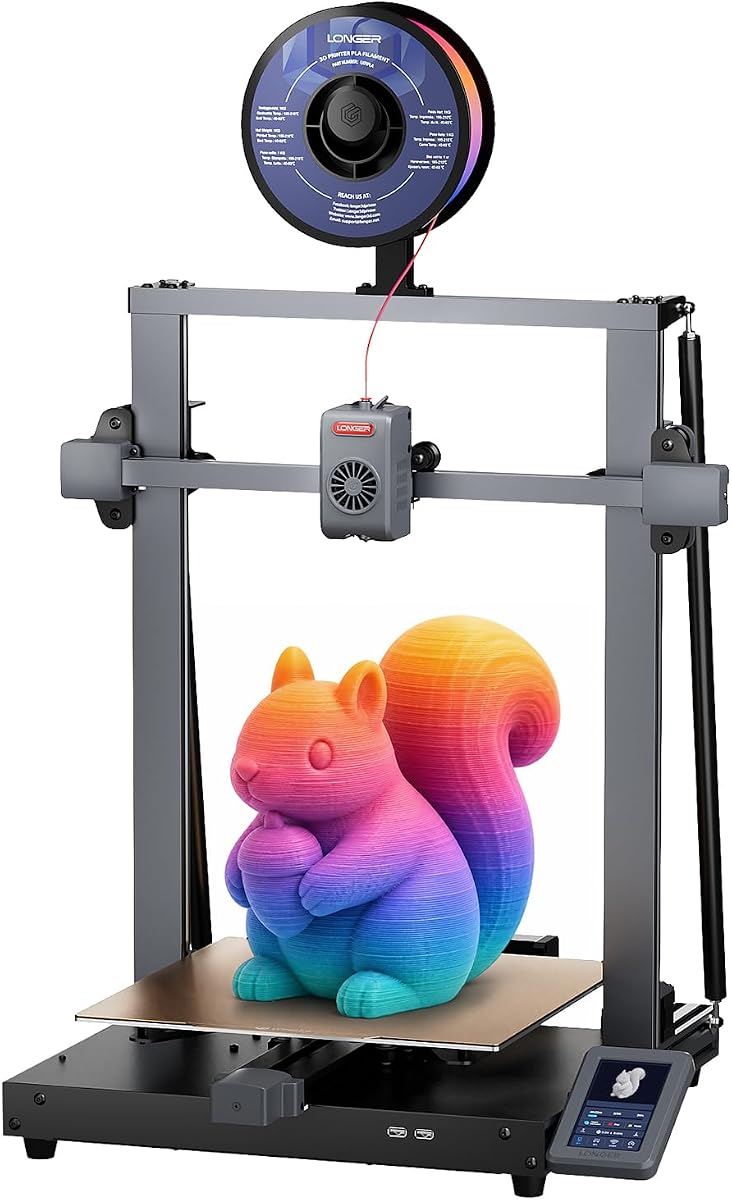
The LONGER LK10 Plus offers a tall build volume that is well suited for vertical projects or multiple parts at once. Its Klipper firmware enables high-speed printing while maintaining stable quality throughout the process. Many users appreciate the silent drivers that reduce noise during operation.
We may earn a commission when you buy through this link, at no additional cost to you.
Eddy current sensor technology provides reliable auto-leveling which helps ensure accurate first layers. The dual Z-axis design adds stability to the print head movement. This stability is crucial for avoiding wobbling on larger models during high-speed runs.
Setting up the firmware can take some effort for beginners who are not familiar with Klipper. However, once configured, the printer performs consistently and offers a great balance of features for the price point.
If you need a machine that handles tall objects efficiently, this is a strong option. It is also a great choice for home workshops where quiet operation is a priority during long print jobs.
Klipper allows for precise control and high speeds without sacrificing the quality of your printed parts.
Built-in runout detection and power-loss recovery ensure that you do not lose work due to unexpected interruptions.
We may earn a commission when you buy through this link, at no additional cost to you.
The LONGER LK5 Pro 3 is designed to simplify the setup process with 90% pre-assembly. Its stable triangular structure helps reduce vibration, leading to better print quality on large models. Users benefit from a full-color touch screen that provides clear real-time printing information.
We may earn a commission when you buy through this link, at no additional cost to you.
As an open-source device, it allows for firmware customization to suit specific printing needs. The resume printing function is a valuable feature that protects against power outages during long runs. It also includes a detection sensor that pauses prints when filament runs out.
While the technology is slightly older compared to some newer models, it remains robust and effective for standard tasks. Beginners find the ease of setup appealing, though they may need to calibrate the bed manually at times.
This printer is a solid entry point for those interested in large format printing without a steep learning curve. It offers reliability and flexibility that are great for hobbyists and small workshops.
The full-color touch screen makes navigation easy and allows you to monitor progress without needing a computer connection.
Diagonal rods form a stable triangle which minimizes vibration and helps achieve smoother surfaces on prints.
We may earn a commission when you buy through this link, at no additional cost to you.
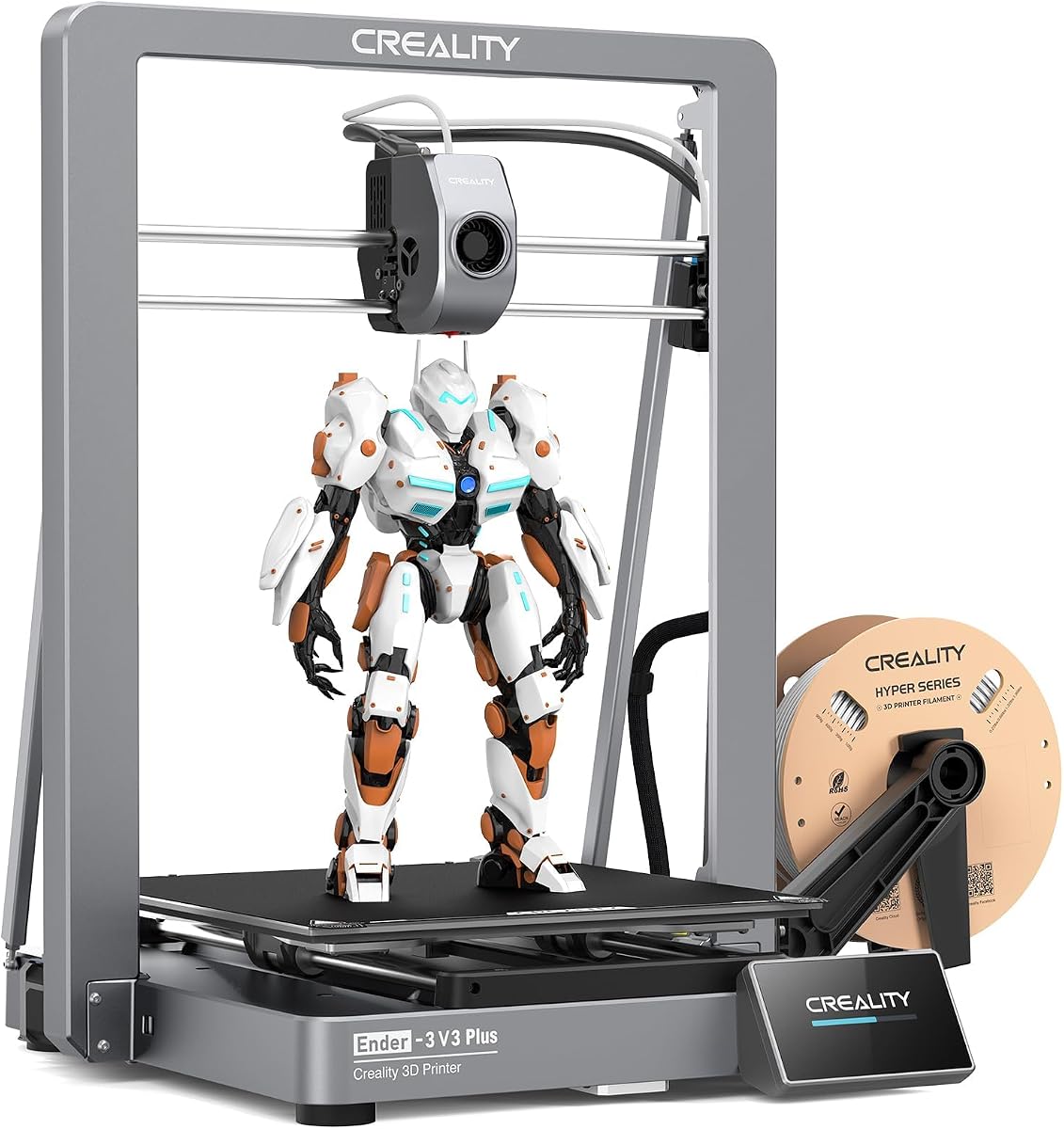
The Creality Ender 3 V3 Plus brings high speeds to the mid-size category with its CoreXZ system. It achieves up to 600mm/s speed which allows for rapid prototyping and small-batch production. Dual motors on the Y-axis help stabilize the bed during rapid movements.
We may earn a commission when you buy through this link, at no additional cost to you.
Auto calibration tools simplify the setup process by removing the need for manual leveling steps. The Tri-metal nozzle is designed to handle higher temperatures and wear better than standard options. These features aim to improve reliability and reduce maintenance needs over time.
Some users have reported inconsistencies in early production units which affects overall satisfaction. Patience may be required to dial in the settings for optimal performance with this specific model.
If you want fast performance from a well-known brand, this is a viable option to consider. It is best suited for users who can troubleshoot minor issues to unlock its full potential.
The high-speed capability lets you finish models much faster than standard printers, saving time on each job.
The bolster spring and ball plunger improve grip on the filament to ensure smooth and consistent material flow.
We may earn a commission when you buy through this link, at no additional cost to you.
The Bambu Lab P1S is a ready-to-use solution that emphasizes speed and ease of setup. With a fully enclosed body, it supports advanced filaments like ABS and ASA that require consistent temperatures. Users report that assembly takes about 15 minutes allowing them to start printing quickly.
We may earn a commission when you buy through this link, at no additional cost to you.
Its high acceleration and speed capabilities ensure that prints are finished in a fraction of the time compared to older models. Automatic bed leveling removes the need for manual adjustments which improves consistency. The system is designed to make 3D printing accessible to all skill levels.
Multi-color printing requires an additional AMS unit which adds to the overall cost. The proprietary nature of the ecosystem may limit customization options compared to open-source machines.
For those who want a plug-and-play experience with high performance, this printer is excellent. It is a great choice for beginners and advanced users alike who value time and efficiency.
User-friendly design ensures that even those new to 3D printing can get started without complex tools or instructions.
The enclosed chamber makes it easy to work with materials that require higher temperatures and better stability.
We may earn a commission when you buy through this link, at no additional cost to you.
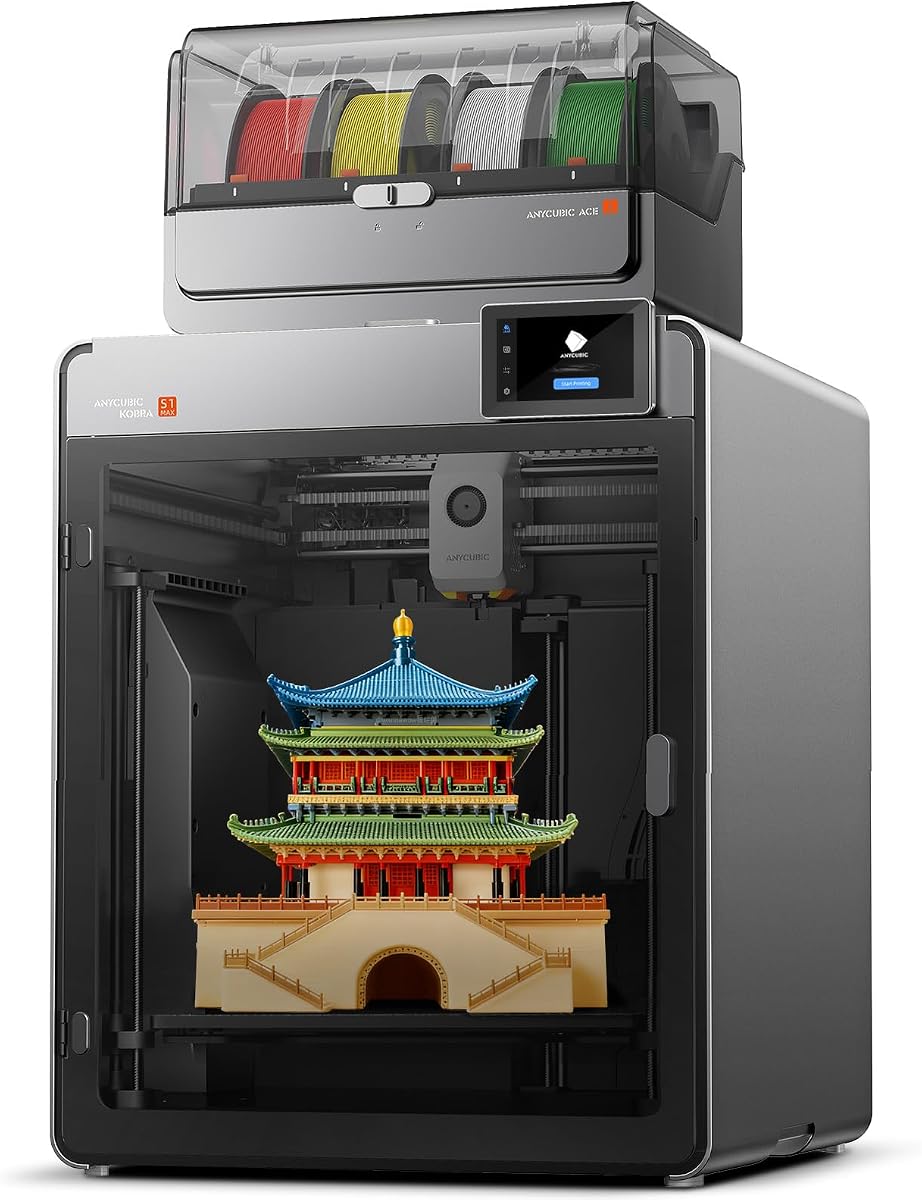
The Anycubic Kobra S1 Max Combo offers a large format solution with a fully enclosed CoreXY system. This design helps maintain stability and vibration compensation for consistent high-speed prints. It supports up to 16 colors when connected with additional ACE units.
We may earn a commission when you buy through this link, at no additional cost to you.
A 65C heated chamber reduces warping which ensures reliable results for daily projects and engineering applications. The LeviQ 3.0 auto-leveling detects uneven beds automatically to ensure a consistent first layer. These features make it suitable for both creators and engineers.
As a newer model, it has limited public reviews which may make it harder to gauge long-term reliability. However, its features align with modern standards for performance and automation in the industry.
If you are looking for a large format machine that supports multi-color and speed, this is a strong contender. It is designed for those who value smart protection features to safeguard their prints.
Active vibration compensation reduces ringing and ensures smooth lines on even the largest models.
Support for a wide range of materials allows you to experiment with different applications easily.
We may earn a commission when you buy through this link, at no additional cost to you.
Selecting the right Fdm Printer for Large Prints requires understanding your specific needs and the machine's capabilities. This guide breaks down the essential factors to consider for making an informed decision.
The build volume determines the maximum size of the object you can print in one piece. For large prints, you need a chamber that accommodates your typical project dimensions without requiring assembly. Check the X, Y, and Z measurements carefully to ensure they meet your requirements.
Always choose a volume slightly larger than your expected print sizes to allow for movement and calibration space.
High-speed printing capabilities can significantly reduce the time needed for large models. Look for machines with CoreXY systems or advanced motion systems that maintain precision at higher velocities. Speed often correlates with acceleration which affects overall throughput.
Ensure that the speed you choose does not compromise the quality of surface finish on your final parts.
Different materials require different temperature ranges and features like enclosed chambers. Engineering filaments like ABS or Nylon often need heated beds and consistent ambient temperatures to prevent warping. Verify that the printer supports the range of materials you plan to use regularly.
Consider the nozzle material as well since abrasive filaments can wear down standard brass tips quickly.
Features like auto-leveling and quick assembly reduce the time spent on setup and calibration. A user-friendly interface helps in monitoring and controlling prints without technical hurdles. This is especially important if multiple people will be using the machine.
Prioritize machines with intuitive software and reliable customer support to streamline your workflow.
Compatible slicing software is essential for generating accurate print paths and settings. Look for printers that work with widely used open-source or proprietary tools to ensure flexibility. Regular firmware updates also keep the machine running smoothly and securely.
Check if the software supports advanced features like multi-color setups or remote monitoring.
Long-term reliability is crucial for uninterrupted production and minimizing downtime. Check for features like power loss recovery and filament runout detection to protect your projects. Regular maintenance requirements should be minimal to keep operation costs low.
Choose brands with good reputations for durability and easy access to replacement parts.
Consider the total cost of ownership including initial purchase and ongoing material costs. A higher-priced printer might offer savings in waste reduction or faster speeds over time. Balance your upfront investment against the long-term benefits it provides for your workflow.
Look for value in warranty coverage and the support services included with the machine.
Network connectivity allows you to manage printers remotely which is useful for larger setups. Wi-Fi or LAN connections let you send files and monitor progress from a computer or mobile device. This feature improves efficiency by reducing the need for direct physical interaction.
Ensure the network capabilities are stable to avoid interrupted prints during long processes.
Start by leveling the build bed and calibrating the nozzle height according to the manufacturer's guidelines. Use a test print to ensure the first layer adheres properly without gaps. This initial setup is critical for the success of large prints.
Clean the build plate regularly and check belts and screws for tightness to maintain stability. Lubricate moving parts as recommended to reduce wear and improve movement. A well-maintained printer produces higher quality results consistently over time.
Keep the environment stable by avoiding drafts and temperature fluctuations during prints. Use a fan if necessary but direct airflow carefully to prevent warping. Monitor prints via cameras or webcams to catch any issues early and ensure success.
A large format 3D printer generally has a build volume of 300mm or more in at least one dimension. This allows for printing oversized objects in a single piece or multiple small items at once. It is essential to check all three axes to confirm the true size capacity.
An enclosed chamber helps maintain consistent temperatures which is crucial for materials like ABS that warp easily. For PLA or PETG, it may not be strictly necessary but can still improve quality. Large prints benefit from the stability an enclosure provides against ambient drafts.
Calibration should be performed whenever you notice print issues or after changing the print bed. A good practice is to check leveling every few hundred hours of printing to ensure consistency. Auto-leveling features help but manual checks are still recommended periodically.
Many large printers support multi-color printing with additional extruders or tool changers. These systems allow switching filaments mid-print to create complex designs. Check if your specific model has native support or requires add-on kits for this feature.
PLA and PETG are popular choices for ease of use and low warping. ABS and ASA are great for durability but require a heated chamber. For functional parts, Nylon or Polycarbonate offer high strength but need precise temperature control to avoid issues.
Large prints have more layers and surface area to cover which increases time significantly. Speed and acceleration settings can help reduce this but quality must be balanced. Using batch printing can optimize time by printing multiple items in one run.
Ensure strong bed adhesion using tapes or special surfaces designed for large areas. Use supports correctly and calibrate your extrusion settings to prevent under-extrusion. Monitoring the first few layers closely can help catch issues before they ruin the whole print.
Yes, compatibility ensures you can use the slicer you prefer for your specific needs. Open-source printers offer more flexibility while proprietary ones offer streamlined workflows. Always check that the machine supports your current slicing software version.
Our top picks like the Snapmaker U1 and QIDI Max4 Combo offer a mix of speed and reliability for large projects. The Creality Ender 5 Max remains a budget-friendly option for those needing volume without high costs. Each option has unique strengths that cater to different user requirements.
Prioritize build volume and speed based on your primary use case to get the best value. For professionals, features like multi-color and heated chambers are worth the investment. Beginners should focus on ease of use and support for a smoother start.
Always check current availability and specifications as models are updated frequently. Prices can vary so it is wise to compare offers before making a final decision. Investing in the right machine now can save you time and money in the long run.