
SteelSeries Nimbus+ Bluetooth Mobile Gaming Controller
4.0Editor score
Official Apple licensed wireless connectivity
Built-in rechargeable battery life
Tactile D-Pad buttons for feedback
This guide compares the top gaming controller for Apple TV options based on compatibility, battery life, and build quality to help you choose the right one.
Finding the perfect gaming controller for Apple TV can transform your living room into a dedicated gaming station. You need a device that pairs seamlessly with tvOS while offering precise inputs for your favorite titles. Whether you prefer a classic layout or modern features like motion controls, there is an option that fits your style.
We have evaluated ten top-rated controllers to determine which ones deliver the best experience on Apple TV. Our analysis focuses on wireless connectivity, battery longevity, and compatibility with the Apple Arcade ecosystem. We also consider ergonomic design and advanced features like programmable buttons that enhance gameplay across various genres.
Each pick in this list highlights specific strengths such as battery capacity or motion sensor accuracy. We have included detailed specifications and pros and cons to help you make an informed decision. Please note that product availability and pricing may change over time so check the latest details before purchasing.
4.0Editor score

4.7Editor score

4.4Editor score
This side-by-side comparison highlights the key specifications and unique features of each controller to help you find the ideal match for your Apple TV setup.
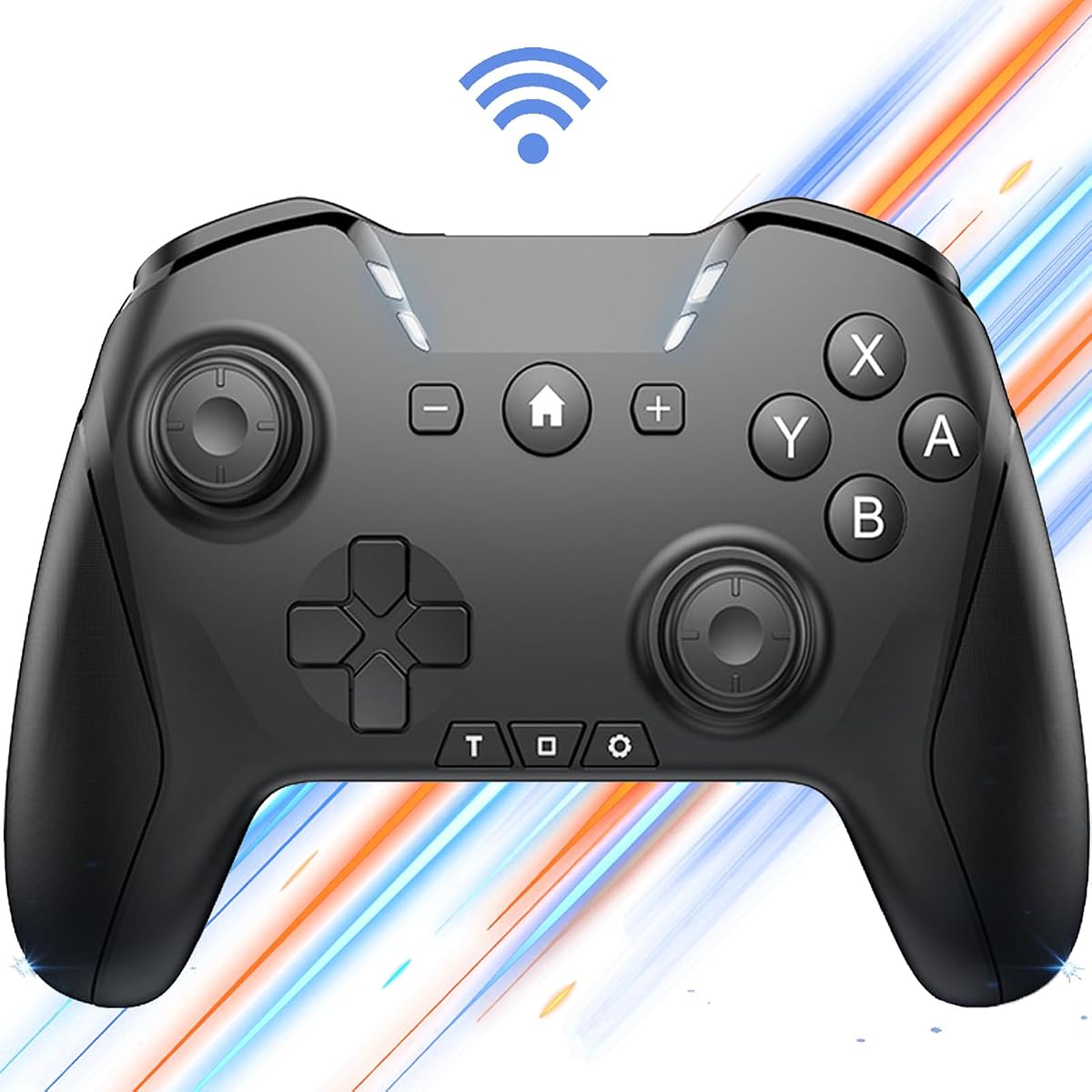



This Bluetooth controller offers a compelling entry point for gamers looking to expand their Apple TV setup. With a rating of 4.0, it provides reliable performance for casual and intermediate players. The standout quality here is the inclusion of programmable macros and a wake-up feature which are rare at this price tier.
We may earn a commission when you buy through this link, at no additional cost to you.
The controller supports a wide range of platforms including iOS and Android which makes it versatile for your home setup. You can customize operations with loop settings up to 30 seconds which helps with repetitive tasks in games. The 650mAh battery ensures you can play for up to 15 hours on a single charge.
While it offers many advanced features the software experience might not be as polished as premium brands. Users may need to consult the manual carefully to set up the macros correctly. Despite this the functionality provided outweighs the learning curve for budget conscious buyers.
This controller is ideal for families or casual gamers who want extra features without spending a premium. It supports Apple Arcade MFi Games which ensures compatibility with your TV. We recommend it for anyone looking for a versatile and affordable option.
The ability to program button sequences allows you to automate complex actions in games like RPGs.
A 650mAh battery provides up to 15 hours of gameplay so you rarely need to recharge.
We may earn a commission when you buy through this link, at no additional cost to you.
The SteelSeries Nimbus+ stands out as a top choice for Apple users due to its official licensing and tailored design. It holds a 4.0 rating and is built to work seamlessly with iOS iPadOS and tvOS devices. The focus on specific input mechanics like tactile D-Pad buttons sets it apart for competitive gaming.
We may earn a commission when you buy through this link, at no additional cost to you.
One of its strongest features is the built-in rechargeable battery that offers over 50 hours of play. This means you can game for weeks without needing to plug it in. The clickable joysticks add extra input options which are useful for games requiring camera adjustments or menu navigation.
To get the most out of this controller it is suggested to update it via the SteelSeries Engine. This ensures maximum compatibility with your Apple devices. Some users might find this extra step slightly cumbersome but it guarantees a smooth experience.
This controller is perfect for Apple enthusiasts who want a device designed specifically for their ecosystem. The long battery life and official license make it a reliable daily driver. We highly recommend it for anyone prioritizing seamless connectivity.
Being officially licensed means it works out of the box with tvOS and iPhone apps.
With 50 plus hours you can game all week on a single charge without interruption.
We may earn a commission when you buy through this link, at no additional cost to you.
The VOYEE Switch Controller delivers a premium feel with its RGB lighting and strong performance metrics. It boasts a 4.4 rating which indicates high satisfaction among users who value both style and function. The controller shines with its adjustable turbo and vibration levels.
We may earn a commission when you buy through this link, at no additional cost to you.
The RGB Cool Lightning Bolt design adds a unique aesthetic to your setup. You can choose from four light modes including solid or breathing lights. The programmable buttons allow you to map complex skills to simple presses which enhances your gameplay efficiency.
While the PC mode works best with a wired connection the wireless performance on Apple TV remains solid. The battery life is decent but the RGB lights may consume more power than standard controllers. This trade-off is acceptable for those who prioritize visual flair.
This controller is great for gamers who want a mix of performance and customization. The high rating and feature set make it a strong contender for Apple TV gaming. We recommend it for users who want a vibrant and responsive experience.
Choose from solid breathing or strobe modes to match your gaming environment.
Select from four vibration levels to match the intensity of your game.
We may earn a commission when you buy through this link, at no additional cost to you.
This controller brings retro aesthetics with modern technology like Hall Effect Joysticks. It has an impressive 4.7 rating making it one of the most reliable options available. The design is fully featured with clickable joysticks and motion controls for versatility.
We may earn a commission when you buy through this link, at no additional cost to you.
The Hall Effect Joysticks are robust and long-lasting which prevents drift issues common in other controllers. It supports wireless Bluetooth and USB connectivity for flexible play. The officially supported status ensures it works well with tvOS and Apple devices.
The compact size makes it easy to carry but some users might find the grip less ergonomic for long sessions. The turbo function is useful for shooting games but requires a bit of setup. Overall the build quality is superior to most alternatives.
Ideal for retro gaming fans or those who prefer a compact controller this model excels in precision. The high rating and durable parts make it a safe investment for Apple TV owners. We suggest it for anyone valuing build quality.
Magnetic sensing prevents wear and tear ensuring long-term accuracy.
Works officially with iPhone iPad and Apple TV for smooth pairing.
We may earn a commission when you buy through this link, at no additional cost to you.
This renewed controller offers a cost-effective way to get the Nimbus+ experience. It holds a 3.6 rating which reflects varied experiences but it is professionally inspected for quality. The design focuses on responsive inputs and stable wireless connectivity.
We may earn a commission when you buy through this link, at no additional cost to you.
The controller is compatible with iPhone iPad and Apple TV ensuring broad support. The buttons and analog sticks are tested to meet responsiveness standards. Buying renewed allows you to get a known brand at a potentially lower price point.
Since it is a renewed product the battery life might not match brand new units. However the professional inspection ensures it meets Amazon Renewed quality standards. It is a good option for those who prioritize brand reliability over a new seal.
This is a suitable choice for budget conscious buyers who want a trusted name. The stable connection and responsiveness are key strengths for Apple TV gaming. We recommend checking reviews for specific units.
Professionally inspected units ensure functionality matches the original specs.
Designed specifically for iPhone iPad and Apple TV ecosystem.
We may earn a commission when you buy through this link, at no additional cost to you.
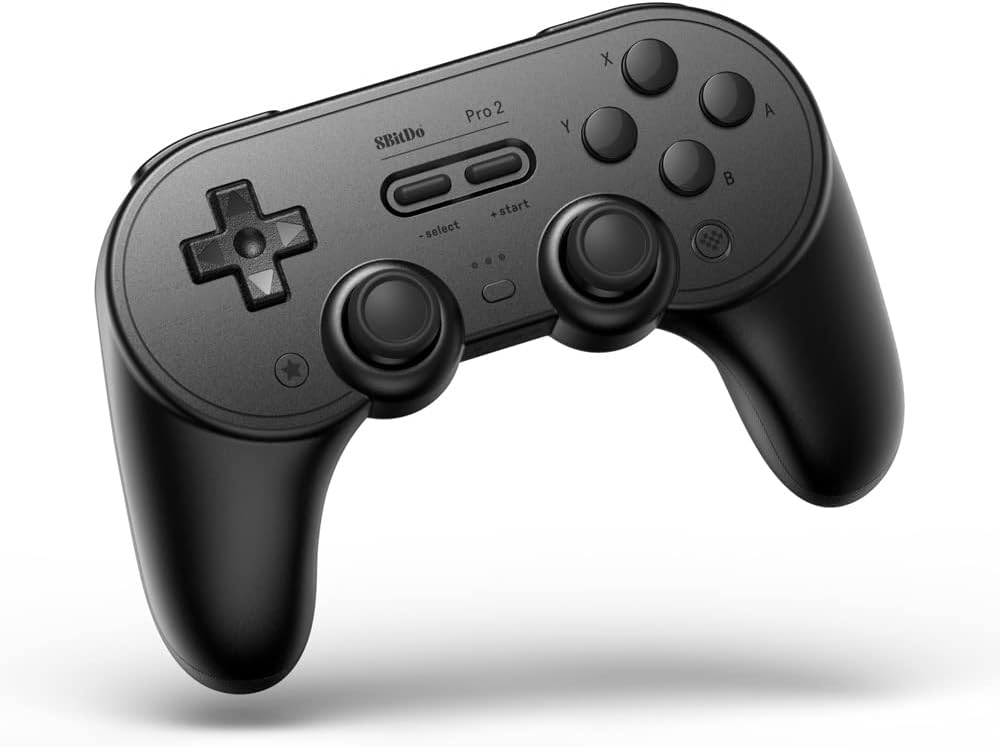
The Pro 2 is a powerhouse for those who game across multiple devices. With a 4.5 rating it delivers excellent performance on Apple TV and other platforms. The inclusion of two pro-level back buttons gives it a distinct advantage in complex games.
We may earn a commission when you buy through this link, at no additional cost to you.
The Ultimate software allows you to create custom profiles and map buttons exactly how you want. The 20 hour battery ensures you can game for extended periods. Motion controls and rumble vibration enhance immersion on supported titles.
While the software offers great flexibility it requires a PC or mobile app to configure. Some users might prefer a plug-and-play experience but the customization is worth the effort. The grip is designed for comfort during long sessions.
This controller is ideal for enthusiasts who want deep customization options. The high rating and back buttons make it a top tier choice. We recommend it for users who play across platforms.
Two extra buttons let you map actions without taking thumbs off sticks.
Customize profiles and settings easily through the desktop or mobile app.
We may earn a commission when you buy through this link, at no additional cost to you.
This standard version of the Nimbus+ offers reliable performance for Apple TV. It holds a 4.1 rating which confirms its dependability for general gaming. The controller focuses on essential features like responsive buttons and wireless connectivity.
We may earn a commission when you buy through this link, at no additional cost to you.
The rechargeable battery provides extended sessions so you can play without interruption. It works seamlessly with iPhone iPad and Apple TV for a smooth experience. The design is ergonomic and comfortable for most hand sizes.
It lacks advanced features like back buttons or RGB lighting which other models offer. This simplicity is beneficial for users who prefer a no fuss controller. The build quality is sturdy and long-lasting.
This is a solid choice for those who want a simple and reliable controller. The focus on core functionality makes it suitable for casual play. We suggest it for Apple users seeking consistency.
Works flawlessly with all major Apple devices out of the box.
Built-in battery means you do not need to replace AA cells.
We may earn a commission when you buy through this link, at no additional cost to you.
The Aurora II integrates Hall Effect technology for precise joystick control. With a 4.2 rating it is a strong option for those needing accuracy. The large battery capacity ensures you can game for long periods without recharging.
We may earn a commission when you buy through this link, at no additional cost to you.
Customizable back keys allow you to map actions for better ergonomics. The 2.4G wireless connection offers stable signal and anti-interference which is great for living room gaming. The RGB effects add a modern touch to your setup.
Pairing requires specific steps which might be confusing for first time users. The Bluetooth mode requires holding the home button for a few seconds. Once connected however the performance is robust and lag free.
This controller is excellent for gamers who prioritize joystick accuracy and battery life. The Hall Effect sensors and large battery make it stand out. We recommend it for tech savvy users who want stability.
Magnetic sensors provide high precision without physical contact wear.
1000mAh battery supports extra long gaming sessions on one charge.
We may earn a commission when you buy through this link, at no additional cost to you.
The Official Luna Wireless Controller is designed for cloud gaming but works on Apple TV too. It has a 4.4 rating reflecting its solid build and performance. The controller allows you to switch between devices seamlessly.
We may earn a commission when you buy through this link, at no additional cost to you.
It connects via Bluetooth to any compatible device including Apple TV. The offset thumbsticks and directional pad are comfortable for long sessions. Screen switching features let you pause on one screen and resume on another.
While it is optimized for Luna its Bluetooth functionality makes it versatile for Apple TV use. The design is simple and effective for standard gaming needs. It is a good choice if you use multiple platforms.
This controller is great for cloud gamers who also play on Apple TV. The seamless switching and compatibility make it flexible. We recommend it for Luna users looking for multi-device support.
Designed for Amazon Luna but works broadly across Bluetooth devices.
Pause on one screen and resume on another for seamless transitions.
We may earn a commission when you buy through this link, at no additional cost to you.
This controller stands out with its Loop Macro Function which automates button presses. It holds a 4.1 rating making it a reliable option for Apple TV gaming. The design supports home wake up and remappable buttons.
We may earn a commission when you buy through this link, at no additional cost to you.
The Loop Macro allows you to record sequences that replay automatically for grinding. This saves time in games with repetitive actions. The 6-Axis Gyro sensor ensures precise motion control for games that support it.
The battery life is solid with 800mAh capacity supporting up to 20 hours of play. The RGB lighting and ergonomic design add to its appeal. It is a well-rounded controller with unique automation features.
Ideal for gamers who want automation and remappable inputs this model is versatile. The battery life and gyro sensor make it a strong all-rounder. We suggest it for those who enjoy customization.
Record and replay sequences to automate repetitive in-game actions easily.
Swap button layouts to match your hand size or gaming preferences.
We may earn a commission when you buy through this link, at no additional cost to you.
Choosing the right controller involves evaluating several key factors to ensure it meets your gaming needs.
Ensure the controller explicitly supports tvOS and Apple Arcade games for seamless integration. Check for MFi or official licensing to avoid connection issues.
Look for models with at least 15 to 20 hours of playtime to avoid interruptions. Rechargeable lithium batteries are more cost effective in the long run than replaceable cells.
Consider the shape and weight of the controller to ensure it feels comfortable during long sessions. Hand size matters so check reviews for grip comfort.
Bluetooth offers flexibility but wired connections reduce latency. Most Apple TV controllers use Bluetooth so ensure the range is sufficient for your setup.
If you play games that require gyro or motion inputs verify the controller has a 6-axis gyroscope. This feature is essential for racing or shooting titles.
Advanced users may want programmable buttons or macros to customize gameplay. Check if the controller supports software for button remapping.
Rumble motors enhance immersion by providing physical feedback during events. Look for models with adjustable vibration intensity for a tailored experience.
Inspect the durability of the thumbsticks and buttons as they endure frequent use. Hall Effect sensors are a premium option that prevent stick drift over time.
To pair your controller with Apple TV turn on the pairing mode by holding the designated button. Navigate to Settings on your Apple TV and select the controller under Bluetooth devices to complete the connection.
For optimal performance keep the firmware updated via the manufacturer's app if available. This ensures compatibility with new tvOS updates and fixes any bugs.
Care for your controller by storing it in a dry place when not in use. Avoid exposure to extreme heat or moisture to protect the battery and internal components.
Yes Apple TV supports a wide range of third party Bluetooth controllers including many from Nintendo and Xbox. The device pairs seamlessly with any controller that supports the Bluetooth HID profile.
The SteelSeries Nimbus+ and 8BitDo Pro 2 are excellent choices for Apple Arcade as they are officially supported and offer high precision inputs for various genres.
Restart both the controller and your Apple TV then try pairing again. Ensure the controller has sufficient battery and that your tvOS system is updated to the latest version.
Many Switch controllers work on Apple TV via Bluetooth especially models with MFi support. However official Nintendo Switch Joy-Cons may have limited functionality depending on the game.
Most rechargeable controllers offer between 15 to 50 hours of play on a single charge depending on features like vibration and RGB lighting which consume more power.
No motion controls are supported only by games that explicitly include gyro or accelerometer features. Always check the game description for controller compatibility before purchasing.
We have reviewed ten top controllers including the 8BitDo SN30 Pro and SteelSeries Nimbus+ to help you decide. Each option offers unique strengths ranging from budget friendly to premium performance.
Prioritize factors like battery life and compatibility based on your gaming style. If you play many hours daily look for high capacity batteries and durable build quality.
Remember to check the latest availability and reviews before purchasing. Your ideal controller will enhance your Apple TV experience for years to come.