
msi Gaming GeForce GT 1030 4GB DDR4
4.5Editor score
Low power consumption
Single slot design
HDMI and DP output
This guide compares the top GPUs for Optiplex systems including low profile cards for small form factor cases to help you upgrade your workstation performance
Finding the right GPU for Optiplex systems requires careful attention to form factor and power limits. These small business computers often need low profile cards that fit inside compact cases without needing extra power cables or large coolers.
We analyzed ten real graphics cards available now for compatibility with Dell Optiplex desktops. Our list includes gaming and professional options ranging from entry level to high performance workstation solutions for various user needs.
Each pick shows key specs and real world benefits for upgrading your machine. Note that prices change often so check current listings before buying to ensure you get the best deal for your specific Optiplex model today.
4.5Editor score

4.3Editor score

4.7Editor score
This side by side comparison shows key specs for all ten graphics cards we reviewed. Use this table to quickly see which low profile card fits your Optiplex case and meets your performance needs for work or play.
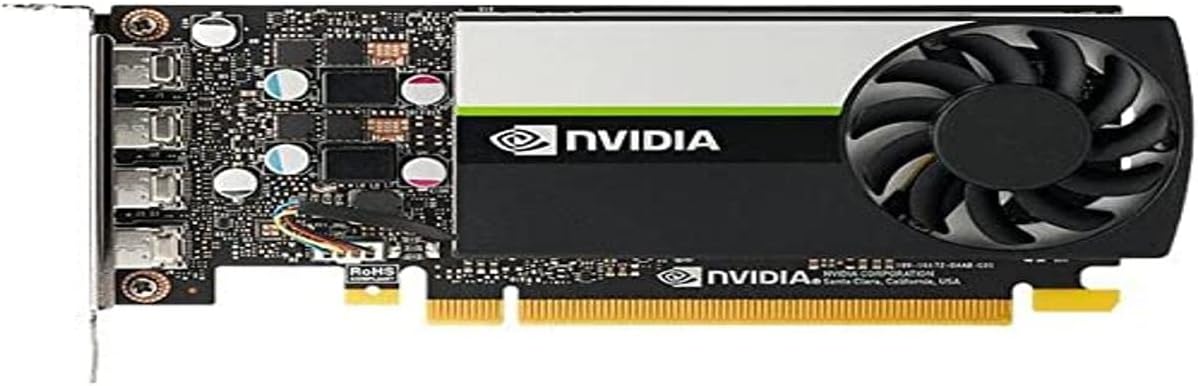


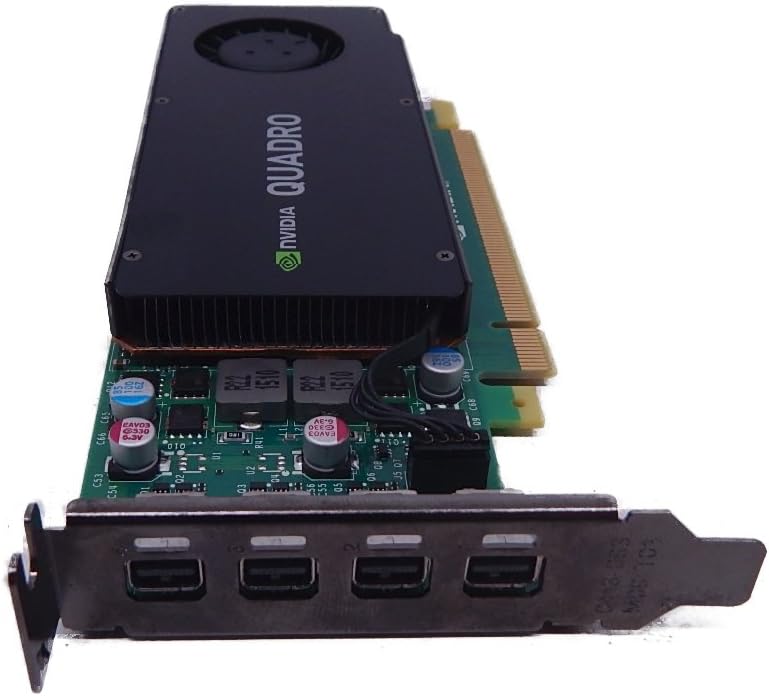
The maxsun GeForce RTX 3050 6GB stands out as a top choice for Optiplex users seeking a balance of size and performance. With a 4.3 rating from buyers, this card brings modern Ampere architecture to small form factor desktops without needing extra power cables or a large case.
We may earn a commission when you buy through this link, at no additional cost to you.
Its 6GB GDDR6 memory and PCIe 4.0 interface provide enough bandwidth for smooth 1080p gaming and general productivity tasks. The built-in DLSS feature helps boost frame rates in supported titles while the HDMI 2.1 and DisplayPort 1.4a outputs support high resolution multi monitor setups for work.
While the base clock speed is modest compared to full size cards, the low profile design ensures it fits inside Dell Optiplex cases that lack room for bulky GPUs. The lack of external power connectors simplifies installation making it ideal for users who want a plug and play upgrade without opening the power supply unit.
This card is perfect for office workers who play casual games or need better graphics acceleration for light video editing. If your Optiplex model supports PCIe slots and you need a reliable low profile upgrade this RTX 3050 offers the best overall value and compatibility in its class today.
Measuring just 6.65 inches in length this slim card slides into most Optiplex SFF cases without blocking other ports or requiring case modifications.
Support for HDMI 2.1 and DisplayPort 1.4a allows you to connect 4K monitors or high refresh rate displays for an immersive viewing experience.
We may earn a commission when you buy through this link, at no additional cost to you.
The PNY Nvidia RTX A400 is a professional grade graphics card designed for stability and reliability in business environments. With a high 4.7 rating it delivers certified performance for CAD and visualization apps running on Optiplex workstations without requiring extra power or space inside the case.
We may earn a commission when you buy through this link, at no additional cost to you.
Its 768 CUDA cores and 4GB GDDR6 memory handle complex 3D models and video rendering tasks smoothly. The four Mini DisplayPort 1.4a outputs let you connect up to four 5K displays for a massive visual workspace while the 50W power draw ensures it runs quietly and coolly under load.
Because this card uses professional drivers it may not be optimized for gaming but it shines in creative and engineering workflows where stability matters most. The single slot low profile design makes it easy to install in tight Optiplex enclosures where space is at a premium for other components.
If you run professional software like AutoCAD or Adobe Suite on your Optiplex this card is the best premium choice for reliable performance. The ISV certification means you get guaranteed compatibility and fewer crashes during critical work sessions making it a smart investment for business users.
Over 100 professional applications are tested and certified to work with this card ensuring stable performance during demanding design and rendering tasks.
Drawing only 50 watts from the slot this card runs efficiently without stressing older power supplies common in small business desktops.
We may earn a commission when you buy through this link, at no additional cost to you.
The msi Gaming GeForce GT 1030 4GB offers the most affordable entry point for upgrading graphics on an Optiplex desktop. Rated 4.5 by users this card provides a reliable boost over integrated graphics for basic tasks and light gaming without breaking the budget.
We may earn a commission when you buy through this link, at no additional cost to you.
Featuring 4GB of DDR4 memory and a single fan design it stays cool and quiet while drawing power directly from the PCIe slot. The HDMI 2.0b and DisplayPort outputs support modern monitors and streaming apps making it a practical choice for media centers or home office setups.
While it uses older architecture compared to newer RTX cards it still handles everyday computing and casual titles well. The low profile bracket ensures it fits in standard Optiplex cases and the simple plug and play design means no driver headaches or complex setup steps.
This card is ideal for users who need to play older games or run multiple monitors on a tight budget. If you want the cheapest way to add dedicated graphics to your Optiplex this GT 1030 delivers solid value and reliability for basic use cases.
At a low price point this card brings dedicated graphics to systems that previously relied on slow integrated video solutions.
The single fan cooling solution keeps noise levels down while ensuring the card stays within safe operating temperatures during use.
We may earn a commission when you buy through this link, at no additional cost to you.
The PNY NVIDIA T600 is a professional graphics card built for multi monitor workstations where stability and display support matter most. With a 4.6 rating this card can drive up to four 5K displays or two 8K displays making it perfect for traders analysts or designers who need screen real estate.
We may earn a commission when you buy through this link, at no additional cost to you.
Powered by the Turing architecture it includes dedicated video encode and decode engines for smooth H.264 and HEVC playback and editing. ISV certification ensures it works reliably with professional software while the compact design fits easily into Optiplex cases without needing extra power connectors.
This card focuses on productivity and visual workflows rather than gaming performance. The dual display support allows you to spread work across multiple screens without lag or frame drops which is essential for multitasking environments that demand high reliability throughout the work day.
Choose this card if your Optiplex setup needs to support multiple high resolution monitors for work. The T600 delivers the display flexibility and driver stability required for professional environments where downtime or rendering errors are not acceptable during critical tasks.
Drive up to four 5K displays from a single card giving you plenty of space for code spreadsheets or design tools.
Dedicated engines for H.264 and HEVC ensure smooth video playback and efficient editing without taxing the main CPU.
We may earn a commission when you buy through this link, at no additional cost to you.
The ASUS Dual GeForce RTX 3050 6GB brings high performance gaming features to compact Optiplex systems with a focus on cooling efficiency. With a 4.7 rating this card uses an axial-tech fan design that pushes air downward to keep temperatures low even in tighter enclosures.
We may earn a commission when you buy through this link, at no additional cost to you.
Its 2-slot design maximizes compatibility with cases that can accommodate slightly larger cards while maintaining the low profile form factor. The IP5X dust resistance helps protect internal components from particles which extends the lifespan of the GPU in environments where dust buildup is a concern.
Powered by NVIDIA Ampere streaming multiprocessors and second gen RT cores this card delivers solid ray tracing performance and up to 2X throughput for demanding games. The overclocked boost clock of 1500 MHz provides extra headroom for smooth gameplay compared to reference models.
If your Optiplex case has room for a 2-slot card this ASUS model offers the best balance of cooling and performance. The dust resistance and robust steel bracket make it a durable choice for gaming or workstation use where reliability and thermal management are top priorities.
Axial-tech fan blades and a barrier ring increase air pressure to cool the card effectively even in restricted airflow cases.
A stainless steel bracket resists corrosion and adds structural integrity to the card for long term use in various environments.
We may earn a commission when you buy through this link, at no additional cost to you.
The GIGABYTE GeForce RTX 3050 WINDFORCE uses two fans to keep the GPU cool and quiet inside Optiplex cases. With a 4.6 rating users appreciate the WINDFORCE design which moves air efficiently to maintain performance under load without loud fan noise during gaming or rendering tasks.
We may earn a commission when you buy through this link, at no additional cost to you.
Featuring 6GB GDDR6 memory and NVIDIA Ampere architecture this card supports ray tracing and AI powered upscaling for smoother visuals. The dual fan setup spreads heat across a larger surface area allowing the card to run at higher boost clocks for longer periods without throttling.
While it is slightly larger than single fan models it still fits most Optiplex SFF cases that have room for a standard height bracket. The combination of modern features and reliable cooling makes it a strong choice for users who want a step up from basic graphics performance.
Choose this card if you prioritize quiet operation and consistent performance in your Optiplex system. The dual fan design ensures that heat is managed well which is crucial for maintaining stability during long work sessions or extended gaming sessions in smaller desktop cases.
Two WINDFORCE fans work together to move more air through the heatsink keeping the GPU cooler than single fan designs.
Supports ray tracing and DLSS so you can play modern titles with enhanced visuals and higher frame rates.
We may earn a commission when you buy through this link, at no additional cost to you.
The msi Gaming RTX 3050 LP 6G is built specifically for low profile Optiplex systems where space is tight. With a 4.5 rating this card fits into the smallest cases while still delivering solid gaming performance and modern display outputs for high refresh rate monitors.
We may earn a commission when you buy through this link, at no additional cost to you.
Featuring 6GB GDDR6 memory and a boost clock of 1492 MHz it handles most popular games at 1080p with good frame rates. The two HDMI 2.1a ports allow you to connect multiple monitors or high bandwidth displays for better video quality and responsiveness during use.
Its design avoids external power connectors so installation is as simple as plugging the card into the PCIe slot and securing it. The low profile bracket ensures it clears the rear panel of most business desktops without requiring case modifications or custom brackets for mounting.
If you need a true low profile gaming card for an Optiplex this MSI model is one of the best options available. It balances size performance and modern connectivity well making it a smart pick for users who want to upgrade their graphics without changing their case.
Designed to fit standard low profile brackets this card works with most small form factor cases without needing extra clearance.
HDMI 2.1a ports support high refresh rates and resolutions so you can enjoy smoother motion in games and media.
We may earn a commission when you buy through this link, at no additional cost to you.
The PNY NVidia Quadro K1200 is a professional low profile card designed for older Optiplex systems that need reliable ISV certified graphics. With a 4.4 rating it offers four Mini DisplayPort outputs and stable drivers for CAD or engineering apps that require consistent performance.
We may earn a commission when you buy through this link, at no additional cost to you.
Featuring PCIe 2.0 support this card works with older motherboards found in previous generation Optiplex models. The quad display support lets you connect multiple monitors for productivity while the low profile bracket ensures it fits inside standard small form factor desktop enclosures.
While it is not designed for modern gaming it excels at 2D and basic 3D professional workloads where driver stability matters most. The 3-year warranty provides peace of mind for business deployments where hardware longevity and support are important for keeping operations running smoothly.
Choose this card if you have an older Optiplex and need certified graphics for legacy software. The K1200 delivers the stability and display connectivity required for professional workloads that do not need the latest gaming features or high performance compute power.
Quadro drivers are optimized for stability in professional applications ensuring fewer crashes during critical design work.
Four Mini DisplayPort connectors let you connect multiple monitors for a productive multi screen workspace.
We may earn a commission when you buy through this link, at no additional cost to you.
The NVIDIA Quadro P1000 is a low profile professional card that supports up to four 4K displays for a large visual workspace. With a 4.5 rating it is popular among business users who need multiple high resolution screens for data analysis design or trading on Optiplex systems.
We may earn a commission when you buy through this link, at no additional cost to you.
Powered by Pascal architecture this card offers better performance than older generations while maintaining a low power draw. The ISV certification ensures compatibility with professional applications and the compact design fits inside standard Optiplex cases without requiring extra power connectors or cooling.
This card focuses on delivering stable multi display support rather than gaming performance. The four 4K outputs allow professionals to view designs or spreadsheets in detail without needing multiple cards or complex setup steps to get the screen real estate they need.
If your Optiplex needs to support several 4K monitors for work this P1000 is a strong choice. It provides the display flexibility and driver stability required for productivity environments where reliable multi screen setups are essential for daily operations and workflow efficiency.
Support up to four 4K displays from one card giving you plenty of screen space for multitasking and detailed work.
Certified drivers ensure that professional apps run smoothly without compatibility issues during critical tasks.
We may earn a commission when you buy through this link, at no additional cost to you.
The NVIDIA Graphics Card VCQK1200DVI offers a straightforward upgrade for Optiplex systems that rely on older DVI displays. With a 4.2 rating this card delivers reliable performance for basic graphics needs while supporting legacy monitors without the need for new adapters or cables.
We may earn a commission when you buy through this link, at no additional cost to you.
Featuring 4GB GDDR5 memory and a Quadro engine it provides stable output for 2D and light 3D workloads. The PCIe 2.0 interface ensures compatibility with older Optiplex models and the low profile design fits inside standard small form factor cases for easy installation.
This card is best suited for environments where older hardware is still in use and upgrading all monitors is not an option. The DVI output and certified drivers make it a practical choice for extending the life of existing workstations without investing in new display technology.
If you have legacy DVI monitors that you need to connect to an Optiplex this card is a practical solution. It delivers reliable performance for basic workloads and ensures that older displays continue to function correctly without the cost of replacing all equipment.
DVI output lets you connect older monitors directly without needing extra adapters for video signals.
Quadro drivers ensure that the card delivers consistent output for daily work tasks and basic graphics needs.
We may earn a commission when you buy through this link, at no additional cost to you.
Choosing the right GPU for Optiplex involves checking case size power limits and driver needs for your specific workloads.
Optiplex systems come in small form factor cases that often require low profile graphics cards. Check your case height and length limits before buying to ensure the card fits without blocking other ports or requiring case modifications. Most modern low profile GPUs measure under 7 inches in length.
Look for cards marked as low profile or SFF compatible to avoid fit issues. This ensures the card slides into your Optiplex case without needing custom brackets or internal adjustments.
Many Optiplex units use limited wattage power supplies that cannot support external GPU power cables. Choose cards that draw power directly from the PCIe slot without needing extra connectors to ensure safe operation without upgrading your PSU. Cards drawing 75 watts or less are ideal.
Verify your power supply wattage before buying to avoid shutdowns or hardware issues. A card that runs without external power keeps installation simple and reliable for most business desktop configurations.
If you use professional software like CAD or design tools check for ISV certified drivers that guarantee stability. Gaming drivers may work but can cause crashes during critical workloads where reliability is paramount for business operations. Professional cards often include these certifications out of the box.
Select a card with drivers suited to your software stack for consistent performance. Certified drivers reduce the risk of errors and downtime during important projects or client deliverables.
Determine how many monitors and what resolution you need to support with your GPU. Optiplex users often need multiple displays for productivity so check the card has enough HDMI or DisplayPort outputs to connect all your screens without adapters. Some cards support up to four displays.
Match the video ports on the card to your monitor inputs to avoid needing extra dongles. This keeps your desk tidy and ensures stable connections for all your work displays.
Assess whether you need gaming performance or just basic graphics acceleration for work. Entry level cards handle everyday tasks and light media while higher tier cards support 3D rendering or smooth gaming at 1080p. Pick a tier that matches your primary use case without overpaying.
Balance performance with budget to get the best value. Overpaying for gaming power when you only need office graphics is common so match specs to your actual workload needs.
Small cases can trap heat so look for GPUs with efficient cooling designs that keep noise low. Single fan or passive cooling options are common in low profile cards and ensure quiet operation in office environments. Good thermal design prevents throttling under load.
Consider how loud the card might be in your workspace. Quieter cooling keeps the environment comfortable during long work hours and prevents distraction.
Older Optiplex models may only have PCIe 2.0 slots which limit bandwidth compared to PCIe 3.0 or 4.0. Cards designed for lower PCIe versions will still work but may not reach full potential. Check your system specs to ensure compatibility with newer GPU interfaces.
If your system supports newer PCIe versions opt for cards that match for best performance. This ensures you get the full bandwidth benefits for faster data transfer between GPU and CPU.
Professional cards often include longer warranties which is valuable for business deployments. Look for cards with at least a three year warranty to protect your investment against early failures. Support from the manufacturer can save time when troubleshooting hardware issues.
A good warranty provides peace of mind especially for workstations that run daily. Check the support terms before buying to ensure you can get help if needed.
Before installing the card shut down your Optiplex and unplug all power cables. Open the case by removing the side panel screws and locate the available PCIe slot near the rear panel to fit the GPU securely.
Insert the card firmly into the slot and secure the bracket with the screws provided with the case. Ensure the card is flush against the rear panel and does not block any internal airflow paths or other components.
Install the latest drivers from NVIDIA before running any graphics intensive apps. Regularly clean dust from the card fans with compressed air to keep cooling efficient and prevent overheating during long work sessions.
Most low profile GPUs will fit but you should check your case dimensions and power limits first. Some older Optiplex models have specific height restrictions or lack support for taller cards. Always verify your case compatibility before buying to avoid fit issues.
If you choose a card that draws power only from the PCIe slot you likely will not need to upgrade. Most Optiplex compatible GPUs stay under 75 watts which your existing supply can handle without extra cables or modifications.
Professional GPUs have ISV certified drivers for stability in work apps while gaming cards prioritize frame rates and visuals. If you use CAD or design software pick a professional card for reliability otherwise a gaming card may offer better value.
Yes but only entry level gaming cards can run modern titles at 1080p with good settings. Optiplex cases limit size and power so look for low profile cards designed for small systems to get playable frame rates without overheating.
Most professional cards support up to four displays but gaming cards often support two or three. Check the number of video outputs on the card to ensure it matches your monitor setup before purchasing.
Not necessarily but they often use smaller fans or passive cooling which can be quieter if designed well. Look for reviews on noise levels since a well ventilated case matters more than size alone for quiet operation.
Check your system specifications online or open the case to look for an empty PCIe slot. Some newer Optiplex models have only one slot which is usually filled by integrated graphics. Always verify available slots before buying.
Yes most low profile cards are plug and play requiring only basic screwing and driver installation. Follow a guide for your specific model and take care to ground yourself to avoid static discharge when handling the card.
The maxsun RTX 3050 PNY RTX A400 and msi GT 1030 lead this list for balancing size performance and reliability in Optiplex cases. Each offers distinct advantages depending on whether you need gaming power professional stability or a budget friendly upgrade for basic tasks.
Prioritize form factor and power limits before focusing on specs to ensure your card fits and runs safely in your Optiplex. Checking case dimensions and power supply wattage first will save you from returns and installation issues later on.
Prices for these cards change often so check current listings before making your purchase to ensure you get the best deal. Verify your Optiplex model compatibility one more time to confirm the card will fit and run without issues in your specific desktop.